
8 Best AI Meeting Note Takers for Lawyers in 2026 (Compared & Reviewed)
Best AI meeting note takers for lawyers, compared: 1. VXT Meet 2. Voibe Work 3. Quill 4. Jamie 5. Krisp 6. Fellow 7. Granola 8. Otter

The Best AI Meeting Note Takers for Lawyers: The Short Answer
A client call is the one meeting where your notetaker's terms of use can end up in the argument. In February 2026, Judge Rakoff held that a defendant's Claude chats weren't privileged. Part of the reason was that Anthropic's privacy policy let it train on them and share them with regulators (our US v. Heppner explainer). Your meeting notetaker has a privacy policy too.
No court has yet ruled on an AI meeting notetaker and privilege. But the bar guidance is already clear about what to check. The New York City Bar's Formal Opinion 2025-6 tells lawyers to look at where the data is stored and for how long, whether it can be pulled into discovery, and whether the vendor trains on it.
I've tested every tool on this list hands-on, on my own calls, and I read every vendor's pricing, security and privacy pages for this list (checked September 28, 2026). Here's how they rank (how we ranked them):
- VXT Meet: best overall for law firms. Built for lawyers: no bot, in-person and virtual meetings, and notes and time entries saved into Clio and 15+ other practice-management systems. It's the priciest, at $80 per user per month, and notes live in VXT's cloud.
- Voibe Work: best value for money on a Mac, with dictation and meeting notes in one plan. No bot, audio deleted after processing, notes saved on your Mac, never trained on. $140 a year, with a dictation app included.
- Quill Meetings: best local option on Windows. Transcribes on your computer.
- Jamie: best for EU and UK data residency. Never trains on your data.
- Krisp: cheapest paid plan here ($96 a year). Transcribes on your device, with noise cancellation.
- Fellow: best for firm-wide rollouts with redaction and auto-delete.
- Granola: polished, but notes live in its US cloud and training is on by default.
- Otter: the most popular, and the one with the most to answer for: it trains on de-identified recordings, and a wiretap class action against it survived dismissal in August 2026.
Key takeaways
| Note taker | Best for | Where notes are kept | Per user per year |
|---|---|---|---|
| VXT Meet | Law firms on Clio and other practice-management software | VXT's cloud | $960 |
| Voibe Work | Privacy and value on a Mac | On your Mac | $140, or $349 once |
| Quill Meetings | Local notes on Windows | On your computer | $83.88 (Lite) |
| Jamie | EU/UK clients | Jamie's EU/UK/CH cloud | €252 (Plus) |
| Krisp | Lowest price, on-device transcripts | On your device (cloud optional) | $96 (Core) |
Key Takeaway
VXT Meet is the best AI meeting note taker for most law firms: it's built for lawyers, uses no bot, and files notes and time entries into Clio and other practice-management systems, at $80 per user per month. Voibe Work is the best for privacy and value: notes saved on your Mac, audio deleted after processing, never trained on, $140 a year. Granola and Otter keep notes in the vendor's US cloud and can use your meetings to improve their AI unless you act. Whatever you pick, tell every participant you're taking notes.
Why Lawyers Are Rethinking AI Notetakers
Lawyers aren't against AI notes. They're against AI notes that leave copies of privileged conversations in places they can't see. Here's what's driving that, with the evidence.
1. A third party may be holding the transcript
A Cahill Gordon client alert from June 2026 puts it plainly: "Because the A.I. companies that operate these tools may have access to transcript data under their terms of use, an opposing party could contend that use of an A.I. notetaker constitutes disclosure to a third party… Courts have not yet squarely addressed this question" (summary via CLS Blue Sky). In-house lawyers feel it too. On r/LawFirm in July 2026, one wrote: "As in-house, I'm VERY concerned about privilege and discoverability. If the AI notetaker is considered a third-party present at the meeting, then it breaks ACP" (thread).
2. Some vendors train on your meetings by default
Otter's privacy policy says it trains "our proprietary AI technology on de-identified audio recordings and on transcriptions" (Otter privacy policy). Granola uses anonymised data for model improvement by default on its Free and Business plans, with a per-user opt-out. Wispr Flow's help center says model training on Notetaker content is on by default on Free and Pro. ABA Formal Opinion 512 says that for self-learning AI tools, "a client's informed consent is required prior to inputting information relating to the representation", and that boilerplate in an engagement letter "is not sufficient" (ABA Formal Opinion 512). A lawyer on r/Lawyertalk summed it up: "The no training piece is non negotiable for privileged work" (thread).
3. Consent rules are stricter than the software
The NYC Bar says "clients must be notified, and their consent obtained, whenever their calls are being recorded by an AI-empowered system", even though New York is a one-party-consent state (Op. 2025-6). For non-clients, its August 2026 opinion says "attorneys must not surreptitiously record conversations" and must "obtain permission from all participants" (Op. 2026-2). A dozen or so states also require everyone on a call to agree (see the consent section below).
4. A verbatim transcript is a discovery target
Automated transcripts "capture virtually every remark and tangential comment, including statements later retracted", Cahill notes. The NYC Bar warns that a preserved recording of "unconsidered and spontaneous remarks" could be used by an opponent, and its 2026 opinion calls witness recordings "potentially discoverable". Mayer Brown recommends restricting notetakers in privileged meetings and aligning their retention with litigation holds (Mayer Brown). One lawyer put it simply: "I've had meetings where I thought 'I'm glad this isn't being recorded'" (r/LawFirm).
5. Judges and clients notice the bot
On r/Lawyertalk, a litigator described a case where opposing counsel "routinely used otter ai which was blasting summaries all over the place. The judge (who was really pissed about Otterai's undisclosed use in a court hearing and settlement call) indicated that this was a possible waiver issue" (thread). At a 45-attorney firm, "the bot in client privileged conversations was a no go for the partners" (thread).
6. The vendors themselves are in court
In In re Otter.AI Privacy Litigation (N.D. Cal.), Judge Eumi K. Lee's August 13, 2026 order let the wiretap (ECPA and CIPA), biometric (BIPA), unjust enrichment and UCL claims go forward. Otter was treated as a possible third-party eavesdropper because of its alleged use of recordings to train its models (order). Granola faces a California class action over its no-bot design (Chamberlain v. Granola, explained).
How the Better Note Takers Solve These Problems
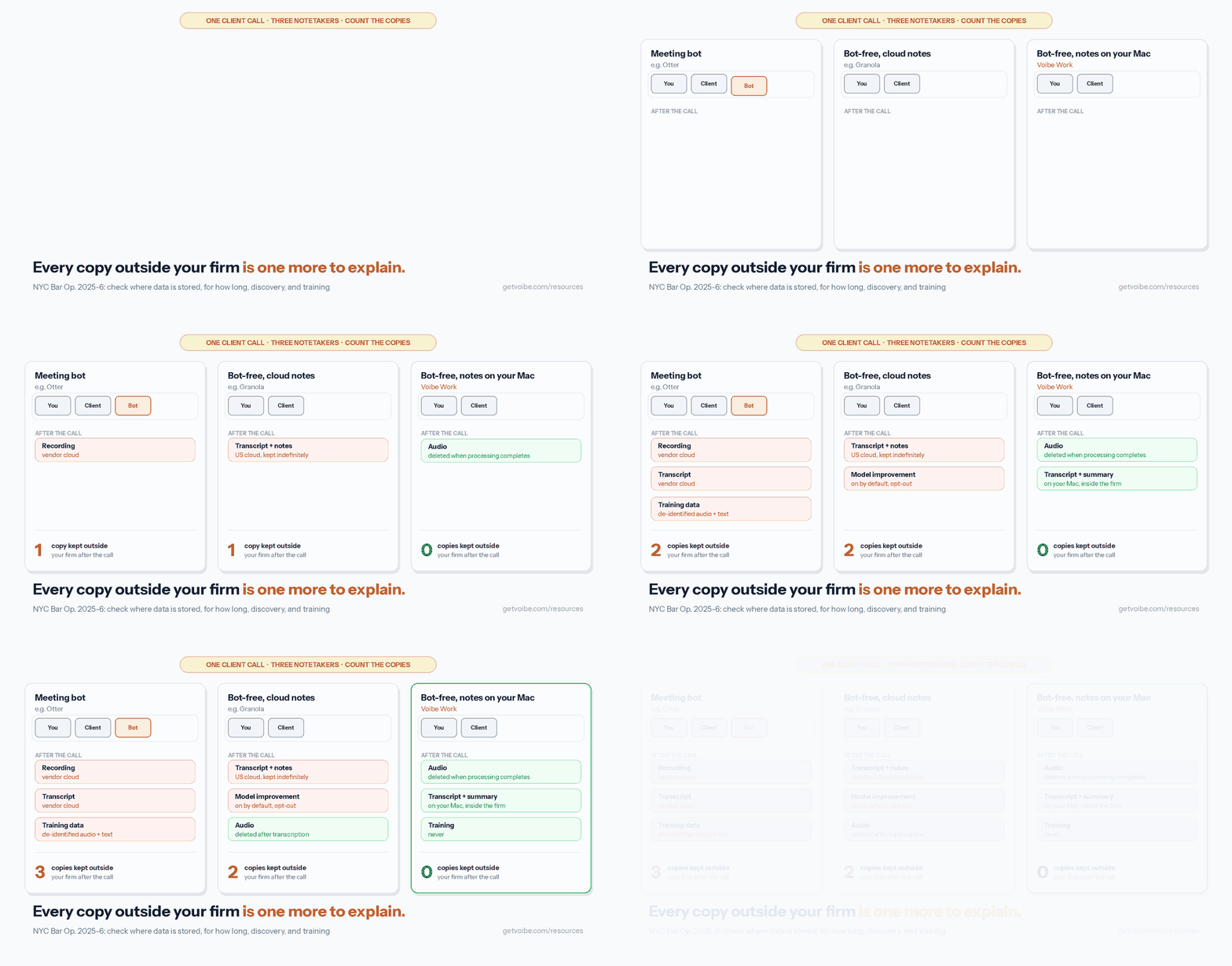
Each problem above has a design answer, and the tools on this list use different combinations of them:
- Third-party access → keep the notes on your own computer. The Boston Bar Association advises lawyers to "ensure that meeting recordings and AI outputs are retained on their own devices or AI cloud instance." Voibe Work and Quill Meetings keep notes on your computer; Krisp transcribes on your device and only stores in its cloud if you turn that on.
- Training → pick a vendor that never trains. Voibe, Jamie, Quill, Krisp and Fellow say they don't train on your meetings. VXT says it doesn't let third parties such as OpenAI, Anthropic or Google train on your data.
- Consent → a tool that reminds you, or tells them. Voibe Work reminds you to tell everyone when recording starts. Some tools post a notice in the meeting chat for you.
- Discovery → delete what you don't need. Voibe Work deletes meeting audio as soon as processing completes. Fellow can auto-delete from one day. Granola keeps notes indefinitely unless you set a retention policy.
- The bot problem → no bot. Every tool in our top five captures audio on your computer, so there's no bot for a judge or client to notice. That doesn't remove the duty to tell them.
What to Look For in an AI Note Taker for a Law Practice
These criteria follow the factors in NYC Bar Opinion 2025-6 and ABA Opinion 512:
- Where the notes are stored. On your computer, in the vendor's cloud, or both? A copy on the vendor's servers is the copy an opposing party can argue was disclosed.
- How long they're kept. "Until you delete" and "indefinitely" are different from "deleted after processing." The NYC Bar lists retention first among its data questions.
- Whether the vendor trains on them. Check the default for your plan, not the Enterprise tier. ABA 512 requires informed client consent before client information goes into a self-learning tool.
- Who else processes the audio. Read the subprocessor list. ABA 512 says lawyers should "read and understand the Terms of Use, privacy policy, and related contractual terms."
- Consent support. Does it remind you, notify participants, or let the firm require confirmation?
- Bot or no bot. A visible bot is honest, but it gets turned away and it keeps a recording in the vendor's cloud. Bot-free capture keeps the call clean, but you have to disclose it yourself.
- Fit with the client file. Can you export a PDF, or file notes into your practice-management system? The Boston Bar treats notetaker inputs and outputs as part of the client file.
How We Ranked These AI Note Takers for Lawyers
Voibe Work is the product we build, so here's exactly how this list was put together.
What I tested. All eight tools, hands-on, on my own calls: VXT Meet, Voibe Work, Quill Meetings, Jamie, Krisp, Fellow, Granola and Otter. For every tool, I also read the pricing page, security page and privacy policy between September 26 and 28, 2026.
The ranking criteria, in order:
- Fit with legal workflows (client file, matters, practice-management filing, time entries)
- No bot, and no training on client conversations
- Copies kept outside the firm after the call (where notes live, how long, audio retention)
- Consent support
- Price per user per year
Why VXT Meet is first. It's the only tool here built for law firms from end to end: it covers in-person and virtual meetings with no bot, doesn't let third-party AI labs train on your data, and files notes and time entries into Clio and more than 15 other practice-management systems. Having used it, the integrations are what put it ahead for lawyers: the notes end up where the firm already works, not in another app you copy from. Its catches are real, though: $80 per user per month, and recordings kept in VXT's cloud for as long as you're a customer.
Why Voibe Work is second. It's the best value for money here: dictation and meeting notes in one plan for $140 a year, with nothing kept on its own servers and nothing trained on. It ranks behind VXT because its meeting notes are Mac-only for now, it doesn't file into Clio or list speaker labels, and it reminds you to disclose rather than notifying participants.
AI Meeting Note Takers for Lawyers Compared
| Tool | Bot? | Where notes are kept | Trains on your meetings? | Platforms | Cheapest plan with notes | Rating |
|---|---|---|---|---|---|---|
| VXT Meet | No | VXT's cloud, kept while your account is active | No third-party training | Mac, iPhone | $80/user/mo | None found |
| Voibe Work | No | On your Mac; audio deleted after processing | Never | Mac (Windows coming soon) | $14/mo, $140/yr, $349 once | Product Hunt 4.8/5 (6), for Voibe |
| Quill Meetings | No | On your computer; optional end-to-end-encrypted sync; audio never syncs | No | Mac, Windows, iOS, Android | Lite $6.99/mo annual (16 h AI notes/mo) | App Store 4.56/5 (9) |
| Jamie | No | Jamie's cloud in the EEA, Switzerland or UK; audio deleted | Never | Mac, Windows, iPhone | Plus €21/mo annual (20 notes/mo) | App Store 4.89/5 (242) |
| Krisp | No | Transcripts on your device; Krisp's US cloud only if you opt in | No | Mac, Windows, iOS, Android | Core $8/mo annual | App Store 4.75/5 (265) |
| Fellow | Bot or botless | Fellow's cloud (AWS Canada); auto-delete from 1 day | Never | Mac, Windows, web | Business $15/mo annual | None found |
| Granola | No | Granola's US cloud, indefinitely by default | On by default (Free, Business) | Mac, Windows, iOS, Android | Business $14/mo, monthly only | App Store 4.96/5 (13,782) |
| Otter | Bot, or none via desktop app | Otter's cloud | Yes, on de-identified data | Web, Mac, Windows, iOS, Android | Pro $8.33/mo annual | App Store 4.79/5 (81,819) |
Pricing: What Each Note Taker Costs a Lawyer per Year
Annual billing, per user, for the plan a solo or small-firm lawyer would actually buy:
| Tool and plan | Per year | Voibe Work ($140) vs this | 10 lawyers per year |
|---|---|---|---|
| VXT Meet | $960 | $820 less (85.4%) | $9,600 |
| Otter Business | $239.88 | $99.88 less (41.6%) | $2,398.80 |
| Fellow Business | $180 | $40 less (22.2%) | $1,800 |
| Granola Business (monthly only) | $168 | $28 less (16.7%) | $1,680 |
| Voibe Work | $140 (or $349 once) | n/a | $1,400 |
| Otter Pro | $99.96 | $40.04 more | $999.60 |
| Krisp Core | $96 | $44 more | $960 |
| Quill Lite | $83.88 | $56.12 more | $838.80 |
| Jamie Plus | €252 | priced in euros | €2,520 |
Voibe Work isn't the cheapest here: Quill Lite, Krisp Core and Otter Pro all cost less per year. What $140 buys that they don't is a full dictation app for drafting on Mac and Windows, unlimited meetings, and a one-time option. At $349, Voibe Work lifetime costs the same as about 2.5 years of the annual plan.
Sources: VXT pricing, Otter pricing, Fellow pricing, Granola pricing, Quill pricing, Voibe pricing. Prices checked September 26–28, 2026.
1. VXT Meet: Best Overall AI Note Taker for Law Firms
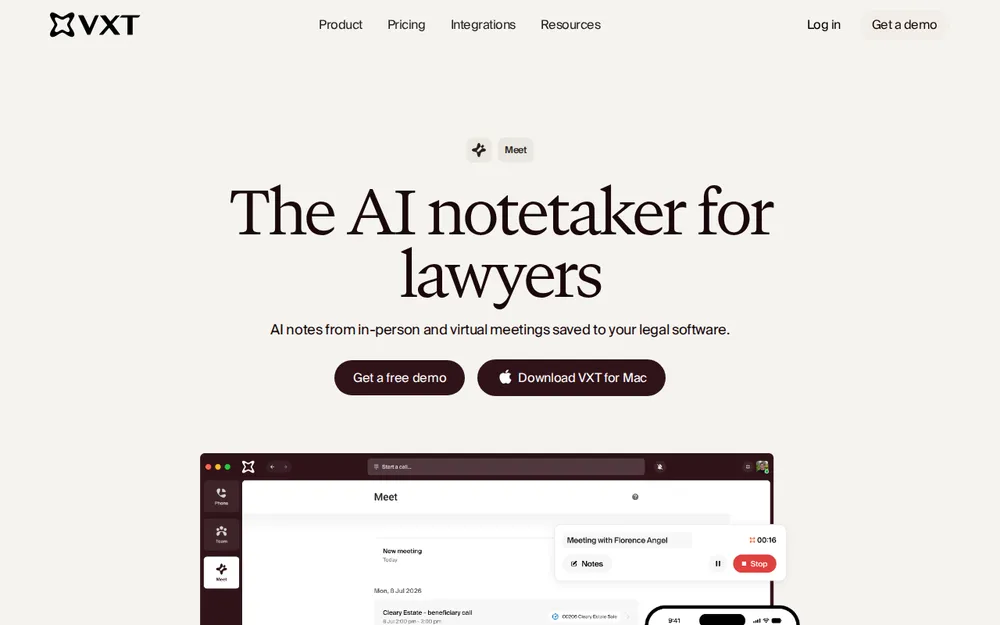
VXT Meet is our top pick for most law firms, and the only notetaker here built specifically for them. It takes notes from in-person and virtual meetings on a Mac or iPhone, with no bot, and saves notes and time entries into more than 15 practice-management systems, including Clio, Actionstep, LEAP and Smokeball.
Why I rank it first
I've used VXT Meet, and for lawyers it's the better tool because of its integrations. The notes and time entries go into your practice-management system, attached to the work, instead of sitting in another app you have to copy from. For a firm that bills from Clio or a similar system, that's the job a notetaker should do.
On data, VXT says: "We do not allow third parties (such as OpenAI, Anthropic or Google) to use your data to train." Notes live in VXT's cloud, and "recordings are retained as long as your account is active."
Pricing: $80 per user per month (VXT pricing), $960 a year. That's $820 (85.4%) more than Voibe Work.
The catch: the price, and the retention. Recordings stay in VXT's cloud for as long as you're a customer, which is the opposite of the Boston Bar's advice to keep outputs on your own devices. I found no independent rating and no compliance certification stated on its product pages.
Best for: firms that run on Clio or another practice-management system, where matter-linked notes and automatic time entries are worth $80 a month per lawyer.
2. Voibe Work: Best for Privacy and Value on a Mac
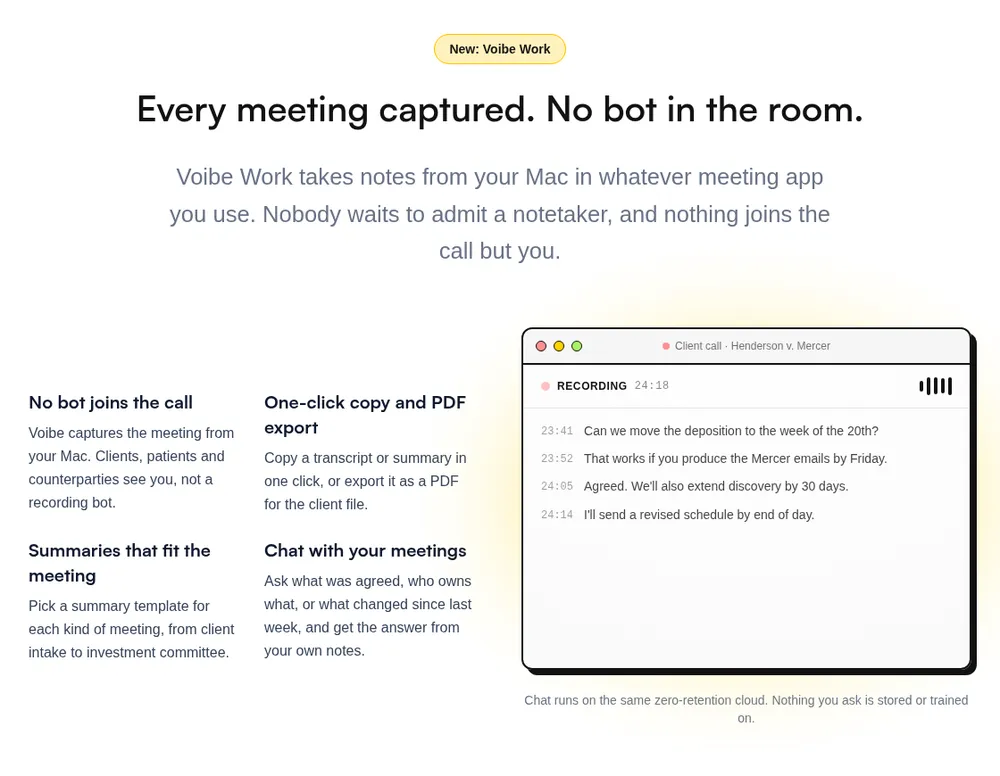
Voibe Work is the meeting-notes plan from Voibe, the app we build. It captures the meeting from your Mac in Zoom, Microsoft Teams, Google Meet, Webex, Slack huddles or any other meeting app. No bot joins, so no client, judge or opposing counsel sees a notetaker in the waiting room. The Voibe Work launch post walks through what happens to a meeting from capture to the saved notes.
It ranks second, behind VXT Meet, because it doesn't file into Clio and its meeting notes are Mac-only for now. On privacy and value for money, it's the strongest tool on this list.
Why I use it
I'm biased: we build Voibe. But as value for money, it's hard to beat. One plan covers dictation for drafting letters, memos and emails, and meeting notes for client calls, for $140 a year or $349 once. Most lawyers who'd pay for a notetaker also want something to dictate with, and here both come in one plan for less than most notetakers cost alone.
What makes it fit legal work is what's left afterwards:
- Audio: processed by open-source models on zero-retention cloud providers and deleted as soon as processing completes.
- Transcript and summary: saved on your Mac, not on Voibe's servers.
- Training: never. No OpenAI, Google, Anthropic or Microsoft model is in the audio path (Voibe cloud privacy page).
- Chat with your meetings: runs on the same zero-retention cloud, and nothing you ask is stored.
That maps onto the NYC Bar's questions better than anything else on this list. Stored where? On your Mac. For how long? As long as you keep the file. Used for training? Never. Retrievable from the vendor? There's nothing left on the vendor's side to retrieve.
It doesn't make a conversation privileged, and no tool can. Heppner turned on Anthropic's written policy of training on chats and sharing them with regulators. Voibe Work keeps no copy on its side and trains on nothing, so that part of the argument has nothing to point to.
Built for how lawyers work
- Summary templates for each type of meeting, such as client intake
- One-click copy and PDF export, so the notes go into the client file
- A reminder to tell everyone you're taking notes when recording starts. You're responsible for your jurisdiction's consent rules
- Voibe's dictation app, for drafting letters, memos and emails in Word, Outlook, Clio or any other app, on Mac and Windows. On Apple Silicon Macs, dictation can run fully on-device (best dictation software for lawyers)
- A BAA is available on request
Pricing
$14 per seat per month, $140 per year, or $349 once. That includes dictation (Voibe Dictation alone is $7.50/mo, $75/yr or $149 lifetime). There's a 7-day free trial of every feature, with no credit card and no automatic charge, and a 30-day money-back guarantee. Firms with more than 10 seats can get Enterprise terms with team admin and central billing.
Where it falls short
- Mac only for meetings. Windows is coming, with no date. No phone app, so in-person meetings away from your Mac aren't covered.
- No speaker labels, calendar or practice-management integrations listed. Notes go into Clio by export, not automatically.
- Needs internet. Meeting audio is processed in Voibe's zero-retention cloud, not on the Mac.
- A reminder, not a notice. Voibe reminds you to disclose; it doesn't post a notice to participants.
Try Voibe Work free for 7 days → Every feature, no credit card.
3. Quill Meetings: Best Local Note Taker for Windows
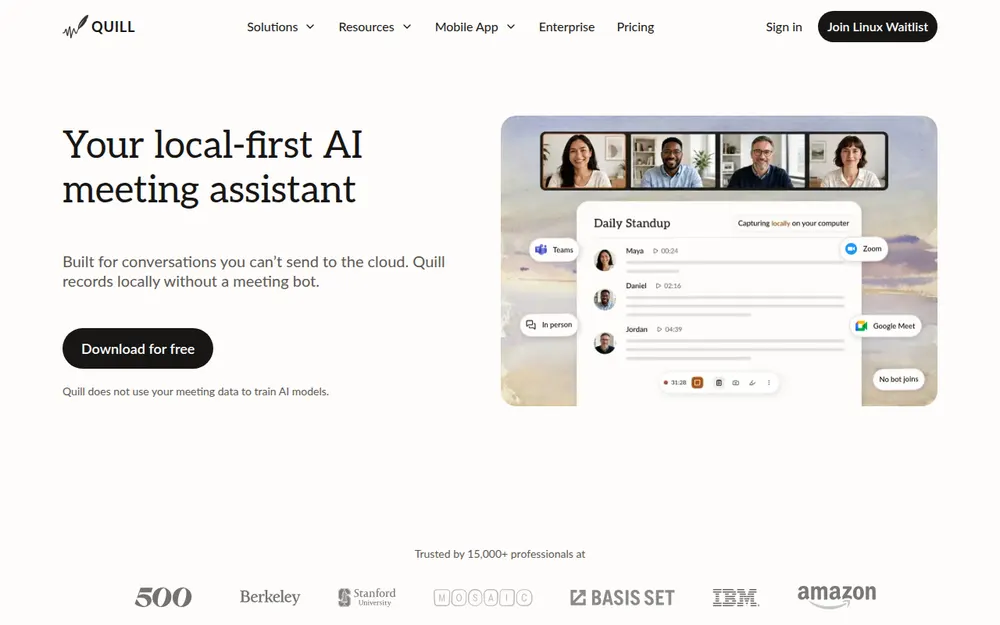
Quill Meetings records and transcribes on your computer, with no bot. Notes stay on your machine, with optional end-to-end-encrypted sync between your devices. Audio never syncs. It doesn't train on your data and states SOC 2 Type II. It runs on Mac, Windows, iOS and Android, which makes it the strongest local option for a Windows-based practice.
Pricing: local transcription is free. Lite is $7.99 a month, or $6.99 billed annually ($83.88 a year), with 16 hours of AI notes a month (Quill pricing).
The catch: the Lite plan caps AI notes at 16 hours a month, which a litigator with daily client calls can hit. It's also a small company with a thin review base: 4.56/5 from 9 ratings on the App Store. And no legal-specific features, such as practice-management filing, are listed.
Best for: Windows lawyers who want notes on their own computer, and firms with a mix of Mac and Windows machines.
4. Jamie: Best for EU and UK Data Residency
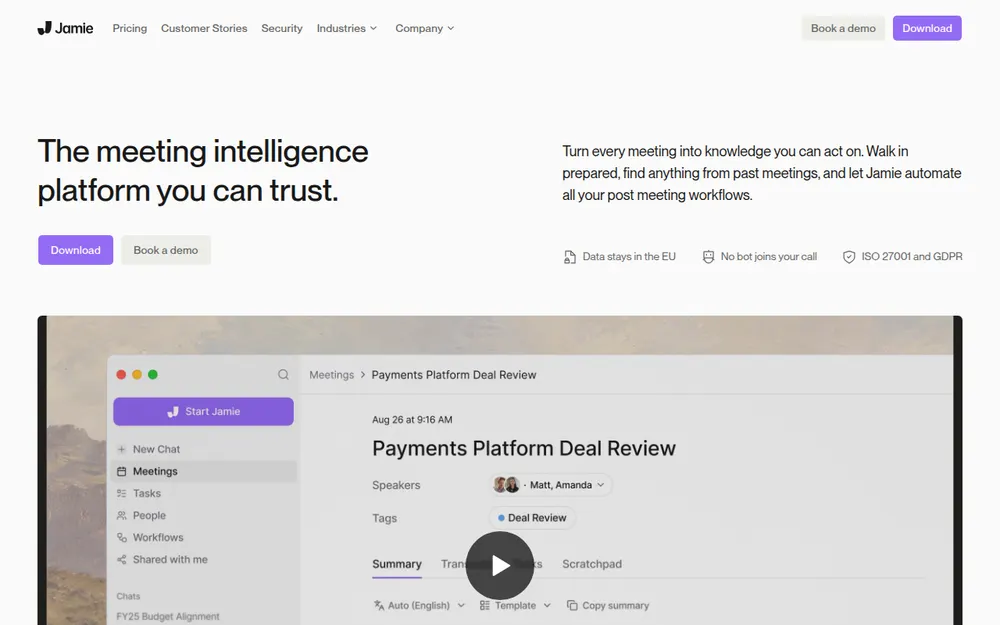
Jamie captures meetings without a bot on Mac, Windows and iPhone. Audio is deleted after processing, and notes are stored in Jamie's cloud in the EEA, Switzerland or the UK. Jamie says it never trains on your data and holds ISO 27001, with SOC 2 pending (Jamie security).
Pricing: in euros only. Plus is €25 a month or €21 billed annually (€252 a year) for 20 notes a month. Pro is €47, or €39 annually.
The catch: notes live in Jamie's cloud, not on your computer, and 20 notes a month on Plus is tight for a busy practice. Ratings are strong: 4.89/5 from 242 ratings on the App Store and 5.0/5 on Product Hunt.
Best for: firms with EU or UK clients who expect their data to stay in Europe.
5. Krisp: Cheapest Paid Note Taker With On-Device Transcripts
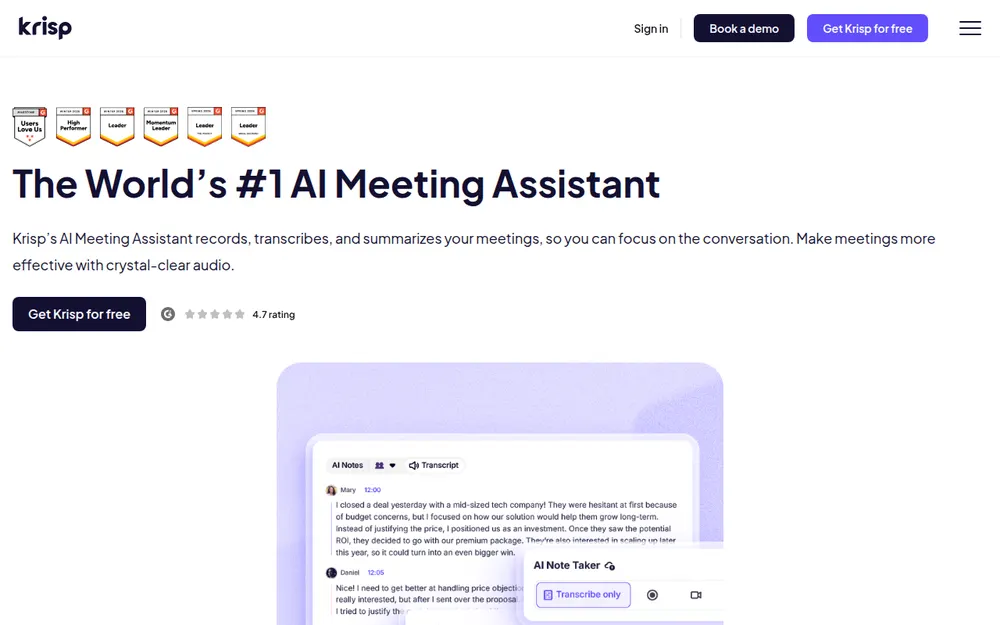
Krisp started as noise cancellation and now takes meeting notes without a bot. Transcripts are made on your device, and they're only stored in Krisp's US cloud if you opt in. Summaries run on Azure. Krisp says it doesn't train on your data and states SOC 2 Type II (Krisp security).
Pricing: Core is $16 a month, or $8 billed annually ($96 a year), $44 less than Voibe Work. There's no free plan, only a 7-day trial.
The catch: the summaries go to a cloud AI service, and turning on cloud storage moves your transcripts to Krisp's US servers. Ratings: 4.75/5 from 265 ratings on the App Store, 4.8/5 on Product Hunt.
Best for: lawyers on a budget who take calls from noisy places and want transcripts on their own device.
6. Fellow: Best for Firm-Wide Rollouts With Controls
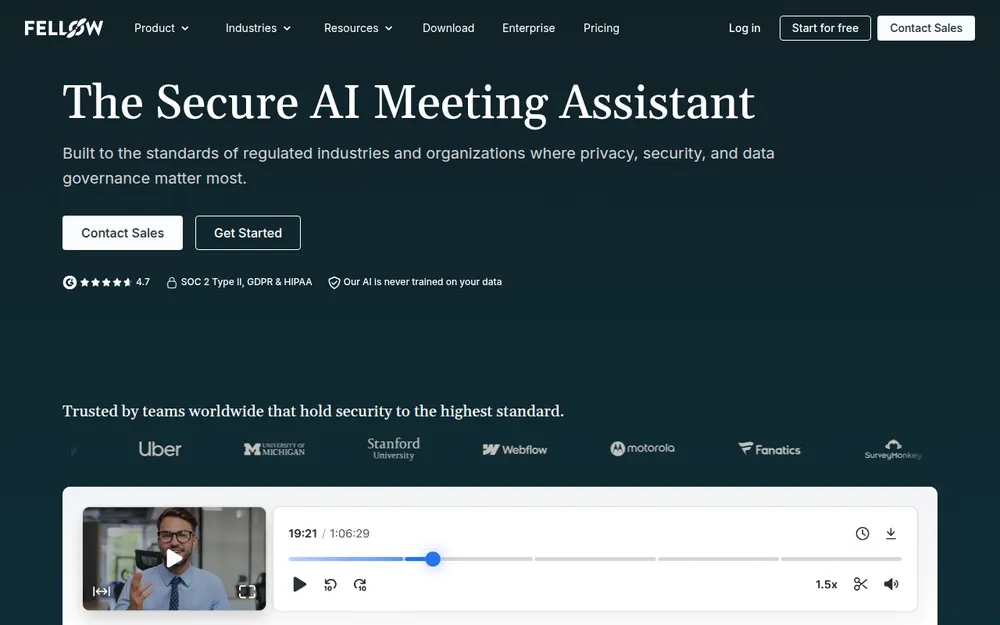
Fellow records with a bot or without one, and gives firms the controls individual tools lack: redaction, recording blocks triggered by keywords, and auto-delete from as little as one day (Fellow for legal teams). It says it "never trains on your meeting data", states SOC 2 Type II, and offers HIPAA and a BAA on Enterprise. Data is hosted in AWS Canada Central.
Pricing: Team is $7 a month billed annually ($11 monthly) but caps you at 10 notes a month. Business is $15 billed annually ($23 monthly), or $180 a year, which is $40 more than Voibe Work.
The catch: notes live in Fellow's cloud, and the bot mode brings back the waiting-room problem. I found no independent rating.
Best for: firms rolling out one notetaker to every lawyer, with retention rules set centrally.
7. Granola: Polished, but Check the Training Toggle
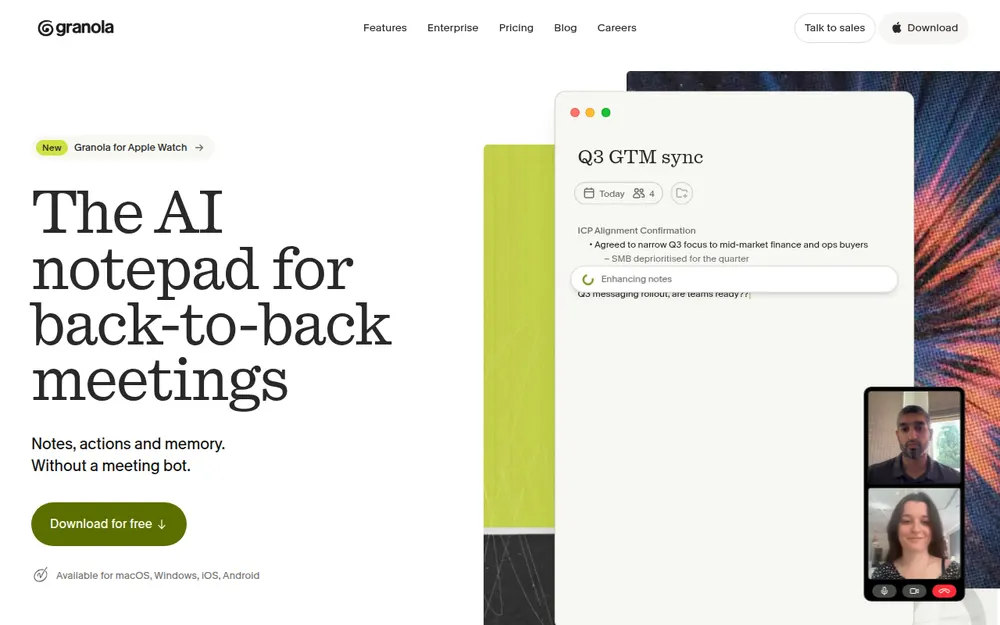
Granola is the most polished no-bot notepad on the market and runs on Mac, Windows, iOS and Android. Its App Store rating is the best on this list: 4.96/5 from 13,782 ratings.
For legal work, the defaults are the problem. Notes are kept in Granola's US cloud "indefinitely unless you or your admin configures a retention policy". Anonymised data may be used for model improvement by default on Free and Business, and each user has to opt out. Transcription and summaries go through Deepgram, AssemblyAI, OpenAI and Anthropic (Granola security). HIPAA and a BAA are Enterprise-only. It's also defending a class action over its no-bot design (the Granola lawsuit), and in 2026 it locked down the local cache users relied on to export notes (Granola's encrypted notes).
Pricing: Business is $14 per user per month, billed monthly only ($168 a year). Enterprise is $35.
Best for: lawyers who already use Granola and will turn off training and set a retention policy on day one. For alternatives, see our Granola alternatives.
8. Otter: Most Popular, With the Most to Answer For
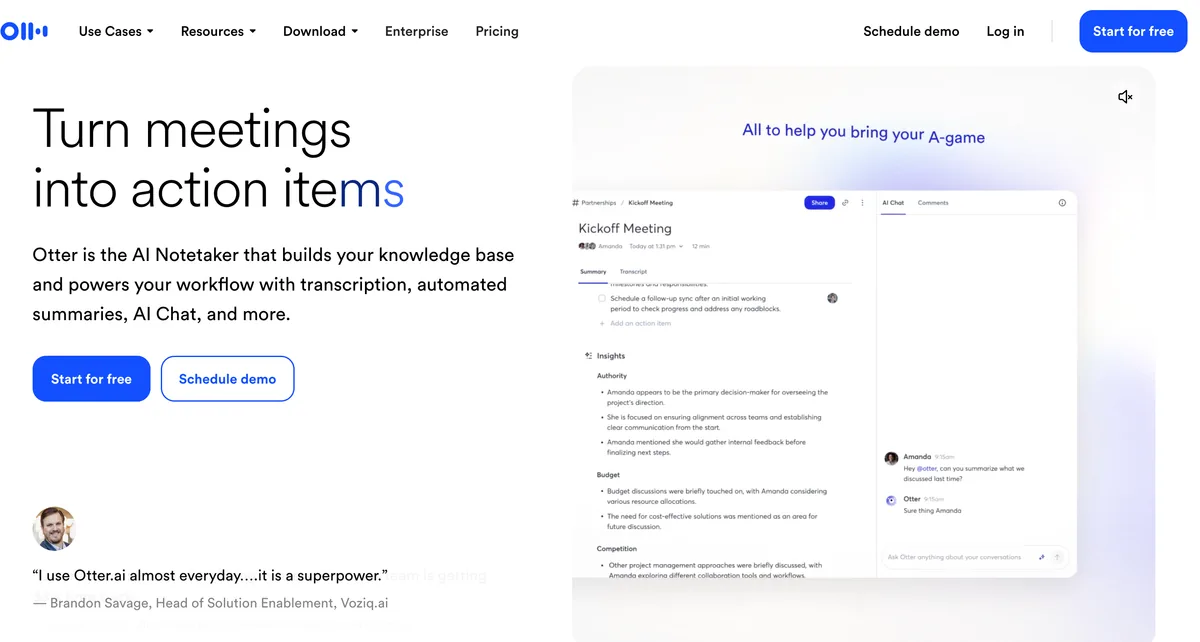
Otter is the notetaker most lawyers have met, usually as a bot in someone else's meeting. It can also record without a bot through its desktop app on Mac and Windows. Ratings are strong: 4.79/5 from 81,819 ratings on the App Store.
It's last because of its data terms. Otter's privacy policy says it trains its AI "on de-identified audio recordings and on transcriptions", and I found no training opt-out (Otter privacy policy). In the wiretap class action against it, the August 13, 2026 order let the ECPA, CIPA and BIPA claims proceed (order). HIPAA is an Enterprise add-on.
Pricing: Pro is $16.99 a month or $8.33 billed annually ($99.96 a year). Business is $30, or $19.99 annually ($239.88 a year).
Best for: firms already standardised on Otter that can negotiate Enterprise terms. Otherwise, see our Otter AI alternatives and Is Otter safe?.
Other Note Takers Lawyers Ask About
- Wispr Flow Notetaker: no bot, on Mac and Windows, bundled with Wispr's dictation app. Transcripts and summaries are stored in Wispr's US cloud with no opt-out, training on Notetaker content is on by default on Free and Pro, and "Notetaker and Scratchpad are disabled on BAA accounts" (Wispr pricing). Full breakdown: Wispr Flow Notetaker vs Voibe Work.
- Fireflies: bot by default, with a desktop bot-free mode that saves no audio. It says meeting data is "never used for AI training". Pro is $10 a month billed annually; Enterprise ($39, annual only) adds HIPAA and private storage (Fireflies pricing). A biometric-privacy suit, Fricker v. Fireflies, is open in Illinois.
- Fathom: free with unlimited recordings, but it uses a bot by default and trains on de-identified data unless you opt out (Fathom).
- Clio: no native meeting recorder as of September 2026. Meeting and call notes reach Clio through integrations such as VXT (Clio help center).
- Basil AI: on-device notes on iPhone, iPad and Mac, with a "Basil for Law" tier at $19.99 a month (Basil). Good for in-person meetings.
- Plaud: a wearable recorder for in-person meetings, with a paid transcription plan on top of the device (Plaud).
- Zoom and Teams built-ins: Zoom's terms say it doesn't train on your communications content. Teams' intelligent recap needs Teams Premium or Microsoft 365 Copilot. Both keep notes in the platform's cloud.
For the full field of bot-free tools, see our best no-bot meeting note takers.
Recording Consent: The States Where Everyone Must Agree
No bot doesn't mean no disclosure. A bot-free notetaker is quieter than a bot, which makes telling people more important, not less.
According to Justia's 50-state survey:
- All-party consent: California, Florida, Maryland, Massachusetts, New Hampshire and Pennsylvania. California applies its rule to calls between California and a one-party state.
- Generally all-party: Illinois and Washington.
- It depends: Connecticut is one-party for criminal liability but imposes civil liability for recording phone calls without all-party consent. Nevada is one-party in person but all-party for phone calls. Oregon is one-party for phone calls but all-party in person. Montana is an all-party "knowledge" state. Delaware is "arguably" all-party, and Michigan is "technically" all-party.
- One-party: most other states, including New York, New Jersey, Texas, North Carolina and DC.
When a call crosses state lines, follow the strictest law. And one-party consent doesn't settle your ethical duty: the NYC Bar requires notice and consent for every AI-recorded client call even though New York is one-party, and says consent can be addressed in the engagement letter. For non-clients, such as opposing counsel, witnesses or co-counsel, its 2026 opinion says to disclose and get permission from all participants, and that the default is "not to record the conversation" without a good reason (Op. 2026-2).
A disclosure line you can use
"Before we start: I use an AI notetaker so I can focus on you instead of typing. It records this call to write a summary for your file. [With Voibe Work: The audio is deleted after processing and the notes are saved on my computer, not the vendor's.] Are you comfortable with that?"
Adjust the bracketed line to what your tool actually does. Then read the summary before you rely on it: the NYC Bar says attorneys "should independently review any recording, transcript, or summary."
Warning
This is a summary for comparing tools, not legal advice. Check your own jurisdiction's recording and ethics rules.
Privilege and AI Notetakers: What Courts Have Said So Far
Here's the honest state of the law as of September 2026: no court has squarely held that an AI meeting-notetaker transcript waived privilege. What exists are rulings on AI chat tools, and they point in both directions:
- United States v. Heppner, 25 Cr. 503 (JSR) (S.D.N.Y. Feb. 2026): a defendant's Claude chats weren't privileged. "Because Claude is not an attorney… that alone disposes of Heppner's claim of privilege." Anthropic's policy of training on data and disclosing it to "governmental regulatory authorities" meant he had no "reasonable expectation of confidentiality" (memorandum; our explainer).
- Warner v. Gilbarco, Inc., 2026 WL 373043 (E.D. Mich. Feb. 10, 2026): a pro se plaintiff's ChatGPT materials were protected as work product.
- Morgan v. V2X, Inc., 2026 WL 864223 (D. Colo. Mar. 30, 2026): "AI interactions do not automatically compromise work product protections," and "the mere fact that information is held by a third-party intermediary, does not automatically extinguish a reasonable expectation of privacy."
The pattern: courts look at the vendor's terms. Training rights and disclosure rights hurt you, and a tool used at counsel's direction helps. Heppner itself suggested that had counsel directed the use, the AI "might arguably be said to have functioned in a manner akin to a highly trained professional who may act as a lawyer's agent."
So pick a tool whose terms you'd be comfortable reading aloud in a motion hearing: no training, minimal retention, notes you control. Then treat the notes as part of the client file.
How to Choose the Right AI Note Taker for Your Practice
Are the calls privileged or otherwise confidential?
- Yes, and you're on a Mac → Voibe Work. Notes on your Mac, audio deleted, never trained on.
- Yes, and you're on Windows → Quill Meetings, or Krisp if budget matters most.
- No, mostly internal meetings → any tool with a no-training default; Fellow if the firm wants central controls.
Do notes need to land in Clio or another practice-management system automatically?
- Yes → VXT Meet, if $80 per user per month is worth it.
- No → export a PDF from Voibe Work, or copy the summary into the matter.
Do your clients expect their data to stay in Europe?
- Yes → Jamie.
Already using Granola or Otter?
- Turn off training where you can, set a retention policy, and check the plan's BAA and HIPAA terms. Otherwise, move privileged calls to a tool that keeps notes on your computer.
Best AI Note Taker for Your Legal Situation
| Your situation | Best choice | Why |
|---|---|---|
| Solo attorney on a Mac, privileged client calls | Voibe Work | Notes on your Mac, audio deleted, never trained on, $140/yr |
| Small firm on Windows | Quill Meetings | Local notes on Windows, $83.88/yr |
| Firm that bills from Clio time entries | VXT Meet | Saves notes and time entries into Clio and 15+ systems |
| Cross-border practice with EU clients | Jamie | EEA/CH/UK hosting, never trains |
| Lawyer who takes calls from court hallways | Krisp | Noise cancellation, on-device transcripts |
| Managing partner rolling out one tool | Fellow | Redaction, recording blocks, auto-delete |
| Estate-planning intake meetings | Voibe Work | Intake templates, PDF for the file |
| In-house counsel in internal meetings | Voibe Work or Fellow | Nothing on the vendor side, or central controls |
| In-person client meetings away from the desk | Plaud or Basil AI | Recorder or phone app for the room |
| Calls with opposing counsel or witnesses | Usually none | NYC Bar Op. 2026-2: default is not to record; if you do, get everyone's permission |
| Lawyer who also drafts by voice | Voibe Work | Meeting notes and dictation in one plan (dictation for lawyers) |
Frequently Asked Questions About AI Note Takers for Lawyers
Ethics and consent
Can lawyers ethically use AI notetakers?
Yes, with safeguards. ABA Formal Opinion 512 requires lawyers to understand a tool's terms and get informed client consent before putting client information into a self-learning AI tool. NYC Bar Formal Opinion 2025-6 requires notice and consent for every AI-recorded client call, independent review of the output, and checking where the data is stored, for how long, whether it's discoverable and whether it's used for training.
Do I need my client's consent to use an AI notetaker?
In practice, yes. The NYC Bar says clients must be notified and consent obtained whenever their calls are recorded by an AI system, even in one-party-consent states like New York, and that this can be addressed in the engagement letter. ABA 512 adds that boilerplate engagement-letter language alone isn't sufficient for self-learning tools.
Which states require everyone's consent to record a call?
Per Justia's 50-state survey: California, Florida, Maryland, Massachusetts, New Hampshire and Pennsylvania are all-party; Illinois and Washington are generally all-party; Connecticut (civil, phone calls), Nevada (phone calls), Oregon (in person), Montana, Delaware and Michigan have nuances. When a call crosses state lines, follow the strictest law.
Privilege
Does using an AI notetaker waive attorney-client privilege?
No court had squarely decided that for an AI meeting notetaker as of September 2026. In US v. Heppner, a defendant's Claude chats weren't privileged, partly because Anthropic's policy allowed training and disclosure to regulators. Other courts (Warner v. Gilbarco, Morgan v. V2X) protected AI materials as work product. A tool that keeps no vendor-side copy and never trains gives opponents less to argue with.
Are AI meeting transcripts discoverable?
They can be. The NYC Bar tells lawyers to consider how data might be retrievable through discovery, and calls recordings of witness conversations potentially discoverable. Verbatim transcripts capture remarks people later retract, so keep only what you need and align retention with any litigation hold.
Choosing a tool
What is the best AI note taker for lawyers?
For most law firms, VXT Meet: built for lawyers, no bot, and it files notes and time entries into Clio and 15+ other practice-management systems, at $80 per user per month. For privacy and value on a Mac, Voibe Work: no bot, meeting audio deleted after processing, transcript and summary saved on your Mac, never used to train AI, $140 a year. On Windows, Quill Meetings keeps notes on your computer. For EU data residency, Jamie.
Is a bot-free notetaker safer than a meeting bot?
It avoids the visible bot and, with some tools, the vendor-side recording. But bot-free isn't consent-free: you still have to tell everyone. And a bot-free tool that stores notes in its cloud, like Granola, still leaves a copy with the vendor.
Does Clio have an AI meeting notetaker?
Not natively as of September 2026. Clio's help center lists no meeting-recording feature; notes reach Clio through integrations such as VXT Meet.
Pricing
How much does an AI note taker for lawyers cost?
Per user per year, billed annually: Quill Lite $83.88, Krisp Core $96, Otter Pro $99.96, Voibe Work $140 (or $349 once, dictation included), Granola Business $168 (monthly billing only), Fellow Business $180, Otter Business $239.88, Jamie Plus €252 and VXT Meet $960.
Is there a free AI notetaker lawyers can use?
Quill's local transcription is free, and Otter, Fathom and Fireflies have free tiers. Free tiers usually keep your notes in the vendor's cloud, and Otter and Fathom train on de-identified data. Voibe Work has a 7-day free trial of every feature with no credit card.
Final Verdict: The Best AI Meeting Note Taker for Lawyers
The best notetaker for a law firm fits how the firm already works, without leaving privileged conversations anywhere they shouldn't be.
VXT Meet is the best AI meeting note taker for most law firms. It's built for lawyers, uses no bot, keeps third-party AI labs from training on your data, and files notes and time entries into Clio and 15+ other systems. It costs $80 per user per month.
For value for money, Voibe Work is the pick on a Mac: dictation and meeting notes in one plan. It's also the choice if $80 a month per lawyer is hard to justify, or you'd rather no vendor held a copy of the call. There's no bot, the audio is deleted after processing, the notes stay on your Mac, and nothing is trained on. It's $140 a year with a dictation app included. On Windows, Quill Meetings is the local pick. For clients in Europe, Jamie.
Whatever you choose: tell everyone you're taking notes, read the summary before you rely on it, and put the notes in the client file.
Try Voibe Work free for 7 days → Every feature, no credit card.
Related reading
Meeting notes without a bot in your call
Voibe Work takes notes from Zoom, Teams and Meet on your Mac, with dictation included. Nothing used to train AI.
- Mac + Windows
- No bot in your calls
- Nothing used to train AI
- 7-day free trial
Want to compare plans first? View pricing →
Related Articles
AI and Attorney-Client Privilege After Heppner
What the Claude privilege ruling means for lawyers.
Best Dictation Software for Lawyers
For drafting, not meetings.
Best No-Bot Meeting Note Takers
Every tool that takes notes without joining the call.
The Granola Lawsuit, Explained
Chamberlain v. Granola and no-bot capture.