
How to Run Your Coaching Business on AI in 2026: 6 Tools, $117 a Month
A how-to for coaches: run bookings, session notes, client recaps and follow-ups on AI with Voibe API + Claude, Claude Pro, Voibe, Calendly, Paperbell or CoachAccountable, and Zapier. 2026 prices, notes for $0.30 a call, $117 a month total.

You sell one hour. You work two.
The second hour is admin. Session notes. The recap email. The invoice. The reschedule. The "quick question" at 9pm. The ICF counts 122,974 coaches worldwide. None of them signed up for that hour.
TL;DR: Six AI tools run the second hour for you. The full stack costs $116.96 a month. The starter version costs $68.42. Session notes, the job coaches skip most, cost $0.30 per one-hour call.
- #1 Voibe API + Claude: one recorded session in, notes, recap and prep out. This is the one that changes the business.
- #2 Claude Pro: program design, proposals, newsletter. $17 a month.
- #3 Voibe app: every email you still write, at speaking speed. $59 a year.
- #4 Calendly: sessions book themselves. Free.
- #5 Paperbell or CoachAccountable: packages, contracts, payments. $57 or from $20.
- #6 Zapier: the hand-offs between all of the above. Free to start.
I read every one of these pricing pages this month. Every number below is linked to its source. Start with #1.
Key Takeaways: 6 AI Tools for Coaches at a Glance
| # | Tool | Price (annual billing) | Takes off your plate |
|---|---|---|---|
| 1 | Voibe API + Claude (MCP) | $10 per 2,000 min, about $0.30/hour | Session notes, recap email, next-session prep |
| 2 | Claude Pro | $17/mo ($20 monthly) | Program design, proposals, content, session prep |
| 3 | Voibe dictation app | $59/yr, $7.50/mo, or $149 lifetime | Emails, proposals and notes at 150+ words a minute |
| 4 | Calendly | Free; Standard $10/seat/mo | Discovery calls and sessions book themselves |
| 5 | Paperbell or CoachAccountable | $47.50/mo or from $20/mo | Contracts, checkout, client portal, homework |
| 6 | Zapier | Free (100 tasks); Pro $19.99/mo | Booking to roster, payment to welcome email |
Ratings below come from Capterra and Product Hunt. Every one is linked.
The Second Hour: Where a Coaching Practice Loses Its Time
A practice does not lose time in the session. It loses time around it.
I call it the Session Loop. Six jobs, every client, every week:
- Book
- Prep
- Coach (the hour you sell)
- Write the notes
- Send the recap
- Invoice
Five of the six are admin. Each one feels too small to count. Multiply by fifteen clients. That is the second hour.
The ICF's 2023 study put the average coaching income at $52,800 a year ($67,800 in North America). The ceiling on that number is not demand. It is how many client hours one person can deliver and still do the loop.
Here is why AI moves the ceiling. Four of the five admin jobs are language jobs. Read. Summarise. Draft. Reformat. A language model does those in seconds. A tired coach does them at 9pm.
Two rules before you add anything:
- The session stays human. No tool below sits in the conversation. They work on what comes out of it.
- Read the data policy before a client's words go in. The ICF Code of Ethics (April 2025) makes that your job, not the vendor's. One table near the end covers it.
Key Takeaway
Four of the five admin jobs around a session are language jobs. That is why AI changes the economics of a solo practice more than it changes the session.
1. Voibe API + Claude: One Recorded Session In, Notes, Recap and Prep Out
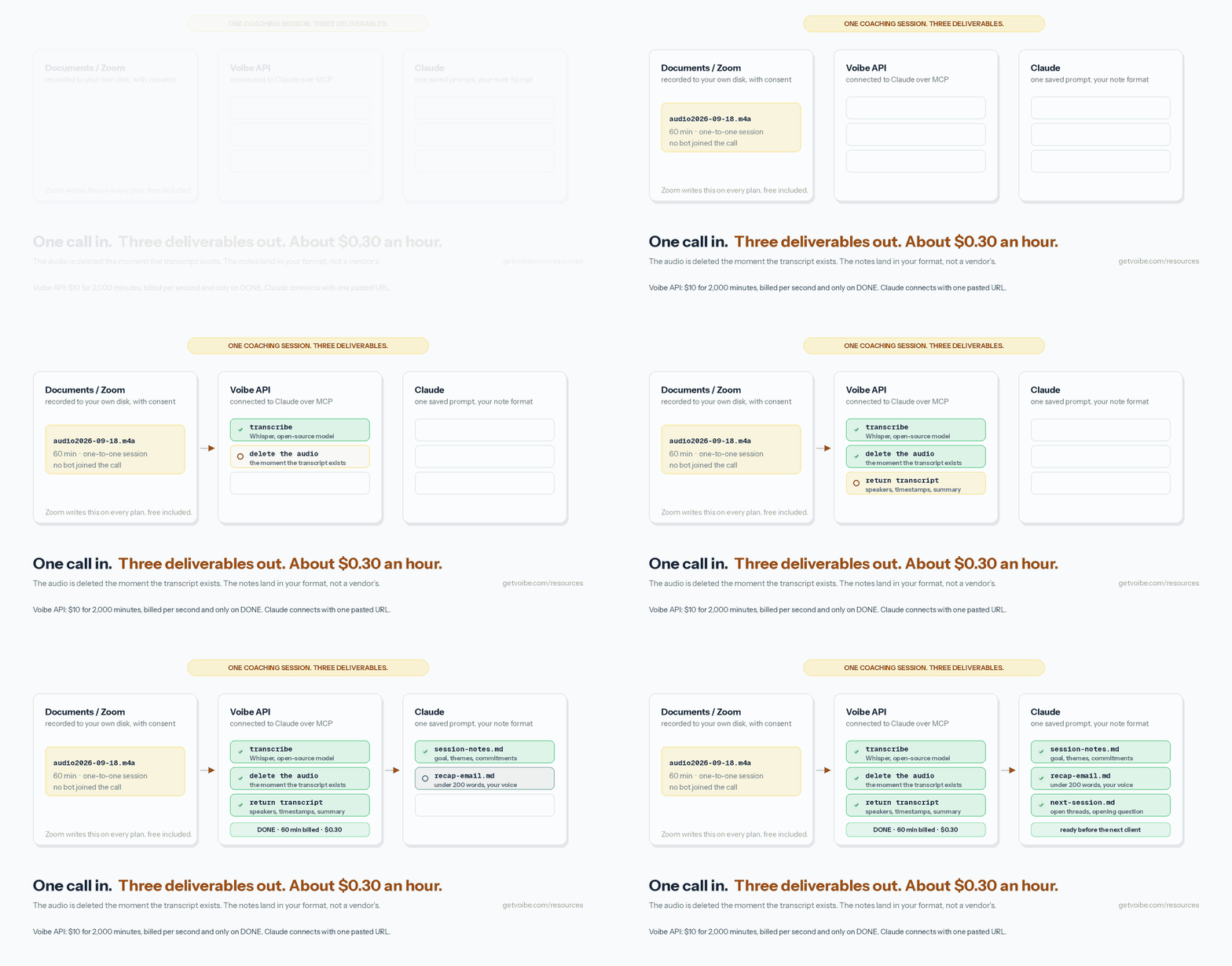
This is the one to set up first. It has the highest impact of anything in this guide, and it is the difference between a practice that uses AI and a practice that runs on it.
Most coaches skip session notes. That costs you twice. You reread nothing before the next call. The client gets no record of what they committed to.
The fix: record the session and let two tools do the rest.
- The Voibe speech-to-text API turns the recording into a transcript and a summary. It is the API behind the dictation app we build, on the same zero-retention pipeline.
- Claude, connected to it over MCP (Model Context Protocol, the open standard that lets an AI assistant call an outside service), writes the notes in your format.
Setup takes about 15 minutes, once. After that, every session is one sentence to Claude.
Step 1: Record to your own disk, with consent
- Tell the client you record for notes and delete the audio once transcribed. Get a yes. About a dozen US states (California, Florida, Illinois, Maryland, Massachusetts, Pennsylvania, Washington among them) require every party's consent. A line in your coaching agreement covers it in writing.
- Zoom: Settings › Recording › Automatic recording › Record to computer. Zoom's docs confirm this works on the free plan. Each session lands as
audio####.m4ainDocuments/Zoom. No bot in the call. Nothing on Zoom's cloud. - Google Meet or in person: any recorder that writes mp3, m4a, wav, flac, ogg or webm. Your phone's voice memo app works.
Step 2: Get a Voibe API key
- Create a key on the Voibe API keys page. New accounts get 15 free minutes, no card.
- Packs run $10 for 2,000 minutes ($0.30 an hour) up to $100 for 24,000 minutes ($0.25 an hour). Billing is per second. You pay only when a job reaches
DONE. Failed jobs cost nothing. Minutes never expire.
Step 3: Connect Voibe to Claude
- In Claude desktop or web: Customize › Connectors › Add custom connector. Paste
https://api.getvoibe.com/mcp. Sign in with your key once. Anthropic's connector docs cover Team plans, where one owner adds it for everyone. - Claude now has four Voibe tools:
create_transcription_job,get_transcript,list_transcripts,get_balance. It can start jobs and read results. It cannot see your keys or buy minutes. - Claude Cowork users: connect the same URL and point it at
Documents/Zoom. We covered that in dictating in Claude Cowork. Claude Code users:claude mcp add --transport http voibe https://api.getvoibe.com/mcp --header "Authorization: Bearer $VOIBE_KEY".
Step 4: Ask for all three deliverables in one prompt
Point Claude at the recording. Paste this. Save it as a Claude Project instruction so you never type it again.
Transcribe this coaching session with Voibe. Then write three things. (1) Session notes for my records: the client's stated goal, key themes, the coaching questions that landed, commitments with deadlines, and anything I said I would send. (2) A recap email to the client in my voice, under 200 words, listing only their commitments and the date of our next session. (3) Prep for next session: three open threads and one question to open with. Put nothing in the recap the client did not say themselves.
What comes back from Voibe: a diarized transcript with speaker labels and timestamps, plus a summary you can steer with a prompt of up to 2,000 characters. Claude works from the verbatim record, not memory.
What it costs
- One 60-minute session: $0.30 on the $10 pack.
- Fifteen sessions a week, about 65 hours a month: $19.50. Or $17.55 on the $50 pack.
- Your first session: free, inside the 15 free minutes.
The honest catch
This is not the cheapest way to get a call summary. Fathom records unlimited calls free, sells full AI summaries at $16 a month annual, and holds a 5.0 on Capterra from 809 reviews. Zero setup.
What the extra 15 minutes buys you:
- Notes in your framework's language, not a generic meeting summary.
- A recap that goes out under your name, in your voice.
- No bot joining a conversation the client expected to be private.
- Audio deleted the moment the transcript exists, instead of held on a vendor's servers.
Where a notetaker still wins: calls you don't host. The four voice-tool categories compared covers that line.
Key Takeaway
Record locally. Transcribe through the Voibe API. Let Claude write notes, recap and prep from one saved prompt. One hour, $0.30. Fifteen sessions a week, $19.50 a month.
Tip
Test it on yourself first. Record a fake session, run it through the free 15 minutes, read the output as the client would. Fix the prompt before a real client goes through it.
2. Claude Pro: The Thinking Partner That Designs Programs and Writes Proposals
Claude Pro costs $20 a month, or $17 billed annually. It is the hub. The session-notes connector from #1 lives here. So does every piece of writing you don't dictate. Max plans at $100 and $200 exist. A solo coach does not need them.
The feature that matters is Projects. A Project holds standing instructions and files. Build one per part of the practice:
- Session notes: the prompt from #1, your note template, a description of your coaching model. Every transcript comes back in your format.
- Program design: your curriculum outlines. Ask for a six-week group program from your one-to-one material. Edit instead of drafting.
- Proposals: your rate card and past proposals. A corporate proposal becomes a 20-minute edit.
- Content: your newsletter voice and past issues. Turn a de-identified theme ("three clients stuck on the same delegation problem") into an article, a LinkedIn post and an email. Never a name.
The honest catch: a consumer Claude account is not a records system. Keep identifying client details in your coaching platform. Put in Claude only what the task needs. Read Claude Pro and Max privacy once before the first transcript goes in. It covers the retention settings and the training toggle.
3. Voibe App: Dictate Everything You Still Write Yourself

Claude drafts. You still write the parts that have to sound like you. The line on top of a recap. The reply to "can we move Thursday?" The observation you want to catch in the car after a session.
Typing runs about 40 words a minute. Speaking runs 150 or more.
Voibe is the app we make for this. Hold a hotkey, talk, and the text lands at your cursor. Gmail, Notion, Paperbell's messaging, anywhere. Mac and Windows, one plan: $7.50 a month, $59 a year, or $149 lifetime. 7-day trial, 30-day money-back. 4.8 out of 5 on Product Hunt.
Three settings that matter for a coach:
- Dictionary. Client names, your framework's vocabulary (GROW, IFS, Gottman), your corporate clients' product names. It feeds them into transcription itself, not a find-and-replace afterwards.
- Memory. A spoken trigger expands into a block of text. Booking link. Cancellation policy. Intake instructions. Payment link. Say the trigger, get the paragraph.
- Smart Formatting. Punctuation, capitals, filler words. It never rewrites your meaning. A recap dictated in one breath reads like an email.
On an Apple Silicon Mac, on-device mode transcribes on the Neural Engine. A note about a client never leaves the laptop. Windows and Intel Macs use the same zero-retention cloud as the API. Setup: getting started with Voibe and the Gmail walkthrough, a few minutes each.
4. Calendly: Discovery Calls and Sessions Book Themselves
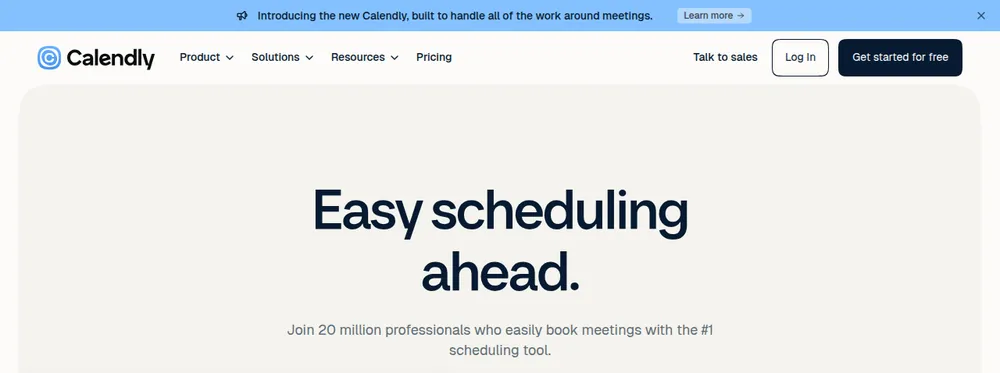
Booking is the admin that happens before you get paid. Automate it and prospects stop leaking in the email back-and-forth.
Calendly by the numbers:
- Free: one event type, one calendar. Enough for a discovery call.
- Standard: $10 per seat per month, annual. Unlimited event types, so a 30-minute discovery call, a 60-minute session and a 90-minute intensive each get a link.
- Teams: $16 per seat per month.
- Rating: 4.8 out of 5 on Capterra, 4,156 reviews.
Four settings that turn it from a link into a system:
- One event type per offer. Put the intake questions on the booking form. You collect intake before the call, not during it.
- A 15-minute buffer after every session. That buffer is where #1 happens.
- Automatic reminder emails on. No-shows are the most expensive admin failure a coach has. They are also the cheapest to fix.
- Booking link in your signature, and as a Voibe Memory shortcut so "my booking link" pastes itself while you dictate.
The honest catch: Calendly's pricing page now sells an add-on notetaker. Skip it. Notes are the one job where you want to own the format and the audio, and #1 does both. If you'd rather not pay for scheduling at all, Cal.com is free for individuals with unlimited event types. Paperbell, next, has scheduling built in.
5. Paperbell or CoachAccountable: Clients, Packages and Payments in One Place
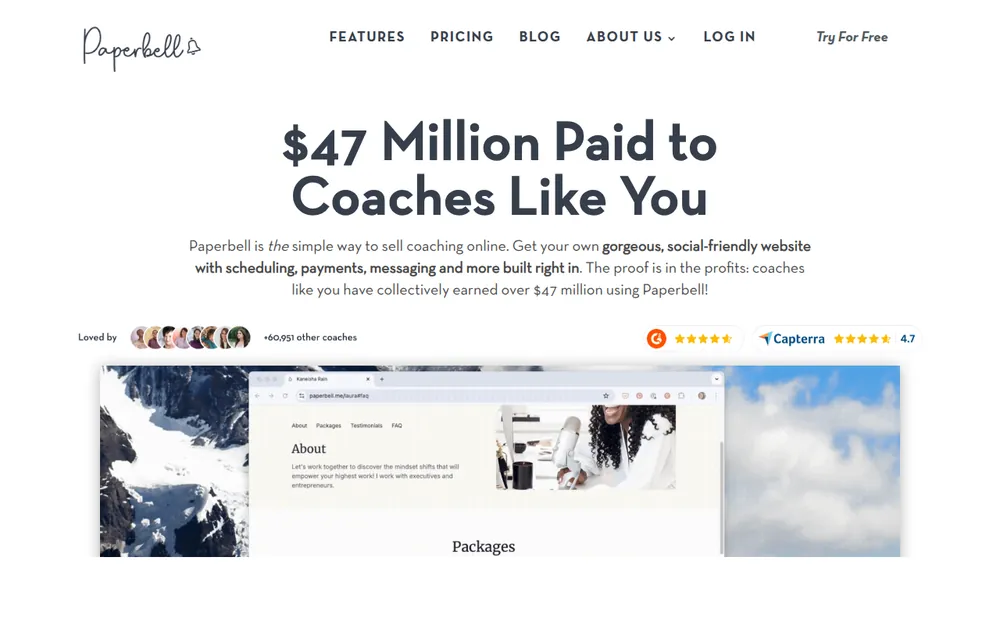
One system should know who your clients are, what they bought, what they owe, and when the next session is. Two tools built for coaches do this. They price it in opposite ways.
Paperbell: one price, everything in
- $57 a month, or $570 a year ($47.50 a month). Source: Paperbell pricing.
- Unlimited clients and sessions. One paid plan, no tiers above it.
- Scheduling, payments, contract signing, client portal, email workflows, surveys, group tools.
- 4.7 out of 5 on Capterra, 151 reviews. The theme in those reviews: four subscriptions replaced by one.
- 30-day money-back guarantee.
The win is at the front door. A client lands on your page, buys a six-session package, signs, books session one. You find out by email. Three back-and-forth messages become zero.
CoachAccountable: Pay Per Active Client, Not Per Feature
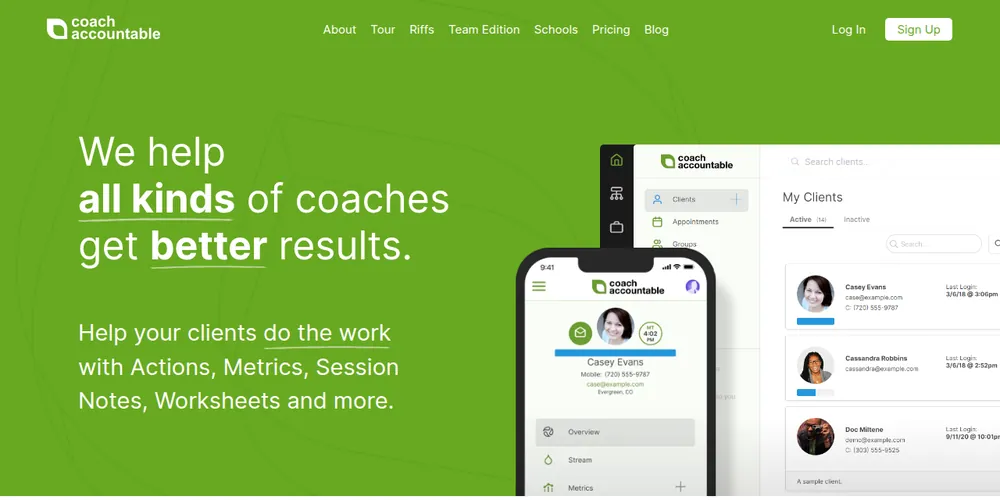
- $20 a month for 2 clients. $40 for 5. $70 for 10. $120 for 20. $250 for 50. Source: CoachAccountable pricing.
- Every tier has every feature: action plans, metrics, worksheets, courses, scheduling, session notes.
- Coach and admin seats unlimited. 30-day free trial.
- 5.0 out of 5 on Capterra, 67 reviews.
It earns its price between sessions. Clients get actions with due dates, metrics they log themselves, worksheets due before the next call. Each one is a follow-up email you no longer write.
Which one
- Under 5 clients: CoachAccountable. $20 to $40 a month is $17 to $37 less than Paperbell.
- 10 clients: CoachAccountable is $70. Paperbell is $57 monthly or $47.50 annual. Paperbell wins here and at every size above.
- Selling packages online with checkout and contracts: Paperbell.
- Homework, metrics, check-ins: CoachAccountable, at any roster size.
6. Zapier: Automate the Hand-Offs Between Tools
The last leak is copy-paste. A booking that has to become a roster entry. A payment that has to trigger a welcome email. Notes that have to end up in Notion.
Zapier by the numbers:
- Free: 100 tasks a month, two-step workflows.
- Professional: $19.99 a month annual ($29.99 monthly), 750 tasks, multi-step.
- One task is one action. A booking that writes a row and sends an email is two tasks.
The four Zaps that pay for themselves first:
- New Calendly booking → row in your client sheet → confirmation with your prep questions.
- Payment received → welcome email with the agreement and booking link. Onboarded before you see the notification.
- New notes file in your folder → page in Notion or a record on the client. Notes stop living in a chat history.
- Session ends → task: "send recap to [client]". The nudge that makes #1 happen the same day.
The honest catch: under ten clients, these hand-offs are five minutes a week. Paperbell already does the first two. Build a Zap when you catch yourself doing the same paste twice in a day, not before. For a newsletter, Kit and Beehiiv both have free tiers. A coach's newsletter is a Claude-drafted, Voibe-edited job, not another subscription.
What the Stack Costs a Solo Coach Per Month
Two budgets. Annual billing where it exists. One-hour sessions for the transcription line. Every number is from a vendor page linked above.
| Line | Starting out (up to 5 clients) | Full practice (15 to 20 clients) |
|---|---|---|
| Session notes (Voibe API) | About 22 hours, $6.50 | About 65 hours, $17.55 |
| Claude Pro (annual) | $17.00 | $17.00 |
| Dictation (Voibe app, annual) | $4.92 | $4.92 |
| Booking | Calendly Free, $0 | Calendly Standard, $10.00 |
| Client management | CoachAccountable (5 clients), $40.00 | Paperbell annual, $47.50 |
| Automation | Zapier Free, $0 | Zapier Professional, $19.99 |
| Per month | $68.42 | $116.96 |
| Per year | $821.04 | $1,403.52 |
Three ways to read that:
- Against the ICF's $52,800 average income: the full stack is 2.7% of revenue. The starter stack is 1.6%.
- Against a $150 session: the full stack costs less than one session a month.
- Against the notes job alone: #1 removes it from fifteen sessions a week for $19.50.
Where the money is not going: a notetaker seat, a second scheduling tool, a separate invoicing app, a $100 AI plan. Every line is the cheapest tier that does the job at that size.
Confidentiality: Two Questions to Ask Every Tool
A client tells you things they tell no one else. The ICF Code of Ethics in force since April 1, 2025 makes your tools your responsibility:
- Standard 2.5: coaches meet their obligations "directly and through any technology systems I may utilize (i.e. technology-assisted coaching tools, databases, platforms, software, and artificial intelligence)".
- Standard 2.4: records, "including electronic files and communications", are stored and disposed of in a way that protects confidentiality.
- The ICF's AI Coaching Framework (November 8, 2024) names confidentiality as a core AI risk.
You don't need a legal review. You need two answers per tool. Where do the client's words go? Are they used to train anything?
| Tool | Where the words go | Training on your data |
|---|---|---|
| Voibe API (#1) | Audio deleted the moment the transcript exists. Transcript readable only by your key. | Never. Open-source models only, no third-party AI lab in the audio path. |
| Voibe app (#3) | On-device on Apple Silicon Macs. Zero-retention cloud on Windows and Intel Macs. | Never. |
| Claude Pro (#1, #2) | Your account's conversations, under Anthropic's consumer settings. | Depends on a toggle. See Claude Pro and Max privacy. |
| Fathom, Otter, other notetakers | Recording and transcript on the vendor's servers. | Varies. Otter trains on de-identified data by default. |
| Paperbell, CoachAccountable, Calendly, Zapier | Client records and metadata on the vendor's servers, like any CRM. | Read each policy. None needs session audio. |
That is why #1 records to your own disk and transcribes through a pipeline that deletes the audio on completion. Within a minute of the transcript existing, the answer to "where is the recording of my client?" is "nowhere". If a client asks, send them zero data retention, explained.
How to Choose: Three Questions by Practice Size
- How many active clients? Under five: CoachAccountable at $20 to $40 and Calendly Free. Five or more: next question.
- Do you sell packages online, with checkout and a signed agreement? Yes: Paperbell, $57 a month, scheduling and payments built in. No, and your coaching is accountability-heavy: CoachAccountable, $70 at ten clients.
- Do you record sessions? Yes: #1, about $0.30 an hour. No: dictate a five-minute note with Voibe in the buffer after each call, and keep Claude Pro for the rest.
Every branch ends with Claude Pro and the Voibe app. They are the cheapest lines and they touch the most hours.
Cheat Sheet: 12 Coaching Tasks and the Tool That Owns Each
| Task | Tool | How |
|---|---|---|
| Session notes | Voibe API + Claude | Local recording, one saved prompt, notes in your format |
| Recap email after a session | Claude draft + Voibe | Claude writes it from the transcript. You dictate the line on top. |
| Prep before a session | Claude Project | Open threads and an opening question from last time's notes |
| Corporate proposal | Claude Project | Rate card and past proposals as files. Edit the draft. |
| Group program design | Claude Project | Curriculum from your one-to-one material, week by week |
| Newsletter and LinkedIn | Claude + Voibe | De-identified themes from the month, drafted then dictated over |
| Scheduling replies | Voibe Memory | Spoken trigger expands into your policy and booking link |
| Discovery call booking | Calendly Free | One event type, intake questions on the form |
| Selling a six-session package | Paperbell | Package page with checkout, contract, first-session booking |
| Client homework and check-ins | CoachAccountable | Actions with due dates, client-logged metrics |
| Onboarding after payment | Zapier or Paperbell | Payment triggers the welcome email and agreement |
| Calls you don't host | Fathom Free | You can only record locally as host. A notetaker covers the rest. |
7 Habits That Make the Stack Stick
- One tool a week, in this order. #1 first because it changes the most. Six tools on a Sunday means two used by Friday.
- Send the recap in the buffer, not at night. Claude's draft is ready two minutes after the call ends.
- One note template, in a Claude Project. Goal, themes, commitments, threads, sent. A format that changes weekly is not a record.
- Load the Dictionary before the first client email. Ten minutes removes the most visible dictation errors for good.
- Test #1 on yourself first. Fake session, free minutes, read it as the client would.
- Say the recording line every session. Six seconds. It is the difference between a workflow and an incident.
- Review quarterly, not monthly. Cancel what you didn't open. A tool that saves no hours is a subscription, not an efficiency.
Why the Workflow Breaks and How to Fix It
Names and jargon come out wrong. Give Claude the spellings in the Project instructions ("the client is Priya; the framework is IFS"). Ask it to correct the transcript before writing notes. For your own dictation, add the same terms to Voibe's Dictionary.
Claude says it cannot transcribe the file. The connector is not attached. Check Customize › Connectors shows Voibe connected. Start a new chat. In Cowork, confirm the folder you gave it holds the recording.
The job fails with a 402. You are out of minutes. Nothing was charged. Buy a pack on the Voibe platform page (the connector cannot) and re-run.
Zoom wrote video but no audio file. Both video####.mp4 and audio####.m4a appear after the meeting ends and converts. If only the MP4 exists, send that. Voibe accepts it. The M4A is smaller and faster. The Zoom recording guide covers the file layout.
The notes are generic. The prompt is generic. Add your coaching model. Name the sections. Say what to leave out ("no small talk, no advice I didn't give"). The transcript is verbatim. The notes are as good as the instruction.
A client declined recording. Coach the session. Dictate a five-minute note with Voibe in the buffer. Paste it into the same Project for the recap. Same output, different source.
FAQ: Running a Coaching Practice on AI
Getting started
What are the best AI tools for coaches in 2026? Six, in order of impact: the Voibe speech-to-text API connected to Claude for session notes (about $0.30 an hour), Claude Pro as the hub ($17 a month annual), the Voibe dictation app ($59 a year), Calendly for booking (free or $10), Paperbell ($57) or CoachAccountable (from $20) for clients and payments, and Zapier for hand-offs (free to start).
Which should a coach set up first? Voibe API + Claude. It removes the notes, recap and prep jobs from every session. Everything else is a smaller win.
Do I need to be technical? No. One URL pasted into Claude's connector settings and a one-time sign-in. The command line is only for Claude Code.
Session notes and transcription
How much does it cost to transcribe a coaching session? $0.30 for a one-hour session on the $10 pack (2,000 minutes). Fifteen sessions a week is about 65 hours a month, or $19.50. New accounts get 15 free minutes.
Can Claude write the client recap? Yes. The saved prompt asks for notes, a recap under 200 words in your voice, and next-session prep in one pass, from the verbatim transcript.
Isn't Fathom easier? Yes. Free for unlimited recordings, $16 a month annual for full AI summaries. The trade: a bot joins the call, the recording stays on Fathom's servers, and the notes come in Fathom's format.
Cost
What does the whole stack cost per month? $68.42 for up to five clients. $116.96 for 15 to 20 clients. Annual billing. That is 1.6% and 2.7% of the ICF's $52,800 average coaching income.
Paperbell or CoachAccountable, which is cheaper? CoachAccountable below ten clients ($20 for two, $40 for five, against Paperbell's $57). At ten, CoachAccountable is $70 and Paperbell is $57 monthly or $47.50 annual. Paperbell stays cheaper from there.
Confidentiality
Do I have to tell clients I record and use AI? Yes. About a dozen US states require all-party consent to record. ICF Standard 2.5 makes coaches responsible "through any technology systems" they use, including AI. Say it at the start of each session. Put it in the agreement.
What happens to the recording? With the Voibe API, the audio is deleted the moment the transcript exists. Never used to train any model. The transcript is readable only by your key. The local file on your disk is yours to delete.
Is any of this HIPAA compliant? Coaching is not healthcare and this stack makes no compliance claim. Coaching inside a clinical setting? The therapists and psychiatrists guide covers the BAA question.
Bottom Line: Sell the Hour. Automate the Loop.
A coaching practice in 2026 is still one person in a conversation with another. What changed: the five jobs around that conversation no longer need the same person at typing speed.
Six tools. $117 a month. Less than one session. The second hour goes back to being yours.
Do one thing this week. Record your next session with consent. Spend the free 15 minutes on the Voibe API. Let Claude write the notes you have been meaning to write. Grab an API key and try it on one session →
Then, for the writing you still do yourself, try Voibe free for 7 days. The financial advisors guide shows the same loop in a regulated profession. Dictation use cases covers the rest of the desk.
Best AI Dictation and Meeting Notes for Confidential Work
Draft letters, notes and emails 5x faster. Get meeting notes without a bot joining your call. Nothing used to train AI.
- Mac + Windows
- No bot in your calls
- Nothing used to train AI
- 7-day free trial
Want to compare plans first? View pricing →
Related Articles
AI Dictation App vs. AI Notetaker vs. AI Meeting Assistant vs. Transcription App: What's the Difference in 2026?
AI dictation apps type as you speak. Notetakers and meeting assistants summarize calls. Transcription apps convert recordings. All four compared for 2026.
7 TurboScribe Alternatives That Fix Its Billing Trap
TurboScribe's 2.6/5 Trustpilot score is mostly billing complaints. 7 TurboScribe alternatives we tested, from a $79.99 one-time app to a $149 lifetime pick.
Your Zoom Recording Has No Transcript. Zoom Pro Won't Fix It.
Recorded a Zoom call and got no transcript? Upgrading won't help — Zoom only transcribes cloud recordings. Here's the 3-step fix for the file you already have.