
Best Transcription App for Mac? It Depends on the Job
Best transcription apps for Mac: 1. MacWhisper 2. Voibe Work 3. Superwhisper 4. Aiko 5. Voice Memos 6. TurboScribe 7. Otter 8. Granola 9. Rev 10. whisper.cpp

TL;DR: The Best Transcription App for Mac, by Job
Search the Mac App Store for "transcription" and you get three kinds of software that have almost nothing in common. One turns a recorded interview into text. One listens to your Zoom call and writes the notes. One types whatever you say into the app where your cursor is. All three call themselves transcription apps, and the best one for you depends entirely on which of those jobs you have.
Many of them share the same engine. MacWhisper, Aiko, whisper.cpp and Voibe's dictation all run OpenAI's open-source Whisper model, which its researchers trained on 680,000 hours of multilingual audio and found to approach human accuracy and robustness without task-specific fine-tuning (Radford et al., "Robust Speech Recognition via Large-Scale Weak Supervision", 2022). So the differences that matter on a Mac are less about the model and more about the job each app wraps around it, where your audio goes, and what you pay.
Here's the short answer. If you have audio or video files, the best transcription app for Mac is MacWhisper: fully on-device, €64 once, and the most complete file transcriber on the platform. If you need meetings and dictation, Voibe Work covers both in one plan for $140 a year, and the Voibe API handles files from $10 for 2,000 minutes. Voibe is the app we build, and its apps are not a drag-and-drop file transcriber, so files go to MacWhisper here.
We went through each app below on a Mac, and through each vendor's pricing and privacy pages, all checked on October 8, 2026. Here's how the best Mac transcription apps rank:
- MacWhisper: best overall for files. On-device Whisper, batch, subtitles, and it records meetings too. €64 once.
- Voibe Work: best for meetings plus dictation in one plan. No bot in the call, notes saved on your Mac, files through the Voibe API. $140 a year or $349 once.
- Superwhisper: best if dictation is the main job and files are occasional. File transcription needs Pro ($8.49 a month).
- Aiko: best cheap one-time file transcriber. $24, on-device, needs macOS 26.
- Apple Voice Memos and Notes: best free option, built in on Apple Silicon Macs with macOS Sequoia or later.
- TurboScribe: best for big batches in a browser. $10 a month billed annually.
- Otter: best for shared meeting transcripts in the cloud, with file imports.
- Granola: best-polished meeting notepad, but it won't take a file.
- Rev: best when a human has to check the transcript. From $1.99 a minute.
- whisper.cpp: best free, open-source command-line option.
Also a great option: Claude + the Voibe API. Claude can't transcribe audio on its own, but with Voibe connected it can turn a meeting, interview or voice note into a timestamped, speaker-labelled transcript and then do the follow-up work in the same chat: the summary, the action items, the email. It costs $10 for 2,000 minutes (about $0.30 an hour) after 15 free minutes. How it works.
Key takeaways
| App | Best for | Key strength | Price |
|---|---|---|---|
| MacWhisper | Audio and video files | On-device, batch, subtitles, meeting recording | €64 once (free tier) |
| Voibe Work | Meetings + dictation | No bot, notes on your Mac, meetings and dictation on Mac and Windows | $14/mo, $140/yr, $349 lifetime |
| Superwhisper | Dictation first, files second | Local models, custom modes | Free; Pro $8.49/mo |
| Aiko | Occasional files, small budget | On-device Whisper, one-time | $24 once |
| Voice Memos | Quick free transcripts | Built into macOS | Free |
Key Takeaway
"Transcription app" covers three jobs: transcribing files, transcribing meetings, and live dictation. MacWhisper is the best Mac app for files. Voibe Work is the best value for meetings plus dictation ($140 a year for both), and the Voibe API covers files from $10 for 2,000 minutes.
Which Transcription Job Are You Hiring a Mac App For?
A Mac transcription app does one of three jobs. Answer one question first: does the audio already exist as a file?
| Job | What goes in | What comes out | Best pick | Also good |
|---|---|---|---|---|
| 1. Transcribe files | A recording you already have: interview, lecture, podcast, voice memo, video | Text, timestamps, subtitles (SRT/VTT) | MacWhisper | Aiko, Voice Memos, TurboScribe, Claude + Voibe API |
| 2. Transcribe meetings | A Zoom, Teams, Google Meet, Webex or Slack call happening now | Transcript plus a summary and action items | Voibe Work | Granola, Otter, MacWhisper |
| 3. Live dictation | Your voice, with no recording at all | Text typed at your cursor in any app | Voibe Dictation (included in Voibe Work) | Superwhisper, Apple Dictation |
Plenty of people have two of the three: a researcher with interview files who also writes all day, a consultant with client calls who also answers email. If you're not sure which category you're in, our explainer on dictation apps vs note takers vs transcription apps walks through the differences.
Why Picking a Mac Transcription App Goes Wrong
Most bad picks come from five mistakes, and every one of them shows up in the vendors' own pricing pages.
1. Buying a dictation app to transcribe files (or the other way round)
Dictation apps and file transcribers both run Whisper, so they look interchangeable. They aren't. Superwhisper's free plan doesn't transcribe audio or video files at all; that's a Pro feature (Superwhisper pricing). The Voibe apps don't take a dropped file either. And a file transcriber's dictation mode is usually an extra, not the product.
2. Uploading sensitive audio without checking where it goes
TurboScribe, Otter and Rev all process your file in their cloud and keep the transcript there. Otter's privacy policy says it trains "our proprietary AI technology on de-identified audio recordings and on transcriptions" (our Otter safety review has the detail). For a client interview or a patient recording, that's a question to answer before you upload, not after.
3. Free tiers that stop at the first real file
- TurboScribe Free: 3 files a day, each up to 30 minutes (TurboScribe pricing).
- Otter Basic: 3 file imports per user, lifetime, and 30-minute conversations (Otter pricing).
- Rev Free: 45 AI transcription minutes a month (Rev pricing).
A 90-minute lecture blows past all three.
4. Stacking three subscriptions for three jobs
A file transcriber, a meeting note taker and a dictation app bought separately can run $432 a year (TurboScribe Unlimited $120 + Granola Business $168 + Wispr Flow Pro $144). The arithmetic is in the bundle section below.
5. Assuming the free built-in is enough
Apple's Voice Memos transcribes on a Mac with Apple Silicon running macOS Sequoia or later, and "isn't available in all countries or regions" (Apple Support). The transcript is plain text with no timestamps, so it can't become subtitles, and Voice Memos won't import an MP3 or WAV without converting it to M4A first (MacMost).
How Modern Mac Transcription Apps Solve These Problems
Each of those problems now has a clean fix on the Mac:
- Category confusion → tools that say which job they do. MacWhisper leads with files, Granola with meetings, Superwhisper and Voibe Dictation with live dictation. A few now cover two or three jobs, which is where the real value is.
- Cloud uploads → on-device Whisper. Apple Silicon runs Whisper locally fast enough for daily use. MacWhisper, Aiko, whisper.cpp and Voice Memos transcribe files without uploading them.
- Retention → zero-retention clouds. When a job needs a server (meeting summaries, or a Windows PC), the better tools delete the audio as soon as processing completes and never train on it. Voibe's cloud uses only open-source models on zero-retention providers.
- Caps → one-time licences and per-second billing. MacWhisper (€64) and Aiko ($24) have no minute caps at all. The Voibe API bills per second and only on finished jobs.
- Subscription stacking → bundles. Voibe Work puts a meeting note taker and a dictation app in one plan, and MacWhisper adds meeting recording to a file transcriber.
What to Look For in a Mac Transcription App
- Which job it does well. Files, meetings or live dictation. Check the headline feature, not the feature list: a secondary mode is usually a weaker mode.
- Where the audio is processed. On your Mac, on a zero-retention cloud, or on a vendor's servers that keep the transcript. This decides whether you can use it for client, patient or legal recordings.
- Whether it trains on your data. Read the privacy policy, not the homepage. Otter trains on de-identified recordings; Granola uses anonymised data for model improvement by default on Free and Business; Voibe never trains on your audio.
- Output formats. Interview and video work needs timestamps and SRT/VTT subtitles. Meetings need a summary. Dictation needs clean text at the cursor.
- Your Mac. On-device transcription is an Apple Silicon story. Voice Memos transcription and Live Captions need Apple Silicon; Aiko needs macOS 26; on Intel Macs, Superwhisper recommends its cloud models.
- Pricing shape. One-time licence, subscription, or per-minute. Do the 3-year maths before you pick; it changes the ranking.
Mac Transcription Apps Compared: Files, Meetings, Dictation
Ratings are App Store scores from Apple's US store (iTunes Search API), TurboScribe's Trustpilot score and whisper.cpp's GitHub stars, all retrieved October 8, 2026.
| App | Files | Meetings | Live dictation | On-device | Price | Rating |
|---|---|---|---|---|---|---|
| MacWhisper | Yes: batch, URLs, subtitles | Yes, no bot | Yes (secondary) | Yes | Free; Pro €64 once | App Store 3.9/5 (169) |
| Voibe Work | Via the Voibe API | Yes, no bot (Mac) | Yes (Mac + Windows) | Dictation on Apple Silicon; meeting notes use the zero-retention cloud | $14/mo, $140/yr, $349 lifetime | Product Hunt 4.8/5 |
| Superwhisper | Pro only | Yes | Yes (main job) | Yes on Apple Silicon | Free; Pro $8.49/mo | App Store 4.4/5 (837) |
| Aiko | Yes | No | No | Yes | $24 once | App Store 4.7/5 (325) |
| Voice Memos / Notes | Yes (M4A import) | No | No | Yes | Free | n/a (built in) |
| TurboScribe | Yes: up to 10 h per file | No | No | No (web) | Free; $10/mo annual | Trustpilot 4.4/5 (484) |
| Otter | Imports (3 lifetime free, 10/mo Pro) | Yes: bot or desktop app | No | No | Free; Pro $8.33/mo annual | App Store 4.8/5 (83,673) |
| Granola | No | Yes, no bot | No | No | Free; Business $14/mo | App Store 4.96/5 (14,208) |
| Rev | Yes: AI or human | Phone recorder only | No | No (web) | Free 45 min; Essentials $25.49/mo annual; human $1.99/min | App Store 4.5/5 (4,317) |
| whisper.cpp | Yes (command line) | No | No | Yes | Free, MIT licence | 54.2k GitHub stars |
MacWhisper covers all three jobs with on-device processing for €64 once. Superwhisper also covers all three, with file transcription locked to Pro. Voibe Work is the only one that pairs a no-bot meeting note taker with a full dictation app on Mac and Windows, and it hands files to the Voibe API.
Mac Transcription App Pricing: What 1 Year and 3 Years Cost
Per person, cheapest plan that does the app's main job without tight caps. Annual billing where it exists. MacWhisper is priced in euros; €64 is about $69.
| App | Plan | Monthly billing | 1 year | 3 years |
|---|---|---|---|---|
| whisper.cpp | Open source | $0 | $0 | $0 |
| Voice Memos / Notes | Built in | $0 | $0 | $0 |
| Aiko | One-time | n/a | $24 | $24 |
| MacWhisper | Pro, one-time | n/a | €64 (~$69) | €64 (~$69) |
| Superwhisper | Pro | $8.49 | $84.99 | $254.97 (or $249.99 lifetime) |
| Otter | Pro | $16.99 | $99.96 | $299.88 |
| TurboScribe | Unlimited | $20 | $120 | $360 |
| Voibe Work | Work (meetings + dictation) | $14 | $140 | $420 (or $349 lifetime) |
| Granola | Business (monthly billing only) | $14 | $168 | $504 |
| Rev | Essentials | $29.99 | $305.90 | $917.70 |
Savings, pre-calculated
- MacWhisper vs TurboScribe: about $69 once vs $120 a year. That's about $51 (42.5%) less in year one and about $291 (80.8%) less over three years.
- Aiko vs MacWhisper: $24 vs about $69, so about $45 less, for a simpler app with no batch or meeting recording.
- Voibe Work vs Granola Business: $140 vs $168 a year, $28 (16.7%) less, with dictation included. Voibe Work lifetime ($349) vs three years of Granola Business ($504) saves $155 (30.8%).
- Voibe Work vs Otter Business: $140 vs $239.88 a year ($19.99 a month billed annually), $99.88 (41.6%) less. Otter Pro is $40.04 a year cheaper than Voibe Work but has no dictation app.
- Voibe API vs Rev human transcription: a one-hour file costs $0.30 at the Voibe API's entry pack ($10 for 2,000 minutes) and $119.40 with Rev's human service ($1.99 a minute). Different products: Rev's price buys a person checking the text.
- Voibe Dictation alone (no meeting notes) is $7.50 a month, $75 a year or $149 lifetime on Mac and Windows: $9.99 (11.8%) less a year than Superwhisper Pro, and about $100 (40%) less than Superwhisper's $249.99 lifetime.
How We Ranked These Mac Transcription Apps
We ranked on how well each app does its main transcription job on a Mac, then on privacy, price over three years, and how many of the three jobs it covers. Every price, limit and rating was checked on the vendor's own page or Apple's App Store on October 8, 2026. TurboScribe's pricing page blocked automated fetches that day, so its prices come from the page's published snippet and its help center.
Voibe Work ranks second, behind MacWhisper, because the Voibe apps don't transcribe a dropped file, and transcribing files is the job most Mac transcription apps are built for.
1. MacWhisper: Best Transcription App for Mac Files
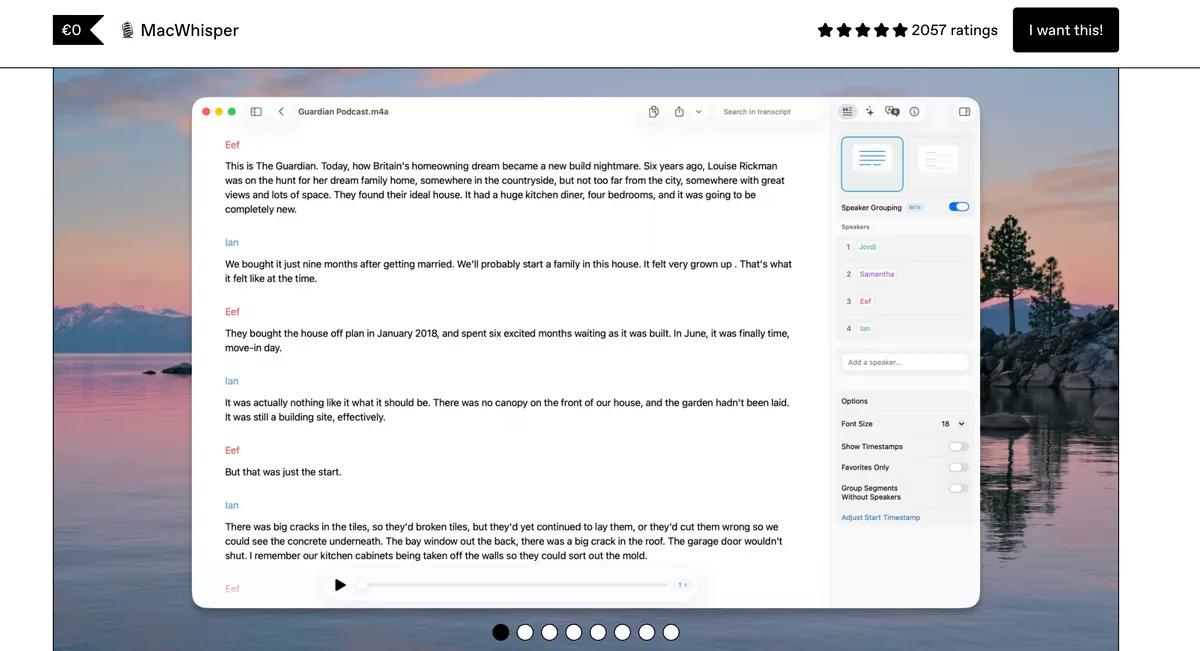
MacWhisper, from indie developer Jordi Bruin (Good Snooze), is the best transcription app for Mac if your audio already exists as a file. Drag in an MP3, WAV, M4A, OGG, OPUS, MOV or MP4, paste a YouTube link, or drop a whole folder, and it transcribes on your Mac with Whisper or NVIDIA's Parakeet models. Nothing uploads.
It has quietly grown past files. The current version also records Zoom, Teams, Webex, Skype, Chime and Discord calls with automatic start and stop and no bot in the call, offers system-wide dictation, identifies speakers, and exports SRT and VTT subtitles plus several document formats.
- Price: free tier; Pro is €64 once (about $69) with lifetime updates, on Gumroad. The App Store edition, "Whisper Transcription", is free with in-app purchases.
- Rating: 3.9/5 from 169 ratings on the US App Store (the App Store edition; the Gumroad app has no public score).
- The catch: AI summaries and chat run through a provider you connect yourself (OpenAI, Anthropic, Groq and others, or a local model via Ollama or LM Studio), so a hands-off meeting summary takes setup. Dictation is a secondary feature. Apple devices only.
Choose MacWhisper if you transcribe interviews, lectures, podcasts or video, want subtitles, or need meeting audio that never leaves the Mac. Our full MacWhisper review scores it 9/10 on file and batch transcription, and the MacWhisper pricing guide breaks down Gumroad vs App Store. If MacWhisper isn't quite right, the Voibe blog has a separate list of MacWhisper alternatives.
2. Voibe Work: Best for Meetings and Dictation in One Plan
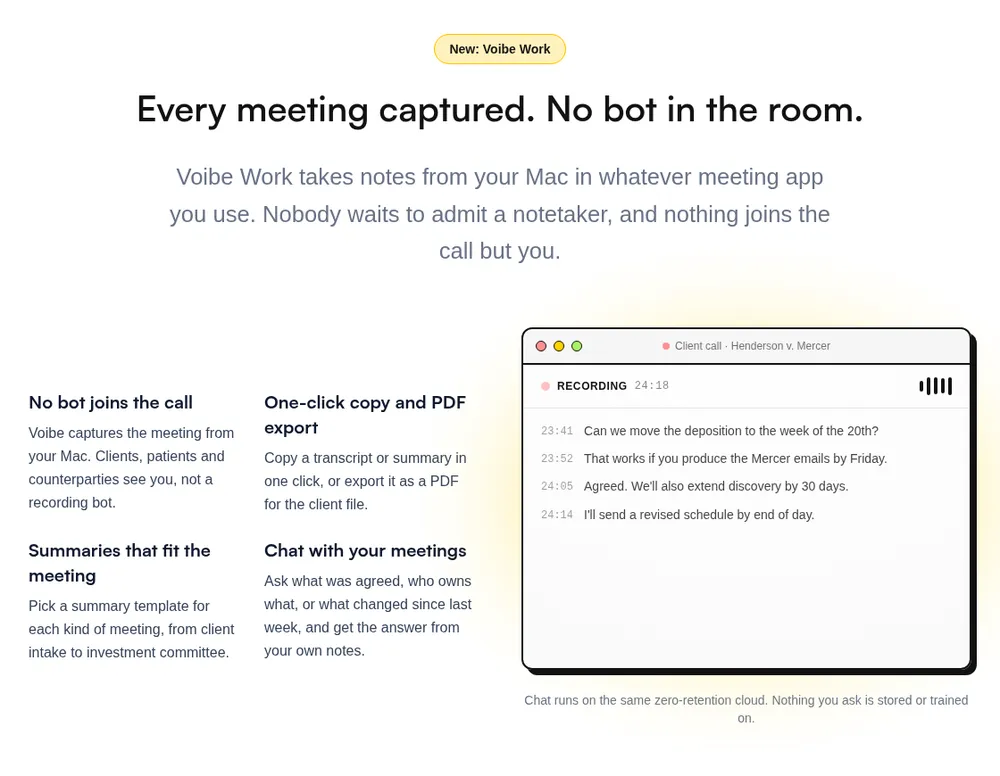
Voibe Work is the plan from Voibe that includes a meeting note taker and a full dictation app. It covers jobs 2 and 3, and the Voibe API covers job 1 for files. It's second here because the apps themselves don't take a dropped file; if files are your main job, MacWhisper is the better pick.
Job 2: meeting notes with no bot in the call
Voibe Work captures the meeting from your Mac in Zoom, Microsoft Teams, Google Meet, Webex, Slack huddles or any other meeting app. No bot joins and nobody has to admit a note taker. Meeting audio is processed by open-source models on zero-retention cloud providers and deleted as soon as processing completes. The transcript and summary are saved on your Mac, not on Voibe's servers, and never used to train AI. You get summary templates for each type of meeting (client intake, investment committee and so on), chat with your meetings ("what was agreed, who owns what"), and one-click copy and PDF export.
Two honest limits. Meeting notes need an internet connection; they aren't on-device. And when recording starts, Voibe reminds you to tell everyone you're taking notes, but you're responsible for the recording-consent rules where you and they are. The Voibe Work launch post explains why we built it without a bot.
Job 3: dictation on Mac and Windows
Every Voibe Work seat includes Voibe Dictation: hold Fn, speak, and clean text lands in any app on your Mac or Windows PC. On Apple Silicon Macs you can run it fully on-device with no internet; on Windows and Intel Macs it uses the same zero-retention cloud. It handles spoken punctuation, a Dictionary that shapes the transcription itself for names and jargon, Memory shortcuts for reusable text, and Developer Mode for Cursor, VS Code and Windsurf.
Price
$14 a month, $140 a year, or $349 once for lifetime access, per seat. 7-day free trial of every feature, no credit card, no automatic charge, and a 30-day money-back guarantee. Meeting notes run on Mac (Intel and Apple Silicon) and Windows. BAA available on request. Voibe has a 4.8/5 rating on Product Hunt.
Put plainly, Voibe Work is Granola and Wispr Flow in one plan: Granola Business ($168 a year) plus Wispr Flow Pro ($144 a year) is $312, and Voibe Work is $140, $172 (55.1%) less.
7-day free trial of every Voibe Work feature. No credit card, no automatic charge, and a 30-day money-back guarantee if you buy. One seat covers Mac and Windows.
Claude + Voibe API: Transcripts and Summaries in the Same Chat
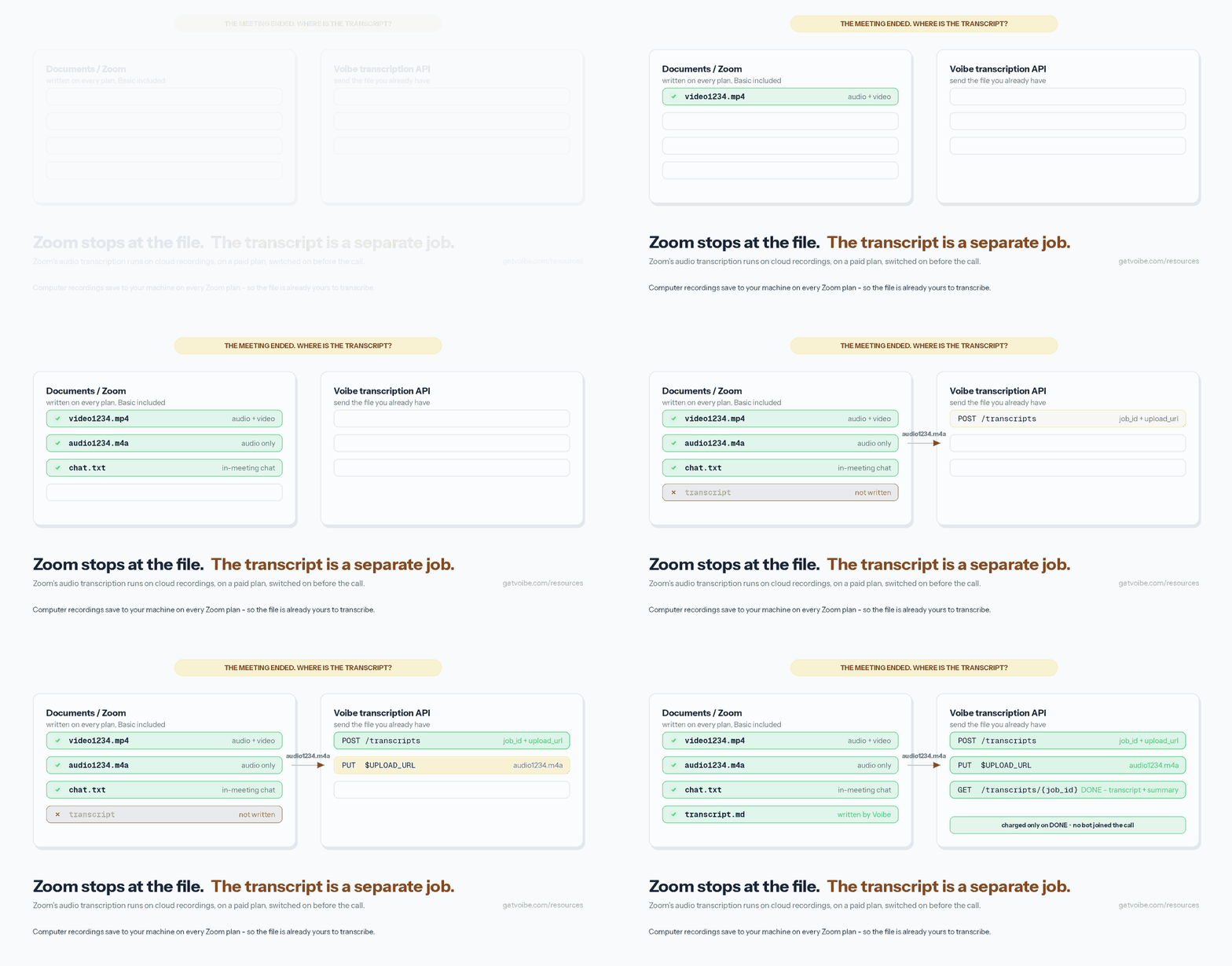
For job 1, Voibe doesn't give you a drag-and-drop window. It gives you something we think is better if you already use Claude: the Voibe speech-to-text API, connected to Claude as a connector. Claude can't transcribe audio by itself. Once Voibe is connected, you hand it a meeting, an interview or a voice note and get back speaker-labelled lines (speaker_0, speaker_1 and so on) with timestamps, plus a summary that uses people's names when the recording says them. Then you keep going in the same chat: "pull out the action items", "draft the follow-up email", "compare this interview with last week's".
Setting it up in Claude on the web, Claude Desktop or Cowork (per Voibe's Claude setup guide, read October 8, 2026):
- Open Customize → Connectors, click +, search for Voibe Transcription and click Connect. Or choose Add custom connector and enter
https://api.getvoibe.com/mcp. - Sign in to Voibe with your email and approve. There's no API key to copy.
- In a chat, open the + menu, choose Connectors and switch Voibe on. On Team and Enterprise plans, an Owner adds the connector under Organization settings first.
- Ask Claude to transcribe a recording. Claude can't read files on your computer, so it hands you a link to a Send your audio page. Drop the file there (one file per link; the link works for 5 hours) and the transcript comes back into the chat.
Claude Code, Cursor and Codex read files from disk and upload them themselves, so they can work through a whole folder: claude mcp add --transport http voibe https://api.getvoibe.com/mcp --header "Authorization: Bearer $VOIBE_KEY". Developers can also call the REST API directly: create a job (POST /transcripts), upload to the returned URL (PUT) and fetch the result (GET /transcripts/{job_id}). The Zoom recording walkthrough shows the whole loop for the audio####.m4a files Zoom saves on every plan.
- Files: mp3, wav, m4a, mp4, flac, ogg or webm, up to 200 MB; other audio and video files are converted when the audio can be read.
- Price: 15 free minutes with no card, then $10 for 2,000 minutes ($0.30 an hour) down to $100 for 24,000 minutes ($0.25 an hour). Per-second billing, charged only when a transcription finishes, and minutes never expire.
- Privacy: the same zero-retention pipeline as the Voibe apps. The audio is transcribed and then deleted, never kept and never used to train models. Transcripts and summaries stay readable for 24 hours after the job finishes, then they're deleted on Voibe's side. Once a transcript is in your chat it's part of your Claude conversation under Anthropic's terms, so check your Claude settings too (is Claude safe?). Keep tool confirmation on if your Claude offers it.
- The catch: it needs internet, it isn't real-time, and in Claude Desktop or on the web it's one file per upload link. For fully local transcription of sensitive recordings, use MacWhisper or Aiko.
3. Superwhisper: Best When Dictation Is the Main Job
Superwhisper is a dictation app that runs Whisper models locally, with custom modes for different kinds of writing. It now covers all three jobs: dictation and meeting recording are in the free plan, and audio and video file transcription comes with Pro. It runs on Mac, Windows, iOS and Android.
- Price: free; Pro $8.49 a month, $84.99 a year, or $249.99 lifetime. 30-day refund on all plans.
- Rating: 4.4/5 from 837 ratings on the US App Store.
- The catch: file transcription is Pro-only, offline models run well only on Apple Silicon (Intel Macs work best with its cloud models), and there are a lot of settings to learn.
Choose it if you dictate all day and transcribe a file now and then. Our Superwhisper review and Superwhisper pricing breakdown go deeper.
4. Aiko: Best Cheap One-Time File Transcriber
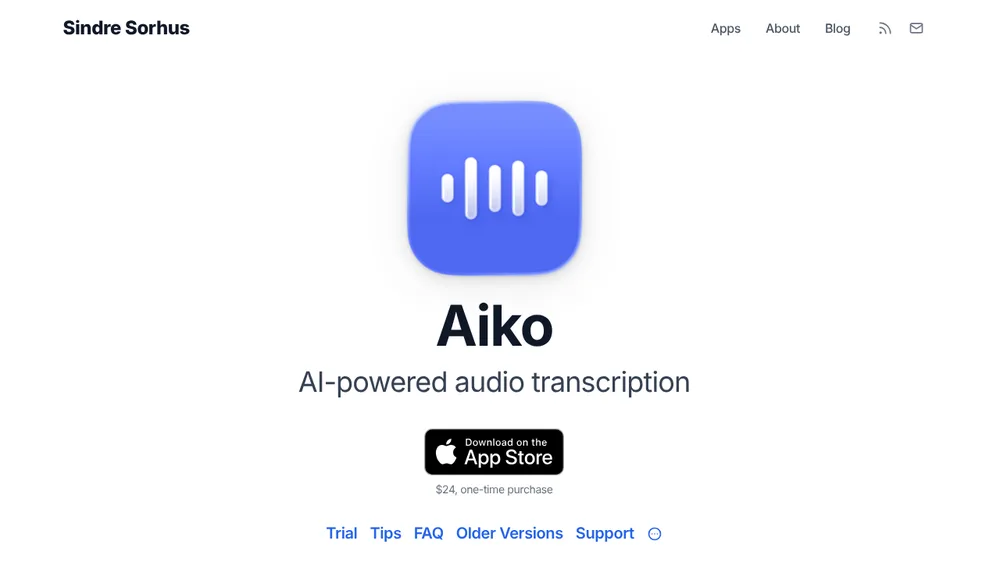
Aiko, from developer Sindre Sorhus, is the simplest way to transcribe a file on a Mac without a subscription. It runs OpenAI's Whisper on-device ("nothing leaves your device"), handles about 100 languages, and exports plain text or subtitles with timestamps. It also runs on iPhone and iPad.
- Price: $24 once on the App Store, with a trial. 4.7/5 from 325 ratings on the US App Store.
- The catch: it needs macOS 26 or later. No live transcription while recording, no speaker detection, no in-app text editing, no batch queue or meeting recording.
Choose Aiko if you transcribe a few files a month and want the cheapest private option that isn't a command line.
5. Apple Voice Memos and Notes: Best Free Built-In Option
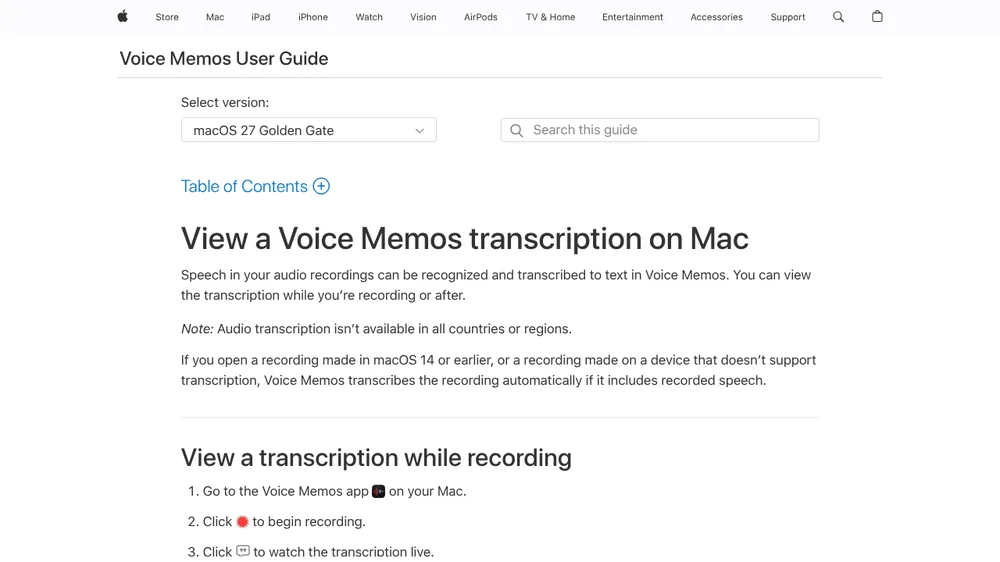
Your Mac may already transcribe. With macOS Sequoia or later on an Apple Silicon Mac, Voice Memos shows a live transcript while you record and a full transcript afterwards, and Notes can transcribe audio you record or drop into a note. Recordings made on macOS 14 or earlier are transcribed automatically when you open them.
- Price: free.
- Importing a file: drag an M4A into Voice Memos, or an M4A, MP3 or WAV into Notes. Voice Memos won't take MP3 or WAV directly; convert with QuickTime's Export As › Audio Only (MacMost walkthrough).
- The catch: plain text only, no timestamps or subtitles, no batch, and not available in every country or region. Apple's Live Captions can caption any audio on screen, also Apple Silicon only, but it isn't built for saving a transcript.
Start here if you transcribe the occasional voice memo. Live dictation is a separate built-in; our Apple Dictation review covers where it stops.
6. TurboScribe: Best for Big Batches in a Browser
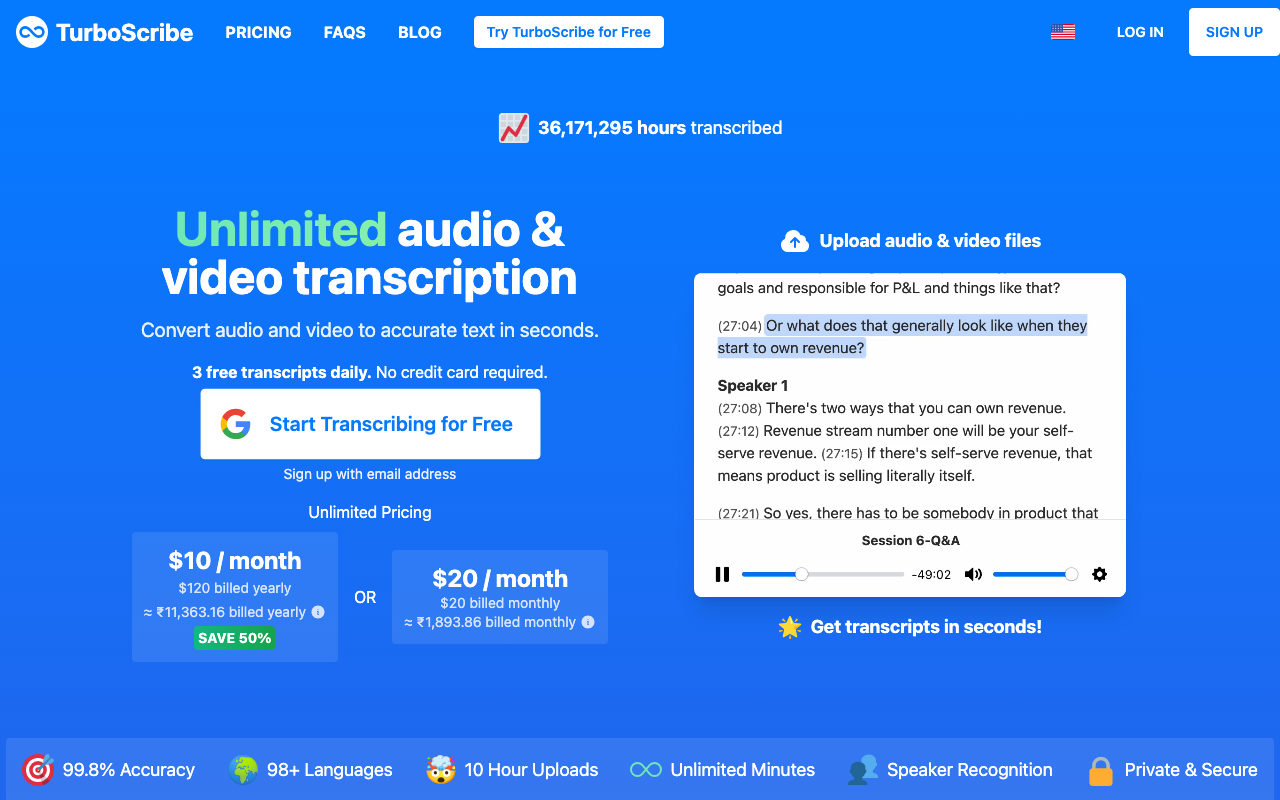
TurboScribe is a web app, not a Mac app, but it's one of the most popular ways Mac users transcribe large volumes. Unlimited takes files up to 10 hours or 5 GB each, 50 at a time, with translation into 134+ languages.
- Price: free for 3 files a day up to 30 minutes each; Unlimited is $10 a month billed annually ($120 a year) or $20 billed monthly.
- Rating: 4.4/5 from 484 reviews on Trustpilot. Trustpilot notes TurboScribe hasn't invited its customers to review.
- The catch: every file uploads to TurboScribe's cloud, and it only does files: no meetings, no dictation, no offline mode.
Choose it for bulk, non-sensitive transcription where you don't want to install anything. Our TurboScribe alternatives list covers the trade-offs.
7. Otter: Best for Shared Meeting Transcripts in the Cloud
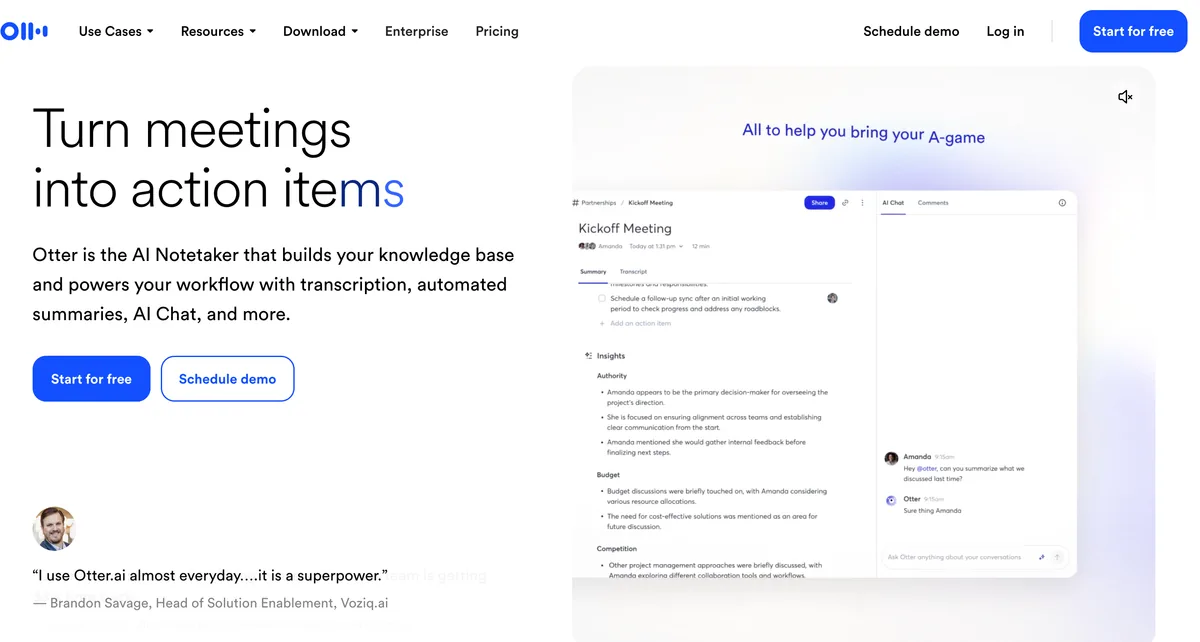
Otter transcribes meetings through its bot or, since October 2025, a desktop app that records without one, and it imports audio and video files. Transcripts live in Otter's cloud, where teams can share and comment.
- Price: Basic free (300 minutes a month, 30-minute conversations, 3 imports lifetime). Pro $16.99 a month or $8.33 billed annually (1,200 minutes, 10 imports a month). Business $30 or $19.99 billed annually.
- Rating: 4.8/5 from 83,673 ratings on the US App Store.
- The catch: Otter trains its AI on de-identified recordings and transcriptions with no opt-out we could find, a class action over its bot is moving forward, and there's no dictation app.
See our Otter AI alternatives if you're leaving it, and Is Otter safe? for the lawsuit.
8. Granola: Best-Polished Meeting Notepad (No Files)
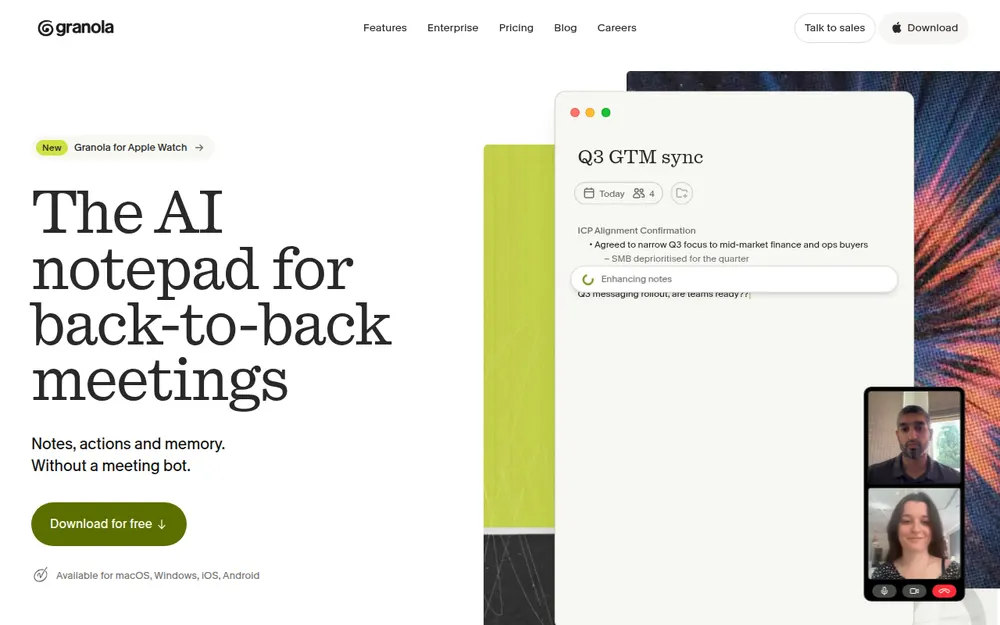
Granola is an AI notepad that captures your mic and system audio without a bot and turns your rough notes into a clean summary. It runs on Mac (macOS 14+), Windows, iPhone and Android.
- Price: Basic free (last 30 days of notes visible); Business $14 per user per month, billed monthly only ($168 a year).
- Rating: 4.96/5 from 14,208 ratings on the US App Store.
- The catch: it deletes audio after transcription, so there's no file upload and no playback, which makes it no use for job 1. Notes are stored in Granola's US cloud, and anonymised data is used for model improvement by default on Free and Business until you opt out.
Our Granola alternatives and no-bot meeting note takers lists compare it with Voibe Work, Quill, Jamie and others.
9. Rev: Best When a Human Has to Check the Transcript
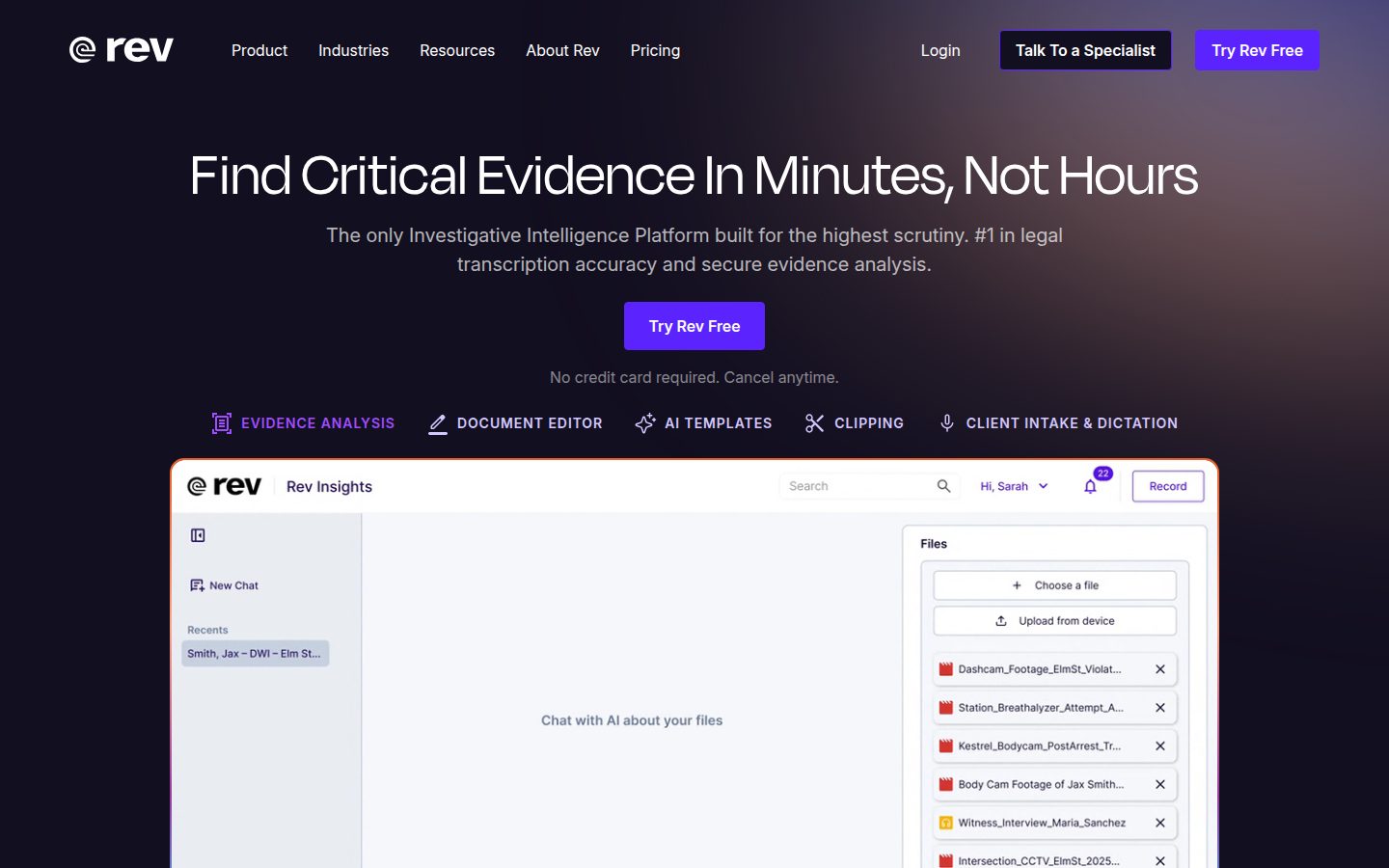
Rev runs in the browser and on iPhone and Android, with AI transcription plus human transcription for work that has to be right: court records, published interviews, captions.
- Price: Free (45 AI minutes a month). Essentials $29.99 per seat a month, or $25.49 billed annually ($305.90 a year), with 5,000 AI minutes. Pro $59.99, or $47.99 billed annually. Human transcription from $1.99 a minute.
- Rating: 4.5/5 from 4,317 ratings for the Rev app on the US App Store.
- The catch: no Mac app, every file uploads, and an hour of human transcription is $119.40.
Journalists comparing Rev should read our Rev alternatives for journalists.
10. whisper.cpp: Best Free Open-Source Option
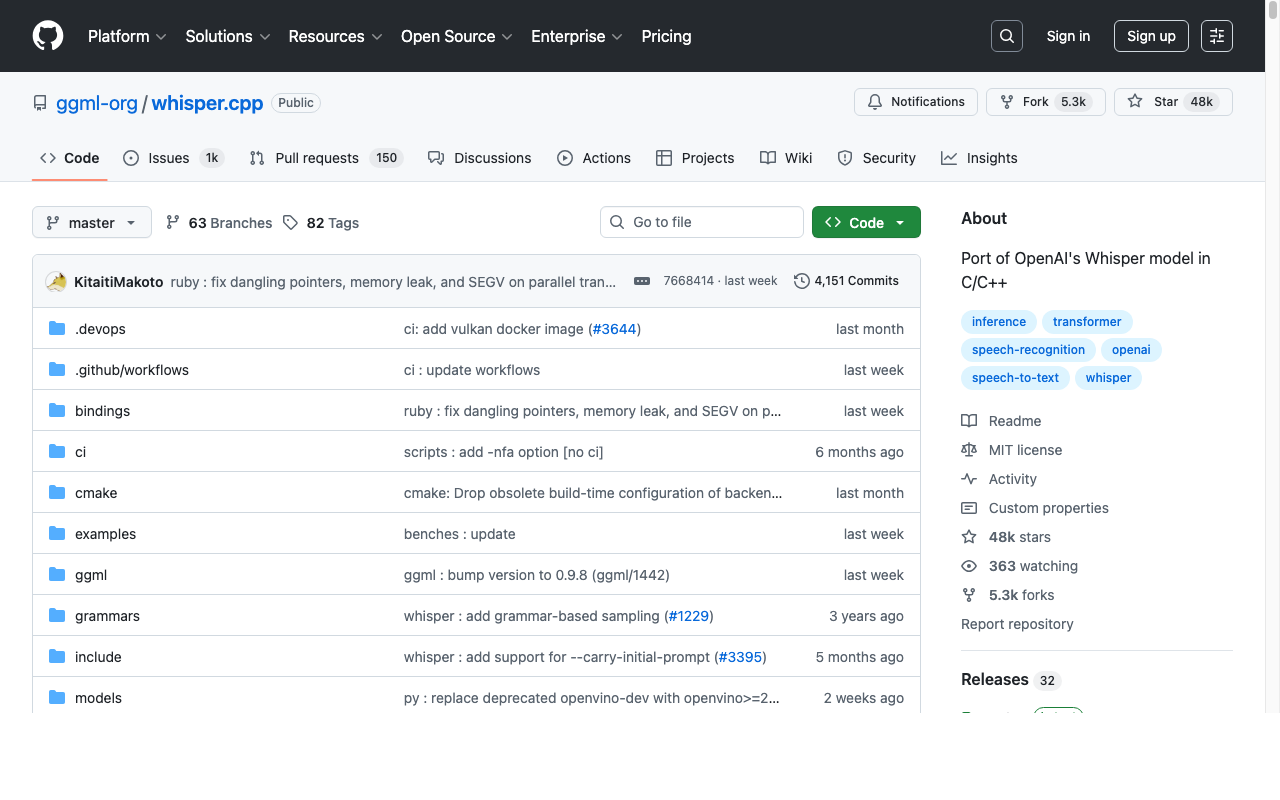
whisper.cpp is a free, MIT-licensed C/C++ port of OpenAI's Whisper with 54.2k GitHub stars. On Apple Silicon it runs on the GPU through Metal, and the encoder can run on the Neural Engine through Core ML. You get a command-line tool (whisper-cli), a local HTTP server and bindings for Python, Swift, Go and more. MacWhisper is built on it.
The catch: no app window. You download models, run commands and script your own batches. Choose it if you're comfortable in Terminal and want transcription for $0. Our MacWhisper vs OpenAI Whisper comparison shows what the app adds on top.
The Power Bundle: What All Three Transcription Jobs Cost Together
If you need files, meetings and dictation, you're buying three tools or a bundle. Here's the arithmetic, per person, using annual billing where it exists. One $10 Voibe API pack is 2,000 minutes (33.3 hours) of files, and the minutes never expire.
| Setup | Files | Meetings | Dictation | Year 1 | 3 years |
|---|---|---|---|---|---|
| TurboScribe Unlimited + Granola Business + Wispr Flow Pro | $120 | $168 | $144 | $432 | $1,296 |
| MacWhisper Pro + Granola Business + Wispr Flow Pro | ~$69 once | $168 | $144 | ~$381 | ~$1,005 |
| Otter Pro + Wispr Flow Pro | Otter imports (10/mo) | $99.96 | $144 | $243.96 | $731.88 |
| Voibe Work annual + one $10 API pack a year | $10 | $140 (both included) | $150 | $450 | |
| Voibe Work lifetime + one $10 API pack a year | $10/yr | $349 once | $359 | $379 | |
| Voibe Work lifetime + MacWhisper Pro (files fully on-device) | ~$69 once | $349 once | ~$418 | ~$418 | |
The savings, worked out
- Voibe Work + API vs the three-subscription stack: $432 − $150 = $282 a year (65.3%) less. Over three years with lifetime: $1,296 − $379 = $917 (70.8%) less.
- vs MacWhisper + Granola + Wispr Flow: ~$1,005 − $379 = about $626 (62.3%) less over three years.
- vs Otter Pro + Wispr Flow Pro: $243.96 − $150 = $93.96 a year (38.5%) less, and Voibe Work has no 1,200-minute monthly meeting cap.
- The private-files option: if your files must never leave the Mac, Voibe Work lifetime plus MacWhisper Pro is about $418 once for all three jobs, about $587 (58.4%) less than the MacWhisper + Granola + Wispr Flow stack over three years.
Prices: TurboScribe $10 a month billed annually; Granola Business $14 a month, monthly billing only; Wispr Flow Pro $144 a year ($15 billed monthly, Wispr Flow pricing); Otter Pro $8.33 a month billed annually. Wispr Flow Pro now includes its own Notetaker with "higher limits"; its unlimited Notetaker is Growth + Notetaker at $312 a year, which is $172 (55.1%) more than Voibe Work.
Transcribing Recorded Dictation and Voice Memos on a Mac
A lot of people looking for dictation transcription software have recordings, not live speech: notes dictated into a phone on the drive home, a handheld recorder, a doctor's or lawyer's dictation queue. That's job 1, and the tools are different from live dictation.
- Record on your iPhone with Voice Memos, or on a handheld recorder. Voice Memos syncs recordings to the Mac through iCloud.
- Transcribe on the Mac. For free, open the recording in Voice Memos on an Apple Silicon Mac. For timestamps, batches or a folder of recorder files, use MacWhisper or Aiko. To have an agent do it, point the Voibe API's MCP server at the folder.
- Clean up and file it. Copy the text into your document, or ask the agent to format it into a letter, a note or a summary.
If you're at the Mac anyway, skip the recording. Live dictation puts the text straight into the document, which saves the transcription step entirely. Voibe Dictation does that on Mac and Windows from $7.50 a month; our speech to text on Mac guide compares every live option, and the Voibe blog ranks the best dictation apps overall.
On-Device vs Cloud Transcription on a Mac: Where Your Audio Goes
On-device transcription means the audio never leaves your Mac. Cloud transcription means it does, and what matters then is how long the provider keeps it and whether it trains on it.
- On your Mac: MacWhisper, Aiko, whisper.cpp, Voice Memos and Notes transcribe locally. So does Voibe's dictation in on-device mode on Apple Silicon Macs (M1 or later), which works with no internet.
- Zero-retention cloud: Voibe Work meeting notes, the Voibe API, and Voibe dictation on Windows and Intel Macs. Audio is encrypted in transit, transcribed by open-source models on zero-retention providers, and deleted the moment processing completes. No OpenAI, Google, Anthropic or Microsoft model is in the audio path. Voibe Work saves the finished notes on your Mac, not on Voibe's servers.
- Vendor cloud: TurboScribe, Otter and Rev process files on their servers and keep the transcripts there. Granola deletes the audio but keeps your notes in its US cloud, and uses anonymised data for model improvement by default on Free and Business.
Voibe's meeting notes are not on-device and need internet. If a meeting recording must never leave the machine, use MacWhisper's meeting recording with a local model. For client and patient work, a zero-retention cloud with notes saved locally is the next-best thing, and a BAA is available on request for Voibe. Our explainer on zero data retention covers what those promises do and don't include.
How to Choose a Mac Transcription App
1. Does the audio already exist as a file?
- Yes, and it's sensitive → MacWhisper (or Aiko on a budget).
- Yes, lots of it, not sensitive, no install → TurboScribe.
- Yes, and you want the transcript and summary inside Claude → Claude + Voibe API (connector, no code).
- Yes, and an agent or script should work through a folder → Voibe API via MCP in Claude Code, Cursor or Codex.
- No → go to question 2.
2. Is it a meeting?
- Yes, on a Mac, and you also write a lot → Voibe Work (meeting notes plus dictation).
- Yes, on Windows or a phone → Granola (turn off training) or Otter.
- Yes, and the audio must stay on the Mac → MacWhisper meeting recording.
3. Do you just want to speak and see text?
- Yes → that's dictation: Voibe Dictation ($75 a year, Mac and Windows) or Superwhisper.
4. Does a person need to verify every word?
- Yes → Rev human transcription from $1.99 a minute.
5. Is your budget $0?
- Apple Silicon Mac on macOS Sequoia or later → Voice Memos. Comfortable in Terminal → whisper.cpp.
Best Mac Transcription App for Your Situation
| Situation | Best choice | Why |
|---|---|---|
| Journalist transcribing recorded interviews | MacWhisper | On-device, speaker identification, one-time €64 |
| YouTuber who needs subtitles | MacWhisper | SRT/VTT export and YouTube URL transcription |
| Student with a few lectures a month | Aiko or Voice Memos | $24 once, or free on Apple Silicon |
| Consultant on client calls who writes all day | Voibe Work | No-bot meeting notes plus dictation, $140 a year |
| Lawyer or therapist recording client sessions on a Mac | Voibe Work | Audio deleted after processing, notes on your Mac, BAA available on request |
| Researcher or consultant who already works in Claude | Claude + Voibe API | Transcript and summary in the same chat, about $0.30 an hour, audio deleted after transcription |
| Developer whose agent should transcribe a folder | Voibe API | MCP server, per-second billing, charged only on DONE |
| Podcaster with 50 episodes to transcribe this week | TurboScribe | 50 files at once, up to 10 hours each |
| Team that shares and comments on transcripts | Otter | Shared cloud workspace |
| Founder in meetings on Mac, Windows and phone | Granola | Every platform; turn off training |
| Court reporter or publisher needing verified text | Rev | Human transcription from $1.99 a minute |
| Writer who mostly dictates, occasionally transcribes | Superwhisper or Voibe Dictation | Dictation-first; Superwhisper Pro adds files |
| Engineer who wants $0 and full control | whisper.cpp | MIT licence, runs on Metal and the Neural Engine |
Frequently Asked Questions About Mac Transcription Apps
Basics
What is the best transcription app for Mac?
MacWhisper is the best transcription app for Mac for audio and video files: it runs Whisper on-device, handles batches and subtitles, records meetings, and costs €64 once for Pro. For meeting notes plus dictation, Voibe Work is the best value at $140 a year, and the Voibe API transcribes files from $10 for 2,000 minutes.
Does the Mac have a built-in transcription app?
Yes. On an Apple Silicon Mac with macOS Sequoia or later, Voice Memos and Notes transcribe recordings on-device, including M4A files you drag in. The transcript is plain text without timestamps, and the feature isn't available in every country or region.
What's the difference between a transcription app and a dictation app?
A transcription app converts a recording that already exists into text. A dictation app types your words into the current app as you speak, with no recording. MacWhisper and Aiko are transcription apps; Voibe Dictation, Superwhisper and Apple Dictation are dictation apps. Voibe Work includes a meeting note taker and a dictation app.
Privacy
Which Mac transcription apps work offline?
MacWhisper, Aiko, whisper.cpp, Voice Memos and Notes transcribe files offline on your Mac. Voibe's dictation works offline in on-device mode on Apple Silicon Macs. TurboScribe, Otter, Rev, Granola and Voibe Work's meeting notes need an internet connection.
Is it safe to upload confidential recordings to a transcription service?
It depends on retention and training. TurboScribe, Otter and Rev keep transcripts on their servers, and Otter trains on de-identified recordings. Voibe's API and Voibe Work process audio on a zero-retention cloud and delete it when processing completes; Voibe Work saves the notes on your Mac. For recordings that must never leave the machine, use an on-device app such as MacWhisper.
Does Voibe Work record meetings without a bot?
Yes. Voibe Work captures Zoom, Teams, Google Meet, Webex, Slack huddles and other meeting apps from your Mac or Windows PC, with no bot in the call. Voibe reminds you to tell everyone you're taking notes when recording starts; you're responsible for recording-consent rules. Meeting notes run on Mac and Windows.
Pricing
What is the best free transcription app for Mac?
Voice Memos is the best free option if you have an Apple Silicon Mac on macOS Sequoia or later. MacWhisper's free tier transcribes files with smaller models, whisper.cpp is free and open source, and TurboScribe's free plan allows 3 files a day up to 30 minutes each.
How much does MacWhisper cost?
MacWhisper Pro costs €64 once (about $69) on Gumroad, with lifetime updates, and there's a free tier. The App Store edition, called Whisper Transcription, is free with in-app purchases.
Is there a cheaper way to get meeting notes, dictation and file transcription?
Yes. TurboScribe, Granola Business and Wispr Flow Pro together cost $432 a year. Voibe Work ($140 a year) covers meetings and dictation, and one $10 Voibe API pack adds 2,000 minutes of file transcription, for $150 a year in total: $282 (65.3%) less. Over three years, Voibe Work lifetime plus $30 of API packs is $379 versus $1,296.
Choosing
Can Claude transcribe audio files?
Not on its own. Connect Voibe as a connector (Customize → Connectors → Voibe Transcription) and Claude can transcribe a meeting, interview or voice note into timestamped, speaker-labelled lines with a summary, then work with the text in the same chat. Claude Desktop and Claude on the web can't read files on your computer, so Claude gives you a Send your audio link for each file; Claude Code reads files from disk. It costs $10 for 2,000 minutes after 15 free minutes, and Voibe deletes the audio after transcription. Setup steps are in Voibe's Claude setup guide.
Can Voibe transcribe audio files?
Not by dragging a file into the app. The Voibe apps do live dictation and, on Voibe Work, meeting notes. Files go through the Voibe speech-to-text API: connect it to Claude and Claude transcribes the recordings you send it, or let Claude Code work through a whole folder, from $10 for 2,000 minutes with 15 free minutes to start. For a drag-and-drop file app, use MacWhisper or Aiko.
Is MacWhisper or Otter better for transcribing on a Mac?
MacWhisper is better for files and privacy: it transcribes on your Mac and costs €64 once. Otter is better for teams that share meeting transcripts in the cloud, but it uploads everything, trains on de-identified recordings, and caps imports at 3 lifetime on the free plan and 10 a month on Pro.
Which transcription app works on Intel Macs?
TurboScribe, Otter, Rev and Granola work on any Mac through the cloud, and Voibe runs on Intel Macs using its zero-retention cloud. Voice Memos transcription and Live Captions need Apple Silicon, and Superwhisper recommends its cloud models on Intel.
Final Verdict: The Best Transcription App for Mac
Pick the job, then the app.
- Files: MacWhisper. €64 once, on-device, and nothing else on the Mac is as complete.
- Meetings and dictation: Voibe Work. No bot in the call, notes saved on your Mac, meetings and dictation on Mac and Windows, $140 a year or $349 once.
- All three for the least money: Voibe Work plus a $10 Voibe API pack ($150 a year), or Voibe Work lifetime plus MacWhisper Pro if your files must stay on the Mac.
- Free: Voice Memos on an Apple Silicon Mac.
More reading:
- MacWhisper review: the file transcriber in depth
- Best no-bot meeting note takers: the meeting job compared
- The Voibe speech-to-text API: files for developers and agents
- Voibe vs MacWhisper: how the two split the work
Try Voibe Work free for 7 days → No credit card, no automatic charge. Meeting notes on Mac, dictation on Mac and Windows.
Meeting notes without a bot in your call
Voibe Work takes notes from Zoom, Teams and Meet on your Mac, with dictation included. Nothing used to train AI.
- Mac + Windows
- No bot in your calls
- Nothing used to train AI
- 7-day free trial
Want to compare plans first? View pricing →
Related Articles
MacWhisper Review
The file transcriber in depth, scored job by job.
Best No-Bot Meeting Note Takers
Eight meeting tools compared on where your notes end up.
The Voibe Speech-to-Text API
Batch transcription and an MCP server on a zero-retention pipeline.
Speech to Text on Mac
Every live dictation option on the Mac, ranked.