
We Tested 9 Fathom Alternatives. Granola Wins, Except on Privacy
We tested 9 Fathom alternatives with no bot in the call. Granola is the best all-rounder; for confidential calls, Voibe Work keeps notes on your computer.
TL;DR: The Best Fathom Alternatives
Fathom's free plan records every meeting you have. The catches show up later: a bot that hosts can refuse at the door, a bot-free mode that only works on a Mac, and in-house AI trained on your calls unless you opt out. Since September 14, 2026, Fathom also belongs to Superhuman, the company formerly called Grammarly.
Where your notes end up matters most when the call is confidential. The New York City Bar's Formal Opinion 2025-6 (December 22, 2025) says clients must be notified and give consent when an AI tool records their call. It also tells lawyers to check where the tool stores the data, for how long, and whether it trains on it.
Our pick for most people is Granola. It's the most polished no-bot app we tested, it runs on Mac, Windows, iPhone and Android, and Business costs $168 a year, $24 less than Fathom Premium. The catches are real: notes sit in Granola's US cloud, and it trains on your data by default on Free and Business.
For confidential work, pick Voibe Work, the meeting-notes plan of Voibe (the app we build). No bot joins, the audio is deleted once processing completes, and the transcript and summary are saved on your computer, never trained on. It's $140 a year, and a dictation app comes with it.
One honest price note: on Fathom Free, Voibe Work costs $140 a year more than you pay now. Against Fathom's paid plans it's cheaper: $52 (27.1%) less than Premium billed annually ($192), $40 (22.2%) less than Team ($180) and $160 (53.3%) less than Business ($300).
Voibe reminds you to tell everyone you're taking notes when recording starts; following recording-consent rules is up to you.
We tested all nine alternatives ourselves and checked each vendor's pricing, privacy and help pages between September 26 and October 8, 2026 (how we tested and ranked them). Every Fathom plan is in our Fathom pricing guide, and the training, storage and BAA details are in Is Fathom safe?
The ranking
- Granola: best Fathom alternative overall. The most polished no-bot app, on Mac, Windows, iPhone and Android. Trains on your data by default.
- Voibe Work: best for confidential and privacy-sensitive work. No bot on Mac and Windows, notes saved on your computer, dictation included.
- Circleback: closest like-for-like Fathom replacement. A bot or the bot-free desktop app on every plan, Windows included, and no training on your data.
- Quill Meetings: best free option if transcripts must stay on your computer.
- Otter: Fathom's best-known rival, with bot-free desktop recording on Windows today. Pro is $99.96 a year.
- Notta: cheapest paid plan here with both a bot and a bot-free desktop app ($97.99 a year).
- Jamie: best for EU data residency. Never trains on your data.
- Krisp: best if you also want noise cancellation. $96 a year.
- Wispr Flow Notetaker: best if you already pay for Wispr Flow dictation.
Key takeaways
| Alternative | Best for | Bot in the call | Where notes live | Per year vs Fathom Premium ($192) |
|---|---|---|---|---|
| Granola | Best overall: polished no-bot notes on every platform | No | Granola's US cloud | $168 Business (save $24, 12.5%) |
| Voibe Work | Confidential calls on Mac and Windows; notes + dictation | No | On your computer | $140 (save $52, 27.1%; dictation included) |
| Circleback | Like-for-like swap: bot or no bot | Your choice per meeting | Circleback's US cloud | $180 Pro (save $12, 6.3%) |
| Quill Meetings | Free local transcription | No | On your computer | $0 free, or $83.88 Lite |
| Otter | Cheap plan, bot-free desktop app on Windows | Bot, or desktop app with no bot | Otter's cloud | $99.96 Pro (save $92.04, 47.9%) |
Key Takeaway
Granola is the best Fathom alternative for most people: no bot, polished notes on Mac, Windows, iPhone and Android, $168 a year. For confidential calls, pick Voibe Work: audio deleted after processing, notes saved on your computer, never trained on, and dictation included for $140 a year.
Why People Are Leaving Fathom
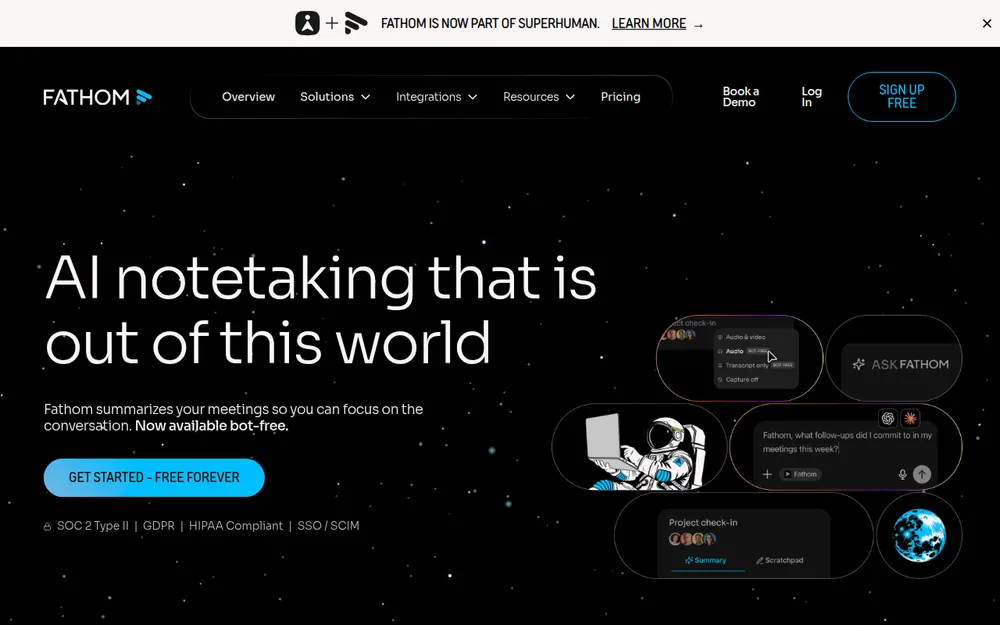
Fathom is one of the most popular AI meeting note takers. Its bot joins your Zoom, Google Meet or Microsoft Teams call, records it and writes a summary. Per Fathom's pricing page (checked October 8, 2026), the free plan is "Free forever" with "Unlimited recordings + transcriptions".
Reviewers like it: 4.9/5 on the Chrome Web Store from 1.7K ratings and 5/5 on Capterra from 809 reviews. So why do people still go looking?
1. The bot joins by default, and bots get turned away
Fathom's default capture is a bot that has to be admitted like any other participant. Clients notice the extra tile, and the platforms now screen bots:
- Google Meet added a second join queue where the default action is to deny entry (from March 24, 2026; Google Workspace Updates).
- Microsoft Teams tags third-party bots in the lobby, and organisers admit them separately (BleepingComputer).
- Case Western Reserve University began blocking third-party AI note takers on Zoom, Teams and Google Meet on September 12, 2025, naming Fireflies.ai, Read.ai and Fathom (spelled "Fanthom.video" in the notice), partly because the university "does not have enterprise contracts with these vendors" (CWRU UTech).
When the bot isn't let in, that meeting has no notes.
2. Bot-free capture is Mac-only, and Windows is still waiting
Fathom now lists a "Choice of bot-free* and bot capture-types (*Beta feature for Mac)" on every plan, including Free. On Windows, you get the bot.
Fathom's help center (edited October 1, 2026) says: "The new bot-free experience is currently available on Mac only. Windows support for the new experience is coming soon." Its Fathom 3.0 upgrade guide still reads "You're on Mac (Windows is coming soon!)". No date is given.
Every alternative ranked below records without a bot on Windows today.
3. The free plan caps the good summaries
Fathom Free really does include unlimited recordings, transcripts and storage. The cap is on the AI. Fathom's Free vs. Premium help article puts it this way: "Free: Advanced summaries for your first 5 calls each month (after that, only the General/Enhanced template will be available)."
AI action items and AI follow-up emails aren't on Free, and Ask Fathom (the chat across your calls) is "Limited use".
4. Teams pay for two seats, and CRM sync sits behind Business
- Team: $19 per user per month, or $15 billed annually ($180 a year)
- Business: $34, or $25 billed annually ($300 a year)
- Seat minimum: 2 users on both, and "free seats are no longer available" on the new plans
- CRM: syncs are limited to "Max 3 users/ domain" on Free, Premium and Team; CRM field sync, which updates records after each meeting, is Business and Enterprise only
Those figures come from Fathom's pricing page. Every price and limit is in our Fathom pricing breakdown.
5. Fathom trains its own AI on your meetings by default
Fathom's privacy policy (last updated August 16, 2026) says that, "Based on how you configure your account settings, we may use and create de-identified data generated from Meeting Content Information to improve our Service by training, improving, and customizing our in-house artificial intelligence models."
It adds: "You can opt out from this use of your data in your account settings." The help center confirms the default: "Fathom uses de-identified customer data to improve the accuracy of our proprietary AI models," with the opt-out in My Settings.
To be fair, Fathom says its AI sub-processors (Anthropic, OpenAI and Google) aren't permitted to train on your data. But the other people on your call never agreed to any of it. Our Is Fathom safe? review walks through the setting.
6. Recordings are kept forever, and the controls cost extra
Fathom's help center says it stores "all of your recordings indefinitely (or until you manually delete them)", in the United States. The controls that change that sit on the top plan:
- Auto-delete: "available only for users of the Enterprise Plan", and it "isn't self-serve yet"
- SSO and SCIM: Enterprise only
- Signed BAA: marked Enterprise-only in the pricing table
The full security picture is in our Fathom safety review.
7. A new owner: Superhuman, formerly Grammarly
On September 14, 2026, Fathom's CEO Richard White announced that "Fathom is now officially part of Superhuman", adding: "Nothing changes today for Fathom users. Same app, same login, same product experience." TechCrunch covered the deal the same day.
Superhuman's own announcement describes it as the company formerly called Grammarly. Fathom's privacy policy predates the deal and doesn't mention Superhuman, and we found no post-acquisition policy change as of October 8, 2026.
"Nothing changes today" is a statement about today. If years of client calls will live there, it's fair to ask Fathom what the plan is.
8. Fathom does one job
Fathom takes meeting notes. It doesn't type for you in Mail, Slack or your code editor. Most people who live in meetings also write all day, so they end up paying for a dictation app on top.
What Fathom does well
Credit where it's due. Fathom's free plan is the most generous in the category, and the product does a lot:
- Unlimited recordings, transcripts in 38+ languages, and storage with no expiry
- Video, with clips and shareable highlights
- Notes synced to HubSpot, Salesforce and Close
- An iPhone app, launched September 30, 2026, that records in-person conversations
We found no lawsuit naming Fathom as of October 8, 2026, which is more than Otter or Granola can say. If the bot is welcome in your calls and you don't handle confidential material, staying on Fathom Free is a reasonable choice.
Where Your Meetings Go: Fathom vs the Alternatives
Dropping the bot is the easy part. Almost every tool here records from your computer now.
What separates them is what happens afterwards. Here's where each one keeps your meetings, according to each vendor's own pages:
Bot, storage and training, tool by tool
| Tool | Bot in the call | Where notes are stored | Audio and retention | Trains on your meetings? | Attestations (vendor-stated) |
|---|---|---|---|---|---|
| Fathom (reference) | Yes by default; bot-free beta only on Mac | Fathom cloud, US | Recordings kept until you delete them; auto-delete is Enterprise-only | Yes by default (de-identified), opt-out in settings | SOC 2 Type II, GDPR, HIPAA (signed BAA on Enterprise); no ISO 27001 |
| Granola | No | Granola cloud, US (AWS) | Audio deleted after transcription; notes kept indefinitely unless a retention policy is set | Yes by default on Free and Business, opt-out | SOC 2 Type II; HIPAA and BAA on Enterprise |
| Voibe Work | No, on Mac and Windows | On your computer, not on Voibe's servers | Audio deleted as soon as processing completes | Never | BAA available on request |
| Circleback | Your choice per meeting | Circleback cloud, US | Free plan shows 30 days of history | No | SOC 2 Type II; HIPAA on Enterprise |
| Quill Meetings | No | On your computer; optional end-to-end encrypted sync | Audio never syncs | No | SOC 2 Type II |
| Otter | Bot, or desktop app with no bot | Otter cloud | Kept until deleted; custom retention through an account manager | Yes (de-identified audio and transcripts); no opt-out found | SOC 2 Type II; HIPAA on Enterprise |
| Jamie | No | Jamie cloud, EEA, Switzerland and UK | Audio deleted after transcription | Never | ISO 27001 |
| Krisp | No | Transcripts on your device; Krisp US cloud if you opt in | Stored in the cloud only on opt-in | No | SOC 2 Type II |
| Wispr Flow Notetaker | No | Wispr cloud, US, with no setting to turn that off | Raw audio up to 7 days; transcripts kept by default | Yes by default on Free and Pro | SOC 2 Type II and ISO 27001 (Wispr states) |
What the table tells you
Only Voibe Work and Quill are built to keep meeting notes on your computer. Krisp does too, until you opt in to its cloud.
Voibe Work processes meeting audio with open-source models on zero-retention cloud providers, so it needs an internet connection. It also reminds you to tell everyone you're taking notes.
Our AI Privacy Tracker scores Fathom and the other meeting tools tier by tier. Not sure you need a note taker at all? Our dictation vs note taker vs transcription guide sorts the categories out.
What to Look For in a Fathom Alternative
Six questions separate the tools on this list. Answer them before you compare prices.
- Bot or no bot? A no-bot note taker records from your computer, so nobody admits anything and a host can't turn it away. A bot can join meetings you aren't in, which no-bot tools can't. Circleback, Otter and Notta give you both.
- Does the no-bot mode work on your computer? Fathom's bot-free beta runs only on Mac. Every tool ranked below records without a bot on Windows too.
- Where do the notes live? Fathom, like most tools, keeps transcripts in its cloud. Voibe Work and Quill keep them on your computer. For client, patient or deal calls, this matters more than anything else here.
- Does it train on your meetings? Fathom, Granola and Otter use de-identified or anonymised customer data for their own models (Fathom and Granola let you opt out). Voibe Work, Circleback, Jamie, Quill and Krisp say they don't train.
- What does a year cost for your team? Compare against Fathom Premium at $192 a year, or Team at $180 per seat with a 2-seat minimum. Watch for per-meeting caps, note limits and seat minimums.
- Does it also do dictation? If you'd otherwise pay for a separate dictation app, a plan that includes one changes the math. Voibe Work and Wispr Flow both do.
How We Tested and Ranked These Fathom Alternatives
We tested all nine alternatives ourselves, and every verdict below comes from our own tests.
We also read each vendor's pricing, security, privacy and help pages and checked current App Store and Chrome Web Store ratings between September 26 and October 8, 2026. Fathom's and Otter's pages were re-checked on October 8, 2026.
What we judged, in order
- Does it catch the meeting on your computer? No-bot capture on Mac and Windows, or a bot when you want one.
- How good is it day to day? How polished the notes and the app are, which devices it covers, and what App Store and Chrome Web Store reviewers say.
- What happens to the notes: where they're stored and whether they train AI by default.
- What a year costs, against Fathom Premium ($192), Team ($180) and Business ($300).
- How much of your day it covers: meeting notes only, or notes plus dictation.
Why Granola is first and Voibe Work second
Granola ranks first because it's the strongest all-rounder on criteria 1, 2 and 4. It has no bot on four platforms, the highest App Store rating here (4.96/5 from 14,208 ratings), and it costs $24 a year less than Fathom Premium.
Voibe Work ranks second overall and first for confidential work. It wins criteria 3 and 5 outright: notes saved on your computer, never trained on, and dictation in the same plan.
Need a bot that joins meetings you aren't in, or CRM field sync? Neither is your pick. The entries further down say who is.
Fathom Alternatives Compared
Fathom sits in the first row for reference. Ratings are from the App Store unless noted, checked October 8, 2026.
Side by side, with Fathom as the baseline
| App | Bot? | Platforms | Notes stored | Trains on your data? | Free plan | Dictation app? | Rating |
|---|---|---|---|---|---|---|---|
| Fathom (reference) | Bot, or no-bot beta (Mac only) | Mac, Windows, iPhone | Fathom cloud, US | Yes by default, opt-out | Unlimited recordings; advanced summaries for 5 calls a month | No | 4.9/5 Chrome Web Store (1.7K) |
| Granola | No bot | Mac, Windows, iOS, Android | Granola cloud, US | Yes by default (Free, Business), opt-out | Yes, last 30 days visible | No | 4.96/5 (14,208) |
| Voibe Work | No bot | Mac, Windows | On your computer | Never | No (7-day trial, no card) | Yes | 4.8/5 Product Hunt (Voibe app, 6) |
| Circleback | Bot or no-bot desktop app | Mac, Windows, iOS, Android | Circleback cloud, US | No | Yes, 30-day history | No | 4.83/5 (255) |
| Quill Meetings | No bot | Mac, Windows, iOS, Android | On your computer | No | Yes, unlimited local transcription | No | 4.56/5 (9) |
| Otter | Bot, or no-bot desktop app | Web, Mac, Windows, iOS, Android | Otter cloud | Yes, de-identified; no opt-out found | 300 minutes a month, 30 minutes per conversation | No | 4.79/5 (83,750) |
| Notta | Bot, or no-bot desktop app | Web, Mac, Windows, iOS, Android | Notta cloud (AWS) | Not stated | 120 minutes a month, 3 minutes per recording | No | 4.06/5 (1,443) |
| Jamie | No bot | Mac, Windows, iPhone | Jamie cloud, EU | Never | 10 AI notes a month | No | 4.89/5 (243) |
| Krisp | No bot | Mac, Windows, iOS, Android | On device; Krisp US cloud if you opt in | No | No (7-day trial) | No | 4.75/5 (266) |
| Wispr Flow Notetaker | No bot | Mac, Windows | Wispr cloud, US | Yes by default (Free, Pro) | Limited Notetaker access | Yes | 4.84/5 (Wispr Flow app, 16,862) |
The two things only Voibe Work combines
Only Voibe Work and Quill are built to keep meeting notes on your computer. Only Voibe Work and Wispr Flow include a dictation app.
Voibe Work is the one that does both. It has no free plan, though, and that's where Fathom, Granola, Quill and Circleback beat it.
Fathom Alternatives Pricing: What a Year Costs vs Fathom Premium, Team and Business
Fathom Free is $0. Here are the paid plans, per Fathom's pricing page (checked October 8, 2026):
- Premium: $20 a month, or $16 a month billed annually: $192 a year
- Team: $19, or $15 billed annually: $180 a year per seat, 2-seat minimum
- Business: $34, or $25 billed annually: $300 a year per seat, 2-seat minimum
- Enterprise: quote only
The annual toggle says "save 25%+". The real discounts are 20.0% on Premium, 21.1% on Team and 26.5% on Business. Our Fathom pricing guide has the full breakdown.
Here's each alternative's cheapest plan for regular meeting notes, billed annually where the vendor offers it (prices checked September 26 to October 8, 2026):
| Alternative | Plan | Per year | vs Fathom Premium ($192) | vs Fathom Business ($300) |
|---|---|---|---|---|
| Quill Meetings | Lite ($6.99/mo annual), 16 hours of AI meetings a month | $83.88 | Save $108.12 (56.3%) | Save $216.12 (72.0%) |
| Krisp | Core ($8/mo annual) | $96 | Save $96 (50.0%) | Save $204 (68.0%) |
| Notta | Pro ($8.17/mo annual, 1,800 min/mo) | $97.99 | Save $94.01 (49.0%) | Save $202.01 (67.3%) |
| Otter | Pro ($8.33/mo annual, 1,200 min/mo) | $99.96 | Save $92.04 (47.9%) | Save $200.04 (66.7%) |
| Fireflies | Pro ($10/mo annual; 8,000 min storage, 20 AI credits) | $120 | Save $72 (37.5%) | Save $180 (60.0%) |
| Voibe Work | Annual, includes a dictation app | $140 | Save $52 (27.1%) | Save $160 (53.3%) |
| Wispr Flow | Pro ($12/mo annual; Notetaker with limits) | $144 | Save $48 (25.0%) | Save $156 (52.0%) |
| Granola | Business ($14/mo, billed monthly only) | $168 | Save $24 (12.5%) | Save $132 (44.0%) |
| Circleback | Pro ($15/mo, no annual discount) | $180 | Save $12 (6.3%) | Save $120 (40.0%) |
| Otter | Business ($19.99/mo annual) | $239.88 | $47.88 more (24.9%) | Save $60.12 (20.0%) |
| Jamie | Plus ($24/mo annual, 20 notes a month) | $288 | $96 more (50.0%) | Save $12 (4.0%) |
Where Voibe Work is not the cheapest
Five alternatives cost less than Voibe Work's $140 a year:
- Quill Lite: $83.88
- Krisp Core: $96
- Notta Pro: $97.99
- Otter Pro: $99.96, which is $40.04 a year less than Voibe Work
- Fireflies Pro: $120, capped at 8,000 minutes of storage per seat and 20 AI credits (conversation intelligence needs Business, $228 a year billed annually)
Fathom Free and Quill's free plan cost nothing. If you only need meeting notes and don't mind the vendor's cloud, those are cheaper.
Voibe Work's case rests on two things they don't offer together: notes saved on your computer, and a dictation app in the same plan. Against our top pick, Granola Business ($168, billed monthly only), Voibe Work is $28 (16.7%) a year less.
Monthly billing, teams and lifetime
- Monthly: Voibe Work ($14) is $6 (30.0%) less than Fathom Premium ($20), $5 (26.3%) less than Team ($19) and $20 (58.8%) less than Business ($34).
- Smallest team: Fathom Team's 2-seat minimum costs $360 a year; two Voibe Work seats cost $280, which is $80 (22.2%) less.
- Team of 10, annual: Voibe Work costs $1,400. Fathom Team costs $1,800 ($400 more), Premium $1,920 ($520 more) and Business $3,000 ($1,600 more). Qualifying nonprofits can apply for 10 free Fathom seats, which beats any price here.
- Lifetime: Voibe Work is also $349 once. Three years of Fathom Premium on annual billing cost $576, so the lifetime seat saves $227 (39.4%); against three years of Business ($900) it saves $551 (61.2%).
Want Otter's and Granola's numbers in depth? See our Otter AI alternatives and Granola alternatives lists.
The Power Bundle: Fathom Plus a Dictation App vs Voibe Work
Fathom takes meeting notes. If you also dictate emails, Slack replies and documents, you're paying for a second app.
A common pick is Wispr Flow, at $15 a month or $144 a year for Pro.
Voibe Work includes both. Every seat comes with everything in Voibe Dictation: hold a key (Fn by default), speak, and clean, punctuated text lands in Mail, Slack, Word or any other app on your Mac or Windows PC.
That's the job people buy Wispr Flow for, and here it comes in the same plan that takes your meeting notes.
| Setup (per user) | Per month | Per year | Over 3 years |
|---|---|---|---|
| Fathom Free + Wispr Flow Pro | $15 ($0 + $15) | $144 ($0 + $144) | $432 |
| Fathom Premium + Wispr Flow Pro | $35 ($20 + $15) | $336 ($192 + $144) | $1,008 |
| Fathom Team + Wispr Flow Pro | $34 ($19 + $15) | $324 ($180 + $144) | $972 |
| Fathom Business + Wispr Flow Pro | $49 ($34 + $15) | $444 ($300 + $144) | $1,332 |
| Voibe Work | $14 | $140 | $349 lifetime |
What you save with Voibe Work
- vs Fathom Premium + Wispr Flow Pro: $196 a year less (58.3%); $21 a month less on monthly billing (60.0%); $659 less over three years with the lifetime plan (65.4%).
- vs Fathom Team + Wispr Flow Pro: $184 a year less (56.8%); $623 less over three years with lifetime (64.1%).
- vs Fathom Business + Wispr Flow Pro: $304 a year less (68.5%); $983 less over three years with lifetime (73.8%).
- vs Fathom Free + Wispr Flow Pro: $4 a year less (2.8%), and $83 less over three years with lifetime (19.2%). In other words, Voibe Work costs about what Wispr Flow Pro costs alone, and adds meeting notes that stay on your computer.
Wispr Flow has its own answer. Its Pro plan includes a Notetaker with limits; unlimited Notetaker access costs $33 a month, or $26 a month billed annually ($312 a year). Voibe Work is $172 (55.1%) less than that.
Our Wispr Flow Notetaker vs Voibe Work comparison goes line by line, and every Wispr plan is in our Wispr Flow pricing guide.
What the dictation side includes
- Push-to-talk (hold Fn), Hands-Free Mode (double-tap to start and stop), and Live Dictation on Mac, which shows words as you speak so you can fix them before they land
- On-device dictation on Apple Silicon Macs that works with no internet, or Voibe's zero-retention cloud on any Mac or Windows PC
- A Dictionary that teaches it client names, jargon and acronyms, and Memory shortcuts that expand a spoken trigger into a signature or boilerplate
- Developer Mode, which resolves file names, folder paths and variable names in Cursor, VS Code and Windsurf
- Smart Formatting that fixes punctuation and drops filler words without rewriting what you said
- Dictation in 90+ languages
Meeting notes take a different path. They're captured on your Mac or Windows PC, processed in Voibe's zero-retention cloud and saved on your computer, so they need an internet connection.
Voibe reminds you to tell everyone you're taking notes when recording starts; following recording-consent rules is up to you. Our Voibe review covers the dictation app in depth.
1. Granola: Best Overall Fathom Alternative
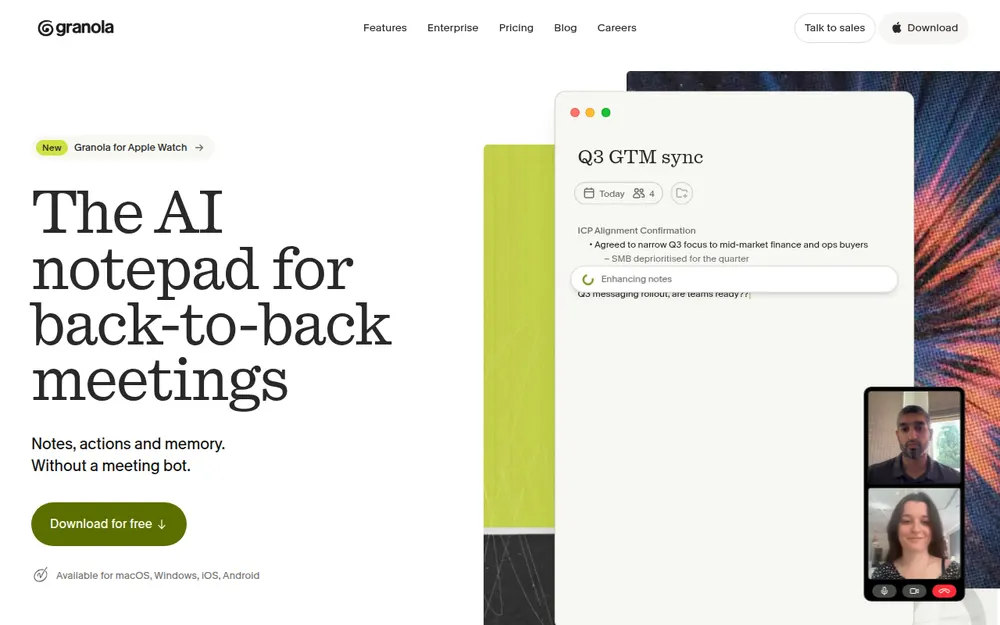
Granola is the no-bot note taker everyone else gets measured against, and it's our pick for most people leaving Fathom.
It captures your mic and system audio with no bot. You jot rough notes during the call, and Granola fills them in afterwards. In our testing, it's the most polished app on this list.
Why it's our top pick
- No bot, on every device: Mac, Windows, iPhone and Android, the broadest no-bot coverage here. Fathom's bot-free mode is still a Mac-only beta.
- Reviewers agree: it's the highest-rated app on this list, 4.96/5 on the App Store from 14,208 ratings.
- Cheaper than Fathom Premium: $168 a year on Business, $24 (12.5%) less than Premium billed annually.
- A free way in: Basic costs nothing, though only your last 30 days of notes are visible.
Pricing
- Basic: free; only the last 30 days of notes are visible
- Business: $14 per user per month, billed monthly only ($168 a year)
- Enterprise: $35 per user per month, with training off by default
Prices are from Granola's billing docs.
The catches
Granola fixes Fathom's bot on every platform. It doesn't fix the cloud or the training. Granola's security FAQ spells it out:
- Storage: notes sit in a "US-hosted AWS Virtual Private Cloud"
- Retention: notes are "retained indefinitely unless you or your admin configures a retention policy"
- Training: on Free and Business plans, "anonymised data may be used for Granola's own model improvements" unless each user opts out
- No recording: audio is deleted after transcription, so unlike Fathom there's nothing to replay or clip
Then there's the lawsuit. Chamberlain v. Granola, filed July 30, 2026, alleges that capturing other participants without notice is wiretapping. Granola's deadline to respond was extended to October 12, 2026.
Nothing is proven. Our Granola lawsuit explainer covers the claims.
Best for: most people leaving Fathom who want the most polished no-bot app on every device and are comfortable with cloud notes. If your calls are confidential, read the next entry.
Granola's plans, discounts and paywalls are broken down in our Granola pricing guide, and Is Granola safe? covers its training default and US-only storage.
2. Voibe Work: Best for Confidential and Privacy-Sensitive Work
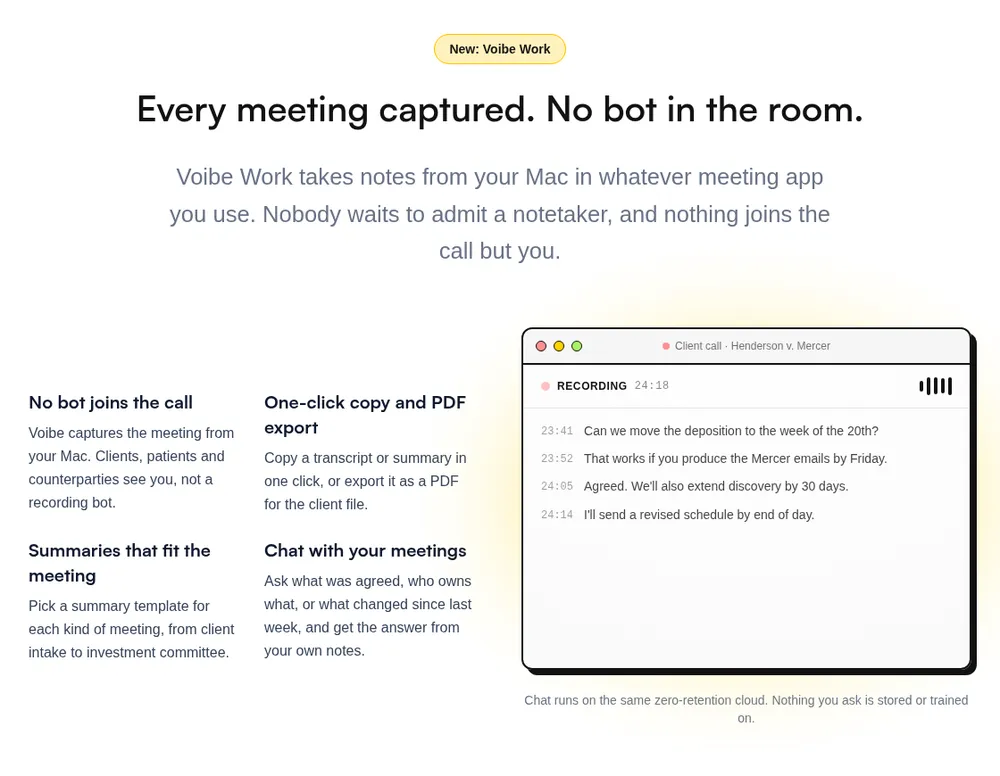
If your meetings are the kind you'd never forward, this is where the choice changes. Voibe Work is Voibe's meeting-notes plan, and it's the one we'd hand to lawyers, financial advisors, clinicians, HR teams and anyone in M&A talks or sensitive client calls.
The argument isn't only about who's in the call. It's about where the meeting goes afterwards.
Where your meeting goes
- Capture: from your Mac or Windows PC in Zoom, Microsoft Teams, Google Meet, Webex, Slack huddles or any other meeting app. No bot joins. In-person meetings are recorded through your computer's mic.
- Processing: open-source models on zero-retention cloud providers. No OpenAI, Google, Anthropic or Microsoft model is in the audio path.
- Audio: deleted as soon as processing completes.
- Notes: the transcript and summary are saved on your computer, not on Voibe's servers.
- Training: never.
Every provider is listed on Voibe's cloud privacy page. Because processing happens in the cloud, meeting notes need an internet connection. The reasoning behind the design is in our Voibe Work launch post.
Why it fits confidential work
- Nothing for a client to notice or a host to refuse. No bot tile, no lobby queue.
- No archive on a vendor's server. Fathom keeps recordings in its US cloud until you delete them, and Granola keeps notes indefinitely unless a retention policy is set.
- BAA available on request, for the app and the API.
- A consent reminder. When recording starts, Voibe reminds you to tell everyone you're taking notes. Following recording-consent rules is up to you.
That lines up with what the NYC Bar asks lawyers to check before an AI tool records a client call: where the data is stored, for how long, and whether the tool trains on it.
Fathom vs Voibe Work, side by side
| Fathom (Premium) | Voibe Work | |
|---|---|---|
| Bot in the call | Yes by default; bot-free beta only on Mac | No, on Mac and Windows |
| Recording | Audio and video kept in Fathom's US cloud until you delete them | Audio deleted the moment processing completes |
| Transcript and summary | Fathom's US cloud | Saved on your computer |
| Training | In-house models on de-identified data by default; opt-out | Never |
| Joins meetings on its own | Yes, as a bot | No, you start notes on your computer |
| Dictation app | No | Yes, on Mac and Windows |
| Platforms | Mac, Windows, iPhone | Mac, Windows |
| Price | $20/mo or $192/yr; Free plan available | $14/mo, $140/yr, or $349 lifetime |
What else you get
- AI summaries with templates for each kind of meeting, such as client intake or investment committee
- Chat with your meetings ("what was agreed, who owns what") on the same zero-retention cloud; nothing you ask is stored
- One-click copy and PDF export of transcripts and summaries
- The full Voibe dictation app on Mac and Windows (see the power bundle above)
Pricing
- Voibe Work: $14 per seat per month, $140 per year, or $349 once for lifetime access
- vs Granola Business: $28 (16.7%) a year less than Granola's $168
- Voibe Dictation only: $7.50 per month, $75 per year, or $149 lifetime
- Trial: 7 days of every Voibe Work feature, no credit card, no automatic charge; 30-day money-back guarantee
- Teams: up to 10 seats in one checkout; Enterprise (10+ seats) adds team admin, central billing and custom terms. BAA available on request
Where it falls short
- Not the all-rounder Granola is. Granola covers iPhone and Android and has a free plan. Voibe Work runs on Mac and Windows only.
- No free plan. Fathom Free costs nothing and records without limit. Voibe Work has a 7-day trial, then costs $140 a year.
- Nothing joins on its own. Voibe lists no calendar auto-join, so it can't cover a meeting you aren't in, which Fathom's bot can.
- No CRM sync, clips or video. Voibe lists no CRM integrations, and because the audio is deleted, there's no recording to clip or share. If your sales team lives on Fathom Business's CRM field sync, that's a reason to stay.
- No phone app. Fathom's iPhone app records in-person conversations on the go. Voibe Work records in-person meetings through your computer's mic, not on a phone.
- Needs internet. Meeting audio is processed in Voibe's zero-retention cloud, not on your computer.
- No Fathom import listed. Download the recordings and notes you want to keep before you cancel Fathom.
Best for
Lawyers, financial advisors, clinicians, HR and deal teams whose calls are confidential, on Mac or Windows. Also anyone paying for Fathom plus a separate dictation app.
Going deeper? See our guides for lawyers and financial advisors.
7-day free trial of every Voibe Work feature. No credit card, no automatic charge, and a 30-day money-back guarantee if you buy. One seat covers Mac and Windows.
3. Circleback: Closest Like-for-Like Fathom Replacement
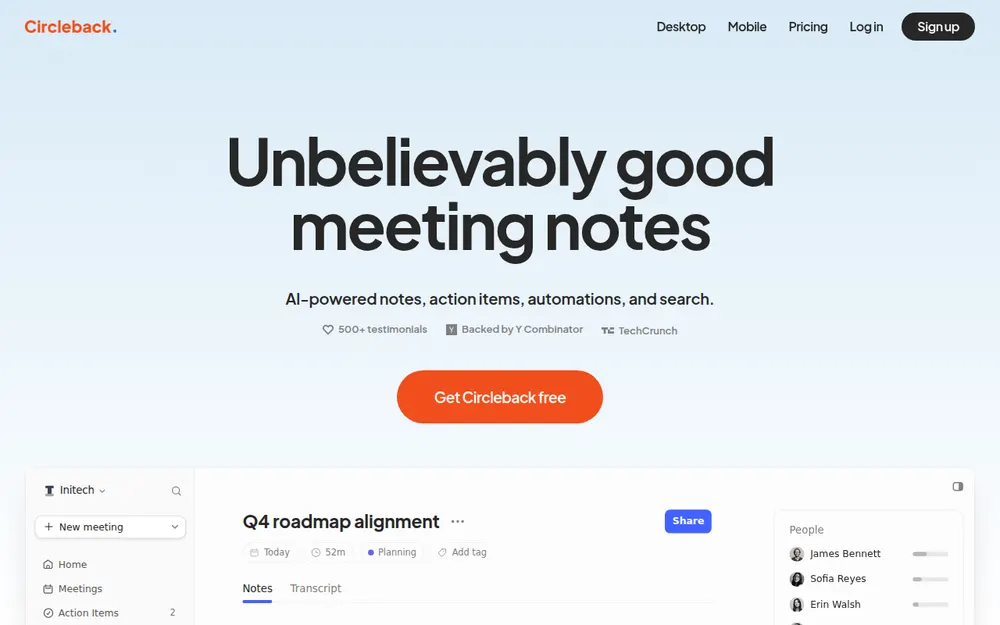
If you like how Fathom works and just want the bot to be optional everywhere, Circleback is the closest swap.
Its pricing page offers "A bot or the bot-free desktop app for online meetings" on every plan, including Free, and the desktop app runs on Mac and Windows. That gives a Windows team the choice Fathom only offers on Mac: a bot on internal calls, none on client calls.
Circleback also fixes Fathom's training default. Its security page says "We do not use customer data to train models", lists SOC 2 Type II, and hosts data in the US.
- Free: 30-day history
- Pro: $15 per user per month ($180 a year, $12 less than Fathom Premium annual and $5 a month less than Premium monthly)
- Business: $25 per user per month
- Enterprise: $35 per user per month, with HIPAA
The catch: notes still live in Circleback's cloud, there's no annual discount, and Free shows only 30 days of history, against Fathom Free's unlimited storage.
Voibe Work is $40 (22.2%) a year less than Circleback Pro and keeps notes on your computer, but has no bot option. Circleback is rated 4.83/5 on the App Store (255).
Best for: teams that still want a bot on some calls, on Windows as well as Mac, without the training default.
4. Quill Meetings: Best Free Fathom Alternative That Keeps Transcripts on Your Computer
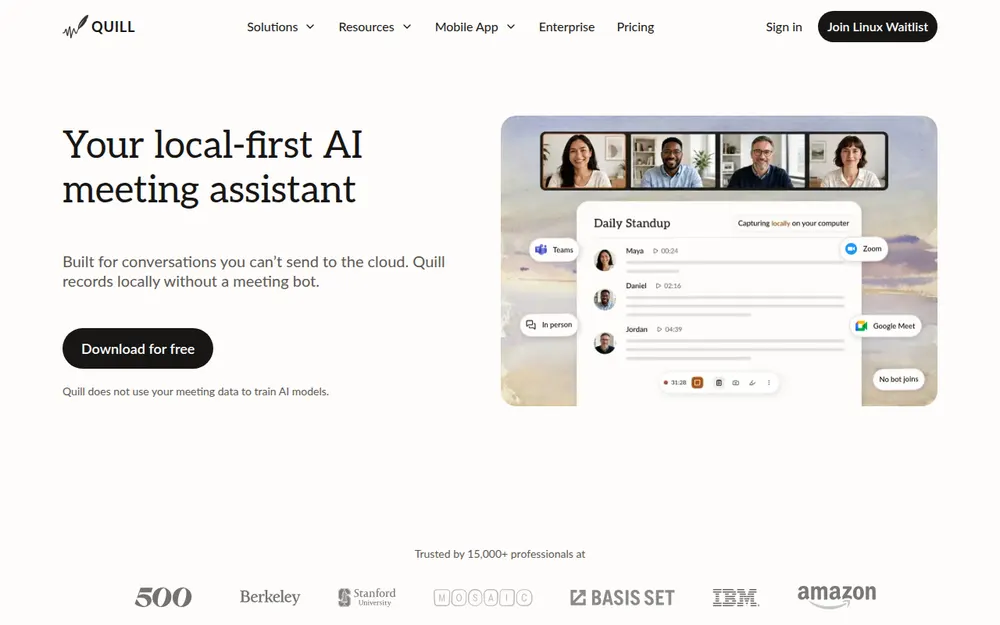
Quill Meetings is the closest architectural peer to Voibe Work here, and in one way it goes further: it records and transcribes on your computer, with no bot.
The free plan includes unlimited local recordings and transcripts. If you're leaving Fathom because you don't want meetings in anyone's cloud, and you need it free, start here.
Quill runs on Mac and Windows with iPhone and Android companions. It identifies speakers, doesn't train on meeting data and holds SOC 2 Type II. Sync is optional and end-to-end encrypted, and audio never syncs.
- Free: unlimited local recordings and transcripts
- Lite: $7.99/mo, or $6.99/mo billed annually ($83.88 a year, $108.12 less than Fathom Premium annual), 16 hours of AI meetings a month
- Unlimited and Teams: higher plans above that, per Quill's pricing page
The catch: AI summaries count against a monthly allowance, there's no dictation app, and its 4.56/5 App Store rating comes from only 9 ratings.
Quill Lite is $56.12 a year cheaper than Voibe Work. Voibe Work's argument against it is the dictation app in the same plan, not privacy.
Best for: Mac and Windows users who want transcripts that never leave the machine, for free.
5. Otter: Fathom's Best-Known Rival, With Bot-Free Recording on Windows
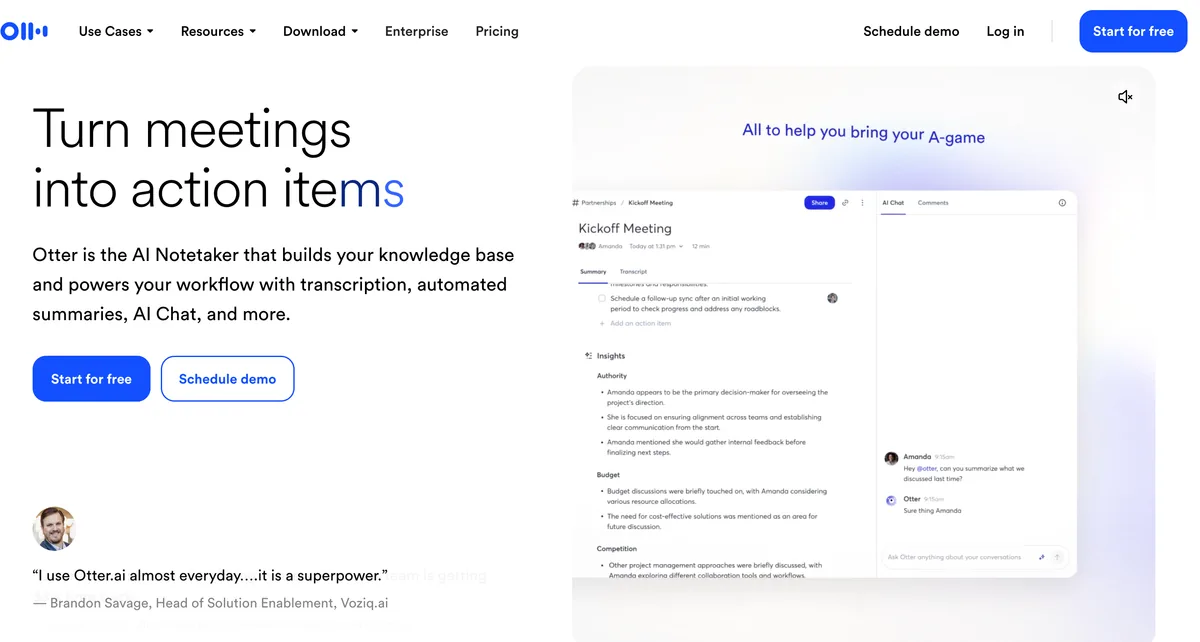
Otter is Fathom's closest rival on brand and features: a bot that joins Zoom, Meet and Teams, live transcripts, and apps everywhere.
What it has that Fathom doesn't, today, is bot-free recording on Windows. Otter's help center says its Mac and Windows desktop app does "botless recording for meetings" and can "automatically detect, start, and stop a recording" (macOS 12.3 or Windows 10 and up).
Pricing
- Basic: free, 300 minutes a month, 30 minutes per conversation
- Pro: $16.99/mo, or $8.33/mo billed annually ($99.96 a year, $92.04 less than Fathom Premium annual and $40.04 less than Voibe Work), 1,200 minutes a month, Salesforce and HubSpot integrations "subject to user limits"
- Business: $30/mo, or $19.99/mo billed annually ($239.88 a year)
Prices are from Otter's pricing page, checked October 8, 2026. Every plan is in our Otter pricing guide.
The catch: privacy
On privacy, Otter is a step sideways from Fathom, not forward. Its privacy policy says it trains "our proprietary AI technology on de-identified audio recordings and on transcriptions", and we found no opt-out. Fathom at least offers one.
And In re Otter.AI Privacy Litigation is moving ahead. On August 13, 2026, the court let the federal wiretap (ECPA), California privacy (CIPA) and Illinois biometric (BIPA) claims proceed (order). Otter filed its answer on September 17, 2026 (docket).
Our Is Otter safe? review covers the case.
Otter is rated 4.79/5 on the App Store from 83,750 ratings.
Best for: Windows users who want Fathom's model and a bot-free option from a well-known brand for $99.96 a year, and whose calls aren't confidential.
6. Notta: Cheapest Paid Plan Here With Both a Bot and a Bot-Free Desktop App
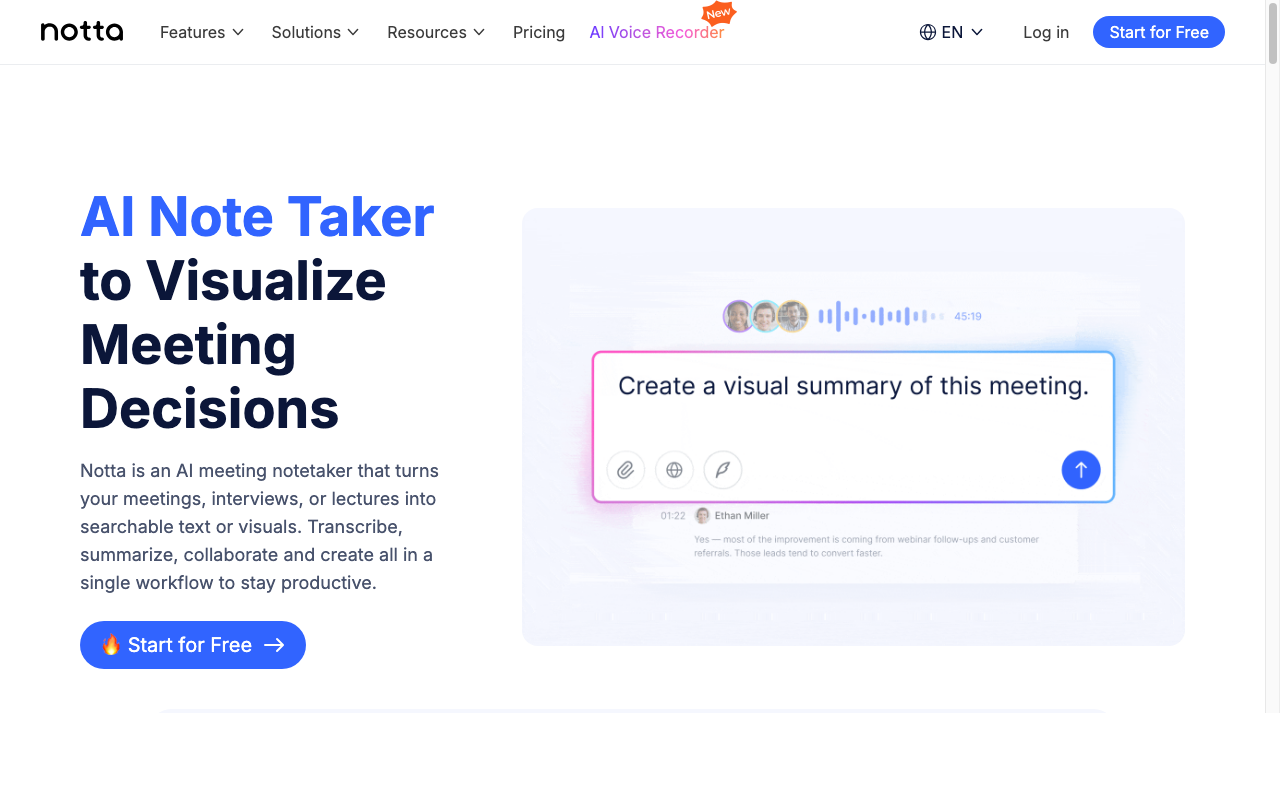
Notta works the way Fathom does by default, with a bot that joins calls. Its pricing page says the desktop app can "Record bot-free on Mac & Windows".
It also transcribes uploaded files, which Fathom doesn't support, with apps for web, iPhone and Android.
- Free: 120 minutes a month, 3 minutes per recording
- Pro: $8.17/mo billed annually ($97.99 a year, $94.01 less than Fathom Premium annual), 1,800 minutes a month
- Business: $16.67/mo billed annually ($199.99 a year), unlimited minutes
The catch: Notta's free plan is far smaller than Fathom's, and notes live in Notta's cloud (AWS). Its security page lists SOC 2 Type II but doesn't say whether customer data trains its models.
Its App Store rating is the lowest here: 4.06/5 from 1,443 ratings.
Best for: paying Fathom users on Windows who want a bot-free option and a lower bill, and who also transcribe recorded files.
7. Jamie: Best Fathom Alternative for EU Data Residency
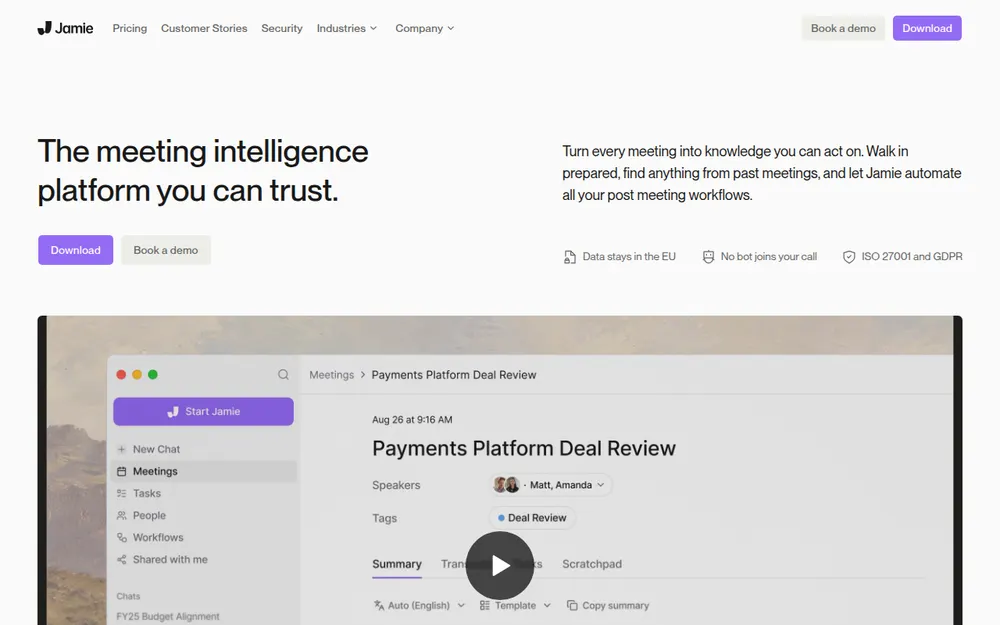
All Fathom data is stored in the United States. Jamie is the answer for European teams.
Jamie's security page says "Storage and processing stay within the EEA, Switzerland, and the UK", and "Your data is never used for training of models, not by us or any of the model providers".
It captures from your device with no bot on Mac and Windows, deletes audio after transcription and labels speakers. It also holds ISO 27001, which Fathom says it doesn't have.
- Free: 10 AI notes a month
- Plus: $24/mo billed annually ($288 a year, $96 more than Fathom Premium annual), 20 notes a month
- Pro: $46/mo billed annually, unlimited notes (US prices from Jamie's pricing page; EU visitors see euro prices)
The catch: it's the priciest plan here, notes still live in Jamie's cloud, and there's no Android app. Rated 4.89/5 on the App Store (243).
Best for: European teams who need data to stay in the EU.
8. Krisp: Best Fathom Alternative With Noise Cancellation
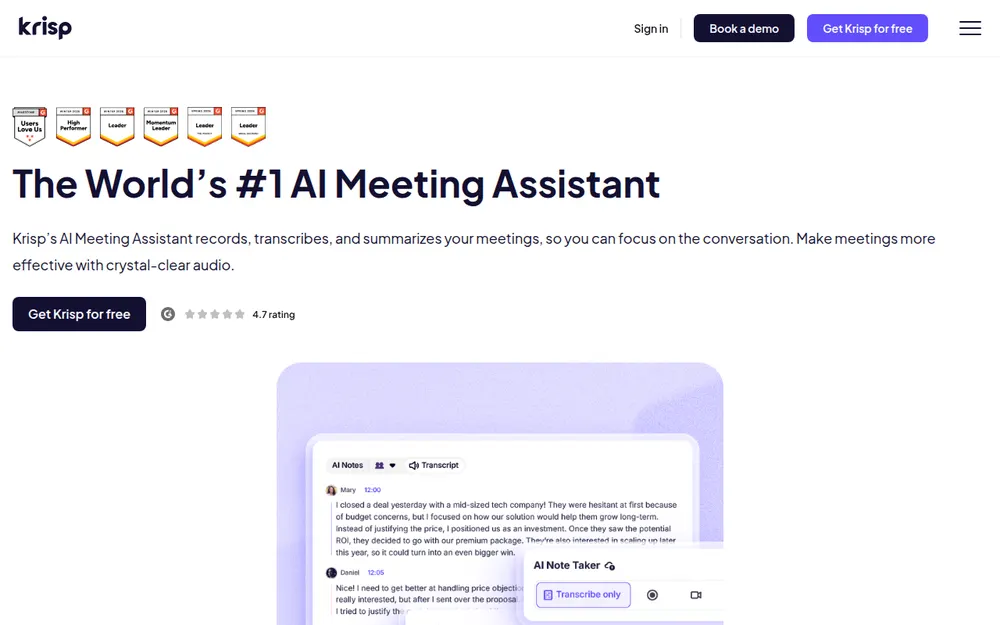
Krisp started as a noise-cancellation app and added a bot-free note taker for Mac and Windows.
Transcripts are generated on your machine, and summaries are written by Microsoft Azure. Recordings and transcripts are stored in Krisp's US cloud only if you opt in, and Krisp's security page says customer data is never used for model training.
Core is $16 a month, or $8 a month billed annually: $96 a year, half the price of Fathom Premium annual. Krisp's pricing page lists no free plan, only a 7-day free trial, so a Fathom Free user would be paying for the first time.
Rated 4.75/5 on the App Store (266).
Best for: people who take calls from noisy places and want notes and noise removal in one app.
9. Wispr Flow Notetaker: Best If You Already Use Wispr Flow
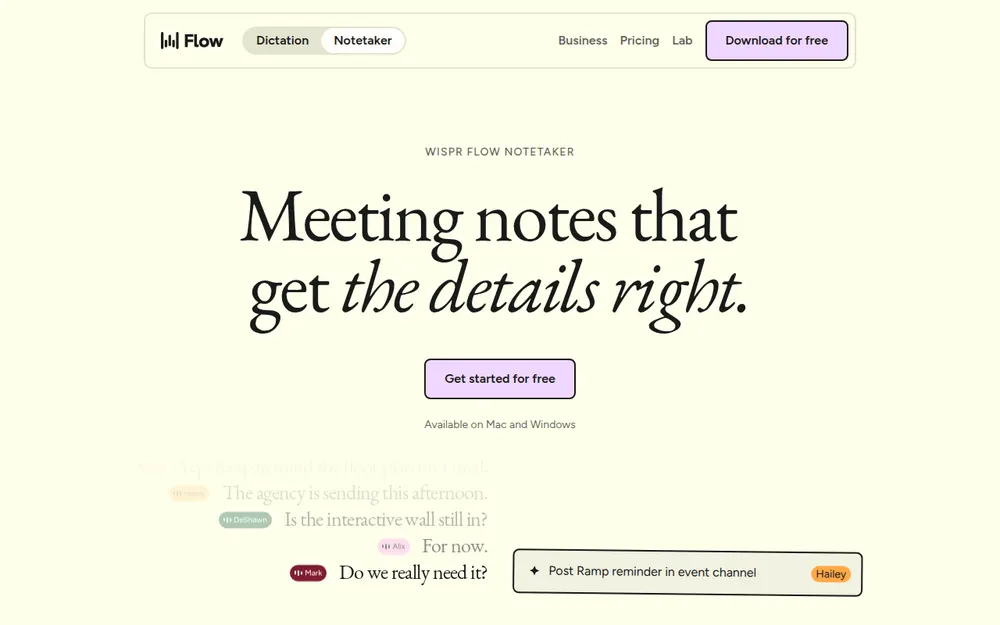
Wispr Flow, the dictation app, added a bot-free Notetaker on Mac (August 2026) and Windows (September 2026). It labels speakers from your calendar and context, and it imports Otter and Granola notes.
- Free: limited Notetaker access
- Pro: $15 a month, or $12 billed annually, with higher limits
- Unlimited: Growth with Notetaker, at $33 a month or $26 billed annually: $312 a year, $120 more than Fathom Premium annual
Every plan is broken down in our Wispr Flow pricing guide.
The catch: transcripts and summaries are stored in Wispr's US cloud, with no setting to turn that off. The setting that lets Wispr improve its models with your content is on by default on Free and Pro, so on training it's no better than Fathom.
Against Voibe Work, it wins on speaker labels and imports. It loses on where the notes live and on price for unlimited use ($312 against $140).
Rated 4.84/5 on the App Store (Wispr Flow app, 16,862). Best for: existing Wispr Flow users who want notes in the app they already dictate with.
Other Fathom Alternatives We Looked At
Bot rivals that added a desktop mode
- Fireflies: Fathom's closest bot rival, with a desktop app that records without one.
- Bot-free mode: per Fireflies' own guide, it "does not save audio or video files" and labels speakers Speaker 1 and Speaker 2
- Training: Fireflies says meeting data "is never used for AI model training"
- Price: Pro is $18 a month, or $10 billed annually ($120 a year, $72 less than Fathom Premium annual). Pro is limited: 8,000 minutes of storage per seat and 20 AI credits. Conversation intelligence, team analytics, multi-language mode and unlimited storage start on Business, at $29 a month or $19 billed annually ($228 a year)
- Legal and bans: a BIPA class action, Fricker v. Fireflies, is pending in federal court in Illinois, and Morgan State University's bot ban names Fireflies (Morgan State IT)
- Rating: 4.82/5 on the App Store (5,219)
- Fellow: bot or botless recording, redaction, auto-delete from one day, never trains, data hosted in AWS Canada, and Salesforce and HubSpot sync on its Business plan ($15 per user per month billed annually). The pick for sales teams that want Fathom-style CRM sync without Fathom's training default.
- Read AI: has a desktop mode that records without a bot, and training on your data is opt-in. Its bot has been blocked by Morgan State, Eastern Washington University (EWU IT) and Case Western Reserve.
- tl;dv: records without a bot from its desktop app, audio only, and doesn't train on your meetings.
Open-source and built-in options
- Anarlog (formerly Hyprnote) and Meetily: open-source note takers that transcribe on your computer. Anarlog Pro is $150 a year; Meetily Pro is $120 a year per device.
- Zoom, Teams and Google Meet's built-in notes: no bot and nothing to install, but each covers only its own platform, and the host's plan decides whether it runs. Zoom includes meeting summaries on paid plans.
We compare the no-bot options in more depth in our list of the best no-bot meeting note takers. Every alternatives roundup on the site is on our alternatives hub.
No Bot Doesn't Mean No Consent
Fathom's bot at least shows up as a tile, and Fathom backs it with consent tooling. Per Fathom's help center, its 3.0 "Recording Notice" posts "Fathom is recording and taking notes, and you consent by continuing", and it can email external guests 24 hours before a scheduled meeting.
That's more than most no-bot tools do. A no-bot note taker is invisible by design, so telling people becomes your job.
About a dozen US states, including California, Florida, Illinois, Maryland, Massachusetts, Pennsylvania and Washington, generally require everyone in a private conversation to agree to a recording. Justia keeps a 50-state survey.
If one person on the call is in one of those states, plan for everyone's consent. The Granola lawsuit was brought by a meeting participant, not a Granola user.
Voibe reminds you to tell everyone you're taking notes when recording starts; following recording-consent rules is up to you. A five-second line at the start works:
"I'm using an AI note taker so I can focus. It doesn't join as a bot. Is everyone okay with that?"
If anyone says no, turn it off. This is general information, not legal advice. For professional-ethics rules, see our guide for lawyers choosing a meeting note taker.
Warning
No app can get consent for you. Tell everyone on the call, every time, and check the rules where each participant is located.
Switching From Fathom: What to Do Before You Cancel
- Stop the bot first. Turn off Fathom's recording for upcoming meetings so its bot doesn't keep showing up while you test alternatives.
- Download what you want to keep. Fathom's help center says you can download recordings as MP4 (MP3 is listed as "available soon"). None of the alternatives above lists a Fathom import.
- Turn off training if you keep the account. The opt-out is in My Settings; on Team plans, an admin can opt out every user in Organization Settings.
- Delete what you don't need. Recordings stay in Fathom's cloud until you delete them, and downgrading to Free doesn't delete anything. When you delete the account, Fathom says recording data is removed and backups are cleared after another 7 days.
- Cancel the right way. Premium users cancel in Settings ("Downgrade to Free" or "Cancel Plan"), and the subscription ends at the end of the billing period; Team plans email success@fathom.video. The pricing cards show a "90 day guarantee", but Fathom's terms say "All fees are non-refundable", so ask before you count on a refund.
- Run both for a week. Try the alternative on real calls before you cancel. Voibe Work's 7-day trial needs no credit card and doesn't charge automatically.
- Tell people in your next calls. Without a visible bot, the other participants won't know unless you say so.
How to Choose the Right Fathom Alternative
Four questions, in order. Stop at your first yes.
1. Are your calls confidential, or do you also dictate all day?
- Confidential client, patient, HR or deal calls → Voibe Work. No bot, audio deleted after processing, notes saved on your computer, never trained on.
- You also dictate emails, messages or documents → Voibe Work. One $140-a-year plan replaces Fathom plus a dictation app.
- You already pay for Wispr Flow → Wispr Flow Notetaker.
- Neither → question 2.
2. Do you need it free?
- Yes, and the bot is fine → stay on Fathom Free (unlimited recordings), and turn off training in My Settings.
- Yes, and transcripts must stay on your computer → Quill Meetings.
- No → question 3.
3. Do you still want a bot on some calls?
- Yes, with no training → Circleback.
- Yes, at the lowest price → Notta ($97.99 a year) or Otter Pro ($99.96 a year).
- Yes, with CRM field sync for a sales team → stay on Fathom Business, or look at Fellow.
- No → question 4.
4. Must your data stay in the EU?
- Yes → Jamie.
- No → Granola, the best overall no-bot app, on Mac, Windows, iPhone and Android. Add Krisp to the shortlist if you also want noise cancellation.
Best Fathom Alternative for Your Situation
Already know your situation? Find your row.
Privacy, platform and where your data lives
| Situation | Best choice | Why |
|---|---|---|
| Best all-round no-bot notes, on every device | Granola | Mac, Windows, iPhone and Android; 4.96/5 on the App Store; $168 a year |
| Confidential client calls | Voibe Work | No bot, audio deleted, notes saved on your computer, never trains |
| Lawyers, financial advisors, clinicians and HR | Voibe Work | Notes stay off vendor servers; BAA available on request |
| You're on Windows and want the bot gone now | Granola or Voibe Work | Both record with no bot on Windows today; Voibe Work keeps notes on your computer |
| Your data must stay in the EU | Jamie | EEA, Swiss and UK storage; never trains |
Budget, bots and team needs
| Situation | Best choice | Why |
|---|---|---|
| You pay for Fathom and a dictation app | Voibe Work | $140 a year for both jobs vs $336 for Fathom Premium + Wispr Flow Pro |
| A bot for some meetings, none for others | Circleback | Bot or desktop app on every plan, Windows included, no training |
| Free, and transcripts never leave your computer | Quill Meetings | Free local transcription on your Mac or PC |
| Free, and the bot is fine | Fathom Free | Unlimited recordings; advanced summaries for 5 calls a month |
| A bot plus a bot-free option on Windows, at the lowest paid price | Notta or Otter | $97.99 or $99.96 a year |
| Sales team that needs CRM field sync | Fathom Business or Fellow | Fathom syncs CRM fields on Business; Fellow syncs Salesforce and HubSpot and never trains |
| Noisy calls from cafés or home | Krisp | Noise cancellation plus notes, $96 a year |
| You already use Wispr Flow | Wispr Flow Notetaker | Included in Wispr plans; unlimited is $312 a year |
Frequently Asked Questions About Fathom Alternatives
Basics
What is the best Fathom alternative?
Granola is the best Fathom alternative for most people. It records with no bot on Mac, Windows, iPhone and Android, it's the highest-rated app we tested (4.96/5 on the App Store), and Business costs $168 a year, $24 less than Fathom Premium.
Its catches: notes stay in Granola's US cloud, and it trains on your data by default on Free and Business. For confidential calls, Voibe Work is the better pick: no bot, audio deleted after processing, notes saved on your computer, never trained on, and a dictation app included for $140 a year.
Circleback is the closest like-for-like replacement.
Is there a Fathom alternative without a bot on Windows?
Yes. Fathom's bot-free capture is a beta that runs only on Mac, and its help center says Windows support is coming, with no date. Granola, Voibe Work, Quill Meetings, Jamie, Krisp and Wispr Flow Notetaker record on Windows with no bot.
Circleback, Otter and Notta have Windows desktop apps that record without a bot alongside their bots. With any no-bot tool, tell everyone you're taking notes; Voibe Work reminds you when recording starts.
What is the closest alternative to Fathom?
Circleback is the closest like-for-like Fathom replacement. Like Fathom, it offers a bot or bot-free capture, but it does so on every plan and on Windows as well as Mac, and it says it doesn't train models on customer data.
Circleback Pro is $15 per user per month ($180 a year), against $192 a year for Fathom Premium billed annually.
Privacy, ownership and consent
What is the most private Fathom alternative for confidential calls?
Voibe Work. No bot joins the call on Mac or Windows. Meeting audio is processed by open-source models on zero-retention cloud providers and deleted as soon as processing completes, and the transcript and summary are saved on your computer, not on Voibe's servers.
Nothing is used to train AI, and a BAA is available on request. Meeting notes need an internet connection. Voibe reminds you to tell everyone you're taking notes; following consent rules is up to you. If it must be free, Quill Meetings transcribes on your computer.
Does Fathom use my meetings to train AI?
Yes, by default. Fathom's privacy policy says it may use de-identified data from meeting content to train its in-house AI models, and you can opt out in My Settings; Team admins can opt out every user in Organization Settings.
Fathom says its AI sub-processors (Anthropic, OpenAI and Google) are not permitted to train on your data. Voibe Work, Circleback, Jamie, Quill and Krisp say they don't train on your meetings.
What changes now that Fathom is part of Superhuman?
Nothing yet, according to Fathom. Superhuman, the company formerly called Grammarly, acquired Fathom on September 14, 2026, and Fathom's CEO wrote that nothing changes today for Fathom users.
Fathom's privacy policy, last updated August 16, 2026, predates the deal and does not mention Superhuman, and we found no post-acquisition policy change as of October 8, 2026. Our Is Fathom safe? review tracks it.
Do I still need consent if the note taker has no bot?
Yes. A no-bot note taker is invisible to other participants, so you have to tell them. About a dozen US states generally require everyone's consent to record a private conversation. Voibe Work reminds you to tell everyone you're taking notes when recording starts, but following the consent rules is your responsibility.
Pricing
Is there a free Fathom alternative?
Fathom Free itself is the most generous free plan in the category, with unlimited recordings and storage, though advanced summaries are capped at 5 calls a month.
Among alternatives, Quill Meetings offers free, unlimited local transcription on your computer, Granola Basic shows your last 30 days of notes, Circleback's free plan keeps 30 days of history, and Otter Basic gives 300 minutes a month. Voibe Work has no free plan, only a 7-day trial with no credit card.
Is Voibe Work cheaper than Fathom?
Than Fathom's paid plans, yes; than Fathom Free, no. On annual billing, Voibe Work ($140 a year) is $52 (27.1%) less than Fathom Premium ($192), $40 (22.2%) less than Team ($180) and $160 (53.3%) less than Business ($300). On monthly billing, it's $6 less than Premium ($20).
Fathom Free costs $0, so a free user would pay $140 a year more. Voibe Work also includes a dictation app, which Fathom doesn't. Every Fathom plan is in our Fathom pricing guide.
What does Fathom plus a dictation app cost compared with Voibe Work?
Fathom Premium ($192 a year) plus Wispr Flow Pro ($144 a year) costs $336 a year. Voibe Work covers both meeting notes and dictation for $140 a year, which is $196 (58.3%) less. Even Fathom Free plus Wispr Flow Pro costs $144 a year, $4 more than Voibe Work.
Voibe Work's meeting notes and dictation both run on Mac and Windows.
Platforms, CRM and switching
Does Fathom work on Windows?
Yes, with the bot. Fathom records meetings on Mac and Windows computers and has an iPhone app for in-person conversations, but its bot-free capture and the Fathom 3.0 experience are available only on Mac; Fathom says Windows support is coming soon. Fathom doesn't support Chromebooks, Linux, iPads or webinars.
Which Fathom alternative is best for sales teams that use a CRM?
If CRM field sync is the reason you use Fathom, Fathom Business ($300 a year per seat, 2-seat minimum) may still be the right call. Fellow syncs to Salesforce and HubSpot on its Business plan and never trains on your meetings, and Otter Pro includes Salesforce and HubSpot integrations subject to user limits.
Voibe Work lists no CRM integrations.
Can I take my Fathom recordings with me?
Yes. Fathom lets you download recordings as MP4 files, with MP3 downloads listed as "available soon". Download what you want to keep before you cancel, because none of the alternatives here lists a Fathom import. Recordings stay in Fathom's cloud until you delete them, and downgrading to Free doesn't delete them.
Final Verdict: The Best Fathom Alternative
- Best overall: Granola ($168 a year). The most polished no-bot app, on Mac, Windows, iPhone and Android, if you're comfortable with cloud notes and training by default.
- Best for confidential work: Voibe Work ($140 a year or $349 lifetime). No bot, audio deleted, notes saved on your computer, never trained on, BAA available on request, and a dictation app included.
- Closest like-for-like swap: Circleback ($180 a year), a bot or the desktop app on every plan, with no training.
- Best free: Quill for free local transcription, or stay on Fathom Free if the bot is welcome and you opt out of training.
Leaving Fathom is a chance to fix more than the bot. Granola fixes the bot better than anyone.
If your calls are confidential, Voibe Work fixes the rest: the cloud archive, the training default and the second subscription. Voibe reminds you to tell everyone you're taking notes when recording starts; following recording-consent rules is up to you.
Try Voibe Work free for 7 days → Every feature, no credit card, no automatic charge.
Related reading:
- Fathom pricing: every plan, the free-plan summary cap and the 2-seat minimums
- Is Fathom safe?: training defaults, US storage, BAA and the Superhuman deal
- Otter AI alternatives and Granola alternatives
- Best no-bot meeting note takers and the Granola lawsuit
- All alternatives roundups
Key Takeaway
Granola is the best Fathom alternative for most people: no bot on every device for $168 a year. For confidential work, Voibe Work wins: notes saved on your computer, never trained on, and dictation included for $140 a year, $196 less than Fathom Premium plus Wispr Flow Pro.
Meeting notes without a bot in your call
Voibe Work takes notes from Zoom, Teams and Meet on your Mac, with dictation included. Nothing used to train AI.
- Mac + Windows
- No bot in your calls
- Nothing used to train AI
- 7-day free trial
Want to compare plans first? View pricing →