
Best AI Meeting Note Takers for Financial Advisors: 8 Ranked by What They Keep
Best AI meeting note takers for financial advisors, compared: 1. Jump 2. Voibe Work 3. Zocks 4. Quill 5. Krisp 6. Fellow 7. Granola 8. Otter

The Best AI Meeting Note Takers for Financial Advisors: The Short Answer
A client review used to leave one record: the note you typed into Redtail afterwards. Switch on an AI notetaker and the same hour can leave four: a recording, a transcript and a summary on the vendor's servers, plus the note in your CRM. Every one of those is a question your chief compliance officer will eventually ask.
That's not hypothetical. SEC Rule 204-2, the books-and-records rule for registered investment advisers, requires most of those records to be kept for at least five years. A Cooley analysis from April 2026 reads the rule's idea of a "record" as sweeping in "transcribed information of any type, whether expressed in ordinary or machine language", and concludes that an adviser using an AI notetaker "is generating records within the meaning of the rule whether it realizes it or not" (Cooley via JD Supra). FINRA's 2026 Annual Regulatory Oversight Report adds that summarization and information extraction is the top generative-AI use case among member firms, and that GenAI "can implicate rules regarding supervision, communications, recordkeeping and fair dealing." So the best AI meeting note taker for a financial advisor isn't the one with the slickest summary. It's the one whose leftovers your firm can account for.
I read every vendor's pricing, security and help pages for this list between September 26 and October 8, 2026. I've used Voibe Work and the general-purpose tools on my own calls. Jump and Zocks sell to advisory firms, so I evaluated them from their published pricing, security pages and help centers. Here's how they rank (how we ranked them):
- Jump: best overall for advisory firms that want notes, tasks and CRM updates done for them. Built for advisors, with 40+ integrations, but its notetaker joins video calls as a participant, and Meet costs $1,200 per advisor per year.
- Voibe Work: best for privacy and value on Mac or Windows, and the power bundle: meeting notes with no bot in client calls plus a full dictation app for follow-up emails, CRM notes and plan write-ups, in one plan for $140 a year or $349 once. Audio deleted after processing, notes saved on your computer, never trained on.
- Zocks: best advisor-built option that never records. Archiving integrations with Smarsh and Global Relay. An AI assistant still joins virtual calls, and transcripts live in Zocks' US cloud. From $804 per advisor per year.
- Quill Meetings: best for advisors on Windows who want meetings transcribed on their own computer.
- Krisp: cheapest paid plan here ($96 a year), with transcripts made on your device.
- Fellow: best for firm-wide rollouts that need redaction, auto-delete and Salesforce sync.
- Granola: polished, but notes live in its US cloud and model training is on by default.
- Otter: the best known, and the one I'd keep off client calls: it trains on de-identified recordings and faces a wiretap class action.
Key takeaways
| Note taker | Best for | Bot in client calls? | Where notes are kept | Per advisor per year |
|---|---|---|---|---|
| Jump | Firms that want CRM updates automated | Yes, on video calls | Jump's cloud | $1,200 |
| Voibe Work | Independent advisors on Mac or Windows who also write by voice | No | On your computer | $140, or $349 once |
| Zocks | Firms that want no recordings and archive feeds | An assistant joins virtual calls | Zocks' US cloud | $804 |
| Quill Meetings | Local transcription on Windows | No | On your computer | $83.88 |
| Krisp | Lowest price | No | On your device (cloud optional) | $96 |
Key Takeaway
Voibe Work is the best AI meeting note taker for most independent financial advisors, on Mac or Windows: no bot in client calls, meeting audio deleted after processing, transcript and summary saved on your computer, never used to train AI, and a full dictation app included, for $140 a year or $349 once. Jump ($1,200 per advisor per year) and Zocks (from $804) are the advisor-built platforms to pick when notes must sync to Wealthbox or Redtail and feed your archive automatically. Whatever you choose, tell every client you're taking notes, and file the final note where your firm keeps its books and records.
Why Financial Advisors Are Rethinking AI Notetakers
Advisors aren't against AI notes. Osaic's 30-advisor pilot of Jump and Zocks reported four to six hours a week saved per advisor (Financial Planning, March 2025). The friction is everything the notes create along the way. Here's what's driving it, with sources.
1. AI meeting notes are records, and someone has to keep them
Rule 204-2(a)(7) requires advisers to keep written communications relating to "any recommendation made or proposed to be made and any advice given or proposed to be given", and to keep books and records for at least five years, the first two in an appropriate office (Rule 204-2). Broker-dealers carry FINRA Rule 4511 and SEC Rule 17a-4 on top (FINRA Rule 4511). Cooley's April 2026 analysis warns firms not to assume that keeping everything is the safe choice, because "under-retaining a required record may itself be the violation", and the opposite problem is real too: every extra copy is one more to find, retain and produce.
2. The SEC has already fined firms for records kept in the wrong place
The SEC's off-channel communications sweep, over texts and messaging apps, produced more than $600 million in penalties against more than 70 firms in fiscal 2024 alone, and more than $2 billion against more than 100 firms since December 2021 (SEC press release 2024-186). In May 2026 SEC Chair Paul Atkins called that campaign "exactly how regulators should not act" and said "We're not going to do that anymore" (Financial Planning). The penalties may be paused; the recordkeeping rules haven't changed. A notetaker that stores client conversations in a system your firm doesn't capture raises the same question the texting cases did.
3. FINRA says its rules apply to AI as written
FINRA Regulatory Notice 24-09 says its rules are "intended to be technology neutral" and apply when firms use generative AI (RN 24-09). The 2026 Annual Regulatory Oversight Report names "Summarization and Information Extraction" as the top generative AI use at member firms and says GenAI use "can implicate rules regarding supervision, communications, recordkeeping and fair dealing", including risks from "third-party vendors' use of GenAI" (FINRA 2026 report, GenAI). Supervision under Rule 3110 still applies to whatever the tool produces (FINRA Rule 3110).
4. The bot is in your client's meeting, not just yours
Most advisor platforms send a participant into the call. Jump's help center says it will "schedule a notetaker to attend that meeting" when it sees a Zoom, Meet or Teams link (Jump FAQs). Zocks describes "an AI assistant that joins, and captures key insights" (Zocks meetings). That's honest, because everyone sees it, but it's one more attendee in a conversation about a client's money, health and family. And a dozen or so states require every party to agree to recording (see the consent section below).
5. Vendor defaults decide who can learn from your clients
Otter's privacy policy says it trains "our proprietary AI technology on de-identified audio recordings and on transcriptions" (Otter privacy policy). Granola uses anonymised data for model improvement by default on its Free and Business plans. And under the SEC's amended Regulation S-P, adopted May 16, 2024, covered firms must notify affected individuals "not later than 30 days" after becoming aware of a breach of sensitive customer information (SEC press release 2024-58). Every vendor holding client conversations is part of that exposure.
One advisor quoted by Advisor.ca put the first step plainly: before connecting a notetaking app to your CRM and calendar, "check with their firm to ensure they have permission to do so" (Advisor.ca).
How the Better Note Takers Solve These Problems
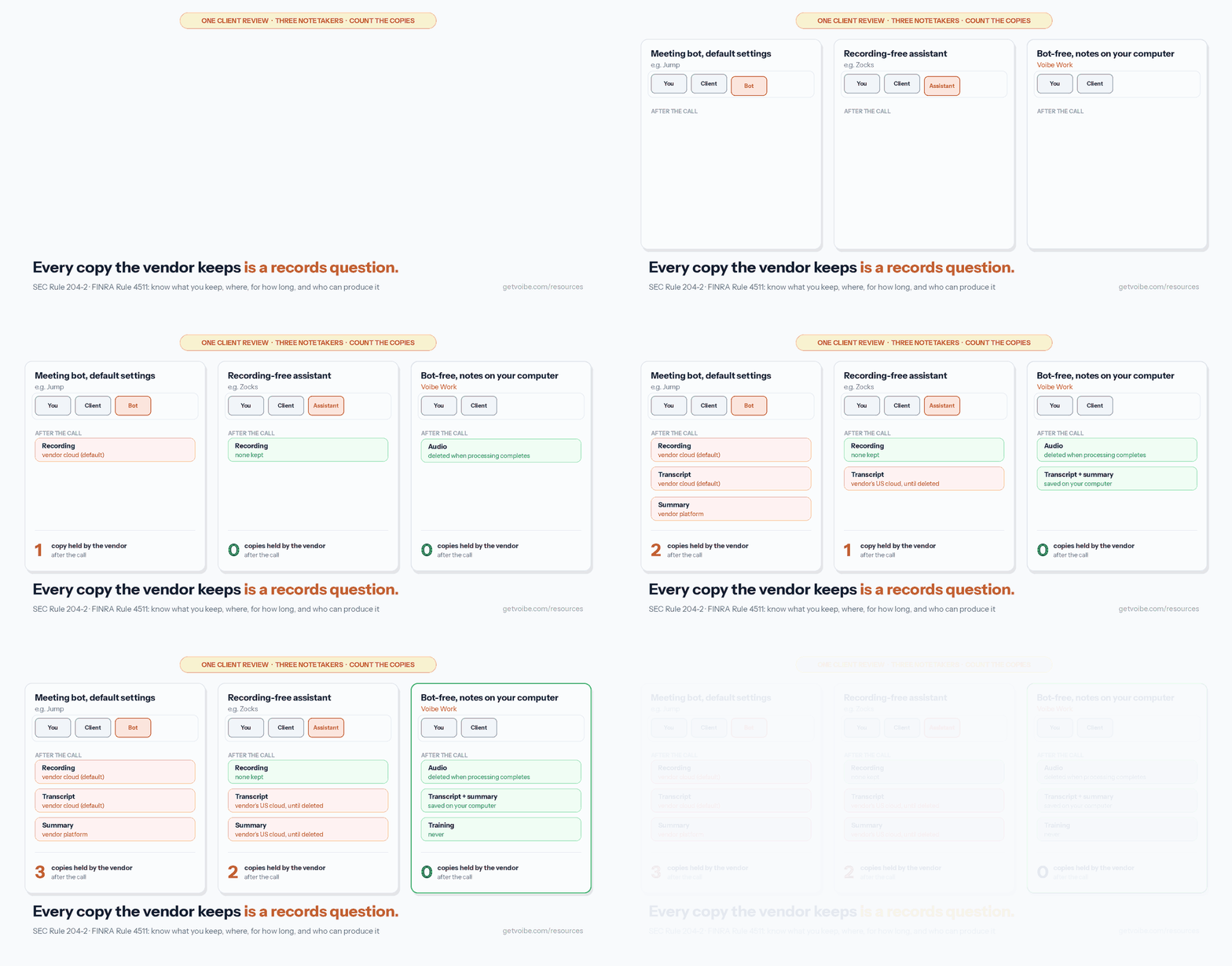
Each problem above has a design answer, and the tools on this list combine them differently:
- Too many copies → keep fewer of them at the vendor. Voibe Work deletes meeting audio as soon as processing completes and saves the transcript and summary on your computer. Jump lets an account owner switch to summary-only mode, which keeps no audio, or choose to "Retain nothing" (Jump help center); its default is to retain media and transcripts. Zocks never records, and lets you delete transcripts and summaries on demand or on a schedule.
- Records your firm must keep → get the final note into the archive. Zocks feeds transcripts to Smarsh and Global Relay. Jump syncs notes to your CRM. With Voibe Work, you copy the summary or export a PDF into Redtail, Wealthbox or your archive yourself.
- Training → pick a vendor that never trains. Voibe, Jump, Zocks, Quill, Krisp and Fellow all say they don't train on your meetings.
- The bot → capture from your own computer. Voibe Work, Quill, Krisp and Granola capture the call on your machine, so nothing joins the client's meeting. That doesn't remove the duty to tell the client.
- Consent → a tool that reminds you, or tracks it. Voibe Work reminds you to tell everyone when recording starts. Jump and Zocks go further, with consent tracking and disclosure settings an admin can manage.
Notes saved on your computer mean the vendor holds nothing. They also mean your firm's archive holds nothing until you file them. For an advisor, the final step of every meeting is the same whichever tool you use: the reviewed note goes into the system your firm supervises.
Compliant Advisor Meeting Notes: What Your Firm Has to Check
No notetaker makes meeting notes compliant on its own, and no vendor on this list, including us, can promise SEC or FINRA compliance. Compliance comes from how the firm uses the tool. Here's what regulators have actually said, and what that leaves for your firm to decide.
What regulators have said
- SEC (advisers): Rule 204-2 covers written communications about advice and recommendations, kept at least five years. The SEC has issued no guidance specific to AI notetakers that I could find as of October 8, 2026. Cooley reports that Chair Atkins has signaled SEC staff is "considering updates to Rule 204-2".
- FINRA (broker-dealers): Rules 3110 (supervision) and 4511 (books and records) apply to AI output like any other. RN 24-09 calls the rules technology neutral. The 2026 Oversight Report mentions storing "prompt and output logs" as a monitoring practice firms may use, not a requirement, and doesn't mention notetakers by name.
- Open question: whether a raw AI transcript or summary is a required record before anyone sends it. Cooley calls the view that an untransmitted transcript "likely is not a required record" only "a useful starting point", because it can still be required under another part of the rule. Vendors' blogs report many firms treat the AI summary as a working draft until the final note lands in the CRM. That's practice, not a regulatory safe harbor.
The five checks before you switch one on
- Archiving. Where does the final note live, and does that system capture it? If the tool can't feed your archive, write down who files the note and where.
- Retention. What does the vendor keep (audio, transcript, summary), for how long, and can you delete it? Decide by meeting type, as Cooley suggests, not transcript by transcript.
- Supervision. Who reviews AI summaries before they become the record of advice? FINRA's report points to human review of model outputs.
- Vendor terms. Training defaults, subprocessors, data location and breach notification. Ask for the security documentation your firm requires.
- Consent. State recording law, plus your firm's own disclosure policy. Most broker-dealers and many RIAs keep an approved-vendor list: if a tool isn't on it, that's the first conversation.
Warning
This section summarizes public rules and commentary to help you compare tools. It is not legal or compliance advice. Your CCO and counsel decide what your firm must retain and which tools are approved.
How We Ranked These AI Note Takers for Financial Advisors
Voibe Work is the product we build, so here's exactly how this list was put together.
What I checked. For all eight tools, the pricing page, security page, privacy policy and help center, between September 26 and October 8, 2026. I've used Voibe Work, Quill, Krisp, Fellow, Granola and Otter on my own calls. Jump and Zocks are sold to advisory firms, often through a demo, so their entries rest on their published documentation, not hands-on use.
The ranking criteria, in order:
- Fit with advisor work: CRM and archive handoff, compliance features, meeting templates, and the writing that follows a meeting
- Copies left with the vendor after the call (audio, transcript, summary, retention)
- No bot in the client's meeting, and no training on client conversations
- Consent support
- Price per advisor per year
Why Jump is first. It's the most complete advisor platform here: notes, follow-up tasks and emails, and CRM updates across 40+ integrations, with SOC 2 Type II and NPI/PII redaction. For a firm that wants the meeting to update Wealthbox or Redtail without anyone retyping it, nothing else on this list does as much. Its trade-offs are the next two criteria: its notetaker joins video calls as a participant, it keeps media and transcripts by default (an owner can switch to summary-only or retain nothing), and Meet costs $1,200 per advisor per year.
Why Voibe Work is second. It wins criteria 2 and 3 outright: it leaves nothing on its own servers after the call, nothing joins the client's meeting, and it's the only tool here that includes a full dictation app for the writing that follows every review, for $140 a year. It ranks behind Jump on criterion 1 because it has no CRM sync, no archive feed and no consent tracking; you copy or export the reviewed summary yourself.
Why Zocks is third. Like Jump, it's built for advisors end to end, with CRM sync, Smarsh and Global Relay archiving and SOC 2 Type II, and it never records. An AI assistant still joins virtual calls, transcripts and summaries live in Zocks' US cloud, and it costs $804 to $1,404 per advisor per year.
AI Meeting Note Takers for Financial Advisors Compared
| Tool | Bot in client calls? | Where notes are kept | Trains on your meetings? | Advisor CRM sync | Platforms | Cheapest plan with notes | Rating |
|---|---|---|---|---|---|---|---|
| Jump | Yes, on Zoom, Teams and Meet | Jump's cloud, in the region you choose; media and transcripts kept by default | Never | 40+ integrations, Wealthbox and Redtail among them | Web, iOS, Android | Meet $100/mo annual ($120 monthly) | App Store 4.9/5 (1,935) |
| Voibe Work | No | On your computer; audio deleted after processing | Never | None; copy or PDF export | Mac, Windows | $14/mo, $140/yr, $349 once | Product Hunt 4.8/5 (6), for Voibe |
| Zocks | An AI assistant joins virtual calls | Zocks' US cloud; never records audio | Never | Wealthbox, Redtail, Salesforce, Practifi and more | Desktop platform, iOS, Android | Essentials $67/mo annual ($80 monthly) | App Store 4.6/5 (35) |
| Quill Meetings | No | On your computer; optional end-to-end-encrypted sync | No | Not advisor-specific | Mac, Windows, iOS, Android | Lite $6.99/mo annual (16 h AI notes/mo) | App Store 4.56/5 (9) |
| Krisp | No | Transcripts on your device; Krisp's US cloud only if you opt in | No | Not advisor-specific | Mac, Windows, iOS, Android | Core $8/mo annual | App Store 4.75/5 (265) |
| Fellow | Bot or botless | Fellow's cloud (AWS Canada); auto-delete from 1 day | Never | Salesforce and HubSpot (Business plan) | Mac, Windows, web | Business $15/mo annual | None found |
| Granola | No | Granola's US cloud, indefinitely by default | On by default (Free, Business) | Not advisor-specific | Mac, Windows, iOS, Android | Business $14/mo, monthly only | App Store 4.96/5 (13,782) |
| Otter | Bot, or none via desktop app | Otter's cloud | Yes, on de-identified data | Not advisor-specific | Web, Mac, Windows, iOS, Android | Pro $8.33/mo annual | App Store 4.79/5 (81,819) |
Pricing: What Each AI Note Taker Costs per Advisor per Year
Annual billing, per advisor, for the plan a solo advisor or small RIA would actually buy:
| Tool and plan | Per advisor per year | Voibe Work ($140) vs this | 10 advisors per year |
|---|---|---|---|
| Zocks Professional | $1,404 ($1,680 monthly) | $1,264 less (90.0%) | $14,040 |
| Jump Meet | $1,200 ($1,440 monthly) | $1,060 less (88.3%) | $12,000 |
| Zocks Essentials | $804 ($960 monthly) | $664 less (82.6%) | $8,040 |
| Otter Business | $239.88 | $99.88 less (41.6%) | $2,398.80 |
| Fellow Business | $180 | $40 less (22.2%) | $1,800 |
| Granola Business (monthly only) | $168 | $28 less (16.7%) | $1,680 |
| Voibe Work | $140 (or $349 once) | n/a | $1,400 |
| Otter Pro | $99.96 | $40.04 more | $999.60 |
| Krisp Core | $96 | $44 more | $960 |
| Quill Lite | $83.88 | $56.12 more | $838.80 |
Over three years, Jump Meet costs $3,600 per advisor and Zocks Essentials $2,412. Voibe Work's $349 lifetime plan is $3,251 (90.3%) less than three years of Jump and $2,063 (85.5%) less than three years of Zocks Essentials.
The comparison isn't like for like, and it's worth saying why. Jump and Zocks include CRM sync, meeting prep, follow-up drafting and compliance dashboards that Voibe Work doesn't. If your firm would otherwise pay someone to key notes into Redtail, that automation can be worth the difference. Voibe Work isn't the cheapest here either: Quill Lite, Krisp Core and Otter Pro cost less per year, without the dictation app.
Sources: Jump pricing, Zocks pricing, Otter pricing, Fellow pricing, Granola pricing, Quill pricing, Voibe pricing. Jump and Zocks checked October 8, 2026; the others September 26 to 28, 2026.
The Power Bundle: Meeting Notes and Dictation in One Plan
The meeting is half the job. After every review comes the writing: the recap email, the CRM activity note, the plan narrative, the reply to the client who emailed about the RMD. Neither Jump nor Zocks lists a system-wide dictation app that types into Outlook, your CRM or your planning software, so advisors who write by voice add one, usually something like Wispr Flow Pro at $144 a year.
Voibe Work is Jump-style meeting notes and Wispr Flow-style dictation in one plan. Every Voibe Work seat includes everything in Voibe Dictation, on Mac and Windows:
| Setup, per advisor | Per year | Voibe Work ($140) vs this |
|---|---|---|
| Jump Meet ($1,200) + Wispr Flow Pro ($144) | $1,344 | $1,204 less (89.6%) |
| Zocks Essentials ($804) + Wispr Flow Pro ($144) | $948 | $808 less (85.2%) |
| Granola Business ($168) + Wispr Flow Pro ($144) | $312 | $172 less (55.1%) |
| Wispr Flow Growth + Notetaker (unlimited notes) | $312 | $172 less (55.1%) |
| Otter Pro ($99.96) + Wispr Flow Pro ($144) | $243.96 | $103.96 less (42.6%) |
| Voibe Work (meeting notes + dictation) | $140, or $349 once | n/a |
What the dictation half does for an advisor:
- Dictionary: load client surnames, fund families, tickers and custodians, and Voibe uses them during transcription itself, not as find-and-replace afterwards.
- Memory: say a trigger and Voibe types the preset text, such as your compliance disclosure, signature block or scheduling link.
- Smart Formatting: punctuation, capitalization, paragraphs and filler-word removal, without rewriting what you said. For a record of advice, that boundary matters.
- Where it runs: on Apple Silicon Macs, dictation can run fully on-device with no internet. On Windows and Intel Macs, it uses Voibe's zero-retention cloud.
If dictation is all you need, our guide to dictation for financial advisors covers the post-meeting note workflow without recording the client at all. Voibe Dictation alone is $75 a year; Voibe Work adds meeting notes for $65 more. Wispr Flow prices are from the Wispr Flow pricing page, checked September 30, 2026.
1. Jump: Best Overall for Advisory Firms That Want CRM Updates Done for Them

Jump is the most complete advisor platform here. Its Meet plan covers the AI notetaker, unlimited meetings, pre-meeting prep, follow-up tasks and emails, and "sync to CRM or financial planning tools" across 40+ integrations, with Wealthbox and Redtail among the logos on its homepage. The homepage says it serves 45,000+ advisors, with firms like LPL Financial and Osaic in its logo bar.
How it captures: for Zoom, Teams and Google Meet, Jump schedules "a notetaker to attend that meeting", so a participant joins the call. For phone calls and in-person meetings, it has a web recorder, audio upload, and iOS and Android apps.
Data: Jump says meeting recordings, transcripts and summaries "are never used for training or fine-tuning", states SOC 2 Type II, stores data "in the region you designate", and redacts NPI and PII from transcripts (Jump security). By default an account retains media and transcripts; an owner can switch to summary-only mode or retain nothing.
Pricing: Meet is $100 per advisor per month billed annually ($1,200 a year) or $120 monthly. Onboard and Grow are $50-a-month add-ons each (annual), and Enterprise is custom (Jump pricing). That's $1,060 (88.3%) more per year than Voibe Work.
The catch: the bot in your client's meeting, the default retention of recordings, and the price. Ratings are excellent: 4.9/5 from 1,935 ratings on the App Store.
Best for: multi-advisor firms that want notes, tasks and CRM fields filled in automatically, and whose clients are fine with a visible notetaker.
2. Voibe Work: Best for Privacy and Value on Mac or Windows
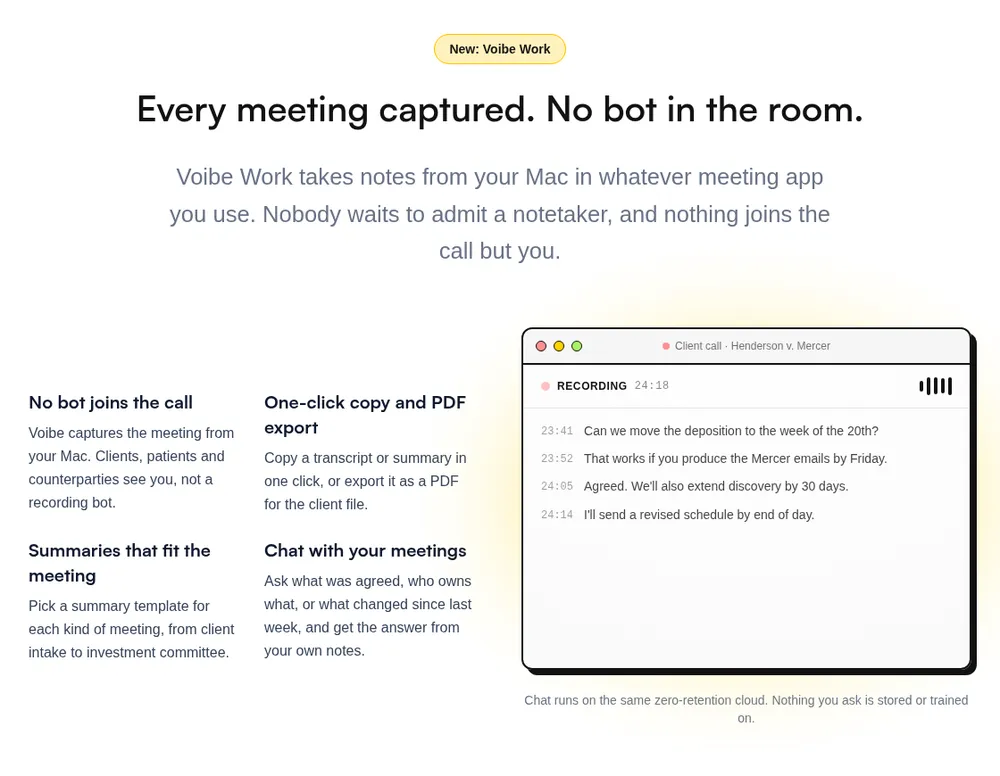
Voibe Work is the meeting-notes plan from Voibe, the app we build. It captures the meeting from your Mac or Windows PC in Zoom, Microsoft Teams, Google Meet, Webex, Slack huddles or any other meeting app. No bot joins, so your client never has to admit a notetaker into a conversation about their money. The Voibe Work launch post walks through a meeting from capture to saved notes.
Why it's the privacy and value pick
I'm biased, since we build it. But look at what's left after a client review:
- Audio: processed by open-source models on zero-retention cloud providers and deleted as soon as processing completes.
- Transcript and summary: saved on your computer, not on Voibe's servers.
- Training: never. No OpenAI, Google, Anthropic or Microsoft model is in the audio path (Voibe cloud privacy page).
- Chat with your meetings: ask "what did we agree on the rollover?" and get an answer from your notes, on the same zero-retention cloud, with nothing you ask stored.
For an advisor, that changes the records conversation. There's no vendor-held recording, transcript or summary to retain, supervise or produce, because the vendor doesn't have one. The note you file in your CRM is the record.
Built for advisor meetings
- Summary templates for each type of meeting, including client intake and investment committee
- One-click copy and PDF export, so the reviewed summary goes into Redtail, Wealthbox, Salesforce or your archive
- A reminder to tell everyone you're taking notes when recording starts. You're responsible for your state's consent rules and your firm's policy
- Voibe's dictation app on Mac and Windows for recap emails, CRM notes and plan narratives (the power bundle above)
Pricing
$14 per seat per month, $140 per year, or $349 once, dictation included. That's $1,060 (88.3%) less per year than Jump Meet and $664 (82.6%) less than Zocks Essentials. There's a 7-day free trial of every feature, with no credit card and no automatic charge, and a 30-day money-back guarantee. Up to 10 seats go in one checkout; firms with more than 10 advisors can get Enterprise terms with team admin and central billing.
Where it falls short for advisors
- No CRM sync or archive feed. Notes reach Redtail, Wealthbox or Smarsh by copy or PDF export, not automatically. Someone has to file them.
- Not on most approved-vendor lists yet. If your broker-dealer or RIA mandates specific tools, check before you buy.
- No phone app. Voibe Work runs on Mac and Windows, so in-person meetings away from your computer and calls on your cell aren't covered.
- No speaker labels or calendar integration listed.
- Needs internet. Meeting audio is processed in Voibe's zero-retention cloud, not on your computer.
- A reminder, not consent tracking. Voibe reminds you to disclose; it doesn't log client consent the way Zocks and Jump can.
- No SOC 2 report. Voibe's privacy is architecture, not certification. A BAA is available on request, which matters for health details in planning conversations, but it's a contract, not a compliance status.
7-day free trial of every Voibe Work feature. No credit card, no automatic charge, and a 30-day money-back guarantee if you buy. One seat covers Mac and Windows.
3. Zocks: Best Advisor Platform That Never Records
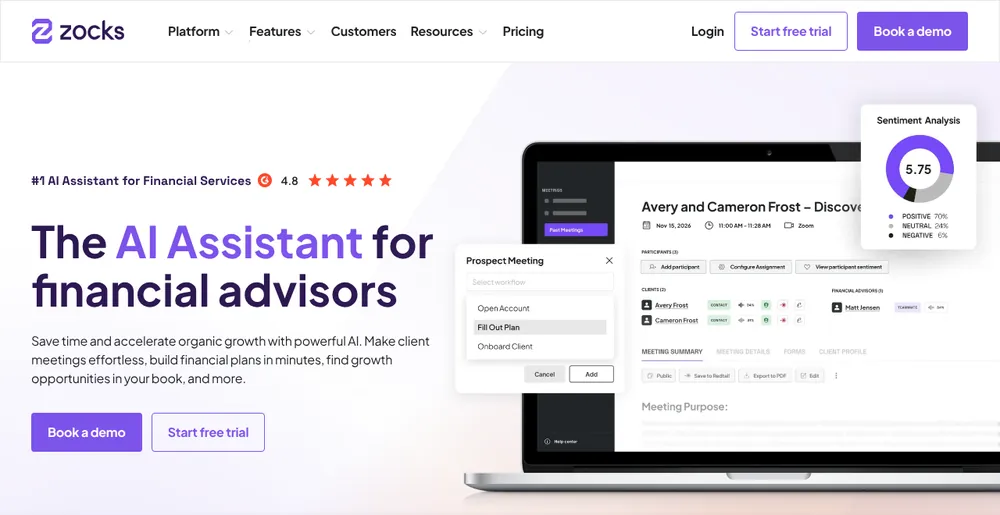
Zocks is built around one promise: "All client conversations are confidential, never recorded." It produces notes from virtual, phone and in-person meetings, and connects to the advisor stack: Wealthbox, Redtail, Salesforce, Practifi, HubSpot and Microsoft Dynamics 365 for CRM, plus eMoney, RightCapital, Orion, Black Diamond and Holistiplan.
Records: this is where Zocks stands out for compliance teams. It "supports archiving and supervision integrations for transcripts with solutions like Smarsh, Global Relay", and lists consent tracking, audit logs and PII redaction (Zocks privacy and security). It states SOC 2 Type 2 (since November 2023) and says data "is never used for training or improving Large Language Models".
How it captures: for Zoom, Meet and Teams, Zocks describes "an AI assistant that joins", which you can set to auto-join chosen meetings. In-person meetings run through its desktop platform or iOS and Android apps.
Pricing: Essentials is $67 per user per month billed annually ($804 a year) or $80 monthly; Professional $117 ($1,404 a year) or $140; Ultimate $184 or $220; Enterprise custom (Zocks pricing). Essentials costs $664 (82.6%) more per year than Voibe Work.
The catch: "never recorded" doesn't mean nothing is kept: transcripts and summaries are "processed and stored in the US" until deleted, and an assistant still joins virtual calls. The App Store rating is solid but thin: 4.6/5 from 35 ratings.
Best for: firms whose compliance team wants no audio, transcripts in the archive and consent tracked, and will pay for it.
4. Quill Meetings: Best for Local Notes on Windows
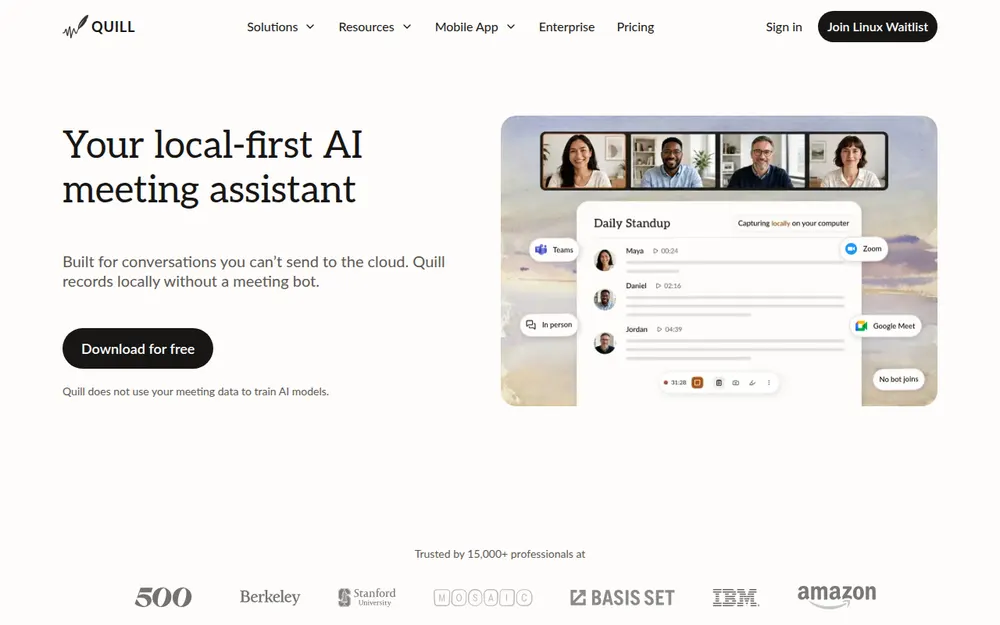
Quill Meetings records and transcribes on your computer, with no bot. Notes stay on your machine, with optional end-to-end-encrypted sync between devices; audio never syncs. It doesn't train on your data and states SOC 2 Type II. It runs on Mac, Windows, iOS and Android. Voibe Work's meeting notes also run on Windows, but they're processed in Voibe's zero-retention cloud; Quill transcribes on the machine itself, which makes it the fully local option for the many advisory desks that run Windows.
Pricing: local transcription is free. Lite is $7.99 a month or $6.99 billed annually ($83.88 a year), with 16 hours of AI notes a month (Quill pricing).
The catch: 16 hours of AI notes a month runs out at about four one-hour reviews a week. No advisor CRM integration is listed, and the review base is tiny: 4.56/5 from 9 App Store ratings.
Best for: Windows-based advisors who want meetings transcribed on their own computer at the lowest price.
5. Krisp: Cheapest Paid Note Taker With On-Device Transcripts
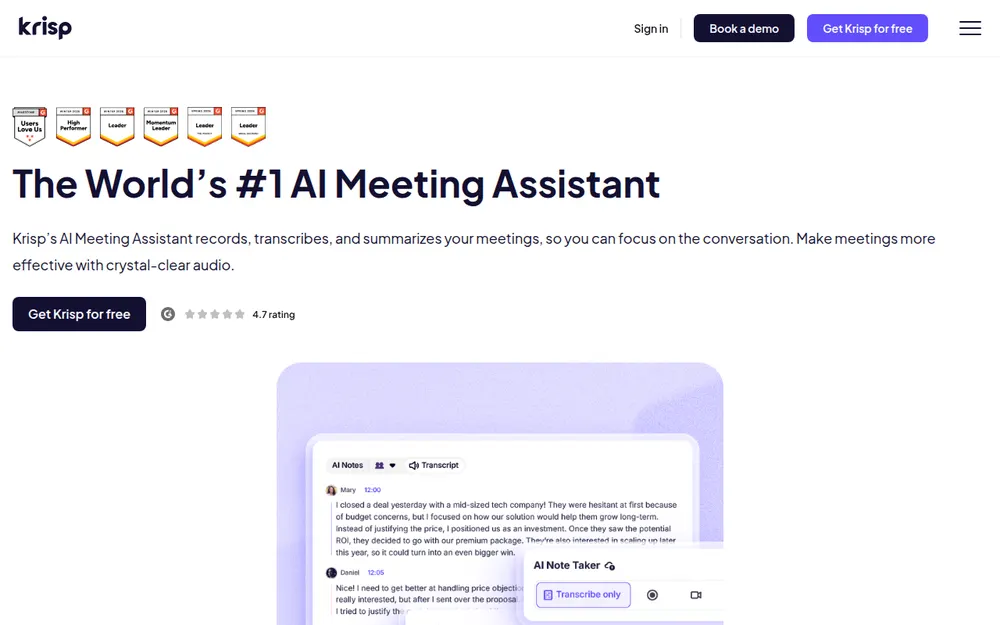
Krisp started as noise cancellation and now takes meeting notes without a bot. Transcripts are made on your device and only stored in Krisp's US cloud if you opt in; summaries run on Azure. Krisp says it doesn't train on your data and states SOC 2 Type II (Krisp security).
Pricing: Core is $16 a month or $8 billed annually ($96 a year), $44 less than Voibe Work. No free plan, only a 7-day trial. Ratings: 4.75/5 from 265 App Store ratings.
The catch: no dictation app and no advisor CRM handoff, and turning on cloud storage moves transcripts to Krisp's US servers.
Best for: advisors who take client calls from a busy office or a car and want the cheapest bot-free notes.
6. Fellow: Best for Firm-Wide Rollouts With Admin Controls
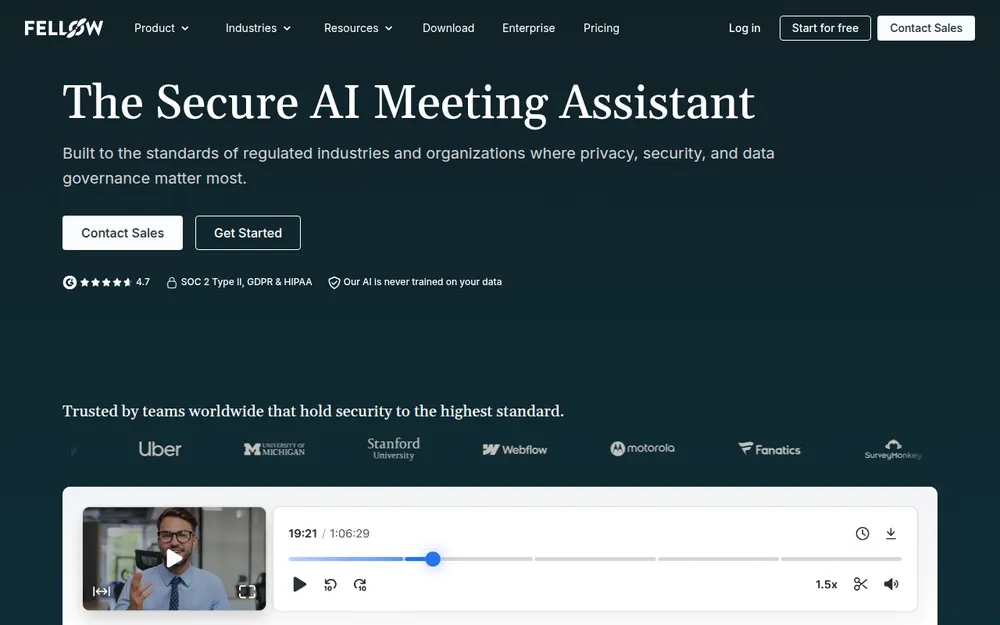
Fellow records with a bot or without one and gives firms controls that individual tools lack: redaction, recording blocks triggered by keywords, and auto-delete from as little as one day. It says it "never trains on your meeting data", states SOC 2 Type II, and hosts data in AWS Canada Central. On the Business plan it syncs notes to Salesforce and HubSpot (Fellow Salesforce integration).
Pricing: Business is $15 billed annually ($23 monthly), $180 a year, which is $40 (22.2%) more than Voibe Work. The $7 Team plan caps you at 10 notes a month.
The catch: notes live in Fellow's cloud, bot mode puts a participant back in the client's call, and Wealthbox and Redtail aren't among the integrations I found. No independent rating found.
Best for: larger firms on Salesforce that want one notetaker for every advisor and retention rules set centrally.
7. Granola: Polished, but Check the Training Toggle
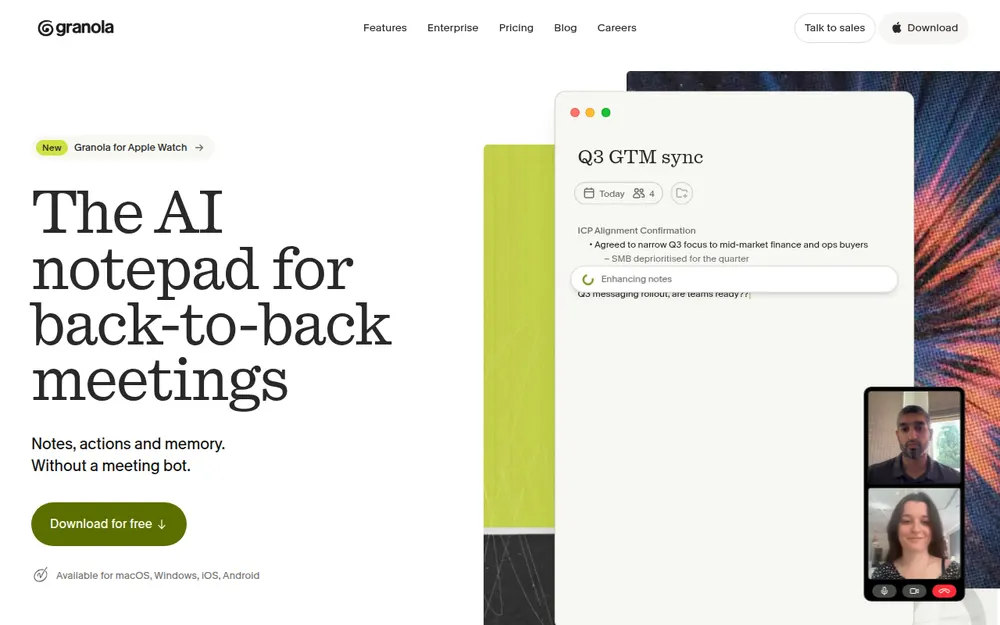
Granola is the most polished no-bot notepad on the market and runs on Mac, Windows, iOS and Android, with the best App Store rating on this list: 4.96/5 from 13,782 ratings.
For client meetings, the defaults are the problem. Notes are kept in Granola's US cloud "indefinitely unless you or your admin configures a retention policy", anonymised data may be used for model improvement by default on Free and Business, and transcription and summaries go through Deepgram, AssemblyAI, OpenAI and Anthropic (Granola security). It's also defending a wiretap class action over its no-bot design (the Granola lawsuit).
Pricing: Business is $14 per user per month, billed monthly only ($168 a year), $28 (16.7%) more than Voibe Work. Enterprise is $35.
Best for: advisors already on Granola who will turn off training and set a retention policy on day one. Otherwise, see our Granola alternatives.
8. Otter: Most Popular, and the One to Keep Off Client Calls
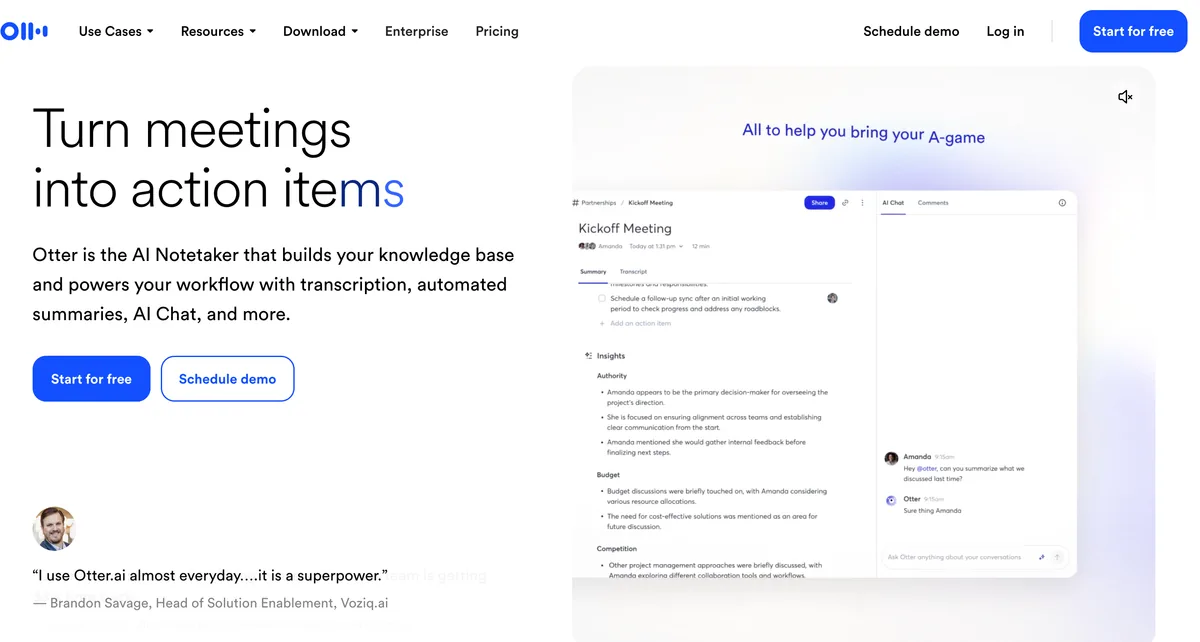
Otter is the notetaker most advisors have met, usually as a bot in someone else's meeting. It can also record without a bot through its desktop app on Mac and Windows. Ratings are strong: 4.79/5 from 81,819 App Store ratings.
It's last because of its data terms. Otter's privacy policy says it trains its AI "on de-identified audio recordings and on transcriptions", and I found no training opt-out. In the wiretap class action against it, an August 13, 2026 order let the ECPA, CIPA and BIPA claims proceed (order).
Pricing: Pro is $16.99 a month or $8.33 billed annually ($99.96 a year). Business is $30, or $19.99 annually ($239.88 a year).
Best for: internal team meetings, not client reviews. For replacements, see our Otter AI alternatives and Is Otter safe?.
Other Note Takers Financial Advisors Ask About
- Zeplyn: advisor-built, with "recording-free AI notes" across virtual, in-person and phone meetings. It says it "discards your meeting audio as soon as meeting notes are processed", never trains on customer data and holds SOC 2 Type II (Zeplyn security). CRM logos include Salesforce, Wealthbox and Redtail. No public pricing; sold by demo.
- FinMate AI: an advisor notetaker sold by demo. I couldn't verify its capture method, data terms or pricing from its public pages as of October 8, 2026.
- Wispr Flow Notetaker: no bot, on Mac and Windows, bundled with Wispr's dictation app. Transcripts and summaries are stored in Wispr's US cloud, and training on Notetaker content is on by default on Free and Pro. Unlimited notes cost $312 a year (Growth + Notetaker). Full breakdown: Wispr Flow Notetaker vs Voibe Work.
- Jamie: no bot, on Mac, Windows and iPhone, notes in Jamie's EU, Swiss or UK cloud, never trains. Plus is $24 a month billed annually ($288 a year). Best for advisors with European clients (Jamie security).
- Fireflies: bot by default, with a bot-free desktop mode that saves no audio. It says meeting data is "never used for AI training". Pro is $10 a month billed annually (Fireflies pricing).
- Fathom: free with unlimited recordings, but it uses a bot by default and trains on de-identified data unless you opt out (Fathom).
- Zoom and Teams built-ins: Zoom's terms say it doesn't train on your communications content; Teams' intelligent recap needs Teams Premium or Microsoft 365 Copilot. Both keep notes in the platform's cloud, which some firms already archive.
For every bot-free option, see our best no-bot meeting note takers. Lawyers face a parallel set of questions about privilege, covered in our best AI meeting note takers for lawyers.
Recording Consent: The States Where Every Client Must Agree
No bot doesn't mean no disclosure. A bot-free notetaker is quieter than a bot, which makes telling your client more important, not less. Voibe Work reminds you to tell everyone when recording starts; you're responsible for following the law and your firm's policy.
According to Justia's 50-state survey:
- All-party consent: California, Florida, Maryland, Massachusetts, New Hampshire and Pennsylvania. California applies its rule to calls between California and a one-party state.
- Generally all-party: Illinois and Washington.
- It depends: Connecticut is one-party for criminal liability but imposes civil liability for recording phone calls without all-party consent. Nevada is one-party in person but all-party for phone calls. Oregon is one-party for phone calls but all-party in person. Montana is an all-party "knowledge" state. Delaware is "arguably" all-party, and Michigan is "technically" all-party.
- One-party: most other states, including New York, New Jersey, Texas, North Carolina and DC.
Advisors cross state lines constantly: a Florida retiree's adult children in Illinois, a client who moved to California. When a call crosses state lines, follow the strictest law. Many firms add a standing notice to the client agreement and still ask at the start of each meeting.
A disclosure line you can use
"Before we start: I use an AI notetaker so I can focus on you instead of typing. It writes a summary of our meeting for your file. [With Voibe Work: The audio is deleted after processing and the notes are saved on my computer, not the vendor's.] Are you comfortable with that?"
Adjust the bracketed line to what your tool actually does, and log the client's answer wherever your firm records consent.
Warning
This is a summary for comparing tools, not legal advice. Check your state's recording law and your firm's written policy before recording any client.
How to Choose the Right AI Note Taker for Your Practice
Is the tool on your firm's approved-vendor list?
- Yes → start there, whatever this list says.
- No, or you're independent → work through the questions below, then take the vendor's security documentation to your CCO.
Must notes sync to Wealthbox, Redtail or Salesforce and feed your archive automatically?
- Yes, and clients are fine with a visible notetaker → Jump, for the deepest workflow automation.
- Yes, and compliance wants no recordings plus Smarsh or Global Relay feeds → Zocks.
- No, you'll file the note yourself → keep going.
Do you want no vendor copy of the meeting, plus dictation in one plan?
- Yes → Voibe Work: no bot, nothing kept on the vendor's side, notes saved on your computer, dictation included, $140 a year, on Mac and Windows.
- No, but transcripts must be made on your own computer → Quill Meetings, or Krisp if price matters most.
Already on Granola or Otter?
- Turn off training where you can, set a retention policy, and decide whether client reviews belong in that tool at all.
Best AI Note Taker for Your Advisory Situation
| Your situation | Best choice | Why |
|---|---|---|
| Independent RIA on a Mac or Windows PC, client reviews on Zoom | Voibe Work | No bot, notes on your computer, audio deleted, $140/yr |
| Advisor who also writes recap emails and plan narratives by voice | Voibe Work | Meeting notes and dictation in one plan, $1,204/yr less than Jump + Wispr Flow |
| Ensemble firm that wants CRM fields filled automatically | Jump | 40+ integrations, follow-up tasks and emails |
| Broker-dealer rep whose firm archives through Smarsh or Global Relay | Zocks | Transcript archiving integrations, no recordings |
| Advisor on a Windows desktop | Voibe Work or Quill Meetings | Voibe Work for no vendor copy plus dictation; Quill for transcripts made locally, $83.88/yr |
| Solo planner on a tight budget | Krisp | $96/yr, on-device transcripts |
| Firm on Salesforce rolling out one tool to every advisor | Fellow | Redaction, auto-delete, Salesforce sync |
| In-person reviews across the desk | Jump or Zocks | Mobile apps built for in-person capture |
| Investment committee meetings | Voibe Work | Investment committee template, PDF for the minutes file |
| New-client discovery and intake meetings | Voibe Work | Client intake template, nothing left with the vendor |
| Advisor with clients in the EU or UK | Jamie | EEA, Swiss or UK hosting, never trains |
| Prefers not to record clients at all | Dictation only | Speak your own note after the meeting (dictation for advisors) |
Frequently Asked Questions About AI Note Takers for Financial Advisors
Compliance and recordkeeping
Are AI meeting notes books and records for an RIA?
They can be. SEC Rule 204-2 defines records to include "transcribed information of any type", and requires advisers to keep written communications about advice and recommendations for at least five years. A Cooley analysis from April 2026 concludes that an adviser using an AI notetaker is generating records within the meaning of the rule. Whether a raw transcript or summary must be kept before it's sent is still an open question, so firms set retention policies by meeting type with their CCO.
Does FINRA allow AI notetakers?
FINRA hasn't banned or specifically approved them. Regulatory Notice 24-09 says FINRA rules are technology neutral and apply when firms use generative AI, and the 2026 Annual Regulatory Oversight Report says GenAI use can implicate rules on supervision, communications, recordkeeping and fair dealing. Rules 3110 (supervision) and 4511 (books and records) apply to notetaker output like anything else. Most broker-dealers approve specific vendors, so check your firm's list.
Is Voibe Work SEC or FINRA compliant?
No software is SEC or FINRA compliant on its own, and Voibe makes no compliance claims. What Voibe Work offers is an architecture: no bot in the call, meeting audio deleted as soon as processing completes, the transcript and summary saved on your computer, and nothing used to train AI. Your firm still decides retention, files the final note in its archive or CRM, and supervises it. A BAA is available on request.
Do I need client consent to use an AI notetaker?
In many cases, yes. California, Florida, Maryland, Massachusetts, New Hampshire and Pennsylvania require all parties to consent to recording, Illinois and Washington generally do, and several other states have nuances, per Justia's 50-state survey. When a call crosses state lines, follow the strictest law, and follow your firm's disclosure policy. Voibe Work reminds you to tell everyone when recording starts; you're responsible for the consent itself.
Choosing a tool
What is the best AI meeting note taker for financial advisors?
Jump ranks first for advisory firms that want notes, follow-up tasks and CRM updates done automatically: 40+ integrations including Wealthbox and Redtail, $1,200 per advisor per year, with a notetaker that joins video calls. Voibe Work ranks second and is the privacy and value pick on Mac or Windows: no bot in client calls, meeting audio deleted after processing, transcript and summary saved on your computer, never used to train AI, and a dictation app included, for $140 a year or $349 once. If compliance wants no recordings and transcripts archived in Smarsh or Global Relay, Zocks (from $804 per advisor per year). If you want meetings transcribed on your own computer rather than in a cloud, Quill Meetings does that on Mac and Windows.
Jump or Zocks: which is better for advisors?
Jump is stronger on workflow automation: 40+ integrations, meeting prep, follow-up tasks and emails, at $100 per advisor per month billed annually. Zocks is stronger for compliance teams that want no recordings: it never records audio, feeds transcripts to Smarsh and Global Relay, and tracks consent, from $67 per user per month billed annually. Both put a participant in Zoom, Teams and Meet calls, both state SOC 2 Type II, and both say they never train on client data.
Does Voibe Work integrate with Redtail, Wealthbox or Salesforce?
Not today: Voibe doesn't list any CRM integration for Voibe Work. You copy the summary or export a PDF and paste or attach it to the client record in Redtail, Wealthbox, Salesforce or your archive. Voibe's dictation app also types directly into any CRM note field, so you can dictate the final activity note after reviewing the summary.
Can I take AI meeting notes without a bot joining the client's call?
Yes. Voibe Work, Quill Meetings, Krisp and Granola capture the call on your own computer, so no participant joins. Jump and Zocks send a notetaker or assistant into Zoom, Teams and Meet calls, and Fellow, Otter and Fireflies offer both modes. Bot-free capture still requires you to tell the client you're taking notes.
Does Voibe Work run on Windows?
Yes. Voibe Work's meeting notes and the dictation included in the plan run on Mac (Intel and Apple Silicon) and Windows, and one seat covers both. On Windows, dictation runs in Voibe's zero-retention cloud; on-device dictation needs an Apple Silicon Mac. There's no iPhone or Android app.
Privacy and client data
Where does Voibe Work store meeting notes?
On your computer. Meeting audio is processed by open-source models on zero-retention cloud providers and deleted as soon as processing completes; the finished transcript and summary are saved on your computer, not on Voibe's servers, and never used to train AI. Because processing happens in the cloud, meeting notes need an internet connection.
Do advisor notetakers train AI on client conversations?
The advisor-built ones say they don't: Jump says recordings, transcripts and summaries are never used for training or fine-tuning, Zocks says data is never used to train large language models, and Zeplyn says it never uses customer data to train its models. Among general tools, Otter trains on de-identified recordings and transcripts, and Granola uses anonymised data for model improvement by default on Free and Business. Voibe never trains on meetings.
Pricing
How much does an AI note taker for financial advisors cost?
Per advisor per year, billed annually: Quill Lite $83.88, Krisp Core $96, Otter Pro $99.96, Voibe Work $140 (or $349 once, dictation included), Granola Business $168 (monthly billing only), Fellow Business $180, Otter Business $239.88, Zocks Essentials $804, Jump Meet $1,200 and Zocks Professional $1,404.
Is there a cheaper way to get meeting notes and dictation in one tool?
Yes. Voibe Work includes meeting notes and Voibe's full dictation app for $140 a year. Jump Meet plus Wispr Flow Pro costs $1,344 a year, so Voibe Work is $1,204 (89.6%) less; Zocks Essentials plus Wispr Flow Pro costs $948, so it's $808 (85.2%) less; Granola Business plus Wispr Flow Pro costs $312, so it's $172 (55.1%) less. The trade-off: no CRM sync or archive feed.
Final Verdict: The Best AI Meeting Note Taker for Financial Advisors
The best notetaker for an advisor is the one whose leftovers your firm can account for.
Jump is the pick for firms that want the meeting to update Wealthbox or Redtail on its own: the most complete advisor platform here, at $1,200 per advisor per year, with a notetaker that joins video calls. Voibe Work is the privacy and value pick, on Mac or Windows. No bot joins the client's call, the audio is deleted after processing, the transcript and summary stay on your computer, and nothing is trained on. It's also the power bundle: meeting notes and a full dictation app in one plan, $140 a year or $349 once, against $1,344 a year for Jump plus a separate dictation app. You file the note yourself, and it reminds you to tell the client you're taking notes.
If your firm needs notes in Wealthbox or Redtail automatically, Jump does the most of that work. If compliance wants no recordings and transcripts in Smarsh or Global Relay, Zocks. For transcripts made entirely on your own computer, Quill Meetings.
Whatever you choose: tell every client, read the summary before it becomes the record of advice, and put the final note where your firm keeps its books and records.
Try Voibe Work free for 7 days → Every feature, no credit card, no automatic charge.
Related reading
- Dictation for financial advisors: the post-meeting note, without recording the client
- Best AI meeting note takers for lawyers
- Best no-bot meeting note takers
- Voibe Work: meeting notes with no bot in the call
- Best speech-to-text APIs for financial services: for firms transcribing recorded calls at volume
- Granola alternatives, compared
Meeting notes without a bot in your call
Voibe Work takes notes from Zoom, Teams and Meet on your Mac, with dictation included. Nothing used to train AI.
- Mac + Windows
- No bot in your calls
- Nothing used to train AI
- 7-day free trial
Want to compare plans first? View pricing →
Related Articles
Dictation for Financial Advisors
The post-meeting note, without recording the client.
Best AI Meeting Note Takers for Lawyers
The same questions, with privilege on top.
Best No-Bot Meeting Note Takers
Every tool that takes notes without joining the call.
Best Speech-to-Text APIs for Financial Services
For firms transcribing recorded calls at volume.