
No Bot in the Client Review. How a Financial Planner Takes Notes Now
A financial planner on how they take client meeting notes now: no bot in the call, no copy kept on our servers, and the CRM note dictated, not typed.

Company
An independent financial planning practice
Industry
Financial planning, independent practice
0
bots in the client's meeting
0
copies of the meeting on Voibe's servers
$149
Voibe Work a year, dictation included
Ask a financial planner what happens after the last client meeting of the day. The honest answer: the meetings happen again, in writing.
What you recommended, and why. What the client decided. Who sends which statement. It all goes in the CRM, because the note is the record of advice.
And it's the first thing to slide when the day runs long.
One of our users runs a small independent financial planning practice. They don't type those notes from memory anymore. Voibe Work captures their client meetings with no bot in the call. Voibe Dictation, included in the same plan, handles everything they write afterwards.
They shared their setup with us and asked us not to use their name. I removed the identifying details, and they reviewed this page before it went up.
| Finding | Number | What it means for you |
|---|---|---|
| Bots in the client's meeting | 0 | Voibe Work captures the call from your own computer. |
| Copies of the meeting on Voibe's servers | 0 | Audio is deleted after processing. Notes are saved on your computer. |
| Notes filed without a human read | 0 | You copy or export each reviewed summary into your CRM yourself. |
| Voibe Work, per year | $149 | Meeting notes and dictation in one plan, $1,051 (87.6%) less than Jump Meet's $1,200. |
Key Takeaway
An independent financial planner captures client meetings with Voibe Work and dictates everything after them with Voibe Dictation, included in the same plan. No bot joins the client's call. Meeting audio is deleted after processing, and the notes are saved on the planner's Mac, so Voibe holds no copy. The planner reads each summary before filing it in the CRM. Voibe Work costs $149 a year, $1,051 less than Jump Meet's $1,200.
Who They Are and What a Planning Day Looks Like
They run a small independent practice from an Apple Silicon Mac. Their week is client meetings:
- Discovery meetings with prospective clients
- Annual reviews
- The calls in between, about a rollover, a required minimum distribution or a house sale
Some are video calls. Some happen across the desk.
Why the Note Isn't Optional
Every one of those meetings produces writing, and regulators expect it.
For a registered investment adviser, SEC Rule 204-2 covers written communications about "any recommendation made or proposed to be made and any advice given or proposed to be given". Those records are kept for at least five years. Broker-dealer reps carry FINRA Rule 4511 on top.
So a planning day has two halves: the meetings, and the writing about them. This setup is built around the second half.
On sourcing: what I say about the planner, they told us. Voibe's prices come from its own pages, checked October 12, 2026. Competitor prices come from the vendors' pricing pages, checked October 8, 2026.
Why They Wouldn't Put a Bot in a Client Meeting
The planner told us they wouldn't put a bot in a client meeting. That ruled out most AI notetakers before price even came up.
There are two reasons, and the second is easy to miss.
The Room
A client review is about someone's money, and often their health and family. A recording bot in the call changes the conversation.
The Copies
A client review used to leave one record: the note in the CRM. A cloud notetaker on default settings can leave four:
- A recording on the vendor's servers
- A transcript on the vendor's servers
- A summary on the vendor's servers
- The note in your CRM
Take Jump, the most complete advisor platform. It sends a notetaker into Zoom, Teams and Google Meet calls, and by default it keeps media and transcripts (Jump help center, checked October 8, 2026). An account owner can switch to summary-only mode or retain nothing.
Every vendor-held copy is one more thing your firm has to find, retain, supervise and produce. A Cooley analysis from April 2026 says an adviser using an AI notetaker "is generating records within the meaning of the rule whether it realizes it or not" (Cooley via JD Supra).
The Brief
So the planner's brief was short: nothing in the call, and nothing left with the vendor after it.
Our ranking of AI meeting note takers for financial advisors scores eight tools on exactly those two questions. For every bot-free option, see the best no-bot meeting note takers.
The Setup: Voibe Work for the Meeting, Dictation for Everything After
One Voibe Work seat covers both halves of the day. Here's the routine, step by step.
1. Capture the Meeting With No Bot
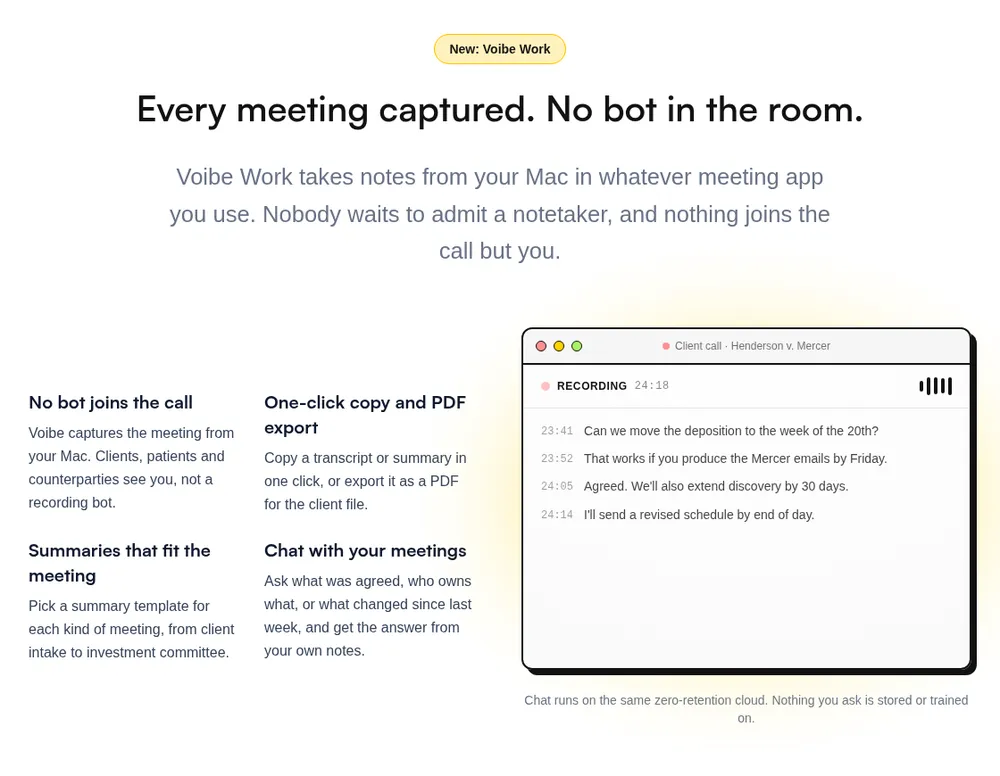
Voibe Work takes notes from the Mac itself, in Zoom, Microsoft Teams, Google Meet, Webex or any other meeting app. Nothing joins the call.
For a review across the desk, it records the room through the Mac's microphone.
When recording starts, Voibe reminds the planner to tell everyone they're taking notes. Telling the client is still the planner's job.
2. Get a Summary Shaped for the Meeting
Voibe Work has a summary template for each type of meeting, client intake among them. A discovery meeting and an annual review don't come out looking the same.
3. Check the Details Before Filing
Chat with your meetings answers questions from the notes: what was agreed on the rollover, or who owns which follow-up.
It runs on the same zero-retention cloud, and nothing asked is stored.
4. File It in the CRM
One-click copy or PDF export moves the reviewed summary into the CRM or the firm's archive.
There's no automatic sync, so this step is manual. The upside: nothing becomes the record of advice until someone has read it.
5. Dictate Everything After
Every Voibe Work seat includes Voibe Dictation. It types wherever the cursor is: the CRM activity note, the recap email in Outlook, the narrative in a financial plan.
Three features do most of the work:
- Dictionary. Client surnames, fund families, tickers, custodians, and acronyms like RMD, QCD, IRMAA and 529. Voibe feeds them into the transcription itself, not as find-and-replace afterwards.
- Memory. Say a short trigger and get your standard disclosure, scheduling link or signature block.
- Smart Formatting. Punctuation, capitals, paragraphs, no filler words. It never paraphrases, which matters in a record of advice.
Want the capture side in more detail? See Voibe Work: meeting notes with no bot in the call.
What It Buys Them: Three Small Numbers
Here's what the setup buys the planner, in three numbers.
0 Bots in the Client's Meeting
Voibe Work captures from the planner's own computer. No participant joins, and no client has to admit a notetaker.
0 Copies of the Meeting on Voibe's Servers
Meeting audio is processed by open-source models on zero-retention cloud providers. It's deleted as soon as processing completes.
The transcript and summary are saved on the planner's Mac, not on Voibe's servers. They're never used to train AI, per Voibe's cloud privacy page.
$149 a Year, Dictation Included
That's Voibe Work billed annually. It's also $19 a month, or $399 once. Against the advisor platforms:
- Jump Meet is $1,200 per advisor per year. Voibe Work is $1,051 (87.6%) less.
- Zocks Essentials is $804. Voibe Work is $655 (81.5%) less.
Jump and Zocks also sync notes to Wealthbox and Redtail. If someone at your firm keys notes into the CRM today, that automation may be worth the difference.
Two Data Paths, on Purpose
Dictation runs on-device on the planner's Apple Silicon Mac. The audio of a dictated client note never leaves the machine.
Meeting notes always run on Voibe's zero-retention cloud, so they need an internet connection. The diagram shows both paths.
If You're a Financial Planner Weighing This Setup
Pick the line that sounds like you.
- You want the meeting captured, and you'll file the note yourself. That's this setup. The Voibe Work walkthrough follows one meeting from capture to saved notes.
- You want CRM fields filled in for you. Jump or Zocks do more of that, for more money. The advisor notetaker ranking lays out the trade.
- You'd rather not record clients at all. Dictate the note after the meeting instead. Dictation for financial advisors walks through the Five-Field Client Note. Voibe Dictation alone is $99 a year.
- Your office runs on Windows. Voibe runs on Mac and Windows. The Windows app (launched 2026) uses Voibe's zero-retention cloud; the fully on-device mode is Mac-only (Apple Silicon). Meeting notes (Voibe Work) run on Mac and Windows. Details in Voibe for Windows.
- You're with a broker-dealer or a larger RIA. Check your firm's approved-vendor list first.
Every new account gets a 7-day trial of every Voibe Work feature, with no credit card. Paid plans carry a 30-day money-back guarantee. Try it on a week of your own reviews.
Tip
Before your first client meeting, add your client surnames, fund families, tickers and custodians to the Dictionary, set a Memory trigger for your standard disclosure, and decide the one sentence you'll use to tell clients you're taking notes. Then file every reviewed summary in your CRM the same day.
How I Got This Story (and What Voibe Never Sees)
This is a real Voibe user, an independent financial planner. They shared their setup and agreed to have it told anonymously.
I removed or generalised anything that could identify them or their practice. They reviewed this page and approved every fact attributed to them before it went live. Prices and product details come from public pages, not their account, so you can check them.
None of this came from their meetings or their clients. I didn't read a transcript, a summary or a dictated note. Voibe couldn't hand one over if I'd asked:
- Dictation in on-device mode on an Apple Silicon Mac never leaves the machine.
- In Voibe's zero-retention cloud, audio is encrypted in transit, transcribed by open-source models, and deleted the moment processing completes. Never stored, never sold, never used to train a model.
- Voibe Work transcripts and summaries are saved on the user's computer, not on Voibe's servers.
None of that is a compliance claim. No software is SEC or FINRA compliant on its own, and Voibe makes no compliance claims. Your firm decides retention and supervision.
More on the mechanism: zero data retention, explained.
Frequently Asked Questions About This Planner's Setup
About This Story
Is this financial planner a real person?
Yes. One of Voibe's users, an independent financial planner, shared their setup and reviewed this page before publication. It's published without their name, location or firm because Voibe protects its users' privacy. Every price and product fact comes from a public page, with the date it was checked.
About the Setup
Does a bot join the client's meeting with Voibe Work?
No. Voibe Work captures the meeting from your Mac or Windows PC in Zoom, Microsoft Teams, Google Meet, Webex or any other meeting app, so nothing joins the call. Voibe reminds you to tell everyone you're taking notes when recording starts.
Can Voibe Work take notes in an in-person client meeting?
Yes. Voibe Work records in-person meetings through your Mac or PC's microphone. The audio is deleted once processing completes, and the notes are saved on your computer, the same as for a call.
Does Voibe Work sync notes to Redtail or Wealthbox?
No. Voibe Work has no CRM integration. You copy the reviewed summary in one click, or export it as a PDF, and file it yourself. Jump and Zocks sync to Wealthbox and Redtail automatically, at $1,200 and $804 or more per advisor per year.
Do I need my client's consent to take AI meeting notes?
Often, yes. California, Florida, Maryland, Massachusetts, New Hampshire and Pennsylvania require every party's consent to record, per Justia's 50-state survey. Your firm may have its own disclosure policy too. Voibe Work reminds you to tell everyone when recording starts; the consent itself is your responsibility.
About Voibe
Is Voibe Work SEC or FINRA compliant?
No software is SEC or FINRA compliant on its own, and Voibe makes no compliance claims. What Voibe Work offers is an architecture: no bot in the call, audio deleted after processing, notes saved on your computer, nothing used to train AI. Your firm still decides retention and supervises the note you file.
How much does Voibe Work cost for a financial planner?
Voibe Work is $19 a month, $149 a year or $399 once per seat, on Mac and Windows, with Voibe Dictation included. Voibe Dictation alone is $9.90 a month, $99 a year or $199 once. Every new account starts with a 7-day trial of every Voibe Work feature, with no credit card.
The planner still runs every meeting and still owns every record. What changed is the typing.
The meeting arrives as a summary they read and file. The writing after it gets spoken into the CRM and the inbox. No bot in the call, no copy at Voibe, and no note becomes the record until a person has read it.
Weighing the same setup? Start with the advisor notetaker ranking. And tell your first client you're taking notes before you press record.
Best AI Dictation and Meeting Notes for Confidential Work
Draft letters, notes and emails 5x faster. Get meeting notes without a bot joining your call. Nothing used to train AI.
- Mac + Windows
- No bot in your calls
- Nothing used to train AI
- 7-day free trial
Want to compare plans first? View pricing →