
I Tested 9 Circleback Alternatives. Only 2 Keep Notes on Your Computer
Circleback alternatives, ranked: 1. Granola 2. Voibe Work 3. Fireflies 4. Fellow 5. Fathom 6. Read AI 7. Otter 8. Jamie 9. Quill. Prices checked Oct 13, 2026.

TL;DR: The Best Circleback Alternatives
Circleback's bot doesn't wait to be asked. With calendar joining on, it tries to join as a bot first. It posts a chat message that "cannot be disabled". And it keeps your notes in its US cloud until someone deletes them.
I tested nine alternatives. Granola is the best for most people. Voibe Work, the meeting-notes plan of Voibe (the app we build), is the pick for confidential calls.
Why does storage matter so much? The New York City Bar's Formal Opinion 2025-6 (December 22, 2025) tells lawyers to get client consent before an AI tool records a call. It also tells them to check where the tool stores the data, for how long, and whether it trains on it.
Best for most people: Granola
Granola records with no bot on Mac, Windows, iPhone and Android. Business costs $168 a year, $12 (6.7%) less than Circleback Pro billed annually.
The catch: notes sit in Granola's US cloud, and it trains on anonymised data by default.
Best for confidential work: Voibe Work
No bot joins. The audio is deleted once processing completes. The transcript and summary are saved on your computer, and they're never trained on.
It's $149 a year with a dictation app included. That's $31 (17.2%) less than Circleback Pro annual and $151 (50.3%) less than Business.
Voibe reminds you to tell everyone you're taking notes when recording starts; following recording-consent rules is up to you.
Two honest price notes
- Month to month, Voibe Work's $19 is $1 (5.6%) more than Circleback Pro's $18.
- Two alternatives cost less: Fireflies Pro ($120 a year, with free dictation) and Otter Pro ($99.96). Both keep your notes in their cloud.
If automations run your team
If your team runs on Circleback's CRM, Notion and Linear automations, none of the no-bot notepads here replaces them. Stay, or look at Fireflies and Fellow.
The decision tree sorts it out. I re-checked every price, privacy page and rating on October 13, 2026 (how I ranked them).
The ranking
- Granola: best overall. No bot on Mac, Windows, iPhone and Android. Trains by default.
- Voibe Work: best for confidential work. No bot, notes saved on your computer, dictation included.
- Fireflies: closest on automations and CRM, for less. Free dictation. Bot first.
- Fellow: CRM sync, a bot or botless desktop app, no AI training.
- Fathom: free unlimited recordings. Bot by default; trains unless you opt out.
- Read AI: Circleback Pro's annual price, with training opt-in.
- Otter: cheapest big-name annual plan ($99.96).
- Jamie: EU hosting. Never trains.
- Quill Meetings: notes on your computer at the lowest paid price.
Key takeaways
| Alternative | Best for | Bot in the call | Where notes live | Per year vs Circleback Pro ($180) |
|---|---|---|---|---|
| Granola | Best overall: polished no-bot notes on every platform | No | Granola's US cloud | $168 Business (save $12, 6.7%) |
| Voibe Work | Confidential calls; notes + dictation | No | On your computer | $149 (save $31, 17.2%; dictation included) |
| Fireflies | Automations and CRM for less | Yes by default | Fireflies' cloud | $120 Pro (save $60, 33.3%; free dictation) |
| Fellow | CRM sync with no AI training | Bot or desktop app | Fellow's cloud | $180 Business (same price); $84 Team |
| Otter | Cheapest big-name annual plan | Bot, or desktop app with no bot | Otter's cloud | $99.96 Pro (save $80.04, 44.5%) |
Key Takeaway
Granola is the best Circleback alternative for most people: no bot, polished notes on Mac, Windows, iPhone and Android, $168 a year. For confidential calls, pick Voibe Work: audio deleted after processing, notes saved on your computer, never trained on, and dictation included for $149 a year.
Why People Are Leaving Circleback
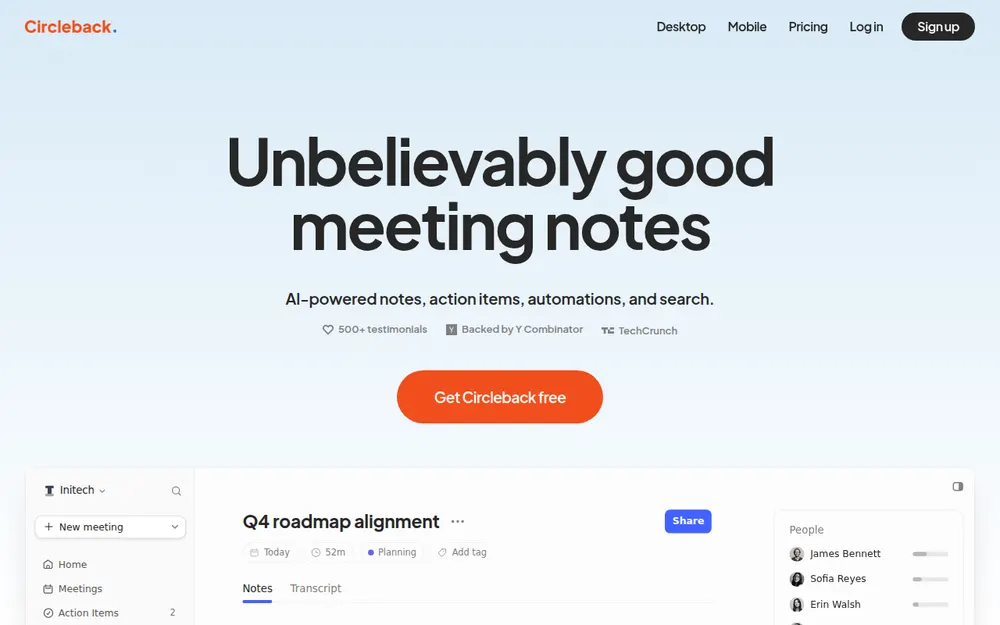
Circleback is a Y Combinator-backed (Winter 2024) meeting notetaker built around action items and automations. It joins your calls as a bot or records from its desktop app. Then it writes the notes and pushes them into Notion, HubSpot, Salesforce, Linear and more.
People like the app. It scores 4.81/5 on the App Store from 262 ratings and 4.9 on Google Play from 110 reviews. On Trustpilot it scores 2.9 from 4 reviews.
So why do people go looking? Reading the docs and the reviews, six reasons stand out.
1. The bot is the default; the desktop app is opt-in
Circleback's getting-started guide leads with the bot. Circleback "can join your online meetings as a bot participant" on Zoom, Google Meet, Microsoft Teams and Webex. It auto-joins from your Google or Outlook calendar.
The bot-free desktop app is on every plan, Free included. But the docs add a condition: "If you also have joining preferences enabled, Circleback will first try to join the meeting as a bot participant."
So to never send a bot, you have to switch joining preferences off.
When the bot does join, it introduces itself in the meeting chat, and "The chat message cannot be disabled." Hosts can also refuse it. From March 24, 2026, Google Meet added a second admit queue where the default is to deny entry (Google Workspace Updates).
2. Your meetings stay in Circleback's US cloud
Circleback's trust center says "Data is stored in the United States". It also says "Data is stored indefinitely until it is deleted by the customer or expires based on your retention settings."
- Recording storage depends on the plan: 30 days on Free, 1 year on Pro, 2 years on Business, unlimited on Enterprise.
- Recordings are saved by default. The desktop app records meeting video by default too. You can turn saving off.
- Custom retention starts on Business ($25 per user per month billed annually). It sets separate limits for recordings, transcripts and all meeting data.
3. It remembers people's voices
Circleback's help center covers meetings tied to a calendar event. There, "the participant voice will be saved and automatically recognized in future meetings they're invited to."
That's how it names speakers. It also means Circleback keeps a voice profile of people who never signed up.
Illinois' Biometric Information Privacy Act (BIPA) counts voiceprints as biometric identifiers. It's one of the laws behind the class actions against Otter and Fireflies.
4. You can't see who processes your calls
Circleback's subprocessor list is request-only in its trust center. Its public pages don't name its transcription vendor or cloud provider.
The one public clue is a Claude customer story: "Circleback integrates Claude Haiku 3.5 and Sonnet 4 throughout their platform".
Its privacy policy is still marked "Effective July 15, 2024". That predates the Free plan, the Apple Watch app and email access.
5. Seats add up, and HIPAA sits at the top
- Pro: $18 per user per month, or $15 billed annually.
- Business: $29, or $25 billed annually.
- The BAA is Enterprise-only ($35 per user per month, billed annually only). "Custom BAAs are not offered."
6. Reliability and support complaints
The negative reviews cluster around missed notes and support that's hard to reach:
"More and more often, circle back fails to take notes, which you only learn after the meeting." (Aleksander Potocki, 2 stars, Trustpilot, September 1, 2026)
"There is no way to open a ticket or talk to a real person so I am giving them a 1-star review" (Carter Terry, 1 star, Trustpilot, June 17, 2026)
"HOWEVER one meeting failed. the recording itself appeared successfully in the app, but was lost. their support acknowledged the issue was due to a bug in their software but was unable to unwilling to assist in recovering the recording." (1 star, Google Play, May 21, 2025)
An App Store reviewer on October 11, 2026 asked: "No Apple calendar integration????" Circleback connects Google Calendar and Microsoft Outlook only.
What Circleback does well
Credit where it's due:
- Automations: rules that update HubSpot, Salesforce, Attio and Notion, or create Linear issues. They can also send a Slack post, webhook, Zapier or Make call. Free gets a limited set; Pro gets all integrations.
- Search: Ask Circleback searches every meeting you can access, plus connected email, with citations.
- API, MCP and CLI on every plan, Free included.
- No training: "We do not use customer data to train models". Circleback states it holds SOC 2 Type II.
- Bot or no bot on every plan, plus iPhone, Android and Apple Watch apps for in-person meetings.
If the bot is welcome in your calls and your data can live in a US cloud, staying on Circleback is a reasonable call.
Where Your Meetings Go: Circleback vs the Alternatives
Almost every tool here can record without a bot now. What separates them is what happens to the meeting afterwards.
Here's what each vendor's own pages say (checked October 13, 2026):
Bot, storage and training, tool by tool
| Tool | Bot in the call | Where notes are stored | Audio and retention | Trains on your meetings? | Attestations (vendor-stated) |
|---|---|---|---|---|---|
| Circleback (reference) | Yes by default; bot-free desktop app opt-in | Circleback cloud, US | Recordings kept 30 days (Free), 1 year (Pro), 2 years (Business), unlimited (Enterprise); notes kept until deleted; custom retention from Business | No | SOC 2 Type II; HIPAA with a BAA on Enterprise only |
| Granola | No | Granola cloud, US (AWS) | Audio deleted after transcription; notes kept indefinitely unless a retention policy is set | Yes by default (anonymised), opt-out | SOC 2 Type II; HIPAA and BAA on Enterprise |
| Voibe Work | No, on Mac and Windows | On your computer, not on Voibe's servers | Audio deleted as soon as processing completes | Never | BAA available on request |
| Fireflies | Yes by default; desktop mode with no bot saves no audio | Fireflies cloud | Storage capped by plan (400 minutes per team on Free, 8,000 per seat on Pro); custom retention on Enterprise | No | SOC 2, GDPR; HIPAA on Enterprise |
| Fellow | Bot, or botless desktop app | Fellow cloud | Auto-delete available | Never, on all plans | SOC 2 Type II, GDPR, HIPAA |
| Fathom | Yes by default; bot-free beta on Mac only | Fathom cloud, US | Recordings kept until you delete them; auto-delete is Enterprise-only | Yes by default (de-identified), opt-out | SOC 2 Type II, GDPR; signed BAA on Enterprise |
| Read AI | Yes; announces itself and needs host approval | Read cloud, US and other countries | Not stated on the pages we checked | Opt-in only | HIPAA on Enterprise+ |
| Otter | Bot, or desktop app with no bot | Otter cloud | Kept until deleted; custom retention through an account manager | Yes (de-identified audio and transcripts); no opt-out found | SOC 2 Type II; HIPAA on Enterprise |
| Jamie | No | Jamie cloud, Europe | Audio deleted after transcription | Never | ISO 27001; SOC 2 Type II pending |
| Quill Meetings | No | On your computer; optional end-to-end encrypted sync | Desktop audio stays on the computer that recorded it; AI notes send transcript text to a cloud model by default | No | SOC 2 Type II |
What the table tells you
- Only two keep notes on your computer: Voibe Work and Quill.
- Quill goes further on audio. It transcribes on the device. But it sends transcript text to a cloud AI model for its notes unless you bring your own.
- Voibe Work needs internet. It processes meeting audio with open-source models on zero-retention cloud providers.
Our AI Privacy Tracker scores the meeting tools tier by tier.
What to Look For in a Circleback Alternative
First, decide which kind of leaver you are. Some people want Circleback's automations at a lower price. Others want to lose the bot and own their notes.
Few tools do both. These six questions sort you out.
The workflow questions
- Do you need the automations? If CRM updates, Notion pages and Linear issues fire after every call, you need Fireflies, Fellow, Fathom or Read AI. A notepad won't do. Voibe Work lists no CRM sync.
- Bot or no bot? A bot can cover meetings you aren't in. A no-bot app records from your computer, so nobody admits anything and no host can turn it away.
- Does it also do dictation? Voibe Work and Fireflies both include a dictation app. If you'd otherwise pay for one, the math changes.
The privacy and price questions
- Where do the notes live? Circleback, like most tools, keeps them in its cloud until someone deletes them. Voibe Work and Quill save them on your computer.
- Does it train on your meetings? Circleback doesn't. Granola, Fathom and Otter do by default (Granola and Fathom let you opt out). Read AI's training is opt-in.
- What does a year cost per seat? Compare against Circleback Pro at $180 or Business at $300, billed annually. Watch for note caps and storage limits.
How We Tested and Ranked These Circleback Alternatives
I tested all nine alternatives myself, and every verdict below comes from those tests. I also read each vendor's pricing, security, privacy and help pages.
Then I re-checked prices and App Store ratings on October 13, 2026.
What I judged, in order
- Capture: does it catch the meeting on your computer with no bot, on Mac and Windows?
- Day-to-day quality: the notes, the apps, the devices it covers, and what reviewers say.
- What happens to the notes: where they're stored, for how long, and whether they train AI.
- Cost: a year per seat against Circleback Pro ($180) and Business ($300).
- Coverage: notes only, or notes plus dictation and automations.
Why Granola is first
It's the strongest all-rounder on criteria 1, 2 and 4:
- No bot, on four platforms.
- The highest App Store rating here: 4.96/5 from 14,417 ratings.
- It costs $12 a year less than Circleback Pro.
Why Voibe Work is second, and first for confidential work
Voibe Work wins criterion 3 outright. Notes are saved on your computer and never trained on. It covers dictation too.
It isn't first overall because it has no phone app and no free meeting-notes plan.
Why Fireflies and Fellow come next
They keep what Circleback does best: automations and CRM sync. If those run your week, start there.
Circleback Alternatives Compared
Circleback sits in the first row for reference. Ratings are from the App Store unless noted, checked October 13, 2026.
Side by side, with Circleback as the baseline
| App | Bot? | Platforms | CRM sync | Free plan | Dictation app? | Rating |
|---|---|---|---|---|---|---|
| Circleback (reference) | Bot, or no-bot desktop app | Web, Mac, Windows, iOS, Android, Apple Watch | HubSpot, Salesforce, Attio, Notion, Linear (Pro) | Yes, 30-day history | No | 4.81/5 (262) |
| Granola | No bot | Mac, Windows, iOS, Android | Attio, HubSpot, Affinity (Business); Salesforce (Enterprise) | Yes, 30 days visible | No | 4.96/5 (14,417) |
| Voibe Work | No bot | Mac, Windows | No | No (7-day trial, no card) | Yes | 4.8/5 Product Hunt (Voibe app, 6) |
| Fireflies | Bot, or desktop mode with no bot | Web, Mac, Windows, iOS | CRM integrations on paid plans | Yes, 400 minutes of storage per team | Yes (Fireflies Talk) | 4.82/5 (5,253) |
| Fellow | Bot, or botless desktop app | Mac, Windows, iOS | Salesforce, HubSpot (Business) | 5 AI notes, lifetime | No | 3.17/5 (24) |
| Fathom | Bot; bot-free beta on Mac only | Mac, Windows, iPhone | HubSpot, Salesforce, Close; field sync on Business | Unlimited recordings | No | 4.9/5 Chrome Web Store (1.7K) |
| Read AI | Bot | Windows, Mac, Android, iOS | Salesforce, HubSpot, Notion (Pro) | 5 meetings a month | No | 4.88/5 (981) |
| Otter | Bot, or no-bot desktop app | Web, Mac, Windows, iOS, Android | Salesforce, HubSpot (Pro, user limits) | 300 minutes a month | No | 4.79/5 (84,521) |
| Jamie | No bot | Mac, Windows, iPhone | Not checked | 10 AI notes a month | No | 4.89/5 (247) |
| Quill Meetings | No bot | Mac (Apple Silicon), Windows, iOS, Android | Not checked | Unlimited local transcription | No | 4.56/5 (9) |
What only Voibe Work combines
- Notes on your computer: Voibe Work and Quill.
- A dictation app included: Voibe Work and Fireflies, whose Fireflies Talk is free on every plan.
- Both, and never trains on your meetings: only Voibe Work.
It has no free meeting-notes plan, though. Most of this list beats it there.
Circleback Alternatives Pricing: What a Year Costs vs Circleback Pro and Business
Circleback changed its plans on August 31, 2026. A Free plan launched. Before that there was no free tier, and plans started at $20.83 a month (TechCrunch).
So any price list from before September 2026 is out of date.
Circleback's current plans
Per Circleback's pricing page, checked October 13, 2026:
- Free: $0. Unlimited meetings, a 30-day meeting and recording history, limited automations.
- Pro: $18 a month, or $15 billed annually ($180 a year). 1 year of recording storage and every integration.
- Business: $29, or $25 billed annually ($300 a year). 2 years of storage, custom retention, admin roles.
- Enterprise: $35 per user per month, billed annually only ($420 a year). Volume tiers go down to $15 at 5,001+ users. Adds SSO, SCIM, unlimited storage and the BAA.
Annual billing saves $36 (16.7%) on Pro and $48 (13.8%) on Business.
What each alternative costs for a year
Here's each alternative's cheapest plan for regular meeting notes, billed annually where offered:
| Alternative | Plan | Per year | vs Circleback Pro ($180) | vs Circleback Business ($300) |
|---|---|---|---|---|
| Quill Meetings | Lite ($6.99/mo annual), 16 hours of AI meetings a month | $83.88 | Save $96.12 (53.4%) | Save $216.12 (72.0%) |
| Fellow | Team ($7/mo annual), 10 AI notes a month | $84 | Save $96 (53.3%) | Save $216 (72.0%) |
| Otter | Pro ($8.33/mo annual), 1,200 minutes a month | $99.96 | Save $80.04 (44.5%) | Save $200.04 (66.7%) |
| Fireflies | Pro ($10/mo annual; 8,000 min storage, 20 AI credits) | $120 | Save $60 (33.3%) | Save $180 (60.0%) |
| Voibe Work | Annual, includes a dictation app | $149 | Save $31 (17.2%) | Save $151 (50.3%) |
| Granola | Business ($14/mo, billed monthly only) | $168 | Save $12 (6.7%) | Save $132 (44.0%) |
| Fellow | Business ($15/mo annual), unlimited AI notes, CRM sync | $180 | Same price | Save $120 (40.0%) |
| Read AI | Pro ($15/mo annual) | $180 | Same price | Save $120 (40.0%) |
| Fathom | Premium ($16/mo annual) | $192 | $12 more (6.7%) | Save $108 (36.0%) |
| Fireflies | Business ($19/mo annual), conversation intelligence | $228 | $48 more (26.7%) | Save $72 (24.0%) |
| Jamie | Plus ($24/mo annual), 20 notes a month | $288 | $108 more (60.0%) | Save $12 (4.0%) |
Where Voibe Work is not the cheapest
- Quill Lite ($83.88) and Fellow Team ($84): Voibe Work is $65.12 (77.6%) and $65 (77.4%) more.
- Otter Pro ($99.96): Voibe Work is $49.04 (49.1%) more.
- Fireflies Pro ($120): Voibe Work is $29 (24.2%) more, and Fireflies includes dictation too.
Circleback Free, Granola Basic and Fathom Free cost nothing. If a free plan covers your meetings, take it.
Voibe Work's case is where the meeting goes: no bot, notes saved on your computer. Against Granola Business ($168), Voibe Work is $19 (11.3%) a year less.
Circleback Pro is cheaper month to month. What the extra $1 buys
Billed monthly, Circleback Pro is $18 and Voibe Work is $19. On annual billing it flips: Voibe Work's $149 is $31 (17.2%) less than Pro's $180.
If you pay monthly, here's what Voibe Work's extra $1 gets you:
- A dictation app in the same plan. Circleback Pro plus Wispr Flow Pro costs $33 a month. Voibe Work is $19, which is $14 (42.4%) less.
- Notes that stay with you. Circleback keeps notes in its US cloud until someone deletes them, and saves participants' voices. Voibe Work saves notes on your computer and never trains on them.
- Lower risk to try. Voibe Work has a 7-day trial with no card and no automatic charge, then a 30-day money-back guarantee. Circleback's terms call payments "non-cancelable and … non-refundable".
Monthly billing, teams and lifetime
- Monthly: Voibe Work ($19) is $1 (5.6%) more than Circleback Pro ($18) and $10 (34.5%) less than Business ($29).
- Team of 10, annual: Voibe Work costs $1,490. Circleback Pro costs $1,800 ($310, 17.2% more) and Business $3,000 ($1,510, 50.3% more).
- Lifetime: Voibe Work is also $399 once. Three years of Circleback Pro cost $540, so the lifetime seat saves $141 (26.1%). Against three years of Business ($900), it saves $501 (55.7%).
The Power Bundle: Circleback Plus a Dictation App vs Voibe Work
Circleback takes meeting notes. If you also dictate emails, Slack replies and documents, you're paying for a second app.
A common pick is Wispr Flow, at $15 a month or $144 a year for Pro.
Voibe Work includes both. Every seat comes with everything in Voibe Dictation. Hold a key (Fn by default), speak, and clean, punctuated text lands in any app on your Mac or Windows PC.
Two apps vs one, per user
| Setup (per user) | Per month | Per year | Over 3 years |
|---|---|---|---|
| Circleback Free + Wispr Flow Pro | $15 ($0 + $15) | $144 ($0 + $144) | $432 |
| Circleback Pro + Wispr Flow Pro | $33 ($18 + $15) | $324 ($180 + $144) | $972 |
| Circleback Business + Wispr Flow Pro | $44 ($29 + $15) | $444 ($300 + $144) | $1,332 |
| Voibe Work | $19 | $149 | $399 lifetime |
What you save with Voibe Work
- vs Circleback Pro + Wispr Flow Pro: $175 a year less (54.0%). $14 a month less (42.4%). Over three years with lifetime, $573 less (59.0%).
- vs Circleback Business + Wispr Flow Pro: $295 a year less (66.4%). $25 a month less (56.8%). Over three years with lifetime, $933 less (70.0%).
- vs Circleback Free + Wispr Flow Pro: $5 a year more (3.5%), but $33 less over three years with lifetime (7.6%). Voibe Work costs about what Wispr Flow Pro costs alone, and adds meeting notes saved on your computer.
The Fireflies exception
Fireflies now ships Fireflies Talk, dictation that's "Free and unlimited on every plan" on Mac and Windows.
So Fireflies Pro covers both jobs for $120 a year, $29 (24.2%) less than Voibe Work. What it doesn't change: the bot stays the default, and the notes live in Fireflies' cloud.
What the dictation side includes
- Push-to-talk (hold Fn), Hands-Free Mode, and Live Dictation on Mac
- On-device dictation on Apple Silicon Macs that works with no internet, or Voibe's zero-retention cloud on any Mac or Windows PC
- A Dictionary for client names and jargon, Memory text shortcuts, and 90+ languages
Meeting notes take a different path. They're processed in Voibe's zero-retention cloud and saved on your computer, so they need an internet connection.
Voibe reminds you to tell everyone you're taking notes when recording starts; following recording-consent rules is up to you. Our Voibe review covers the dictation app.
1. Granola: Best Overall Circleback Alternative
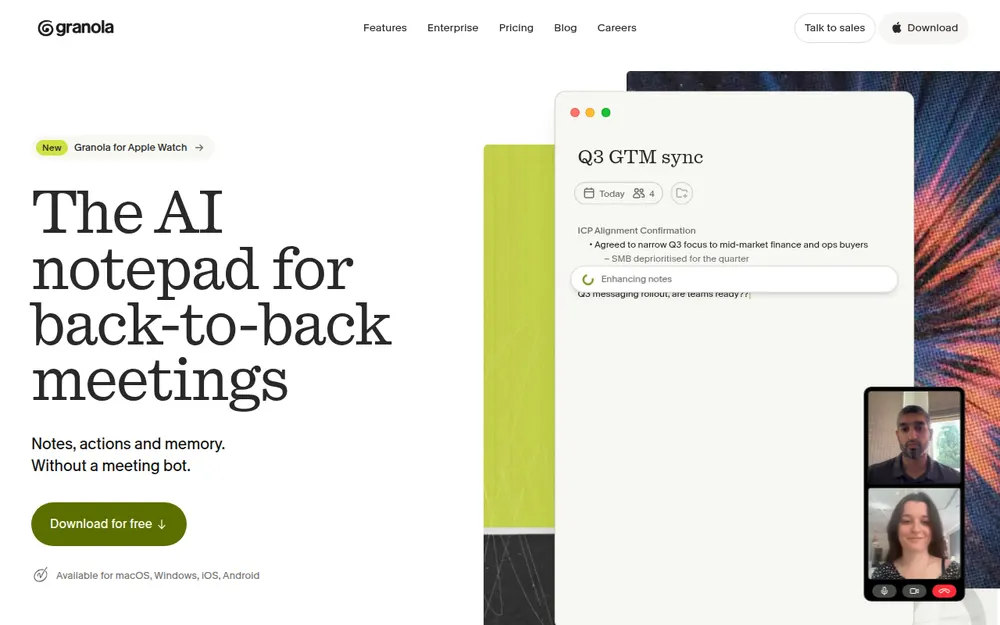
Granola is my pick for most people leaving Circleback. It captures your mic and system audio with no bot. You jot rough notes during the call, and Granola fills them in afterwards.
In my testing, it's the most polished app on this list.
Why it's my top pick
- No bot, on every device: Mac, Windows, iPhone and Android. There are no joining preferences to switch off.
- Highest-rated here: 4.96/5 on the App Store from 14,417 ratings.
- The same free window: Basic shows your last 30 days of notes, the same window as Circleback Free.
- Cheaper than Circleback Pro: Business is $14 a month, billed monthly only ($168 a year). That's $12 (6.7%) less than Pro annual, and $4 (22.2%) a month less than Pro monthly.
- Some of the integrations: Business includes "Advanced integrations with Attio, Notion, HubSpot, Affinity, and Zapier". Salesforce is Enterprise-only ($35 a month).
Circleback vs Granola in one line
Circleback is an automation engine with a bot by default and no AI training. Granola is a notepad with no bot at all, and it trains on your data unless you opt out.
The catches
- Training: "Granola trains on your anonymized data", with a one-click opt-out per user. Enterprise is off by default.
- Storage: notes sit in a "US-hosted AWS Virtual Private Cloud", kept indefinitely unless a retention policy is set.
- No bot option: it can't cover a meeting you aren't in, which Circleback's bot can.
- No recording: audio is deleted after transcription, so there's nothing to replay.
The lawsuit
Chamberlain v. Granola, filed July 30, 2026, alleges that capturing other participants without notice is wiretapping.
As of October 10, 2026, the docket showed no answer or motion to dismiss from Granola. Nothing is proven. Our Granola lawsuit explainer covers the claims.
If Granola Basic is enough
Basic is free, and that beats Voibe Work on price. If 30 days of notes covers you, take it.
Voibe Work only earns its $149 if your calls are confidential (notes on your computer, no training) or you also dictate.
Who it's for
People leaving Circleback who want the bot gone on every device and are comfortable with cloud notes.
Plans are in our Granola pricing guide, and Is Granola safe? covers the training default.
2. Voibe Work: Best for Confidential Work and Never Sending a Bot
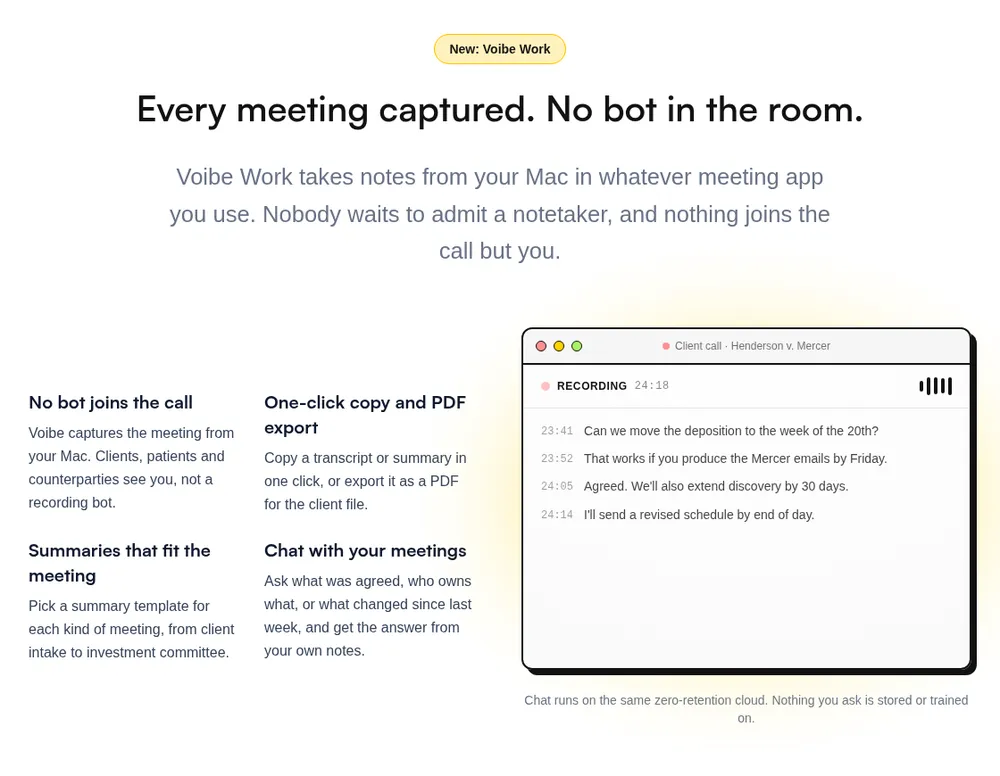
If your meetings are the kind you'd never forward, this is where the choice changes.
Voibe Work is Voibe's meeting-notes plan, and ours. It's the one I'd hand to lawyers, financial advisors, clinicians, HR teams and deal teams.
There's no joining preference to switch off, because there's no bot.
Where your meeting goes
- Capture: from your Mac or Windows PC in Zoom, Microsoft Teams, Google Meet, Webex, Slack huddles or any other meeting app. No bot joins. In-person meetings are recorded through your computer's mic.
- Processing: open-source models on zero-retention cloud providers. No OpenAI, Google, Anthropic or Microsoft model is in the audio path.
- Audio: deleted as soon as processing completes.
- Notes: the transcript and summary are saved on your computer, not on Voibe's servers.
- Training: never.
Every provider is listed on Voibe's cloud privacy page. Because processing happens in the cloud, meeting notes need an internet connection.
The reasoning behind the design is in our Voibe Work launch post.
When recording starts, Voibe reminds you to tell everyone you're taking notes. Following recording-consent rules is up to you.
Circleback vs Voibe Work, side by side
| Circleback (Pro) | Voibe Work | |
|---|---|---|
| Bot in the call | Yes by default; desktop app opt-in | No, on Mac and Windows |
| Recording | Saved by default, kept 1 year | Audio deleted as soon as processing completes |
| Transcript and summary | Circleback's US cloud, until deleted | Saved on your computer |
| Training | No | Never |
| Automations and CRM sync | Notion, HubSpot, Salesforce, Attio, Linear, webhooks | None |
| Dictation app | No | Yes, on Mac and Windows |
| Platforms | Web, Mac, Windows, iPhone, Android, Apple Watch | Mac (Intel and Apple Silicon), Windows |
| Price | $18/mo or $180/yr; Free plan available | $19/mo, $149/yr, or $399 lifetime |
What else you get
- AI summaries with templates for each kind of meeting, such as client intake or investment committee
- Chat with your meetings ("what was agreed, who owns what") on the same zero-retention cloud; nothing you ask is stored
- One-click copy and PDF export of transcripts and summaries
- BAA available on request, for the app and the API
What it costs
- Voibe Work: $19 per seat per month, $149 per year, or $399 once for lifetime access.
- Against Circleback Pro: $31 (17.2%) a year less on annual billing. $1 (5.6%) a month more on monthly billing.
- Voibe Dictation only: $9.90 a month, $99 a year, or $199 lifetime. Voibe Free is $0 for dictation with limited words on one device.
- Trial and teams: 7 days of every Voibe Work feature, no credit card, no automatic charge. A 30-day money-back guarantee. Up to 10 seats in one checkout, Enterprise above that.
Where it falls short
- No automations or CRM sync. Voibe lists no Notion, HubSpot, Salesforce or Linear integrations. If Circleback's workflows run your team, stay, or pick Fireflies or Fellow.
- Nothing joins on its own. No bot and no calendar auto-join, so it can't cover a meeting you aren't in.
- No phone or watch app. Circleback records in-person meetings on iPhone, Android and Apple Watch. Voibe Work records them through your computer's mic.
- No free meeting-notes plan (Voibe Free covers dictation only). There are no recordings to replay, and meeting notes need internet.
Who it's for
Lawyers, financial advisors, clinicians, HR and deal teams on Mac or Windows. Also anyone paying for Circleback plus a dictation app.
See our guides for lawyers and financial advisors.
7-day free trial of every Voibe Work feature. No credit card, no automatic charge, and a 30-day money-back guarantee if you buy. One seat covers Mac and Windows.
3. Fireflies: Closest on Automations and CRM, for Less
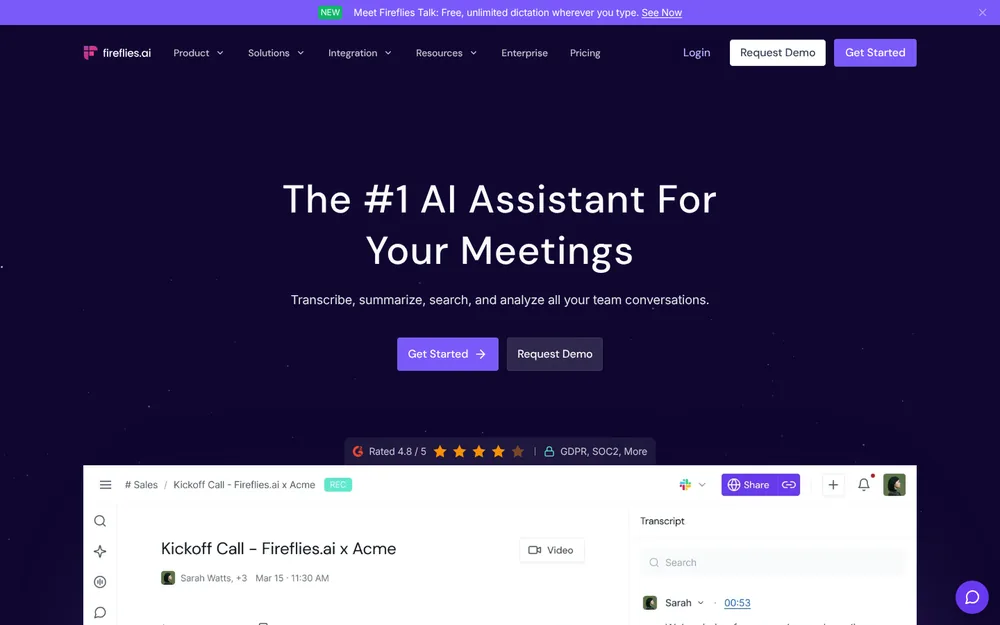
If you're leaving Circleback over price but can't give up the workflow, Fireflies is the closest match. It's a bot-first notetaker with a long integrations list.
Its pricing page says paid tiers "get access to App & CRM integrations". They can "Send your meetings data directly into your CRM, slack and other 40+ apps."
What it costs (checked October 13, 2026)
- Free: $0. 400 minutes of storage per team, 20 AI credits, limited AI summaries.
- Pro: $18 a month, or $10 billed annually ($120 a year). That's $60 (33.3%) less than Circleback Pro annual. Capped at 8,000 minutes of storage per seat and 20 AI credits.
- Business: $29, or $19 billed annually ($228 a year). That's $72 (24.0%) less than Circleback Business. Unlimited storage, conversation intelligence and team analytics.
- Enterprise: $39 a month, annual only, with HIPAA, SSO and custom retention.
Free dictation, and no training
Fireflies Talk, its dictation app, is "included with Fireflies on every plan, including Free, for Mac and Windows."
Fireflies says meeting data "is never used for AI model training."
The catches
- It's bot first. The desktop app can record without the bot. But per Fireflies' own guide, that mode "does not save audio or video files" and labels speakers Speaker 1 and Speaker 2.
- Notes live in Fireflies' cloud.
- A BIPA class action, Fricker v. Fireflies, is pending in federal court in Illinois.
Cheaper than Voibe Work. What the extra $29 buys
Fireflies Pro is $29 (24.2%) a year cheaper than Voibe Work, and it includes dictation too. So dictation isn't the argument here. This is:
- No caps. Pro stops at 8,000 minutes of storage per seat and 20 AI credits. Fireflies' uncapped Business plan is $228 a year. Voibe Work is $79 (34.6%) less, with unlimited use.
- No bot, and notes on your computer. Fireflies is bot first and keeps notes in its cloud, with the Fricker case still open. Voibe Work deletes the audio after processing and saves notes on your computer.
- A lifetime option. Voibe Work's $399 lifetime seat (currently offered) undercuts four years of Fireflies Pro ($480) by $81 (16.9%). Over three years ($360), lifetime is $39 more. Both figures assume today's list prices.
Fireflies is rated 4.82/5 on the App Store (5,253).
Who it's for
Sales and ops teams who want Circleback-style automations and CRM pushes for less, and are fine with a bot.
4. Fellow: Best for CRM Sync With No AI Training
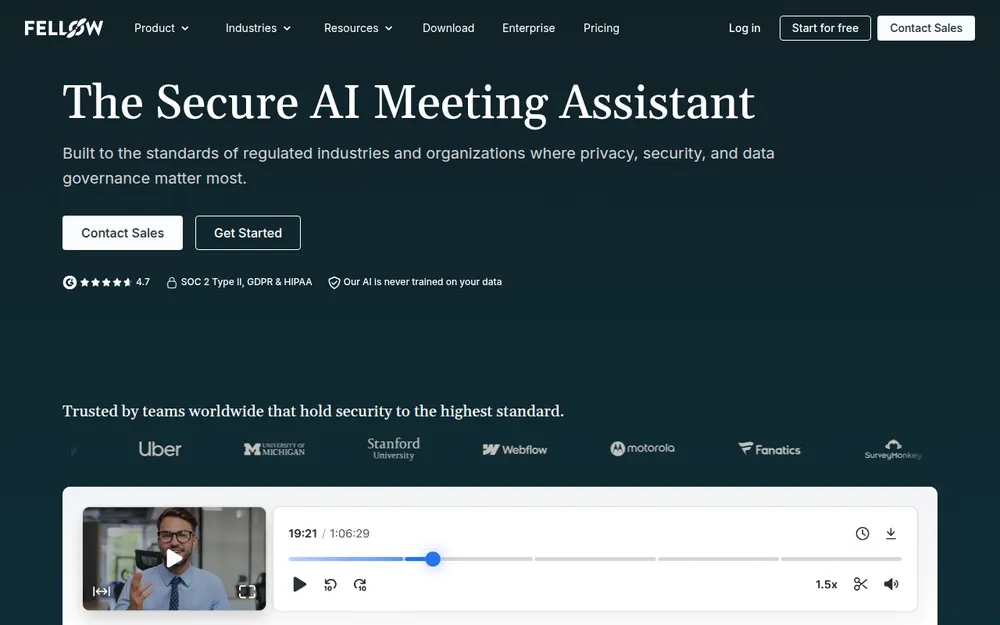
Fellow is the pick if you need Circleback's CRM sync and its no-training promise, plus a bot you can skip.
Fellow says it "never trains its AI models on customer meeting data. This applies to all plans". It also offers "bot-free recording via its desktop app for Mac and Windows."
Plans and prices
- Free: 5 AI notes per user, lifetime.
- Team: $7 a month billed annually ($84 a year) or $11 monthly. That's $96 (53.3%) less than Circleback Pro annual. 10 AI notes per user a month.
- Business: $15 billed annually ($180 a year) or $23 monthly. That's the same as Circleback Pro, and $120 (40.0%) less than Circleback Business. Unlimited AI notes and "Advanced CRM integration (Salesforce, Hubspot)".
- Enterprise: $25 billed annually, from 10 users.
The catches
- A weak iPhone app. It's the lowest-rated here: 3.17/5 on the App Store from just 24 ratings.
- Team's cap. 10 notes a month runs out fast if you live in meetings.
- Cloud notes. Notes live in Fellow's cloud.
Fellow Team is cheaper than Voibe Work. What the extra $65 buys
Fellow Team is $65 a year cheaper; Voibe Work costs 77.4% more. If 10 AI notes a month covers you, Team is the better deal.
- No note cap. Team stops at 10 AI notes per user a month. Fellow's unlimited Business plan is $180 a year. Voibe Work is $31 (17.2%) less.
- Dictation in the same plan. Fellow Team plus Wispr Flow Pro costs $228 a year. Voibe Work is $79 (34.6%) less.
- Notes off the vendor's servers. Both never train. But Fellow keeps notes in its cloud, and Voibe Work saves them on your computer.
Who it's for
Sales teams that want Salesforce or HubSpot sync and no training, at Circleback Pro's price.
5. Fathom: Best Free Plan, If the Bot Is Welcome
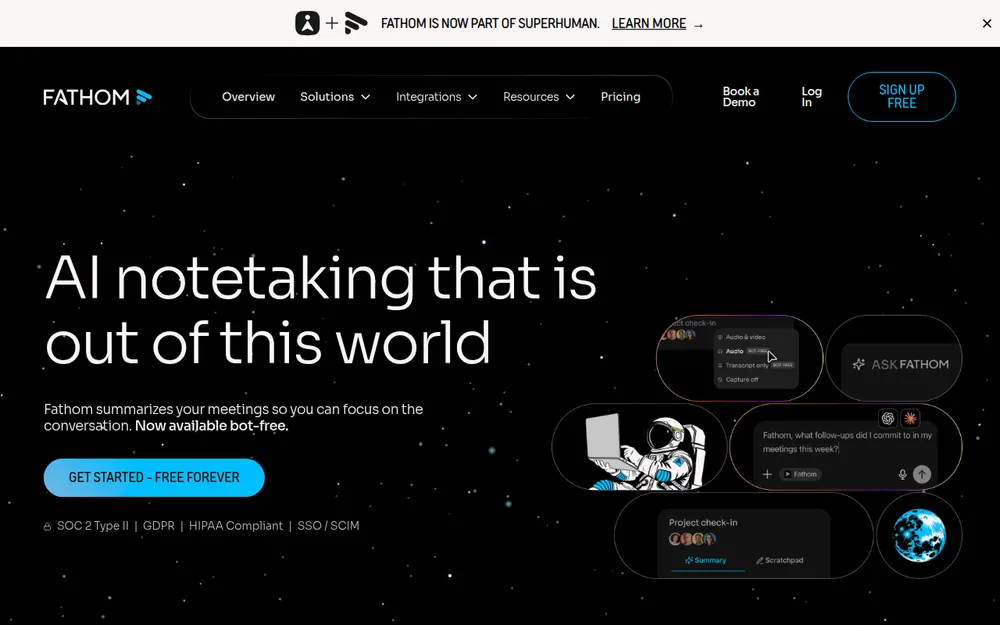
Fathom beats Circleback Free on storage. You get unlimited recordings and transcripts, with no 30-day window.
Advanced AI summaries are capped at your first 5 calls each month.
Paid plans
- Premium: $20 a month, or $16 billed annually ($192 a year). That's $12 (6.7%) more than Circleback Pro annual.
- Team: $19, or $15 billed annually, with a 2-seat minimum.
- Business: $34, or $25 billed annually ($300, the same as Circleback Business), with CRM field sync.
CRM sync to HubSpot, Salesforce and Close works on Free, Premium and Team for up to 3 users per email domain.
The catches
- The bot is the default. Bot-free capture is a Mac-only beta.
- Training is on by default. Fathom trains its in-house models on de-identified meeting data, with an opt-out in My Settings.
- A new owner. Since September 14, 2026, Fathom is part of Superhuman (formerly Grammarly).
Details are in our Fathom pricing guide and Is Fathom safe?
When Fathom Free beats Voibe Work
Fathom Free costs nothing. If basic notes with a bot are all you need, it saves you money, and I'd take it.
Voibe Work only wins if your calls are confidential or you also dictate. Fathom Free plus Wispr Flow Pro is $144 a year. Voibe Work is $5 (3.5%) more, with no bot and notes saved on your computer.
Fathom is rated 4.9/5 on the Chrome Web Store (1.7K ratings).
Who it's for
People priced out of Circleback who are fine with a bot and a training opt-out.
6. Read AI: Circleback Pro's Price, With Training Opt-In
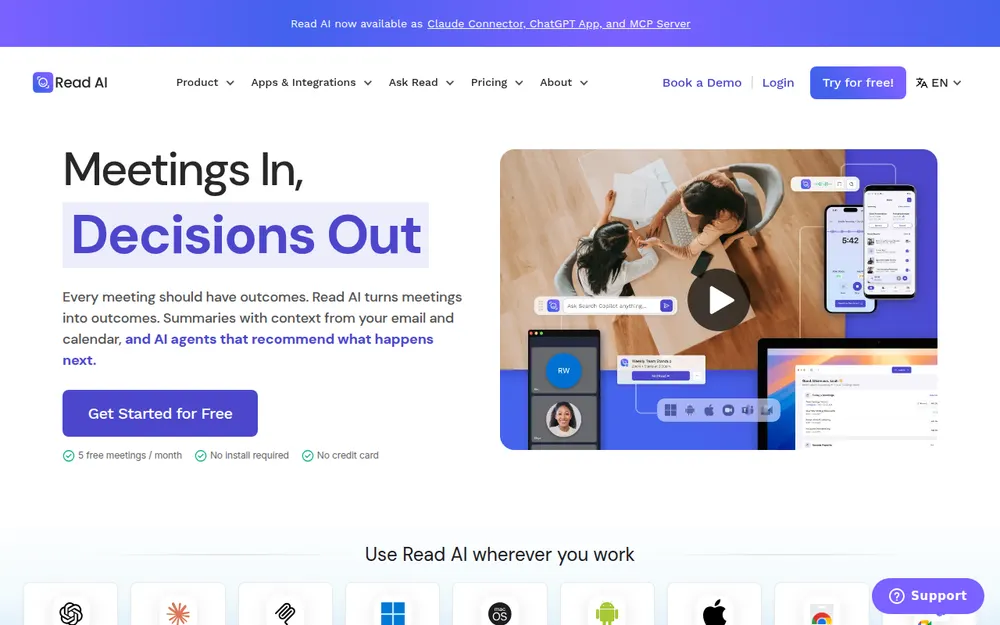
Read AI costs what Circleback Pro costs on annual billing: $15 per user per month ($180 a year). Monthly it's $19.75, $1.75 (9.7%) more than Circleback's $18.
Pro includes premium integrations such as Notion, Salesforce and HubSpot. There are apps for Windows, Mac, Android and iOS.
Training is opt-in, with one nuance
Read's privacy center says "AI training is opt-in" and off by default.
But its privacy policy (updated June 29, 2026) adds a nuance for Google user data. That data "we may use for developing, improving, or training personalized AI and/or ML models". So check what you connect.
Plans
- Free: 5 meeting transcripts a month, 1-hour meeting cap.
- Pro: $15 annual or $19.75 monthly.
- Enterprise: $22.50 annual or $29.75 monthly.
- Enterprise+ (5+ licenses, HIPAA): $29.75 or $39.75.
The catch
It's a bot product. Read "announces itself at the start of every meeting and requires host approval before joining".
Morgan State, Eastern Washington University and Case Western Reserve have all blocked it. Its free plan is the smallest here.
Read AI is rated 4.88/5 on the App Store (981).
Who it's for
Teams that want a bot, Android support and Circleback Pro's price.
7. Otter: Cheapest Big-Name Annual Plan
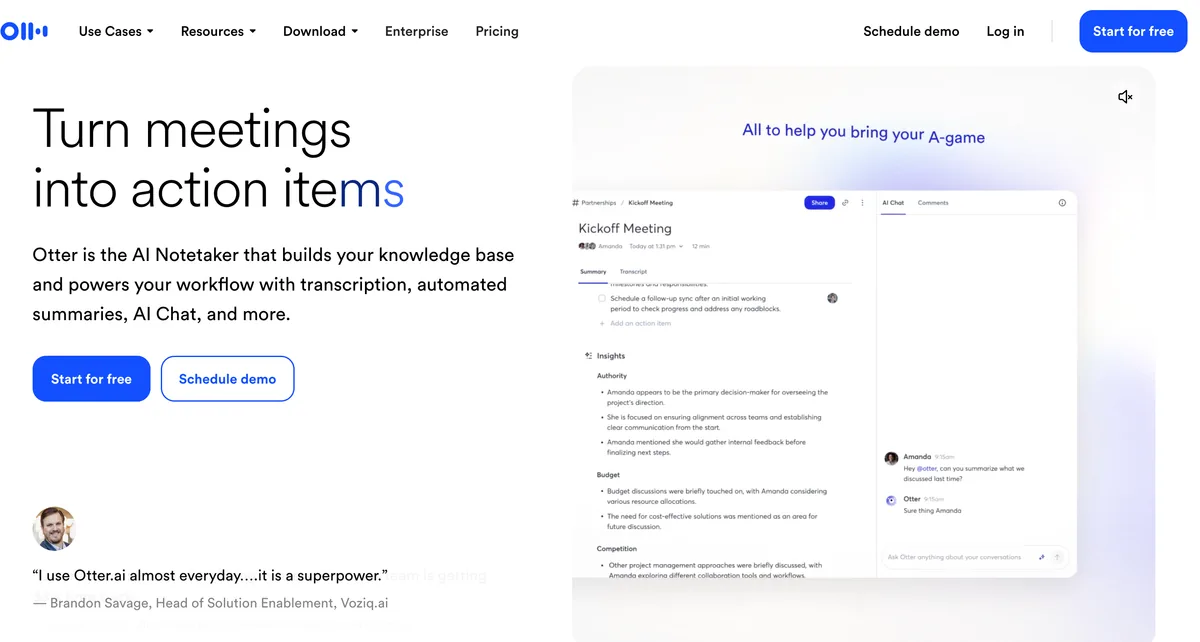
Otter undercuts Circleback by the most among the big brands. Its Mac and Windows desktop app does "botless recording for meetings", and the bot is there when you want it.
Plans
- Basic: free. 300 minutes a month, 30 minutes per conversation.
- Pro: $16.99 a month, or $8.33 billed annually ($99.96 a year). That's $80.04 (44.5%) less than Circleback Pro annual. Salesforce and HubSpot are "subject to user limits".
- Business: $30, or $19.99 billed annually ($239.88). That's $60.12 (20.0%) less than Circleback Business.
The catch is privacy
Otter's privacy policy says it trains "our proprietary AI technology on de-identified audio recordings and on transcriptions". I found no opt-out.
In re Otter.AI Privacy Litigation is moving ahead. An August 13, 2026 ruling let the wiretap and biometric claims proceed. See Is Otter safe? and Otter pricing.
Cheaper than Voibe Work. What the extra $49 buys
Voibe Work costs $49.04 (49.1%) more than Otter Pro. If your calls aren't confidential and 1,200 minutes a month is enough, Otter Pro is the better buy.
- No minute caps. Pro stops at 1,200 minutes a month and 90 minutes per conversation. Otter Business is $239.88 a year. Voibe Work is $90.88 (37.9%) less.
- Dictation included. Otter Pro plus Wispr Flow Pro costs $243.96 a year. Voibe Work is $94.96 (38.9%) less.
- No training. Otter trains on de-identified recordings and transcripts. Voibe Work never trains, and it saves notes on your computer.
- Lifetime, for the long run. $399 once (currently offered) undercuts five years of Otter Pro ($499.80) by $100.80 (20.2%), at today's list prices.
Otter is rated 4.79/5 on the App Store (84,521).
Who it's for
Budget teams whose calls aren't confidential.
8. Jamie: Best Circleback Alternative for European Teams
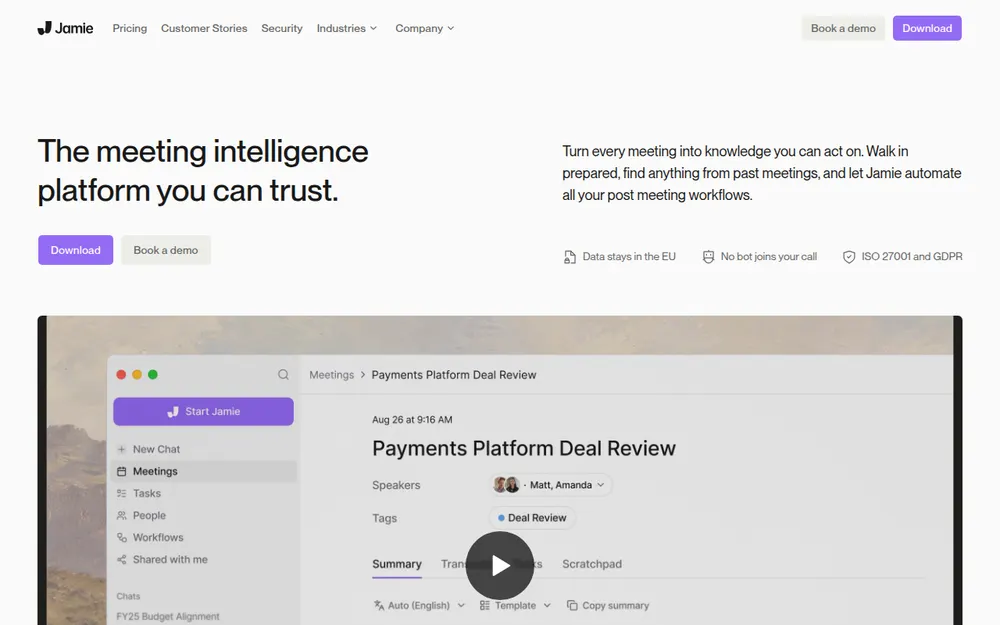
Circleback hosts everything in the United States. Jamie keeps it in Europe.
Its security page says it's "Hosted in Europe" and "Meeting audio is deleted after transcription". It adds: "Your meeting data is never used to train AI models, not by Jamie and not by any of our model providers."
It records with no bot on Mac and Windows and has an iPhone app. It lists ISO 27001 (SOC 2 Type II pending).
Plans
- Free: 10 AI notes a month, 30-minute meeting cap.
- Plus: $24 a month billed annually ($288 a year), 20 notes a month. That's $108 (60.0%) more than Circleback Pro annual.
- Pro: $46 a month billed annually, unlimited notes.
The catches
- It's the priciest paid plan here.
- Notes still live in Jamie's cloud.
- There's no Android app.
Jamie is rated 4.89/5 on the App Store (247).
Who it's for
European teams who need EU data residency.
9. Quill Meetings: Notes on Your Computer at the Lowest Paid Price
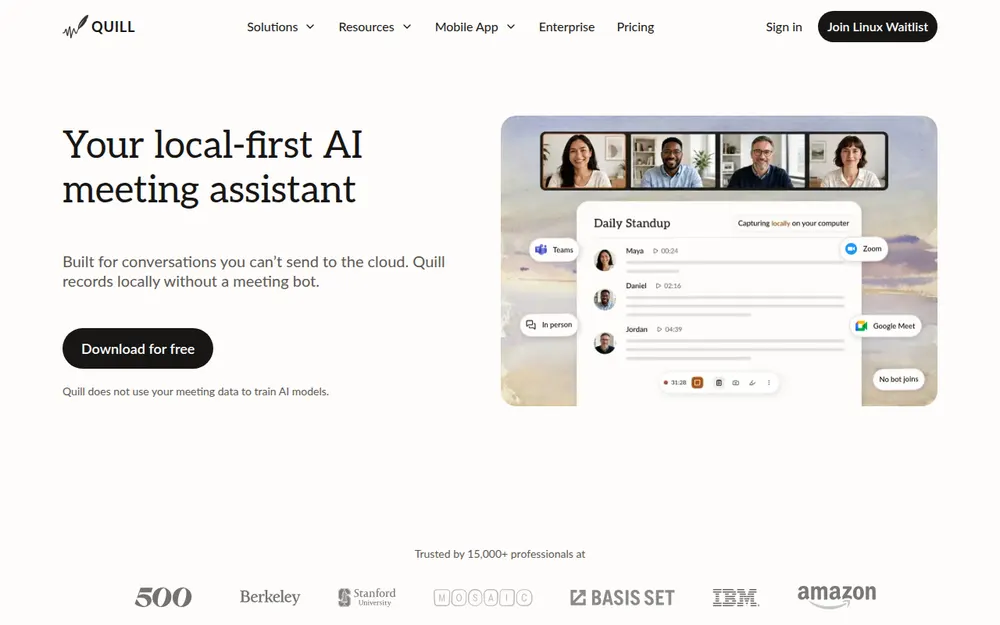
Quill Meetings is the other app here that keeps notes on your computer. It goes one step further than Voibe Work: transcription runs on your machine.
Quill's docs say "Audio never leaves your device." Our Quill Meetings alternatives guide covers it in depth.
Plans
- Free: unlimited local recordings and transcripts.
- Lite: $7.99 a month, or $6.99 billed annually ($83.88 a year). That's $96.12 (53.4%) less than Circleback Pro annual. 16 hours of AI meetings a month.
- Unlimited: $19.99, or $16.99 billed annually ($203.88). That's $23.88 (13.3%) more than Circleback Pro.
- Teams: $12 a seat billed annually, 5-seat minimum.
The catches
- AI notes use the cloud. They send your transcript text to a cloud AI model by default. Quill doesn't name the provider; you can bring your own.
- Apple Silicon only on Mac. Intel Macs are out.
- Phone apps need a paid plan. They record in-person meetings and sync to the desktop app, but Quill's FAQ says they need a paid plan.
- Few ratings. Its 4.56/5 App Store rating comes from just 9 ratings.
Cheaper than Voibe Work. What the extra $65 buys
Quill Lite is $65.12 a year cheaper than Voibe Work. And on privacy, Quill is the stronger app: its audio never leaves your device. If Quill Free covers you, it costs nothing.
So Voibe Work's case here is the dictation app and Intel Mac support, not privacy:
- No 16-hour cap. Lite stops at 16 hours of AI meetings a month. Quill Unlimited is $203.88 a year. Voibe Work is $54.88 (26.9%) less.
- Dictation in the same plan. Quill Lite plus Wispr Flow Pro costs $227.88 a year. Voibe Work is $78.88 (34.6%) less.
- Intel Macs too. One Voibe seat covers any Mac, Intel or Apple Silicon, plus Windows.
- Lower risk to try. A 7-day trial with no card and no automatic charge, plus a 30-day money-back guarantee. I found no refund policy for Quill.
Who it's for
Apple Silicon Mac and Windows users who want transcripts that never leave the machine, for free or close to it.
Other Circleback Alternatives We Looked At
Five more tools came close. Here's the short version of each.
tl;dv
tl;dv records without a bot from its desktop app (audio only). It promises to "never, ever use them to train AI. Ever."
Its pricing page showed euro prices only, so I couldn't confirm a US price. It's rated 4.6/5 on the Chrome Web Store (597).
Krisp
Krisp pairs noise cancellation with a bot-free note taker. Core is $16 a month, or $8 billed annually ($96 a year). There's no free plan, only a 7-day trial.
Krisp says meeting data is never used to train its models. Core is $53 (55.2%) a year cheaper than Voibe Work. What the extra buys:
- Dictation included: Krisp Core plus Wispr Flow Pro is $240 a year. Voibe Work is $91 (37.9%) less.
- Lifetime: $399 once (currently offered) undercuts five years of Core ($480) by $81 (16.9%), at today's prices.
- Where notes go: Krisp lists on-device transcription under Enterprise and primarily stores data in the United States. Voibe Work saves notes on your computer.
Bluedot
Bot-free by default, with an optional bot. Basic is $14 a month billed annually ($168 a year), audio only with a 1-hour cap. CRM sync starts on Business. See our Bluedot alternatives.
Wispr Flow Notetaker
Bot-free notes inside the Wispr Flow dictation app, on Mac and Windows. Notes are stored in Wispr's US cloud, and training is on by default on Free and Pro.
Wispr Flow Pro alone is $144 a year, $5 less than Voibe Work. But unlimited Notetaker use costs $26 a month billed annually ($312 a year).
- Against unlimited: Voibe Work is $163 (52.2%) a year less.
- Against Pro over three years: lifetime ($399) is $33 (7.6%) less than $432, at today's prices.
- On training: Voibe Work never trains, and notes stay on your computer.
Our Wispr Flow Notetaker vs Voibe Work comparison goes line by line.
Laxis
Laxis Premium is $119.88 a year, $29.12 (24.3%) less than Voibe Work. It caps you at 2,000 minutes a month, shared with dictation, and 2 hours per recording.
Its unlimited Business plan is $239.88 a year. Voibe Work is $90.88 (37.9%) less. I found no refund policy on Laxis's site.
It's covered in our Laxis alternatives guide.
More options
The no-bot options are compared in more depth in our list of the best no-bot meeting note takers. Every roundup is on our alternatives hub.
No Bot Doesn't Mean No Consent
Circleback's bot at least announces itself. Its chat message says "whether audio and video recordings are being stored and whether participants will receive the notes via email."
I found no consent reminder for its desktop app in Circleback's docs. Its DPA makes the customer responsible for "any necessary consents or notices".
A no-bot note taker is invisible by design, so telling people becomes your job.
Where everyone has to agree
About a dozen US states generally require everyone in a private conversation to agree to a recording. They include California, Florida, Illinois, Maryland, Massachusetts, Pennsylvania and Washington.
Justia keeps a 50-state survey.
A five-second script
Voibe reminds you to tell everyone you're taking notes when recording starts; following recording-consent rules is up to you. A five-second line at the start works:
"I'm using an AI note taker so I can focus. It doesn't join as a bot. Is everyone okay with that?"
If anyone says no, turn it off. This is general information, not legal advice.
For professional-ethics rules, see our guide for lawyers choosing a meeting note taker.
Warning
No app can get consent for you. Tell everyone on the call, every time, and check the rules where each participant is located.
Switching From Circleback: What to Do Before You Cancel
Seven steps, in order. The first four protect your data.
Before you cancel
- Turn off joining preferences first. With them on, Circleback tries the bot before the desktop app. So it keeps showing up in calls while you test alternatives.
- Export what you want to keep. Settings → Account → Export covers "notes, action items, insights, transcripts, and recording download links". The API and MCP can pull meetings in bulk. Free shows only 30 days, so export first.
- Download the recordings. The export gives you links, not the files, and recording storage is tied to your plan.
- Delete what you don't need. Deleted meetings sit in "Recently deleted for 30 days, then permanently deleted". Deleting the account is "immediate and irreversible".
When you cancel
- Cancel the right way. Cancelling means downgrading to Free in Settings → Billing. Circleback's terms say payments are "non-cancelable and, except as expressly stated in this Agreement, non-refundable". So don't count on getting an annual plan's money back.
After you switch
- Run both for a week. Try the alternative on real calls first. Voibe Work's 7-day trial needs no credit card and doesn't charge automatically.
- Tell people in your next calls. Without a bot in the chat, the other participants won't know unless you say so.
What the free plans keep
Circleback's Free plan stores recordings for 30 days, against a year on Pro and two on Business. It isn't alone:
- Granola's free Basic plan shows only the last 30 days of notes.
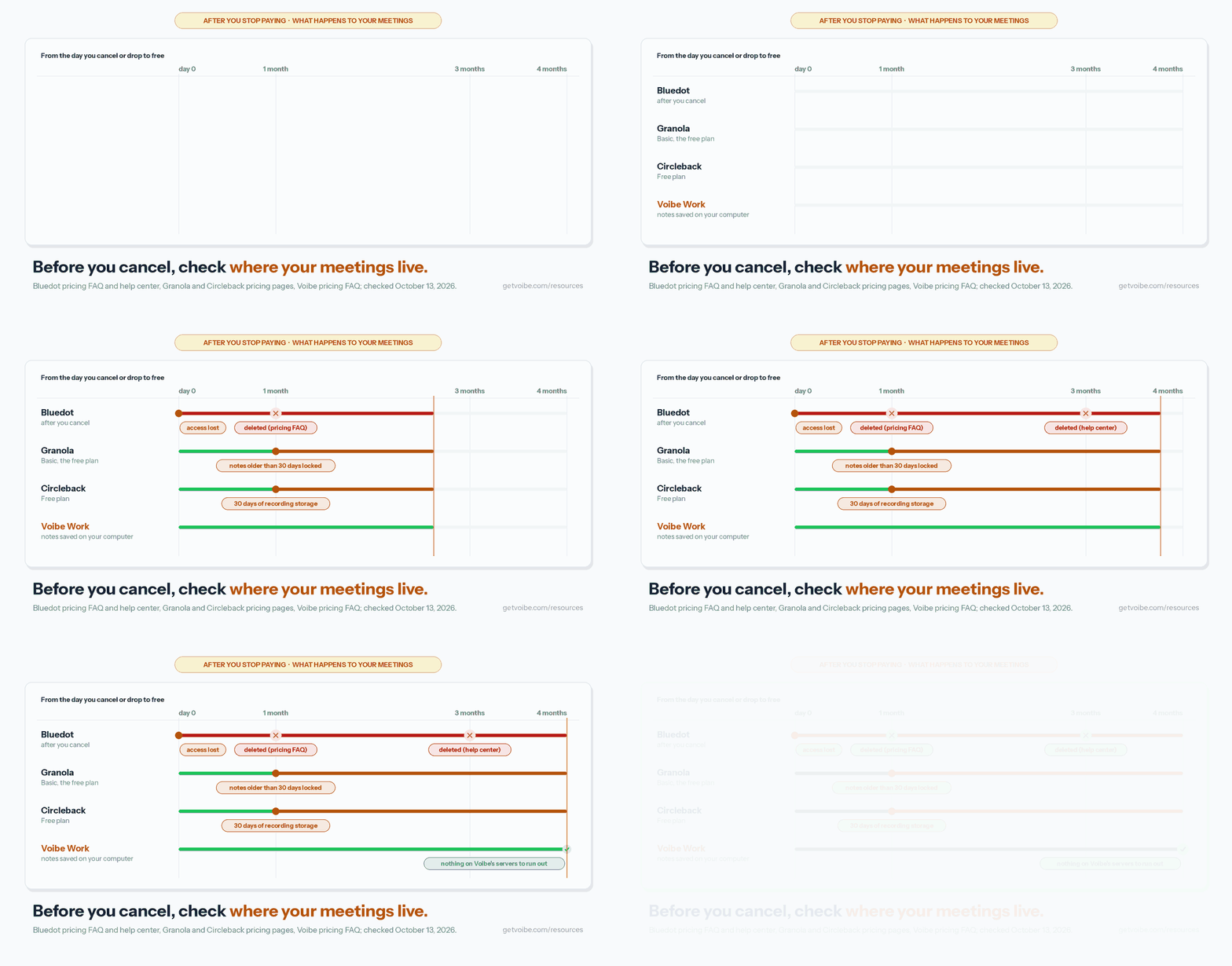
- Bluedot deletes recordings after you cancel: one month per its pricing FAQ, three per its help center (see our Bluedot alternatives).
- Voibe Work saves transcripts and summaries on your computer, not on Voibe's servers. So there's nothing on a server to expire.
How to Choose the Right Circleback Alternative
Four questions, in order. Stop at your first yes.
1. Do CRM, Notion or Linear automations run your workflow?
- Yes, and Circleback works for you → stay. None of the no-bot notepads here replaces its automations, and Circleback doesn't train on your data.
- Yes, but you want it cheaper → Fireflies (Pro $120 a year, Business $228, with free dictation).
- Yes, and you also want no AI training on any plan → Fellow (Business $180 a year, Salesforce and HubSpot).
- No → question 2.
2. Are your calls confidential, or do you also dictate all day?
- Confidential client, patient, HR or deal calls → Voibe Work. No bot, audio deleted after processing, notes saved on your computer, never trained on.
- You also dictate emails, messages or documents → Voibe Work. One $149-a-year plan replaces Circleback plus a dictation app.
- No → question 3.
3. Do you need it free?
- Yes, with no bot → Granola Basic (last 30 days visible).
- Yes, and transcripts must stay on your computer → Quill Meetings.
- Yes, and the bot is fine → Circleback Free (30 days) or Fathom Free (unlimited recordings).
- No → question 4.
4. Must your data stay in the EU?
- Yes → Jamie.
- No → Granola, the best overall no-bot app, on Mac, Windows, iPhone and Android. Add Otter if the lowest annual price wins.
Best Circleback Alternative for Your Situation
Already know your situation? Find your row.
Privacy, platform and where your data lives
| Situation | Best choice | Why |
|---|---|---|
| Best all-round no-bot notes, on every device | Granola | Mac, Windows, iPhone and Android; 4.96/5 on the App Store; $168 a year |
| Confidential client calls | Voibe Work | No bot, audio deleted, notes saved on your computer, never trains |
| Lawyers, financial advisors, clinicians and HR | Voibe Work | Notes stay off vendor servers; BAA available on request |
| Your data must stay in the EU | Jamie | Hosted in Europe; never trains |
Budget, bots and team needs
| Situation | Best choice | Why |
|---|---|---|
| You live in Circleback's automations | Stay on Circleback | Notion, HubSpot, Salesforce, Attio and Linear rules; no training |
| Automations and CRM pushes, cheaper | Fireflies | Pro $120 a year, $60 (33.3%) less than Circleback Pro; free dictation |
| Sales team that needs CRM sync and no training | Fellow | Salesforce and HubSpot on Business, $180 a year; never trains |
| You pay for Circleback and a dictation app | Voibe Work | $149 a year for both jobs vs $324 for Circleback Pro + Wispr Flow Pro |
| Free, and the bot is fine | Fathom Free | Unlimited recordings; advanced summaries for 5 calls a month |
| Lowest annual price from a big name | Otter | Pro $99.96 a year, bot-free desktop app |
Frequently Asked Questions About Circleback Alternatives
Choosing an alternative
What is the best Circleback alternative?
Granola, for most people. It records with no bot on Mac, Windows, iPhone and Android, and it's the highest-rated app I tested (4.96/5 on the App Store). Business costs $168 a year, $12 less than Circleback Pro billed annually.
Notes stay in Granola's US cloud, and it trains on anonymised data by default. For confidential calls, Voibe Work is the better pick. It has no bot, saves notes on your computer, never trains, and includes dictation for $149 a year.
Circleback vs Granola: which is better?
It depends on what you're fixing. Circleback is an automation engine with a bot by default, CRM and Linear rules, and no AI training.
Granola is a no-bot notepad on Mac, Windows, iPhone and Android that trains on anonymised data unless you opt out. Granola Business costs $168 a year, billed monthly only, against $180 for Circleback Pro billed annually. Both keep notes in a US cloud.
Automations and the bot
What is the closest alternative to Circleback if I need the automations?
Fireflies. Pro is $120 a year ($60, 33.3% less than Circleback Pro annual), with CRM integrations on paid plans and free dictation.
Fellow is the pick if you also want no AI training on any plan. Its Business plan ($180 a year) syncs Salesforce and HubSpot. If Circleback's automations run your team, staying is reasonable.
Can I use Circleback without the bot?
Yes. Circleback's desktop app records on Mac and Windows without a bot, on every plan including Free.
But if calendar joining preferences are on, Circleback first tries to join as a bot. It falls back to the desktop app only if the bot can't join. To never send a bot, turn joining preferences off. When the bot does join, its chat message cannot be disabled.
Privacy, storage and compliance
Does Circleback use my meetings to train AI?
No. Circleback's trust center says "We do not use customer data to train models", and its agreements with sub-processors prohibit it.
Its subprocessor list is request-only. A Claude customer story says Circleback uses Claude Haiku 3.5 and Sonnet 4.
Where does Circleback store my meetings, and for how long?
In the United States. Circleback says data is stored indefinitely until the customer deletes it or a retention setting expires it. Custom retention starts on Business.
Recording storage depends on the plan: 30 days on Free, 1 year on Pro, 2 years on Business and unlimited on Enterprise. Voibe Work saves the transcript and summary on your computer and deletes the audio once processing completes.
Does Circleback offer a BAA for HIPAA?
Only on Enterprise ($35 per user per month, billed annually). Circleback says the BAA is self-serve there, and custom BAAs are not offered.
It also says a BAA alone doesn't make an organization HIPAA compliant. For Voibe, a BAA is available on request for both the app and the API.
Pricing
How much does Circleback cost in 2026?
Since August 31, 2026, Circleback has a Free plan with a 30-day history. Pro is $18 per user per month, or $15 billed annually ($180 a year). Business is $29, or $25 billed annually ($300 a year).
Enterprise is $35 per user per month, billed annually only, with volume discounts down to $15 for 5,001+ users. Before the change, there was no free tier and plans started at $20.83 a month.
Is Voibe Work cheaper than Circleback?
On annual billing, yes. Voibe Work ($149 a year) is $31 (17.2%) less than Circleback Pro ($180) and $151 (50.3%) less than Business ($300).
On monthly billing, Voibe Work's $19 is $1 (5.6%) more than Pro's $18 and $10 less than Business. Circleback Free costs $0. Voibe Work also includes a dictation app, but it has no CRM automations.
Free plans and switching
Is there a free Circleback alternative?
Yes. Granola Basic shows your last 30 days of notes with no bot. Quill Meetings offers free unlimited local transcription. Fathom Free has unlimited recordings with a bot, and Otter Basic gives 300 minutes a month.
Voibe Work has no free meeting-notes plan, only a 7-day trial with no credit card. After it, Voibe Free keeps dictation at $0 with limited words on one device.
Can I export my Circleback meetings?
Yes. Circleback's Settings → Account → Export includes notes, action items, insights, transcripts and recording download links. Its API and MCP server can pull meetings in bulk.
Download recordings before you downgrade. Recording storage is tied to your plan, and Free shows only 30 days of history.
Final Verdict: The Best Circleback Alternative
- Best overall: Granola ($168 a year). The most polished no-bot app, on Mac, Windows, iPhone and Android. Pick it if you're comfortable with cloud notes and training by default.
- Best for confidential work: Voibe Work ($149 a year or $399 lifetime). No bot, audio deleted, notes saved on your computer, never trained on. BAA available on request, and a dictation app included.
- Keep the automations: Fireflies ($120 a year, free dictation) or Fellow ($180, no training), or stay on Circleback.
- Best free: Granola Basic with no bot, Quill for local transcription, or Fathom Free if the bot is welcome.
Circleback is very good at turning a call into tasks. What it won't do is keep your meetings off its servers.
Notes stay in its US cloud until someone deletes them, and it saves participants' voices to recognise them later.
If your calls are confidential, Voibe Work fixes that, and the second subscription too. Voibe reminds you to tell everyone you're taking notes when recording starts; following recording-consent rules is up to you.
Try Voibe Work free for 7 days → Every feature, no credit card, no automatic charge.
Related reading
Key Takeaway
Granola is the best Circleback alternative for most people: no bot on every device for $168 a year. For confidential work, Voibe Work wins: notes saved on your computer, never trained on, and dictation included for $149 a year, $175 less than Circleback Pro plus Wispr Flow Pro.
Meeting notes without a bot in your call
Voibe Work takes notes from Zoom, Teams and Meet on your Mac, with dictation included. Nothing used to train AI.
- Mac + Windows
- No bot in your calls
- Nothing used to train AI
- 7-day free trial
Want to compare plans first? View pricing →