
Wispr Flow MCP Is Real. It Reads Your Meetings, Not Your Voice
Yes, Wispr Flow has an official MCP server. How to connect it to Claude, ChatGPT, Codex or Cursor, what it can read, and which MCP to add when it can't.

You want Wispr Flow inside Claude. Fair. But “inside Claude” can mean three different jobs:
- Ask Claude about a meeting Wispr recorded.
- Ask Claude about something you dictated last week.
- Hand an agent an audio file and get a transcript back.
Wispr Flow’s official MCP server does the first job well. It can’t do the other two.
So yes, Wispr Flow has an MCP server. It’s official, remote, and free to connect at https://api.wisprflow.ai/connect/mcp. It reads your Notetaker meetings, calendar, tasks and Scratchpad notes. It doesn’t read your dictation history, and none of its 16 tools accepts audio.
Below: how to connect it to Claude, ChatGPT, Codex, Gemini, Cursor and Claude Code, what it can actually see, what you’re granting when you click Approve, and which MCP to add when the job is transcription. (That last one is Voibe’s MCP, the one we build.)
Key Takeaway
TL;DR: Wispr Flow’s official MCP server lives at https://api.wisprflow.ai/connect/mcp. Connect it from Wispr Flow › Settings › MCP (one-click for Claude, ChatGPT/Codex, Gemini and Cursor) or paste the URL into any remote-MCP client, then sign in with your Wispr account. No API key. It reads Notetaker meetings, transcripts, summaries, tasks, calendar events and Scratchpad notes. It cannot read dictation history, cannot transcribe audio files, and is switched off on accounts with a HIPAA BAA. For an agent that needs to transcribe recordings, connect a transcription MCP such as Voibe’s ($10 for 2,000 minutes, 15 free minutes).
Wispr Flow MCP at a Glance
Everything below comes from Wispr’s two MCP help articles, its pricing page and the Wispr Flow listing in Anthropic’s connector directory, all checked on October 14, 2026.
| Question | Answer |
|---|---|
| Does Wispr Flow have an MCP server? | Yes. Official, remote, built by Wispr. Anthropic’s directory lists it as added in June 2026. |
| Server URL | https://api.wisprflow.ai/connect/mcp (no trailing slash) |
| One-click setup | Claude, ChatGPT (Codex shares the ChatGPT card), Gemini, Cursor |
| Any other client | Add the URL as a remote MCP server, then sign in |
| Authentication | Browser sign-in with your Wispr account. No API key, client ID or token |
| What it reads | Notetaker meetings, transcripts, summaries, attendees, tasks, calendar events, Scratchpad notes, notes shared with you |
| What it can’t read | Dictation history, Notetaker chat history |
| Can it transcribe audio? | No. None of its 16 tools takes an audio file |
| Price | Listed on the Free plan (“Use your meeting notes in Claude and ChatGPT”). Free Notetaker has a weekly meeting limit; Pro is $15/month or $12/month billed annually |
| Platforms | Wispr Flow on Mac and Windows |
| Requirements | Notetaker and MCP access on your account; Cloud Sync on for meeting results; a paid plan on your AI tool for custom connectors |
| Blocked on | Accounts with an active HIPAA BAA, personal or organization |
What the Wispr Flow MCP Server Actually Connects To
The Wispr Flow MCP server is a Notetaker feature, not a dictation feature. Wispr’s own help article sums it up as “Use an MCP-compatible AI app to search your Notetaker meetings.”
That matters because most people know Wispr Flow as a dictation app. Wispr Flow added a bot-free meeting recorder, Notetaker, in 2026 (Mac in August, Windows on September 15). The MCP server exposes what Notetaker stores:
- Meeting summaries, notes, transcripts, attendees and tasks
- Calendar events, linked recordings, upcoming meetings and their pre-reads
- Scratchpad notes
- Notes other people shared with you by link
- Your account identity
What it leaves out is the thing Wispr Flow is famous for. In Wispr’s words, clients cannot “read dictation history or Notetaker chat history.” Your months of dictated emails and prompts stay out of reach.
It also can’t hear anything new. Every tool reads something Wispr already stored. Hand Claude an .m4a and ask it to use Wispr Flow, and there’s nothing to call.
How to Set Up the Wispr Flow MCP in Claude
Setup takes about two minutes if you sign in to Wispr with Google, Apple, Microsoft or SSO.
- Open Wispr Flow › Settings › MCP. No MCP page? Notetaker is off for your account, or your organization blocked MCP.
- Click Add to Claude. A setup page opens in your browser.
- Sign in with the Wispr account that holds your notes. Personal and work accounts return different meetings. With Google, Apple, Microsoft or SSO, finish within 5 minutes.
- Approve access. Then go back to Flow so the card refreshes.
- Turn it on in a chat. In Claude, click + › Connectors and toggle Wispr Flow on. It’s per conversation.
- Test it. Ask about a meeting you recorded this week. If the answer matches the meeting, you’re connected.
Adding it by hand in Claude
Skip the button if you prefer: in Claude, go to Settings › Connectors › + › Add custom connector, paste https://api.wisprflow.ai/connect/mcp, click Add, then Connect.
Don’t add a trailing slash. Wispr says it “prevents sign-in from starting.”
Three things that trip people up
- Email-and-password Wispr accounts. One Wispr article says they can’t complete connector authorization; another says the login page must return you to the approval screen. Use Google, Apple, Microsoft or SSO and skip the problem.
- Claude Team or Enterprise. An Owner may need to add the connector for the organization first.
- A free Claude plan. Wispr notes that custom connectors need a paid plan on your AI tool.
How to Connect Wispr Flow MCP to ChatGPT, Codex, Gemini, Cursor and Claude Code
Same server, same sign-in. Only the door changes.
ChatGPT and Codex
In Wispr Flow › Settings › MCP, click Add to ChatGPT. It opens a plugin link and asks you to sign in. Codex doesn’t get its own button: Wispr says OpenAI clients, Codex included, share the ChatGPT card.
Gemini
Click Add to Gemini. It opens Gemini apps, where you approve the connection.
Cursor
Click Add to Cursor. It opens the Wispr Flow listing in Cursor’s marketplace.
Claude Code
Wispr’s docs don’t cover Claude Code. It doesn’t need special treatment, because Claude Code handles remote servers with browser sign-in. Add it:
claude mcp add --transport http wispr-flow https://api.wisprflow.ai/connect/mcpThen run /mcp inside Claude Code and follow the browser login, as Claude Code’s MCP docs describe. One catch: claude -p and Agent SDK runs can’t finish the sign-in, so do it once in an interactive session first.
VS Code, Windsurf and everything else
In Settings › MCP, copy the URL under All other apps and add it as a remote MCP server wherever your client keeps them. Each client is authorized separately, and Flow doesn’t have to stay open for them to read your data.
The 16 Tools in Wispr Flow’s MCP Server
Wispr’s help articles don’t name the tools. Anthropic’s connector directory does, and lists 16:
| Area | Tools | What an agent can do |
|---|---|---|
| Meetings | search_meetings, get_meeting, get_meeting_by_calendar_id, list_meeting_series | Find a meeting, open its notes or transcript, follow a recurring series |
| Calendar | search_calendar_events, get_calendar_event, resolve_calendar_link, get_upcoming_meeting, list_upcoming_meetings | Look up events, turn an invite link into an event, prep for what’s next |
| Tasks | search_tasks, get_task, add_task, update_task | Read action items; the directory also lists creating and updating tasks |
| Scratchpad | search_scratchpad_notes, get_scratchpad_note | Search and read Scratchpad notes |
| Account | get_account_info | Confirm which Wispr account is connected |
One discrepancy worth knowing. Wispr’s help article calls the server read-only: clients cannot “create, edit, share, or delete content.” The directory listing names add_task and update_task and says Claude can “create, update, and search tasks.” Read it as: notes and meetings are read-only, and tasks may be the exception. Check what your client shows before you rely on either.
Notice what isn’t on the list. No dictation tool, and nothing that accepts audio.
How to Use Wispr Flow MCP: Prompts That Actually Work
Once it’s connected, you just ask. These are the shapes that land:
- “What did we decide in Tuesday’s pricing call, and who owns each follow-up?”
- “Pull the full transcript of my 1:1 with Priya from last Thursday.”
- “What’s my next meeting, and is there a pre-read?”
- “Summarize every meeting in the weekly design review series this month.”
- “List my open tasks from client calls this week.”
Five habits from Wispr’s troubleshooting notes
- Name the meeting or the date. Search matches titles, summaries and notes, not transcripts.
- Ask for the transcript explicitly. You get an excerpt by default. Long notes and transcripts arrive in portions, so ask the AI to continue.
- Expect five attendees per result. Results show a short excerpt and up to five attendees.
- Ask for the recording, not the event, when the meeting is in the past.
- Wait a minute after “Too many requests.” Then retry.
Search Wispr and your old notetaker in one chat
Switching from Granola, Otter or Fireflies? Wispr’s own advice is to keep both connectors on. Add the old notetaker as a second connector, toggle both on, and name both in the prompt. Wispr’s example: “Search both my Wispr Flow and Granola notes for the pricing discussion with Acme.”
Each of those notetakers has its own MCP rules. We cover them in the alternatives below.
What Wispr Flow’s MCP Can’t Do
Seven limits, all from Wispr’s own documentation or the tool list:
- It can’t read your dictation history. Stated outright in both MCP help articles.
- It can’t read Notetaker chat history (your Ask Wispr conversations).
- It can’t transcribe anything. No tool accepts an audio file. It reads what Notetaker already captured.
- It can’t edit, share or delete notes, or change sharing settings. Tasks may be the exception (see the tool table).
- It doesn’t work on HIPAA accounts. “An active personal or organization BAA blocks every MCP feature and removes Wispr tools from the client.”
- It can’t see meetings recorded with Cloud Sync off. Those were never uploaded, and stay missing even after you turn Cloud Sync back on.
- It can’t bring back deleted transcripts. Once a retention period deletes a transcript, MCP returns nothing for it. Summaries, My Notes and tasks survive.
One more for Microsoft Teams users: meetings that Teams transcribed on its own aren’t available. Only meetings Wispr Notetaker recorded are.
Info
If your goal is “let my agent hear a recording,” Wispr’s MCP is the wrong tool, not a broken one. Pair it with a transcription MCP. The cheat sheet below maps each job to a server.
Before You Click Approve: What the Wispr Flow MCP Can See
Approving the Wispr Flow MCP gives the AI app read access to every meeting on your account, including past ones. Wispr is direct about it: “There is no per-meeting or time-range control and no per-session approval prompt.”
Four things follow from that.
Your notes have to live in Wispr’s cloud first
Meeting results need Cloud Sync (Settings calls it “Dictation cloud storage”). Notetaker stores transcripts and summaries in Wispr’s US cloud, and transcript retention defaults to “Never delete” (as of our September 28 review of Wispr Notetaker). Completed audio is kept 7 days from upload by default.
Training is a separate switch
Wispr’s help center says model training is on by default for Free and Pro and covers Notetaker content; Enterprise has it off by default. We walk through the setting and the policy conflict around it in is Wispr Flow safe?
The AI app adds its own copy
Whatever Claude or ChatGPT reads through the connector lands in that chat, under that app’s retention rules. For Claude, that depends on your plan and settings; see Claude Pro and Max privacy.
Disconnecting happens in the client
Flow has no disconnect button. Remove Wispr Flow in the client’s connector settings. Turning MCP off in Flow blocks every connected client, but it doesn’t revoke the permission you granted.
On Enterprise, note and transcript reads through the connector are recorded in audit logs.
Unofficial Wispr Flow MCP Servers for Dictation History and Write Access
Developers noticed the gaps and filled two of them. Neither project is affiliated with Wispr.
WisprMCP: your dictation history, read locally
WisprMCP reads the database Wispr Flow keeps on your Mac (~/Library/Application Support/Wispr Flow/flow.sqlite) in read-only mode. It exposes 10 MCP tools, including search_transcripts, get_app_statistics and get_dictionary_entries.
- macOS only, Python 3.8+, MIT license
- Latest dated release: v0.1.0, July 4, 2025
- No network calls: it only reads the local file. If Wispr changes that file’s format, it breaks.
wispr-flow-write-mcp: write access through an undocumented API
wispr-flow-write-mcp lets an agent edit your dictionary, snippets, styles, notes, todos and meeting titles. It calls the same undocumented endpoints the desktop app uses to sync, with the session token it reads from a plaintext file in the app’s support folder.
- The author’s own warnings: any process running as your user can read that token, the server never refreshes it, and a Wispr update can break it.
- It says plainly it’s “Not affiliated with or endorsed by Wispr.”
Hosted brokers
Integration platforms such as Composio also offer a hosted Wispr Flow MCP connection. That puts a third company between your Wispr account and your AI app. Use the official server unless you need something it doesn’t do.
Warning
Unofficial servers run with your full account access and no vendor support. Read the code before you connect one to a work account, and never on an account covered by a BAA.
Which MCP Do You Actually Need? A Cheat Sheet
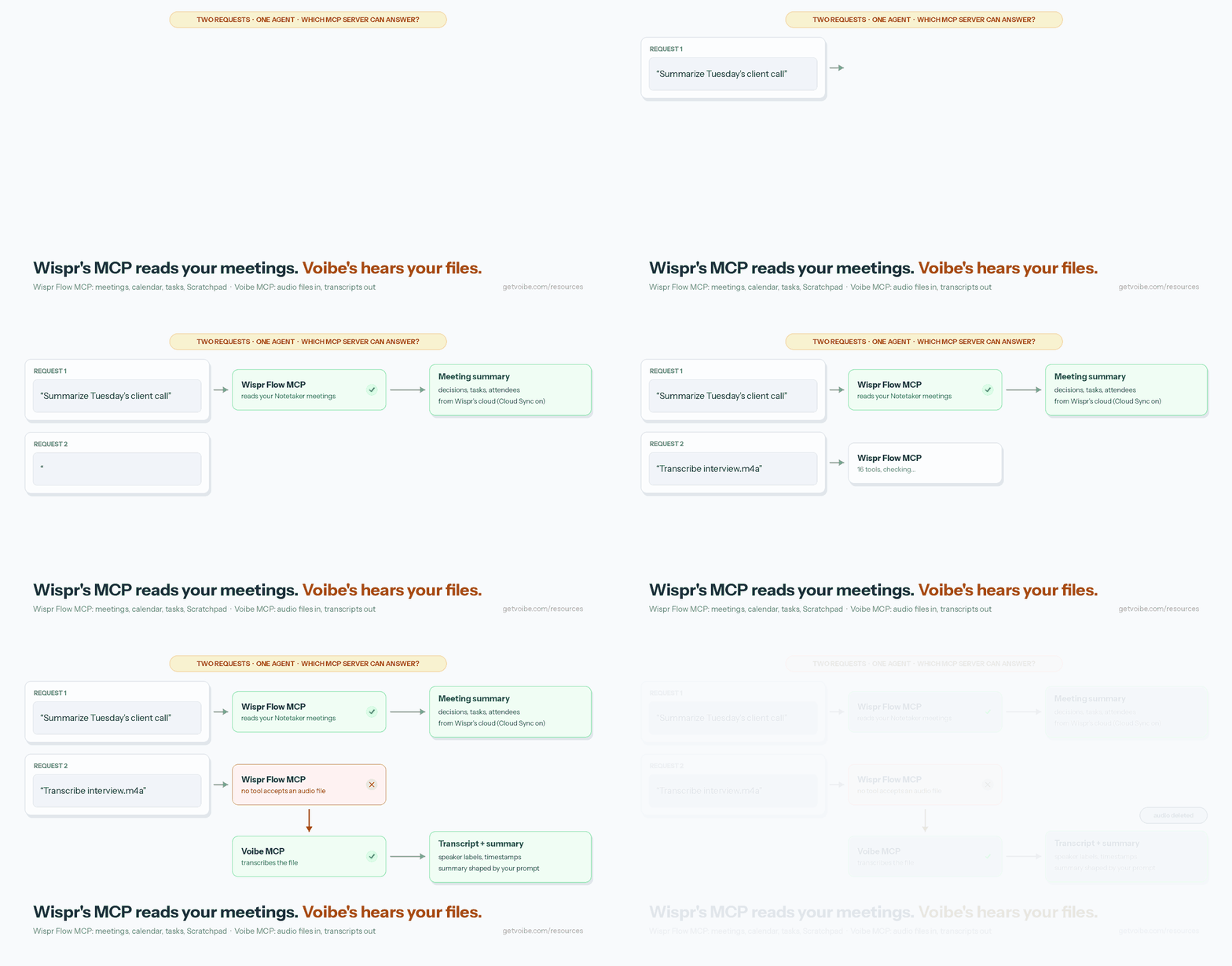
Pick the server by the job, not the brand. Most people end up with two connected.
| What you want | Use | Why |
|---|---|---|
| Ask Claude about meetings Wispr recorded | Wispr Flow MCP | That’s exactly what it reads |
| Search Wispr and Granola notes in one chat | Both connectors | Wispr’s own recommended setup |
| Search your past dictations | WisprMCP (unofficial, Mac) | The official server can’t see them |
| Transcribe a recording, interview or voice memo | Voibe MCP | Takes an audio file, returns a transcript and summary, deletes the audio |
| Have an agent transcribe a folder every night | Voibe API + cron | Walk-through in our Zoom recording guide |
| Let an agent ask you a question you answer out loud | Spokenly MCP (Mac) | Its one tool records your spoken reply |
| Talk to Claude Code instead of typing | No MCP | /voice or a system-wide dictation app; see dictating in Claude Code |
| A meeting-notes MCP that runs on your own machine | Quill Meetings | Local server on loopback only |
| A meeting-notes MCP on a free plan, with write access | Circleback | MCP on every plan, write access since October 7, 2026 |
| An account under a HIPAA BAA | Not Wispr’s MCP | Wispr removes MCP tools from BAA accounts; Voibe has a BAA available on request |
Voibe MCP: The Wispr Flow MCP Alternative That Can Hear

Voibe’s MCP server gives an agent ears. It sits on top of the Voibe speech-to-text API, launched August 2026, and turns an audio file into a transcript and summary your agent can work with. This is the one we build.
Connect it in one line
Claude Code, with a key from the API keys page:
claude mcp add --transport http voibe https://api.getvoibe.com/mcp \
  --header "Authorization: Bearer $VOIBE_KEY"
Claude desktop, web and Cowork: Customize › Connectors › Add custom connector, paste https://api.getvoibe.com/mcp, sign in once. Cursor, Codex and other clients take the standard remote config:
{
  "mcpServers": {
    "voibe": {
      "type": "http",
      "url": "https://api.getvoibe.com/mcp",
      "headers": { "Authorization": "Bearer ${VOIBE_KEY}" }
    }
  }
}
Four tools, deliberately narrow
| Tool | Does |
|---|---|
create_transcription_job | Starts a job, returns an upload URL |
get_transcript | Status, then the transcript and summary |
list_transcripts | Your jobs, newest first |
get_balance | Minutes remaining |
An agent with it connected can start jobs, read results, list them and check the balance. It “cannot see or create API keys, and it cannot buy minutes.”
What happens to the audio
- Deleted the moment the transcript exists. Not archived.
- Never used to train any model.
- Transcribed by open-source models on zero-retention providers, with no third-party AI lab in the audio path.
- Every read scoped to the key that created the job.
What it costs
Prepaid minutes that never expire: $10 for 2,000 minutes ($0.30/hour) up to $100 for 24,000 minutes ($0.25/hour). Per-second billing, charged only when a job reaches DONE. New accounts get 15 free minutes, no card. A 47-minute meeting costs $0.24 at the $10 tier.
It’s a batch API, not streaming: it transcribes files that already exist. The full launch details are in the Voibe API launch post, and how it stacks up against seven other vendors is in our speech-to-text API comparison.
And if you came for Wispr Flow’s dictation
Voibe Dictation is the app side: dictation into any app on Mac and Windows, on-device on Apple Silicon Macs or on the zero-retention cloud. Developer Mode resolves file names and variables in Cursor, VS Code and Windsurf without any MCP setup. Voibe Free costs $0 (limited words, one device); Voibe Dictation is $9.90/month, $99/year or $199 lifetime. For meeting notes, Voibe Work ($19/month, $149/year or $399 lifetime) records with no bot in the call on Mac and Windows, deletes the audio after processing and saves the transcript and summary on your computer, not on Voibe’s servers. It reminds you to tell everyone you’re taking notes. Voibe Work doesn’t ship an MCP connector for meetings; you copy or export notes as PDF.
Other Wispr Flow MCP Alternatives, by Job
Five more servers people connect instead of, or next to, Wispr’s. Facts come from each vendor’s own pages (dates below); App Store ratings were read from Apple’s US store on October 14, 2026.
| Server | Best for | Where it runs | Free tier | Writes? |
|---|---|---|---|---|
| Voibe MCP | Transcribing audio files for agents | Remote, zero-retention cloud | 15 free minutes | Creates transcription jobs only |
| Spokenly | Answering an agent’s questions by voice | Local, localhost:51089, Mac | Yes | No |
| Quill Meetings | Meeting notes MCP that stays on your machine | Local, loopback only | Yes (recording and transcription) | Yes (34 tools, 16 write) |
| Circleback | Meeting notes MCP on a free plan | Remote | Yes, 30-day history | Yes, since Oct 7, 2026 |
| Granola | Meeting notes MCP for Granola users | Remote, OAuth only | Last 30 days of personal notes, no transcripts | Not stated |
| Otter | Meeting notes MCP for Otter users | Remote | Yes, every plan | Not stated |
Spokenly: An MCP That Lets Your Agent Ask, and You Answer Out Loud
Spokenly runs a local MCP server at http://localhost:51089 with one tool, ask_user_dictation. When Claude Code, Codex or Cursor needs input, Spokenly shows the question, records your spoken answer, and sends the text back (Spokenly docs, checked October 14, 2026).
- Claude Code setup uses a stdio bridge:
claude mcp add spokenly -- ~/Library/Application\ Support/Spokenly/mcp-bridge.sh. Spokenly says Claude Code’s 60-second HTTP timeout is too short for dictation. - macOS only, version 2.18.0 or later, and only the sideloaded build. The App Store version doesn’t include MCP.
- App Store: 4.32/5 from 62 ratings.
It solves a different problem from Wispr’s: live voice input for an agent, not access to stored notes. How it compares with Voibe on dictation is in Voibe vs Spokenly.
Quill Meetings: The Meeting-Notes MCP That Stays on Your Machine
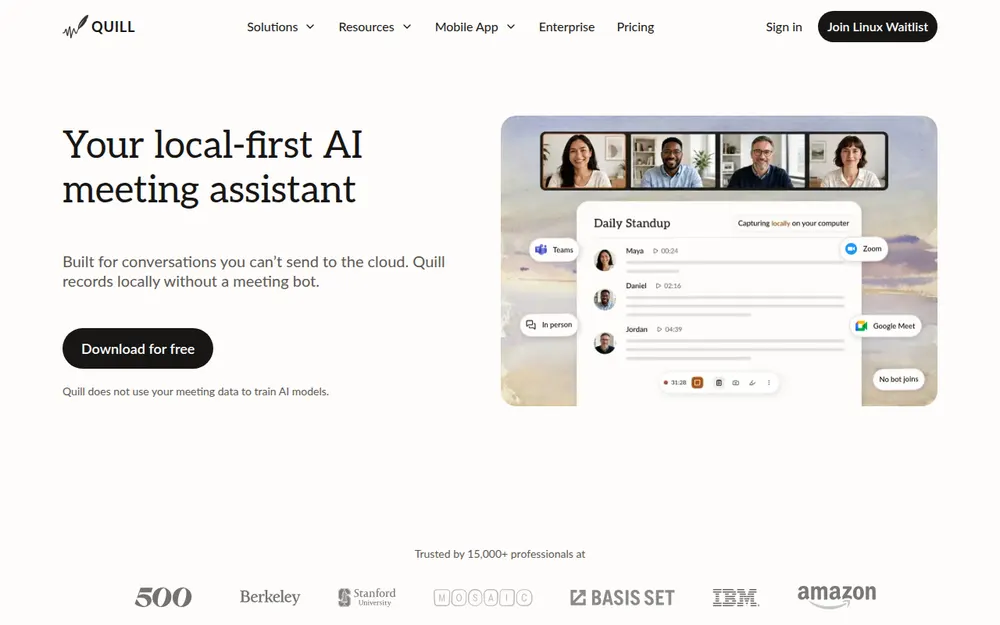
If you like what Wispr’s MCP does but not where the notes live, Quill Meetings is the closest swap. Its MCP server “runs fully locally” and only accepts connections from your computer, over stdio or a loopback address (Quill docs, checked October 13, 2026).
- 34 tools, 18 read and 16 write, per Quill’s own blog.
- Works with Claude Desktop, Claude Code, Codex, Cursor and Windsurf. No ChatGPT web connector yet.
- Recording, transcription and the local MCP are free. AI notes and chat use a cloud LLM on paid plans unless you bring your own.
- App Store: 4.56/5 from 9 ratings.
Circleback: Meeting-Notes MCP on Every Plan, Write Access Included
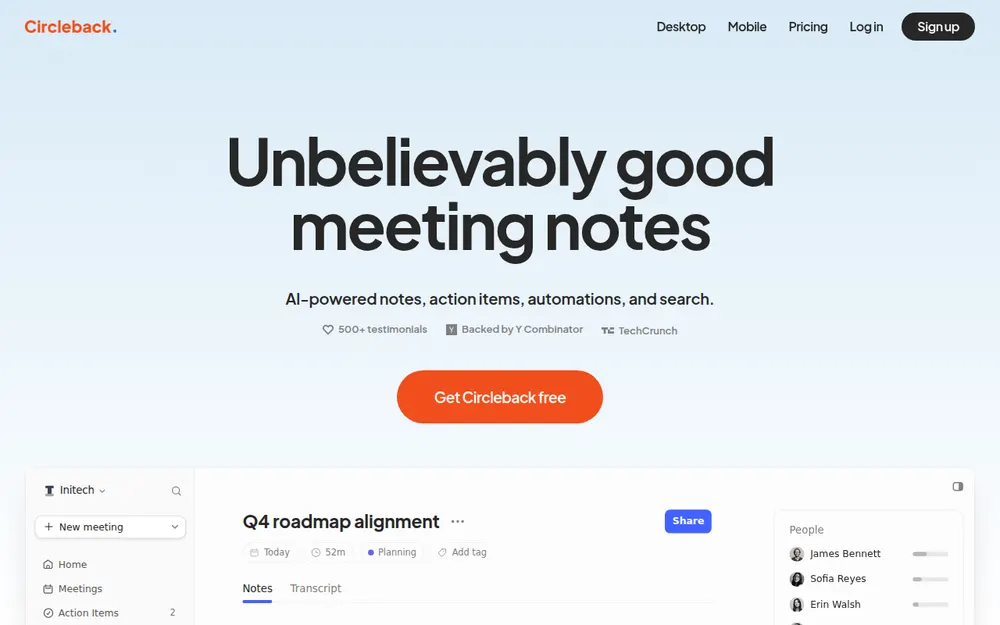
Circleback ships an MCP server, an API and a CLI on every plan, Free included, and added write access on October 7, 2026 (Circleback changelog, checked October 13, 2026).
- Server:
https://circleback.ai/api/mcp. Works with Claude, ChatGPT, Cursor, Raycast and Codex. - Free keeps a 30-day meeting history; Pro is $18/month or $15/month billed annually.
- Bot by default, with a bot-free desktop app. Notes live in Circleback’s US cloud.
- App Store: 4.81/5 from 263 ratings.
Granola: A Meeting-Notes MCP With a 30-Day Window on Basic
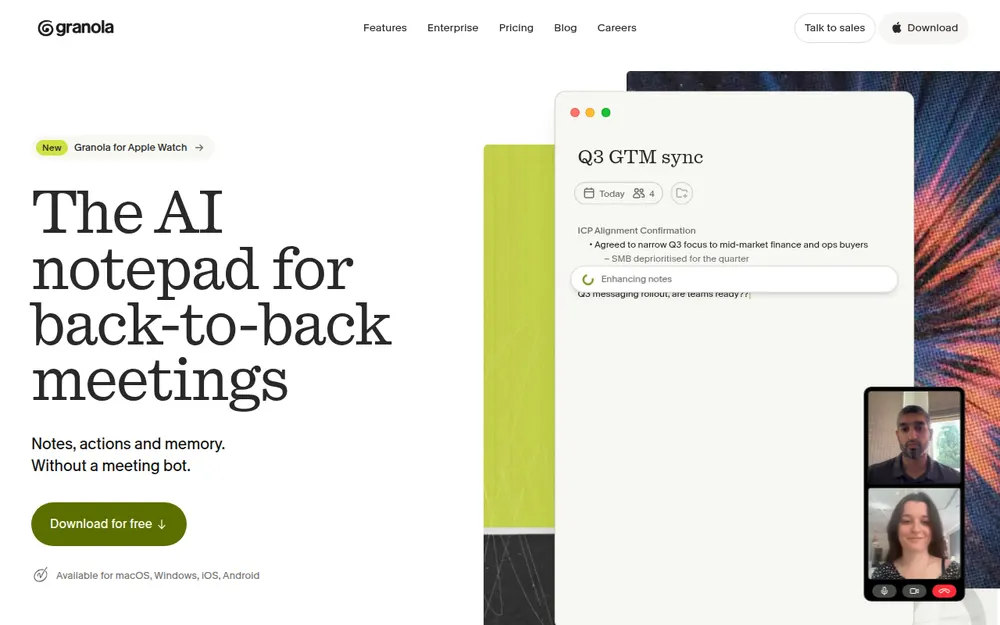
For Granola users, its MCP is the obvious pair for Wispr’s, and Wispr names Granola in its own two-connector example. The limits are tighter (Granola pricing and docs, checked September 26 and October 10, 2026):
- Basic gets “personal notes from the last 30 days.”
get_meeting_transcriptis paid plans only. - OAuth only: “there is no API key or service account access method for MCP.”
- Notes sit in Granola’s cloud, and Granola locked down its local cache in 2026; see Granola’s encrypted notes.
- App Store: 4.96/5 from 14,449 ratings.
Otter: An MCP Server on Every Plan, Free Included
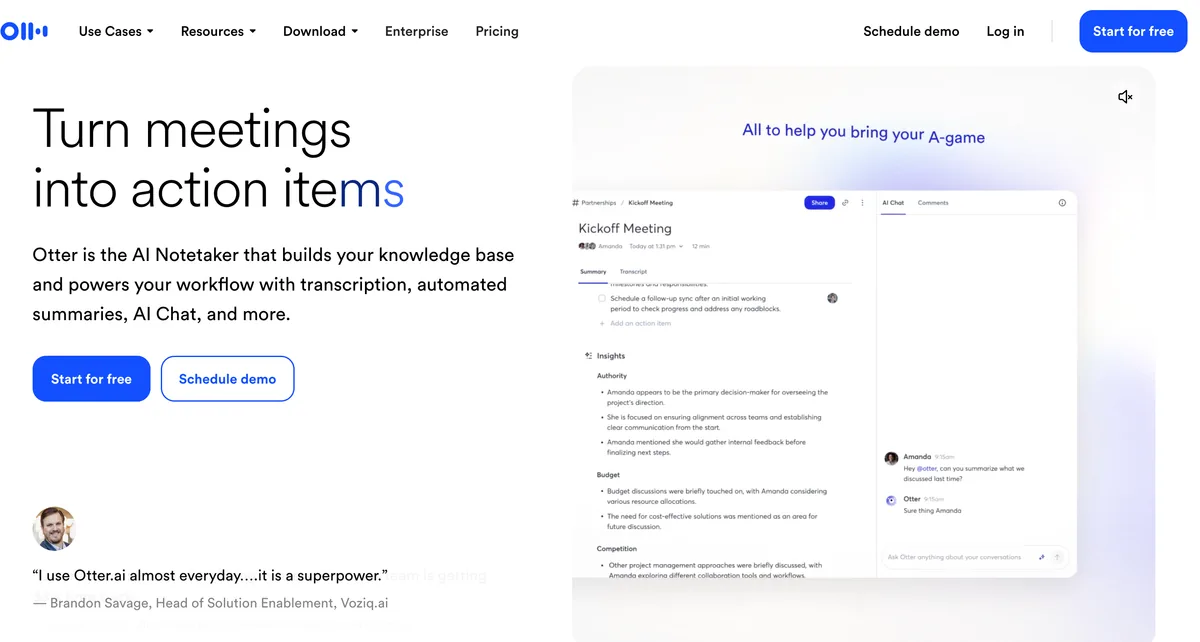
Otter lists an “Otter MCP server” on every plan, including Basic (Otter pricing page, checked October 8, 2026). Basic’s own caps still apply: 300 transcription minutes a month and 30 minutes per conversation.
- Otter’s privacy policy says it trains on de-identified audio and transcriptions; we found no opt-out. Details in is Otter safe?
- App Store: 4.79/5 from 84,689 ratings.
For comparison, Wispr Flow’s iPhone keyboard app holds 4.84/5 from 17,274 ratings.
Wispr Flow MCP Not Working? Error Messages and Fixes
The messages your AI app shows, and what each one means, from Wispr’s troubleshooting notes:
| Message or symptom | Cause | Fix |
|---|---|---|
| “Cloud Sync must be enabled to use this feature.” | Cloud Sync is off | Settings › Data & Privacy › turn on Dictation cloud storage, or ask your admin |
| “This feature is not available for HIPAA-covered accounts.” | Active BAA | No fix inside Wispr; copy and paste instead |
| “MCP access has been disabled by your organization’s administrator.” | Org policy | Ask your admin to check MCP and Notetaker access |
| “Meeting or calendar event not found.” | Wrong account or vague request | Confirm the account, then name the meeting or date |
| “Too many requests.” | Rate limit | Wait about a minute, retry |
| Sign-in never starts | Trailing slash on the URL | Use https://api.wisprflow.ai/connect/mcp exactly |
| Connected, but no meetings | Connector off for this chat, wrong account, or meetings recorded with Cloud Sync off | Toggle it on under + › Connectors, check the account; older unsynced meetings won’t appear |
| No MCP page in Wispr settings | Notetaker or MCP disabled for your account | Only an admin can re-enable it |
Policy changes take about a minute to apply, a few minutes for organization-wide ones. Flow’s client cards show past setup, not live access, so a card can say connected after access was revoked.
Wispr Flow MCP FAQ
The basics
Does Wispr Flow have an MCP server? Yes. Wispr Flow has an official, remote MCP server at https://api.wisprflow.ai/connect/mcp. It reads Notetaker meetings, transcripts, summaries, tasks, calendar events and Scratchpad notes, and connects to Claude, ChatGPT, Codex, Gemini, Cursor and any remote-MCP client.
Is the Wispr Flow MCP free? Connecting it is. Wispr’s pricing page lists “Use your meeting notes in Claude and ChatGPT” on the Free plan, checked October 14, 2026. Free Notetaker has a weekly meeting limit; Pro is $15/month or $12/month billed annually. Your AI tool may need a paid plan for custom connectors.
Does the Wispr Flow MCP work on Windows? Yes. Wispr documents MCP for Wispr Flow on Mac and Windows. The server is remote, so the AI client can run anywhere.
Setup
Do I need a Wispr Flow API key for the MCP? No. You sign in with your Wispr account in the browser and approve access. Wispr says there is no API key, client ID or token to manage.
Can I use the Wispr Flow MCP in Claude Code? Wispr doesn’t document Claude Code, but it’s a standard remote server. Run claude mcp add --transport http wispr-flow https://api.wisprflow.ai/connect/mcp, then /mcp inside Claude Code to sign in through the browser.
How do I connect Wispr Flow MCP to Codex? Use the Add to ChatGPT card in Wispr Flow › Settings › MCP. Wispr says OpenAI clients, Codex included, share that card.
Why don’t I see an MCP page in Wispr Flow settings? The MCP page is hidden when Notetaker is off for your account, when your organization disabled MCP, or when MCP isn’t available to you. Only an admin can turn it back on for an organization.
What it can read
Can the Wispr Flow MCP read my dictation history? No. Both of Wispr’s MCP help articles say clients cannot read dictation history. The unofficial WisprMCP project reads it from the local database on a Mac instead.
Can the Wispr Flow MCP transcribe an audio file? No. None of its 16 tools accepts audio; it only reads what Notetaker already recorded. For transcription, connect a transcription MCP such as Voibe’s, which takes a file and returns a transcript and summary.
Can Claude edit my Wispr Flow notes through MCP? Wispr says clients cannot create, edit, share or delete content. Anthropic’s directory listing does name add_task and update_task, so tasks may be the one exception.
Privacy
Is the Wispr Flow MCP safe? It’s official and read-only for notes, but authorization is account-wide: the AI app can read every meeting, including past ones, with no per-meeting control. Meeting results also require Cloud Sync, which keeps notes in Wispr’s cloud.
Does the Wispr Flow MCP work with a HIPAA BAA? No. An active personal or organization BAA blocks every MCP feature and removes Wispr tools from the client.
How do I disconnect the Wispr Flow MCP? Remove Wispr Flow in your AI app’s connector settings. Flow has no disconnect control; turning MCP off in Flow blocks access but doesn’t revoke the permission.
Alternatives
What’s the best Wispr Flow MCP alternative for transcription? Voibe’s MCP server. It transcribes audio files for agents, deletes the audio the moment the transcript exists, costs $10 for 2,000 minutes, and new accounts get 15 free minutes.
Is there a meeting-notes MCP that runs locally? Yes. Quill Meetings runs its MCP server on your computer and only accepts loopback or stdio connections.
Which meeting notetakers have MCP servers on their free plan? Wispr Flow, Circleback and Otter all list MCP on their free plans. Granola’s Basic plan limits MCP to the last 30 days of personal notes, without transcripts.
The Bottom Line on Wispr Flow MCP
Wispr Flow’s MCP is real, official and easy to connect. If you record meetings with Wispr Notetaker, turn it on: asking Claude what was decided beats scrolling a transcript.
Just know what it is. It’s a reader for notes already sitting in Wispr’s cloud. It won’t surface your dictations, and it can’t hear a file.
When the job is “transcribe this,” add a server built for it. Ours deletes the audio the moment the text exists, and the first 15 minutes are free.
Tip
Get a Voibe API key at platform.getvoibe.com/keys, then run one command: claude mcp add --transport http voibe https://api.getvoibe.com/mcp --header “Authorization: Bearer $VOIBE_KEY”.
Best AI Dictation and Meeting Notes for Confidential Work
Draft letters, notes and emails 5x faster. Get meeting notes without a bot joining your call. Nothing used to train AI.
- Mac + Windows
- No bot in your calls
- Nothing used to train AI
- 7-day free trial
Want to compare plans first? View pricing →
Related Articles
Your Zoom Recording Has No Transcript. Zoom Pro Won't Fix It.
Recorded a Zoom call and got no transcript? Upgrading won't help — Zoom only transcribes cloud recordings. Here's the 3-step fix for the file you already have.
How to Voice-Prompt ChatGPT, Claude, and Cursor (2026)
Voice prompts beat typed prompts for AI: richer context, mid-thought pivots. The Five-Part Voice Prompt framework with ChatGPT, Claude, and Cursor examples.
Granola Encrypted Your Meeting Notes. Here's What Changed and How to Get Them Out
Granola moved from an open notes file to an encrypted cache, broke community tools and put its API on paid plans. The timeline, and how to export your notes.