
I Tested 9 Bluedot Alternatives. Granola Wins, With a Catch
I tested 9 Bluedot alternatives and ranked them: 1. Granola 2. Voibe Work 3. Circleback 4. Fathom 5. Jamie 6. Quill 7. Otter 8. Fireflies 9. Krisp.

TL;DR: The Best Bluedot Alternatives
Cancel Bluedot and your meeting archive starts a countdown.
Bluedot's pricing FAQ gives you one month to restore your subscription before your recordings are "permanently deleted". Its help center says three months. Either way, the archive lasts only as long as you keep paying.
Short answer: Granola is the best Bluedot alternative for most people. For confidential calls, pick Voibe Work.
Why the paperwork matters
The deletion window isn't the only place where Bluedot's paperwork and product disagree.
- The bot: the homepage says Bluedot "never invites a bot to your meeting". A help article updated September 11, 2026 explains how to send one.
- The AI vendors: the privacy policy is dated November 19, 2023 and names no AI vendor. The template editor lets you pick Claude 4.6 Sonnet or GPT-5.
Those documents matter. In January 2024, the FTC's Office of Technology warned AI companies about exactly this. Fail to uphold the privacy and confidentiality commitments you make to customers, and you can face enforcement.
A commitment you can't find in a current policy is hard to hold anyone to.
My two picks
Granola is the most polished no-bot app I tested. It runs on Mac, Windows, iPhone and Android. Its free plan shows your last 30 days of notes instead of ending after 5 meetings for the life of the account.
Granola Business costs $168 a year. That's the same as Bluedot Basic billed annually and $72 (30.0%) less than Bluedot Pro. The catches: notes sit in Granola's US cloud, there's no video, and it trains on anonymised data by default.
Voibe Work is the meeting-notes plan of Voibe, the app we build. It's my pick for confidential work:
- No bot joins the call.
- The audio is deleted once processing completes.
- The transcript and summary are saved on your computer, so there's no vendor-side archive waiting out a deletion window.
- It runs on Intel Macs, which Bluedot's Mac app doesn't.
- A dictation app comes with it.
Honest price notes
- Monthly: Voibe Work ($19) costs $1 (5.6%) more than Bluedot Basic ($18).
- Annual: it's $19 (11.3%) less than Basic ($168), $91 (37.9%) less than Pro ($240) and $235 (61.2%) less than Business ($384).
- Cheaper picks: Quill, Krisp, Otter and Fireflies Pro cost less than Voibe Work.
- What Voibe Work lacks: video recording, CRM sync, a bot option and a Chrome extension.
Voibe reminds you to tell everyone you're taking notes when recording starts; following recording-consent rules is up to you.
I tested all nine alternatives myself. I checked each vendor's pricing, privacy and help pages between September 26 and October 13, 2026. Bluedot's pages and every price were re-checked on October 13 (how I tested and ranked them).
The ranking
- Granola: best Bluedot alternative overall. The most polished no-bot app, on Mac, Windows, iPhone and Android. Trains on your data by default.
- Voibe Work: best for confidential work and for people who also dictate. No bot, notes saved on your computer, Intel Macs supported.
- Circleback: best if you still want a bot, or video, on some calls. Free plan with unlimited meetings; never trains.
- Fathom: best free plan if Bluedot's 5-meeting cap is the problem. Unlimited recordings and video, but a bot by default.
- Jamie: best for EU data residency. Bot-free, never trains, and now free for 10 AI notes a month.
- Quill Meetings: best if transcripts must be made on your computer, for free.
- Otter: best for mobile and in-person recording, from $99.96 a year.
- Fireflies: best for CRM and team analytics for less than Bluedot Business.
- Krisp: best if you also want noise cancellation. $96 a year.
Key takeaways
| Alternative | Best for | Bot in the call | Where notes live | Per year vs Bluedot Pro ($240) |
|---|---|---|---|---|
| Granola | Best overall: polished no-bot notes on every platform | No | Granola's US cloud | $168 Business (save $72, 30.0%) |
| Voibe Work | Confidential calls; notes + dictation; Intel Macs | No | On your computer | $149 (save $91, 37.9%; dictation included) |
| Circleback | A bot or video on some calls | Bot by default, or bot-free desktop app | Circleback's US cloud | $180 Pro (save $60, 25.0%) |
| Fathom | Free, unlimited recordings with video | Yes by default | Fathom's US cloud | $0 Free, or $192 Premium (save $48, 20.0%) |
| Jamie | EU data residency | No | Jamie's EU cloud | $0 Free, or $288 Plus ($48 more, 20.0%) |
Key Takeaway
Granola is the best Bluedot alternative for most people: no bot, polished notes on Mac, Windows, iPhone and Android, and a free plan that doesn't stop after 5 meetings. For confidential calls, pick Voibe Work: notes saved on your computer, never trained on, and dictation included for $149 a year.
Why People Are Leaving Bluedot
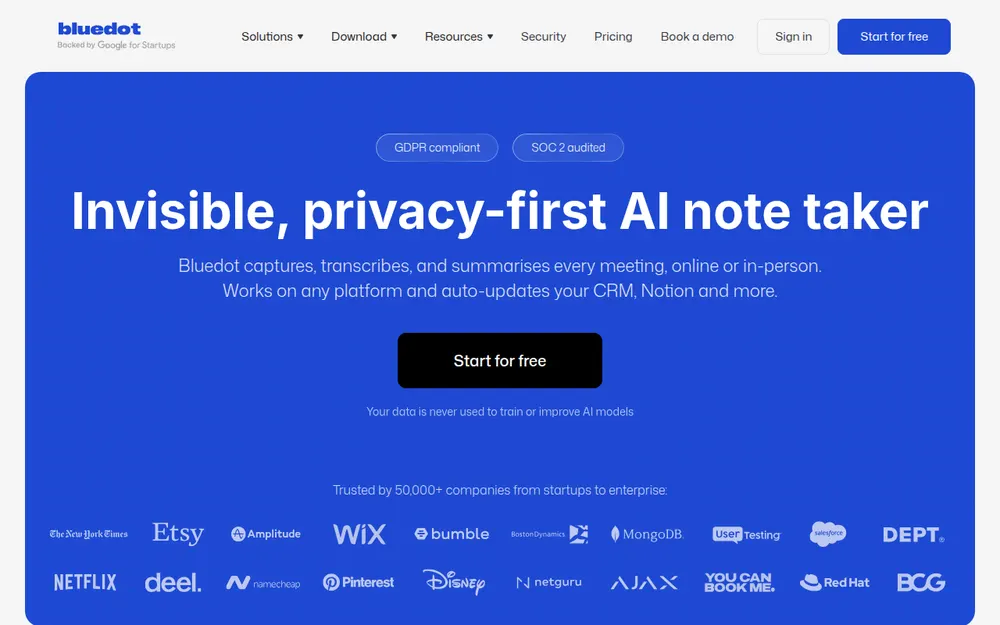
Bluedot is an AI note taker from Twiso Inc., a Ukrainian-founded startup. It records Google Meet, Zoom, Microsoft Teams, Webex and Slack huddles with no bot by default. You use a Chrome extension or a desktop app, and it writes a transcript and summary.
Users rate it well:
- 4.73/5 on the App Store from 252 ratings
- 4.7/5 on the Chrome Web Store from 201 ratings and 80,000 users
- 4.6/5 on Trustpilot from 35 reviews
So why do people go looking? I found eight reasons.
1. The free plan is five meetings, ever
Bluedot's free plan card says "5 meetings / lifetime". The homepage FAQ is candid about it:
"Although Bluedot is not a free AI meeting note taker, our Free plan allows you to try all core features for your first 5 meetings (lifetime trial)."
After that, "you can continue as a free member to view and share recordings". You just can't record new ones.
Granola, Circleback, Fathom, Jamie, Quill, Otter and Fireflies all have free plans that don't end after five meetings.
2. Basic is audio only and stops at an hour
Bluedot's paid plans, per its pricing page (checked October 13, 2026):
- Basic: $18 a month, or $14 a month billed annually ($168 a year). "The essentials, audio only", with a "Max 1 hour per recording"
- Pro: $25, or $20 billed annually ($240 a year). "No limits, with video", custom note templates, and Zoom and Google Drive imports
- Business: $39, or $32 billed annually ($384 a year). CRM and ATS integrations (HubSpot, Salesforce, Ashby), SSO and SCIM, and custom data retention
So video, or any meeting longer than an hour, means Pro. CRM sync means Business.
One caveat: Bluedot's help center lists SSO under Enterprise rather than Business. Confirm before you buy for SSO.
3. Cancel, and your recordings are deleted
This is the one to read twice. Bluedot's pricing FAQ says:
"If you cancel your subscription, you will lose access to your recordings. You have one month to restore your subscription; after that, your recordings will be permanently deleted."
Its help center gives a longer window. "Once you switch to a free plan and stop using the service, the recordings get deleted after three months."
Its security FAQ also says three months. And Bluedot's terms add that "Downgrading or cancelling may result in loss of features, capacity, or stored content".
One month or three, the result is the same. An archive you built over a year disappears unless you keep paying or download it first.
4. Payments are non-refundable, and the phone trial converts
Bluedot's terms say: "Payments are non-refundable." I found no money-back guarantee anywhere on its site.
In the mobile apps, you can try Pro "free for 3 days". Bluedot's help center adds:
"if you do not cancel your subscription during the trial period, your account will be automatically charged a non-refundable fee."
App Store reviewers describe what that feels like:
"They only give you 3 days free trial. If you miss the deadline they charge you a FULL YEARS premium subscription! That's $240 at one time." (1 star, May 30, 2026, App Store)
"it took me an hour of signing up and then trying to find the sneaky way to cancel before I'm charged for a year of service." (1 star, September 22, 2026, App Store)
"I could not find a simple, self-service way to cancel my subscription or stop the recurring billing." (1 star, June 29, 2026, Trustpilot)
5. "Never a bot", except when there is one
Bluedot's homepage FAQ says:
"Unlike most note-taking apps, Bluedot never invites a bot to your meeting or asks for calendar access."
Further up the same page: "With or without bot."
The help article "How to Record Meetings with a Bot" (updated September 11, 2026) describes an optional calendar bot. Here's how it works:
- You connect Google or Outlook Calendar.
- You toggle on "Record all your meetings".
- The bot shows up as "[Your name]'s AI NoteTaker", and someone has to admit it.
The bot is optional, so this is a documentation problem more than a product one. But if you picked Bluedot because no bot would ever appear, a teammate can now send one.
And Google Meet now holds bots in a second queue where the default action is to deny entry (Google Workspace Updates).
6. A 2023 privacy policy and two AI labs
Bluedot's privacy policy carries an "Effective date: 19th of November, 2023". It lists Amazon Web Services (processing in Germany), Google, Amplitude, Zoom and GitHub as processors. It names no AI or transcription vendor.
Bluedot's custom-template help article (updated September 30, 2026) tells you to "Select Claude 4.6 Sonnet or GPT-5". So meeting transcripts reach Anthropic or OpenAI models, and neither company appears in the policy.
To be fair, Bluedot's terms say its vendors "are not permitted to use Customer Content for their own model training". The promise is clear. The policy just hasn't caught up with the product.
7. The Mac app needs Apple Silicon
Bluedot's desktop page says the Mac app "Supports macOS 12.3 and later on Apple Silicon". On an Intel Mac, you're left with the browser extension. The Windows app needs Windows 10 or later.
8. Reliability and a few smaller gaps
- "Recorded a 6 hour workshop only to find no transcript or summary was ever given." (1 star, July 18, 2026, App Store)
- Custom vocabulary "currently only supports the English language", per Bluedot's help center
- Bluedot takes meeting notes only. It doesn't type for you in Mail, Slack or your code editor
What Bluedot does well
Credit where it's due:
- A bot-free Chrome extension that also works in Edge, Brave and Arc, which few rivals offer
- Video recording on Pro, with clips, comments and password-protected share links
- A firm no-training line: "Your data is never used to train or improve AI models"
- SOC 2 Type II and GDPR (Bluedot states), and support for EU data residency
- Apps for iPhone, iPad, Apple Watch and Android (4.7/5 on Google Play from 161 reviews)
- HubSpot and Salesforce sync on Business
- More consent tooling than most no-bot apps, including an admin setting that blocks recording without a consent message in the Chrome extension
If you're happy on Pro, download your archive regularly and stay.
Where Your Meetings Go: Bluedot vs the Alternatives
Bluedot users have already solved the bot problem. What matters is what happens afterwards:
- Where the meeting is stored
- Who trains on it
- Whether it survives your subscription
Here's each tool, according to its own pages.
Bot, storage and training, tool by tool
| Tool | Bot in the call | Where notes are stored | Audio and retention | Trains on your meetings? | Attestations (vendor-stated) |
|---|---|---|---|---|---|
| Bluedot (reference) | No by default; optional calendar bot | Bluedot cloud (AWS); EU data residency supported | Kept while your account is active; deleted one to three months after you cancel | Never | SOC 2 Type II, GDPR; no HIPAA or BAA found |
| Granola | No | Granola cloud, US (AWS) | Audio deleted after transcription; notes kept indefinitely unless a retention policy is set | Yes by default on Free and Business, opt-out | SOC 2 Type II; HIPAA and BAA on Enterprise |
| Voibe Work | No, on Mac and Windows | On your computer, not on Voibe's servers | Audio deleted as soon as processing completes | Never | BAA available on request |
| Circleback | Bot by default; bot-free desktop app on every plan | Circleback cloud, US | Recordings kept 30 days on Free, 1 year on Pro, 2 years on Business | No | SOC 2 Type II; HIPAA and BAA on Enterprise |
| Fathom | Yes by default; bot-free beta only on Mac | Fathom cloud, US | Recordings kept until you delete them | Yes by default (de-identified), opt-out | SOC 2 Type II, GDPR, HIPAA (BAA on Enterprise) |
| Jamie | No | Jamie cloud, EEA, Switzerland and UK | Audio deleted after transcription | Never | ISO 27001; SOC 2 Type II pending |
| Quill Meetings | No | On your computer; optional end-to-end encrypted sync | Desktop audio never syncs; AI notes send transcript text to a cloud model by default | No | SOC 2 Type II |
| Otter | Bot, or desktop app with no bot | Otter cloud | Kept until deleted | Yes (de-identified audio and transcripts); no opt-out found | SOC 2 Type II; HIPAA on Enterprise |
| Fireflies | Bot by default; Chrome extension and desktop app without one | Fireflies cloud | Storage capped by plan; bot-free desktop mode saves no audio or video | Never | SOC 2, GDPR; HIPAA on Enterprise |
| Krisp | No | Krisp cloud, US (10 GB on Core) | On-device private transcription is listed under Enterprise | Never | SOC 2 Type II; BAA on Enterprise (100+ seats) |
What the table tells you
On training, Bluedot beats most of this list. It never trains, and neither do Voibe Work, Circleback, Jamie, Quill, Fireflies or Krisp. Granola, Fathom and Otter do by default.
On storage, Bluedot falls behind. Only Voibe Work and Quill are built to keep meeting notes on your computer. So neither has a vendor-side archive that can expire when a subscription ends.
One thing to know: Voibe Work processes meeting audio with open-source models on zero-retention cloud providers, so it needs an internet connection. Voibe reminds you to tell everyone you're taking notes when recording starts; following recording-consent rules is up to you.
Go deeper
Our AI Privacy Tracker scores the meeting tools tier by tier.
Not sure you need a note taker at all? Our dictation vs note taker vs transcription guide sorts out the categories.
What to Look For in a Bluedot Alternative
Six questions separate the tools on this list. Answer them before you compare prices.
1. Bot or no bot, and is it your choice?
- No bot: it records from your computer. Nobody admits anything, and a host can't turn it away.
- A bot: it can cover meetings you aren't in.
- Who does what: Circleback, Otter, Fireflies and Fathom give you a bot. Granola, Voibe Work, Jamie, Quill and Krisp never send one.
2. Where do the notes live, and what happens when you stop paying?
Bluedot deletes recordings one to three months after you cancel. Voibe Work and Quill save notes on your computer. Cloud tools keep them on their servers, under their rules.
3. Does it train on your meetings?
Bluedot doesn't, so don't accept a step backwards. Granola, Fathom and Otter use anonymised or de-identified customer data by default.
4. Does the free plan last?
Bluedot Free ends after 5 meetings for good. The others go further:
- Fathom Free records without limit.
- Circleback Free has unlimited meetings with 30 days of history.
- Jamie gives 10 AI notes a month.
5. Does it run on your computer?
Bluedot's Mac app needs Apple Silicon, and so does Quill's. Voibe Work runs on Intel and Apple Silicon Macs (macOS 14.4 or later) and on Windows.
6. Does it also do dictation?
If you'd otherwise pay for a dictation app, a plan that includes one changes the math. Voibe Work includes Voibe Dictation. Fireflies now includes free dictation on every plan.
How We Tested and Ranked These Bluedot Alternatives
I tested all nine alternatives myself, and every verdict below comes from those tests.
I also read each vendor's pricing, security, privacy and help pages. And I checked current App Store, Chrome Web Store, Google Play and Trustpilot ratings between September 26 and October 13, 2026.
Bluedot's pricing page, terms, privacy policy, security page and help center were re-checked on October 13, 2026.
What I judged, in order
- Does it catch the meeting on your computer? No-bot capture on Mac and Windows, or a bot when you want one.
- How good is it day to day? How polished the notes and the app are, which devices it covers, and what reviewers say.
- What happens to the notes: where they're stored, whether they train AI, and whether they outlast your subscription.
- What a year costs, against Bluedot Basic ($168), Pro ($240) and Business ($384).
- How much of your day it covers: meeting notes only, or notes plus dictation.
Why Granola is first and Voibe Work second
Granola ranks first because it's the strongest all-rounder on criteria 1, 2 and 4:
- No bot on four platforms
- The highest App Store rating here (4.96/5 from 14,417 ratings)
- A free plan that doesn't run out
- The same price as Bluedot Basic
Voibe Work ranks second overall and first for confidential work. It wins criteria 3 and 5 outright: notes saved on your computer, never trained on, and dictation in the same plan.
Need video, a bot for meetings you aren't in, or CRM sync? Then Voibe Work isn't your pick. The entries further down say who is.
Bluedot Alternatives Compared
Bluedot sits in the first row for reference. Ratings are from the App Store unless noted, checked October 13, 2026.
Side by side, with Bluedot as the baseline
| App | Bot? | Platforms | Notes stored | Trains on your data? | Free plan | Dictation app? | Rating |
|---|---|---|---|---|---|---|---|
| Bluedot (reference) | No by default; optional bot | Chrome extension, Mac (Apple Silicon), Windows, iOS, Android, Apple Watch | Bluedot cloud (AWS) | Never | 5 meetings, lifetime | No | 4.73/5 (252) |
| Granola | No bot | Mac, Windows, iOS, Android | Granola cloud, US | Yes by default (Free, Business), opt-out | Yes, last 30 days visible | No | 4.96/5 (14,417) |
| Voibe Work | No bot | Mac (Intel and Apple Silicon), Windows | On your computer | Never | No (7-day trial, no card) | Yes | 4.8/5 Product Hunt (Voibe app, 6) |
| Circleback | Bot by default, or bot-free desktop app | Mac, Windows, iOS, Android, Apple Watch | Circleback cloud, US | No | Unlimited meetings, 30-day history | No | 4.81/5 (262) |
| Fathom | Bot, or no-bot beta (Mac only) | Mac, Windows, iPhone | Fathom cloud, US | Yes by default, opt-out | Unlimited recordings; advanced summaries for 5 calls a month | No | 4.9/5 Chrome Web Store (1.7K) |
| Jamie | No bot | Mac, Windows, iPhone | Jamie cloud, EU | Never | 10 AI notes a month, 30-minute cap | No | 4.89/5 (247) |
| Quill Meetings | No bot | Mac (Apple Silicon), Windows, iOS, Android | On your computer | No | Unlimited local transcription | No | 4.56/5 (9) |
| Otter | Bot, or no-bot desktop app | Web, Mac, Windows, iOS, Android | Otter cloud | Yes, de-identified; no opt-out found | 300 minutes a month, 30 minutes per conversation | No | 4.79/5 (84,521) |
| Fireflies | Bot by default; extension and desktop app without one | Web, Mac, Windows, iOS, Android | Fireflies cloud | Never | Yes, with limited AI summaries and 400 minutes of storage | Yes (Fireflies Talk) | 4.82/5 (5,253) |
| Krisp | No bot | Mac, Windows, iOS, Android | Krisp cloud, US | Never | No (7-day trial) | No | 4.75/5 (267) |
The two things only Voibe Work combines
- Notes on your computer: only Voibe Work and Quill are built to keep meeting notes there.
- A dictation app: only Voibe Work and Fireflies include one, and Fireflies keeps your meetings in its cloud.
Voibe Work is the one that does both, without training on your meetings, and on Intel Macs too.
It has no free meeting-notes plan, though. Voibe Free covers dictation only. That's where Fathom, Granola, Circleback, Jamie and Quill beat it.
Bluedot Alternatives Pricing: What a Year Costs vs Bluedot Basic, Pro and Business
Bluedot prices per user per month, and the toggle defaults to annual billing. Here's its pricing page, checked October 13, 2026:
- Free: $0, 5 meetings for the life of the account
- Basic: $18 a month, or $14 billed annually: $168 a year. Audio only, 1 hour per recording
- Pro: $25, or $20 billed annually: $240 a year. Video, unlimited recording length
- Business: $39, or $32 billed annually: $384 a year. CRM and ATS integrations, SSO, custom retention
- Flat rate: one custom price for a whole company
Annual billing saves 22.2% on Basic, 20.0% on Pro and 17.9% on Business. Bluedot says it charges only for users who record meetings.
What a year of each alternative costs
Each row is the cheapest plan for regular meeting notes, billed annually where the vendor offers it. Prices were checked September 26 to October 13, 2026.
| Alternative | Plan | Per year | vs Bluedot Basic ($168) | vs Bluedot Pro ($240) |
|---|---|---|---|---|
| Quill Meetings | Lite ($6.99/mo annual), 16 hours of AI meetings a month | $83.88 | Save $84.12 (50.1%) | Save $156.12 (65.1%) |
| Krisp | Core ($8/mo annual), 10 GB storage | $96 | Save $72 (42.9%) | Save $144 (60.0%) |
| Otter | Pro ($8.33/mo annual, 1,200 min/mo) | $99.96 | Save $68.04 (40.5%) | Save $140.04 (58.4%) |
| Fireflies | Pro ($10/mo annual; 8,000 min storage, 20 AI credits) | $120 | Save $48 (28.6%) | Save $120 (50.0%) |
| Voibe Work | Annual, includes a dictation app | $149 | Save $19 (11.3%) | Save $91 (37.9%) |
| Granola | Business ($14/mo, billed monthly only) | $168 | Same price | Save $72 (30.0%) |
| Circleback | Pro ($15/mo annual, $18 monthly) | $180 | $12 more (7.1%) | Save $60 (25.0%) |
| Fathom | Premium ($16/mo annual) | $192 | $24 more (14.3%) | Save $48 (20.0%) |
| Jamie | Plus ($24/mo annual, 20 notes a month) | $288 | $120 more (71.4%) | $48 more (20.0%) |
If you're on Bluedot Business for the CRM
Bluedot Business costs $384 a year per seat. Three alternatives sync to a CRM or add team analytics for less:
- Circleback Pro: $180 a year, with HubSpot and Salesforce automations on Pro. That's $204 (53.1%) less
- Fireflies Business: $228 a year, with conversation intelligence and team analytics. That's $156 (40.6%) less
- Otter Business: $239.88 a year. That's $144.12 (37.5%) less
Voibe Work lists no CRM integrations, so it doesn't replace Bluedot Business.
Where Voibe Work is not the cheapest
- On monthly billing against Basic: Voibe Work ($19) costs $1 (5.6%) more than Bluedot Basic ($18), though Basic is audio only with a 1-hour cap
- Quill Lite: $83.88 a year, $65.12 less than Voibe Work
- Krisp Core: $96, $53 less
- Otter Pro: $99.96, $49.04 less
- Fireflies Pro: $120, $29 less, capped at 8,000 minutes of storage per seat and 20 AI credits. It includes free dictation
Fathom Free, Circleback Free, Jamie Free and Quill Free cost nothing. If you only need meeting notes and don't mind the vendor's cloud, those are cheaper.
Voibe Work's case rests on two things they don't offer together: notes saved on your computer, and a dictation app in the same plan.
Bluedot Basic is $1 a month cheaper. What the extra $1 buys
On monthly billing, Basic ($18) undercuts Voibe Work ($19). Here's what the extra dollar gets you:
- No hour cap: Basic is audio only and stops each recording at 1 hour. Bluedot's uncapped plan is Pro, at $240 a year. Voibe Work has unlimited usage for $149, $91 (37.9%) less.
- Notes that stay: Bluedot deletes recordings after you cancel. Voibe Work saves transcripts and summaries on your computer.
- Any Mac: Bluedot's Mac app needs Apple Silicon. One Voibe seat covers Intel and Apple Silicon Macs and Windows.
- Lower risk: Bluedot's payments are non-refundable, and its 3-day phone trial converts automatically. Voibe's 7-day trial needs no card and never charges you. Paid plans carry a 30-day money-back guarantee.
Monthly billing, teams and lifetime
- Monthly: Voibe Work ($19) is $1 (5.6%) more than Basic ($18), $6 (24.0%) less than Pro ($25) and $20 (51.3%) less than Business ($39).
- Team of 10, annual: Voibe Work costs $1,490. Bluedot Basic costs $1,680 ($190 more), Pro $2,400 ($910 more) and Business $3,840 ($2,350 more).
- Three years of Bluedot: on annual billing, that's $504 on Basic, $720 on Pro and $1,152 on Business.
- Voibe Work lifetime: $399 once. Against those three years, it saves $105 (20.8%), $321 (44.6%) or $753 (65.4%).
Want Granola's and Otter's numbers in depth? See our Granola pricing and Otter pricing guides.
The Power Bundle: Bluedot Plus a Dictation App vs Voibe Work
Bluedot takes meeting notes. If you also dictate emails, Slack replies and documents, you're paying for a second app.
A common pick is Wispr Flow, at $15 a month or $144 a year for Pro.
Voibe Work includes both. Every seat comes with everything in Voibe Dictation. Hold a key (Fn by default) and speak. Clean, punctuated text lands in Mail, Slack, Word or any other app on your Mac or Windows PC.
| Setup (per user) | Per month | Per year | Over 3 years |
|---|---|---|---|
| Bluedot Free + Wispr Flow Pro | $15 ($0 + $15) | $144 ($0 + $144) | $432 |
| Bluedot Basic + Wispr Flow Pro | $33 ($18 + $15) | $312 ($168 + $144) | $936 |
| Bluedot Pro + Wispr Flow Pro | $40 ($25 + $15) | $384 ($240 + $144) | $1,152 |
| Bluedot Business + Wispr Flow Pro | $54 ($39 + $15) | $528 ($384 + $144) | $1,584 |
| Voibe Work | $19 | $149 | $399 lifetime |
What you save with Voibe Work
- vs Bluedot Basic + Wispr Flow Pro: $163 a year less (52.2%). On monthly billing, $14 a month less (42.4%). Over three years with the lifetime plan, $537 less (57.4%).
- vs Bluedot Pro + Wispr Flow Pro: $235 a year less (61.2%). Monthly, $21 a month less (52.5%). Over three years with lifetime, $753 less (65.4%).
- vs Bluedot Business + Wispr Flow Pro: $379 a year less (71.8%). Monthly, $35 a month less (64.8%). Over three years with lifetime, $1,185 less (74.8%).
- vs Bluedot Free + Wispr Flow Pro: $5 a year more (3.5%), but Bluedot Free stops after 5 meetings. Over three years, Voibe Work lifetime is $33 (7.6%) less.
Two tools that change the math
- Fireflies: it now includes Fireflies Talk, free unlimited dictation on every plan, Free included, on Mac and Windows. If you're happy with a meeting bot and Fireflies' cloud, that pair costs $0.
- Wispr Flow: it has its own Notetaker. Unlimited use costs $312 a year, $163 (52.2%) more than Voibe Work. Every Wispr plan is in our Wispr Flow pricing guide.
What the dictation side includes
- Push-to-talk (hold Fn) and Hands-Free Mode (double-tap to start and stop)
- Live Dictation on Mac, which shows words as you speak so you can fix them before they land
- On-device dictation on Apple Silicon Macs that works with no internet, or Voibe's zero-retention cloud on any Mac or Windows PC
- A Dictionary that teaches it client names, jargon and acronyms
- Memory shortcuts that expand a spoken trigger into a signature or boilerplate
- Developer Mode for Cursor, VS Code and Windsurf
- Smart Formatting that doesn't rewrite what you said, and 90+ languages
Meeting notes take a different path. They're captured on your Mac or Windows PC, processed in Voibe's zero-retention cloud and saved on your computer. So they need an internet connection.
Voibe reminds you to tell everyone you're taking notes when recording starts; following recording-consent rules is up to you. Our Voibe review covers the dictation app in depth.
1. Granola: Best Overall Bluedot Alternative
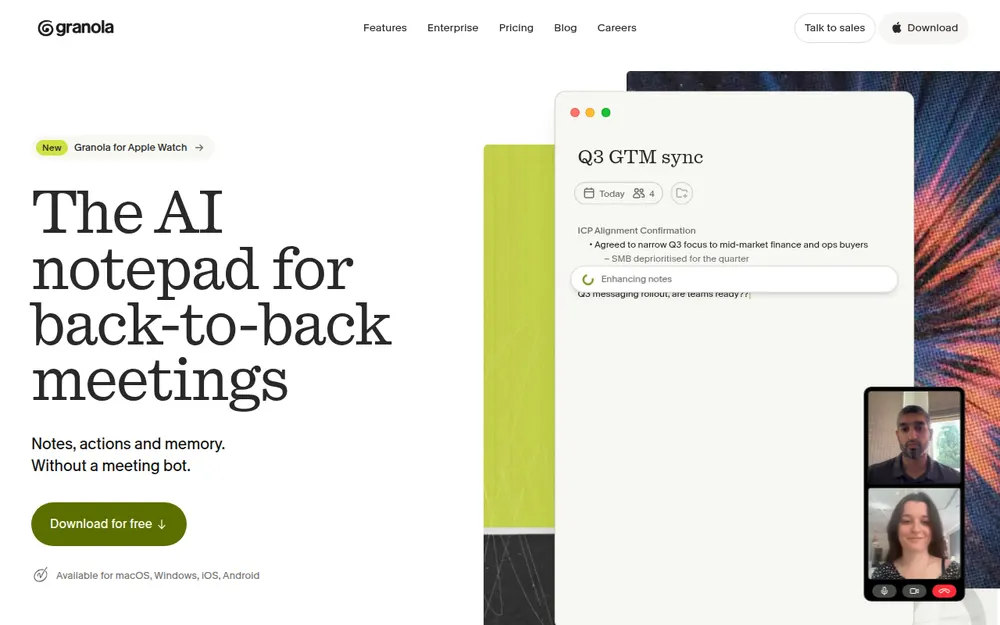
Granola is the closest thing to Bluedot's bot-free promise, done with more polish. It's my pick for most people leaving Bluedot.
It captures your mic and system audio with no bot and no browser extension. You jot rough notes during the call, and Granola fills them in afterwards. In my testing, it's the most polished app on this list.
Why it's my top pick
- No bot, on every device: Mac, Windows, iPhone and Android, with no browser extension to install.
- Reviewers agree: it's the highest-rated app on this list, 4.96/5 on the App Store from 14,417 ratings.
- A free plan that doesn't run out: Basic shows your last 30 days of notes; older notes are kept but locked. Bluedot Free stops after 5 meetings.
- Price: Business is $14 a month ($168 a year). That's the same as Bluedot Basic annual, $4 (22.2%) a month less than Basic monthly, and $72 (30.0%) a year less than Bluedot Pro.
What it costs
- Basic: free; only the last 30 days of notes are visible
- Business: $14 per user per month, billed monthly only ($168 a year)
- Enterprise: $35 per user per month, with training off by default
Prices are from Granola's pricing page and billing docs.
Cheaper month to month. What Voibe Work's extra $5 buys
Granola Business is $14 a month, $5 less than Voibe Work's $19. Billed annually, it flips: Voibe Work's $149 is $19 (11.3%) less than Granola's $168. If Basic's 30 days are enough, Granola costs nothing.
- No training default: Granola trains on anonymised data unless you opt out, and keeps notes in its US cloud. Voibe Work never trains and saves notes on your computer.
- Dictation in the same plan: Granola has none. Business plus Wispr Flow Pro is $312 a year; Voibe Work is $163 (52.2%) less.
The catches
Granola is a step sideways from Bluedot on privacy, not forward. Its security FAQ spells it out:
- Training: "Granola trains on your anonymized data"; each user can opt out in Settings. Bluedot never trains.
- Storage: notes sit in a "US-hosted AWS Virtual Private Cloud", with no EU option. Bluedot supports EU data residency.
- Retention: notes are "retained indefinitely unless you or your admin configures a retention policy"
- No recording: audio is deleted after transcription. Unlike Bluedot Pro, there's no video or audio to replay or clip
The lawsuit
Chamberlain v. Granola, filed July 30, 2026, alleges that capturing other participants without notice is wiretapping. Nothing is proven. Our Granola lawsuit explainer covers the claims.
Who should pick it
Most people leaving Bluedot. Pick it if you want the most polished no-bot app on every device and you're comfortable with cloud notes. If your calls are confidential, read the next entry.
Plans and paywalls are in our Granola pricing guide, and Is Granola safe? covers the training default.
2. Voibe Work: Best for Confidential Work and for Keeping Your Notes
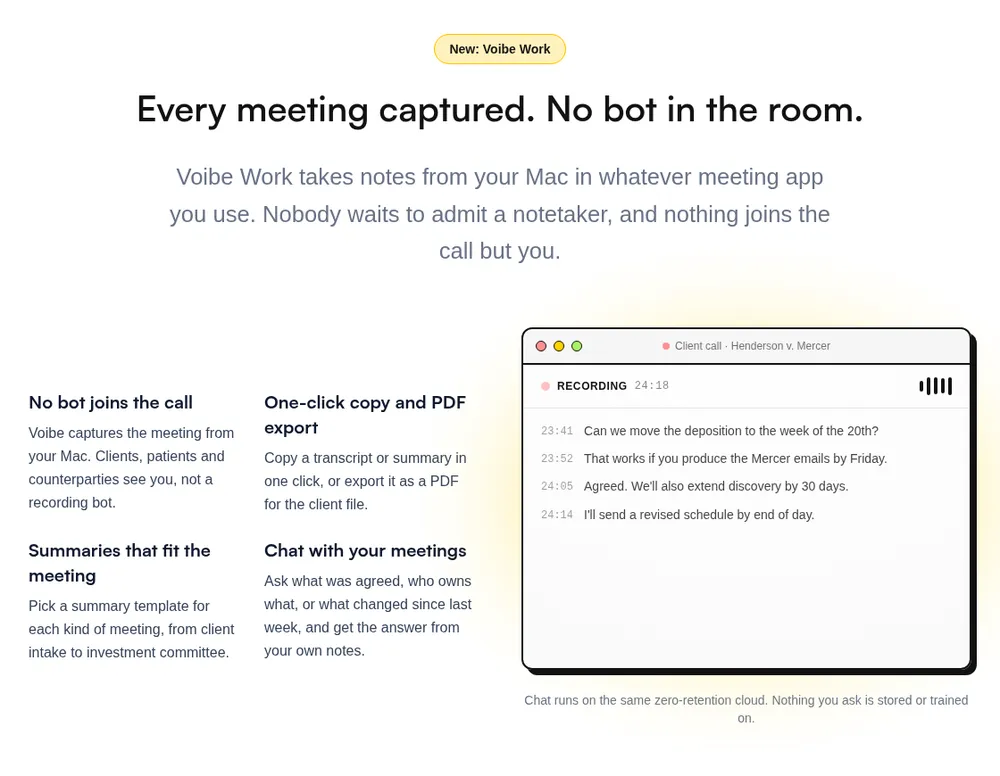
If your meetings are the kind you'd never forward, this is where the choice changes.
Voibe Work is Voibe's meeting-notes plan. It's the one I'd hand to lawyers, financial advisors, clinicians and HR teams. Same for anyone in deal talks or sensitive client calls.
Bluedot already keeps the bot out. Voibe Work also keeps the archive off a vendor's servers.
Where your meeting goes
- Capture: from your Mac or Windows PC in Zoom, Microsoft Teams, Google Meet, Webex, Slack huddles or any other meeting app. No bot joins. In-person meetings are recorded through your computer's mic.
- Processing: open-source models on zero-retention cloud providers. No OpenAI, Google, Anthropic or Microsoft model is in the audio path.
- Audio: deleted as soon as processing completes.
- Notes: the transcript and summary are saved on your computer, not on Voibe's servers.
- Training: never.
Every provider is listed on Voibe's cloud privacy page, so you can check where the audio goes. Because processing happens in the cloud, meeting notes need an internet connection.
The reasoning behind the design is in our Voibe Work launch post.
Why it fits people leaving Bluedot
- No deletion clock. Bluedot deletes recordings one to three months after you cancel. Voibe Work saves transcripts and summaries on your computer, so there's no vendor-side archive to expire.
- A copy you control. One-click PDF export gives you a copy you can file anywhere.
- Intel Macs work. Bluedot's Mac app needs Apple Silicon. Voibe runs on Intel and Apple Silicon Macs (macOS 14.4 or later) and on Windows.
- A refund if it doesn't fit. Bluedot's payments are non-refundable. Voibe's paid plans carry a 30-day money-back guarantee. The 7-day trial needs no credit card and never charges automatically.
- No meeting cap to hit. Voibe's pricing page says every paid plan includes unlimited usage. There's no lifetime meeting count to run out of.
- BAA available on request, for the app and the API. I found no BAA on Bluedot's site.
- A consent reminder. Voibe reminds you to tell everyone you're taking notes when recording starts; following recording-consent rules is up to you.
Bluedot vs Voibe Work, side by side
| Bluedot (Pro) | Voibe Work | |
|---|---|---|
| Bot in the call | No by default; optional calendar bot | No, on Mac and Windows |
| Recording | Audio and video in Bluedot's AWS cloud | Audio deleted the moment processing completes; no video |
| Transcript and summary | Bluedot's cloud; deleted 1 to 3 months after you cancel | Saved on your computer |
| Training | Never | Never |
| Dictation app | No | Yes, on Mac and Windows |
| Platforms | Chrome extension, Mac (Apple Silicon), Windows, iOS, Android | Mac (Intel and Apple Silicon), Windows |
| Refunds | Non-refundable | 30-day money-back guarantee |
| Price | $25/mo or $240/yr | $19/mo, $149/yr, or $399 lifetime |
What else you get
- AI summaries with templates for each kind of meeting, such as client intake or investment committee
- Chat with your meetings ("what was agreed, who owns what") on the same zero-retention cloud; nothing you ask is stored
- One-click copy and PDF export, plus the full Voibe dictation app on Mac and Windows
What it costs
- Voibe Work: $19 per seat per month, $149 per year, or $399 once for lifetime access
- vs Bluedot: $1 (5.6%) a month more than Basic monthly. Billed annually, it's $19 (11.3%) less than Basic, $91 (37.9%) less than Pro and $235 (61.2%) less than Business
- Voibe Dictation only: $9.90 per month, $99 per year, or $199 lifetime. Voibe Free is $0 with limited words on one device
- Teams: up to 10 seats in one checkout. Enterprise (more than 10 seats) adds team admin, central billing and custom terms
Where it falls short
- No video. The audio is deleted after processing, so there's no recording, clip or share link. If you need Bluedot Pro's video, Voibe Work doesn't replace it.
- No CRM sync. Voibe lists no HubSpot or Salesforce integration, so it doesn't replace Bluedot Business.
- No bot option. Voibe lists no calendar auto-join. It can't cover a meeting you aren't in, which Bluedot's optional bot can.
- No Chrome extension or phone app. Voibe Work is a Mac and Windows app; in-person meetings are recorded through your computer's mic.
- No free meeting-notes plan. Voibe Free covers dictation only.
- Less consent tooling. Bluedot can post a consent message in the meeting chat. Voibe Work reminds you, and the telling is up to you.
- Needs internet for meeting notes. No Bluedot import is listed, so download your Bluedot archive first.
Who it's for
Lawyers, financial advisors, clinicians, HR and deal teams whose calls are confidential, on Mac or Windows. Also anyone on an Intel Mac, and anyone paying for Bluedot plus a dictation app.
Going deeper? See our guides for lawyers and financial advisors.
7-day free trial of every Voibe Work feature. No credit card, no automatic charge, and a 30-day money-back guarantee if you buy. One seat covers Mac and Windows.
3. Circleback: Best If You Still Want a Bot, or Video, on Some Calls
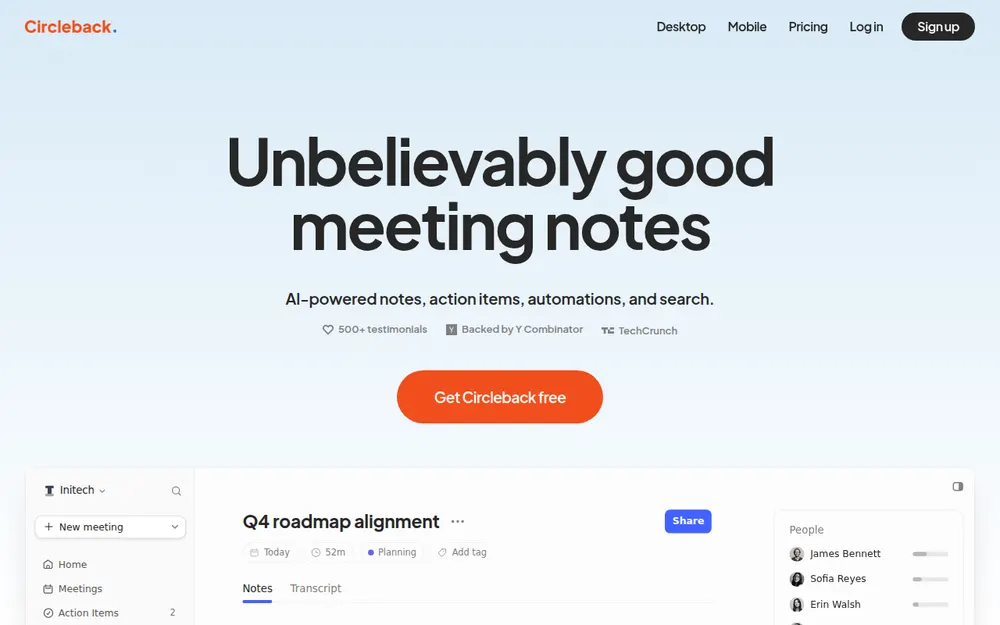
If you like Bluedot's flexibility but keep hitting its plan walls, Circleback is the closest swap.
Its pricing page offers "A bot or the bot-free desktop app for online meetings" on every plan, including Free. The desktop app runs on Mac and Windows.
One setting to check first
The bot is the default. The desktop app also tries the bot first if you've set joining preferences. Turn those off if you never want one.
What it fixes
- The 5-meeting cap: Circleback Free has unlimited meetings, with 30 days of meeting and recording history.
- Video without Pro pricing: the desktop app records meeting video by default, and Pro keeps recordings for a year.
- CRM for less: Pro includes automations with HubSpot, Salesforce, Notion, Attio and webhooks. Bluedot keeps CRM sync on Business.
- Same training stance: "We do not use customer data to train models", with SOC 2 Type II and US hosting (Circleback states).
What it costs
- Free: unlimited meetings, 30-day history
- Pro: $18 per user per month, or $15 billed annually ($180 a year). That's $60 (25.0%) less than Bluedot Pro and $204 (53.1%) less than Bluedot Business
- Business: $29, or $25 billed annually ($300 a year), with 2 years of recording storage
- Enterprise: $35 per user per month, annual only, with HIPAA and a BAA
Cheaper month to month. What Voibe Work's extra $1 buys
Circleback Pro's $18 monthly price is $1 under Voibe Work's $19. Billed annually, it flips: Voibe Work is $31 (17.2%) a year less than Circleback Pro.
- Dictation in the same plan: Circleback has none. Pro plus Wispr Flow Pro is $33 a month or $324 a year. Voibe Work is $14 (42.4%) a month less, or $175 (54.0%) a year less.
- Notes on your computer: Circleback keeps notes in its US cloud, and recordings expire on Free and Pro. Voibe Work saves notes on your computer.
- A refund window: Circleback's terms call payments "non-cancelable and … non-refundable". Voibe's paid plans carry a 30-day money-back guarantee.
The catch
- Notes still live in Circleback's US cloud.
- Recordings expire on Free and Pro.
- Its importer covers Fathom, Fireflies, Granola and Read AI, not Bluedot.
Voibe Work keeps notes on your computer, but has no bot or video. Circleback is rated 4.81/5 on the App Store (262).
Best for: teams that want a bot on some calls, video on others, and CRM automations without paying for Bluedot Business.
4. Fathom: Best Free Plan If Bluedot's 5-Meeting Cap Is the Problem
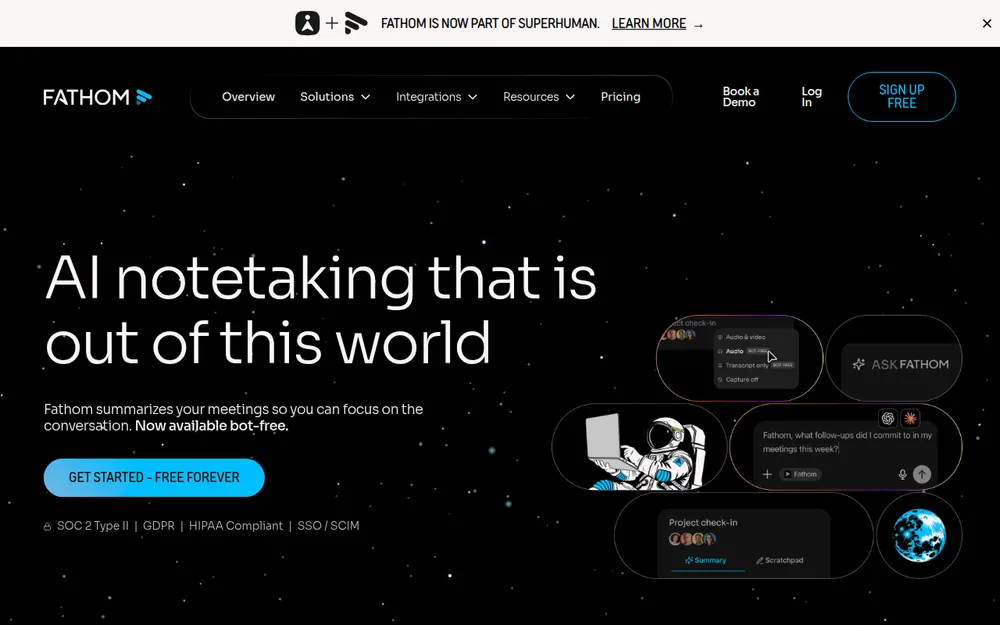
If you left Bluedot because the free plan ran out after five meetings, Fathom is the obvious answer.
Fathom's pricing page calls its free plan "Free forever", with "Unlimited recordings + transcriptions". It records video too, which Bluedot keeps on Pro. And it lets you download recordings as MP4.
What it costs
- Free: unlimited recordings and storage; advanced summaries for your first 5 calls each month
- Premium: $20 a month, or $16 billed annually ($192 a year): $48 (20.0%) less than Bluedot Pro
- Team: $19, or $15 billed annually, 2-seat minimum
- Business: $34, or $25 billed annually, with CRM field sync
Every plan is in our Fathom pricing guide. If basic notes are all you need, Fathom Free is the cheaper pick, full stop.
Catch one: it's a bot first
Fathom's bot-free capture is a beta that runs only on Mac. Its help center says "Windows support for the new experience is coming soon", with no date.
Catch two: it trains
Fathom's privacy policy says it may use de-identified meeting data for "training, improving, and customizing our in-house artificial intelligence models". There's an opt-out in your settings.
Bluedot never trains, so that's a step backwards.
A new owner
Since September 14, 2026, Fathom belongs to Superhuman, the company formerly called Grammarly. Our Is Fathom safe? review tracks the training setting and the deal.
Fathom is rated 4.9/5 on the Chrome Web Store from 1.7K ratings.
Best for: Bluedot Free users who want unlimited recordings with video at $0. You'll need to be fine with a bot, and to turn off training.
5. Jamie: Best Bluedot Alternative for EU Data Residency
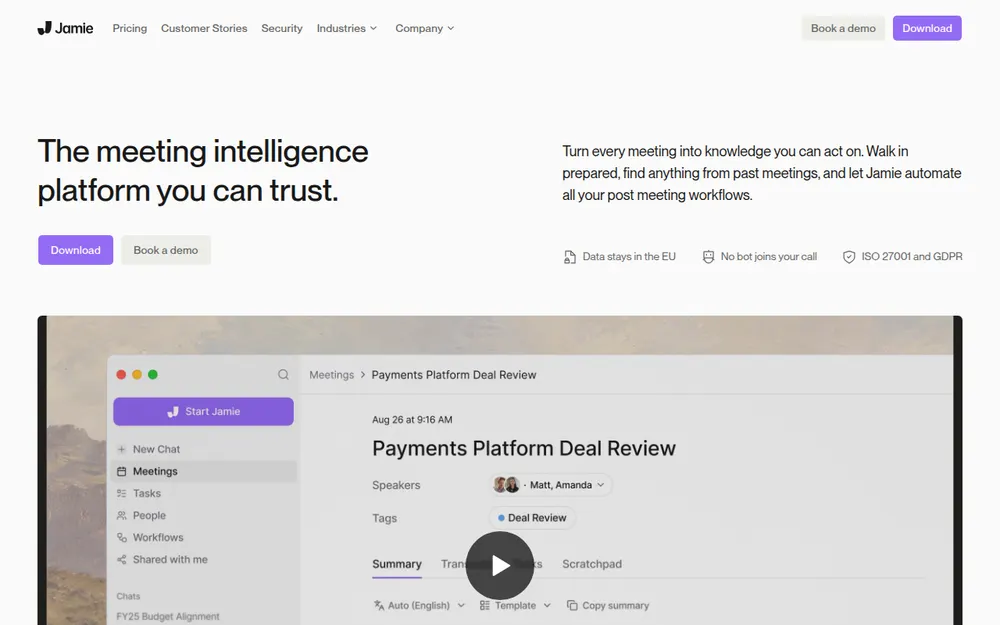
Bluedot says it supports EU data residency but doesn't say on which plan. Jamie makes it the default.
What Jamie promises
Jamie's security page says it is "Hosted in Europe". It adds:
"Your meeting data is never used to train AI models, not by Jamie and not by any of our model providers."
- Meeting audio is deleted after transcription.
- It captures from your device with no bot on Mac and Windows, and there's an iPhone app.
- It lists ISO 27001. SOC 2 Type II is marked pending.
What it costs
- Free: 10 AI notes a month, 30-minute meeting limit. That's 10 a month, against Bluedot's 5 for life
- Plus: $24 a month billed annually ($288 a year, $48 more than Bluedot Pro), 20 notes a month, 2-hour meetings
- Pro: $46 a month billed annually, unlimited notes, 5-hour meetings
- Team: $37 a month
Prices are from Jamie's pricing page. Monthly-billing prices weren't shown in a form I could verify.
The catch
- It's the priciest paid plan here.
- Notes still live in Jamie's cloud.
- The free plan caps meetings at 30 minutes.
- There's no Android app.
Jamie is rated 4.89/5 on the App Store (247).
Best for: European teams who need data to stay in the EU, in writing.
6. Quill Meetings: Best for Transcripts Made on Your Computer
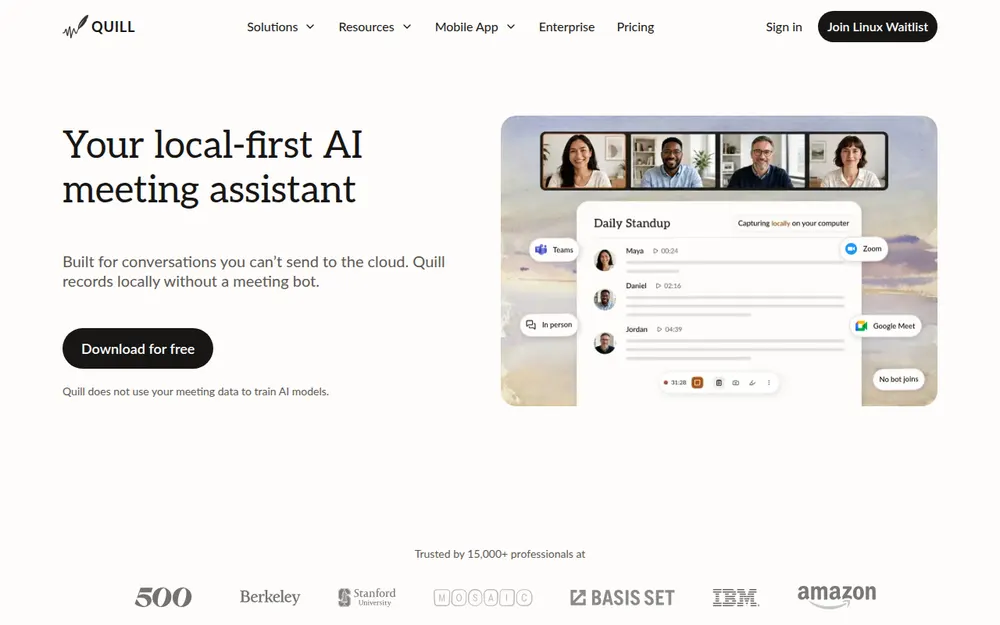
Quill Meetings goes further than Bluedot, and in one way further than Voibe Work. It records and transcribes on your computer, with no bot.
Its docs say "Transcription runs locally on your device; audio is never uploaded." The free plan includes unlimited local recordings and transcripts.
So if you don't want meetings in anyone's cloud, and it has to be free, start here.
What it costs
- Free: unlimited local recordings and transcripts
- Lite: $7.99 a month, or $6.99 billed annually ($83.88 a year, $84.12 less than Bluedot Basic), 16 hours of AI meetings a month
- Unlimited: $19.99, or $16.99 billed annually ($203.88 a year)
- Teams: $15, or $12 per seat billed annually, 5-seat minimum
Cheaper than Voibe Work. What the extra $65.12 buys
Quill Lite is $83.88 a year, $65.12 less than Voibe Work. If local transcripts are all you need, Quill Free costs nothing. Here's what the difference buys:
- No 16-hour cap: Lite stops at 16 hours of AI meetings a month. Quill's uncapped plan is Unlimited, at $203.88. Voibe Work is $54.88 (26.9%) less, with unlimited usage.
- Dictation in the same plan: Quill has none. Lite plus Wispr Flow Pro is $227.88 a year; Voibe Work is $78.88 (34.6%) less.
- Intel Macs: Quill's Mac app needs Apple Silicon. One Voibe seat covers Intel and Apple Silicon Macs and Windows.
- A refund window: I found no refund policy on Quill's site. Voibe offers a 7-day trial with no card, and a 30-day money-back guarantee.
On audio privacy, Quill is the stronger pick. It transcribes on your computer; Voibe Work processes audio in the cloud.
The catches
- Same Mac limit as Bluedot: Quill's Mac app runs only on Apple Silicon (macOS 12 or later). Windows 10 or later is supported.
- AI notes use the cloud: by default, Quill sends the transcript text (not the audio) to a cloud AI model to write notes. You can configure your own model instead. Free doesn't auto-generate AI notes.
- Audio only: no video, and its phone apps need a paid plan and the desktop app.
Quill doesn't train on meeting data and says it holds SOC 2 Type II. It has no dictation app. Its 4.56/5 App Store rating comes from only 9 ratings.
Best for: Apple Silicon Mac and Windows users who want transcripts that never leave the machine, for free.
7. Otter: Best for Mobile and In-Person Recording
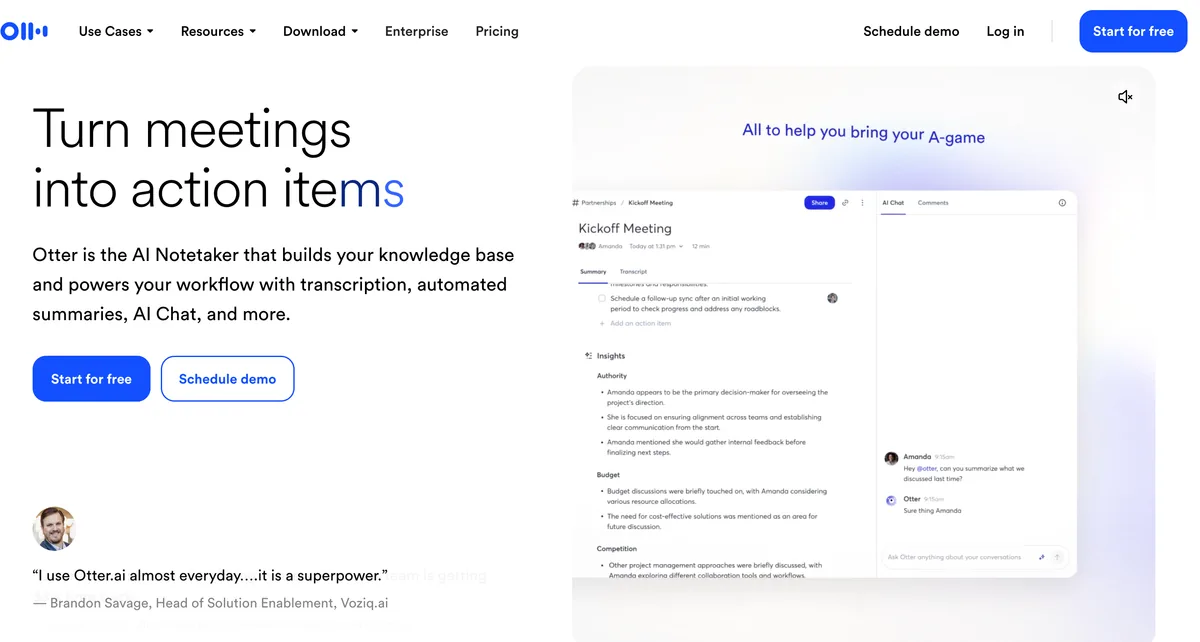
Bluedot has phone and Apple Watch apps. But if you record a lot of in-person conversations, Otter has the most mature mobile apps here.
It's rated 4.79/5 on the App Store from 84,521 ratings. That's more than every other app on this list combined.
On the computer, Otter has a bot for Zoom, Meet and Teams. Its Mac and Windows desktop app records without one.
What it costs
- Basic: free, 300 minutes a month, 30 minutes per conversation
- Pro: $16.99 a month, or $8.33 billed annually ($99.96 a year), 1,200 minutes a month and 90 minutes per conversation. That's $68.04 (40.5%) less than Bluedot Basic, with a longer per-meeting cap
- Business: $30, or $19.99 billed annually ($239.88 a year)
Prices are from Otter's pricing page, checked October 13, 2026. Every plan is in our Otter pricing guide.
Cheaper than Voibe Work. What the extra $49.04 buys
Otter Pro is $99.96 a year, $49.04 less than Voibe Work. Here's what the difference buys:
- No minute caps: Pro stops at 1,200 minutes a month and 90 minutes per conversation. Business ($239.88) only lifts the cap to 4 hours. Voibe Work is $90.88 (37.9%) less, with unlimited usage.
- Dictation in the same plan: Otter Pro plus Wispr Flow Pro is $243.96 a year. Voibe Work is $94.96 (38.9%) less.
- A lifetime option: Voibe Work's $399 seat (currently offered) breaks even after about 4 years. Against 5 years of Otter Pro ($499.80), it's $100.80 (20.2%) less, at today's list prices.
- No training: Otter trains on de-identified recordings. Voibe Work never trains and saves notes on your computer.
The catch: training
Otter's privacy policy says it trains "our proprietary AI technology on de-identified audio recordings and on transcriptions". I found no opt-out.
Coming from Bluedot, which never trains, that's the biggest step backwards on this list.
The lawsuit
In re Otter.AI Privacy Litigation is moving ahead. On August 13, 2026, the court let the federal wiretap, California privacy and Illinois biometric claims proceed. Our Is Otter safe? review covers the case.
Best for: people who record in-person conversations on their phone and want the cheapest well-known paid plan. Skip it if your calls are confidential.
8. Fireflies: Best for CRM and Analytics for Less Than Bluedot Business
On Bluedot Business ($384 a year) for the CRM? Fireflies does the sales-team job for less.
Its integrations menu reads "Log calls, transcription, and meeting notes into your CRM". Business adds conversation intelligence and team analytics.
What it costs
- Free: limited AI summaries, 400 minutes of storage per team, 20 AI credits
- Pro: $18 a month, or $10 billed annually ($120 a year), with 8,000 minutes of storage per seat and 20 AI credits
- Business: $29, or $19 billed annually ($228 a year), with unlimited storage, conversation intelligence and team analytics. That's $156 (40.6%) less than Bluedot Business
- Enterprise: $39 a month, annual only, with HIPAA
Check which plan includes your CRM before you switch. Analytics start on Business.
New: free dictation on every plan
Fireflies Talk is "Free and unlimited on every plan", including Free, on Mac and Windows. Fireflies says it "turns what you say into clean text anywhere you work".
Dictations are stored on your device and never used to train models, Fireflies says.
That makes Fireflies the only other tool here with dictation built in. Voibe Work's difference is where the meetings go: Fireflies keeps them in its cloud.
Cheaper than Voibe Work. What the extra $29 buys
Voibe Work costs $29 (24.2%) a year more than Fireflies Pro, and has no CRM sync. Dictation isn't a reason to pay it, since Fireflies Talk is free. Here's what is:
- No storage cap: Pro caps storage at 8,000 minutes per seat, with 20 AI credits. Fireflies Business ($228) lifts it. Voibe Work is $79 (34.6%) less, with unlimited usage.
- No bot, notes on your computer: Fireflies is bot-first and keeps meetings in its cloud. Voibe Work never sends a bot and saves notes on your computer.
- A lifetime option: the $399 seat (currently offered) breaks even after about 3.3 years. Against 4 years of Pro ($480), it's $81 (16.9%) less. Over 3 years ($360), lifetime is $39 more.
The catches
- Bot-first: Fireflies is built around a bot. It can also record from the Chrome extension or the desktop app without one.
- Bot-free trade-offs: its own guide says bot-free mode "does not save audio or video files" and labels speakers Speaker 1 and Speaker 2.
- Bot bans: universities including Case Western Reserve and Morgan State have blocked its bot.
- A pending lawsuit: Fricker v. Fireflies, a biometric-privacy class action, is open in federal court in Illinois.
On training, it matches Bluedot: meeting data "is never used for AI model training". Rated 4.82/5 on the App Store (5,253).
Best for: sales and recruiting teams that want CRM logging and analytics without Bluedot Business pricing, and don't mind a bot.
9. Krisp: Best Bluedot Alternative With Noise Cancellation
Krisp started as a noise-cancellation app. It added a bot-free note taker for Mac and Windows, with phone apps for in-person meetings.
What it costs
- Core: $16 a month, or $8 a month billed annually. That's $96 a year, $72 (42.9%) less than Bluedot Basic, with 10 GB of storage
- Advanced: $30, or $15 billed annually, with 60 GB
Good on training, cloud on storage
Krisp says "Your meeting data is never used to train Krisp's AI models", matching Bluedot. Its privacy policy says it primarily stores information in the United States.
Its on-device "Private Transcription & Recordings" is listed under Enterprise, not Core.
Cheaper than Voibe Work. What the extra $53 buys
Krisp Core is $96 a year, $53 less than Voibe Work. Here's what the difference buys:
- Dictation in the same plan: Krisp Core plus Wispr Flow Pro is $240 a year. Voibe Work is $91 (37.9%) less.
- A lifetime option: the $399 seat (currently offered) breaks even after about 4.2 years. Against 5 years of Core ($480), it's $81 (16.9%) less, at today's list prices.
- Notes off the vendor's cloud: Core keeps notes in Krisp's US cloud, and on-device transcription is an Enterprise feature. Voibe Work saves notes on your computer.
The catch
There's no free plan, only a 7-day free trial. A Bluedot Free user would be paying for the first time. Krisp is rated 4.75/5 on the App Store (267).
Best for: people who take calls from noisy places and want notes and noise removal in one app for under $100 a year.
Other Bluedot Alternatives We Looked At
These didn't make the top nine, but each one fits a specific Bluedot user.
Bot tools with bot-free modes
tl;dv is a common Bluedot comparison for video.
- It records video with a bot, and audio only from its desktop app without one.
- Its privacy policy says it doesn't use customer content to train generative AI models.
- It's based in Aachen, Germany. Its pricing page shows prices in euros only, so I don't list a US price.
- Rated 4.6/5 on the Chrome Web Store (597).
Notta gives you a bot or a bot-free desktop app on Mac and Windows, plus file transcription.
- Pro is $97.99 a year.
- Training isn't addressed on its security page.
- Rated 4.06/5 on the App Store (1,447).
- Cheaper than Voibe Work, by $51.01. Pro caps you at 1,800 minutes a month; Voibe Work is $50.99 (25.5%) less than Notta Business ($199.99). Notta plus Wispr Flow Pro for dictation is $241.99.
Read AI is bot-first, and training is opt-in: "Contributing to model improvement is off by default".
- Free covers 5 meetings a month with a 1-hour cap.
- Pro is $15 a month billed annually, or $19.75 monthly.
- Rated 4.88/5 on the App Store (981).
Bot-free and local-first options
Wispr Flow Notetaker adds bot-free notes to the Wispr Flow dictation app on Mac and Windows.
- Notes are stored in Wispr's US cloud.
- Training is on by default on Free and Pro.
- Unlimited use costs $312 a year.
- The Wispr Flow app is rated 4.84/5 on the App Store (17,204).
Anarlog (formerly Hyprnote) and Meetily are open-source (MIT) note takers that transcribe on your computer.
- Anarlog Pro is $14 a month or $140 a year and includes system-wide dictation.
- Meetily Pro is an early-bird $120 a year per device.
- Anarlog is cheaper than Voibe Work, by $9. Anarlog Free is $0 and local, too. Voibe Work's lifetime seat pays off in about 2.9 years, and its Mac app runs on Intel. Anarlog's local transcription needs Apple Silicon.
- Meetily is cheaper than Voibe Work, by $29. Voibe Work's lifetime seat pays off in about 3.3 years. One Voibe seat covers Mac and Windows; a Meetily licence covers one device.
Tactiq is a Chrome extension that transcribes Google Meet, Zoom and Teams. It's the closest match to Bluedot's Chrome extension.
- 10 free transcripts a month. Pro is $8 a month billed annually.
- Rated 4.8/5 on the Chrome Web Store (4.4K).
- Cheaper than Voibe Work, by $53. Voibe Work is a desktop app with dictation built in; Tactiq Pro plus Wispr Flow Pro is $240. Tactiq keeps transcripts in its cloud and uses OpenAI's API.
Laxis is a desktop app and Chrome extension. It pairs meeting notes with a voice keyboard for dictation, on one shared minute pool.
- Premium is $9.99 a month billed yearly ($119.88).
- I cover it in our Laxis alternatives guide.
- Cheaper than Voibe Work, by $29.12. Premium shares 2,000 minutes a month with dictation and caps recordings at 2 hours. Uncapped Business is $239.88; Voibe Work is $90.88 (37.9%) less.
Go deeper
We compare the no-bot options in more depth in our list of the best no-bot meeting note takers. Every alternatives roundup on the site is on our alternatives hub.
No Bot Doesn't Mean No Consent
Bluedot has better consent tooling than most no-bot apps:
- Its extension and Mac app can post a message in the meeting chat when recording starts.
- Admins can block recording without a consent message in the Chrome extension.
It also markets the opposite
The homepage headline starts with "Invisible". Its desktop FAQ answers "Will the other participants know I'm recording?" like this:
"No, our Bluedot Desktop app offers a way to record discretely, without a visible desktop notification"
A help article explains how to turn the notification off. And Bluedot's terms are clear about who carries the risk: "Bluedot does not obtain consent on your behalf."
Where everyone has to agree
About a dozen US states generally require everyone in a private conversation to agree to a recording. They include California, Florida, Illinois, Maryland, Massachusetts, Pennsylvania and Washington. Justia keeps a 50-state survey.
If one person on the call is in one of those states, plan for everyone's consent. The Granola lawsuit was brought by a meeting participant, not a Granola user.
What to say at the start
Voibe reminds you to tell everyone you're taking notes when recording starts; following recording-consent rules is up to you. A five-second line at the start works:
"I'm using an AI note taker so I can focus. It doesn't join as a bot. Is everyone okay with that?"
If anyone says no, turn it off. This is general information, not legal advice. For professional-ethics rules, see our guide for lawyers choosing a meeting note taker.
Warning
No app can get consent for you. Tell everyone on the call, every time, and check the rules where each participant is located.
Switching From Bluedot: What to Do Before You Cancel
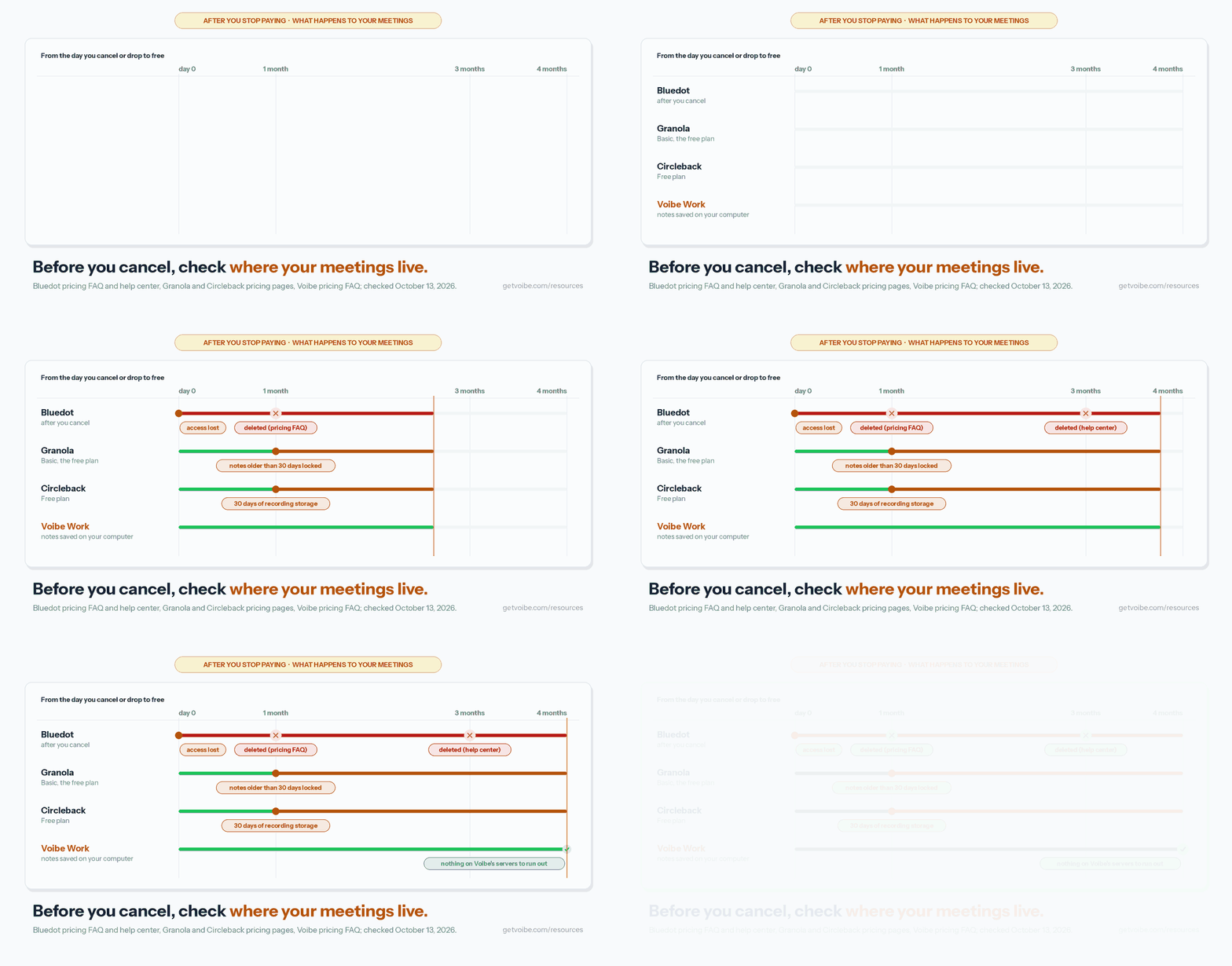
Order matters here, because cancelling starts Bluedot's deletion window. Do the downloads first.
Before you cancel
- Download your recordings and transcripts. Bluedot's pricing FAQ gives you one month after cancelling before recordings are permanently deleted (its help center says three months).
- Check the formats. Recordings download as WebM by default ("Due to the size of most recordings, the default download format is WebM"). Transcripts export as PDF or TXT.
- Get MP4 if you need it. WebM plays in Chrome and VLC but not everywhere. Bluedot's help center describes an edit-then-download workaround for MP4.
- Turn off the bot and auto-record. If you or a teammate enabled the calendar bot (Automation → Meeting Bot), switch off "Record all your meetings". Then it stops joining while you test alternatives.
- Run the alternative for a week. Try it on real calls before you cancel. Voibe Work's 7-day trial needs no credit card and doesn't charge automatically.
None of the alternatives above lists a Bluedot import.
When you cancel
- Cancel before the renewal date. Bluedot's payments are non-refundable. On the web, downgrade paid users to the free plan in Settings → Members.
- Check Apple, too. If you started a trial or subscription in the iPhone app, check your Apple subscriptions.
- Delete what you don't want kept. Bluedot's security page says deleted data is removed immediately, with backups cleared within 30 days.
- Disconnect integrations. Remove Bluedot from your calendar, CRM, Notion, Slack and Zapier connections.
After you switch
Tell people in your next calls. Without a visible bot or an automatic chat message, the other participants won't know unless you say so.
What the alternatives do when you stop paying
Bluedot isn't the only tool with a clock.
- Granola's free Basic plan only shows the last 30 days of notes; older ones are kept but locked.
- Circleback's Free plan stores recordings for 30 days (Pro keeps them for a year).
- Voibe Work works differently: transcripts and summaries are saved on your computer, not on Voibe's servers, so there's nothing on a server to expire.
Export a PDF of anything you want to keep either way.
How to Choose the Right Bluedot Alternative
Four questions, in order. Stop at your first yes.
1. Are your calls confidential, or do you also dictate all day?
- Confidential client, patient, HR or deal calls → Voibe Work. No bot, audio deleted after processing, notes saved on your computer, never trained on.
- You want notes that don't depend on a subscription → Voibe Work, or Quill if it must be free.
- You also dictate emails, messages or documents → Voibe Work. One $149-a-year plan replaces Bluedot plus a dictation app. Fine with a bot? Fireflies includes free dictation.
- Neither → question 2.
2. Do you need it free?
- Yes, and a bot is fine → Fathom Free (unlimited recordings, with video). Turn off training in My Settings.
- Yes, and transcripts must stay on your computer → Quill Meetings.
- Yes, and you want both bot and no-bot options → Circleback Free (unlimited meetings, 30-day history).
- No → question 3.
3. Do you want a bot or video on some calls?
- Yes, with no training → Circleback.
- Yes, with CRM logging and team analytics → Fireflies Business ($228 a year).
- Yes, at the lowest price → Otter Pro ($99.96 a year).
- No → question 4.
4. Must your data stay in the EU?
- Yes → Jamie.
- No → Granola, the best overall no-bot app, on Mac, Windows, iPhone and Android. Add Krisp to the shortlist if you also want noise cancellation.
Best Bluedot Alternative for Your Situation
Already know your situation? Find your row.
Privacy, platform and where your data lives
| Situation | Best choice | Why |
|---|---|---|
| Best all-round no-bot notes, on every device | Granola | Mac, Windows, iPhone and Android; 4.96/5 on the App Store; $168 a year |
| Confidential client calls | Voibe Work | No bot, audio deleted, notes saved on your computer, never trains |
| You want your notes to outlast the subscription | Voibe Work or Quill | Both save notes on your computer; Bluedot deletes recordings 1 to 3 months after you cancel |
| You're on an Intel Mac | Voibe Work or Circleback | Both desktop apps run on Intel Macs; Bluedot's and Quill's Mac apps need Apple Silicon |
| Your data must stay in the EU | Jamie | EEA, Swiss and UK hosting; never trains |
Budget, bots and team needs
| Situation | Best choice | Why |
|---|---|---|
| You hit Bluedot's 5-meeting free cap | Fathom Free | Unlimited recordings and video at $0; a bot by default |
| Free, and transcripts never leave your computer | Quill Meetings | Free local transcription on your Mac or PC |
| You pay for Bluedot and a dictation app | Voibe Work | $149 a year for both jobs vs $384 for Bluedot Pro + Wispr Flow Pro |
| A bot for some meetings, video for others | Circleback | Bot or desktop app on every plan; Pro $180 a year |
| Sales team on Bluedot Business for the CRM | Fireflies or Circleback | Fireflies Business $228 a year with analytics; Circleback Pro $180 with HubSpot and Salesforce automations |
| Lots of in-person recording on your phone | Otter | Mature mobile apps; Pro $99.96 a year |
| Noisy calls from cafés or home | Krisp | Noise cancellation plus notes, $96 a year |
Frequently Asked Questions About Bluedot Alternatives
Basics
What is the best Bluedot alternative?
Granola, for most people. It records with no bot on Mac, Windows, iPhone and Android. It's the highest-rated app I tested (4.96/5 on the App Store). Its free plan shows your last 30 days of notes instead of ending after 5 meetings.
Business costs $168 a year, the same as Bluedot Basic billed annually. The catches: notes stay in Granola's US cloud, there's no video, and it trains on anonymised data by default.
For confidential calls, Voibe Work is the better pick. No bot, audio deleted after processing, notes saved on your computer, never trained on. A dictation app is included for $149 a year.
Is there a free Bluedot alternative?
Yes, several. All of them last longer than Bluedot Free's 5 meetings for the life of the account.
- Fathom Free records unlimited meetings with video, with advanced summaries for 5 calls a month.
- Circleback Free has unlimited meetings with 30 days of history.
- Quill Meetings transcribes unlimited meetings on your computer for free.
- Jamie Free gives 10 AI notes a month, and Granola Basic shows your last 30 days.
Voibe Work has no free meeting-notes plan, only a 7-day trial with no credit card. After it, Voibe Free keeps dictation at $0 with limited words on one device.
Your recordings and the bot
What happens to my Bluedot recordings when I cancel?
They're deleted. Bluedot's pricing FAQ says you lose access to your recordings when you cancel. You then have one month to restore your subscription before they are permanently deleted.
Its help center and security FAQ give three months instead. Download your recordings (WebM by default) and transcripts (PDF or TXT) before you cancel.
Does Bluedot use a bot?
Not by default. Bluedot records through its Chrome extension and desktop apps without a bot. Its homepage FAQ says it never invites a bot to your meeting.
But a Bluedot help article updated September 11, 2026 documents an optional calendar bot. It joins as "[Your name]'s AI NoteTaker" and has to be admitted, so a teammate can send one.
Privacy and training
Does Bluedot train AI on my meetings?
No. Bluedot's terms say it does not use customer content to train or improve AI models, and that its vendors may not either.
Its privacy policy, effective November 19, 2023, names no AI vendor. Yet custom templates let you choose Claude 4.6 Sonnet or GPT-5. Granola, Fathom and Otter do train by default.
What is the most private Bluedot alternative?
Voibe Work. No bot joins the call on Mac or Windows. Meeting audio is processed by open-source models on zero-retention cloud providers and deleted as soon as processing completes.
The transcript and summary are saved on your computer, not on Voibe's servers. Nothing is used to train AI, and a BAA is available on request.
Meeting notes need an internet connection. Voibe reminds you to tell everyone you're taking notes; following consent rules is up to you. If it must be free, Quill Meetings transcribes on your computer.
Pricing
How much does Bluedot cost?
Bluedot Free covers 5 meetings for the life of the account. Basic costs $18 a month, or $14 a month billed annually ($168 a year). It's audio only, with a 1-hour cap per recording.
Pro costs $25, or $20 billed annually ($240 a year), and adds video. Business costs $39, or $32 billed annually ($384 a year), and adds CRM and ATS integrations. Bluedot's terms say payments are non-refundable.
Is Voibe Work cheaper than Bluedot?
On annual billing, yes. On monthly billing, only against Pro and Business:
- Annual ($149 a year): $19 (11.3%) less than Bluedot Basic ($168), $91 (37.9%) less than Pro ($240) and $235 (61.2%) less than Business ($384).
- Monthly: Voibe Work ($19) is $1 (5.6%) more than Basic ($18) but $6 less than Pro ($25).
Voibe Work includes a dictation app but no video, CRM sync or bot option. It also carries a 30-day money-back guarantee, which Bluedot doesn't offer.
What does Bluedot plus a dictation app cost compared with Voibe Work?
Bluedot Pro ($240 a year) plus Wispr Flow Pro ($144 a year) costs $384 a year. Voibe Work covers meeting notes and dictation for $149 a year, which is $235 (61.2%) less.
Against Bluedot Basic plus Wispr Flow Pro ($312 a year), Voibe Work is $163 (52.2%) less. If a meeting bot is acceptable, Fireflies includes free dictation on every plan.
Platforms and switching
Does Bluedot work on Intel Macs?
Not as a desktop app. Bluedot's Mac app supports macOS 12.3 and later on Apple Silicon only, so Intel Mac users are limited to the Chrome extension. Quill Meetings' Mac app is also Apple Silicon only.
Voibe Work runs on Intel and Apple Silicon Macs (macOS 14.4 or later) and on Windows. Circleback's desktop app supports Intel Macs with an 8th-generation Core i5 or newer, on macOS Sonoma 14.2 or later.
Can I get a refund from Bluedot?
Bluedot's terms say payments are non-refundable. Its mobile 3-day Pro trial converts to a non-refundable charge if you don't cancel in time.
Cancel before your renewal date. Among the alternatives, Voibe's paid plans carry a 30-day money-back guarantee.
Final Verdict: The Best Bluedot Alternative
- Best overall: Granola ($168 a year). The most polished no-bot app, on Mac, Windows, iPhone and Android, if you're comfortable with cloud notes and training by default.
- Best for confidential work: Voibe Work ($149 a year or $399 lifetime). No bot, audio deleted, notes saved on your computer, never trained on, Intel Macs supported, BAA available on request, and a dictation app included.
- Bot or video on some calls: Circleback ($180 a year), with CRM automations on Pro and no training.
- Best free: Fathom Free if a bot is fine, or Quill for free local transcription.
What it comes down to
Bluedot gets the bot and the training right. What it gets wrong is everything around the archive:
- Five free meetings, ever
- An hour-long cap on Basic
- Non-refundable payments
- Recordings that are deleted when you stop paying
Granola fixes the free plan and the polish. If your calls are confidential, Voibe Work fixes the archive: the notes are on your computer, not in a vendor's cloud.
Voibe reminds you to tell everyone you're taking notes when recording starts; following recording-consent rules is up to you.
Try Voibe Work free for 7 days → Every feature, no credit card, no automatic charge.
Related reading:
Key Takeaway
Granola is the best Bluedot alternative for most people: no bot on every device for $168 a year, with a free plan that doesn't run out. For confidential work, Voibe Work wins: notes saved on your computer, never trained on, and dictation included for $149 a year, $235 less than Bluedot Pro plus Wispr Flow Pro.
Meeting notes without a bot in your call
Voibe Work takes notes from Zoom, Teams and Meet on your Mac, with dictation included. Nothing used to train AI.
- Mac + Windows
- No bot in your calls
- Nothing used to train AI
- 7-day free trial
Want to compare plans first? View pricing →