
I Tested 9 Laxis Alternatives. Fireflies Wins, Unless Your Calls Are Confidential
I tested 9 Laxis alternatives for notes + dictation: 1. Fireflies 2. Voibe Work 3. Wispr Flow 4. Granola 5. Fathom 6. Circleback 7. Otter 8. Bluedot 9. Read AI

TL;DR: The Best Laxis Alternatives
Laxis's privacy policy is dated July 17, 2020. I re-checked it on October 13, 2026. Same date.
In between, Laxis sold a lifetime deal on AppSumo and pitched itself to revenue teams. Now it sells meeting notes, a voice keyboard for dictation and AI earbuds.
The short answer: pick Fireflies if you want Laxis's bundle at Laxis's price. Pick Voibe Work if your calls are confidential.
Why an old policy matters
The policy is the promise. On January 9, 2024, the FTC's Office of Technology reminded AI companies that breaking a privacy commitment can make them liable.
Its example was a pledge not to use customer data "to train or update their models". Its warning: "There is no AI exemption from the laws on the books."
Laxis's 2020 policy makes no promise about training either way. So I ranked these nine on two things: do they replace notes plus dictation, and where does the audio go?
My pick for most people: Fireflies
- Same bundle. Meeting notes, CRM integrations, and Fireflies Talk: free unlimited dictation on every plan, Free included.
- Same price. Pro is $120 a year, 12 cents more than Laxis Premium billed annually.
- A training answer. Fireflies says your meeting data "is never used for AI model training".
- The catches. It's a bot by default, and your notes live in Fireflies' cloud.
For confidential work: Voibe Work
Voibe Work is the meeting-notes plan of Voibe, the app we build.
- No bot joins the call.
- There's no shared minute pool.
- The audio is deleted once processing completes.
- The transcript and summary are saved on your computer, never trained on.
- Dictation comes in the same plan.
One honest price note
- vs Laxis Premium: Voibe Work's $149 a year is $29.12 (24.3%) more than Laxis Premium billed annually ($119.88). Monthly, it's $3.01 (18.8%) more ($19 against $15.99).
- vs Laxis Business, the only Laxis plan with unlimited minutes: $90.88 (37.9%) less a year ($239.88). Monthly, it's $10.99 (36.6%) less ($29.99).
Voibe reminds you to tell everyone you're taking notes when recording starts; following recording-consent rules is up to you.
I tested all nine and read each vendor's pricing, privacy and help pages (how I tested and ranked them).
The ranking
- Fireflies: best Laxis alternative overall, especially for sales teams. Notes, CRM integrations and free unlimited dictation. Bot by default.
- Voibe Work: best for confidential work. The same notes-plus-dictation bundle with no bot, no minute pool, and notes saved on your computer.
- Wispr Flow Notetaker: the dictation app that added bot-free meeting notes. Trains by default on Free and Pro.
- Granola: best no-bot notes app overall, if you don't need dictation.
- Fathom: free unlimited recordings and CRM sync, with a bot by default.
- Circleback: CRM automations on Pro, a bot or the bot-free desktop app, and no training.
- Otter: the cheapest well-known annual plan, $99.96 a year.
- Bluedot: the same capture surfaces as Laxis, bot-free by default, never trains.
- Read AI: bot-first notes with training off unless you opt in.
Key takeaways
| Alternative | Best for | Bot in the call | Dictation included? | Per year vs Laxis Premium ($119.88) |
|---|---|---|---|---|
| Fireflies | Best overall; sales teams | Bot by default; bot-free desktop mode | Yes, free (Fireflies Talk) | $120 Pro ($0.12 more) |
| Voibe Work | Confidential calls; notes + dictation with no minute pool | No | Yes | $149 ($29.12 more, 24.3%) |
| Wispr Flow Notetaker | Existing Wispr Flow users | No | Yes | $144 Pro, limited notes ($24.12 more) |
| Granola | Polished no-bot notes | No | No | $168 Business ($48.12 more) |
| Otter | Lowest annual price | Bot, or desktop app with no bot | No | $99.96 Pro (save $19.92, 16.6%) |
Key Takeaway
Fireflies is the best Laxis alternative for most people, and especially for sales teams: meeting notes, CRM integrations and free unlimited dictation for about Laxis's price. For confidential calls, pick Voibe Work: no bot, no minute pool, audio deleted after processing, notes saved on your computer and never trained on, for $149 a year.
Why People Are Leaving Laxis
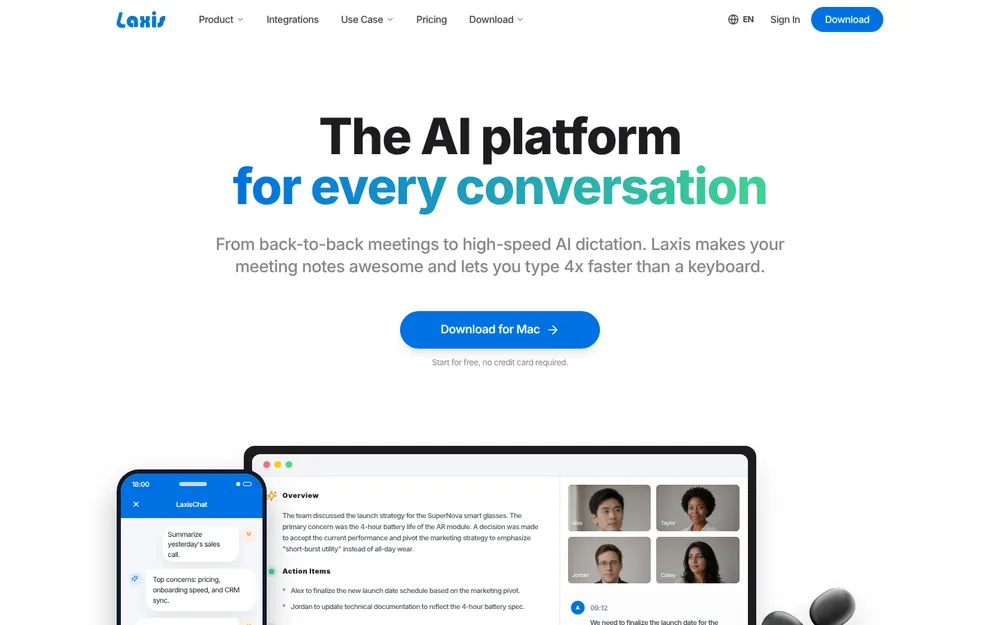
Laxis (Laxis, Inc., based in Evansville, Indiana) now calls itself "The AI platform for every conversation". The homepage promises "high-speed AI dictation". It also promises meeting notes that are "bot-free, in 100+ languages".
Reviewers are mostly kind:
- 4.81/5 on the App Store from 171 ratings
- 4.2/5 on the Chrome Web Store (77 ratings)
- 4.2/5 on Google Play (28 reviews)
The complaints cluster around the same seven things.
1. The product keeps changing what it is
Laxis has repositioned twice:
- 2022: an AppSumo lifetime deal for an "AI Meeting Assistant", pitched as an "Alternative to Otter.ai". A Zoom bot joined calls for you.
- 2023 to 2025: a $1.5 million seed round, framed as an "AI platform to support revenue teams" (Inside INdiana Business, October 23, 2023). Then came an AI sales agent, a prospect database and an AI phone dialer.
- 2026: meeting notes, a voice keyboard and OSO hardware (AI earbuds and a 360° meeting camera). The App Store listing is now "Laxis: AI Notes & Dictation".
The AI Sales Agent still exists. It's a separate product with its own subscription ($99 per agent per month, through sales).
This list covers the part most people use: the meeting assistant and the voice keyboard.
2. Meetings and dictation drain one minute pool
Laxis's help center is blunt: "Meeting transcription, Voice Keyboard dictation, and live translation all draw from the same monthly minutes."
When the minutes run out, "recording, dictation, and live translation pause until the reset".
- Basic (free): 300 minutes a month, 45 minutes per recording, 30 days of history
- Premium: 2,000 minutes a month, 2 hours per recording
- Business: unlimited minutes and dictation, 4 hours per recording
At the cap, "the recording stops and saves automatically", and you start a new one. A heavy week of calls can leave you without dictation until the month resets.
3. The privacy policy is from 2020 and says nothing about training
Laxis's privacy policy reads "Last updated July 17, 2020". It predates the voice keyboard, the bot-free desktop recorder, the MCP connector and the earbuds.
- AI vendors: none named. The listed third parties are Google Cloud Platform, Stripe, Facebook and Google sign-in, Google Analytics, Crashlytics and TestFlight.
- Training: no language about training models on your meetings. I found no opt-out anywhere.
- The closest line: Laxis may use personal information "for undertaking internal research for technological development and demonstration".
- Location: the Terms (March 7, 2025) say the site "is hosted in the United States". You agree to have your data processed there.
Silence isn't proof of anything. But if your calls are confidential, "not addressed" is a weak answer to "do you train on my meetings?"
4. SOC 2 Type I, and two answers on encryption
Laxis's help center says "SOC 2 Type 1 Certified". Here's the difference that matters:
- Type I checks that controls are designed properly at one point in time.
- Type II tests that they worked over months. Most rivals here state Type II.
I found no BAA mentioned anywhere. On encryption, Laxis gives two answers:
- Help center: "All data is encrypted both in transit and at rest."
- Google Play data-safety label: "Data isn't encrypted".
I can't tell you which is right. Ask Laxis before you upload client calls.
5. Audio is kept, and consent is your problem
Laxis's own comparison page says it "retains complete audio recordings alongside transcripts and AI summaries". That's handy for replay. It's also a full archive of every call in someone else's cloud.
On consent, the Terms say: "Laxis takes no responsibility for asking for consent to record the call, and the responsibility lies solely with you."
I found no consent reminder or automatic notice documented in Laxis's help center.
6. Three ways to capture, each with a catch
- Desktop app (Mac and Windows): records your mic and computer audio with no bot. Transcription "runs in our cloud rather than on your machine".
- Chrome extension: reads the captions Google Meet, Zoom or Teams already generate. Very long meetings stop at 15,000 captions.
- The extension's catch: "If the meeting organizer or your company's admin has disabled captions, there's nothing for Laxis to read".
- Meeting bot: optional on laxis.com. But the iOS App Store description still says "Laxis automatically joins your Zoom, Google Meet, and Microsoft Teams calls via calendar integration."
7. Support, refunds and the AppSumo history
The loudest complaints are about the company, not the transcripts.
- Support: "Support never answers emails and the addon doesn't count words correctly" (AppSumo, October 20, 2025).
- Quota counting: the same reviewer on Capterra: "they don't count towards the quota correctly so your AI usage is innacurate."
- "Bait and switch": an AppSumo reviewer wrote this on April 4, 2024. "Deal promised premium plan updates, has instead created a monthly pricing tier for appsumo and locked promised features behind them."
- The founder's reply: "those features do cost a lot of resources to operate, so we need to charge a bit more ($6)".
- Refunds: "After 12 hours of subscribing, I switched to Otter, and asked for a refund of my $200. They denied my request" (Trustpilot, November 14, 2023).
- Refund policy: I found none on Laxis's pricing page, help center or Terms.
- Recordings stopping: "I was in a 1-hour meeting today, and Laxis stopped processing after 20 minutes. So I lost 40 minutes of the meeting" (AppSumo, September 18, 2023).
Read the review scores with care:
- Trustpilot: 2.9 from just 2 reviews. Treat it as a signal, not a verdict.
- Capterra: kinder, at 4.3/5 from 20 reviews.
- AppSumo: 4.24/5 from 45.
What Laxis does well
Credit where it's due:
- The bundle itself. Meeting notes and a voice keyboard in one subscription, on Mac, Windows, iPhone, Android, a Chrome extension and the web.
- A cheap paid plan. Premium billed annually is $9.99 a month ($119.88 a year), cheaper than most plans on this list, Voibe Work included.
- Bot-free desktop capture that also records phone calls on speaker and in-person conversations.
- CRM sync on Business: HubSpot, Salesforce and Wealthbox, plus Zapier.
- A free way in: every account starts with 14 days of Premium, no card needed.
App Store reviewers like the follow-ups: "It even turns discussions into emails and reports."
If your calls aren't sensitive and 2,000 minutes a month covers you, staying on Laxis Premium is a reasonable choice.
Where Your Meetings Go: Laxis vs the Alternatives
Laxis's desktop app already skips the bot. So "no bot" alone isn't a reason to switch.
What separates these tools is where the meeting ends up, and what the vendor promises to do with it.
Bot, storage and training, tool by tool
| Tool | Bot in the call | Where notes are stored | Audio and retention | Trains on your meetings? | Attestations (vendor-stated) |
|---|---|---|---|---|---|
| Laxis (reference) | No bot on desktop; Chrome extension reads captions; optional bot | Laxis cloud, US (Google Cloud Platform) | Complete audio recordings kept with transcripts; kept while you have an account | Not addressed in its July 2020 policy; no opt-out documented | SOC 2 Type I; GDPR claim; no BAA mentioned |
| Fireflies | Bot by default; bot-free desktop mode and Chrome extension | Fireflies cloud | Bot-free desktop mode saves no audio or video files | Never | SOC 2 badge; HIPAA on Enterprise |
| Voibe Work | No, on Mac and Windows | On your computer, not on Voibe's servers | Audio deleted as soon as processing completes | Never | BAA available on request |
| Wispr Flow Notetaker | No | Wispr cloud, US | Raw audio up to 7 days; transcripts kept by default | Yes by default on Free and Pro, opt-out | SOC 2 Type II and ISO 27001 (Wispr states) |
| Granola | No | Granola cloud, US (AWS) | Audio deleted after transcription; notes kept indefinitely unless a retention policy is set | Yes by default on Free and Business, opt-out | SOC 2 Type II; HIPAA and BAA on Enterprise |
| Fathom | Yes by default; bot-free beta only on Mac | Fathom cloud, US | Recordings kept until you delete them | Yes by default (de-identified), opt-out | SOC 2 Type II; BAA on Enterprise |
| Circleback | Bot by default; bot-free desktop app opt-in | Circleback cloud, US | Recordings kept 30 days on Free, 1 year on Pro, 2 years on Business | No | SOC 2 Type II; BAA on Enterprise |
| Otter | Bot, or desktop app with no bot | Otter cloud | Kept until deleted | Yes (de-identified audio and transcripts); no opt-out found | SOC 2 Type II; HIPAA on Enterprise |
| Bluedot | No bot by default; optional calendar bot | Bluedot cloud (AWS); EU residency supported | Kept while you subscribe; deleted after you cancel | Never | SOC 2 Type II, GDPR |
| Read AI | Bot by default | Read AI cloud, US and other countries | Kept in your account | Opt-in only; off by default | Not re-verified |
What the table tells you
- Notes on your computer: only Voibe Work, which also deletes the audio. Everyone else stores your meetings in their cloud.
- Never trains: Fireflies, Voibe Work, Circleback and Bluedot.
- Off unless you opt in: Read AI.
- On by default, with an opt-out: Granola, Fathom and Wispr Flow.
- On, with no opt-out I could find: Otter.
- Doesn't say: Laxis.
Among the cloud tools, the difference comes down to the training promise and how long they keep things.
Voibe Work processes meeting audio with open-source models on zero-retention cloud providers, so it needs an internet connection. Voibe reminds you to tell everyone you're taking notes when recording starts; following recording-consent rules is up to you.
Going deeper
- Our AI Privacy Tracker scores the meeting tools tier by tier.
- Our dictation vs note taker vs transcription guide explains which category you actually need.
What to Look For in a Laxis Alternative
Six questions separate these tools. Answer them before you compare prices.
- Do you need dictation as well as meeting notes? Laxis sells both. Fireflies (free), Wispr Flow and Voibe Work include dictation. Granola, Fathom, Circleback, Otter, Bluedot and Read AI don't, so you'd pay for a dictation app on top.
- Is there a minute pool or a recording cap? Laxis Premium gives 2,000 minutes a month, shared with dictation. Each recording stops at 2 hours. Check every plan's limits against your real week.
- Where do notes and audio live? Laxis keeps full recordings in its US cloud. Voibe Work deletes the audio and saves notes on your computer; the rest use their cloud. For client, patient or deal calls, this matters most.
- Does it train on your meetings, and say so? Look for a dated policy that answers in plain words. If the answer is yes, look for an opt-out.
- Bot or no bot? A bot can cover meetings you aren't in. A no-bot recorder can't. But nobody has to admit it, and a host can't turn it away.
- Do you need CRM sync? On Laxis it's Business only ($239.88 a year). Fireflies, Fathom, Circleback and Otter include CRM integrations on cheaper plans. Voibe Work has none.
How We Tested and Ranked These Laxis Alternatives
I tested all nine alternatives myself. Every verdict below comes from that testing.
I also read each vendor's pricing, security, privacy and help pages. And I checked App Store, Chrome Web Store and Google Play ratings.
Everything was checked between October 8 and October 13, 2026. Laxis's pages were re-checked on October 13, 2026.
What I judged, in order
- Does it replace the whole Laxis bundle? Meeting notes and dictation, ideally in one plan.
- What happens to the meeting: where notes and audio are stored, for how long, and whether they train AI.
- Limits: minute pools, per-recording caps and storage caps.
- What a year costs, against Laxis Premium ($119.88) and Business ($239.88).
- Team and sales features: CRM sync, a bot for meetings you miss, and conversation insights.
Why Fireflies is first
Fireflies matches Laxis on criteria 1, 4 and 5 at once:
- It takes meeting notes.
- It includes free unlimited dictation on every plan.
- It syncs to your CRM.
- Pro costs almost exactly what Laxis Premium does.
Laxis's use-case menu leads with sales. Fireflies' Business plan adds the conversation intelligence a sales team buys Laxis Business for.
Why Voibe Work is second
Voibe Work ranks second overall and first for confidential work. It wins criteria 2 and 3 outright:
- Audio deleted, notes saved on your computer, never trained on
- No minute pool or per-recording cap on paid plans
But it costs more than Laxis Premium, and it has no CRM sync or bot. That's why it isn't first.
Why the rest rank lower
Granola, Fathom, Circleback, Otter, Bluedot and Read AI don't include dictation. So they rank below the three bundles.
Each entry says who should still pick it.
Laxis Alternatives Compared
Laxis sits in the first row for reference. Ratings are from the App Store unless noted, checked October 13, 2026.
Side by side, with Laxis as the baseline
| App | Bot? | Platforms | Notes stored | Trains on your data? | Free plan | Dictation? | Rating |
|---|---|---|---|---|---|---|---|
| Laxis (reference) | No bot on desktop; optional bot | Mac, Windows, iOS, Android, Chrome, web | Laxis cloud, US | Not addressed | 300 min a month, 45-min cap, 30-day history | Yes, from the same minutes | 4.81/5 (171) |
| Fireflies | Bot, or bot-free desktop mode | Web, Mac, Windows, iPhone | Fireflies cloud | Never | Yes, limited AI summaries, 400 min storage | Yes, free and unlimited | 4.82/5 (5,253) |
| Voibe Work | No bot | Mac, Windows | On your computer | Never | No (7-day trial, no card); Voibe Free is dictation only | Yes, unlimited | 4.8/5 Product Hunt (Voibe app, 6) |
| Wispr Flow Notetaker | No bot | Mac, Windows | Wispr cloud, US | Yes by default (Free, Pro) | Limited notes; 2,000 dictated words a week | Yes | 4.84/5 (Wispr Flow app, 17,204) |
| Granola | No bot | Mac, Windows, iOS, Android | Granola cloud, US | Yes by default, opt-out | Yes, last 30 days visible | No | 4.96/5 (14,417) |
| Fathom | Bot, or no-bot beta (Mac only) | Mac, Windows, iPhone | Fathom cloud, US | Yes by default, opt-out | Unlimited recordings; advanced summaries for 5 calls a month | No | 4.9/5 Chrome Web Store (1.7K) |
| Circleback | Bot, or bot-free desktop app | Mac, Windows, iOS, Android | Circleback cloud, US | No | Yes, unlimited meetings, 30-day history | No | 4.81/5 (262) |
| Otter | Bot, or no-bot desktop app | Web, Mac, Windows, iOS, Android | Otter cloud | Yes, de-identified; no opt-out found | 300 min a month, 30 min per conversation | No | 4.79/5 (84,521) |
| Bluedot | No bot by default; optional bot | Chrome, Mac (Apple Silicon), Windows, iOS, Android | Bluedot cloud (AWS) | Never | 5 meetings, lifetime | No | 4.73/5 (252) |
| Read AI | Bot by default | Web, Mac, Windows, iOS, Android | Read AI cloud | Opt-in only | 5 meetings a month, 1-hour cap | No | 4.88/5 (981) |
What only Voibe Work combines
Three tools here bundle meeting notes with dictation the way Laxis does: Fireflies, Wispr Flow and Voibe Work. Fireflies' dictation is even free.
Of the three, only Voibe Work saves meeting notes on your computer, deletes the audio and never trains on it.
Its catch is the opposite of Laxis's: there's no free meeting-notes plan. On a $0 budget, Laxis Basic, Fireflies Free, Fathom Free and Circleback Free all beat it.
Laxis Alternatives Pricing: What a Year Costs vs Laxis Premium and Business
Laxis Basic is $0. The paid plans below come from Laxis's pricing page and help center (checked October 13, 2026).
The page opens on the yearly toggle, so the headline prices are the annual ones.
Laxis's paid plans
- Premium: $15.99 a month, or $9.99 a month billed annually: $119.88 a year. 2,000 minutes a month, 2 hours per recording
- Business: $29.99 a month, or $19.99 a month billed annually: $239.88 a year. Unlimited minutes, 4 hours per recording, CRM sync
- Enterprise: custom, with SSO and data residency
Prices are per user. Laxis says yearly billing saves 37.5% on Premium and 33% on Business, and my math agrees.
Laxis Premium is cheaper than Voibe Work. What the extra $29.12 buys
Premium costs $29.12 a year less. Here's what the difference pays for:
- No meter. Premium's 2,000 minutes a month are shared with dictation, and recordings stop at 2 hours. Laxis's uncapped plan is Business at $239.88. Voibe Work is $90.88 (37.9%) less.
- No audio archive. Laxis keeps complete recordings, under a 2020 policy that's silent on training. Voibe Work deletes the audio and saves notes on your computer, never trained on.
- A refund if it's wrong. Both start with a free trial and no card. But I found no Laxis refund policy, while Voibe's paid plans carry a 30-day money-back guarantee.
- Lifetime, for 3+ years. $399 once breaks even with Premium after about 3.3 years. Four years of Premium cost $479.52, so lifetime is $80.52 (16.8%) less.
Those figures assume today's list prices; lifetime is currently offered. If 2,000 minutes cover you and your calls aren't sensitive, Premium is the better deal.
Every alternative, priced for a year
Here's each alternative's cheapest plan for regular meeting notes, billed annually where the vendor offers it. Prices were checked October 8 to October 13, 2026.
| Alternative | Plan | Per year | vs Laxis Premium ($119.88) | vs Laxis Business ($239.88) |
|---|---|---|---|---|
| Otter | Pro ($8.33/mo annual, 1,200 min/mo) | $99.96 | Save $19.92 (16.6%) | Save $139.92 (58.3%) |
| Fireflies | Pro ($10/mo annual; 8,000 min storage, 20 AI credits; dictation free) | $120 | $0.12 more (0.1%) | Save $119.88 (50.0%) |
| Wispr Flow | Pro ($12/mo annual; Notetaker with limits) | $144 | $24.12 more (20.1%) | Save $95.88 (40.0%) |
| Voibe Work | Annual; notes + dictation, unlimited | $149 | $29.12 more (24.3%) | Save $90.88 (37.9%) |
| Granola | Business ($14/mo, billed monthly only) | $168 | $48.12 more (40.1%) | Save $71.88 (30.0%) |
| Bluedot | Basic ($14/mo annual; audio only, 1-hour cap) | $168 | $48.12 more (40.1%) | Save $71.88 (30.0%) |
| Circleback | Pro ($15/mo annual; CRM automations) | $180 | $60.12 more (50.2%) | Save $59.88 (25.0%) |
| Read AI | Pro ($15/mo annual) | $180 | $60.12 more (50.2%) | Save $59.88 (25.0%) |
| Fathom | Premium ($16/mo annual) | $192 | $72.12 more (60.2%) | Save $47.88 (20.0%) |
| Fireflies | Business ($19/mo annual; conversation intelligence) | $228 | $108.12 more (90.2%) | Save $11.88 (5.0%) |
| Wispr Flow | Growth + Notetaker ($26/mo annual; unlimited notes) | $312 | $192.12 more (160.3%) | $72.12 more (30.1%) |
Where Voibe Work is not the cheapest
Against Laxis Premium, Voibe Work loses on price. It's $29.12 (24.3%) more a year, and three alternatives cost less than it does:
- Otter Pro: $99.96, $49.04 less than Voibe Work, with no dictation
- Fireflies Pro: $120, $29 less, with free dictation, capped at 8,000 minutes of storage and 20 AI credits
- Wispr Flow Pro: $144, $5 less, with a Notetaker that has limits and stores notes in Wispr's cloud
Voibe Work's case against Laxis Premium isn't price. It's no 2,000-minute pool shared with dictation and no 2-hour recording cap. The audio is deleted, and the notes are saved on your computer.
Monthly billing, teams and lifetime
- Monthly: Voibe Work ($19) is $3.01 (18.8%) more than Laxis Premium ($15.99) and $10.99 (36.6%) less than Business ($29.99).
- Dictation only: if you mostly used Laxis's voice keyboard, Voibe Dictation is $99 a year. That's $20.88 (17.4%) less than Laxis Premium, with unlimited dictation instead of a shared pool.
- Team of 10, annual: Laxis Business costs $2,398.80. Ten Voibe Work seats cost $1,490, which is $908.80 (37.9%) less. Laxis Business includes CRM sync and team admin; Voibe Work doesn't.
- Lifetime: Voibe Work is also $399 once. Three years of Laxis Premium cost $359.64, so lifetime costs $39.36 (10.9%) more. Against three years of Business ($719.64), it saves $320.64 (44.6%).
Want the bigger brands' numbers in depth? See our Otter pricing, Fathom pricing and Granola pricing guides.
The Power Bundle: Laxis's Notes + Dictation Bundle vs the Others
Laxis's dictation page calls its Voice Keyboard "the only dictation software that bundles a full AI meeting assistant in the same subscription".
That's no longer true. Fireflies, Wispr Flow and Voibe Work all bundle both. And you can still build the pair from two apps.
What each bundle costs
Per user, billed annually:
| Bundle (per user) | Per month | Per year | Limits |
|---|---|---|---|
| Laxis Premium | $15.99 | $119.88 | 2,000 minutes a month, shared by meetings and dictation; 2-hour recordings |
| Fireflies Pro + Fireflies Talk | $18 | $120 | Dictation unlimited; 8,000 min storage and 20 AI credits on Pro |
| Voibe Work | $19 | $149 | Unlimited usage; $399 lifetime option |
| Fireflies Business + Fireflies Talk | $29 | $228 | Unlimited storage, conversation intelligence |
| Laxis Business | $29.99 | $239.88 | Unlimited minutes and dictation; 4-hour recordings |
| Wispr Flow Growth + Notetaker | $33 | $312 | Unlimited notes and dictation |
| Granola Business + Wispr Flow Pro | $29 ($14 + $15) | $312 ($168 + $144) | Two apps, two clouds |
What the numbers say
- Cheapest bundle: Laxis Premium and Fireflies Pro, within 12 cents of each other. Fireflies' dictation never runs out; Laxis's shares the 2,000 minutes.
- Cheapest unlimited bundle: Voibe Work at $149, $90.88 (37.9%) less than Laxis Business and $79 (34.6%) less than Fireflies Business.
- vs Wispr Flow unlimited or Granola + Wispr: Voibe Work is $163 (52.2%) a year less than either $312 setup.
Our Wispr Flow Notetaker vs Voibe Work comparison goes line by line. Every Wispr plan is in our Wispr Flow pricing guide.
What Voibe's dictation side includes
- Push-to-talk (hold Fn), Hands-Free Mode (double-tap to start and stop), and Live Dictation on Mac, which shows words as you speak
- On-device dictation on Apple Silicon Macs that works with no internet, or Voibe's zero-retention cloud on any Mac or Windows PC
- A Dictionary for client names, jargon and acronyms, and Memory shortcuts that expand a spoken trigger into a signature or boilerplate
- Developer Mode, which resolves file names, folder paths and variable names in Cursor, VS Code and Windsurf
- Smart Formatting that fixes punctuation and drops filler words without rewriting what you said, in 90+ languages
How the meeting side differs
- Captured on your Mac or Windows PC
- Processed in Voibe's zero-retention cloud, so meeting notes need an internet connection
- Saved on your computer
Voibe reminds you to tell everyone you're taking notes when recording starts; following recording-consent rules is up to you.
Our Voibe review covers the dictation app in depth.
1. Fireflies: Best Overall Laxis Alternative, Especially for Sales Teams
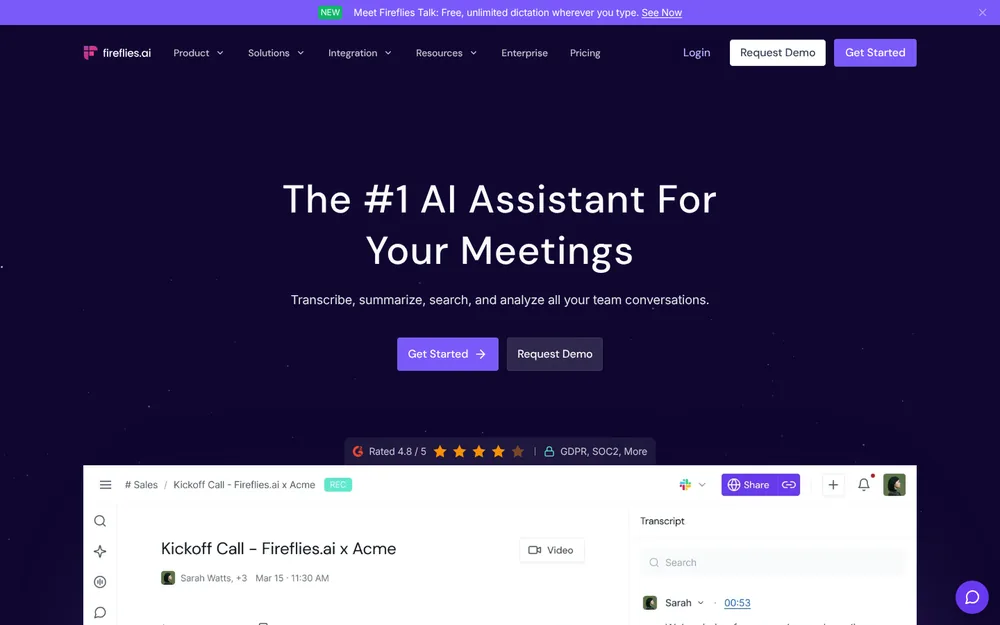
Fireflies is the closest replacement for everything Laxis does today. It's my pick for most people leaving.
What it is now
It's a meeting notetaker first. A bot joins Zoom, Google Meet or Teams, then records, transcribes and summarizes.
It now also ships Fireflies Talk, voice dictation built into its desktop app on Mac and Windows. Fireflies calls it "Free and unlimited on every plan", Free included.
Why it's my top pick
- The same bundle, without the shared pool. Fireflies Talk "works in any app with a text field", in 90+ languages. It doesn't draw from your meeting minutes.
- Dictation that stays put. Fireflies says "Your dictations are stored on your device" and are "never used to train models".
- Built for the sales work Laxis courts. Fireflies' pricing FAQ says the paid tiers get "App & CRM integrations". Business adds conversation intelligence, team analytics and video recording.
- A clear training answer. Fireflies' security page: "your meeting data is never used for AI model training." That's the sentence Laxis's 2020 policy doesn't have.
- Reviewers agree: 4.82/5 on the App Store from 5,253 ratings.
What it costs
- Free: limited AI summaries, 400 minutes of storage per team, 20 AI credits, plus free dictation
- Pro: $18 a month, or $10 billed annually ($120 a year). That's $0.12 more than Laxis Premium annual. You get 8,000 minutes of storage per seat and 20 AI credits.
- Business: $29 a month, or $19 billed annually ($228 a year). That's $11.88 (5.0%) less than Laxis Business annual. Unlimited storage, 30 AI credits.
- Enterprise: $39 a month, billed annually only, with HIPAA, SSO and custom retention
On monthly billing, Pro ($18) is $2.01 (12.6%) more than Laxis Premium ($15.99). Business ($29) is $0.99 (3.3%) less than Laxis Business ($29.99).
Prices are from Fireflies' pricing page, checked October 13, 2026.
The catches
- It's bot-first. Laxis's desktop app records without a bot by default. Fireflies has bot-free options too: a desktop mode and a Chrome extension.
- The bot-free mode is thinner. Per Fireflies' own guide, the desktop mode "does not save audio or video files". It labels speakers Speaker 1 and Speaker 2.
- Bots get blocked. Case Western Reserve University and Morgan State University both block third-party note takers and name Fireflies.
- Notes live in Fireflies' cloud. No training, but the archive is theirs to hold.
- A pending lawsuit. Fricker v. Fireflies is an Illinois biometric privacy (BIPA) class action. It's open in federal court in Illinois (N.D. Ill., No. 1:26-cv-02675). Nothing is proven.
Cheaper than Voibe Work. What the extra $29 buys
Fireflies Pro is $29 a year cheaper than Voibe Work. If Fireflies Free covers your meetings, it's cheaper still: $0, with free dictation.
Here's what the extra buys:
- No storage or credit caps. Pro stops at 8,000 minutes of storage per seat and 20 AI credits, so heavy users end up on Business. That's $228; Voibe Work is $79 (34.6%) less.
- No bot, and notes on your computer. Fireflies is bot-first and keeps notes in its cloud. Voibe Work captures without a bot and deletes the audio after processing.
- Lifetime, for the long haul. $399 once breaks even with Pro after about 3.3 years. Over 4 years ($480 of Pro), it's $81 (16.9%) less. Over 3 years ($360), lifetime is $39 more.
Dictation isn't part of the gap: Fireflies' is free on every plan.
Who it's for
- Sales and customer teams leaving Laxis who want notes, CRM sync and dictation in one app
- Solo users who want Laxis's bundle for about Laxis's price
If your calls are confidential, read the next entry.
2. Voibe Work: Best for Confidential Work, With Notes and Dictation in One Plan
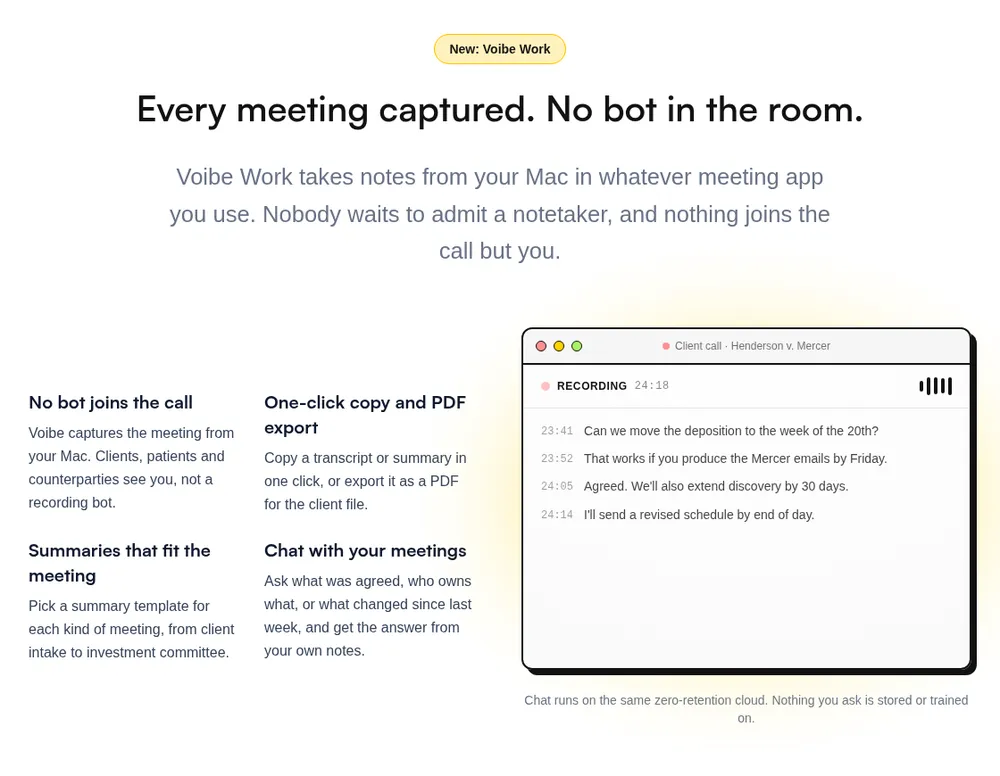
If your meetings are the kind you'd never forward, this is the one I'd pick.
Voibe Work is Voibe's meeting-notes plan, and it includes the full Voibe dictation app. It does the same two jobs Laxis sells, with a different answer to "where does the audio go?"
Where your meeting goes
- Capture: from your Mac or Windows PC in Zoom, Microsoft Teams, Google Meet, Webex, Slack huddles or any other meeting app. No bot joins. In-person meetings are recorded through your computer's mic.
- Processing: open-source models on zero-retention cloud providers. No OpenAI, Google, Anthropic or Microsoft model is in the audio path.
- Audio: deleted as soon as processing completes.
- Notes: the transcript and summary are saved on your computer, not on Voibe's servers.
- Training: never.
Every provider is listed on Voibe's cloud privacy page. Because processing happens in the cloud, meeting notes need an internet connection.
The reasoning behind the design is in our Voibe Work launch post.
Why it fits confidential work
- No archive on a vendor's server. Laxis keeps complete audio recordings with your transcripts. Voibe Work keeps no audio at all.
- A written training answer. Never, stated on a current page, not inferred from a 2020 policy.
- No meter on the work. Paid plans include unlimited usage, so a long deposition prep or a day of client calls doesn't eat your dictation.
- BAA available on request, for the app and the API.
- A consent reminder. When recording starts, Voibe reminds you to tell everyone you're taking notes. Following recording-consent rules is up to you.
Laxis vs Voibe Work, side by side
| Laxis (Premium) | Voibe Work | |
|---|---|---|
| Bot in the call | No bot on desktop; optional bot; extension reads captions | No, on Mac and Windows |
| Recording | Complete audio recordings kept in Laxis's US cloud | Audio deleted the moment processing completes |
| Transcript and summary | Laxis's US cloud | Saved on your computer |
| Training | Not addressed in the July 2020 policy; no opt-out documented | Never |
| Minutes | 2,000 a month, shared by meetings and dictation | Unlimited usage |
| Per-recording cap | 2 hours (4 hours on Business) | None listed |
| CRM sync and bot | Business only | No |
| Platforms | Mac, Windows, iPhone, Android, Chrome, web | Mac, Windows |
| Price | $15.99/mo or $119.88/yr; free Basic plan | $19/mo, $149/yr, or $399 lifetime |
What else you get
- AI summaries with templates for each kind of meeting, such as client intake or investment committee
- Chat with your meetings ("what was agreed, who owns what") on the same zero-retention cloud; nothing you ask is stored
- One-click copy and PDF export of transcripts and summaries
- The full Voibe dictation app on Mac and Windows (see the power bundle above)
What it costs
- Voibe Work: $19 per seat per month, $149 per year, or $399 once for lifetime access
- vs Laxis Premium: $29.12 (24.3%) a year more; vs Laxis Business: $90.88 (37.9%) a year less
- Voibe Dictation only: $9.90 per month, $99 per year, or $199 lifetime; Voibe Free is $0 with limited words on one device
- Trial: 7 days of every Voibe Work feature, no credit card, no automatic charge; 30-day money-back guarantee
- Teams: up to 10 seats in one checkout; Enterprise (more than 10 seats) adds team admin, central billing and custom terms. BAA available on request
Where it falls short
- It costs more than Laxis Premium. If 2,000 minutes a month covers you and your calls aren't sensitive, Laxis Premium is cheaper.
- No free meeting-notes plan. Laxis Basic and Fireflies Free cost nothing. Voibe Free covers dictation only.
- No CRM sync and no bot. It can't join a meeting you aren't in, and it won't update HubSpot or Salesforce. Sales teams on Laxis Business should look at Fireflies or Circleback.
- No recordings to replay. The audio is deleted, so there's nothing to play back at 1.5x.
- No phone app or earbuds. Laxis records on iPhone, Android and OSO earbuds. Voibe Work records in-person meetings through your computer's mic, not on a phone.
- Needs internet. Meeting audio is processed in Voibe's zero-retention cloud, not on your computer.
Who it's for
- Lawyers, financial advisors, clinicians, HR and deal teams whose calls are confidential, on Mac or Windows
- Anyone who hit Laxis's minute pool and still wants notes and dictation in one plan
Going deeper? See our guides for lawyers and financial advisors.
7-day free trial of every Voibe Work feature. No credit card, no automatic charge, and a 30-day money-back guarantee if you buy. One seat covers Mac and Windows.
3. Wispr Flow Notetaker: The Dictation App That Added Meeting Notes
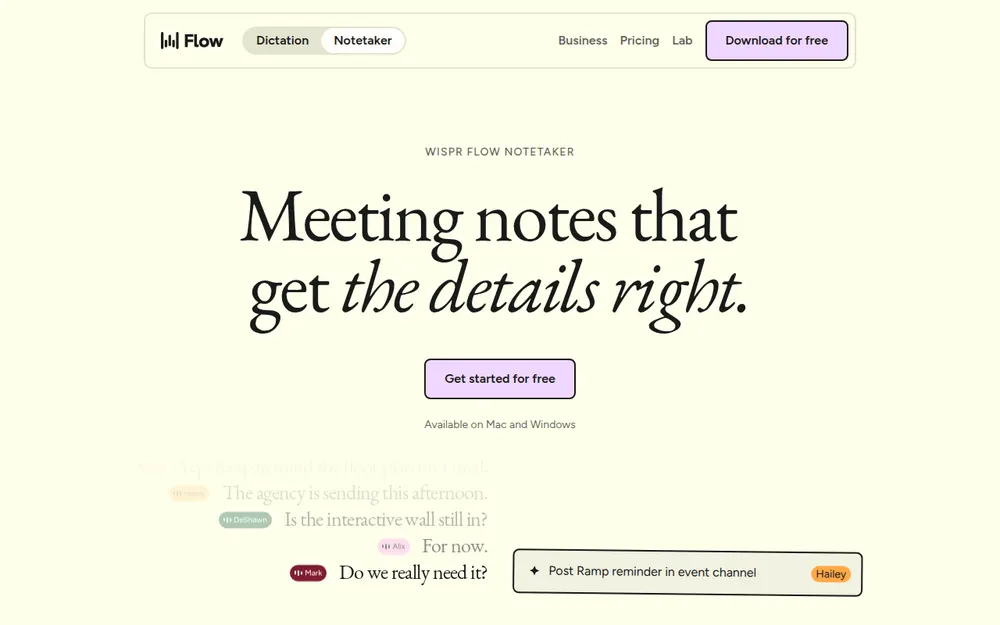
Laxis started with meetings and added dictation. Wispr Flow did the reverse.
The popular dictation app added a bot-free Notetaker on Mac (August 2026) and Windows (September 2026).
Some of Laxis's comparison pages still call Wispr Flow dictation-only. That changed with the Notetaker launch.
What it costs
- Free: 2,000 dictated words a week on desktop, limited Notetaker access
- Pro: $15 a month, or $12 billed annually ($144 a year, $24.12 (20.1%) more than Laxis Premium annual), with higher Notetaker limits
- Unlimited notes: Growth with Notetaker, $33 a month or $26 billed annually ($312 a year, $72.12 (30.1%) more than Laxis Business annual)
Where it beats Laxis
- Unlimited dictation on paid plans
- Speaker names from your calendar
- Imports of Otter and Granola notes
- A top-rated dictation app: 4.84/5 on the App Store (17,204)
The catch
- Notes in Wispr's US cloud. Transcripts and summaries are stored there.
- Audio kept for a while. Raw audio is kept up to 7 days.
- Training on by default. The setting that lets Wispr improve its models with your content is on by default on Free and Pro.
Against Voibe Work, it wins on automatic speaker names (from the calendar) and imports. It loses on where the notes live, and on the unlimited price: $312 against $149, $163 (52.2%) more.
Cheaper than Voibe Work, by $5. What the $5 buys
Wispr Flow Pro is $144 a year, $5 less than Voibe Work. It's dictation-first, with a limited Notetaker. The extra $5 gets you:
- Unlimited meeting notes. Pro's Notetaker has limits. Wispr's unlimited Notetaker costs $312 a year.
- No training, and notes on your computer. Wispr trains by default on Free and Pro, and stores notes in its US cloud. Voibe Work never trains on them.
- A lifetime option. $399 once breaks even with Pro after about 2.8 years. Three years of Pro cost $432, so lifetime is $33 (7.6%) less at today's prices.
If you mostly dictate and take only a few meeting notes, Wispr Flow Pro is the cheaper pick.
Who it's for
People who already dictate with Wispr Flow and want notes in the same app. Our Wispr Flow review covers the dictation side.
4. Granola: Best No-Bot Notes App, If You Don't Need Dictation
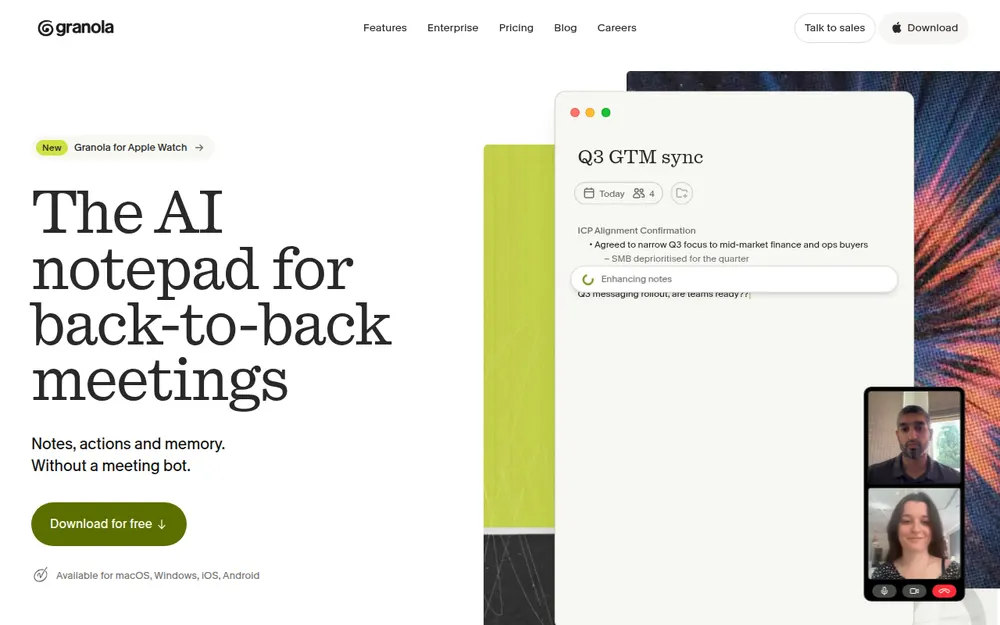
Granola is the no-bot note taker everyone else gets measured against. In my testing, it's the most polished notes app on this list.
It captures your mic and system audio. You jot rough notes during the call, and Granola fills them in afterwards.
Why it's here
- No bot, on every device: Mac, Windows, iPhone and Android
- Top-rated: 4.96/5 on the App Store from 14,417 ratings, the highest here
- No audio archive: audio is deleted after transcription, unlike Laxis's kept recordings
What it costs
- Basic: free; only the last 30 days of notes are visible
- Business: $14 per user per month, billed monthly only ($168 a year, $48.12 (40.1%) more than Laxis Premium annual)
- Enterprise: $35 per user per month, with training off by default
The catches
- No dictation. Replacing Laxis means adding a second app. Granola Business plus Wispr Flow Pro is $312 a year.
- Training by default. Notes sit in Granola's US cloud. On Free and Business, "anonymised data may be used for Granola's own model improvements" unless you opt out.
- A pending wiretap suit. Chamberlain v. Granola is pending. Our Granola lawsuit explainer covers it.
Cheaper by the month, not by the year
- Monthly: Granola Business is $14, $5 less than Voibe Work's $19.
- Yearly: Granola bills monthly only, so a year is $168. Voibe Work annual is $149, $19 (11.3%) less.
- With dictation: Granola Business plus Wispr Flow Pro is $312. Voibe Work is $163 (52.2%) less.
If the free Basic plan's 30-day window is enough for you, Granola costs nothing.
Who it's for
People who used Laxis only for meetings and want the best no-bot notes app. Is Granola safe? covers its training default.
5. Fathom: Free Unlimited Recordings and CRM Sync, With a Bot
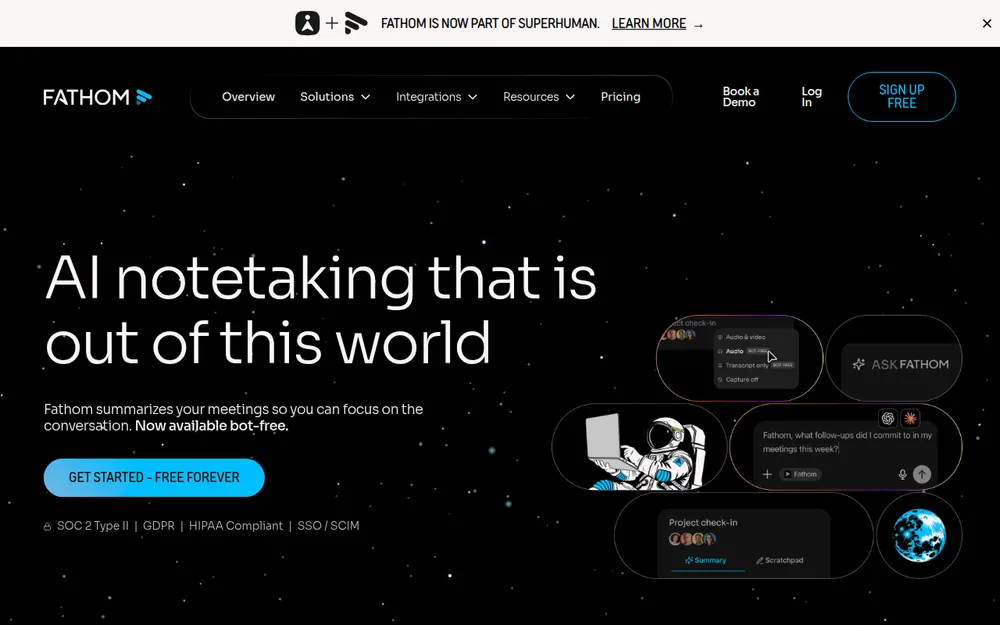
If Laxis Basic's 300 minutes and 30-day history pushed you out, Fathom is the obvious move.
Its free plan includes unlimited recordings, transcripts and storage. Advanced summaries cover the first 5 calls each month.
Where it beats Laxis
- No minute cap on Free. Unlimited recordings, where Laxis Basic stops at 300 minutes a month.
- CRM on Free. Fathom syncs notes to HubSpot, Salesforce and Close for up to 3 users per domain, even on Free. Laxis keeps CRM sync on Business.
- Full CRM field sync is Fathom Business.
What it costs
- Free: unlimited recordings; advanced summaries for 5 calls a month
- Premium: $20 a month, or $16 billed annually ($192 a year, $72.12 (60.2%) more than Laxis Premium annual)
- Team: $19, or $15 billed annually, 2-seat minimum
- Business: $34, or $25 billed annually ($300 a year, $60.12 (25.1%) more than Laxis Business annual)
Every plan is in our Fathom pricing guide.
When the free plan is enough
For basic notes, Fathom Free costs nothing, and Voibe Work can't beat $0.
Add dictation and it's close. Fathom Free plus Wispr Flow Pro is $144 a year. Voibe Work is $5 (3.5%) more, with notes and dictation in one app.
The catches
- A bot by default. The bot-free mode is a Mac-only beta.
- Training by default. Fathom trains its in-house models on de-identified meeting data, with an opt-out in settings.
- No dictation.
- A new owner. Since September 14, 2026, Fathom belongs to Superhuman, the company formerly called Grammarly.
Our Is Fathom safe? review covers all of it.
Who it's for
Fathom is rated 4.9/5 on the Chrome Web Store (1.7K ratings). It suits Laxis Basic users who want a free plan with no minute cap and don't mind a bot.
6. Circleback: Best for CRM Automations Without Paying for Business
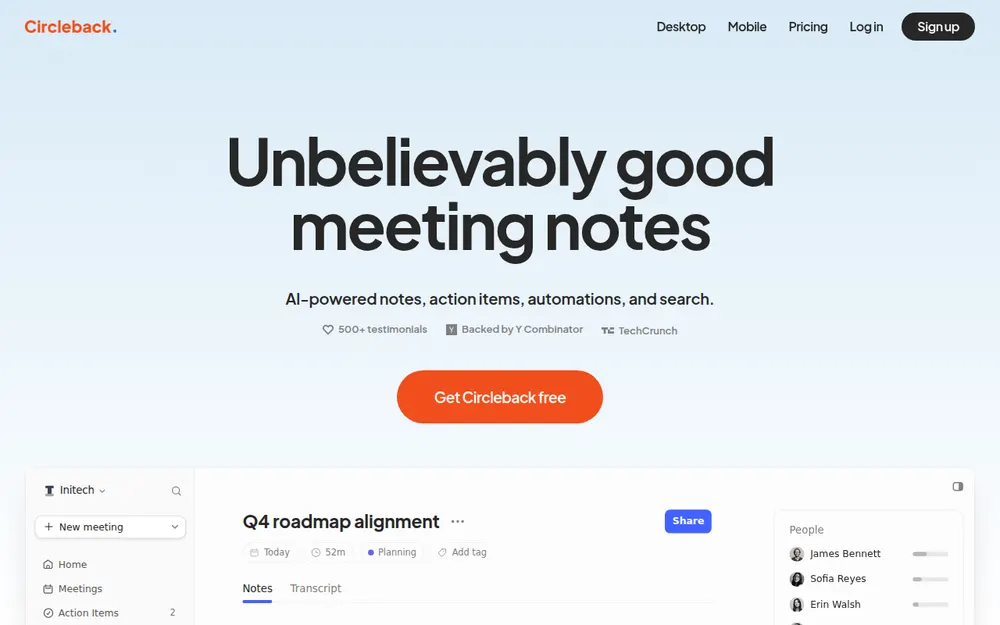
Circleback is the pick if CRM sync was the reason you paid for Laxis Business.
Its automations can update HubSpot, Salesforce, Attio and Notion after every meeting. And "all integrations" start on Pro.
What it costs
- Free: unlimited meetings, 30-day history
- Pro: $18 a month, or $15 billed annually ($180 a year, $59.88 (25.0%) less than Laxis Business annual); 1 year of recording storage
- Business: $29, or $25 billed annually ($300 a year); 2 years of recording storage
- Enterprise: $35, annual only, with HIPAA and a BAA
The privacy answer
Its trust center says "We do not use customer data to train models". It lists SOC 2 Type II, with data stored in the US.
The catch
- A bot joins by default. The bot-free desktop app (Mac and Windows) is opt-in.
- When the bot joins, it posts a chat message that can't be turned off.
- There's no dictation.
Cheaper by $1 a month. What Voibe Work adds
Circleback Pro monthly is $18, so Voibe Work's $19 is $1 (5.6%) more. Billed annually it flips: Voibe Work's $149 is $31 (17.2%) less than Pro's $180.
- Dictation in the same plan. Circleback has none. Circleback Pro plus Wispr Flow Pro is $324 a year; Voibe Work is $175 (54.0%) less.
- Notes on your computer. Circleback keeps them in its US cloud. It doesn't train, but the archive is theirs.
- A refund window. Circleback's terms call payments "non-cancelable and … non-refundable". Voibe's paid plans carry a 30-day money-back guarantee.
If Circleback Free's unlimited meetings and 30-day history cover you, it costs nothing.
Who it's for
Rated 4.81/5 on the App Store (262). Best for small sales teams that want CRM automations and no training, for less than Laxis Business.
7. Otter: The Cheapest Well-Known Annual Plan
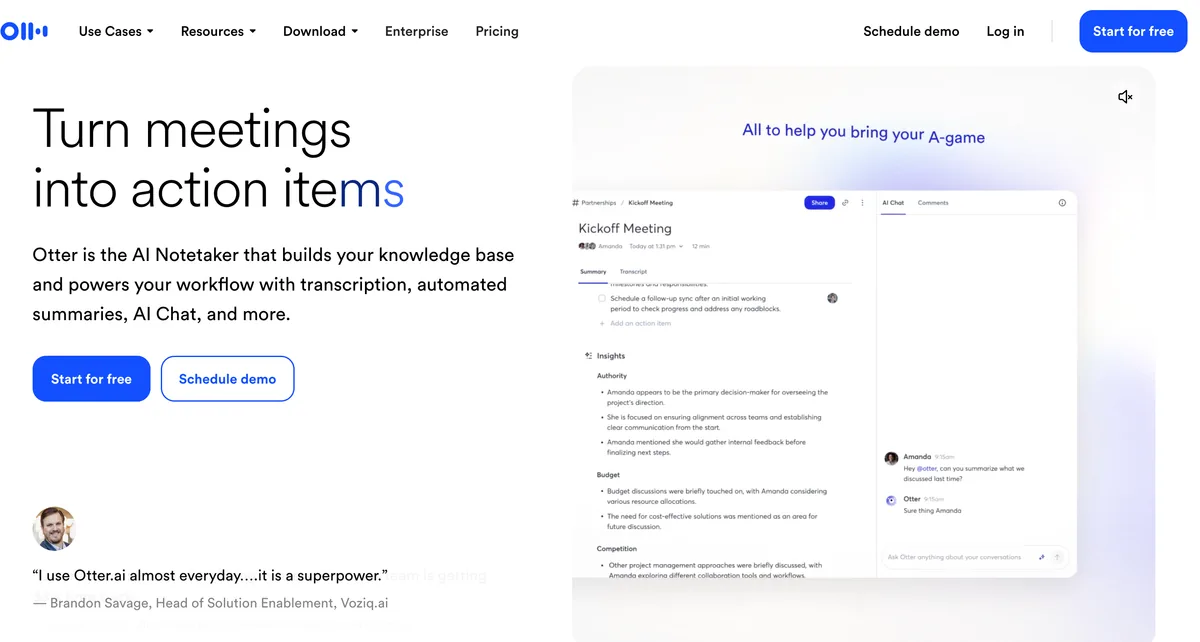
Laxis's 2022 AppSumo listing called it an "Alternative to Otter.ai". Going the other way is the budget move.
Otter Pro billed annually is $99.96 a year, $19.92 (16.6%) less than Laxis Premium.
What it costs
- Basic: free, 300 minutes a month, 30 minutes per conversation
- Pro: $16.99 a month, or $8.33 billed annually ($99.96 a year); 1,200 minutes a month, and Salesforce and HubSpot integrations "subject to user limits"
- Business: $30, or $19.99 billed annually ($239.88 a year, the same as Laxis Business)
Otter's Mac and Windows desktop app records without a bot, like Laxis's. Every plan is in our Otter pricing guide.
The catches
- Fewer minutes. Pro gives 1,200 a month, against Laxis Premium's 2,000.
- No dictation.
- Training, with no opt-out. Otter's policy says it trains on "de-identified audio recordings and on transcriptions". I found no opt-out.
- A live lawsuit. In re Otter.AI Privacy Litigation is moving ahead. An August 13, 2026 ruling let the wiretap and biometric claims proceed. See Is Otter safe?.
On privacy, that makes Otter a step sideways from Laxis.
Cheaper than Voibe Work. What the extra $49.04 buys
Otter Pro is the cheapest well-known plan here, $49.04 a year less than Voibe Work. The extra pays for:
- No minute cap. Pro stops at 1,200 minutes a month and 90 minutes per conversation. Otter Business has a 4-hour cap at $239.88; Voibe Work is $90.88 (37.9%) less.
- Dictation included. Otter Pro plus Wispr Flow Pro is $243.96 a year. Voibe Work is $94.96 (38.9%) less.
- No training, notes on your computer. Voibe Work never trains on your meetings and keeps notes off its servers.
- Lifetime over 5 years. Five years of Pro cost $499.80; $399 once is $100.80 (20.2%) less. It breaks even after about 4 years.
If Otter Basic's free 300 minutes a month are enough, Otter costs nothing.
Who it's for
Rated 4.79/5 on the App Store from 84,521 ratings. Best for budget buyers who only need meeting notes and whose calls aren't confidential.
8. Bluedot: Laxis's Capture Surfaces, With a Never-Train Promise
Bluedot covers the same surfaces Laxis does: a Chrome extension, Mac and Windows desktop apps, and mobile apps.
It's bot-free by default and now offers an optional calendar bot.
Where it beats Laxis: a written privacy answer
- Bluedot's Terms say it "does not use Customer Content to train or improve artificial intelligence models".
- It states SOC 2 Type II.
- It hosts on AWS and says it supports EU data residency.
What it costs
- Free: 5 meetings, lifetime
- Basic: $18 a month, or $14 billed annually ($168 a year); audio only, 1 hour per recording
- Pro: $25, or $20 billed annually ($240 a year, $0.12 more than Laxis Business annual); video and unlimited recording length
- Business: $39, or $32 billed annually ($384 a year); CRM and ATS integrations
The catches
- No dictation
- A free plan that's really a 5-meeting trial
- A Mac app that needs Apple Silicon
- No refunds. Bluedot's terms say "Payments are non-refundable".
- Recordings deleted after you cancel. Its pricing FAQ warns: "after that, your recordings will be permanently deleted". That's one month per the pricing FAQ, three months per its help center.
Cheaper by $1 a month. What Voibe Work adds
Bluedot Basic monthly is $18, so Voibe Work's $19 is $1 more. Billed annually, Basic is $168 and Voibe Work's $149 is $19 less.
- No length cap. Basic is audio only, with a 1-hour cap per recording. Bluedot's uncapped plan is Pro at $240; Voibe Work is $91 (37.9%) less.
- Notes that don't vanish. Bluedot deletes recordings after you cancel. Voibe Work saves notes on your computer.
- Intel Macs too. One Voibe seat covers Intel and Apple Silicon Macs, plus Windows.
- A refund window. Voibe's paid plans carry a 30-day money-back guarantee.
Who it's for
Rated 4.73/5 on the App Store (252). Best for Laxis users who liked the Chrome extension and want a vendor that commits in writing not to train.
9. Read AI: Bot-First Notes With Training Off by Default
Read AI is a bot-first note taker. It adds summaries with context from your email and calendar.
Its privacy center states the policy Laxis doesn't: "AI training is opt-in. Contributing to model improvement is off by default."
What it costs
- Free: 5 meetings a month, 1 hour each
- Pro: $19.75 a month, or $15 billed annually ($180 a year, $59.88 (25.0%) less than Laxis Business annual)
- Enterprise: $29.75 a month, or $22.50 billed annually
The catches
- A loud bot. It "announces itself at the start of every meeting and requires host approval before joining".
- Blocked on campuses. Read AI is on the block lists at Morgan State, Eastern Washington University and Case Western Reserve.
- No dictation.
- Data location: stored in the US and other countries.
Who it's for
Rated 4.88/5 on the App Store (981). Best for teams happy with a visible bot who want training off without touching a setting.
Other Laxis Alternatives We Looked At
Sales-specific tools
Laxis Business is a light sales tool. If you need more, these are built for revenue teams. They cost more.
Sybill: CRM autofill, no bot
- CRM autofill and deal context, with an "invisible recorder" desktop app instead of a bot.
- Free: unlimited recordings and 20 AI summaries a month.
- Pro: $36 a month or $30 billed annually ($360 a year). That's $120.12 (50.1%) more than Laxis Business annual.
- Privacy: its privacy policy doesn't address training. Rated 5.0/5 on the App Store (8).
Avoma: scheduling, notes and call insights
- Scheduling, notes and conversation intelligence from one vendor, bot-based by default.
- Startup: $29 a month or $19 billed annually ($228 a year). That's $11.88 (5.0%) less than Laxis Business annual.
- Add-ons: conversation and revenue intelligence, at $29 per seat a month, billed annually.
- Privacy: it states SOC 2 Type II. Its policy rules out training only for Google Workspace API data.
- Rated 3.81/5 on the App Store (16).
Gong: the enterprise default
- Revenue intelligence for big sales teams. No public price.
- It records with a bot or through the meeting platform.
- Privacy: Gong says "Your data is never used to train generative AI models". It keeps customer data for up to three years by default, or the length of your contract if that's shorter.
- Rated 3.93/5 on the App Store (113).
Shopping for Laxis's AI Sales Agent (prospecting, outreach and an AI phone dialer) rather than notes? That's a different category, and none of these tools replaces it.
Privacy-first note takers without dictation
Quill Meetings: local transcription, free
- Records and transcribes on your computer, free.
- Lite: $7.99 a month or $6.99 billed annually ($83.88 a year). That's $36 (30.0%) less than Laxis Premium annual.
- The Mac app needs Apple Silicon.
- Rated 4.56/5 from just 9 ratings.
Quill Lite is cheaper than Voibe Work. What the extra $65.12 buys
- No 16-hour cap. Lite covers 16 hours of AI meetings a month. Quill Unlimited is $203.88; Voibe Work is $54.88 (26.9%) less.
- Dictation in the same plan. Quill Lite plus Wispr Flow Pro is $227.88 a year. Voibe Work is $78.88 (34.6%) less.
- Intel Macs. One Voibe seat covers Intel and Apple Silicon Macs, plus Windows.
On audio, Quill goes further: it transcribes on your computer, while Voibe Work processes meeting audio in the cloud. If free local notes are enough, Quill Free is the pick.
Jamie: EU hosting
- No bot, EU hosting, audio deleted after transcription, never trains.
- Free: 10 AI notes a month. Plus: $24 a month billed annually ($288 a year).
- Rated 4.89/5 (247).
Krisp: noise cancellation plus notes
- Noise cancellation plus a bot-free note taker that never trains.
- Core: $16 a month or $8 billed annually ($96 a year). That's $23.88 (19.9%) less than Laxis Premium annual.
- No free plan; 7-day trial.
- Rated 4.75/5 (267).
Krisp Core is cheaper than Voibe Work. What the extra $53 buys
- Dictation in the same plan. Krisp Core plus Wispr Flow Pro is $240 a year. Voibe Work is $91 (37.9%) less.
- Lifetime over 5 years. Five years of Core cost $480; $399 once is $81 (16.9%) less. It breaks even after about 4.2 years.
If you only need meeting notes, Krisp Core is the cheaper plan.
More lists
- We compare the no-bot options in depth in our best no-bot meeting note takers list.
- Every alternatives roundup on the site is on our alternatives hub.
No Bot Doesn't Mean No Consent
Laxis's Terms put recording consent entirely on you: "the responsibility lies solely with you." That's true of every tool here.
A no-bot note taker is invisible by design. So telling people becomes your job.
Where everyone has to agree
About a dozen US states generally require everyone in a private conversation to agree to a recording. They include California, Florida, Illinois, Maryland, Massachusetts, Pennsylvania and Washington.
Justia keeps a 50-state survey.
If one person on the call is in one of those states, plan for everyone's consent. The Granola lawsuit was brought by a meeting participant, not a Granola user.
What to say
Voibe reminds you to tell everyone you're taking notes when recording starts; following recording-consent rules is up to you. A five-second line at the start works:
"I'm using an AI note taker so I can focus. It doesn't join as a bot. Is everyone okay with that?"
If anyone says no, turn it off.
This is general information, not legal advice. For professional-ethics rules, see our guide for lawyers choosing a meeting note taker.
Warning
No app can get consent for you. Tell everyone on the call, every time, and check the rules where each participant is located.
Switching From Laxis: What to Do Before You Cancel
- Turn off the bot and auto-join. If you invited the Laxis Assistant to calendar events, switch off "Auto-join and record". Then it stops showing up while you test alternatives.
- Export what you want to keep. The Chrome extension downloads transcripts as Word, PDF or text; the desktop Report tab has a Copy button. I found no bulk export documented, and no alternative here lists a Laxis import.
- Know there's no refund policy. Laxis publishes none. When you cancel, "you keep your plan's features until the end of the current billing period".
- Cancel where you bought. Web and desktop subscriptions cancel in the Stripe portal. App Store and Google Play subscriptions cancel in those stores.
- Delete the account if you're done. Settings → Profile → Delete Account. Laxis says "Deletion is permanent".
- Run both for a week. Voibe Work's 7-day trial needs no credit card and doesn't charge automatically. Fireflies Free costs nothing to try.
- Tell people in your next calls. Without a visible bot, the other participants won't know unless you say so.
What happens after you drop to a free plan
Laxis's free Basic plan keeps 30 days of history and archives anything older. Export the meetings you want before your paid plan runs out.
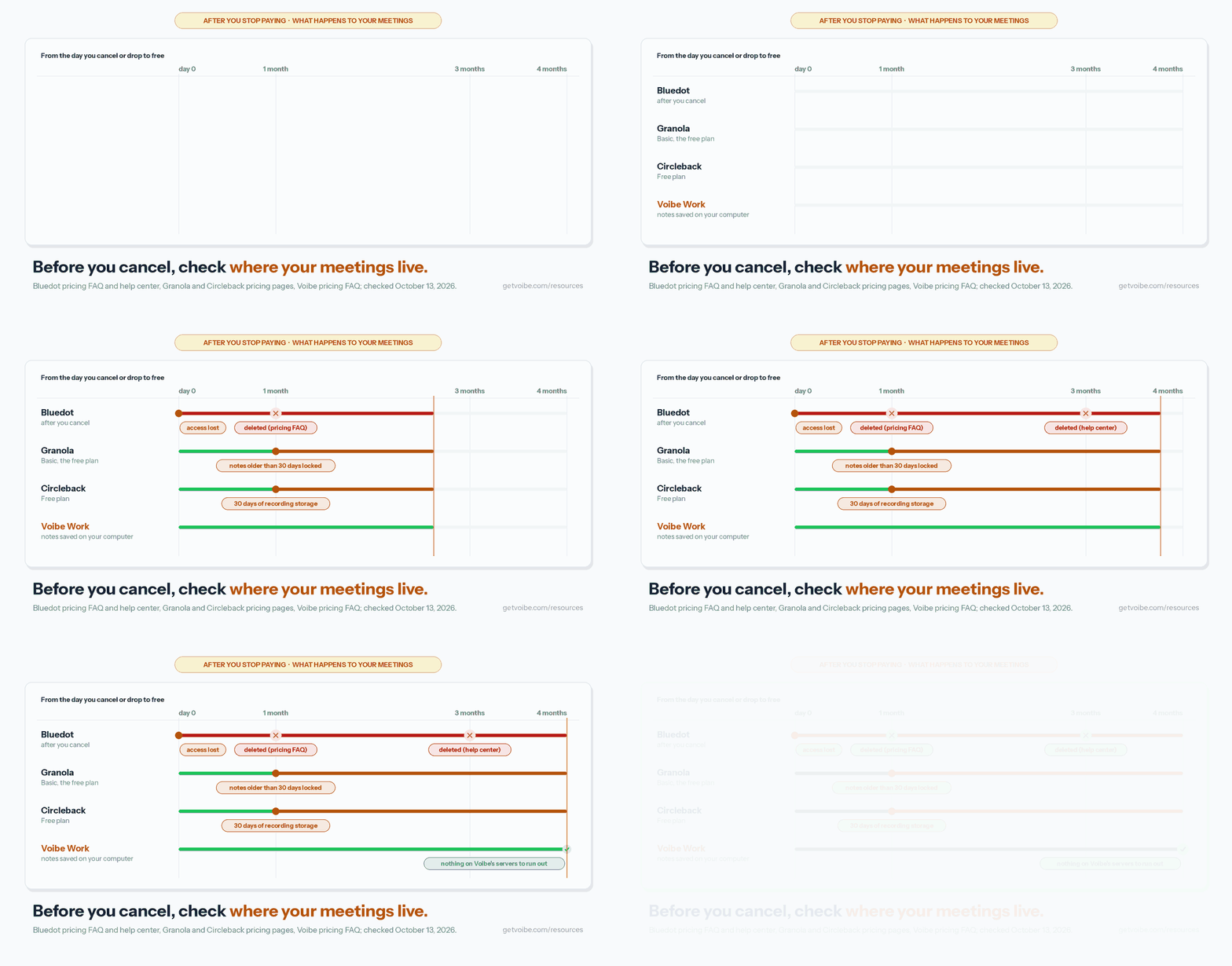
You'll meet the same kind of window elsewhere:
- Granola: the free Basic plan shows only the last 30 days of notes.
- Circleback: the Free plan stores recordings for 30 days.
- Bluedot: deletes recordings after you cancel (one month per its pricing FAQ, three per its help center; see our Bluedot alternatives).
- Voibe Work: saves transcripts and summaries on your computer, not on Voibe's servers, so there's nothing on a server to expire.
How to Choose the Right Laxis Alternative
Four questions, in order. Stop at your first yes.
1. Are your calls confidential, or must the audio be deleted?
- Client, patient, HR or deal calls → Voibe Work. No bot, audio deleted after processing, notes saved on your computer, never trained on.
- You hit Laxis's minute pool but want one plan for notes and dictation → Voibe Work, with unlimited usage for $149 a year.
- Neither → question 2.
2. Do you need it free?
- Yes, notes and dictation → Fireflies Free.
- Yes, meeting notes with no minute cap → Fathom Free, if the bot is fine.
- Yes, and transcripts must stay on your computer → Quill Meetings.
- No → question 3.
3. Do you already dictate with Wispr Flow?
- Yes → Wispr Flow Notetaker.
- No → question 4.
4. Do you want notes only, never a bot, in the most polished app?
- Yes → Granola.
- No → Fireflies: Pro for solo users ($120 a year), Business for sales teams that need conversation intelligence ($228 a year).
- Want CRM automations with no training, and no dictation? → Circleback Pro.
Best Laxis Alternative for Your Situation
Already know your situation? Find your row.
Privacy, platform and where your data lives
| Situation | Best choice | Why |
|---|---|---|
| Confidential client calls | Voibe Work | No bot, audio deleted, notes saved on your computer, never trains |
| Lawyers, financial advisors, clinicians and HR | Voibe Work | Notes stay off vendor servers; BAA available on request |
| Free, and transcripts never leave your computer | Quill Meetings | Free local transcription |
| Your data must stay in the EU | Jamie | EU hosting; never trains |
| You liked Laxis's Chrome extension | Bluedot | Extension, desktop and mobile; never trains |
Budget, bundle and sales needs
| Situation | Best choice | Why |
|---|---|---|
| Notes and dictation for about Laxis Premium's price | Fireflies Pro | $120 a year; dictation free and unlimited |
| Notes and dictation with no caps at all | Voibe Work | $149 a year, $90.88 less than Laxis Business |
| Sales team with CRM and call insights | Fireflies Business | $228 a year; conversation intelligence; dictation free |
| CRM automations without a Business plan | Circleback Pro | HubSpot and Salesforce from $180 a year; no training |
| Deep revenue intelligence | Gong, Avoma or Sybill | Built for sales teams; priced accordingly |
| Lowest annual price for meeting notes | Otter Pro | $99.96 a year, $19.92 less than Laxis Premium |
| Free unlimited recordings | Fathom Free | No minute cap; bot by default |
| You mostly used the voice keyboard | Voibe Dictation | $99 a year, unlimited dictation on Mac and Windows |
| You already use Wispr Flow | Wispr Flow Notetaker | Notes in the app you dictate with |
Frequently Asked Questions About Laxis Alternatives
Choosing an alternative
What is the best Laxis alternative?
Fireflies, for most people and especially sales teams. It takes meeting notes, includes CRM integrations on paid plans, and adds Fireflies Talk: free unlimited dictation on every plan.
Fireflies Pro costs $120 a year, $0.12 more than Laxis Premium billed annually. Fireflies says meeting data is never used for AI model training.
Its catches are a bot by default and notes stored in Fireflies' cloud. For confidential calls, Voibe Work is the better pick: no bot, audio deleted after processing, notes saved on your computer, never trained on. Dictation is included for $149 a year.
Is there a Laxis alternative that includes dictation?
Yes, three. Fireflies includes Fireflies Talk, free unlimited dictation on every plan, on Mac and Windows. Wispr Flow is a dictation app with a bot-free Notetaker (unlimited notes cost $312 a year).
Voibe Work includes the full Voibe dictation app with meeting notes on Mac and Windows, for $149 a year. There's no shared minute pool. On Laxis, dictation and meetings draw from the same monthly minutes.
About Laxis
What is Laxis now?
Laxis, Inc., based in Evansville, Indiana, now calls itself "The AI platform for every conversation". It sells an AI meeting note taker, a voice keyboard for dictation, and OSO hardware (AI earbuds and a meeting camera).
It started as an AI meeting assistant, sold as an AppSumo lifetime deal in 2022. In 2023 it positioned itself as an AI platform for revenue teams. Its AI Sales Agent remains a separate subscription.
How much does Laxis cost?
Laxis Basic is free, with 300 minutes a month, 45 minutes per recording and 30 days of history.
Premium is $15.99 a month, or $9.99 a month billed annually ($119.88 a year), for 2,000 minutes a month. Business is $29.99 a month, or $19.99 a month billed annually ($239.88 a year), for unlimited minutes and CRM sync.
Meetings and dictation share the same minutes. Every account starts with a 14-day Premium trial, no card needed.
Laxis privacy and security
Does Laxis use my meetings to train AI?
Laxis doesn't say. Its privacy policy, last updated July 17, 2020, has no language about training AI models on customer data. It names no AI vendor (only Google Cloud Platform for computing) and documents no opt-out.
The closest line says Laxis may use personal information for internal research for technological development. Fireflies, Voibe Work, Circleback and Bluedot state they don't train on your meetings.
Is Laxis secure?
Laxis's help center states SOC 2 Type I certification. It says all data is encrypted in transit and at rest, but its Google Play data-safety label says "Data isn't encrypted".
Laxis keeps complete audio recordings alongside transcripts, hosts in the United States, and mentions no BAA. A SOC 2 Type I report covers control design at one point in time. Most alternatives here state SOC 2 Type II.
Private notes and consent
What is the most private Laxis alternative?
Voibe Work. No bot joins the call on Mac or Windows. Meeting audio is processed by open-source models on zero-retention cloud providers, then deleted as soon as processing completes.
The transcript and summary are saved on your computer, not on Voibe's servers. Nothing is used to train AI, and a BAA is available on request.
Meeting notes need an internet connection. Voibe reminds you to tell everyone you're taking notes; following consent rules is up to you.
Do I still need consent if the note taker has no bot?
Yes. A no-bot note taker is invisible to other participants, so you have to tell them. About a dozen US states generally require everyone's consent to record a private conversation.
Laxis's terms say consent "lies solely with you". Voibe Work reminds you to tell everyone when recording starts, but following the rules is still your responsibility.
Pricing and free plans
Is Voibe Work cheaper than Laxis?
Than Laxis Business, yes. Than Laxis Premium, no.
Voibe Work costs $149 a year. That's $29.12 (24.3%) more than Laxis Premium ($119.88) and $90.88 (37.9%) less than Laxis Business ($239.88). Monthly, Voibe Work's $19 is $3.01 more than Premium and $10.99 less than Business.
Voibe Work has unlimited usage on paid plans. Laxis Premium caps meetings and dictation at 2,000 shared minutes a month.
Is there a free Laxis alternative?
Yes. Fireflies Free includes meeting notes with limited AI summaries, plus free unlimited dictation. Fathom Free includes unlimited recordings, with advanced summaries for 5 calls a month.
Circleback Free has unlimited meetings with 30-day history. Quill Meetings transcribes on your computer for free.
Voibe Work has no free meeting-notes plan, only a 7-day trial. Voibe Free covers dictation with limited words on one device.
Sales teams
What is the best Laxis alternative for sales teams?
Fireflies Business, at $29 a month or $19 billed annually ($228 a year). That's $11.88 less than Laxis Business. It adds conversation intelligence and team analytics to CRM integrations, and includes free dictation.
Circleback Pro ($180 a year) automates HubSpot and Salesforce updates without training on your data. For enterprise revenue intelligence, Gong, Avoma and Sybill are built for sales. Voibe Work has no CRM integrations.
Switching from Laxis
Does Laxis offer refunds?
Laxis publishes no refund policy. Its pricing page, help center and Terms of Use (last updated March 7, 2025) don't mention refunds. When you cancel, you keep your plan's features until the end of the billing period.
A 2023 Trustpilot reviewer reported being denied a refund after 12 hours. Voibe's paid plans carry a 30-day money-back guarantee.
Can I export my Laxis notes?
Partly. Laxis's Chrome extension downloads transcripts as Word, PDF or text. The desktop app's Report tab can copy a report.
Laxis documents no bulk export, and none of the alternatives here lists a Laxis import. Save the meetings you need before you delete your account.
Account deletion is in Settings, Profile, Delete Account. Laxis says deletion is permanent.
Final Verdict: The Best Laxis Alternative
- Best overall: Fireflies ($120 a year Pro, $228 Business). Laxis's bundle with dictation that never runs out, if a bot and a cloud archive are fine.
- Best for confidential work: Voibe Work ($149 a year or $399 lifetime). No bot, audio deleted, notes saved on your computer, never trained on, BAA available on request, and dictation included.
- Best if you already dictate with Wispr Flow: Wispr Flow Notetaker, $312 a year for unlimited notes.
- Best notes-only app: Granola ($168 a year), and Otter Pro ($99.96) on a budget.
Laxis got the idea right. Most people who live in meetings also write all day, and one plan should cover both.
The question it leaves open is the one its 2020 privacy policy never answers.
If your calls are confidential, Voibe Work answers it. The audio is deleted, the notes stay on your computer, and nothing trains on them.
Voibe reminds you to tell everyone you're taking notes when recording starts; following recording-consent rules is up to you.
Try Voibe Work free for 7 days → Every feature, no credit card, no automatic charge.
Related reading:
- Wispr Flow Notetaker vs Voibe Work: the other notes-plus-dictation bundle, line by line
- Circleback alternatives and Bluedot alternatives
- Fathom alternatives and Granola alternatives
- Best no-bot meeting note takers
- All alternatives roundups
Key Takeaway
Fireflies is the best Laxis alternative for most people: notes, CRM integrations and free unlimited dictation, with Pro at $120 a year. For confidential work, Voibe Work wins: no bot, no minute pool, audio deleted, notes saved on your computer and never trained on, for $149 a year, $29.12 more than Laxis Premium and $90.88 less than Laxis Business.
Meeting notes without a bot in your call
Voibe Work takes notes from Zoom, Teams and Meet on your Mac, with dictation included. Nothing used to train AI.
- Mac + Windows
- No bot in your calls
- Nothing used to train AI
- 7-day free trial
Want to compare plans first? View pricing →