
Read AI Keeps Joining Your Calls? 9 Read AI Alternatives I Tested
I tested nine Read AI alternatives. Granola wins overall; Voibe Work has no bot to spread, keeps notes on your computer and costs $31 less than Read AI Pro.

TL;DR: The Best Read AI Alternatives
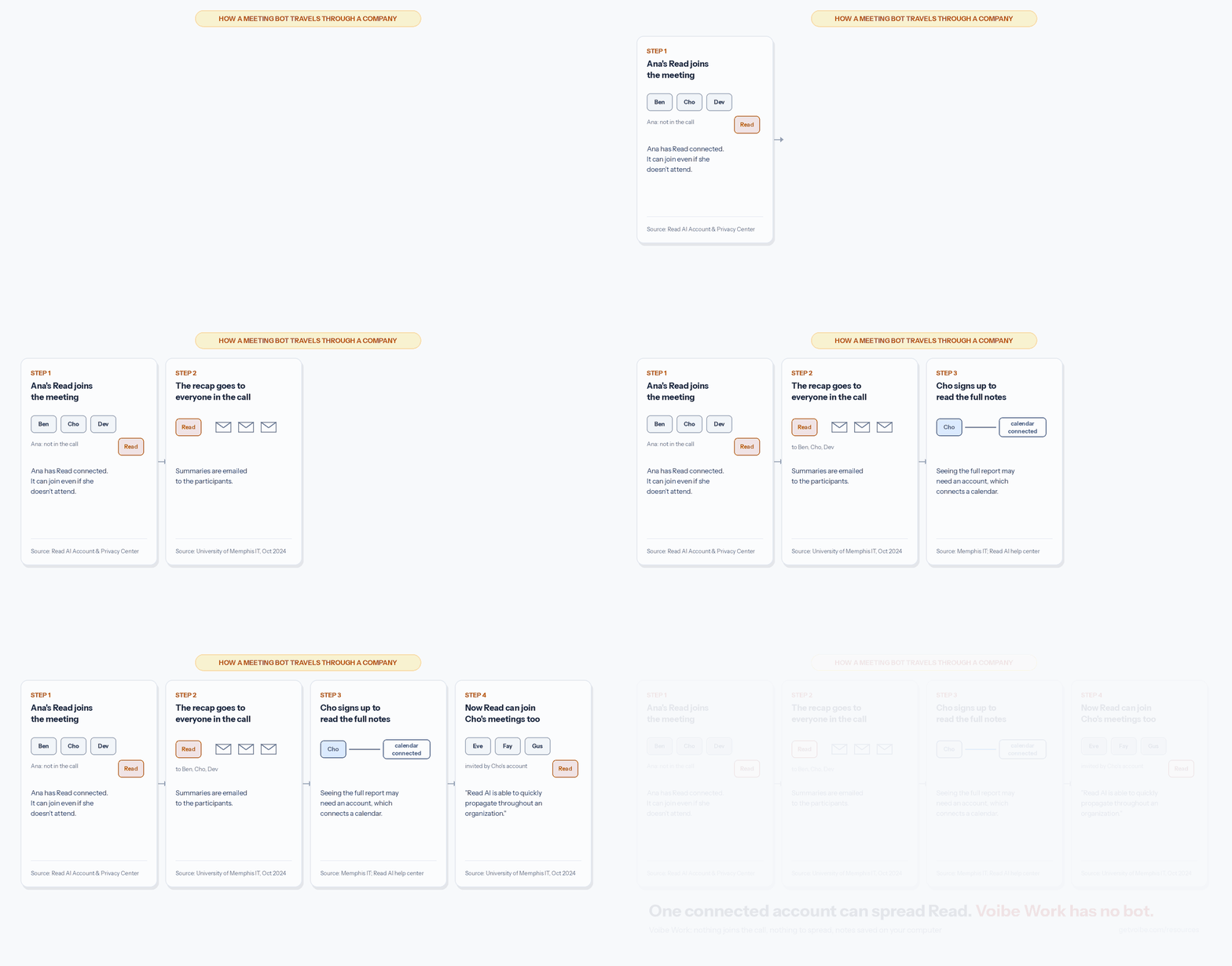
Read AI can show up in your meeting even when the person who connected it doesn't. Its own privacy center says so. If anyone invited has Read connected, "it may still join—even if they don't actually attend the meeting."
The University of Memphis IT team traced what happens next. Summaries go out, people sign up to read them, and Read starts joining their meetings too. In October 2024 it wrote that Read AI "is able to quickly propagate throughout an organization", and blocked it.
I tested nine alternatives. Granola is the best for most people. Voibe Work, the meeting-notes plan of Voibe (the app we build), is the pick for confidential calls.
Best for most people: Granola
It's the most polished no-bot app I tested, on Mac, Windows, iPhone and Android. Business costs $168 a year, $12 (6.7%) less than Read AI Pro.
The catch: notes sit in Granola's US cloud, and it trains on your data by default.
Best for confidential calls: Voibe Work
No bot joins, so no colleague's account can bring one along. Each speaker is labelled, with a time next to every line. The audio is deleted once processing completes. The transcript and summary are saved on your computer, never trained on.
Voibe reminds you to tell everyone you're taking notes when recording starts; following recording-consent rules is up to you.
The price, in plain numbers
- Against Read AI Pro: Voibe Work ($149 a year) is $31 (17.2%) less than Pro billed annually ($180).
- Against Enterprise: it's $121 (44.8%) less than Enterprise annual ($270). Enterprise+ is $357 per seat with a 5-seat minimum. Voibe Work is $208 (58.3%) less per seat.
- Month to month: Voibe Work ($19) is $0.75 (3.8%) less than Pro ($19.75).
- Read AI Free beats both. If 5 meetings a month, up to an hour each, is enough, $0 is the best price here.
Read AI's facts come from its own pages, checked October 26, 2026 (how I tested and ranked the rest). Every plan is in our Read AI pricing guide. Training, retention and HIPAA are in Is Read AI safe?
The ranking
- Granola: best overall. No bot, on every device.
- Voibe Work: best for confidential calls. No bot to spread, notes on your computer.
- Fireflies: closest feature match. A bot or a no-bot mode, CRM autofill, no training.
- Otter: the big-brand swap for less, $99.96 a year.
- Fathom: best free plan, if a bot is welcome.
- Circleback: best for automations, and it imports Read AI meetings.
- Quill Meetings: best free option that keeps transcripts local.
- Jamie: best for EU data residency.
- Notta: cheapest with both a bot and a bot-free app ($97.99 a year).
Key takeaways
| Alternative | Best for | Bot in the call | Where notes live | Per year vs Read AI Pro ($180) |
|---|---|---|---|---|
| Granola | Best overall: polished no-bot notes on every platform | No | Granola's US cloud | $168 Business: $12 (6.7%) less |
| Voibe Work | Confidential calls on Mac and Windows | No | On your computer | $149: $31 (17.2%) less |
| Fireflies | Closest feature match, with no training | Bot, or Take Notes desktop mode with no bot | Fireflies' cloud | $120 Pro: $60 (33.3%) less |
| Otter | Big-brand swap for less | Bot, or desktop app with no bot | Otter's cloud | $99.96 Pro: $80.04 (44.5%) less |
| Fathom | Free plan with unlimited storage | Yes by default; bot-free beta on Mac only | Fathom's US cloud | $0 Free, or $192 Premium ($12, 6.7% more) |
Key Takeaway
Granola is the best Read AI alternative for most people: no bot, polished notes on Mac, Windows, iPhone and Android, $168 a year. For confidential calls, pick Voibe Work: no bot to spread, audio deleted after processing and notes saved on your computer, for $149 a year, $31 less than Read AI Pro.
Why People Are Leaving Read AI
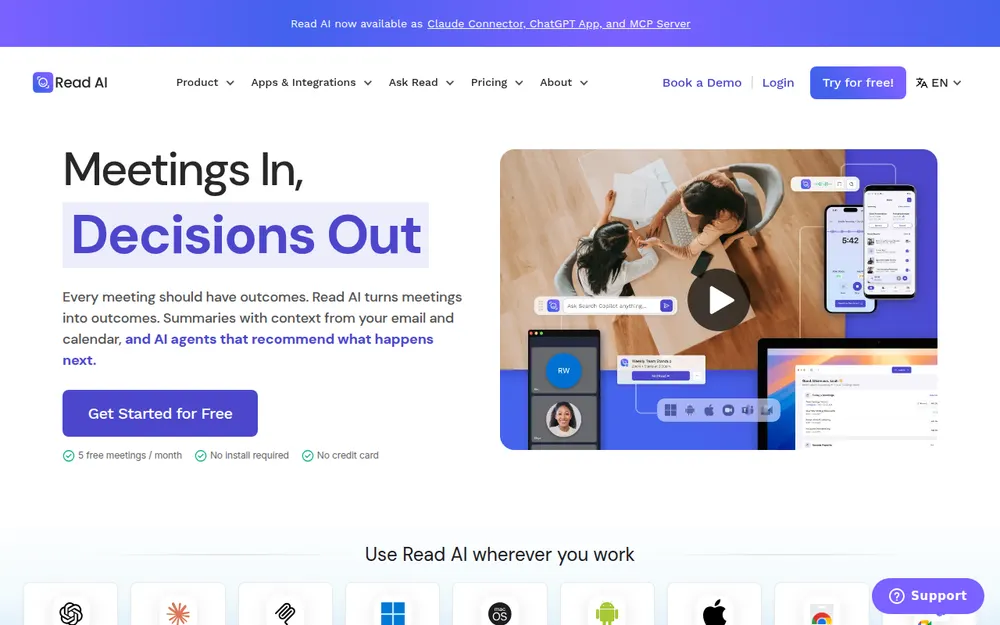
Read AI sells meeting intelligence, not just notes. Its bot, Read Assistant, joins Zoom, Teams and Google Meet after you connect a calendar. Around the notes sit a "Personalized meeting coach", engagement and sentiment metrics, and search across meetings, email and messages.
Plenty of people like it. It scores 4.88/5 on the App Store (1,034 ratings) and 4.4/5 on the Chrome Web Store (30 ratings, 400,000 users). Both were checked October 26, 2026.
So why leave? Read AI's own pages, and six universities, give seven reasons.
1. It spreads from one account to the next
Read joins "only when a user has set it up or initiated it", per its privacy center. "This may happen automatically for eligible meetings."
The catch is whose user. Any invitee with Read connected counts, even one who never shows up.
University of Memphis IT described the loop in October 2024:
- Read "joins Teams meetings, records all content and emails summaries to the participants."
- "In order to access the full notes, users must create their own Read AI account."
- "Read AI then attempts to join all Teams meetings of the new user."
Memphis's conclusion: "Read AI is able to quickly propagate throughout an organization."
That was 2024. Read's help center today says the report-access "requirement is set by the meeting report owner". Owners also choose whether reports go to participants automatically.
2. Six universities block it
- University of Memphis blocked it from November 1, 2024. IT said Read AI's terms "violate IT6010 – Data Privacy Policy".
- Case Western Reserve began blocking third-party AI note takers on September 12, 2025. Its notice names Read.ai (CWRU UTech).
- CUNY blocked Read.AI and Otter.AI from September 11, 2025. A York College IT notice gives the reason: "To prevent the inappropriate disclosure and storage of CUNY online meeting content on unapproved cloud storage servers."
- UC Riverside blocked Read AI from meetings on UCR Zoom accounts from October 10, 2025 (UCR tech bulletin).
- Morgan State lists "Read.ai Notetaker" among the bots it has blocked since June 10, 2026 (Morgan State IT).
- Eastern Washington University blocked Read.ai and Otter.ai. It had complaints about them "appearing in Zoom and Teams meetings without the consent of all participants" (EWU IT).
Three of those schools point staff to a built-in tool instead (see other alternatives below).
3. You can't delete someone else's copy
If a colleague's Read recorded you, the report is theirs. You can request deletion through Read's Account and Privacy Center form. The request goes to the owner.
Read itself won't step in: "we are not able to delete accounts or meeting reports at the request of a third party." That includes corporate IT. In Read's words, "Read is a service provider, and the data belongs to them as a user of Read."
The fix only works during the call. Type "opt out" in the meeting chat, and Read leaves and deletes the meeting data for everyone.
4. It measures the meeting, not just the words
Read AI's privacy policy says it tells participants "that the meeting is being measured". It infers "users' role during a meeting" and company affiliation.
One line goes further. Read uses "audio and visual information, as well as other information like language, to infer certain demographic characteristics about users". That feeds model improvement.
5. The policy reaches past your meetings
- Google Workspace: Read "may, either now or in the future," collect Gmail messages, Drive content and Google Chat. It may use them for "personalized AI and/or ML models", not generalized ones. That data "may be transferred to third party AI tools".
- Outside data: Read also gets data "from third-party data brokers who provide us with audio and visual data sets".
- Ads: hashed identifiers go to advertising partners. Meeting information doesn't, "unless you provide your consent."
- Retention: audio and video are kept "in no case for longer than 2 years". Paid accounts keep data until you stop paying or ask for deletion.
Be fair about training, though. The privacy center says "AI training is opt-in. Contributing to model improvement is off by default." That's a better default than Granola, Otter or Fathom.
6. HIPAA needs Enterprise+ and five licences
The pricing page lists "HIPAA compliance" only on Enterprise+, which "REQUIRES 5+ LICENSES". Billed annually, that's at least $1,785 a year.
The privacy center adds "BAA available on request". Custom data retention also sits on Enterprise+ only.
7. No refunds
Read AI's terms (last updated February 26, 2026) are short on this: "Read AI does not offer refunds for Services." Cancel mid-term, and fees already paid stay paid.
What Read AI does well
- Training is off by default. Contributing your meetings to model improvement is opt-in.
- A real participant opt-out. "opt out" in chat removes Read and deletes the meeting. "Read stop" removes it but keeps the report so far.
- It announces itself. Read "announces itself at the start of every meeting and requires host approval before joining".
- A clean record so far: SOC 2 Type II and "We never sell your data". I found no lawsuit naming Read AI as of October 26, 2026.
If your colleagues already live in Read AI and your calls aren't confidential, staying is reasonable.
Read AI Without the Bot: What the Desktop App Fixes and What It Doesn't
Read AI has its own no-bot options. If the bot tile is your only complaint, try them first.
What Read AI offers without a bot
- Desktop app: "Capture meetings anywhere, no bot necessary", including "In person discussions, 1:1s, Slack Huddles". It's "Available on Windows 10+ and MacOS 14+".
- Google Meet: a "Read Native Integration for Google Meet (bot-less)".
- Phones: the mobile apps "Capture in-person meetings".
What it doesn't fix
- Other people's Read. Your settings cover your account. A colleague's connected Read can still join.
- The recap loop. Whether reports reach participants depends on each owner's settings, not yours.
- Where reports live: still Read's cloud.
How to see who brought Read in
Read's help center says to "Check the meeting's chat window for a message saying who invited Read." When it can post in chat, Read "will also list the name(s) of who invited Read".
The host can remove it like any other participant. Our Read AI safety review walks through the join settings.
Where Voibe Work differs
- Nothing to spread. No bot joins on anyone's behalf. Only the person recording captures the meeting.
- Your computer, not a cloud archive. The transcript and summary are saved on your computer, not on Voibe's servers.
- Where Read is ahead: its "opt out" command lets anyone in the call delete the meeting. Voibe Work has no bot in the call, so it has no participant-side opt-out.
Voibe reminds you to tell everyone you're taking notes when recording starts; following recording-consent rules is up to you.
Where Your Meetings Go: Read AI vs the Alternatives
Most tools here can record from your computer now. What separates them is what happens afterwards, per each vendor's own pages:
Bot, storage and training, tool by tool
| Tool | Bot in the call | Where notes are stored | Audio and retention | Trains on your meetings? | Attestations (vendor-stated) |
|---|---|---|---|---|---|
| Read AI (reference) | Bot by default; desktop app and Google Meet integration with no bot | Read cloud, AWS us-east-1 (Northern Virginia) | Audio and video kept "in no case for longer than 2 years"; paid accounts kept until you stop paying or ask; custom retention on Enterprise+ | Opt-in, off by default | SOC 2 Type II; HIPAA on Enterprise+; BAA available on request |
| Voibe Work | No, on Mac and Windows | On your computer, not on Voibe's servers | Audio deleted as soon as processing completes | Never | BAA available on request |
| Granola | No | Granola cloud, US (AWS) | Audio deleted after transcription; notes kept indefinitely unless a retention policy is set | Yes by default on Free and Business, opt-out | SOC 2 Type II; HIPAA and BAA on Enterprise |
| Fireflies | Bot, or Take Notes desktop mode with no bot | Fireflies cloud, US and other countries | Bot mode saves audio and video; Take Notes saves none. Kept while the account is active | No, and vendors are contractually barred | SOC 2 Type II, ISO 42001; BAA on Enterprise with Private Storage |
| Otter | Bot, or desktop app with no bot | Otter cloud | Kept until deleted | Yes (de-identified audio and transcripts); no opt-out found | SOC 2 Type II; HIPAA on Enterprise |
| Fathom | Yes by default; bot-free beta only on Mac | Fathom cloud, US | Recordings kept until you delete them; auto-delete is Enterprise-only | Yes by default (de-identified), opt-out | SOC 2 Type II, GDPR; BAA on Enterprise |
| Circleback | Your choice per meeting | Circleback cloud, US | Recordings kept 30 days on Free, 1 year on Pro, 2 years on Business | No | SOC 2 Type II; HIPAA on Enterprise |
| Quill Meetings | No | On your computer; optional end-to-end encrypted sync | Desktop audio stays on your computer | No | SOC 2 Type II (Quill states) |
| Jamie | No | Jamie cloud, EEA, Switzerland and UK | Audio deleted after transcription | Never | ISO 27001; SOC 2 Type II pending |
What the table tells you
- Read AI is strong on training. Opt-in beats Granola, Otter and Fathom, which train by default.
- Its weak spots are reach and storage. Any invitee can bring the bot, and reports sit in its cloud while you pay.
- Only Voibe Work and Quill keep notes on your computer. Voibe Work's meeting notes still need internet: open-source models on zero-retention cloud providers process the audio.
Our AI Privacy Tracker scores meeting tools tier by tier. Our zero data retention explainer covers what the term does and doesn't promise.
Not sure you need a note taker at all? Our dictation vs note taker vs meeting assistant guide sorts it out.
What to Look For in a Read AI Alternative
Answer these six before you compare prices.
- Who can bring it into a meeting? A bot can join through any invitee's account. A no-bot app records only for the person who presses record.
- Does it pull people in? Check what participants get after the call. A recap that needs an account to open is how Read AI spread at Memphis.
- Where do the notes live? Read AI, Granola, Fireflies, Otter and Fathom use their cloud. Voibe Work and Quill use your computer. For client, patient or deal calls, this matters most.
- Does it train on your meetings? Read AI is opt-in, so don't trade down. Granola, Otter and Fathom train on de-identified or anonymised data by default. Voibe Work, Fireflies, Circleback, Jamie and Quill say they don't.
- Who can delete a meeting? In Read AI, only the report owner. Ask the same of any replacement.
- What does a year cost, and how long are your meetings? Compare against Read AI Pro ($180, 4-hour meetings) or Enterprise ($270, adds playback). Fireflies caps Free and Pro at 2 hours; Voibe Work allows 4.
How I Tested and Ranked These Read AI Alternatives
I tested all nine alternatives myself, and the verdicts come from those tests. I also read each vendor's pricing, security, privacy and help pages. Store ratings were pulled between October 13 and October 26, 2026.
Read AI is the exception. I haven't used it hands-on. Its facts come from its own pages, checked October 26, 2026. University notices are linked where I quote them.
What I judged, in order
- Capture: no bot on Mac and Windows, or a bot only when you choose. Nothing that spreads by itself.
- Day-to-day quality: the notes, the app, speaker labels, devices and store reviews.
- The notes: where they're stored, for how long, whether they train AI, and who can delete them.
- Cost: a year against Read AI Pro ($180) and Enterprise ($270), caps included.
Why Granola is first and Voibe Work second
Granola is the best all-rounder on criteria 1, 2 and 4. It has no bot on four platforms and the top App Store rating here (4.96/5 from 14,449 ratings). It's $12 a year less than Read AI Pro.
Voibe Work wins criterion 3 outright: notes on your computer, audio deleted, never trained on. It has no mobile app and no free meeting-notes plan, so it isn't first.
Why Fireflies is third
It's the closest match to what Read AI does. You get a bot when you want one, a no-bot desktop mode, CRM autofill and phone-call capture. And it doesn't train on your meetings at all, per its privacy policy.
Read AI's meeting coach and email search have no exact match here. Fireflies Business's conversation intelligence comes closest.
Read AI Alternatives Compared
Read AI sits in the first row for reference. Ratings are from the App Store unless noted, checked October 13 to 26, 2026.
Side by side, with Read AI as the baseline
| App | Bot? | Platforms | Notes stored | Trains on your data? | Free plan | Rating |
|---|---|---|---|---|---|---|
| Read AI (reference) | Bot; desktop app and Meet integration with no bot | Web, Mac, Windows, iPhone, Android | Read cloud, AWS us-east-1 | Opt-in, off by default | 5 meetings a month, 1-hour cap | 4.88/5 (1,034) |
| Granola | No bot | Mac, Windows, iOS, Android | Granola cloud, US | Yes by default (Free, Business), opt-out | Yes, last 30 days visible | 4.96/5 (14,449) |
| Voibe Work | No bot | Mac, Windows | On your computer | Never | No (7-day trial, no card) | 4.8/5 Product Hunt (Voibe app, 6) |
| Fireflies | Bot, or Take Notes with no bot | Web, Mac, Windows, iPhone, Android | Fireflies cloud, US and other countries | No | Unlimited transcription; 400 min storage per seat | 4.82/5 (5,365) |
| Otter | Bot, or no-bot desktop app | Web, Mac, Windows, iOS, Android | Otter cloud | Yes, de-identified; no opt-out found | 300 minutes a month, 30 minutes per conversation | 4.79/5 (84,689) |
| Fathom | Bot, or no-bot beta (Mac only) | Mac, Windows, iPhone | Fathom cloud, US | Yes by default, opt-out | Unlimited recordings; advanced summaries for 5 calls a month | 4.9/5 Chrome Web Store (1.7K) |
| Circleback | Bot or no-bot desktop app | Mac, Windows, iOS, Android | Circleback cloud, US | No | Yes, 30-day history | 4.81/5 (263) |
| Quill Meetings | No bot | Mac (Apple Silicon), Windows, iOS, Android | On your computer | No | Yes, unlimited local transcription | 4.56/5 (9) |
| Jamie | No bot | Mac, Windows, iPhone | Jamie cloud, EU | Never | 10 AI notes a month, 30-minute cap | 4.89/5 (247) |
| Notta | Bot, or no-bot desktop app | Web, Mac, Windows, iOS, Android | Notta cloud (AWS) | Not stated | 120 minutes a month, 3 minutes per recording | 4.06/5 (1,447) |
What only Voibe Work combines
Of the two apps that keep notes on your computer, only Voibe Work runs on Intel Macs and includes dictation.
It has no free meeting-notes plan, though. Voibe Free covers dictation only.
Read AI Alternatives Pricing: What a Year Costs vs Read AI Pro and Enterprise
Read AI Free is $0 for 5 meetings a month, an hour each. The paid plans, per its pricing page (checked October 26, 2026):
- Pro: $15 a month billed annually, $180 a year. Or $19.75 monthly ($237 a year). Unlimited meetings up to 4 hours, 100 upload credits a month.
- Enterprise: $22.50 billed annually, $270 a year. Or $29.75 monthly ($357 a year). Adds audio and video playback, video highlights and 200 upload credits.
- Enterprise+: $29.75 billed annually, $357 a year per seat. Or $39.75 monthly ($477 a year). It "REQUIRES 5+ LICENSES", so at least $1,785 a year. Adds HIPAA, SAML and SCIM, custom retention and 8-hour meetings.
The toggle says "-25%". Pro saves $57 a year (24.1%), Enterprise $87 (24.4%) and Enterprise+ $120 (25.2%).
What each alternative costs per year
The cheapest plan for regular meeting notes, billed annually where offered:
| Alternative | Plan | Per year | vs Read AI Pro ($180) | vs Read AI Enterprise ($270) |
|---|---|---|---|---|
| Quill Meetings | Lite ($6.99/mo annual), 16 hours of AI meetings a month | $83.88 | Save $96.12 (53.4%) | Save $186.12 (68.9%) |
| Krisp | Core ($8/mo annual) | $96 | Save $84 (46.7%) | Save $174 (64.4%) |
| Notta | Pro ($8.17/mo annual, 1,800 min/mo) | $97.99 | Save $82.01 (45.6%) | Save $172.01 (63.7%) |
| Otter | Pro ($8.33/mo annual, 1,200 min/mo, 90-min cap) | $99.96 | Save $80.04 (44.5%) | Save $170.04 (63.0%) |
| Fireflies | Pro ($10/mo annual; 8,000 min storage, 2-hour meetings) | $120 | Save $60 (33.3%) | Save $150 (55.6%) |
| Voibe Work | Annual, unlimited meetings up to 4 hours each | $149 | Save $31 (17.2%) | Save $121 (44.8%) |
| Granola | Business ($14/mo, billed monthly only) | $168 | Save $12 (6.7%) | Save $102 (37.8%) |
| Circleback | Pro ($15/mo annual; $18 monthly) | $180 | Same price | Save $90 (33.3%) |
| Fathom | Premium ($16/mo annual; $20 monthly) | $192 | $12 more (6.7%) | Save $78 (28.9%) |
| Fireflies | Business ($19/mo annual) | $228 | $48 more (26.7%) | Save $42 (15.6%) |
| Otter | Business ($19.99/mo annual) | $239.88 | $59.88 more (33.3%) | Save $30.12 (11.2%) |
| Jamie | Plus ($24/mo annual, 20 notes a month) | $288 | $108 more (60.0%) | $18 more (6.7%) |
Where Voibe Work is not the cheapest
- Free plans: Read AI Free, Fathom Free, Fireflies Free and Quill's free plan cost nothing.
- Fireflies Pro ($120) is $29 (24.2%) a year cheaper than Voibe Work.
- Four more undercut it: Quill Lite ($83.88), Krisp Core ($96), Notta Pro ($97.99) and Otter Pro ($99.96). Otter Pro is $49.04 (49.1%) less.
If you only need notes and don't mind the vendor's cloud, those are the better buys.
Voibe Work vs Read AI, every way you can pay
- Monthly: Voibe Work ($19) is $0.75 (3.8%) less than Pro ($19.75).
- A year of Pro paid monthly ($237): Voibe Work annual is $88 (37.1%) less.
- A year of Enterprise paid monthly ($357): Voibe Work is $208 (58.3%) less.
- Five seats of Enterprise+ ($1,785): five Voibe Work seats cost $745, which is $1,040 (58.3%) less.
- Team of 10, annual: Read AI Pro costs $1,800. Voibe Work costs $1,490, which is $310 (17.2%) less.
- Lifetime: Voibe Work is also $399 once. Three years of Pro billed annually cost $540, so lifetime saves $141 (26.1%). It breaks even after about 2.2 years. All at today's list prices.
Comparing every meeting and dictation price? Our pricing hub collects them. Our Otter pricing and Fathom pricing guides go plan by plan.
Read AI Has No Dictation App: The Bundle Math
Read AI covers meetings, email, messaging and search. It has no dictation app. If you also dictate, you're buying two subscriptions.
What two apps cost vs one
- Read AI Pro + Wispr Flow Pro: $180 + $144 = $324 a year. Voibe Work covers both for $149, which is $175 (54.0%) less.
- Granola Business + Wispr Flow Pro: $168 + $144 = $312 a year. Voibe Work is $163 (52.2%) less.
- Fireflies is the exception. Fireflies Talk is free, unlimited dictation on every plan. Fireflies Pro ($120) covers both jobs for $29 (24.2%) less than Voibe Work.
What the Voibe side includes
- Push-to-talk (hold Fn), Hands-Free Mode, and Live Dictation on Mac.
- A Dictionary for names and jargon, and Smart Formatting that doesn't rewrite what you said.
- Dictation runs on-device on Apple Silicon Macs, with no internet. Or it runs in Voibe's zero-retention cloud, where audio is deleted the moment transcription completes.
On-device is a dictation claim only. Voibe Work's meeting notes are processed in the zero-retention cloud and need internet.
Wispr Flow's plans are in our Wispr Flow pricing guide. Our October update post covers Windows meeting notes and 4-hour meetings.
1. Granola: Best Overall Read AI Alternative
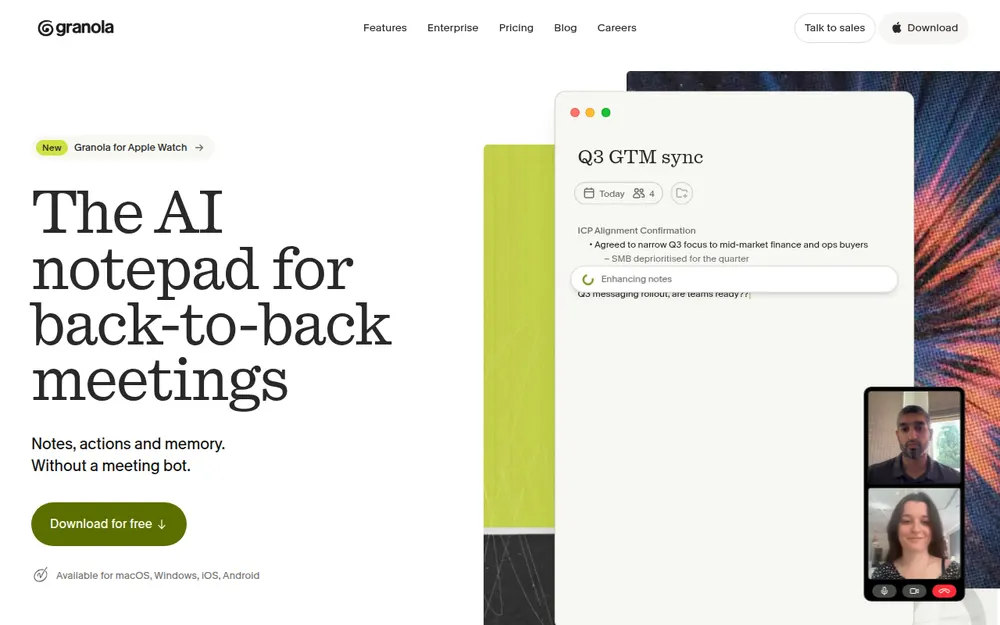
Granola is the no-bot note taker everyone else gets measured against. It's my pick for most people leaving Read AI.
It captures your mic and system audio. You jot rough notes, and Granola fills them in afterwards. It's the most polished app here.
Why it's my top pick
- No bot, on every device: Mac, Windows, iPhone and Android. Nothing joins, so nothing spreads.
- Speaker names with no bot: display names on Meet, Zoom and Teams, "Me" and "Them" elsewhere.
- Top-rated: 4.96/5 on the App Store from 14,449 ratings, the best here.
What it costs
- Basic: free; only the last 30 days of notes are visible.
- Business: $14 per user per month, billed monthly only ($168 a year). That's $12 (6.7%) less than Read AI Pro annual and $69 (29.1%) less than Pro paid monthly ($237).
- Enterprise: $35 per user per month, with training off by default.
The catch
Granola fixes the spread. On training, it's a step back from Read AI:
- Training: on Free and Business, "anonymised data may be used for Granola's own model improvements" unless each user opts out. Read AI is opt-in.
- Storage: a "US-hosted AWS Virtual Private Cloud", kept indefinitely unless a retention policy is set.
- No recording: audio is deleted after transcription, so there's nothing to replay. Read AI Enterprise has playback.
- A lawsuit: Chamberlain v. Granola (July 2026) alleges wiretapping. Nothing is proven; see our Granola lawsuit explainer.
Granola vs Voibe Work
Voibe Work is $19 (11.3%) a year cheaper than Granola Business. It never trains, and it saves notes on your computer. Granola wins on mobile apps and a free plan.
Best for: most people leaving Read AI who want no bot and are fine with cloud notes. See our Granola pricing guide and Is Granola safe?
2. Voibe Work: Best for Confidential Calls, With Nothing to Spread
If your meetings are the kind you'd never forward, this is where the choice changes.
Voibe Work is Voibe's meeting-notes plan, and ours. I'd hand it to lawyers, financial advisors, clinicians, HR teams and anyone in deal talks.
Read AI already keeps training opt-in. The difference is reach: who can bring the note taker in, and where notes go.
Where your meeting goes
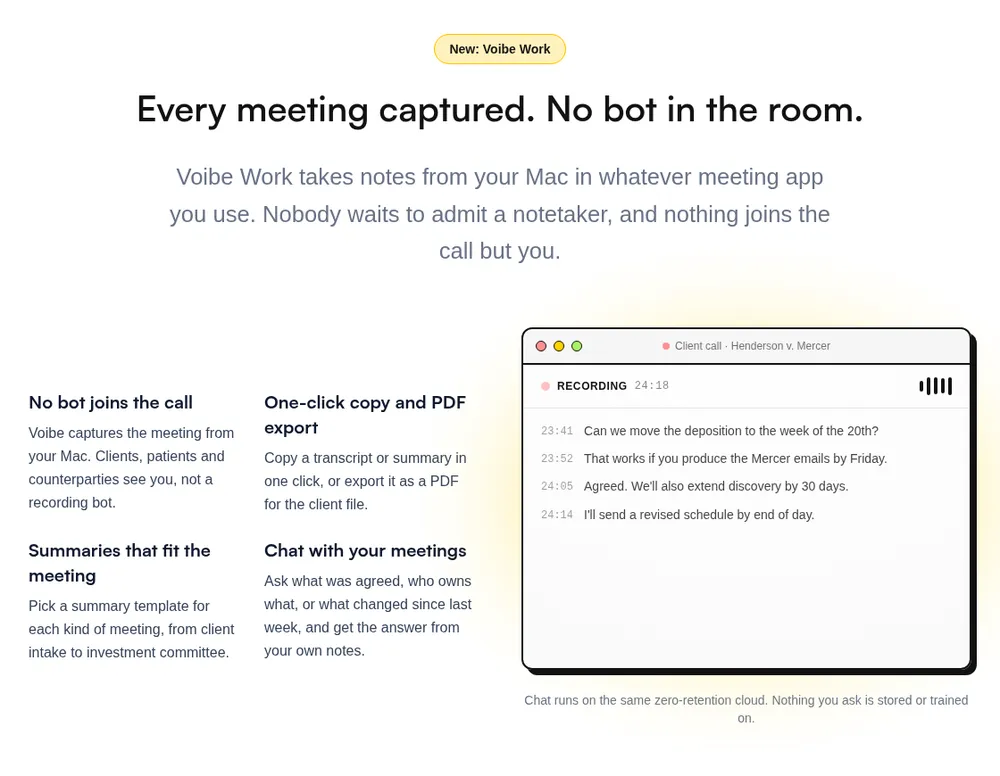
- Capture: from your Mac or Windows PC in Zoom, Microsoft Teams, Google Meet, Webex, Slack huddles or any other meeting app. No bot joins. Voibe Work also records in-person meetings through your Mac or PC's mic.
- Processing: open-source models on zero-retention cloud providers. No OpenAI, Google, Anthropic or Microsoft model is in the audio path.
- Audio: deleted as soon as processing completes.
- Notes: the transcript and summary are saved on your computer, not on Voibe's servers.
- Training: never.
Every provider is listed on Voibe's cloud privacy page. Because processing happens in the cloud, meeting notes need an internet connection. The reasoning is in our Voibe Work launch post.
Voibe reminds you to tell everyone you're taking notes when recording starts; following recording-consent rules is up to you.
Read AI vs Voibe Work, side by side
| Read AI | Voibe Work | |
|---|---|---|
| Bot in the call | Read Assistant bot by default; desktop app and Google Meet integration with no bot | No, on Mac and Windows |
| Who can bring it in | Any invitee with Read connected, "even if they don't actually attend" | Only you, by starting a recording |
| Recording | Audio and video kept up to 2 years at most; playback on Enterprise and up | Audio deleted the moment processing completes |
| Transcript and summary | Read's cloud (AWS us-east-1) while you pay | Saved on your computer |
| Training | Opt-in, off by default | Never |
| Consent tooling | Announces itself; any participant can type "opt out" to delete the meeting | A reminder to tell everyone when recording starts; no participant opt-out |
| Meeting length | 1 hour on Free, 4 on Pro and Enterprise, 8 on Enterprise+ | Up to 4 hours, unlimited meetings |
| Extras | Meeting coach, engagement metrics, email and message search, CRM integrations | Templates per meeting type, chat with your meetings, PDF export |
| Dictation | None | Voibe's dictation app, included |
| Platforms | Web, Mac, Windows, iPhone, Android | Mac, Windows |
| HIPAA | "HIPAA compliance" on Enterprise+ (5+ licences); BAA on request | BAA available on request |
| Price | Free; Pro $19.75/mo or $180/yr; Enterprise $29.75/mo or $270/yr | $19/mo, $149/yr, or $399 lifetime |
What else you get
- Speaker labels with a time on every line. Click a name to rename that speaker, and the summary updates. Names aren't pulled from your calendar.
- AI summaries with templates for each kind of meeting, such as client intake or investment committee
- Chat with your meetings ("what was agreed, who owns what") on the same zero-retention cloud; nothing you ask is stored
- One-click copy and PDF export of transcripts and summaries
- The full Voibe dictation app on Mac and Windows, and a BAA on request
What it costs
- Voibe Work: $19 per seat per month, $149 per year, or $399 once for lifetime access.
- Voibe Dictation only: $9.90 per month, $99 per year, or $199 lifetime. Voibe Free is $0 with limited words on one device.
- Trial: 7 days of every Voibe Work feature, no credit card, no automatic charge. Paid plans have a 30-day money-back guarantee. Read AI offers no refunds.
- Teams: up to 10 seats in one checkout; Enterprise above that.
Where it falls short
- It costs more than Read AI Free, and Fireflies Pro is $29 a year cheaper.
- No participant opt-out. Anyone can type "opt out" to Read AI. Voibe Work only reminds you to tell people.
- Nothing joins on its own. Voibe lists no calendar auto-join, so it can't cover a meeting you aren't in.
- No meeting coach, email search, CRM integrations, phone app or video playback.
Best for
Confidential calls on Mac or Windows. Going deeper? See our guides for lawyers and financial advisors.
7-day free trial of every Voibe Work feature. No credit card, no automatic charge, and a 30-day money-back guarantee if you buy. One seat covers Mac and Windows.
3. Fireflies: Closest Feature Match, Without Any Training
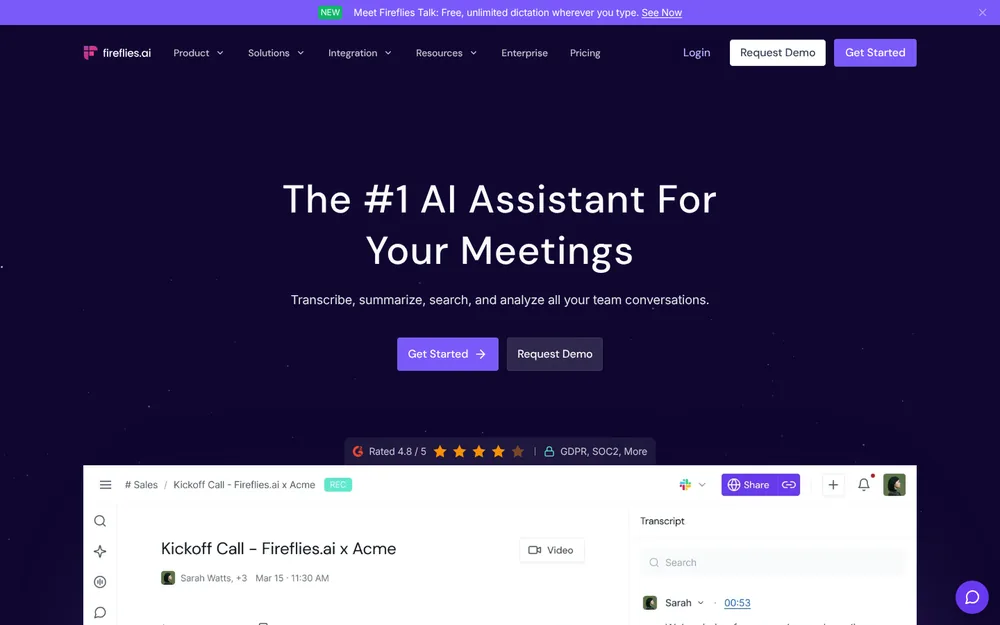
Do you use Read AI for the bot, the CRM pushes and the long app list? Fireflies is the closest match.
Its bot joins Zoom, Meet and Teams. A desktop "Take Notes" mode records without it, on Windows 10+ and macOS 12+.
Why it's third
- No training at all. Its privacy policy: "We do not use personal information for AI model training." Its vendors are contractually barred too.
- Free dictation: Fireflies Talk, unlimited on every plan including Free.
- Consent tooling in no-bot mode. A spoken notice plays about 10 seconds in. There's a chat message on Mac and an "AI Taking Notes" camera watermark, all on by default.
- Reach: phone-call capture, CRM autofill for HubSpot and Salesforce, and "Unlimited integrations" on paid plans.
What it costs
- Free: unlimited transcription, 400 minutes of storage per seat, 2-hour meetings.
- Pro: $18 a month, or $10 billed annually ($120 a year). That's $60 (33.3%) less than Read AI Pro. You get 8,000 minutes of storage, 20 AI credits and 2-hour meetings.
- Business: $29, or $19 billed annually ($228 a year). Unlimited storage, 3-hour meetings and conversation intelligence.
The catches
- Same bot problem. Case Western, UC Riverside and Morgan State block Fireflies as well as Read AI.
- The no-bot mode is anonymous: "Speaker 1 / Speaker 2", and no audio saved.
- Shorter meetings: 2 hours on Free and Pro.
- A lawsuit: Fricker v. Fireflies.AI Corp. is a biometric privacy (BIPA) class action. The CourtListener docket showed no ruling as of October 26, 2026. These are allegations, not findings.
Rated 4.82/5 on the App Store (5,365). See our Fireflies pricing guide and Is Fireflies safe?
Best for: Read AI users who want the bot, CRM autofill and no training, for less.
4. Otter: The Big-Brand Swap for Less
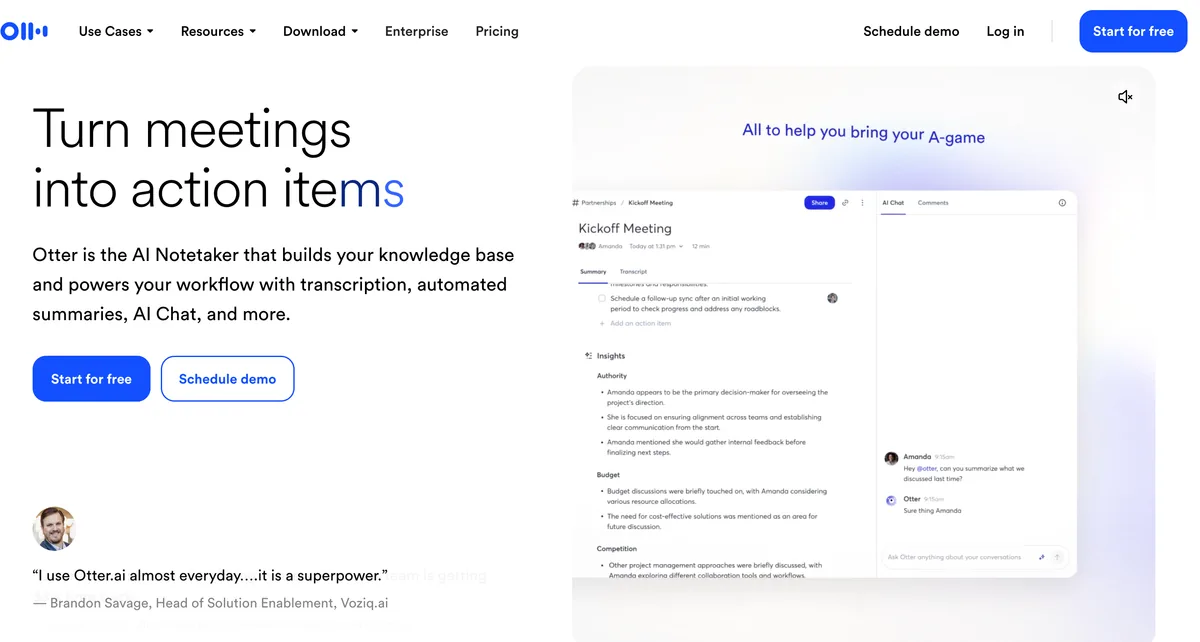
Otter works much like Read AI. A bot joins Zoom, Meet and Teams, with live transcripts and apps everywhere. A Mac and Windows desktop app records without the bot.
It costs less than Read AI Pro, and it caps minutes per month instead of meetings.
What it costs
- Basic: free, 300 minutes a month, 30 minutes per conversation.
- Pro: $16.99/mo, or $8.33/mo billed annually ($99.96 a year). That's $80.04 (44.5%) less than Read AI Pro. You get 1,200 minutes a month and 90 minutes per conversation.
- Business: $30/mo, or $19.99/mo billed annually ($239.88 a year), with 4-hour meetings.
Prices from Otter's pricing page, checked October 26, 2026. Every plan is in our Otter pricing guide.
The catch: privacy is a step back
- Training: Otter trains "our proprietary AI technology on de-identified audio recordings and on transcriptions", per its privacy policy. I found no opt-out. Read AI is opt-in.
- A lawsuit. In In re Otter.AI Privacy Litigation, wiretap, California privacy and BIPA claims survived an August 13, 2026 ruling (order).
- Blocked too: CUNY and Eastern Washington blocked Otter.AI alongside Read.ai.
Our Is Otter safe? review covers the case. Otter is rated 4.79/5 on the App Store from 84,689 ratings, the biggest sample here.
Cheaper than Voibe Work. What the extra $49.04 buys
- No minute caps: Otter Business lifts them for $239.88 a year; Voibe Work is $90.88 (37.9%) less.
- No training and no cloud archive.
Best for: a bot plus a bot-free desktop app from a big brand, for less. Pick it when calls aren't confidential.
5. Fathom: Best Free Read AI Alternative, If the Bot Is Welcome
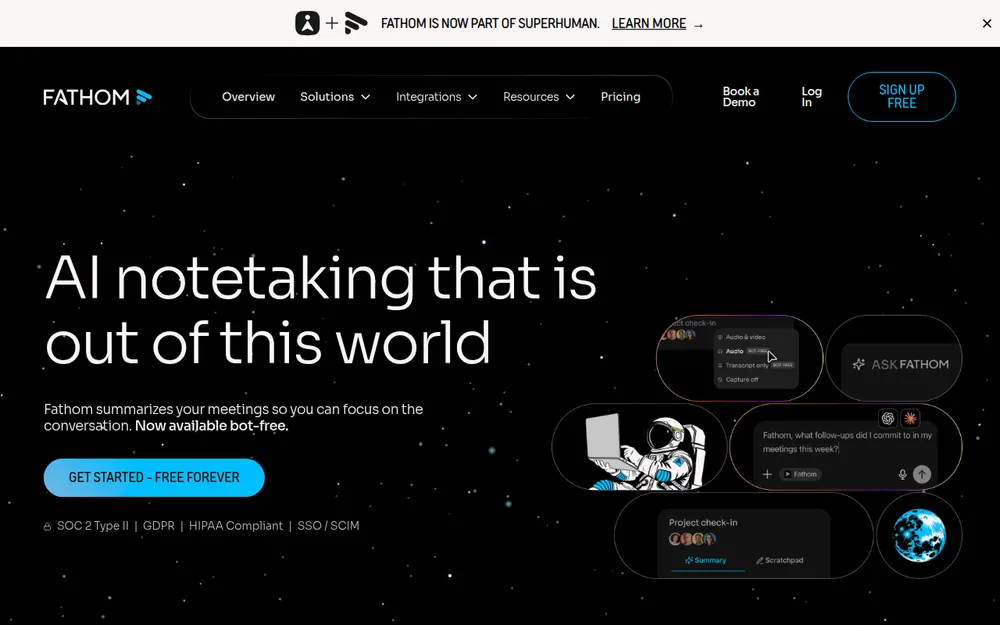
Read AI Free stops at 5 meetings a month, an hour each. Fathom Free has unlimited recordings, transcripts and storage, with no expiry.
The AI is capped: "Advanced summaries for your first 5 calls each month (after that, only the General/Enhanced template will be available)."
Paid plans
- Premium: $20 a month, or $16 billed annually ($192 a year). That's $12 (6.7%) more than Read AI Pro and $78 (28.9%) less than Enterprise.
- Team: $19, or $15 billed annually ($180 a year), 2-seat minimum.
- Business: $34, or $25 billed annually ($300 a year), 2-seat minimum, with CRM field sync.
The catches
- The bot is the default, and Case Western's block names Fathom too. Bot-free capture is a beta that "is currently available on Mac only".
- Training is on by default. Fathom trains in-house models on de-identified meeting data, with an opt-out in settings. Read AI is opt-in.
- Kept until you delete it. Auto-delete is Enterprise-only.
- A new owner. Fathom has been part of Superhuman since September 14, 2026.
Fathom is rated 4.9/5 on the Chrome Web Store (1.7K ratings, 600,000 users). See our Fathom pricing guide and Is Fathom safe?
When Fathom Free beats Voibe Work
If basic notes with a bot are all you need, Fathom Free saves you $149 a year. I'd take it. Voibe Work wins only for confidential calls.
Best for: Read AI Free users who hit the 5-meeting cap. You need to be fine with a bot and a training opt-out.
6. Circleback: Best for Automations, With a Read AI Import
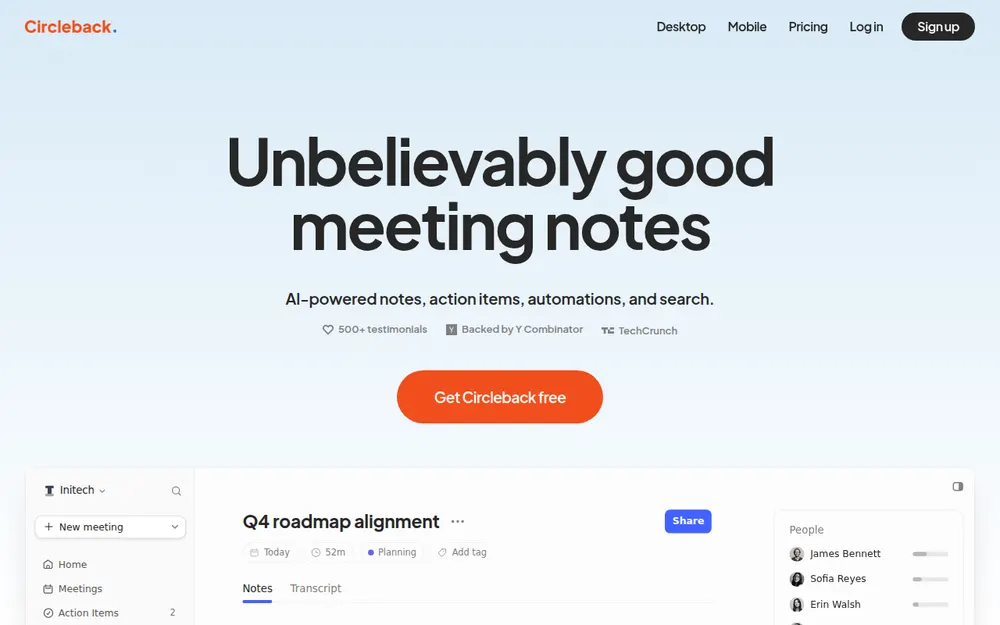
Leaving Read AI but keeping your history? Circleback can bring it with you. Since August 28, 2026, its settings import meetings from Read AI, Fireflies, Fathom and Granola.
What it does
- Bot or no bot: "A bot or the bot-free desktop app" on every plan, Free included.
- Automations: notes go to Notion, HubSpot, Salesforce, Attio, Linear and webhooks.
- No training: "We do not use customer data to train models". It lists SOC 2 Type II and hosts data in the US.
What it costs
- Free: 30-day meeting and recording history.
- Pro: $18 per user per month, or $15 billed annually ($180 a year). That's the same as Read AI Pro annual, and $1.75 (8.9%) less month to month. Recordings are kept 1 year.
- Business: $29, or $25 billed annually ($300 a year), 2 years of recording storage and custom retention.
- Enterprise: $35 per user per month, annual only, with HIPAA.
The catches
- The bot is the default. With joining preferences on, it tries the bot before the desktop app.
- The desktop app records meeting video by default.
- Notes live in Circleback's US cloud. Like Read AI's, its terms say payments are non-refundable.
Rated 4.81/5 on the App Store (263). Voibe Work is $31 (17.2%) a year less than Circleback Pro and keeps notes on your computer. But it has no bot option and no integrations.
Best for: teams that want automations, a bot on some calls and no training. Your old meetings come too.
7. Quill Meetings: Best Free Option That Keeps Transcripts on Your Computer
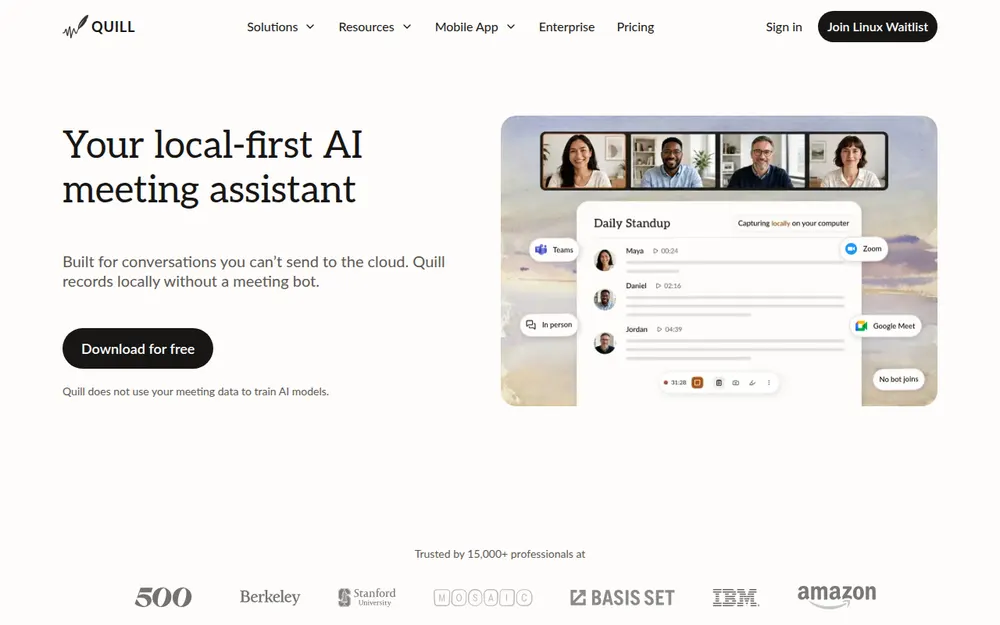
Quill Meetings records and transcribes on your computer with no bot. In one way it goes further than Voibe Work: desktop meeting audio never leaves your machine.
The free plan has unlimited local recordings and transcripts, against Read AI Free's 5 meetings a month. It identifies speakers locally and says it doesn't train on meeting data.
- Free: unlimited local recordings and transcripts.
- Lite: $7.99/mo, or $6.99/mo billed annually ($83.88 a year), 16 hours of AI meetings a month. That's $96.12 (53.4%) less than Read AI Pro.
- Unlimited: $19.99/mo, or $16.99/mo billed annually ($203.88 a year).
- Teams: $12 per seat billed annually, 5-seat minimum.
The catches. AI notes go to a cloud model by default (text only), unless you bring your own key or a local model. The Mac app needs Apple Silicon. I found no refund policy, and its 4.56/5 App Store rating comes from only 9 ratings.
Cheaper than Voibe Work. What the extra $65.12 buys:
- No 16-hour cap: Quill Unlimited is $203.88 a year; Voibe Work is $54.88 (26.9%) less.
- Any Mac: one Voibe Work seat covers Intel and Apple Silicon Macs and Windows.
Best for: free transcripts that never leave your Mac or PC.
8. Jamie: Best Read AI Alternative for EU Data Residency
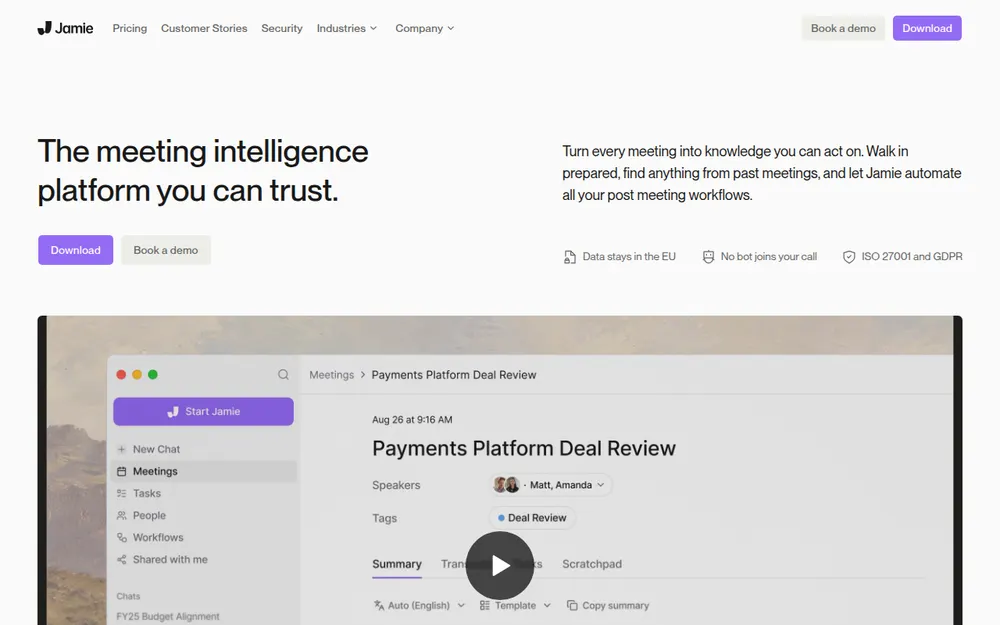
Read AI stores data in AWS us-east-1, in Northern Virginia. Jamie keeps it in Europe.
Its security page says it's "Hosted in Europe" and "Meeting audio is deleted after transcription". Meeting data "is never used to train AI models, not by Jamie and not by any of our model providers." No bot joins. It captures on Mac and Windows, with an iPhone app.
- Free: 10 AI notes a month, 30-minute meetings.
- Plus: $24/mo billed annually ($288 a year), 20 notes a month, 2-hour meetings. That's $108 (60.0%) more than Read AI Pro and $18 (6.7%) more than Enterprise.
- Pro: $46/mo billed annually, unlimited notes, 5-hour meetings.
- Team: $37, per Jamie's plan comparison.
The catch: it's the priciest option here, notes still live in Jamie's cloud, and there's no Android app. It lists ISO 27001, with SOC 2 Type II pending. Rated 4.89/5 on the App Store (247).
Best for: European teams who need data to stay in the EU.
9. Notta: Cheapest Plan With Both a Bot and a Bot-Free Desktop App
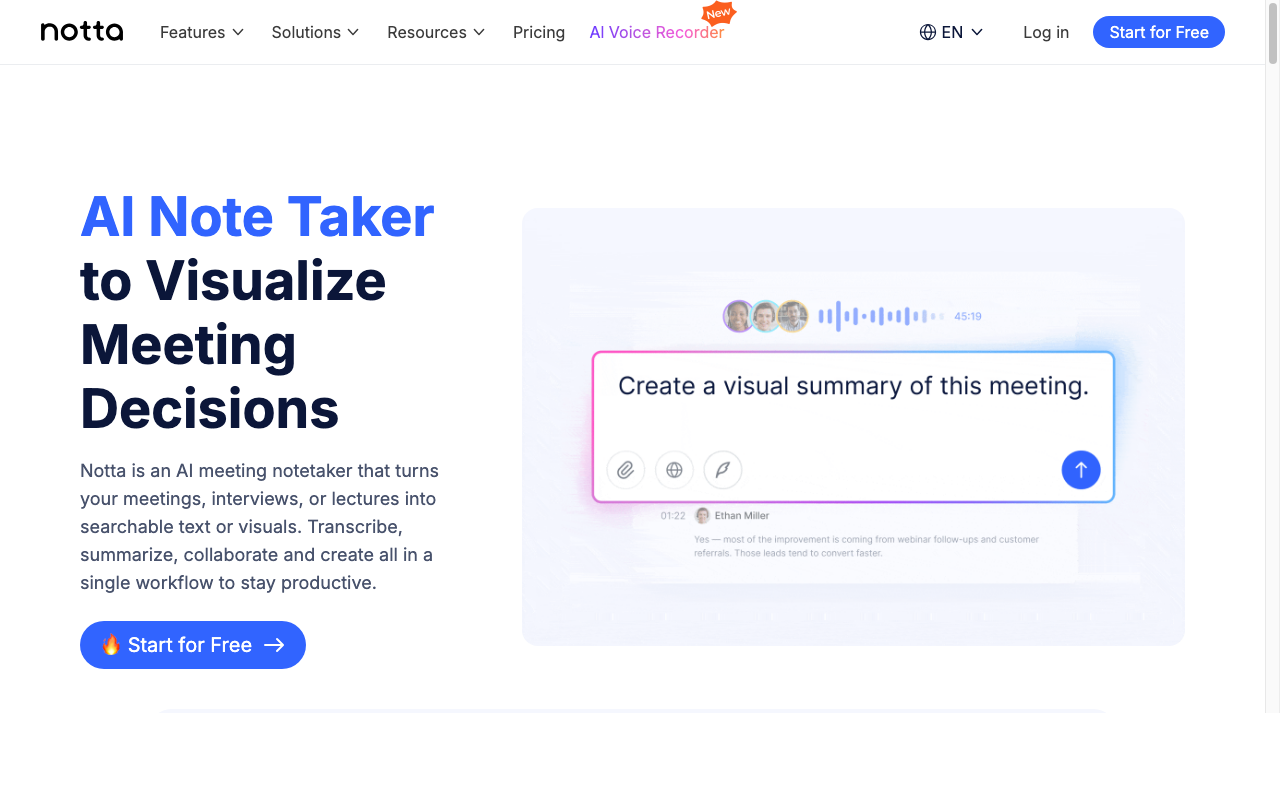
Notta keeps Read AI's shape for less. It has a bot and a desktop app that can "Record bot-free on Mac & Windows". Apps cover web, iPhone and Android.
- Free: 120 minutes a month, 3 minutes per conversation.
- Pro: $8.17/mo billed annually ($97.99 a year), 1,800 minutes a month, up to 5 hours per recording. That's $82.01 (45.6%) less than Read AI Pro.
- Business: $16.67/mo billed annually ($199.99 a year), unlimited transcription.
The catch: the free plan is tiny. Notes live in Notta's cloud (AWS), and its security page doesn't say whether customer data trains its models. Its App Store rating is the lowest here: 4.06/5 from 1,447 ratings.
Cheaper than Voibe Work. What the extra $51.01 buys:
- No minute cap: Notta Business is $199.99 a year; Voibe Work is $50.99 (25.5%) less.
- Notes on your computer, never trained on.
Best for: Read AI Pro users who want the same bot-plus-desktop setup and longer recordings for less.
Other Read AI Alternatives We Looked At
Nine more came close. The short version of each:
What the universities point to instead
- Zoom's built-in AI. Case Western, UC Riverside and Morgan State all name "Zoom AI Companion" as the approved option. UC Riverside calls it "UC-approved" (UCR). Zoom has since retired the AI Companion name (June 2026). Summaries come with paid Zoom plans (Pro $16.99, or $14.16 billed annually). The free plan covers 3 hosted meetings a month. Zoom's terms rule out training on communications content.
- Google Meet's "Take notes for me". Morgan State approves it too. It needs Business Standard or above. From September 21, 2026, it turns on by default for Business Standard and Plus meetings with 3 or more guests.
Bot-free note takers
- Krisp: noise cancellation plus a bot-free note taker. Core is $16 a month, or $8 billed annually ($96 a year, $84 (46.7%) less than Read AI Pro). No free plan. It says meeting data never trains its models. Rated 4.75/5 on the App Store (267).
- Bluedot: bot-free by default, optional bot. Basic is $14 a month billed annually ($168 a year), audio only, 1-hour cap. The free plan covers 5 meetings in total. See our Bluedot alternatives.
- Wispr Flow Notetaker: bot-free notes inside the Wispr Flow dictation app, on Mac and Windows. Notes sit in Wispr's US cloud, and training is on by default on Free and Pro. Unlimited use is $26 a month billed annually ($312 a year). See Wispr Flow Notetaker vs Voibe Work.
- tl;dv: bot-free desktop recording (audio only), and it promises never to train AI on your recordings. I couldn't confirm its prices. Rated 4.6/5 on the Chrome Web Store (597).
Bot-first and CRM-heavy
- Fellow: bot or botless recording, and it never trains. Salesforce and HubSpot sync come on Business ($180 a year billed annually).
- Laxis: Premium is $119.88 a year. It caps you at 2,000 minutes a month and 2 hours per recording. See our Laxis alternatives.
More no-bot options: our best no-bot meeting note takers. Every roundup is on our alternatives hub.
No Bot Doesn't Mean No Consent
Read AI deserves real credit here. Any participant can remove it and delete the meeting from the chat. Few note takers give the other side of the call that power.
- "opt out" removes Read and deletes all meeting data.
- "Read stop" removes Read and keeps the report up to that point.
- Read announces itself, and its privacy center says it requires host approval before joining.
- Its policy notes one gap: notices don't appear "where meeting chat and notices have been disabled or are unsupported."
What the others do
Fireflies' no-bot mode plays a spoken notice and can show an "AI Taking Notes" camera watermark. Circleback's bot posts a chat notice that can't be turned off. Otherwise, telling people is your job.
Voibe Work has no bot in the call, so nobody can type "opt out" to it. Voibe reminds you to tell everyone you're taking notes when recording starts; following recording-consent rules is up to you.
What the law asks
About a dozen US states generally require everyone in a private conversation to agree to a recording. They include California, Florida, Illinois, Maryland, Massachusetts, Pennsylvania and Washington. Justia keeps a 50-state survey.
A line you can use
"I'm using an AI note taker so I can focus. It doesn't join as a bot. Is everyone okay with that?"
Five seconds. If anyone says no, turn it off. This is general information, not legal advice. For ethics rules, see our guide for lawyers choosing a meeting note taker.
Warning
No app can get consent for you. Tell everyone on the call, every time, and check the rules where each participant is located.
Switching From Read AI: What to Do Before You Cancel
Seven steps, in order. The first four stop Read AI showing up after you leave.
Before you cancel
- Stop it joining your meetings. Turn off automatic joining in your Read settings, then disconnect your calendar.
- Find out who else brings it. Check the meeting chat for Read's message naming who invited it.
- Ask those colleagues to disconnect. Their account can still bring Read in, "even if they don't actually attend." Morgan State's advice for blocked tools is the same: disconnect the app and remove the calendar integration.
- Save, then delete what you own. Owners delete reports, or the whole account, in Account Settings; support can't do it for you. Circleback can import your Read AI meetings first.
When you cancel
- Disconnect Google Workspace, and leave the Customer Experience Program if you joined it.
- Time it right. Renewals are automatic, and Read AI "does not offer refunds". Cancel at least one day before the period ends.
After you switch
- Run both for a week, and tell people. Voibe Work's 7-day trial needs no credit card and doesn't charge automatically. Without a bot tile, nobody knows unless you say so.
How to Choose the Right Read AI Alternative
Five questions, in order. Stop at your first yes.
1. Does your organization allow only built-in tools?
- Yes → Zoom's built-in AI, Google Meet's "Take notes for me", or Teams intelligent recap. Universities that block Read AI point here.
- No → question 2.
2. Are your calls confidential?
- Client, patient, HR or deal calls → Voibe Work. No bot, speaker labels with times, audio deleted after processing, notes saved on your computer, never trained on.
- No → question 3.
3. Do you need it free?
- Yes, and a bot is fine → Fathom Free, with unlimited recordings. Or stay on Read AI Free if 5 meetings a month is enough.
- Yes, and transcripts must stay on your computer → Quill Meetings.
- No → question 4.
4. Do you still want a bot on some calls?
- Yes, with CRM autofill and no training → Fireflies.
- Yes, with automations and your Read AI history imported → Circleback.
- Yes, at the lowest price → Otter Pro ($99.96 a year) or Notta Pro ($97.99 a year).
- No → question 5.
5. Must your data stay in the EU?
- Yes → Jamie.
- No → Granola, the best overall no-bot app, on Mac, Windows, iPhone and Android.
Best Read AI Alternative for Your Situation
Already know your situation? Find your row.
Privacy, platform and where your data lives
| Situation | Best choice | Why |
|---|---|---|
| Best all-round no-bot notes, on every device | Granola | Mac, Windows, iPhone and Android; 4.96/5 on the App Store; $168 a year |
| Read AI keeps joining through colleagues | Voibe Work or Granola | No bot, so no account can bring one in |
| Confidential client calls | Voibe Work | No bot, audio deleted, notes saved on your computer, never trains |
| Lawyers, financial advisors, clinicians and HR | Voibe Work | Notes stay off vendor servers; BAA available on request |
| Free, and transcripts never leave your computer | Quill Meetings | Free local transcription on your Mac or PC |
| Your data must stay in the EU | Jamie | European hosting; never trains |
| Your university or employer blocks third-party bots | Zoom or Meet built-in AI | The tools Case Western, UC Riverside and Morgan State approve |
Budget, bots and team needs
| Situation | Best choice | Why |
|---|---|---|
| Read AI Free's 5 meetings ran out | Fathom Free | Unlimited recordings, transcripts and storage |
| A bot plus CRM autofill, with no training | Fireflies | $120 a year for Pro, $60 (33.3%) less than Read AI Pro |
| Same bot-plus-desktop setup, for less | Otter or Notta | $99.96 or $97.99 a year vs Read AI Pro's $180 |
| Automations and your Read AI history | Circleback | Imports Read AI meetings; bot or desktop app on every plan |
| Meetings and dictation in one plan | Voibe Work | $149 a year vs $324 for Read AI Pro plus Wispr Flow Pro |
| Meetings longer than 4 hours | Read AI Enterprise+ or Jamie Pro | 8 hours on Enterprise+ (5-seat minimum); 5 hours on Jamie Pro |
| Noisy calls from cafés or home | Krisp | Noise cancellation plus notes, $96 a year |
Frequently Asked Questions About Read AI Alternatives
Basics
What is the best Read AI alternative?
Granola, for most people. It has no bot on Mac, Windows, iPhone and Android, and the top App Store rating I found (4.96/5). Business costs $168 a year, $12 less than Read AI Pro annual.
- It trains by default on Free and Business, though.
- For confidential calls, pick Voibe Work ($149 a year). It has no bot, deletes the audio and saves notes on your computer.
Is there a Read AI alternative without a bot?
Yes:
- Granola, Voibe Work, Quill Meetings and Jamie record from your computer with no bot.
- Otter, Circleback, Fireflies and Notta have desktop apps that skip their bots.
- Read AI's own desktop app has no bot, but colleagues' accounts can still bring Read in.
Whichever you pick, tell everyone. Voibe Work reminds you when recording starts.
What is the closest alternative to Read AI?
Fireflies. It has a bot, a no-bot desktop mode, CRM autofill and phone-call capture, and it never trains on your meetings. Pro is $120 a year, $60 less than Read AI Pro.
- Circleback is closest on automations, and it imports your Read AI meetings.
Privacy, spread and consent
What is the most private Read AI alternative?
Voibe Work:
- No bot joins, on Mac or Windows, so nothing spreads to colleagues.
- Open-source models on zero-retention cloud providers process the audio, then delete it.
- The transcript and summary are saved on your computer and never trained on.
- A BAA is available on request.
Meeting notes need internet. If it must be free, Quill Meetings transcribes on your computer.
Why does Read AI keep joining my meetings?
Usually because someone else invited has Read connected. Read's privacy center says it "may still join—even if they don't actually attend the meeting."
- Check the meeting chat for Read's message naming who invited it.
- Type "opt out" to remove it and delete the meeting data, or ask the host to remove it.
Does Read AI train AI on my meetings?
Not by default. Its privacy center says "AI training is opt-in. Contributing to model improvement is off by default."
- Its privacy policy still describes inferring demographic characteristics from audio and visual data to improve models.
- It may also use Google Workspace data for personalized models "either now or in the future".
Can I delete Read AI notes someone else recorded?
Not directly. Your deletion request goes to the report owner. Read says it is "not able to delete accounts or meeting reports at the request of a third party".
- During the call, typing "opt out" deletes the meeting data for everyone.
Pricing
Is Voibe Work cheaper than Read AI?
Yes, against every paid plan. Voibe Work costs $149 a year:
- $31 (17.2%) less than Read AI Pro annual ($180)
- $121 (44.8%) less than Enterprise annual ($270)
- $208 (58.3%) less per seat than Enterprise+ ($357)
Month to month, it's $19 against Pro's $19.75. Read AI Free ($0) beats both if 5 meetings a month is enough.
Is there a free Read AI alternative?
Yes:
- Fathom Free: unlimited recordings, transcripts and storage.
- Quill Meetings: free local transcription on your computer.
- Granola Basic and Circleback Free: 30 days of notes. Otter Basic: 300 minutes a month.
Voibe Work has only a 7-day trial with no credit card. Afterwards, Voibe Free keeps dictation at $0.
Switching
Can I move my Read AI meetings to another app?
Yes. Circleback's settings import meetings from Read AI. Save anything else you need from reports you own first.
- Read AI does not offer refunds, so cancel at least one day before the period ends.
Final Verdict: The Best Read AI Alternative
- Best overall: Granola ($168 a year). The most polished no-bot app, on every device. It keeps notes in its cloud and trains by default.
- Best for confidential work: Voibe Work ($149 a year or $399 lifetime). No bot, speaker labels with a time on every line, audio deleted, notes saved on your computer, never trained on. BAA available on request.
- Closest feature match: Fireflies ($120 a year), a bot plus a no-bot desktop mode, CRM autofill and no training.
- Best free: Fathom Free if a bot is welcome, or Quill for free local transcription.
Read AI gets real things right. Training is opt-in, "opt out" deletes the meeting, and Enterprise+ runs 8-hour meetings. If colleagues already use it and Pro fits, staying is fair.
For confidential calls, Voibe Work fixes what Read AI doesn't. That's the spread, the cloud archive and the copies you can't delete. Voibe reminds you to tell everyone you're taking notes when recording starts; following recording-consent rules is up to you.
Try Voibe Work free for 7 days → Every feature, no credit card, no automatic charge.
Related reading:
- Read AI pricing: every plan and the 5-seat HIPAA minimum
- Is Read AI safe?: training, retention and the university bans
- Fireflies alternatives and Otter AI alternatives
- Best no-bot meeting note takers and our privacy guides
- All alternatives roundups
Key Takeaway
Granola is the best Read AI alternative for most people: no bot on every device for $168 a year. For confidential work, Voibe Work wins: no bot to spread, notes saved on your computer, never trained on, for $149 a year, $31 less than Read AI Pro and $121 less than Enterprise.
Meeting notes without a bot in your call
Voibe Work takes notes from Zoom, Teams and Meet on your Mac, with dictation included. Nothing used to train AI.
- Mac + Windows
- No bot in your calls
- Nothing used to train AI
- 7-day free trial
Want to compare plans first? View pricing →