
Best AI Meeting Note Takers for Healthcare: 9 Ranked by Their BAA
Best AI meeting note takers for healthcare: 1. Voibe Work 2. Microsoft Teams 3. Google Meet 4. Zoom 5. Circleback 6. Fireflies 7. Granola 8. Read AI 9. Otter

The Best AI Meeting Note Takers for Healthcare: The Short Answer
In September 2024, an Ontario hospital's hepatology team met online to discuss seven patients. A physician who had left the hospital more than a year earlier wasn't on the call. His Otter notetaker was.
It joined from an old calendar invite and transcribed the rounds. Then it emailed a summary and a transcript link to all 65 people on the invite (Teresa Scassa, Carters).
The risk is who holds the conversation
The risk with AI notetakers isn't summary quality. It's who holds the conversation afterwards, and under what contract.
HIPAA answers the contract part. A covered entity may let a vendor create, receive, maintain or transmit PHI only with "satisfactory assurance" that the vendor will safeguard it. That assurance has to be a written business associate agreement (45 CFR 164.502(e)).
- The first question for any notetaker: will the vendor sign a BAA on the plan you'd actually buy?
- Free plans: almost never come with one.
- Scope: meetings, like huddles, case conferences, discharge planning, committees, and payer and vendor calls.
- Not covered: patient-visit notes written into the chart. That's an AI scribe; see our AI medical scribe comparison.
The ranking
We tested every app on this list hands-on, on real calls. Then we checked each vendor's pricing, security, privacy and HIPAA pages on October 27, 2026.
Here's what we found, and how they rank (how we ranked them):
- Voibe Work: best overall. No bot, any meeting app or the room, notes saved on your computer. BAA available on request. $149 a year.
- Microsoft Teams Premium or Microsoft 365 Copilot: best if you already run Teams under Microsoft's BAA.
- Google Meet "Take notes for me": best for Google Workspace organizations, under Google's BAA.
- Zoom: best for Zoom for Healthcare customers. BAA on request.
- Circleback: the cheapest standalone notetaker with a self-serve BAA, $420 per user per year.
- Fireflies: a BAA plus private storage on Enterprise, $468 per seat per year.
- Granola: bot-free, but notes live in its US cloud. The BAA is Enterprise-only.
- Read AI: a BAA on Enterprise+, five licences minimum.
- Otter: HIPAA is an Enterprise add-on. Otter trains on de-identified data.
Whichever tool you pick, tell everyone you're taking notes. Voibe Work reminds you; consent is your responsibility.
Key takeaways
| Note taker | Best for | BAA on which plan | Bot in the meeting? | Per user per year with a BAA |
|---|---|---|---|---|
| Voibe Work | Bot-free notes in any app or in person, Mac or Windows | Available on request, any team size | No | $149, or $399 once |
| Microsoft 365 Copilot | Health systems on Microsoft 365 | Microsoft's BAA, through its data protection addendum | No (built into Teams) | Add-on to your Microsoft licence |
| Google Meet | Google Workspace organizations | Google's BAA, accepted in the Admin console | No (built into Meet) | Included in eligible Workspace editions |
| Zoom for Healthcare | Organizations standardized on Zoom | On request | No (built into Zoom) | Sales-quoted |
| Circleback | A standalone notetaker with a self-serve BAA | Enterprise | Bot or bot-free app | $420 |
Key Takeaway
Voibe Work is the best AI meeting note taker for most healthcare teams: no bot, any meeting app or in person, notes saved on your computer, BAA available on request, $149 a year. On Teams, Meet or Zoom under that vendor's BAA? Use the built-in AI. Free plans don't include a BAA. Tell everyone you're taking notes; Voibe reminds you.
Why Healthcare Teams Are Rethinking AI Notetakers
Healthcare runs on meetings, and most of them touch patients. A discharge huddle names the patient. A payer call reads the member ID aloud.
Five things are pushing privacy and IT teams to look harder at notetakers.
1. A notetaker can outlive the person who installed it
The Ontario hospital reported the breach to Ontario's Information and Privacy Commissioner. The commissioner replied in an October 27, 2025 letter (file HR24-00691). It made three recommendations worth copying (Carters summary):
- Deletion: the hospital itself should ask Otter to delete the data.
- Lobbies: virtual lobbies where health information is discussed should require manual approval of each participant.
- Offboarding: remove departing staff from calendar invites.
Twelve of the 65 recipients hadn't confirmed they'd deleted the email (Scassa).
The tool wasn't hacked. It did what most meeting bots do by default: join from a calendar, record, and share.
2. Free plans don't come with a BAA
A vendor that maintains PHI for you is a business associate. So is a subcontractor that does the same for that vendor (45 CFR 160.103).
Every tool on this list reserves its BAA for a paid tier, and usually the top one:
| Tool | BAA on the free plan? | Where the BAA starts |
|---|---|---|
| Otter Basic | No | Enterprise, as a "HIPAA compliance (add-on)" |
| Fireflies Free | No | Enterprise with Private Storage, $39 per seat per month, annual only |
| Read AI Free | No | Enterprise+, 5 licences minimum |
| Granola Basic | No | Enterprise, $35 per user per month |
| Circleback Free | No | Enterprise, $35 per user per month, billed annually |
| Fellow Free | No | Enterprise, $25 per user per month, from 10 users |
| Fathom Free | A click-through BAA in its terms; no countersigned one | Signed BAA on Enterprise |
| Krisp | No free plan | Enterprise, teams of 100+ seats |
| Voibe Free | No meeting notes on Free (dictation only) | BAA available on request, "including as a solo practitioner" |
So the free notetaker a nurse manager installs on a Friday afternoon almost certainly has no BAA behind it.
3. Payers and partners are banning AI note-taking outright
On May 14, 2026, BlueCross BlueShield of South Carolina sent its agents a notice. It told them to disable third-party AI note-taking assistants "such as Otter.ai, Fireflies, Grain" in its training sessions (BlueCross BlueShield of South Carolina).
- The penalty: "Agents observed using unauthorized note-taking methods will be removed from the session," the notice adds.
- The reason: these tools "typically process and store audio and transcripts on third-party cloud servers".
- The scope: AI note-taking itself, bot or not. Ask before you record someone else's meeting.
4. Training defaults differ more than the marketing does
- Otter: its privacy policy (effective June 16, 2026) says it trains "our proprietary AI technology on de-identified audio recordings and on transcriptions" (Otter privacy policy).
- Granola and Fathom: train on de-identified data unless you opt out.
- Fireflies, Circleback and Voibe: never train on your meetings. Read AI makes training opt-in.
5. Lobbies are getting stricter
The Ontario lobby rule is the kind of control that stops a stray bot. Otter's own HIPAA guidance shows admins how to switch off auto-join.
A bot-free tool gets past the lobby. That's why it needs a clear notice to everyone in the room.
How the Better Note Takers Close the BAA Gap
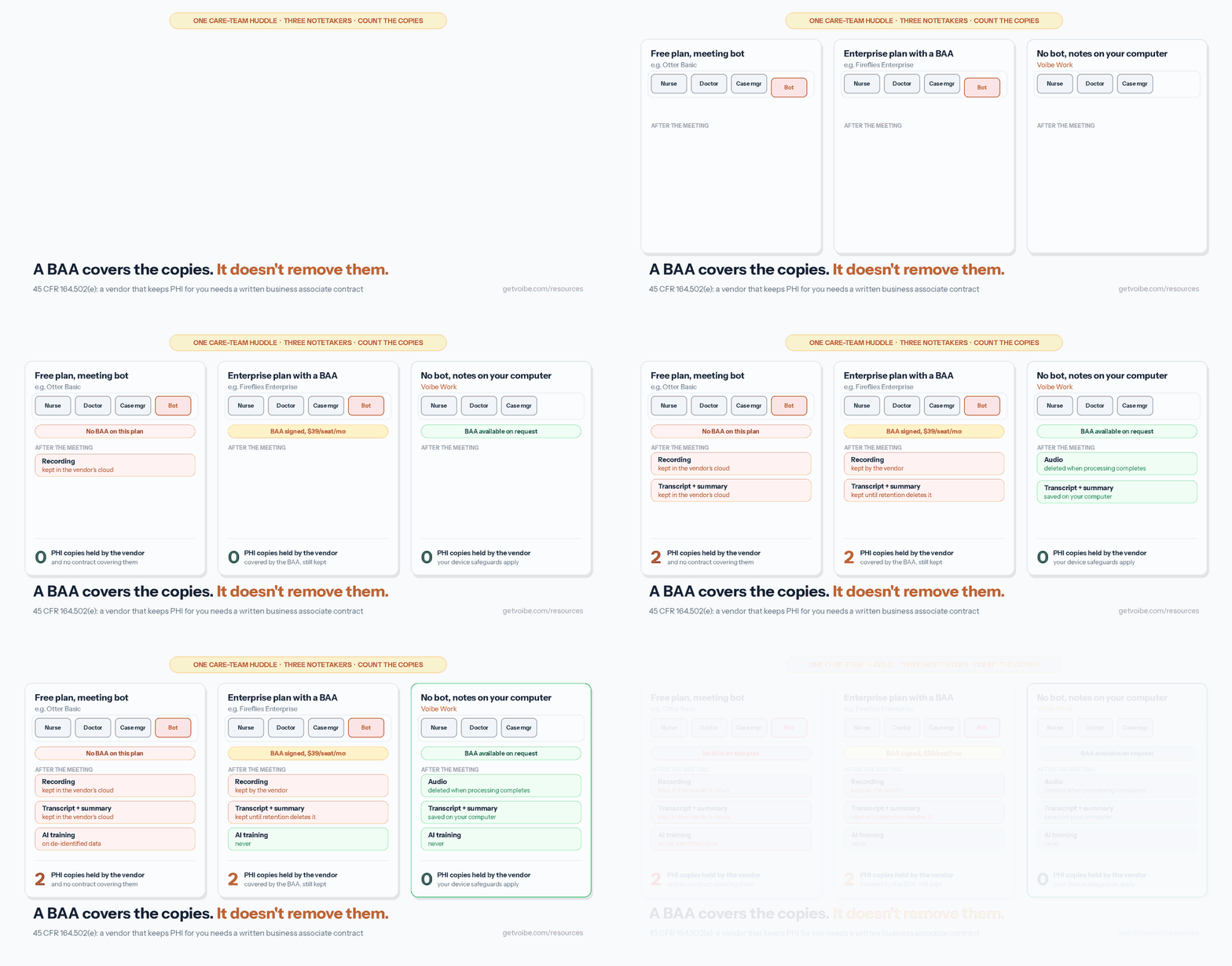
A BAA governs copies; it doesn't remove them. The better tools pair a contract with fewer copies of PHI at the vendor.
- A contract on the plan you'll use. Circleback: a toggle in Enterprise settings. Microsoft: by default to covered entities, through its data protection addendum. Google: accepted in the Workspace Admin console. Voibe: on request, including for solo practitioners.
- Fewer copies at the vendor. Voibe Work deletes meeting audio after processing and saves notes on your computer. Granola deletes audio but keeps notes in its US cloud. Fireflies Enterprise adds custom retention, a transcript-and-summary-only mode and private storage.
- No stray bots. Capture from your own device, or use the platform's built-in AI under its own BAA. Bot-free means disclosure is on you; Voibe reminds you to tell everyone.
- No training by default. Voibe, Fireflies and Circleback never train on your meetings. Read AI is opt-in. Granola Enterprise is opted out by default.
The trade-off with notes saved on your computer
Name this in your risk assessment. Voibe holds nothing after the meeting, so your own safeguards protect the notes:
- Device encryption.
- A unique login.
- Automatic lock.
- Your own retention rule.
The HIPAA Security Rule asks for those controls on any system holding ePHI, from unique user identification to audit controls (45 CFR 164.312). A managed hospital laptop has them. A personal Mac with no disk encryption doesn't.
HIPAA-Compliant Meeting Notes: What to Check Before You Buy
No notetaker is "HIPAA compliant" on its own. HIPAA has no product certification. Compliance comes from your contracts, safeguards and policies.
Circleback's own HIPAA FAQ says it plainly. Asked whether a BAA makes your organization HIPAA compliant, it answers "No" (Circleback). For the dictation side, see our guide to dictation and HIPAA.
Seven questions for any notetaker vendor
Here are the seven checks I'd send any notetaker vendor, in the order a privacy officer usually asks them.
- BAA: on which plan, at what minimum? Get the plan, seat minimum and annual price. "HIPAA available" often means one tier, by sales only.
- What's kept after the meeting, and for how long? Audio, video, transcript and summary are separate copies. Ask who can delete them. The Privacy Rule expects a business associate to return or destroy PHI at the end of the contract "if feasible" (45 CFR 164.504(e)).
- Is training on by default? Does the BAA allow de-identification or aggregation for the vendor's own use?
- Bot or no bot? A bot can be stopped at the lobby. A bot-free tool needs a disclosure habit.
- Where do notes land? The vendor's cloud, your tenant (Microsoft, Google), or your device.
- Does it reach your meetings? Payer calls on Zoom, demos on Meet, huddles in a room. A built-in tool covers only its own platform.
- Special categories. Substance use disorder records under 42 CFR Part 2 carry stricter rules. Circleback says not to use it for Part 2 records at all.
HIPAA, SOC 2 and GDPR: what each one tells you
- HIPAA: a law, not a badge. A vendor can give you a BAA and safeguards.
- SOC 2 Type II: an independent audit of security controls over time. Useful, but it doesn't cover PHI on its own.
- GDPR: matters for EU or UK patients and partners. Look for a data processing agreement and the hosting region.
Warning
This page compares tools from their public documentation. It isn't legal or compliance advice. Your privacy officer and counsel decide which vendors your organization may use for PHI.
How We Ranked These AI Note Takers for Healthcare
Voibe Work is the product we build, so here's exactly how this list was put together.
What we tested. We used all nine apps hands-on, on real calls. Then we checked each tool's pricing page, HIPAA or trust page, privacy policy and help center on October 27, 2026, to confirm what we saw against what the vendor promises.
Microsoft's and Zoom's AI prices depend on your licence, so I compare them on contract and data handling.
The criteria, in order
- A BAA on a plan a healthcare team can buy, with its minimum price and seats.
- PHI left at the vendor after the meeting: copies, retention and deletion.
- Reach: any meeting app and in person, with no bot to admit.
- Training defaults.
- Consent support.
- Price per user per year.
Why Voibe Work is first
- Wins criteria 2 and 3. It's the only tool here that leaves no recording, transcript or summary at the vendor. It reaches any meeting app or huddle without a bot.
- BAA and price: a BAA on request at any team size. At $149 a year, it's the cheapest BAA-eligible option with a published price.
- Weak spots: criterion 5 is a reminder, not consent tracking; consent is your responsibility. Notes on your computer depend on your device safeguards.
Why Microsoft is second
Your health system has Microsoft's BAA and meets on Teams? Then Copilot adds AI notes with no new vendor. That's a strong answer to criterion 1.
It trails on criterion 3: it can't reach the payer's Zoom call or the in-person huddle. If Teams is your world, start with #2 and use something else for the rest.
Why Otter is last
Its BAA is an Enterprise add-on with no public price. It trains on de-identified recordings and transcripts, with no opt-out I could find.
AI Meeting Note Takers for Healthcare Compared
| Tool | BAA on which plan | Bot in the meeting? | Trains on your meetings? | Where notes are kept | Platforms | Rating |
|---|---|---|---|---|---|---|
| Voibe Work | Available on request, any team size | No | Never | On your computer; audio deleted after processing | Mac, Windows | Product Hunt 4.8/5 (6), for Voibe |
| Microsoft Teams (Premium or Copilot) | Microsoft's BAA, by default for covered entities | No, built into Teams | Not used to train foundation models | Organizer's OneDrive or SharePoint | Windows, Mac, web, mobile | App Store 4.8/5 (3,381,737) |
| Google Meet (Take notes for me) | Google's BAA, accepted in the Admin console | No, built into Meet | Not outside your domain without permission | Organizer's Google Drive | Web, mobile | App Store 4.76/5 (2,332,738) |
| Zoom (AI Companion) | On request, Zoom for Healthcare | No, built into Zoom | No | Zoom's cloud; AI content kept up to 30 days for support | Windows, Mac, web, mobile | App Store 4.66/5 (3,257,938) |
| Circleback | Enterprise, self-serve toggle | Bot or bot-free desktop app | Never | Circleback's US cloud, admin-set retention | Mac, Windows, iOS, Apple Watch | App Store 4.81/5 (269) |
| Fireflies | Enterprise with Private Storage | Bot by default; bot-free desktop mode | Never | Fireflies' cloud or your private storage | Web, Mac, Windows, mobile | App Store 4.82/5 (5,367) |
| Granola | Enterprise, desktop apps only | No | De-identified, opt-out; off by default on Enterprise | Granola's US cloud (AWS); audio deleted | Mac, Windows (BAA); mobile not covered | App Store 4.96/5 (14,624) |
| Read AI | Enterprise+, 5 licences minimum | Bot by default; bot-free desktop app | Opt-in, off by default | Read AI's cloud (AWS US East) | Web, Mac, Windows, mobile | App Store 4.88/5 (1,035) |
| Otter | Enterprise add-on | Bot, or none via desktop app | Yes, on de-identified data | Otter's cloud | Web, Mac, Windows, mobile | App Store 4.79/5 (86,736) |
App Store ratings are for each vendor's iPhone app (Apple's lookup API, October 27, 2026). Teams, Meet and Zoom ratings reflect the whole meeting app, not its AI notes.
Pricing: What a BAA Costs per User per Year
Annual billing, per user, for the cheapest plan that comes with a BAA. This is the number that matters: the cheaper plans below it can't legally hold PHI for you.
| Tool and plan | Per user per year | Minimum | Voibe Work ($149) vs this | 10 users per year |
|---|---|---|---|---|
| Voibe Work | $149 (or $399 once) | 1 seat | n/a | $1,490 |
| Fellow Enterprise | $300 | 10 users ($3,000) | $151 less (50.3%) | $3,000 |
| Read AI Enterprise+ | $357 ($477 monthly) | 5 licences ($1,785) | $208 less (58.3%) | $3,570 |
| Circleback Enterprise | $420 (annual only) | 1 user | $271 less (64.5%) | $4,200 |
| Granola Enterprise | $420 | Not published | $271 less (64.5%) | $4,200 |
| Fireflies Enterprise | $468 (annual only) | Not published | $319 less (68.2%) | $4,680 |
| Otter Enterprise + HIPAA add-on | Not published | Sales-led | n/a | n/a |
| Fathom Enterprise (signed BAA) | Not published | Sales-led | n/a | n/a |
| Krisp Enterprise | Custom | 100 seats | n/a | n/a |
| Microsoft, Google, Zoom AI notes | Add-on or included, per your agreement | Your existing licence | n/a | n/a |
For a team of 10
- Voibe Work: $1,490 a year.
- vs Fellow Enterprise: $1,510 (50.3%) less.
- vs Read AI Enterprise+: $2,080 (58.3%) less.
- vs Circleback or Granola Enterprise: $2,710 (64.5%) less.
- vs Fireflies Enterprise: $3,190 (68.2%) less.
Over three years, per user
- Circleback or Granola Enterprise: $1,260.
- Fireflies Enterprise: $1,404.
- Voibe Work lifetime (currently offered): $399 once. That's $861 (68.3%) less than Circleback or Granola, and $1,005 (71.6%) less than Fireflies.
Where Voibe Work isn't the cheapest
- You already pay for the built-in. Licensed Microsoft 365 Copilot, Teams Premium or Workspace with Gemini, with the BAA signed? Then AI notes cost nothing extra. That beats $149.
- Plans without a BAA. Otter Pro ($99.96 a year) and Fireflies Pro ($120 a year) cost less than Voibe Work. Neither comes with a BAA, so neither should hold PHI.
Voibe Work includes Voibe Dictation, for minutes, referral letters and payer emails. Dictation alone is $99 a year; Work adds meeting notes for $50 more.
Sources, all checked October 27, 2026: Voibe pricing, Fellow pricing, Read AI pricing, Circleback pricing, Granola pricing, Fireflies pricing, Otter pricing, Krisp pricing.
1. Voibe Work: Best Overall for Bot-Free Meeting Notes With Nothing Left at the Vendor
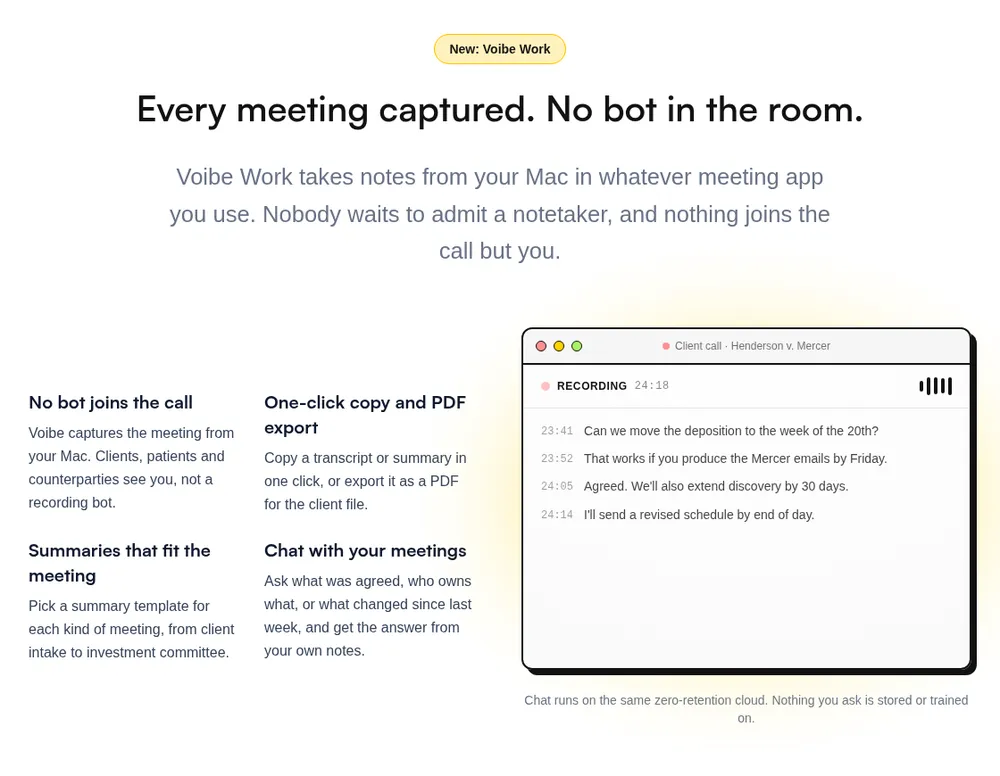
Voibe Work is the meeting-notes plan from Voibe, the app we build. Nothing joins the call, and nothing stays at the vendor.
Best for: clinicians, managers and practices that want notes from any meeting app or the room, with no vendor copy of PHI.
How it captures
- Any meeting app: Zoom, Microsoft Teams, Google Meet, Webex, Slack huddles or any other, from your Mac or Windows PC.
- In person: it records a huddle through your computer's mic.
- No bot: nothing to admit from the lobby, and nothing to rejoin from a stale invite.
- Consent: Voibe reminds you to tell everyone you're taking notes when recording starts. Consent rules and your organization's policy are on you.
The Voibe Work launch post walks through a meeting from capture to saved notes.
What's left after the meeting
- Audio: processed by open-source models on zero-retention cloud providers, then deleted.
- Transcript and summary: saved on your computer, not on Voibe's servers.
- Training: never. No OpenAI, Google, Anthropic or Microsoft model is in the audio path (Voibe cloud privacy page).
- BAA: available on request. Voibe's pricing FAQ answers "Can I request a BAA, including as a solo practitioner?" with "Yes" (Voibe pricing). A BAA is a contract, not a certification.
The honest trade-off: your device safeguards protect the notes. Turn on FileVault or BitLocker, use a unique login with auto-lock, and set a retention rule. On a personal machine, fix that first.
Built for healthcare meetings
- Speaker labels: each line shows who spoke and when. Rename "Speaker 2" to the charge nurse; the summary updates.
- Templates for each type of meeting: a quality committee and a payer call get different summaries.
- Chat with your meetings: ask "what did we agree on the discharge date, and who's calling the family?" Nothing you ask is stored.
- One-click copy and PDF export for committee minutes.
- Up to 4 hours per meeting. Transcripts and summaries now arrive 10 to 20 times faster than before, by Voibe's own measurements (October update).
- Hands-free start: Voibe offers to take notes when a call starts. It isn't calendar auto-join.
- Dictation included: the Dictionary learns drug names, surnames and acronyms. On Apple Silicon Macs, dictation can run fully on-device. See dictation for therapists and psychiatrists.
Watch out for
- No EHR or calendar integration. You copy the summary into Epic, Cerner or your minutes yourself.
- Needs internet. Meeting audio is processed in the cloud, not on your computer.
- A reminder, not consent tracking. Fireflies, Read AI and Google Meet have stronger consent tooling.
- No phone app. Mac and Windows only.
- No SOC 2 report. Voibe's privacy is architecture, not certification.
- Not an AI scribe. It won't write a SOAP note into the chart.
Price: $19 per seat per month, $149 per year, or $399 once, dictation included. A BAA is available on request.
- Guarantee: 30-day money-back on paid plans.
- Teams: up to 10 seats per checkout. Above 10, Enterprise adds team admin, central billing and invoicing, custom terms and a BAA on request.
7-day free trial of every Voibe Work feature. No credit card, no automatic charge. One seat covers Mac and Windows.
2. Microsoft Teams Premium or Microsoft 365 Copilot: Best If You Already Run Teams Under Microsoft's BAA
Most health systems already have a Microsoft agreement. For them, AI notes in Microsoft Teams are the obvious first stop.
Best for: hospitals and health systems on Microsoft 365 whose internal meetings happen in Teams.
The BAA
- On by default: Microsoft says its HIPAA BAA "is available through the Microsoft Online Services Data Protection Addendum by default to all customers who are covered entities or business associates". Office 365 is among the in-scope services (Microsoft HIPAA/HITECH).
- Copilot: "Microsoft Copilot and Microsoft Copilot Chat support HIPAA compliance for properly configured implementations."
- The exception: web search queries "aren't covered by the DPA and Business Associate Agreement" (Microsoft enterprise data protection).
What you get
- Teams Premium: adds "AI-generated notes and tasks from meetings" to intelligent recap (Teams Premium licensing).
- Microsoft 365 Copilot: adds Copilot in meetings.
- Your tenant: recordings and transcripts go to the organizer's OneDrive or SharePoint, under your retention policies (Microsoft Learn).
- A no-save mode: Copilot's "Only during the meeting" mode keeps speech-to-text data that "isn't saved after the meeting or event ends" (Microsoft Learn).
- Training: "Prompts, responses, and data accessed through Microsoft Graph aren't used to train foundation LLMs" (Copilot privacy).
Watch out for
- Teams only. It works when a Teams meeting is recorded or transcribed under your licence. The payer's Zoom call and the huddle are out of reach.
- "Properly configured" is doing real work in Microsoft's sentence. Your Microsoft admins own that configuration.
Price: an add-on to your Microsoft 365 licence, so it depends on your agreement.
Rating: Teams' iPhone app is rated 4.8/5 from 3,381,737 App Store ratings.
3. Google Meet "Take Notes for Me": Best for Google Workspace Organizations
Google Workspace is common in clinics and research groups. Its notetaker, "Take notes for me" in Google Meet, is part of Gemini in Workspace.
Best for: Workspace organizations that have accepted Google's BAA and hold most meetings in Meet.
Why it ranks here
- Covered by the BAA: Google lists "Gemini in Google Workspace" and "Google Meet" among the Workspace services in its BAA (Google Cloud HIPAA page).
- Self-serve acceptance: the BAA is "made available to customers for electronic acceptance via their Admin console". Third-party add-ons are not covered (Google Workspace HIPAA FAQ).
- Notes stay in your Drive: the notes document is "saved in the meeting organizer's Google Drive" and follows "the Meet retention policy that your organization has configured".
- In person and consent: it works in person too. Admins can require every participant's explicit consent before notes, recording or transcription start (Google Meet help).
- Training: your content "is not human reviewed or otherwise used for Generative AI model training outside your domain without permission" (Gemini privacy hub).
Watch out for
- No personal accounts. A personal Google account has no Admin console, so it can't accept the BAA.
- Edition required. The organizer needs a Workspace edition that includes the feature.
- Eight spoken languages: English, French, German, Italian, Japanese, Korean, Portuguese and Spanish.
- Meet only. It covers Meet meetings, nothing else.
Rating: Google Meet's iPhone app is rated 4.76/5 from 2,332,738 App Store ratings.
4. Zoom: Best for Organizations Standardized on Zoom for Healthcare
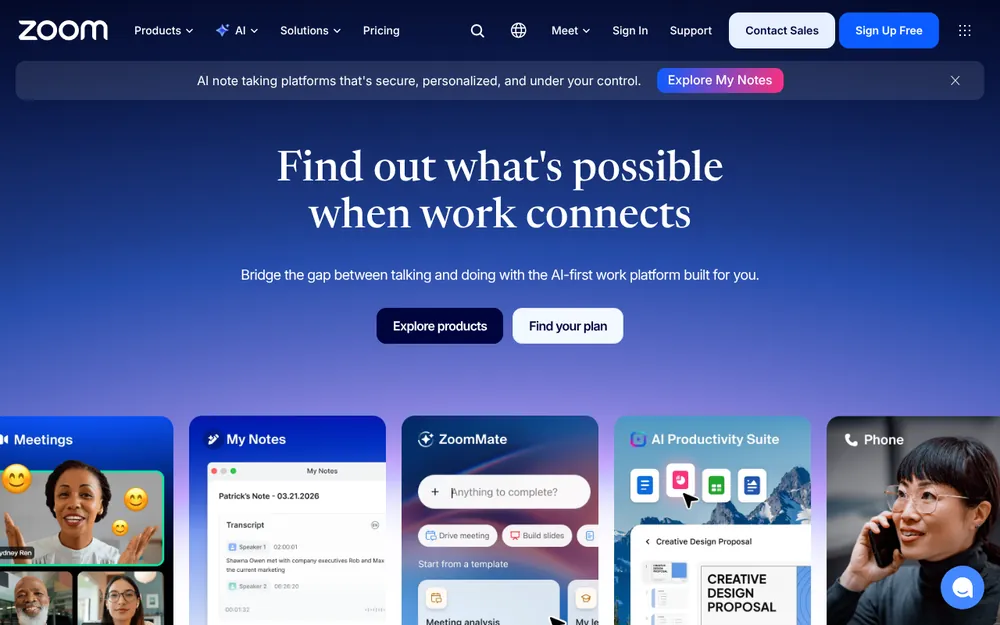
Zoom says Zoom for Healthcare "helps enable customers' HIPAA compliance by executing a Business Associate Agreement (BAA)" (Zoom for Healthcare). Its AI Companion writes meeting summaries; Zoom's site now brands its AI features ZoomMate.
Best for: organizations already on Zoom for Healthcare that want summaries of internal Zoom meetings.
What the BAA covers
- On request: Zoom "enters into business associate agreements (BAAs) with healthcare and higher education customers upon request" (Zoom for Healthcare AI Explainer).
- Limited features: for BAA customers, AI Companion features "are limited to those that remain within the Zoom platform or use subprocessors that operate under a BAA with Zoom". Those include Anthropic, OpenAI and Suki.
- A lag: the explainer warns that "certain AI Companion features may not be available at this time" for BAA customers.
Training and retention
- Training: Zoom "does not use any customer audio, video, chat, screen sharing, attachments, or other communications-like customer content" to train its own or third-party models.
- Retention: after providing the AI service, it "may retain the customer content for up to 30 days for support and debugging purposes".
- Location: when AI features under a BAA use a third-party model, data is currently processed in the US.
Watch out for
- Zoom only. It covers Zoom meetings, nothing else.
- Not the scribe. Zoom's Clinical Notes with Suki is a scribe for patient visits. That belongs in our AI scribe comparison.
Price: sales-quoted.
Rating: the Zoom Workplace iPhone app is rated 4.66/5 from 3,257,938 App Store ratings.
5. Circleback: Cheapest Standalone Notetaker With a Self-Serve BAA
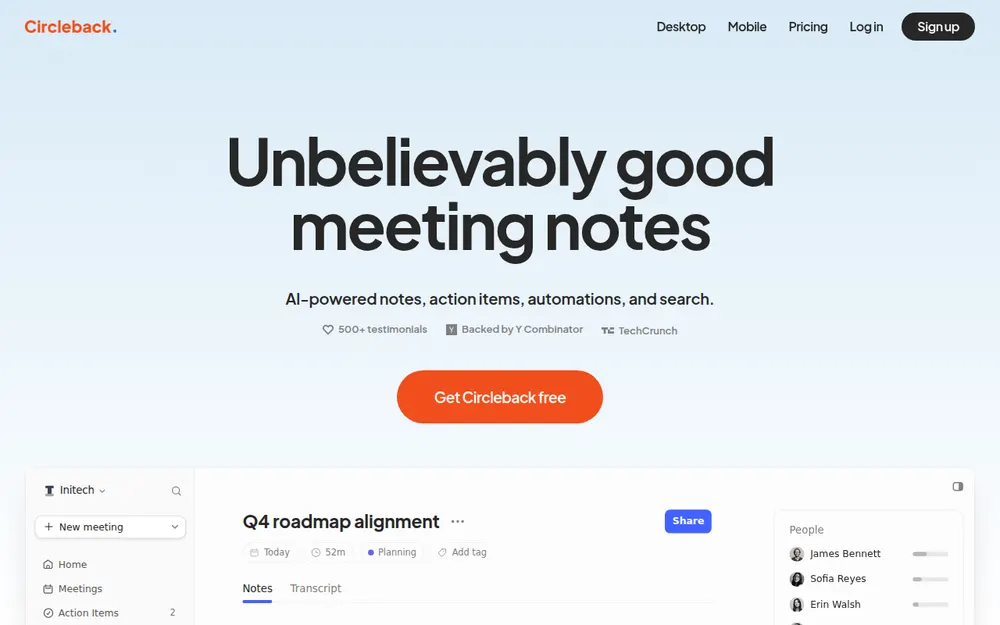
Circleback is the easiest BAA on this list to actually get. On Enterprise, "a workspace admin turns on Business Associate Agreement in Settings → General", and the BAA is in effect for that workspace. No sales call (Circleback HIPAA docs).
Best for: small healthcare teams that want a shared notetaker with a BAA today, without a procurement cycle.
Why it ranks here
- Capture: a bot or the bot-free desktop app for online meetings. Mobile and Apple Watch apps cover in-person ones.
- Training: "We do not use customer data to train models" (Circleback security).
- Data: held by Circleback in the United States. Workspace admins control how long meeting data is kept.
- No seat minimum, with automatic volume discounts.
Watch out for
- Standard BAA only. "Custom BAAs are not offered", so your legal team takes Circleback's standard one.
- No Part 2 records. Circleback says not to use it for substance use disorder records under 42 CFR Part 2. That rules it out for some behavioral-health teams. Therapists comparing session tools should see our AI note takers for therapists, which covers the state consent laws for recorded sessions.
- Vendor cloud. Notes live in Circleback's cloud, not your tenant.
Price: Enterprise is $35 per user per month, billed annually only ($420 a year) (Circleback pricing). That's $271 (64.5%) more per user than Voibe Work.
Rating: the iPhone app is rated 4.81/5 from 269 App Store ratings.
6. Fireflies: Best for a BAA Plus Your Own Storage
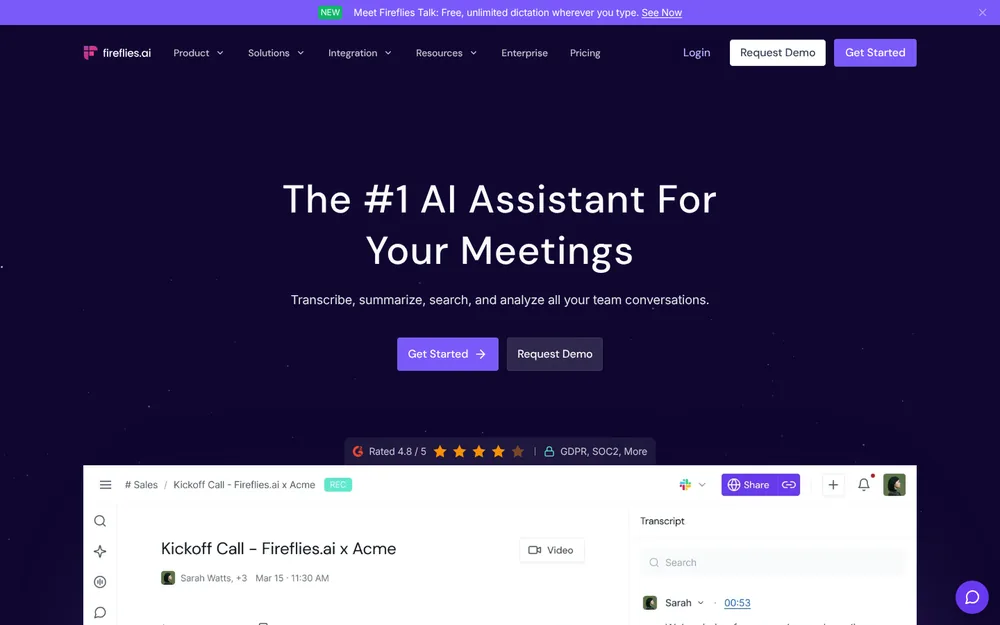
Fireflies offers "BAA for healthcare and DSA for education, available on Enterprise with Private Storage". Private Storage means "dedicated cloud storage for your organization's data" (Fireflies HIPAA page).
Best for: organizations that want a bot-based notetaker with integrations and admin controls, with data in storage they designate.
Why it ranks here
- Vendor BAAs: "We have signed BAAs with our vendors".
- Training (Fireflies privacy policy): "We do not use personal information for AI model training."
- Retention: account data is kept "for as long as your account remains active", and deleted within 30 days if you close the account. Enterprise adds custom data retention and a transcript-and-summary-only mode.
- Consent tooling: its bot-free mode gives a spoken notice, a chat message and a camera watermark. That's stronger than Voibe Work's reminder.
Watch out for
- Bot by default. The bot joins and saves audio and video.
- Thinner bot-free mode. The desktop app takes notes without a bot and saves no audio, but labels speakers "Speaker 1" and "Speaker 2".
- Pro has no BAA. Pro at $120 a year is cheaper than Voibe Work, but has no BAA. Full detail is in our Fireflies pricing breakdown.
Price: Enterprise is $39 per seat per month, annual only ($468 a year). Voibe Work at $149 is $319 (68.2%) less.
Rating: the iPhone app is rated 4.82/5 from 5,367 App Store ratings.
7. Granola: Bot-Free, but the BAA Is Enterprise-Only and Desktop-Only
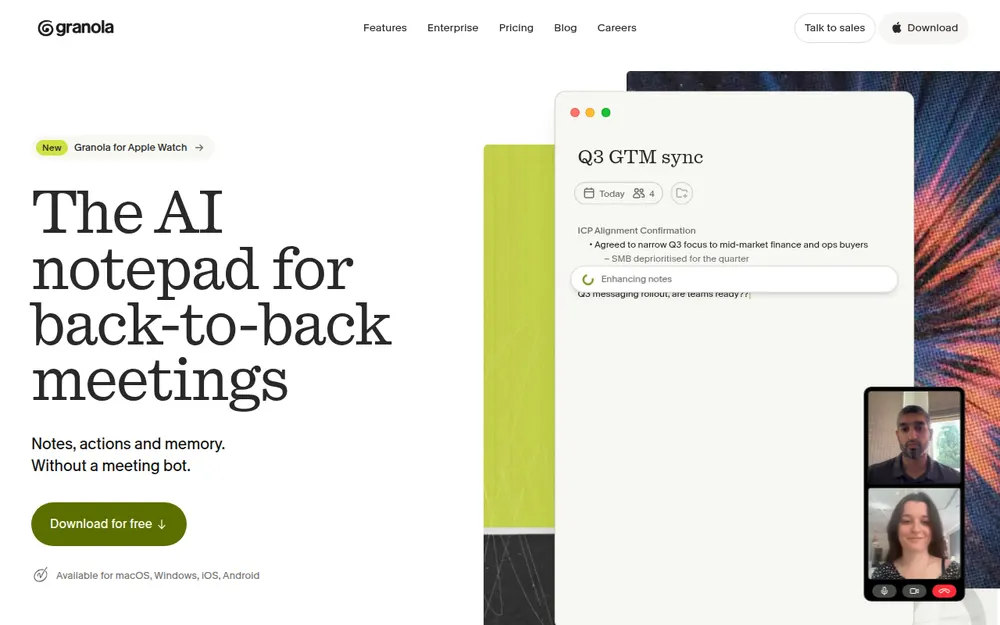
Granola comes up whenever a health system bans meeting bots, because it never sends one. I've used it, and the notes are polished. The question is what sits behind them.
Best for: organizations that want Granola's notes and team features and will buy Enterprise for the BAA.
The BAA
- Enterprise only: "HIPAA support, BAA execution, and org-wide retention windows all require the Enterprise plan", set up through sales (Granola blog, October 2, 2026).
- Desktop only: "our BAA only covers the Granola desktop and laptop applications". Its mobile and wearable apps "should not be used" for PHI (Granola privacy policy).
Data
- Audio: deleted after transcription on every plan.
- Transcripts and notes: stored on AWS servers in the US.
- Training: on de-identified data unless you opt out. Enterprise workspaces are opted out by default. Under a BAA, it doesn't use PHI to train models without your express consent.
Granola vs Voibe Work for a bot-free health system
- Same: no bot, so both need you to tell everyone. Voibe Work reminds you.
- Notes: Granola's cloud vs your computer.
- BAA price: Granola needs Enterprise at $35 per user per month ($420 a year). Voibe Work offers a BAA on request for $149 a year, $271 (64.5%) less.
- Mobile: Granola's mobile and Apple Watch apps aren't covered by its BAA. Keep PHI off them.
Price: plans are in our Granola pricing breakdown.
Rating: the iPhone app is rated 4.96/5 from 14,624 App Store ratings.
8. Read AI: A BAA on Request, From Five Licences Up
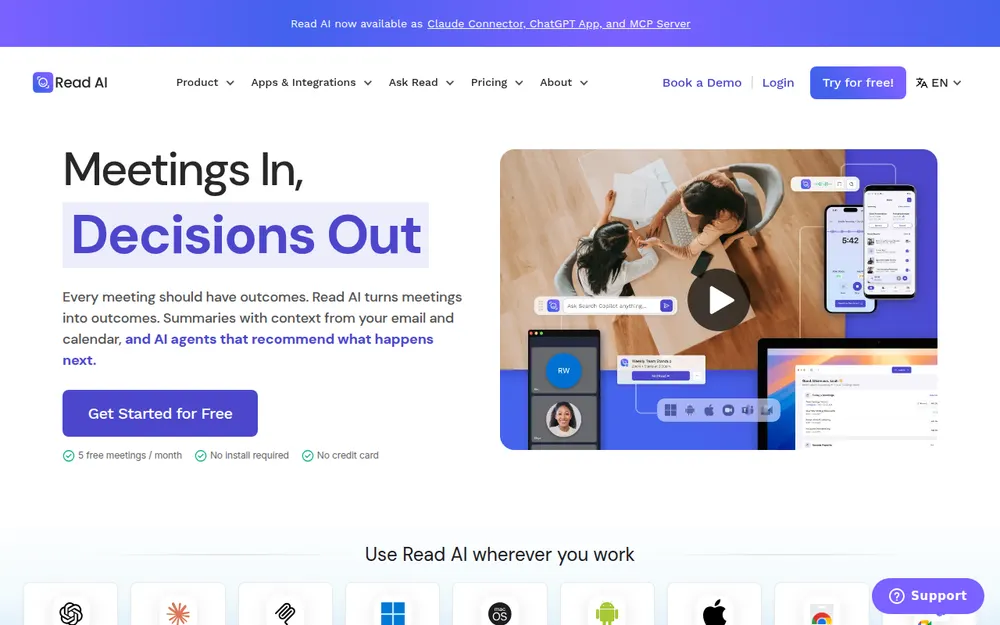
Read AI's privacy center lists "HIPAA — BAA available on request" (Read AI privacy center). Its training default is better than most.
Best for: teams of five or more that want Read AI's meeting analytics under a BAA.
Why it ranks here
- Training: "AI training is opt-in. Contributing to model improvement is off by default".
- A polite bot: it "announces itself at the start of every meeting and requires host approval before joining".
- Bot-free option: a desktop app captures meetings with "no bot necessary".
Watch out for
- The plan gate. "HIPAA compliance" and custom data retention sit on Enterprise+, which "requires 5+ licenses".
- Retention. Read AI keeps audio and video "in no case for longer than 2 years". Paid-account data stays until you stop paying or ask for deletion (Read AI privacy policy).
- Blocked bots. Several universities have blocked Read AI's bot from their meetings.
Price: Enterprise+ is $29.75 per user per month billed annually, or $39.75 monthly (Read AI pricing). That's at least $1,785 a year to start, and $208 (58.3%) more per user than Voibe Work.
Rating: the iPhone app is rated 4.88/5 from 1,035 App Store ratings. Plans: our Read AI pricing breakdown.
9. Otter: The Best Known, and the Hardest to Clear for PHI
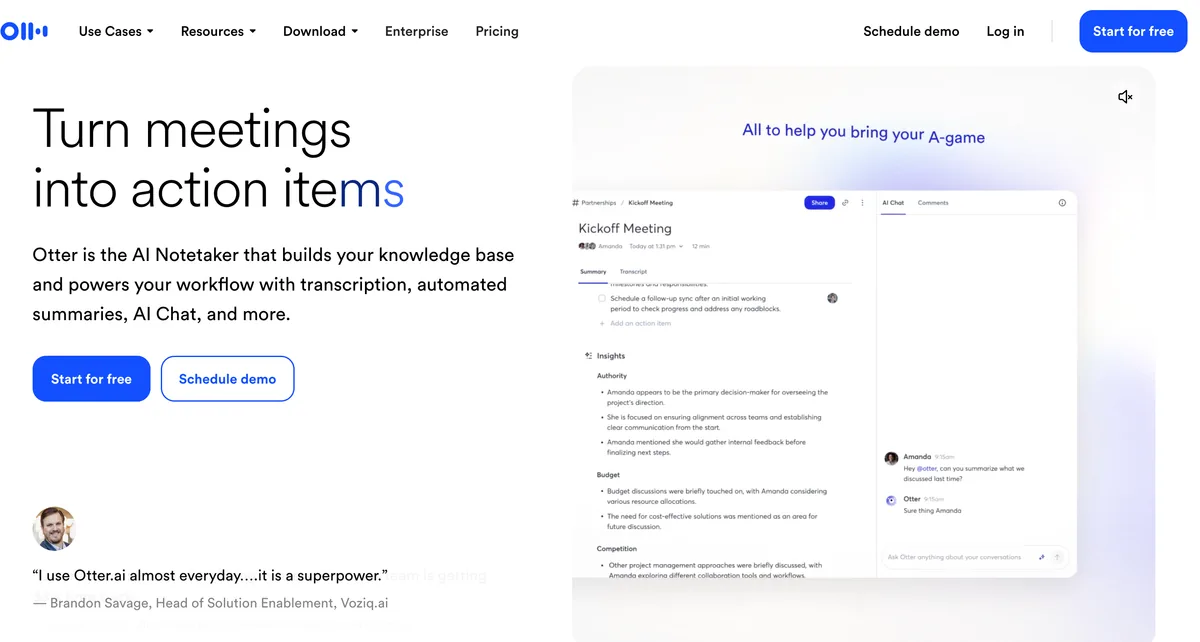
Otter is the notetaker most clinicians have met, usually as a bot in someone else's meeting. I've used it, and it's capable.
Best for: non-clinical internal meetings with no PHI, or Enterprise customers who've negotiated the HIPAA add-on.
The HIPAA path
- An add-on: Otter lists "HIPAA compliance (add-on)" under Enterprise, which has no public price (Otter pricing).
- Enterprise only: its HIPAA help article says compliance "is only available for the Enterprise plan". Otter "becomes a Business Associate only when a signed BAA is in place".
- Auto-join: it tells healthcare admins to control Otter Notetaker, which "can automatically join and record scheduled meetings".
Why it's last
- Training: Otter's privacy policy says it trains "on de-identified audio recordings and on transcriptions (which may contain Personal Information)". I found no training opt-out.
- The Ontario breach: it's the tool in the hospital case above.
- Litigation: it faces a wiretap class action. An August 2026 order let the federal and California wiretap claims proceed (see Is Otter safe?).
Price: Pro is $99.96 a year and Business $239.88 billed annually (Otter pricing explained). Neither comes with a BAA.
Rating: the iPhone app is rated 4.79/5 from 86,736 App Store ratings.
Other Note Takers Healthcare Teams Ask About
- Fathom: its terms include a click-through BAA. A countersigned BAA is listed only on Enterprise (Fathom pricing). Read the BAA itself. It lets Fathom de-identify PHI, "aggregate PHI for its own purposes", and "use and disclose PHI outside of the United States" (Fathom BAA). Fathom trains on de-identified meeting data by default, with an opt-out.
- Fellow: lists "HIPAA / BAA compliance" on Enterprise, $25 per user per month billed annually, from 10 users (Fellow pricing). Bot or botless capture. I've used Fellow; it suits rolling one tool out across a department.
- Krisp: "BAA signing available (Available for teams with 100+ seats)" on custom-priced Enterprise, which also carries its on-device transcription (Krisp pricing). Bot-free, and I've used it, but the BAA is out of reach for small teams.
- Wispr Flow Notetaker: bot-free, but Wispr's pricing page says "Notetaker and Scratchpad are disabled on BAA accounts" (Wispr Flow pricing). Comparison: Wispr Flow Notetaker vs Voibe Work.
- Jamie: bot-free with EU hosting, and I've used it. Its pricing and security page don't mention HIPAA or a BAA.
- AI medical scribes (Abridge, DAX Copilot, Heidi, Freed, Suki, Nabla): right for visit notes, wrong for a quality committee. Compared in our AI medical scribe guide.
For every tool that takes notes without joining the call, see our best no-bot meeting note takers.
The same questions, with privilege on top, are in our AI note takers for lawyers.
Recording Consent in Healthcare Meetings: State Law and Patient Notice
A BAA covers the vendor, not the people in the meeting. You still need their consent under state law. Patients also deserve to know when AI is listening.
Voibe reminds you to tell everyone you're taking notes when recording starts; you're responsible for consent rules and your organization's policy.
State recording law
Per the Reporters Committee's state-by-state recording guide:
- All-party consent: California, Florida, Maryland, Massachusetts, Montana, New Hampshire and Pennsylvania.
- Generally all-party: Illinois and Washington. In Washington, a recorded announcement that the conversation is being recorded counts as consent.
- It depends: Connecticut needs all-party consent for phone calls to avoid civil liability. Nevada needs it for phone calls but not in person. Delaware's laws conflict. Michigan courts disagree on whether participants may record without consent.
- One-party: most other states, including New York, Texas, Ohio and Georgia.
When people dial in from different states, follow the strictest law. A payer call with a nurse in Pennsylvania is an all-party call.
When a patient or family member is on the call
Patient-facing meetings need more than the legal minimum. Think of a family meeting about discharge.
- The Joint Commission and the Coalition for Health AI (2025 guidance): recommends communicating transparently with patients about how AI is used in clinical decision-making and data handling.
- Texas HB 149 (effective January 1, 2026): requires clear and conspicuous disclosure to patients when AI is used in connection with healthcare services (Parker Poe summary).
- Your privacy notice: Parker Poe also suggests updating your notice of privacy practices to cover AI.
A disclosure line you can use
"Before we start: I'm using an AI notetaker so I can focus on the discussion. It writes a summary for our records. [With Voibe Work: The audio is deleted after processing, and the notes are saved on my computer, not with the vendor.] Is everyone comfortable with that?"
Adjust the bracketed line to what your tool actually does. Record the answer where your organization tracks consent.
Warning
This is a summary for comparing tools, not legal advice. Check your state's recording law, your organization's policy and your privacy officer before recording any meeting that includes PHI.
How to Choose the Right AI Note Taker for Your Healthcare Team
Do you need notes from patient visits written into the chart?
- Yes → that's an AI scribe, not a meeting notetaker. Start with our AI medical scribe comparison.
- No → keep going.
Are your meetings on Teams, Meet or Zoom, under that vendor's BAA?
- Yes → use the built-in AI: Microsoft 365 Copilot or Teams Premium, Google Meet's Take notes for me, or Zoom AI Companion.
- Partly, or no → keep going.
Does your organization ban meeting bots, or do your meetings span several apps and in-person rooms?
- Yes → Voibe Work: no bot, notes saved on your computer, BAA available on request, $149 a year. Encrypt the laptop. Tell everyone you're taking notes; Voibe reminds you.
- No → keep going.
Do you need notes in a shared team cloud with admin-set retention?
- Yes, with a self-serve BAA → Circleback Enterprise ($420 per user per year).
- Yes, with private storage → Fireflies Enterprise ($468 per seat per year).
Already on Granola, Otter or Read AI?
- Check you're on the plan with the BAA. If not, keep PHI out until you are.
Best AI Note Taker for Your Healthcare Situation
| Your situation | Best choice | Why |
|---|---|---|
| Health system that bans meeting bots | Voibe Work | Nothing joins the call; notes saved on your computer; BAA on request |
| Hospital on Microsoft 365, meetings in Teams | Microsoft 365 Copilot or Teams Premium | Microsoft's BAA by default; recordings in your OneDrive or SharePoint |
| Clinic or research group on Google Workspace | Google Meet Take notes for me | Gemini and Meet under Google's BAA; notes in your Drive |
| Payer and vendor calls on other people's Zoom or Meet | Voibe Work | Works in any meeting app; ask the host first, since some payers ban AI note-taking |
| In-person discharge huddle or case conference | Voibe Work or Google Meet | Voibe records through your computer's mic; Meet's notes work in person too |
| Small practice that wants a shared notetaker with a BAA today | Circleback Enterprise | Self-serve BAA, no seat minimum, $420 per user per year |
| Department that wants admin retention and private storage | Fireflies Enterprise | BAA with private storage, custom retention, never trains |
| Quality and patient-safety committee minutes | Voibe Work | Meeting templates, PDF export for the minutes file, no vendor copy |
| Practice manager on a tight budget | Voibe Work | $149 a year, the cheapest published price with a BAA available |
| Behavioral-health team with Part 2 records | Your privacy officer first | 42 CFR Part 2 adds rules; Circleback excludes Part 2 records outright |
| Notes from patient visits into the EHR | An AI scribe | See our AI scribe comparison |
| Writing letters and notes after the meeting | Voibe Work | Dictation included, with a Dictionary for drug names (dictation and HIPAA) |
Every Voibe Work row assumes you tell everyone you're taking notes. Voibe reminds you when recording starts; consent rules are your responsibility.
Frequently Asked Questions About AI Note Takers for Healthcare
HIPAA and BAAs
- Is there a HIPAA-compliant AI meeting note taker? No. HIPAA has no product certification, so no software is compliant on its own. What a vendor can give you is a signed BAA and safeguards.
- Do I need a BAA to use an AI notetaker in healthcare? Yes, if the vendor will create, receive, maintain or transmit PHI for you. 45 CFR 164.502(e) and 164.504(e) require a written BAA first. Free plans don't include one.
- Does Voibe Work sign a BAA? Yes. A BAA is available on request, including for solo practitioners: email hi@getvoibe.com. Voibe claims no HIPAA certification or SOC 2; a BAA is a contract.
- Are notes saved on my computer safe for PHI? As safe as the computer. Use full-disk encryption (FileVault or BitLocker), a unique login, automatic lock and a retention rule. The HIPAA Security Rule (45 CFR 164.312) expects those controls.
Choosing a tool
- What is the best AI meeting note taker for healthcare? Voibe Work, for most clinicians, managers and practices: no bot, notes on your computer, BAA available on request, $149 a year. On Teams, Meet or Zoom under that vendor's BAA, the built-in AI is easiest.
- What AI notetaker works if my health system bans meeting bots? A bot-free notetaker or the platform's built-in AI. Voibe Work ($149 a year, BAA on request) and Granola (BAA on Enterprise at $35 per user per month) use no bot. Tell everyone; Voibe Work reminds you.
- How does Granola compare with other notetakers for healthcare? Granola is bot-free, but stores notes in its US cloud. Its BAA is Enterprise-only and desktop-only. Voibe Work keeps notes on your computer for $271 (64.5%) less per year.
- Is an AI meeting notetaker the same as an AI medical scribe? No. An AI scribe such as Abridge, DAX Copilot, Freed or Heidi documents patient visits into the EHR. A meeting notetaker summarizes huddles, committees and payer calls.
Consent and telehealth
- Do I need everyone's consent to record a healthcare meeting? Often, yes. California, Pennsylvania and several other states require all-party consent, per the Reporters Committee. Follow the strictest law. Voibe Work reminds you to tell everyone; consent rules are your responsibility.
- Can I use an AI notetaker for telehealth or remote medical sessions? Only with the patient's consent, a BAA and a plan for where the note goes. For the clinical note, an AI scribe fits better. Voibe Work has no EHR integration.
Pricing
- How much does a HIPAA-ready AI notetaker cost? From $149 per user per year (Voibe Work) to $468 (Fireflies Enterprise). Fellow is $300, Read AI $357 and Circleback or Granola $420. Otter, Fathom and Krisp don't publish theirs.
- Do free AI notetakers come with a BAA? Almost never. Fathom's terms include a click-through BAA, but a signed one is Enterprise-only. Voibe Free is dictation only, with no meeting notes.
Final Verdict: The Best AI Meeting Note Taker for Healthcare
In healthcare, the notetaker question is a contract question first and a features question second.
- Most clinicians, managers and small practices: Voibe Work. No bot, no vendor copy, BAA available on request. $149 a year or $399 once, Mac and Windows. Encrypt the laptop and tell everyone you're taking notes; Voibe reminds you.
- Already on Teams, Google Meet or Zoom under that vendor's BAA: use the built-in AI for meetings on that platform first.
- Want a shared notetaker cloud with admin retention: Circleback ($420 a year, self-serve BAA) or Fireflies Enterprise ($468, private storage).
- On a free plan: keep PHI off it.
Try Voibe Work free for 7 days → Every feature, no credit card, no automatic charge.
Related reading
Meeting notes without a bot in your call
Voibe Work takes notes from Zoom, Teams and Meet on your Mac, with dictation included. Nothing used to train AI.
- Mac + Windows
- No bot in your calls
- Nothing used to train AI
- 7-day free trial
Want to compare plans first? View pricing →