
Best AI Meeting Note Takers for Nonprofits: 8 Ranked After Discounts
Best AI meeting note takers for nonprofits, compared: 1. Boardable 2. Voibe Work 3. Fathom 4. Granola 5. Circleback 6. Otter 7. Fireflies 8. Zoom

The Best AI Meeting Note Takers for Nonprofits: The Short Answer
Almost every AI meeting note taker for nonprofits leads with a discount. Few show what the vendor keeps after your intake call, your board meeting or your donor conversation.
Two questions decide the bill
- Price: budgets are small. That's why Granola halves its price for nonprofits and Fathom gives away 10 seats.
- The record: the IRS asks on Form 990 whether you documented every board meeting. It wants minutes, not a verbatim transcript (IRS Instructions for Form 990, Part VI, line 8). Debevoise & Plimpton adds that AI transcripts aren't final until the secretary reviews them (Debevoise & Plimpton, August 2025).
So the best pick is the one whose price you can afford and whose leftovers you can defend.
How they rank
We tested every app on this list hands-on, on real calls: Boardable, Voibe Work, Fathom, Granola, Circleback, Otter, Fireflies and Zoom Workplace. Then we checked each vendor's pricing, nonprofit program and privacy pages on October 27, 2026.
Here's what we found, and how they rank (how we ranked them):
- Boardable: best for nonprofit boards. Its AI drafts board minutes from a transcript, inside the board portal. $431.88 per user per year on Professional+.
- Voibe Work: best for sensitive client conversations and everything outside the boardroom. No bot, nothing left on its servers, dictation included. $149 a year, no nonprofit discount.
- Fathom: best free option, plus 10 free nonprofit seats. Bot by default.
- Granola: best discounted no-bot notepad. $84 a year at 50% off.
- Circleback: best for automations. $126 a year at 30% off.
- Otter: the best known, discounted through TechSoup.
- Fireflies: 10% off for NGOs, with free dictation.
- Zoom Workplace: 50% off, if all your meetings are on Zoom.
Key takeaways
| Note taker | Best for | Bot in the call? | Nonprofit price per seat per year |
|---|---|---|---|
| Boardable | Board secretaries drafting minutes | No; transcribes its own video meetings or an uploaded transcript | $431.88 (Professional+; no extra nonprofit discount) |
| Voibe Work | Intake, case and donor calls, in person or on any app | No | $149 (no nonprofit discount) |
| Fathom | Teams with no budget | Yes, by default | $0 (free plan, or 10 free nonprofit seats) |
| Granola | Staff who want a cheap no-bot notepad | No | $84 (50% off Business) |
| Circleback | Program teams that want automations | Yes, by default | $126 (30% off Pro) |
| Zoom Workplace | Organizations that meet only on Zoom | Built into Zoom | $84.96 (50% off Pro) |
Key Takeaway
Boardable is the best AI note taker for nonprofit boards: AI-drafted minutes inside the board portal, $431.88 per user a year. Voibe Work is best for sensitive client conversations and everything outside the boardroom: no bot, notes on your computer, never trained on, dictation included, $149 a year. Fathom is free.
Why Nonprofits Are Rethinking AI Notetakers
Nonprofits aren't against AI notes. A volunteer board secretary who no longer has to type minutes gets to take part in the meeting.
The friction is what the notes create, and who they're about.
1. Board meeting transcripts become records you didn't plan to keep
Debevoise & Plimpton tells not-for-profits to weigh "the risk/reward balance of creating, retaining, and distributing large volumes of AI-generated recordings, transcripts, and summaries of board and committee meetings."
- Litigation holds: if a dispute arises, AI-generated material may have to be preserved and reviewed for discovery (Debevoise).
- A different document: a verbatim transcript of a heated budget debate isn't minutes that record the motion and the vote.
2. Your clients' information carries legal duties
- VAWA: funded domestic-violence programs must not "disclose, reveal, or release any personally identifying information" about the people they serve. The exception is informed, written, time-limited consent (34 U.S.C. § 12291(b)(2)).
- 42 CFR Part 2: covered substance-use programs may use or disclose patient records "only as permitted" by that rule (42 CFR § 2.13).
A meeting vendor that stores those conversations is one more place that information lives.
3. Some vendors say outright that they're not for you
Circleback's own HIPAA page answers "Can we use Circleback for 42 CFR Part 2 records?" with "No" (Circleback HIPAA docs).
Most others offer a BAA only on Enterprise plans. Those are rarely the plans a nonprofit discount applies to.
4. Default settings decide who learns from your meetings
- Otter: its privacy policy says it trains "our proprietary AI technology on de-identified audio recordings and on transcriptions" (Otter privacy policy).
- Granola and Fathom use de-identified data by default unless each user opts out.
- Debevoise's first check for a not-for-profit is that its data "will not be used to train any AI model".
5. The discount maze costs time you don't have
- Every vendor verifies differently: Goodstack for Granola and Zoom, TechSoup for Otter, an email to support for Circleback and Fireflies, a form for Fathom.
- Some set a floor: Read AI only discounts orders of 10 or more licenses.
- Nothing is guaranteed: approval can be refused. Some discounts end when you stop renewing through the program.
How the Better Note Takers Solve These Problems
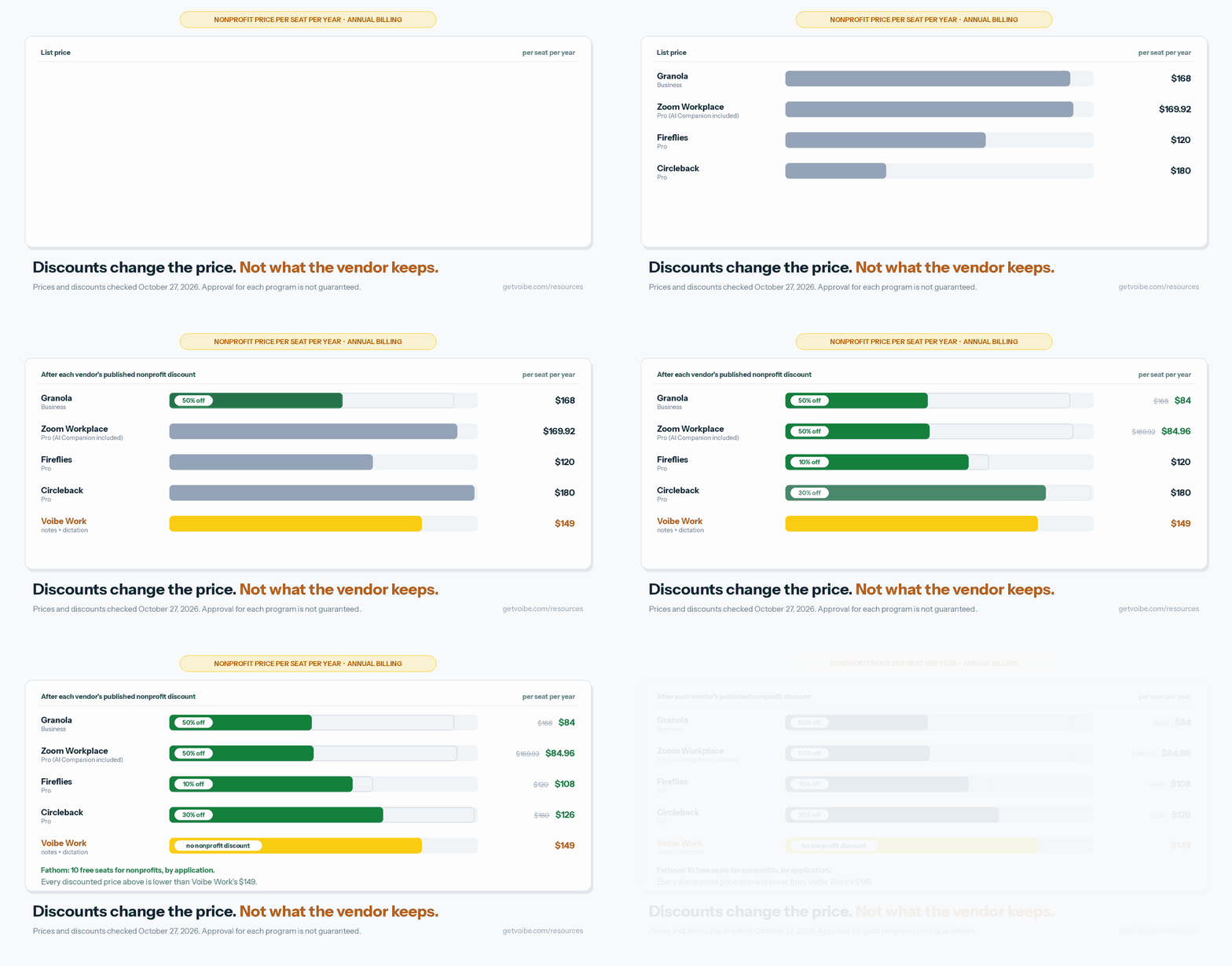
Each problem above has a design answer. The tools on this list combine them differently, and a discount changes none of them:
- Board minutes → a draft a person approves. Boardable drafts minutes from a transcript, and nothing becomes official until someone reviews it.
- Too many records → fewer copies at the vendor. Voibe Work keeps notes on your computer. Granola can auto-delete transcripts after 1 day to 1 year. Fathom keeps recordings until you delete them.
- Client confidentiality → nothing trained. Voibe Work, Circleback and Fireflies never train on your meetings. Boardable's 2024 launch release says customer data isn't used to train its AI models.
- A bot in a vulnerable person's call → capture from your computer. Voibe Work and Granola never send a bot, and Boardable transcribes its own video meetings. Fathom, Circleback, Otter and Fireflies send one by default, with a desktop mode that doesn't.
- Small budgets → a real discount or free plan. Fathom costs nothing; Granola and Zoom take 50% off. Voibe Work has no discount.
- Consent → tell everyone, every time. Voibe Work reminds you when recording starts; you're responsible for consent. Circleback's bot posts a chat notice you can't turn off.
The GIF above shows the price half: Granola Business $84 a year at 50% off, Zoom Workplace Pro $84.96, Fireflies Pro $108, Circleback Pro $126, Voibe Work $149.
The record half is the rest of this page.
What to Check in an AI Note Taker for a Nonprofit
Six checks cover most nonprofits. They're the questions your board, your funder or your clients' advocates will ask.
- Where the transcript lives, and for how long. Vendor cloud forever, vendor cloud with auto-delete, or your own computer. This decides what you might have to produce in a dispute.
- Whether it trains on your meetings. Look for "never" or "opt-in", not "you can opt out". An opt-out depends on every staff member and volunteer finding the toggle.
- Whether a bot joins. A visible bot is honest in a board meeting. In a crisis call or an immigration intake, it can stop someone talking.
- In-person capture. Intake rooms, home visits and board meetings in a borrowed room aren't video calls.
- The real nonprofit price. Which plan the discount covers, how you verify, whether it renews, and what the next tier costs.
- What you can sign. A HIPAA covered entity or business associate needs a BAA. Most vendors keep it on Enterprise; Voibe offers a BAA available on request.
How We Ranked These AI Note Takers for Nonprofits
Voibe Work is the product we build, so here's exactly how this list was put together.
What we tested and checked
We used all eight tools hands-on, on real calls: Boardable, Voibe Work, Fathom, Granola, Circleback, Otter, Fireflies and Zoom's AI Companion. Read AI, which we also used, now sits under other note takers.
Then we checked each one's pricing page, nonprofit program page or help article, privacy policy and security or HIPAA page on October 27, 2026.
The ranking criteria, in order
- Fit for nonprofit work, starting with the one meeting every nonprofit must document: the board meeting. Then case notes, grant writing and small teams with volunteers.
- What the vendor keeps after the meeting, and whether it trains on it.
- No bot in the call, and in-person capture for intake rooms.
- Real nonprofit price per seat per year, after any published discount.
- Consent support.
Why Boardable is first
It's the only tool here built for nonprofit boards. Its AI drafts minutes from a transcript inside the portal where agendas, packets, votes and eSignatures already live.
It also matches the review step governance lawyers advise: "AI writes the first draft. Your team decides what's final." Its catches are price per user for the whole board, and that it only transcribes its own video meetings.
Why Voibe Work is second
It's the best tool here for sensitive client conversations and everything outside the boardroom: intake, case and program meetings, donor calls, in person or on any app.
- What it keeps: nothing on its servers, and nothing trained on. No bot joins.
- What it adds: dictation for case notes and grant writing, all for $149 a year.
It ranks behind Boardable because it isn't a board portal. It has no agendas, votes or minutes approval, and it can't feed Boardable's AI minutes directly.
Why the next two land where they do
- Fathom is third. Nothing beats it on price. It ranks below Voibe Work because it sends a bot by default, keeps recordings until you delete them, and trains on de-identified data unless you opt out.
- Granola is fourth. It's bot-free and costs $84 a year at 50% off. But notes live in its US cloud indefinitely by default, and training is on until each user turns it off.
AI Meeting Note Takers for Nonprofits Compared
| Tool | Bot in the call? | Where notes are kept | Trains on your meetings? | Published nonprofit offer | BAA | Rating |
|---|---|---|---|---|---|---|
| Boardable | No bot; transcribes Boardable Video meetings, or takes an uploaded VTT transcript | Boardable's cloud (US, Canada or EU data center); visible to every admin and meeting participant | No, per its 2024 launch release | None extra; pricing "already tailored" for nonprofits, volume discounts | Not checked | App Store 3.9/5 (11) |
| Voibe Work | No | On your computer; audio deleted after processing | Never | None | Available on request | Product Hunt 4.8/5 (6), for Voibe |
| Fathom | Yes by default; bot-free beta on Mac | Fathom's US cloud, until you delete them | De-identified data, unless you opt out | 10 free seats, by application | Signed BAA on Enterprise | Chrome Web Store 4.9/5 (1.7K) |
| Granola | No | Granola's US cloud, indefinitely by default | Anonymized data, unless you opt out | 50% off Business | Enterprise only | App Store 4.96/5 (14,624) |
| Circleback | Yes by default; bot-free desktop app | Circleback's US cloud | Never | 30% off | Enterprise only; not for Part 2 records | App Store 4.81/5 (269) |
| Otter | Bot, or none via desktop app | Otter's cloud | Yes, on de-identified data | Business discount via TechSoup | Enterprise only | App Store 4.79/5 (86,736) |
| Fireflies | Bot, or none via desktop app | Fireflies' cloud | Never | 10% off for NGOs | Enterprise with Private Storage | App Store 4.82/5 (5,367) |
| Zoom Workplace | Built into Zoom | Zoom's cloud | Not on audio, video or chat content | 50% off (budgets of $10M or less) | Not checked | App Store 4.66/5 (3.26M) |
App Store and Chrome Web Store figures were pulled on October 27, 2026. Fathom's iPhone app has only 8 App Store ratings, so I used its Chrome extension rating instead.
The Real Nonprofit Price: What Each Note Taker Costs per Seat per Year
Annual billing, per seat, after each vendor's published nonprofit discount. Voibe Work publishes no nonprofit discount, so its row is list price.
Boardable offers no extra discount either: it says its pricing is "already tailored specifically for nonprofits". Its rows are list price too.
| Tool and plan | List per year | Nonprofit offer | Nonprofit price per year | Voibe Work ($149) vs this | 5 seats per year |
|---|---|---|---|---|---|
| Fathom (nonprofit program) | Free plan $0 | 10 free seats, by application | $0 | $149 more | $0 |
| Google Workspace Business Standard | Not listed on the nonprofit page | Nonprofit price | $42 | $107 more (254.8%) | $210 |
| Granola Business | $168 (monthly billing only) | 50% off | $84 | $65 more (77.4%) | $420 |
| Zoom Workplace Pro | $169.92 | 50% off | $84.96 | $64.04 more (75.4%) | $424.80 |
| Fireflies Pro | $120 | 10% off | $108 | $41 more (38.0%) | $540 |
| Circleback Pro | $180 | 30% off | $126 | $23 more (18.3%) | $630 |
| Otter Business (via TechSoup) | $239.88 | 40% off at TechSoup's partner rate* | $143.93, plus an admin fee | $5.07 more (3.5%) | $719.64 |
| Voibe Work | $149 (or $399 once) | None | $149 | n/a | $745 |
| Read AI Pro | $180 | None under 10 licenses | $180 | $31 less (17.2%) | $900 |
| Fireflies Business | $228 | 10% off | $205.20 | $56.20 less (27.4%) | $1,026 |
| Circleback Business | $300 | 30% off | $210 | $61 less (29.0%) | $1,050 |
| Laxis Business | $239.88 | "Special pricing", rate not published | Not published | $90.88 less than list (37.9%) | $1,199.40 at list |
| Microsoft 365 Copilot | $360 | Nonprofit price, plus a qualifying Microsoft 365 license | $306 ($372 with Business Premium) | $157 less (51.3%); $223 less (59.9%) with Business Premium | $1,530 ($1,860) |
| Boardable Professional (no AI minutes listed) | $359.88 | None extra; volume discounts | $359.88 | $210.88 less (58.6%) | $1,799.40 |
| Boardable Professional+ (AI minutes) | $431.88 | None extra; volume discounts | $431.88 | $282.88 less (65.5%) | $2,159.40 |
*Otter's help center confirms a Business-plan discount through TechSoup but doesn't state the percentage. I couldn't load TechSoup's US listing, so check your country's rate.
TechSoup's partners in Australia and New Zealand list it as "a 40 percent discount on a one-year subscription for Otter Business for three or more users", with a non-refundable admin fee (Connecting Up listing).
What the table means for a small team
- Voibe Work isn't the cheapest on price alone. Seven options above it in the table cost less per seat.
- For five people, Voibe Work is $745 a year. Granola at 50% off is $420, so $325 less. Fathom's nonprofit seats are $0.
- Voibe Work's $399 lifetime plan takes about 4.75 years to undercut discounted Granola. Five years of Granola at $84 is $420, $21 (5.0%) more than $399. Lifetime is marked limited time on Voibe's pricing page.
- Where Voibe Work is cheaper: tiers with fuller features. That's Read AI Pro, Fireflies and Circleback Business after discount, Laxis Business at list, Microsoft 365 Copilot and Boardable.
- Boardable counts every board member as a user. A 12-person board on Professional+ is $5,182.56 a year before volume discounts. That buys the whole board portal, so it isn't a like-for-like comparison with a notetaker seat.
Sources
Every price above was checked on October 27, 2026.
- Note takers: Granola nonprofits, Fathom pricing, Circleback pricing, Fireflies pricing, Read AI pricing, Otter pricing, Laxis pricing, Boardable plans and Voibe pricing.
- Suites: Zoom pricing and Google Workspace for Nonprofits.
- Microsoft 365 Copilot: the $25.50 per user per month nonprofit price comes from Microsoft's own November 2024 announcement. Confirm it with Microsoft before you budget.
1. Boardable: Best for Nonprofit Boards
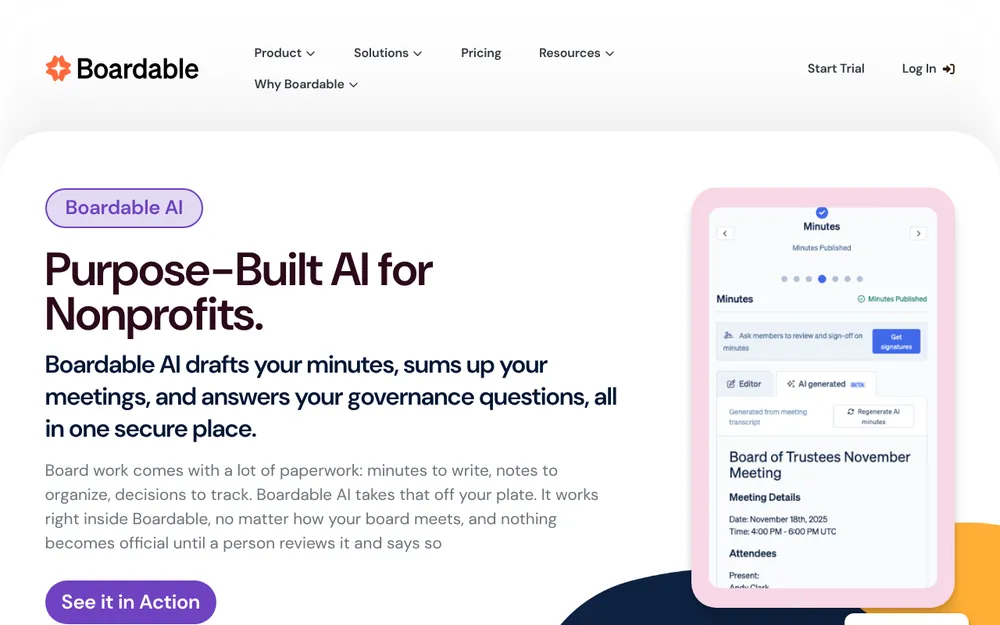
Boardable is board management software, and its AI page leads with "Purpose-Built AI for Nonprofits". It's the pick for the one meeting every nonprofit must document: the board meeting.
Best for: board secretaries and executive directors who want draft minutes, agendas, packets, votes and eSignatures in one place.
Why it ranks first
- Minutes from a transcript: Boardable AI "drafts meeting minutes automatically from a transcript", from Boardable Video or from a transcript uploaded from any platform.
- A person decides: "AI writes the first draft. Your team decides what's final." That's the secretary review Debevoise & Plimpton advises.
- Built for nonprofits: its 2024 launch release calls Boardable "the leading board management solution designed exclusively for nonprofits" (Boardable, August 2024).
- Zero retention for AI: "Boardable follows a zero retention protocol for AI." Its AI runs on Claude by Anthropic, and every AI tool is opt-in and off by default.
- Training: the 2024 release says confidential customer information is never "used to train our AI models". The current AI page doesn't repeat that line.
How it captures
- Boardable Video: its built-in video conferencing transcribes and summarizes the meeting itself, once an admin turns transcription on (Boardable help).
- Zoom, Meet, Teams or anything else: upload a VTT transcript. Boardable "does not convert or transcribe external recordings into text" (Boardable help).
- No bot and no desktop capture. Boardable doesn't say how to minute a board meeting held around a table.
Watch out for
- Only its own meetings get transcribed. Boards that meet on Zoom or Teams, or in person, need a VTT transcript from somewhere else.
- Board meetings only. It doesn't cover donor calls, intake, or case and program meetings.
- Every board member is a paid user. Admins, board members, committee members and observers each take a seat.
- Transcripts are visible to the whole meeting. Uploaded transcripts can't be limited to some attendees. A Boardable Video transcript is deleted only by deleting the meeting page.
- No dictation. Case notes and grant narratives need another tool.
- Which tier has AI minutes? The plans page and AI page list them on Professional+. A help article says Boardable Video transcripts and summaries are on all paid plans. Confirm the tier with Boardable.
Using it alongside Voibe Work
Many nonprofits will want both: Boardable for the board, and a notetaker for everything else.
- The upload takes VTT files only. Voibe Work exports by one-click copy and PDF, so its transcript can't go into Boardable's AI minutes as it stands.
- What works today: the secretary drafts the minutes in Boardable from Voibe Work's summary, and the board approves them there.
Price: per user, billed annually, with volume discounts for larger teams and a 14-day free trial (Boardable plans). There's no extra nonprofit discount.
- Professional+: $35.99 per user per month, $431.88 a year, with AI minutes and Boardable Video included. Voibe Work is $282.88 (65.5%) less per seat.
- Professional: $29.99, or $359.88 a year. Boardable Video is an add-on and AI minutes aren't listed. Voibe Work is $210.88 (58.6%) less.
- A 12-person board on Professional+ is $5,182.56 a year before volume discounts. That buys the whole board portal, not just notes.
Rating: 3.9/5 from 11 App Store ratings for its iPhone app. Boardable also runs in a browser and on Android.
2. Voibe Work: Best for Sensitive Client Conversations and Everything Outside the Boardroom
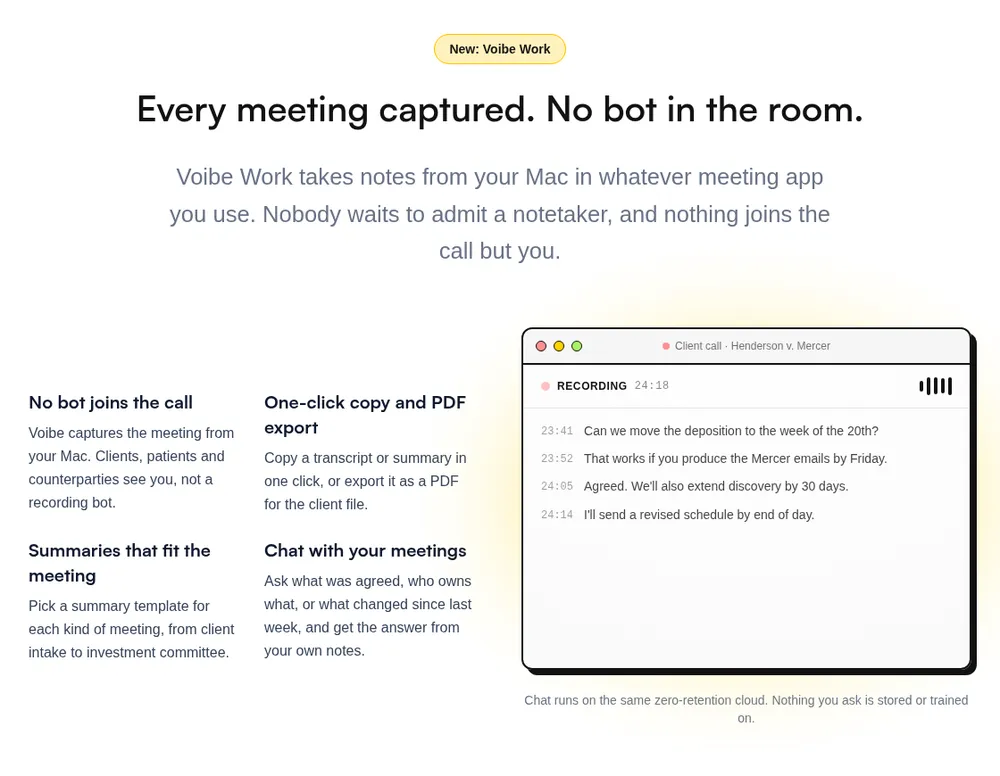
Voibe Work is the meeting-notes plan from Voibe, the app we build. Pick it when the people in the meeting are the people you serve. It ranks second because it isn't a board portal.
Best for: case managers, intake workers, program staff and development directors: intake, case and program meetings, donor calls, in person or on any app.
How it captures
- Calls: from your Mac or Windows PC, in Zoom, Microsoft Teams, Google Meet, Webex, Slack huddles or any other meeting app. No bot joins.
- In person: it records the intake room or the board table through your computer's mic.
- Walkthrough: the Voibe Work launch post follows a meeting from capture to saved notes.
Why it's the pick for sensitive conversations
I'm biased, since we build it. But look at what's left after a client intake:
- Audio: processed by open-source models on zero-retention cloud providers and deleted as soon as processing completes.
- Transcript and summary: saved on your computer, not on Voibe's servers.
- Training: never. No OpenAI, Google, Anthropic or Microsoft model is in the audio path (Voibe cloud privacy page).
- Chat with your meetings: ask "what did the board decide on the reserve policy?" and get an answer from your notes. Nothing you ask is stored.
For a VAWA-funded shelter or a Part 2 program, that changes the vendor question. There's no vendor-held transcript to subpoena, breach or train on.
Built for nonprofit meetings
- Templates for each type of meeting, such as client intake.
- Speaker labels with a time next to every line. Rename a speaker and the summary updates.
- One-click copy and PDF export for the secretary's minutes or the case file.
- Meetings up to 4 hours, enough for a long board retreat session.
- A consent reminder to tell everyone you're taking notes when recording starts. You're responsible for consent rules and your organization's policy.
Dictation for case notes and grant writing, in the same plan
Every Voibe Work seat includes all of Voibe Dictation, on Mac and Windows.
- Case notes: on an Apple Silicon Mac, dictation can run fully on-device, with no internet. Windows and Intel Macs use Voibe's zero-retention cloud.
- Grant narratives: Smart Formatting adds punctuation and paragraphs and removes filler words. It doesn't rewrite what you said.
- Dictionary: program names, funder names and acronyms shape transcription itself, not a find-and-replace afterwards.
- Memory: say a trigger and Voibe types your mission statement, EIN line or grant boilerplate.
Bought separately, discounted Granola ($84) plus Wispr Flow Pro at list ($144) is $228 a year. Voibe Work is $79 (34.6%) less.
- Wispr Flow: nonprofits get "a discounted rate" on Pro, but Wispr doesn't publish it.
- Fireflies: dictation is free on every plan, so there the argument is where notes live, not price.
Pricing
Price: $19 per seat per month, $149 per year, or $399 once. Voibe publishes no nonprofit discount.
- Trial: 7 days of every Voibe Work feature, no credit card, no automatic charge.
- Refunds: a 30-day money-back guarantee on paid plans.
- Teams: up to 10 seats in one checkout. Above 10 seats, Enterprise adds team admin, central billing and invoicing, custom terms and a BAA available on request.
- Voibe Free ($0): dictation with limited words on one device. No meeting notes.
Where it falls short for nonprofits
- No nonprofit discount. Six of the other seven ranked tools cost less per seat after theirs.
- Not a board portal. No agendas, votes or minutes approval. Boardable's AI minutes take VTT transcripts only, and Voibe Work exports by copy and PDF.
- No phone app. Outreach workers on home visits can't record from a phone.
- Notes sit on one computer. There's no shared team workspace. If a volunteer secretary uses a personal laptop, your records policy must say where notes go.
- No calendar integration listed. You rename speakers yourself.
- Needs internet. Meeting audio is processed in Voibe's zero-retention cloud, not on your computer.
- A reminder, not consent tracking. Voibe doesn't log who agreed.
- No SOC 2 report. Voibe's privacy is architecture, not certification. A BAA is a contract, not a compliance status.
7-day free trial of every Voibe Work feature. No credit card, no automatic charge. One seat covers Mac and Windows.
3. Fathom: Best Free AI Note Taker for Nonprofits
If the budget line is zero, start here.
Best for: small nonprofits with no software budget, internal staff meetings and board meetings where everyone expects a recorder.
Why it ranks here
- A real free plan: it lists "Unlimited recordings + transcriptions" and instant AI summaries.
- Free nonprofit seats: the pricing page offers nonprofits "10 free seats", by application (Fathom pricing). It doesn't say which paid plan those seats are on, so ask when you apply.
- An org-wide training opt-out: Team admins can opt out the whole organization, not just themselves.
Watch out for
- A bot joins by default. Fathom's help center says the new bot-free experience "is currently available on Mac only". In a board meeting, a visible bot is a fair disclosure. In a crisis call, it's a stranger in the room.
- Recordings stay until you delete them. All Fathom data is stored in the United States. Recordings are kept "indefinitely (or until you manually delete them)" (Fathom help).
- Training is on by default. Fathom uses de-identified customer data to improve its own AI models. You can opt out in My Settings (Is Fathom secure?).
- BAA on Enterprise only. A signed BAA is listed only there.
- Free plans have limits. Advanced summaries are marked "limited use" on the free plan. Anything past your 10 nonprofit seats is billed at list.
Price: $0 on the free plan or the nonprofit seats. Team is $15 per user per month billed annually ($180 a year), with a two-seat minimum. Our Fathom pricing breakdown covers every tier.
Rating: 4.9/5 from 1.7K Chrome Web Store ratings. Our Is Fathom safe? review goes deeper on storage and training.
4. Granola: Best Discounted No-Bot Notepad
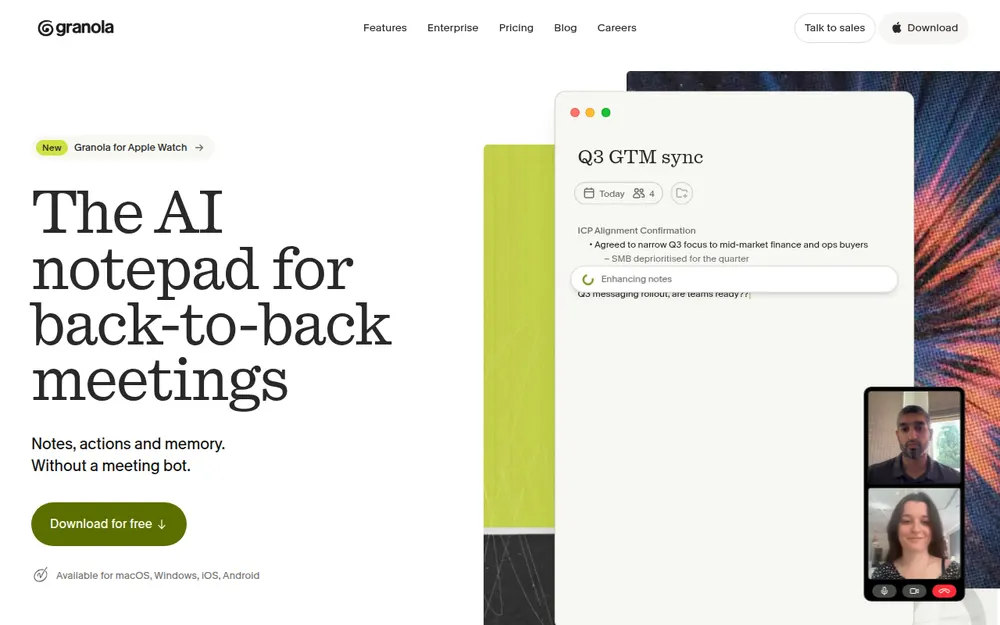
Granola for nonprofits is the cheapest bot-free option here.
Best for: program and development staff on a tight budget who will turn off training and set auto-deletion on day one.
Why it ranks here
- Half price: the nonprofit page says "Apply for 50% off the Business plan", verified through Goodstack. That takes Business from $14 to $7 per user per month: $84 a year. Voibe Work costs $65 (77.4%) more.
- It lasts: the help center says "the discount stays active while your organization remains an eligible nonprofit".
- The notepad: I've used Granola, and the notepad is excellent. It runs on Mac, Windows, iOS and Android.
- Pitched at nonprofits: its nonprofit page even names "Board meetings, grant reviews, program syncs".
- One habit worth copying: every user can auto-delete transcripts after 1 day, 1 week, 1 month, 3, 6 or 12 months, while keeping the notes (Granola auto-deletion). For board meetings, a short setting keeps the summary and drops the verbatim record.
Watch out for
- Approval isn't automatic. "Meeting nonprofit criteria does not guarantee approval."
- Notes stay in its cloud. They're stored in Granola's US AWS cloud and kept indefinitely unless you set a retention policy.
- Training is on by default. Anonymized data may improve Granola's own models on Free and Business. Each user opts out separately (Granola security).
- HIPAA and a BAA are Enterprise only. The discount is on Business.
- A lawsuit. Granola is defending a wiretap class action over its no-bot design (the Granola lawsuit).
Price: $84 a year at 50% off Business. The full plan list is in our Granola pricing breakdown.
Rating: 4.96/5 from 14,624 ratings on the App Store, the best on this list. See our Is Granola safe? review before you roll it out.
5. Circleback: Best for Program Teams That Want Automations
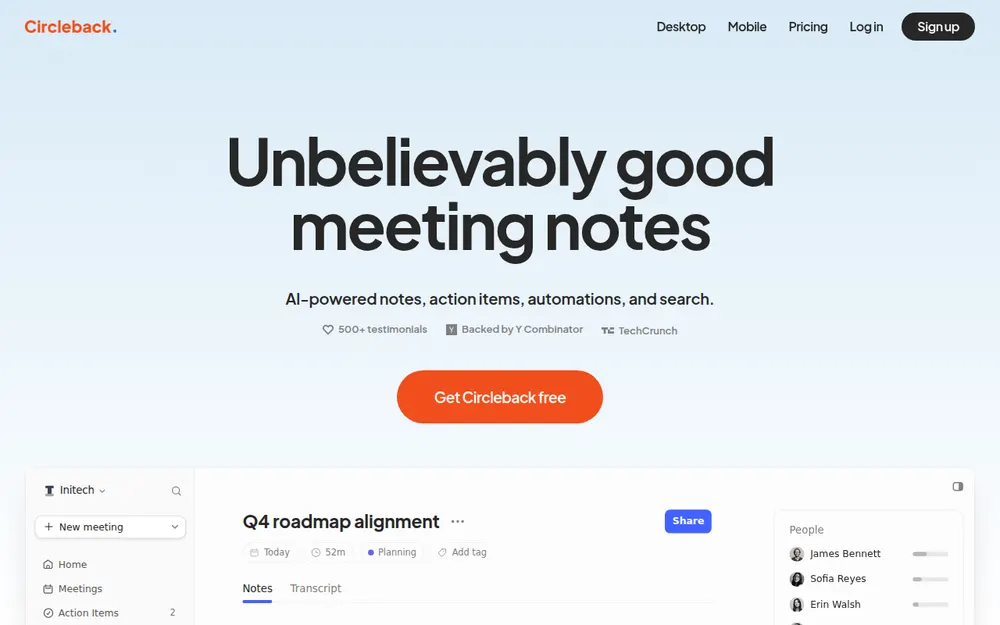
Circleback is the pick when meeting action items should land in a tracker.
Best for: development and program teams that want meeting action items pushed into their tools, outside any health or substance-use work.
Why it ranks here
- 30% off: its pricing FAQ says "Circleback has a 30% non-profit discount". Sign up with your nonprofit email, then contact support.
- No training: Circleback says "We do not use customer data to train models" and hosts in the US.
- Automations: Pro pushes action items into Notion, HubSpot, Salesforce and more.
- A free plan: unlimited meetings and 30 days of history.
Watch out for
- A bot joins by default. A desktop app records without one.
- A BAA is Enterprise only.
- No Part 2 records. Circleback's HIPAA page says not to use it for 42 CFR Part 2 substance-use records at all.
Price: 30% off either paid plan, billed annually.
- Pro: from $15 to $10.50 per user per month ($126 a year). Voibe Work costs $23 (18.3%) more.
- Business: from $25 to $17.50 ($210 a year). Voibe Work is $61 (29.0%) less.
Rating: 4.81/5 from 269 App Store ratings. If its limits don't fit, our Circleback alternatives guide ranks replacements.
6. Otter: Discounted Through TechSoup, Hardest to Defend for Client Calls
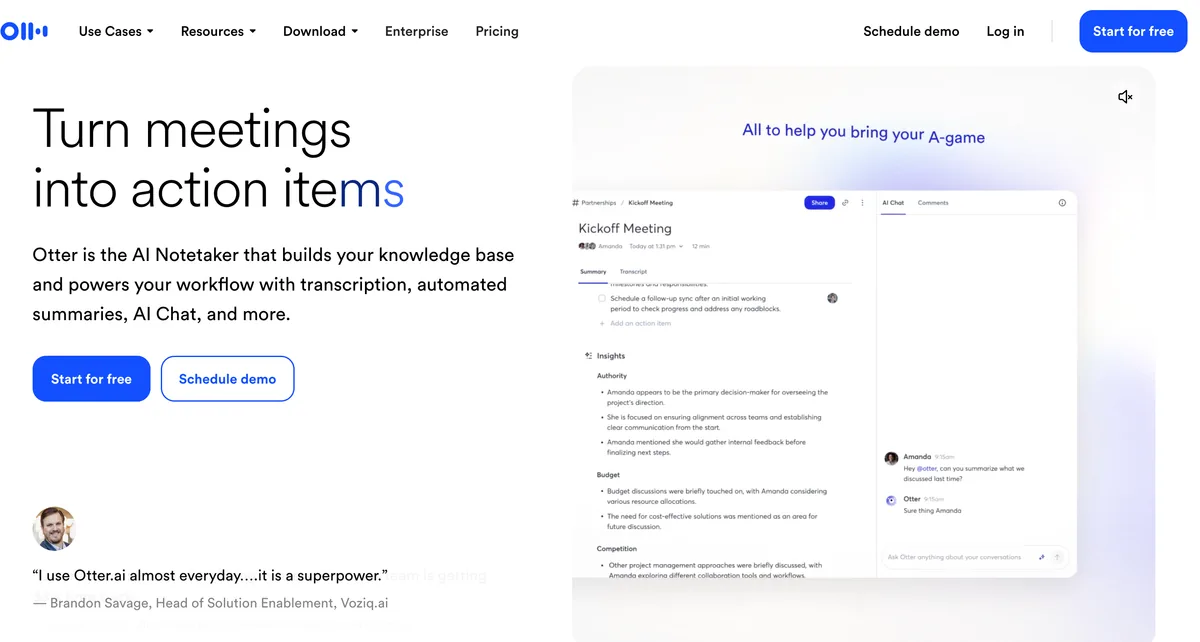
Otter is the notetaker most board members have already met, usually as a bot in someone else's meeting.
Best for: internal staff meetings and public-facing events, not intake calls or executive sessions.
Why it ranks here
- No bot needed: I've used it, and its desktop app on Mac and Windows can record without a bot.
- A nonprofit discount: Otter's help center says it discounts the Business plan for organizations with valid charitable status. TechSoup approval "is currently the only way" to get it.
- Possibly 40% off: Otter states no percentage, but TechSoup's Australian and New Zealand partners list 40% for three or more users (see the price table footnote).
Watch out for
- It trains on your meetings. Otter's privacy policy says it trains its AI "on de-identified audio recordings and on transcriptions". I found no training opt-out.
- HIPAA is Enterprise only.
- A wiretap lawsuit. Otter faces a consolidated wiretap class action; see Is Otter safe?.
- Yearly renewal paperwork. Renewal goes back through TechSoup each year, or the plan renews at full price.
Price: if the 40% rate applies, Business falls from $239.88 to $143.93 a year. Voibe Work costs $5.07 (3.5%) more. Plan limits are in our Otter pricing breakdown.
Rating: 4.79/5 from 86,736 App Store ratings.
7. Fireflies: 10% Off for NGOs, With Free Dictation
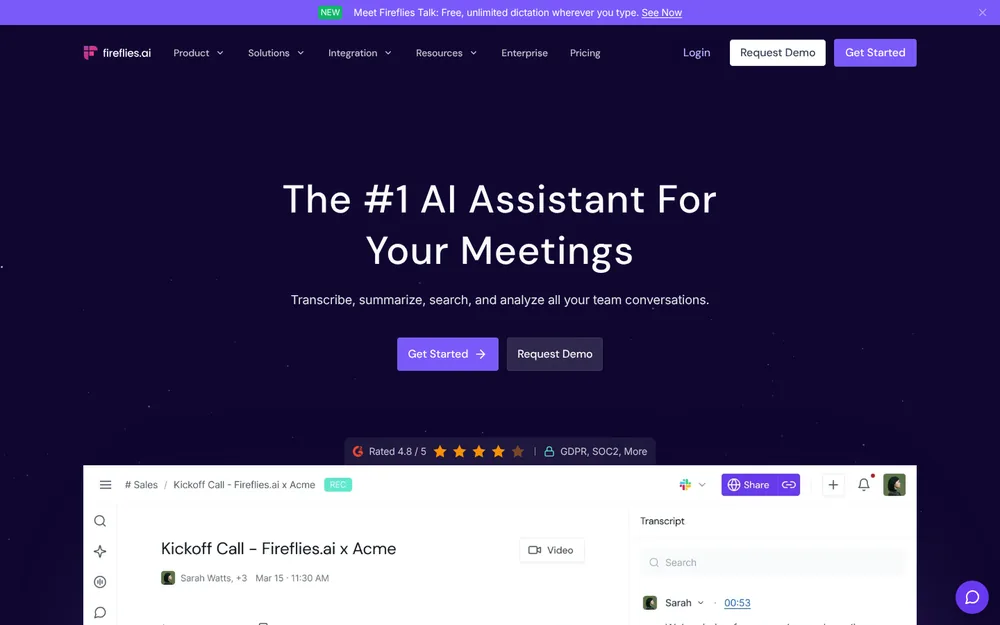
Fireflies is the one vendor here that already pairs meeting notes with free dictation.
Best for: teams that want notes and free dictation from one vendor and are comfortable with a bot in most calls.
Why it ranks here
- 10% off: its help center says it "offers a 10% discount on Pro, Business, or Enterprise tiers for NGOs, students, and non-profit organizations" on monthly and yearly plans. Email support from your organization's domain for a discounted invoice (Fireflies discounts).
- No training: Fireflies says meeting data is never used for AI model training.
- Free dictation: Fireflies Talk, its dictation app, is free and unlimited on every plan.
Watch out for
- A bot joins by default.
- Generic speakers without the bot. The desktop app's no-bot mode labels speakers "Speaker 1 / Speaker 2".
- A storage cap. Pro caps storage at 8,000 minutes per seat.
- HIPAA sits on Enterprise with Private Storage.
Price: 10% off, billed annually.
- Pro: from $120 to $108 a year. Voibe Work costs $41 (38.0%) more.
- Business: from $228 to $205.20. Voibe Work is $56.20 (27.4%) less.
Rating: 4.82/5 from 5,367 App Store ratings. Details are in our Fireflies pricing breakdown and Is Fireflies safe?.
8. Zoom Workplace: Half Price for Smaller Nonprofits That Meet on Zoom
If your organization already pays for Zoom, you may already have AI notes.
Best for: small nonprofits that run every meeting on Zoom and qualify for the discount.
Why it ranks here
- AI Companion included: Zoom's nonprofit page lists it in Workplace Pro.
- Half price: "50% off select Zoom products" for nonprofits with operating budgets of $10 million or less, verified by Goodstack (Zoom for Nonprofits).
- No training on your calls: Zoom's terms say it does not use "audio, video, chat, screen sharing, attachments or other communications-like Customer Content" to train Zoom or third-party AI models (Zoom terms, section 10).
Watch out for
- Zoom only. AI Companion is built into Zoom Workplace. Check whether it covers a funder's Teams call or an in-person intake.
- Notes live in Zoom's cloud.
- Many nonprofits are excluded: health clinics, hospice, nursing care and other healthcare organizations. So are education organizations, government agencies and 501(c)(4) or 501(c)(6) groups.
Price: Pro is $14.16 per user per month billed annually ($169.92 a year) at list, so $84.96 a year at half price. Voibe Work costs $64.04 (75.4%) more.
Board Meetings: An AI Transcript Is Not the Minutes
The minutes are your board's official record. An AI transcript is raw material, and it can become a record you never meant to keep.
What the IRS asks for
Form 990, Part VI, line 8 asks whether you contemporaneously documented every meeting of the board and of committees with authority to act.
- What counts: "approved minutes, email, or similar writings that explain the action taken, when it was taken, and who made the decision."
- Contemporaneous: by the next meeting or 60 days after it, whichever is later (IRS Instructions for Form 990).
- No transcript required: nothing in that asks for a word-for-word record.
What governance lawyers advise
Debevoise & Plimpton's guidance for not-for-profits makes three points (Debevoise & Plimpton):
- Not final: AI transcripts and summaries "should not be considered final".
- A person adopts them: someone who was in the meeting, "such as the secretary or their delegate", should review and adopt them before they enter the official records.
- Sometimes, don't use AI: AI tools "may not be appropriate" when a meeting covers privileged or highly confidential matters such as litigation.
Five habits for AI and board minutes
- Summary, not transcript. Draft minutes from the AI summary: motions, mover and seconder, the vote, actions. Don't attach the transcript.
- No recording in executive session, legal advice or personnel discussions.
- The secretary adopts the minutes. Someone who was in the room checks the draft before the board approves it.
- Delete the transcript once minutes are approved. Write it into your retention policy, and pause deletion under a litigation hold.
- Know where the raw material sits. With Boardable, the meeting page, where every admin and participant can see it. With Voibe Work, the secretary's computer. With Fathom, Otter, Granola, Circleback and Fireflies, the vendor's cloud until someone deletes it.
Where board software fits
Boardable, BoardEffect and BoardPro draft minutes from a transcript inside the board portal, then a person edits and publishes them. That's the workflow the IRS and Debevoise describe: a draft, then approved minutes.
Warning
This section summarizes public guidance to help you compare tools. It is not legal advice. Your board counsel decides what your organization must record, retain and preserve.
Client Confidentiality: VAWA, 42 CFR Part 2 and HIPAA
Three rules come up most often in nonprofit client work. Each one is a reason to ask what the vendor keeps.
- VAWA grantees (domestic violence, dating violence, sexual assault, stalking) must protect "the confidentiality and privacy of persons receiving services". They can't release personally identifying information without informed, written, reasonably time-limited consent (34 U.S.C. § 12291). Ask your VAWA administrator whether a cloud meeting vendor counts as a disclosure before anyone records a survivor's call.
- 42 CFR Part 2 programs (federally assisted substance-use treatment) may use or disclose patient records "only as permitted" by the rule (42 CFR § 2.13). Circleback tells customers not to use it for Part 2 records at all.
- HIPAA covered entities (community health centers, clinics and some behavioral-health nonprofits) need a business associate agreement with any vendor that "creates, receives, maintains, or transmits protected health information" for them (45 CFR § 160.103). Most vendors here keep that on Enterprise. Read AI lists one on request. Voibe offers a BAA available on request.
A BAA is a contract, not a compliance status, and no tool here makes you compliant.
What an architecture can do is shrink what exists. Voibe Work deletes meeting audio after processing and keeps nothing on its servers, so the transcript lives only where you saved it.
When no single rule names it
Immigration legal-services programs and refugee caseworkers face the same question without a single rule naming it: who else could ever be asked for this conversation?
Other Note Takers Nonprofits Ask About
- Read AI: AI training is opt-in and off by default, and its privacy center lists a "HIPAA BAA available on request" (Read AI privacy center). But it only discounts nonprofits buying 10 or more licenses, Pro is $180 a year, and a bot joins by default. See Read AI pricing and Is Read AI safe?.
- BoardEffect by Diligent: board software "designed specifically for nonprofits and social enterprises". Its AI Smart Meeting Minutes "transforms notes and transcripts into polished minutes". No public price (BoardEffect).
- BoardPro: AI Minutes drafts minutes from an uploaded transcript. Nonprofit plans are priced per board with unlimited users. Premium, which includes BoardPro AI, is $1,650 a year with expenses under $1 million and $2,200 above (BoardPro nonprofit pricing). For a 12-person board, that's less than Boardable Professional+.
- Google Workspace for Nonprofits: Business Standard is $3.50 per user per month on a one-year commitment for nonprofits ($42 a year). Google calls that "75%+ off standard pricing" (Google for Nonprofits). Google Meet's "Take notes for me" needs "an eligible Google Workspace edition" and saves notes to Google Docs (Google Meet help). I couldn't confirm the free nonprofit edition includes it, and it only covers Meet calls.
- Microsoft 365 Copilot: Microsoft announced a nonprofit price of $25.50 per user per month on an annual subscription ($306 a year). That's on top of a qualifying Microsoft 365 plan (Microsoft Tech Community). Microsoft's nonprofit offers guide lists Business Premium at $5.50 per user per month paid yearly. Teams' intelligent recap needs Teams Premium or Microsoft 365 Copilot.
- Laxis: offers "special pricing for non-profits and educational institutions" by email, with no rate published. Business is $239.88 a year at list. See our Laxis alternatives.
- Wispr Flow Notetaker: no bot, on Mac and Windows, bundled with Wispr's dictation app. Wispr says nonprofits get "a discounted rate" on Pro without publishing it. Full breakdown: Wispr Flow Notetaker vs Voibe Work.
- Jamie, Krisp, Fellow and tl;dv: I found no published nonprofit discount on their pricing pages as of October 27, 2026. Jamie and Krisp are bot-free. Our best no-bot meeting note takers list covers all four.
Legal-aid or financial-counseling programs face more rules on top. See our guides for lawyers and financial advisors. Counseling and mental-health programs should read our AI note takers for therapists, which covers the state consent laws for recorded sessions.
Recording Consent: Staff, Volunteers, Clients and Community Members
No bot doesn't mean no disclosure. A bot-free notetaker is quieter, which makes telling people more important.
Voibe Work reminds you to tell everyone when recording starts. You're responsible for the law and your organization's policy.
What state law says
According to the Reporters Committee for Freedom of the Press's state-by-state Reporter's Recording Guide:
- All parties must consent: California, Florida, Illinois, Maryland, Massachusetts, Montana, New Hampshire and Pennsylvania. Washington generally requires it too.
- It depends:
- Connecticut needs one party in person but all parties on phone calls to avoid civil liability.
- Nevada needs one party in person and all parties on phone calls.
- Delaware's laws conflict.
- Michigan's all-party rule applies to people outside the conversation.
- Oregon is one-party for calls, but in person you must tell everyone you're recording. The full Ninth Circuit upheld that rule in 2025 (Project Veritas v. Schmidt), reversing a 2023 panel decision.
- One party: most other states, including New York, Texas, Georgia and Ohio.
When a call crosses state lines, follow the strictest law.
Volunteers and community members
- Volunteers join calls from their own states and devices. Put AI note-taking in your volunteer agreement and board meeting policy.
- Clients and community members may not know what a notetaker is or feel free to refuse. Ask plainly, offer to switch it off, and never record someone who says no.
- Public meetings may fall under your state's open-meetings law if you receive public funds or act for a government body.
A disclosure line you can use
"Before we start: I'd like to use an AI notetaker so I can listen instead of typing. It writes a summary for our records. [With Voibe Work: The audio is deleted after processing and the notes are saved on my computer, not the vendor's.] Is that okay with everyone? We can turn it off at any time."
Warning
This is a summary for comparing tools, not legal advice. Check your state's recording law, your funders' confidentiality terms and your organization's written policy before recording anyone.
How to Choose the Right AI Note Taker for Your Nonprofit
Do you want AI-drafted minutes for board meetings, inside a board portal?
- Yes → Boardable: AI drafts minutes from a transcript, and a person approves them. Add a notetaker for meetings outside the boardroom.
- No, or not only → keep going.
Do your meetings include clients, survivors, patients or anyone whose information you're legally bound to protect?
- Yes → Voibe Work: nothing kept by the vendor. Check your VAWA, Part 2 or HIPAA obligations first.
- No → keep going.
Is your software budget zero?
- Yes → Fathom: free plan, or 10 free nonprofit seats. Turn off training in My Settings.
- No → keep going.
Do you want bot-free notes at the lowest paid price?
- Yes → Granola at 50% off ($84 a year). Turn off training and set auto-deletion on day one.
- No → keep going.
Does every meeting already happen on Zoom, and is your budget $10 million or less?
- Yes → Zoom Workplace at 50% off, unless you're a healthcare or education organization.
- No, you want action items in your tools → Circleback at 30% off.
Do staff also write case notes and grant narratives every day?
- Yes → Voibe Work, which includes a full dictation app. Fireflies has free dictation too, with a bot-first notetaker.
Best AI Note Taker for Your Nonprofit Situation
| Your situation | Best choice | Why |
|---|---|---|
| Case manager running client intakes in an office | Voibe Work | Records the room through the computer mic, intake template, nothing kept by the vendor |
| Domestic-violence shelter advocate | Voibe Work, or no recording | No vendor-held transcript; check VAWA confidentiality first |
| Substance-use program covered by Part 2 | Voibe Work, after legal review | Circleback rules itself out for Part 2 records |
| Board that wants agendas, packets, votes and minutes in one place | Boardable | AI drafts minutes from a transcript inside the portal; $431.88 per user a year on Professional+ |
| Volunteer board secretary at an in-person board meeting | Voibe Work | Records the room through the computer mic; draft the minutes from the summary |
| All-volunteer group with no budget | Fathom | Free plan, or 10 free nonprofit seats |
| Development director on donor calls | Granola | Bot-free, $84 a year at 50% off; turn off training |
| Grant writer who drafts by voice | Voibe Work | Meeting notes and dictation in one plan, $149 a year |
| Program team that wants action items in Notion or HubSpot | Circleback | Automations, never trains, $126 a year at 30% off |
| Small nonprofit that meets only on Zoom | Zoom Workplace | AI Companion included, $84.96 a year at 50% off |
| Community health center | Voibe Work (BAA available on request) | Zoom's discount excludes health clinics; others keep a BAA on Enterprise |
| Nonprofit buying 10+ seats | Read AI, or Voibe Enterprise | Read's nonprofit discount starts at 10 licenses; Voibe Enterprise starts above 10 seats |
| Outreach worker on home visits | Fathom's iPhone app or Granola mobile | Voibe Work has no phone app |
Frequently Asked Questions About AI Note Takers for Nonprofits
Basics
What is the best AI meeting note taker for nonprofits?
It depends on the meeting:
- Board meetings: Boardable. AI drafts minutes from a transcript inside the board portal. $431.88 per user a year on Professional+.
- Everything else: Voibe Work. Best for sensitive client conversations: no bot, nothing kept on its servers, dictation included. $149 a year, no nonprofit discount.
Is there a free AI note taker for nonprofits?
Yes: Fathom. Its free plan has unlimited recordings and transcriptions, and approved nonprofits can apply for 10 free seats.
- Limited free plans: Circleback, Fireflies, Read AI and Otter cap history, storage or meetings.
- Voibe Free ($0): dictation only. Meeting notes need Voibe Work.
Can an AI transcript replace board meeting minutes?
No. The IRS asks for approved minutes, documented by the next meeting or within 60 days. Have the secretary review the AI draft, then delete the transcript.
Discounts and pricing
Does Granola have a nonprofit discount?
Yes: 50% off Business, verified through Goodstack, so $84 a year. Approval isn't guaranteed, and HIPAA and BAA support sit on Enterprise.
Which AI note takers offer nonprofit discounts?
As of October 27, 2026, these publish one:
- 50% off: Granola Business, and Zoom Workplace Pro and Business for budgets of $10 million or less.
- 30% or 10% off: Circleback 30%; Fireflies 10% on Pro, Business and Enterprise.
- Free seats: Fathom, 10 of them.
- Other routes: Otter through TechSoup, Laxis by email, Read AI only at 10+ licenses.
- None published: Jamie, Krisp, Fellow, tl;dv and Voibe.
Does Boardable have a nonprofit discount?
No extra one. Boardable says its pricing is "already tailored specifically for nonprofits" and offers volume discounts for larger teams. Plans run $251.88 to $431.88 per user per year.
Does Voibe offer a nonprofit discount?
No. Voibe Work is $19 per seat per month, $149 a year or $399 once, with a 7-day free trial and a 30-day money-back guarantee.
How much does an AI note taker cost a nonprofit per year?
From $0 (Fathom's nonprofit seats) to $431.88 (Boardable Professional+, a full board portal) per seat, after published discounts. Voibe Work is $149; every figure is in the price table above.
Privacy and client data
Can a domestic-violence program use an AI notetaker?
Carefully. VAWA bars disclosing survivors' personally identifying information without informed, written, time-limited consent. Ask your VAWA administrator whether a cloud vendor counts, and default to asking first or not recording.
Is Voibe Work HIPAA compliant?
Voibe makes no HIPAA compliance claim. A BAA is available on request, and a BAA is a contract, not a certification. Meeting notes need internet, since processing runs in Voibe's zero-retention cloud.
Which AI note takers don't train on meeting data?
- Never: Voibe Work, Circleback and Fireflies. Zoom doesn't train on audio, video or chat content.
- Opt-in only: Read AI.
- On unless each user opts out: Granola and Fathom.
- No opt-out found: Otter, which trains on de-identified recordings and transcripts.
Consent and setup
Do I need consent to record a nonprofit meeting with AI?
Often, yes. Eight states require every party's consent, Washington generally does, and Connecticut and Nevada do on phone calls. Follow the strictest law. Voibe Work reminds you to tell everyone; the consent is yours.
Does Voibe Work record in-person meetings?
Yes, through your Mac or Windows PC's microphone, such as a client intake or a board meeting. It has no phone app, so meetings away from your computer aren't covered.
Final Verdict: The Best AI Meeting Note Taker for Nonprofits
For a nonprofit, the best notetaker is the one you can afford and whose leftovers you can defend to a client, a funder or a court.
- Boardable is the pick for the board: AI-drafted minutes inside the board portal, and a person approves them. $431.88 per user a year on Professional+.
- Voibe Work is the pick when the people in the meeting are the people you serve, and for everything outside the boardroom. No bot, nothing kept on its servers, in-person capture and dictation included. It's $149 a year on Mac and Windows, with no nonprofit discount.
- Fathom is hard to beat on a zero budget: a free plan and 10 free nonprofit seats.
- Granola is the lowest paid price for bot-free notes: $84 a year at 50% off.
Turn off training on Fathom and Granola. Whatever you choose, tell everyone and keep executive sessions off the record. Let the approved minutes, not the AI transcript, be your board's record.
Try Voibe Work free for 7 days → Every feature, no credit card, no automatic charge.
Related reading
Meeting notes without a bot in your call
Voibe Work takes notes from Zoom, Teams and Meet on your Mac, with dictation included. Nothing used to train AI.
- Mac + Windows
- No bot in your calls
- Nothing used to train AI
- 7-day free trial
Want to compare plans first? View pricing →