

The Best AI Note Taker for Microsoft Teams: The Short Answer
Teams now treats a notetaker bot like a stranger at the door.
By default, a detected bot waits in the lobby, tagged “Bot”, until the organizer admits it (Microsoft Learn). So: whose meeting is it?
The ranking
We tested every app here hands-on, on real Teams calls, and checked vendor and Microsoft docs on October 29, 2026.
- Voibe Work: best overall. No bot, and it works in any Teams meeting you join, including a client's. Notes saved on your computer. $149 a year.
- Microsoft 365 Copilot or Teams Premium: best for internal meetings if your organization already pays for it.
- Granola: bot-free and polished, but notes live in its US cloud and training is on by default.
- Fireflies: the strongest bot-based tool, with a bot-free desktop mode and a free plan.
- Jamie: bot-free, hosted in Europe, pricier.
- Read AI: a bot that asks the host first, with training off by default.
- Otter: the best known. A bot by default, and it trains on de-identified data.
- Krisp: bot-free notes plus noise cancellation. No free plan.
- Fathom: a generous free plan, but in Teams you mostly get the bot.
Key takeaways
| Your situation | Best pick | Why |
|---|---|---|
| Meetings you don't host (clients, partners) | Voibe Work | Nothing to admit; notes saved on your computer |
| Internal meetings, Copilot or Premium already licensed | Teams intelligent recap | No new vendor; files stay in your OneDrive or SharePoint |
| Bot-free, with a shared team cloud | Granola | Polished notes and team folders |
| Bot-based, with CRM sync | Fireflies | Bot or desktop capture, free plan |
Key Takeaway
Voibe Work is the best AI note taker for most Microsoft Teams users. No bot waits in the lobby, it works in meetings you don't host, and notes are saved on your computer. It costs $149 a year. If your organization already licenses Copilot or Teams Premium, use intelligent recap for internal meetings. Tell everyone you're taking notes; Voibe reminds you.
What Microsoft Teams Already Gives You: Transcription, Recording and Intelligent Recap
Check your Teams licence before buying anything. Meeting notes come in two layers: a transcript, and AI on top.
| Teams feature | What you need | What you get |
|---|---|---|
| Recording and live transcription | A business Teams plan, such as Teams Essentials ($4 per user per month, paid yearly) | A recording and transcript in the organizer's OneDrive |
| Intelligent recap | Teams Premium ($10 per user per month, paid yearly) or a Microsoft Copilot licence | AI notes, AI-recommended tasks, speaker and name-mention markers, chapters |
| Copilot in Teams meetings | Microsoft 365 Copilot ($30 per user per month, paid yearly) | Questions answered during and after the meeting |
| Facilitator | A Microsoft Copilot licence | Live AI notes in a shared Loop page |
| Audio and video recap | A Microsoft Copilot licence | A narrated catch-up; audio recap covers up to eight meetings (preview) |
Teams Essentials lists “Team meeting recordings with transcripts and live captions (English)”.
Sources, checked October 29, 2026: Teams plans, Teams Premium, Microsoft 365 Copilot, intelligent recap licensing and Facilitator.
Where Teams keeps recordings and transcripts
- Regular meetings: the organizer's OneDrive, in a Recordings folder, even if the organizer didn't attend.
- Channel meetings: the channel's SharePoint site.
- Who can view: invitees from the organizer's organization get read access. External participants get nothing until the organizer shares it (Microsoft Learn).
- Retention: recordings and transcripts expire after 120 days by default. Admins can change that. A1 education users max out at 30 days (Microsoft Learn).
Three limits that matter for note-taking
- Transcription belongs to the host's organization. Organizers and people in the same organization can start it. “People from another tenant and anonymous users” can't (Microsoft Support).
- Intelligent recap needs a transcript. AI notes appear for transcribed meetings that lasted at least five minutes (Microsoft Support).
- Live transcription starts on desktop. On mobile, you read the transcript after the meeting.
Why Teams Users Look Beyond the Built-In Recap
Intelligent recap is good. It still leaves gaps that send people to a third-party tool.
It costs extra and covers only Teams
- A paid add-on. You need Teams Premium ($120 a user a year) or Copilot ($360 a user a year for Microsoft 365 Copilot).
- Licence stacking. Both sit on top of a qualifying Microsoft 365 or Teams plan.
- Teams only. The partner on Zoom, the vendor on Google Meet and the meeting in the room are out of reach.
It stops at your tenant's edge
- Not your transcript. In a client's Teams meeting, you can't start their transcription.
- Not your recap. Outsiders “can't access it, even with the recording link or Teams Premium” (Microsoft Support).
- Files live where IT puts them. Recordings and transcripts sit in the organizer's OneDrive and expire after 120 days by default.
- Good for governance. Awkward if you need your own copy.
How AI Note Takers Get Into a Teams Meeting: Bot in the Lobby vs Desktop Capture
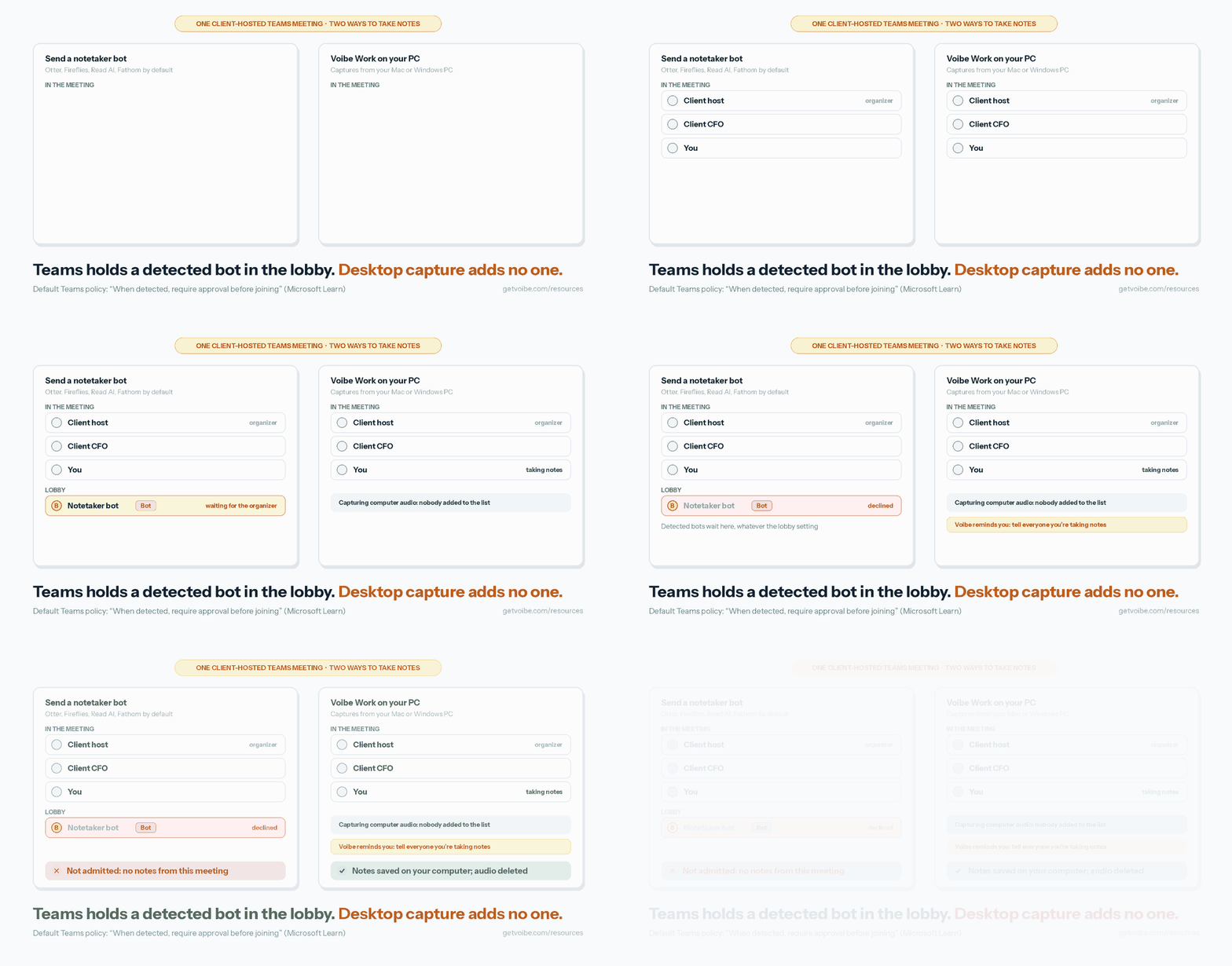
Every third-party note taker reaches a Teams meeting in one of two ways.
1. A bot joins as a participant
- Who: Otter, Fireflies, Read AI, Fathom and tl;dv send a bot by default, usually from your calendar.
- Default policy: “When detected, require approval before joining”.
- The lobby: detected bots wait there “irrespective of the lobby configuration for the meeting”. The organizer must admit them (Microsoft Learn).
- More doors: admins can also turn off anonymous join, or make everyone from outside wait in the lobby (Microsoft Learn).
- Not perfect: Microsoft says “some external bots may not be detected”. People are sometimes flagged as bots, too.
2. An app captures audio on your own computer
- Who: Voibe Work, Granola, Jamie and Krisp capture from your Mac or Windows PC.
- Desktop modes: Fireflies, Otter, Read AI and tl;dv have one too. Fathom's is a Mac-only beta.
- The lobby: nothing joins, so there's nothing to admit and no new name in the participant list.
- The catch: Teams shows no banner either. Disclosure is on you.
- Not a loophole: if your employer or the host bans AI note-taking, don't assume a bot-free app is exempt. Ask first.
What to Look For in an AI Note Taker for Microsoft Teams
Seven checks I'd run on any Teams note taker, most decisive first.
- Meetings you don't host. Can it take notes when a client's tenant runs the meeting? Built-in recap can't. A bot needs the host's approval.
- Lobby behavior. Does it send a bot that Teams will hold, or capture from your computer?
- Where the notes live. Your computer, your Microsoft tenant, or the vendor's cloud. Ask for how long.
- Training default. Does the vendor train on your meetings unless you opt out?
- Teams clients covered. The desktop app, Teams in a browser, and Teams on your phone.
- Price on top of Teams. Count per user per year, plus any Microsoft licence it assumes.
- Consent support. A banner, a chat message, or a reminder to say it yourself.
AI Note Takers for Microsoft Teams Compared
All nine side by side, in ranking order.
| Tool | How it captures Teams | Teams desktop / web / mobile | Meetings you don't host | Where notes live | Trains on your meetings? | Price per user per year | Rating |
|---|---|---|---|---|---|---|---|
| Voibe Work | Desktop capture, no bot | Desktop app or browser on Mac or Windows; no phone app | Yes, nothing to admit | Your computer; audio deleted after processing | Never | $149 ($19/mo, $399 once) | Product Hunt 4.8/5 (6) |
| Microsoft 365 Copilot / Teams Premium | Built into Teams | Desktop, web, mobile | No: the host's tenant owns the transcript and recap | Organizer's OneDrive or SharePoint | Not used to train foundation LLMs | $120 (Premium) to $360 (Copilot) | App Store 4.8/5 (3,382,194), Teams app |
| Granola | Desktop capture, no bot | Mac and Windows; phone apps for in person | Yes | Granola's US cloud (AWS) | On by default, opt-out; off on Enterprise | $0; Business $168 | App Store 4.96/5 (14,634) |
| Fireflies | Bot by default; bot-free desktop mode | Bot joins any meeting; desktop app on Windows 10+ and macOS 12+ | Bot: host must admit. Desktop: yes | Fireflies' cloud | Never | $0; Pro $120 | App Store 4.82/5 (5,397) |
| Jamie | Desktop capture, no bot | Mac and Windows; iPhone for in person | Yes | Jamie's cloud in the EEA, Switzerland and UK | Never | $0 (10 notes a month); Plus $288 | App Store 4.89/5 (258) |
| Read AI | Bot by default (asks the host); bot-free desktop app | Desktop app on Windows 10+ and macOS 14+; mobile | Bot: host approval. Desktop: yes | Read AI's US cloud | Opt-in only | $0 (5 meetings); Pro $180 | App Store 4.88/5 (1,040) |
| Otter | Bot by default; desktop app without a bot | Mac and Windows desktop; mobile | Bot: host must admit. Desktop: yes | Otter's cloud | Yes, on de-identified audio and transcripts | $0; Pro $99.96 | App Store 4.79/5 (87,103) |
| Krisp | Virtual mic and speaker in Teams; optional bot | Mac and Windows desktop; mobile for in person | Yes, with the desktop app | Krisp's US cloud until you delete | Never | No free plan; Core $96 | App Store 4.73/5 (271) |
| Fathom | Bot by default; bot-free beta on Mac only | Bot from your calendar; Mac beta; iPhone app | Bot: host must admit | Fathom's US cloud | De-identified data by default, opt-out | $0; Premium $192 | Chrome Web Store 4.9/5 (1.7K) |
How to read the table
- Prices: annual billing, per user, checked October 29, 2026.
- “Bot by default”: Teams holds the bot in the lobby when it detects it, under the default policy.
How We Ranked These AI Note Takers for Teams
Six criteria set the order, applied in sequence. The first one does most of the work.
What we tested
- Hands-on: all nine apps, on real Teams calls.
- Both sides of the lobby: meetings we hosted and meetings we didn't.
- The paperwork: each vendor's pricing, privacy and help pages, checked October 29, 2026.
The criteria, in order
- Works in Teams meetings you don't host.
- No bot for the organizer to admit.
- Notes kept with you or your tenant, not a new vendor's cloud.
- No training on your meetings by default.
- Price per user per year.
- Consent support.
Why Voibe Work is first, and Microsoft second
- Voibe Work wins criteria 1 to 4 and costs $149 a year. Its weak spot is criterion 6: a reminder, not a banner.
- Microsoft wins criteria 2 to 4 for your own meetings, with nothing new to buy if you're licensed.
- Microsoft's gap is criterion 1: a client's meeting belongs to the client's tenant.
- Bot-first tools rank lower because Teams holds detected bots in the lobby by default. Their desktop modes help, with trade-offs noted below.
1. Voibe Work: Best Overall for Any Teams Meeting, Including Ones You Don't Host
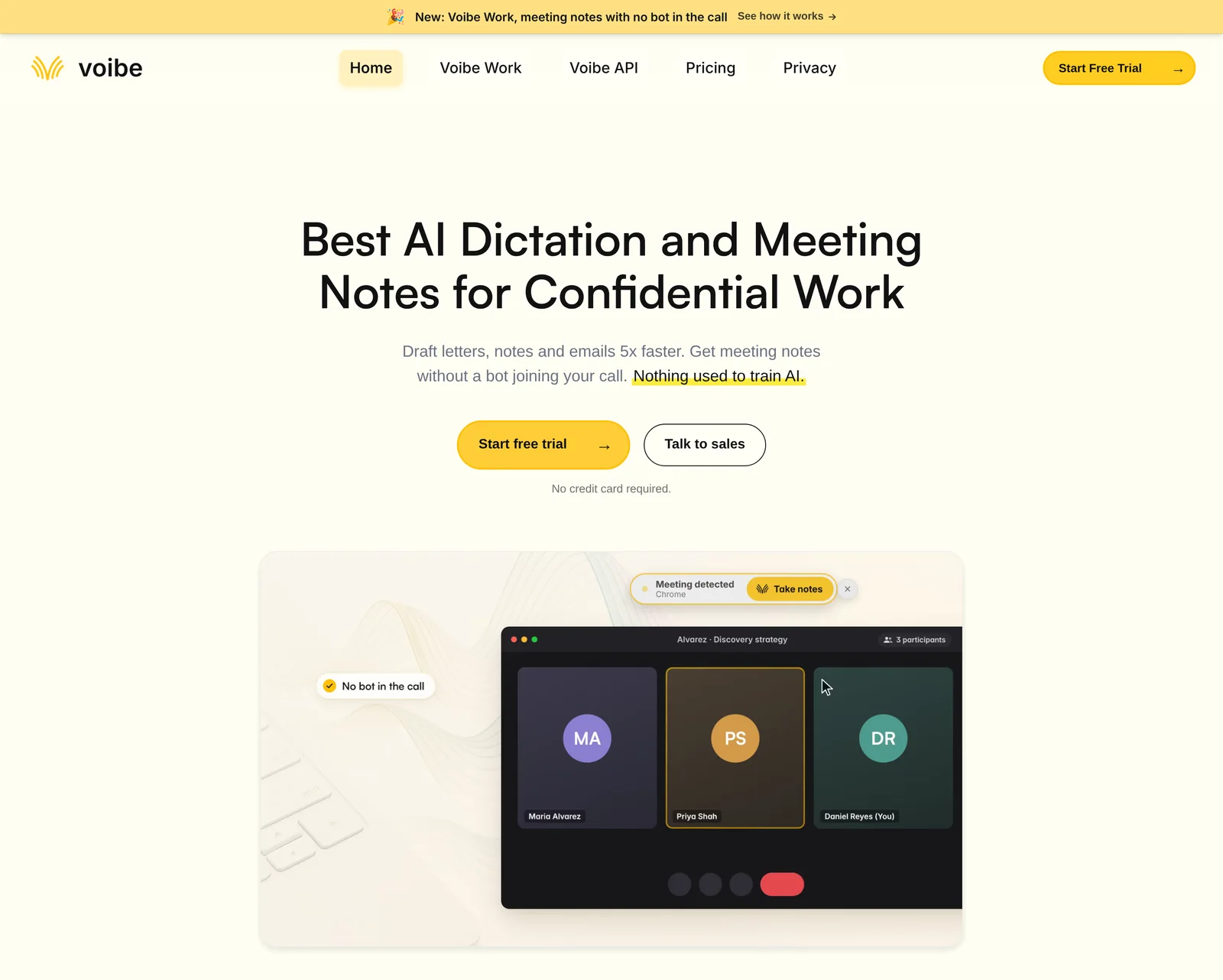
Voibe Work, the meeting-notes plan from the app we build, takes notes in Teams without joining the meeting.
Best for: consultants, lawyers, sales and finance people who live in other companies' Teams meetings.
How it works in Teams
- Capture: from your Mac or Windows PC, in the Teams desktop app or Teams in a browser.
- Other apps: Zoom, Google Meet, Webex and Slack huddles work the same way.
- No bot: nothing lands in the lobby, so the host's bot policy never comes up.
- External meetings: a client's tenant works the same as yours.
- In person: it records a meeting in the room through your computer's mic.
- Hands-free start: Voibe offers to take notes when a call starts. It isn't calendar auto-join.
- Windows: many Teams users live on Windows; see Voibe for Windows.
- Consent: Voibe reminds you to tell everyone you're taking notes when recording starts. Following consent rules is your responsibility.
What you get after the meeting
- Speaker labels: each line shows who spoke and when. Rename a speaker and the summary updates.
- Templates for each type of meeting: a client intake and a weekly stand-up get different summaries.
- Custom templates: build your own, such as a Teams recap in the email format below.
- Chat with your meetings: ask “what did we agree, and who owns what?” Nothing you ask is stored.
- One-click copy and PDF export for the recap email or the minutes file.
- Long meetings: up to 4 hours per meeting.
- Faster results: transcripts and summaries arrive 10 to 20 times faster than before, by Voibe's own measurements (October update).
- Meeting MCP (optional): ask ChatGPT and Claude about all your meetings. Whatever they read becomes part of that chat, under OpenAI's or Anthropic's terms.
- Dictation included: Voibe Work includes Voibe Dictation, so you can dictate the follow-up email too.
Where the notes go
- Audio: processed by open-source models on zero-retention cloud providers, then deleted as soon as processing completes.
- Transcript and summary: saved on your computer, not on Voibe's servers.
- Training: never (Voibe cloud privacy page).
- Internet: meeting notes need a connection. They aren't processed on-device.
The Voibe Work launch post walks through one meeting end to end.
Watch out for
- No shared team workspace. Notes sit on each person's computer. Share them by copy or PDF.
- No calendar auto-join and no CRM sync.
- A reminder, not a banner. Teams shows other participants nothing, so you have to say it.
- No phone app. Teams on iPhone or Android isn't covered.
Price, trial and rating
- Price: $19 a month, $149 a year or $399 once (lifetime, currently offered).
- Trial: every new account gets a 7-day trial of every Voibe Work feature, no credit card.
- Guarantee: paid plans have a 30-day money-back guarantee.
- Contracts: BAA available on request.
- Rating: Voibe is rated 4.8/5 from 6 Product Hunt reviews.
Trusted by 4,000+ professionals, including people at Netflix, NVIDIA, Amazon, Twilio, and Intercom





See Voibe Work in action
Take notes in your next Teams meeting
Start free on Mac or Windows. No bot waits in the lobby, and no credit card is required.
2. Microsoft 365 Copilot or Teams Premium: Best for Internal Meetings If You Already Pay for It
Already licensed for Copilot or Teams Premium? You've already bought a note taker, and for internal meetings it's hard to beat.
Best for: internal meetings at organizations already on Microsoft 365 Copilot or Teams Premium.
Why it ranks here
- No new vendor. Recordings and transcripts stay in the organizer's OneDrive or SharePoint, under your retention and eDiscovery (Microsoft Learn).
- The richest recap in Teams. AI notes, AI-recommended tasks, speaker markers, name mentions and chapters. Copilot adds audio and video recaps.
- A no-save mode. Copilot's “Only during the meeting” option uses speech-to-text data that “isn't saved after the meeting or event ends” (Microsoft Learn).
- Facilitator. With a Copilot licence, it writes live AI notes into a Loop page. Your organization's attendees can follow along; external participants can't.
- Training: “Prompts, responses, and data accessed through Microsoft Graph aren't used to train foundation LLMs” (Microsoft).
- A visible banner. “All participants see a notification that the meeting is being transcribed.”
Watch out for
- Your tenant only. In another organization's meeting, you can't start transcription or open their recap.
- Teams only. Zoom, Meet and most in-person meetings are out of reach.
- Licence stacking. Premium and Copilot sit on top of a qualifying Microsoft 365 or Teams plan.
- The default needs a saved transcript. Microsoft's default Copilot policy is “On with saved transcript required”. The no-save mode needs your admin to allow it.
Price and rating
Prices checked October 29, 2026.
- Teams Premium: $10 per user per month, paid yearly ($120).
- Microsoft 365 Copilot: $30 per user per month, paid yearly ($360), or $31.50 paid monthly on an annual commitment.
- Microsoft 365 Copilot Business add-on (up to 300 users): $21 per user per month, paid yearly ($252).
- First-year promotion: Copilot Business drops to $18 until December 31, 2026 (Microsoft).
- Rating: the Microsoft Teams iPhone app is rated 4.8/5 from 3,382,194 App Store ratings.
3. Granola: Best Bot-Free Option With a Team Workspace
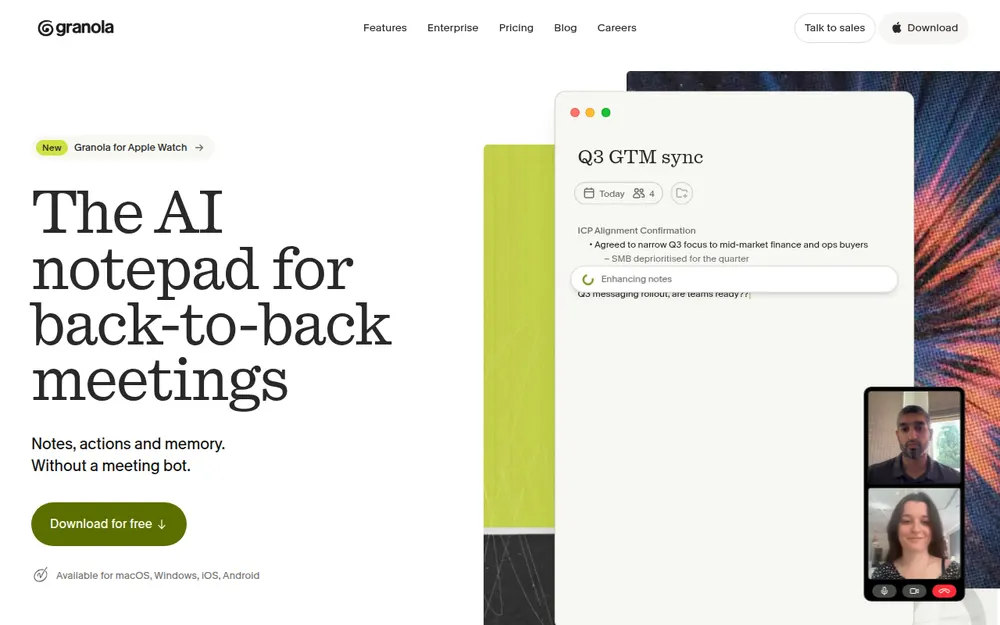
Granola sends no bot, so a strict Teams lobby doesn't bother it. Its notes came out polished in our testing.
The questions are where they live and who trains on them.
- Best for: teams that want bot-free notes plus shared folders in a team cloud.
How it works in Teams
- Capture: your microphone plus computer audio, on Mac or Windows. No bot.
- Speakers: display names on Teams desktop calls, per Granola's docs. Otherwise “Me” and “Them”.
- External meetings: works, since there's nothing to admit.
- In person: iPhone and Android apps.
Watch out for
- Vendor cloud. Notes live in Granola's US-hosted AWS cloud.
- Training on by default. Granola's pricing FAQ says it “trains on your anonymized data”. Each user can opt out; Enterprise is off by default.
- Short free history. Basic shows only the last 30 days of notes.
- No playback. Audio is deleted after transcription.
- A lawsuit. It faces a wiretap class action, Chamberlain v. Granola. See our Granola lawsuit explainer.
Price and rating
- Plans: Basic $0. Business $14 per user per month, billed monthly only ($168 a year). Enterprise $35.
- vs Voibe Work: Voibe Work is $19 (11.3%) less a year than Business. Full breakdown: Granola pricing.
- Rating: the iPhone app is rated 4.96/5 from 14,634 App Store ratings.
4. Fireflies: Best Bot-Based Note Taker for Teams, With a Bot-Free Fallback
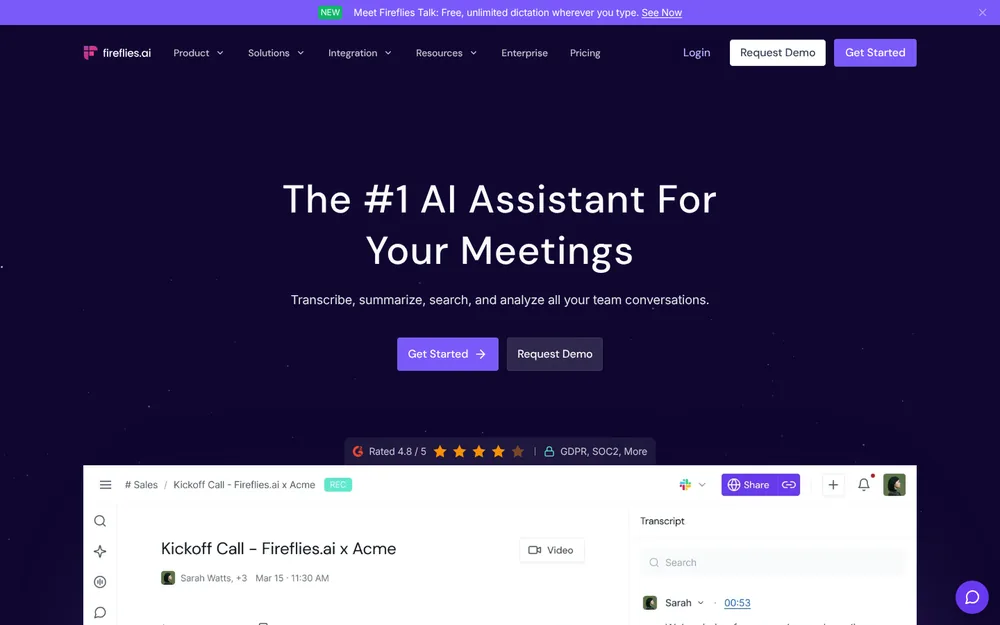
Fireflies is the most complete bot-based tool here. Its bot-free desktop mode covers meetings the bot can't enter.
Best for: sales and ops teams wanting CRM sync, team search and a free plan, mostly in meetings they host.
How it works in Teams
- The bot: joins from your calendar. In another tenant, it can sit in the lobby until someone admits it.
- Take Notes (desktop): captures system audio with no bot, on Windows 10+ and macOS 12+.
- The trade-off: without the bot, speakers are “Speaker 1” and “Speaker 2”, and no audio or video is saved.
Why it ranks here
- Training: its privacy policy says “We do not use personal information for AI model training.”
- Consent tools: the desktop mode plays a spoken notice and posts a chat message (Mac only).
- Camera watermark: it can show one too. That's more than Voibe Work's reminder.
- Free dictation: Fireflies Talk adds unlimited dictation on every plan.
Watch out for
- Vendor cloud. Meetings stay in Fireflies' cloud while your account is active.
- Campus bans. Case Western Reserve University blocked its bot on Zoom, Teams and Meet, along with Read AI's and Fathom's (CWRU UTech).
Price and rating
- Plans: Free $0. Pro $10 per seat per month billed annually ($120) or $18 monthly.
- Higher tiers: Business $19 annually ($228) or $29. Enterprise $39, annual only.
- vs Voibe Work: Pro is $29 (24.2%) cheaper a year than Voibe Work; Business costs $79 (34.6%) more. Details: Fireflies pricing.
- Rating: the iPhone app is rated 4.82/5 from 5,397 App Store ratings.
5. Jamie: Bot-Free, With Data Kept in Europe
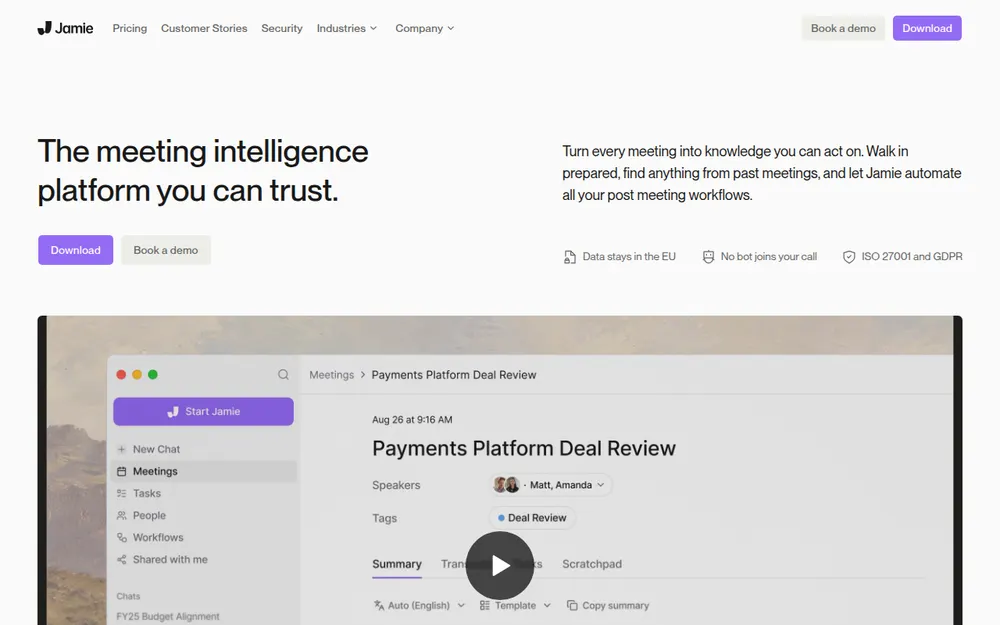
Jamie captures Teams from your computer, with no bot, and keeps its data in Europe.
Best for: EU and UK teams that want bot-free notes hosted in Europe.
Why it ranks here
- No bot: Mac and Windows apps, plus iPhone for in-person meetings.
- Europe only: Jamie's security page says “All data storage and processing stays within the EEA, Switzerland, and the UK”.
- Audio: deleted after transcription.
- Training: meeting data is never used to train models, by Jamie or its model providers.
Watch out for
- Tight free plan: 10 AI notes a month, 30-minute meetings.
- Plus caps: 20 notes a month and 2-hour meetings.
- Vendor cloud: notes still live on Jamie's servers.
Price and rating
- Plans: Free $0. Plus $24 per month billed annually ($288). Pro $46 ($552). Team $37 per seat.
- vs Voibe Work: Voibe Work is $139 (48.3%) less a year than Plus.
- Rating: the iPhone app is rated 4.89/5 from 258 App Store ratings.
6. Read AI: A Polite Bot With Training Off by Default
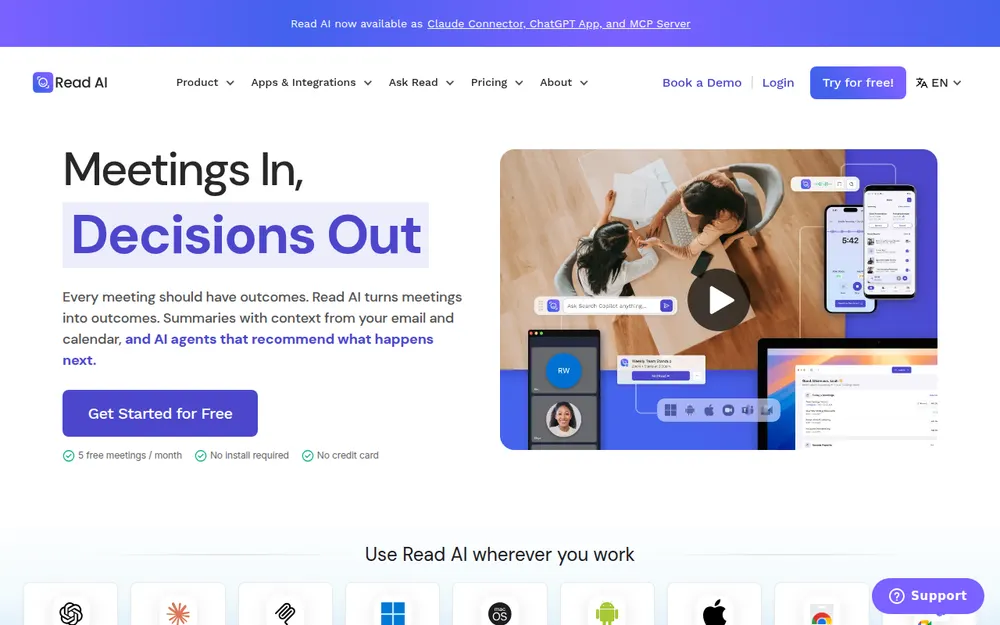
Read AI sends a bot by default, but the best-mannered one here. Its training default beats most.
Best for: teams that want meeting analytics and coaching in meetings they host.
Why it ranks here
- Training: “AI training is opt-in. Contributing to model improvement is off by default.”
- The bot asks: Read says it “announces itself at the start of every meeting and requires host approval before joining”.
- Anyone can remove it: typing “opt out” in the chat removes Read and deletes that meeting's data.
- A bot-free option: the desktop app captures without a bot, on Windows 10+ and macOS 14+.
Watch out for
- It spreads. The University of Memphis said Read AI “joins Teams meetings”, emails summaries, and is “able to quickly propagate throughout an organization” (Memphis ITS).
- Campus blocks. Eastern Washington University blocked Read AI and Otter over them “appearing in Zoom and Teams meetings without the consent of all participants” (EWU).
- Vendor cloud. Reports live in Read AI's US cloud while you pay.
Price and rating
- Plans: Free covers 5 meetings a month. Pro is $15 per user per month billed annually ($180) or $19.75 monthly.
- Enterprise: $22.50 or $29.75.
- vs Voibe Work: Voibe Work is $31 (17.2%) less a year than Pro. Full plans: Read AI pricing.
- Rating: the iPhone app is rated 4.88/5 from 1,040 App Store ratings.
7. Otter: The Familiar Bot, With a Desktop Mode
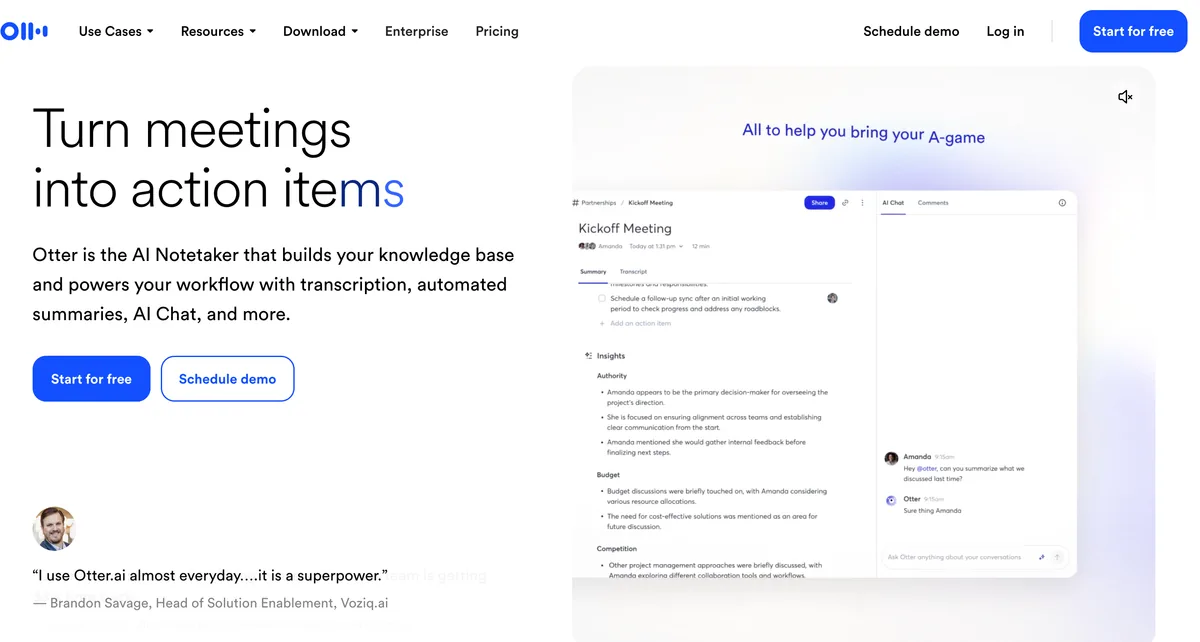
Most Teams users have met Otter, usually as a bot in someone else's meeting. It's capable.
The trade-offs are training and the lobby.
- Best for: people who want Otter's live transcript in meetings they host, and who accept its training terms.
How it works in Teams
- The bot: Otter Notetaker joins Teams, Zoom and Meet from your calendar.
- The desktop app: records without a bot on Mac and Windows.
- Registered bot: Otter is among the vendors in Microsoft's bot identification program, per Office 365 for IT Pros.
- Still waits: registered or not, a detected bot waits for the organizer.
Watch out for
- Training: Otter's privacy policy covers training “on de-identified audio recordings and on transcriptions”. I found no opt-out.
- Litigation: it faces a wiretap class action. An August 2026 order let the core claims proceed (Is Otter safe?).
- Free limits: Basic gives 300 minutes a month, 30 minutes per conversation.
Price and rating
- Pro: $8.33 per user per month billed annually ($99.96) or $16.99 monthly.
- Pro limits: 1,200 minutes a month and 90-minute meetings.
- Business: $19.99 annually ($239.88) or $30.
- vs Voibe Work: Voibe Work costs $49.04 (49.1%) more a year than Pro, and $90.88 (37.9%) less than Business. See Otter pricing.
- Rating: the iPhone app is rated 4.79/5 from 87,103 App Store ratings.
8. Krisp: Bot-Free Notes Plus Noise Cancellation in Teams
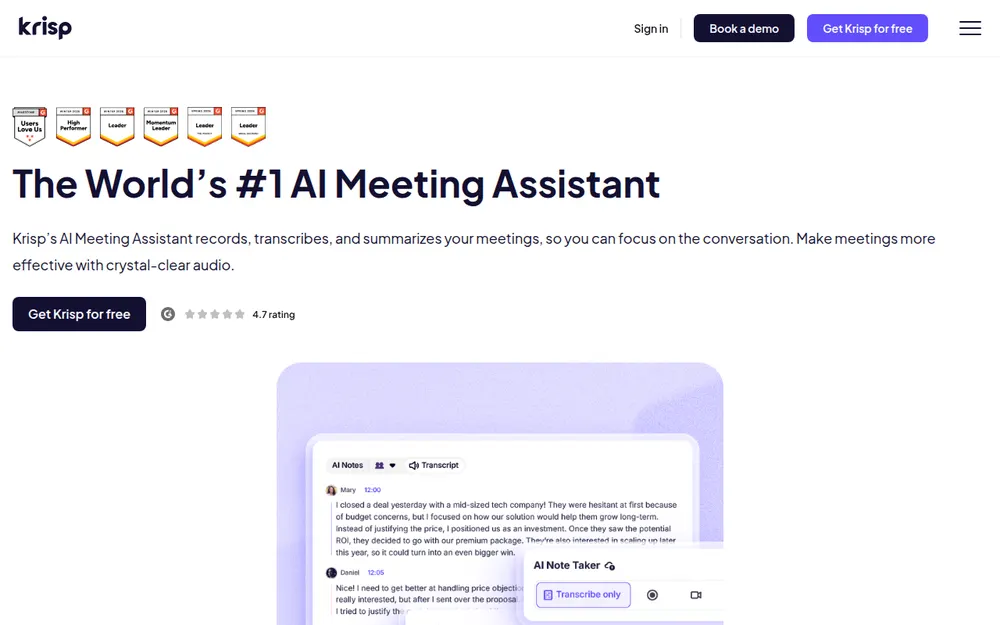
Krisp started as noise cancellation and grew a note taker. In Teams, it's a virtual mic and speaker.
Best for: people on noisy Teams calls who want noise cancellation and notes in one app.
How it works in Teams
- Setup: select “Krisp Speaker” and “Krisp Microphone” in your meeting app, then turn on Note Taker.
- Optional bot: from Core up, a Krisp bot can join Teams, Zoom or Meet. The host must authorize it.
- Noise: it cancels background noise on your side and on other people's.
- Training: Krisp says meeting data is “never used to train Krisp's AI models”.
Watch out for
- No free plan. After the 7-day trial, all access stops.
- Vendor cloud. Recordings and notes stay in Krisp's US cloud until you delete them. Summaries run on Microsoft Azure.
- On-device transcription is Enterprise-only.
- No dictation. Krisp has no system-wide dictation.
Price and rating
- Plans: Core $8 per user per month billed annually ($96) or $16 monthly. Advanced $15 ($180) or $30.
- vs Voibe Work: Voibe Work costs $53 (55.2%) more a year than Core, and $31 (17.2%) less than Advanced.
- Rating: the iPhone app is rated 4.73/5 from 271 App Store ratings.
9. Fathom: A Generous Free Plan, but Teams Mostly Gets the Bot
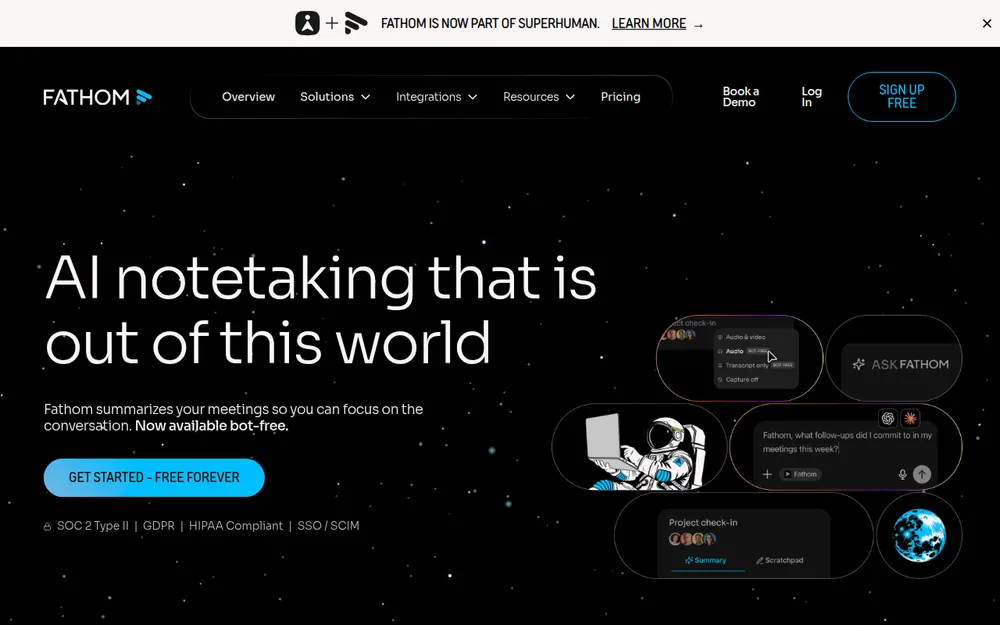
Fathom has one of the most generous free plans. In Teams, though, you mostly get the bot.
Best for: individuals on a budget who host their own Teams meetings and don't mind a bot.
Why it ranks here
- Free plan: unlimited recordings and transcripts. Advanced summaries cover your first 5 calls each month.
- Extras: clips, playlists and search across calls.
Watch out for
- Bot-free is a Mac-only beta. Fathom's help center says Teams bot-free capture's “initial availability may vary”. Windows is “coming soon”.
- Gaps: Fathom lists “Microsoft Teams group chat instant meetings” as unsupported.
- Training: it trains in-house models on de-identified data by default. You can opt out in settings.
- Bans: Case Western Reserve University named Fathom in its notetaker block.
Price and rating
- Plans: Free $0. Premium $16 per user per month billed annually ($192) or $20 monthly.
- Team and Business: Team $15 or $19 (2-user minimum). Business $25 or $34.
- vs Voibe Work: Voibe Work is $43 (22.4%) less a year than Premium. See Fathom pricing.
- Rating: Fathom's Google Meet extension is rated 4.9/5 from 1.7K Chrome Web Store ratings.
Other AI Note Takers Teams Users Ask About
- tl;dv: a bot by default, plus a desktop app that records Teams without a bot in audio-only mode.
- Price: Free covers 10 meetings with AI notes. Pro is $18 per seat per month billed annually ($216); Business $29 ($348).
- Rating: its Chrome extension is rated 4.6/5 from 600 ratings.
- Circleback: a bot or a bot-free desktop app that records Teams. See our Circleback alternatives.
- Notta: a bot or bot-free desktop recording; the free plan caps each conversation at 3 minutes. See Notta alternatives.
- Quill Meetings: bot-free, with free local transcription. See Quill alternatives.
- Wispr Flow Notetaker: bot-free, with notes in Wispr's US cloud. Compared in Wispr Flow Notetaker vs Voibe Work.
Wider lists beyond Teams
- Tools that never join the call: our best no-bot meeting note takers.
- Every platform, not just Teams: the best AI meeting note takers.
What Is a Teams Meeting Recap? Contents, Access and a Recap Email Template
A Teams meeting recap is the Recap tab in the meeting chat and calendar event.
After the meeting, it gathers the recording, transcript, shared files, notes, agenda and follow-up tasks in one place (Microsoft Support).
What a Teams recap contains
| Part | Standard recap | Intelligent recap (Premium or Copilot) |
|---|---|---|
| Recording | If the meeting was recorded | Yes, with speaker markers and chapters |
| Transcript | If the meeting was transcribed | Yes |
| Shared files, notes, agenda | Yes | Yes |
| AI notes and AI-recommended tasks | No | Yes, for transcribed meetings of 5+ minutes |
| Name mentions and screen-share markers | No | Yes |
| Audio and video recap | No | Copilot licence only |
Who can see a Teams recap
- Invited people in the organizer's organization can open the intelligent recap.
- Everyone else can't, “even with the recording link or Teams Premium”.
- The workaround: you can email an AI summary to participants, including people outside your organization, or share the recap via Outlook.
- Deleting: only organizers and co-organizers can delete a recap, and that removes everything in it.
How a third-party recap travels
- Voibe Work: the summary sits on your computer, so it goes wherever you paste or export it.
- Bot tools: they email a recap or share a link from their cloud, depending on settings.
Copy-paste meeting recap email template
Fill it from any note taker's summary: Teams intelligent recap, Voibe Work or a bot's notes.
In Voibe Work, save it as a custom template so every Teams summary follows it.
Subject: Recap: [meeting name], [date]
Hi all, thanks for today. Here's what we covered and what happens next.
- Recap: [two or three sentences on the purpose and the outcome]
Decisions
- [Decision]
- [Decision]
Action items
- [Owner]: [task], due [date]
- [Owner]: [task], due [date]
Open questions
- [Question]: [who will answer], by [date]
Next meeting: [date and time]. Agenda: [items].
Reply by [date] if I missed or misstated anything.
Three rules for a recap people read
- Every action item gets one owner and one date. “The team” is not an owner.
- Check AI notes against the transcript. Microsoft itself warns AI content may be inaccurate or incomplete.
- Quote decisions word for word when the wording matters, such as prices, dates and scope.
Need formal minutes rather than a recap email? See our guide to AI meeting minutes.
What an AI Note Taker for Teams Costs vs Voibe Work ($149 a Year)
Annual billing, per user, for the plan most people would actually use.
Microsoft's add-ons also need a qualifying Microsoft 365 or Teams licence, which isn't counted here. Free plans and hidden costs for the wider field are in what every meeting note taker costs.
| Tool and plan | Per user per year | Voibe Work ($149) vs this | 10 users per year |
|---|---|---|---|
| Voibe Work | $149 (or $399 once) | n/a | $1,490 |
| Krisp Core | $96 | Voibe Work costs $53 more (55.2%) | $960 |
| Otter Pro | $99.96 | Voibe Work costs $49.04 more (49.1%) | $999.60 |
| Teams Premium (add-on) | $120 | Voibe Work costs $29 more (24.2%) | $1,200 |
| Fireflies Pro | $120 | Voibe Work costs $29 more (24.2%) | $1,200 |
| Granola Business | $168 | $19 less (11.3%) | $1,680 |
| Read AI Pro | $180 | $31 less (17.2%) | $1,800 |
| Fathom Premium | $192 | $43 less (22.4%) | $1,920 |
| tl;dv Pro | $216 | $67 less (31.0%) | $2,160 |
| Fireflies Business | $228 | $79 less (34.6%) | $2,280 |
| Otter Business | $239.88 | $90.88 less (37.9%) | $2,398.80 |
| Microsoft 365 Copilot Business (add-on) | $252 ($216 first-year promo) | $103 less (40.9%); $67 less (31.0%) vs the promo | $2,520 |
| Jamie Plus | $288 | $139 less (48.3%) | $2,880 |
| Microsoft 365 Copilot (add-on) | $360 | $211 less (58.6%) | $3,600 |
Where Voibe Work costs more, and what the cheaper plan leaves out
- Krisp Core ($96): no free plan after the trial, 10 GB of storage, notes in Krisp's cloud, and no dictation.
- Otter Pro ($99.96): 1,200 minutes a month, 90 minutes per meeting, and training on de-identified data.
- Teams Premium ($120): only Teams meetings in your own tenant, on top of your Teams licence.
- Fireflies Pro ($120): 8,000 minutes of storage per seat and 20 AI credits. Notes stay in Fireflies' cloud.
Over three years, per user
- Microsoft 365 Copilot: $1,080. Voibe Work lifetime ($399 once, currently offered) is $681 (63.1%) less.
- Granola Business: $504. Voibe Work lifetime is $105 (20.8%) less.
- Teams Premium: $360. Here Voibe Work lifetime costs $39 (10.8%) more, but also covers meetings outside your tenant and other apps.
Dictation comes bundled
- Voibe Work: includes Voibe Dictation, which costs $99 a year on its own.
- Fireflies: also bundles free dictation (Fireflies Talk), so dictation doesn't separate those two.
Sources, checked October 29, 2026: Voibe pricing, Teams Premium, Microsoft 365 Copilot and Copilot Business.
Plus each vendor's pricing page: Krisp, Otter, Fireflies, Granola, Read AI, Fathom, tl;dv and Jamie.
Teams Admin Blocked My Note Taker: What's Happening and What to Do
Note taker never made it in? One of five things usually happened.
| What you see | Likely cause | What to do |
|---|---|---|
| The bot sits in the lobby with a “Bot” tag | The host tenant's default bot policy, “When detected, require approval before joining” | Ask the organizer to admit it, or take notes another way |
| The bot never shows up | Anonymous join is off in the host tenant, or IT blocked the vendor | Ask the organizer; you can't change their tenant |
| The bot was admitted, then removed | The organizer removed it, or someone typed “opt out” (Read AI) | Ask before the meeting next time |
| “Start transcription” is missing | You're from another tenant or joined anonymously, or your policy turns it off | Ask the organizer to transcribe and share |
| No Copilot button | The organizer set Copilot to Off, which also turns off recording and transcription | Ask the organizer or your admin |
Who blocks notetaker bots
- Case Western Reserve University: from September 12, 2025, blocked third-party AI note takers on Zoom, Microsoft Teams and Google Meet (CWRU UTech).
- Why CWRU did it: one reason given is “CWRU does not have enterprise contracts with these vendors”. The block names Fireflies, Read AI and Fathom.
- Eastern Washington University: blocked Read AI and Otter after complaints about them joining Zoom and Teams meetings without everyone's consent (EWU).
- University of Memphis: blocked Read AI from November 1, 2024, after it spread through Teams meetings (Memphis ITS).
For admins: the settings involved
- Manage external bots and their access to meetings: in Meeting policies, under Meeting join and lobby.
- Its two values: “When detected, require approval before joining” (default) or “Do not detect bots”. In PowerShell it's ExternalBotAccessMode (Microsoft Learn).
- Who can admit from lobby: Microsoft suggests organizers and co-organizers only, so a presenter can't wave a bot in.
- Anonymous users can join a meeting: turning it off keeps out bots that join anonymously, and anonymous people too (Microsoft Learn).
- Explicit recording consent: ExplicitRecordingConsent makes participants agree before they're recorded or transcribed (Microsoft Learn).
Before you switch to a bot-free tool
- Not a way around policy. A desktop note taker doesn't make a ban go away.
- Ask first. If your organization or the host bans AI note-taking, ask before you record.
- Then say it. Tell everyone when you start; Voibe Work reminds you.
Warning
Microsoft says some bots may not be detected and some people may be flagged as bots. Treat the lobby tag as a prompt to ask, not proof.
Recording Consent in Teams Meetings: Banners, Bots and Desktop Capture
Teams, bots and desktop apps disclose recording in three different ways. Know which one you're relying on.
How each method tells the room
- Teams' own recording and transcription: “All participants see a notification that the meeting is being transcribed” (Microsoft Support).
- Explicit consent: admins can also require it.
- Bots: visible in the lobby and the participant list. Read AI announces itself; others post in the chat, depending on settings.
- Desktop capture: Teams shows nothing.
- Voibe Work: reminds you to tell everyone you're taking notes when recording starts. You're responsible for consent rules.
- Fireflies desktop mode: adds a spoken notice and a watermark. Check what any other desktop tool shows.
State recording law
Per the Reporters Committee's state-by-state guide (our AI notetaker consent laws by state adds cross-state calls and late joiners):
- All-party consent: California, Florida, Maryland, Massachusetts, Montana, New Hampshire and Pennsylvania.
- Generally all-party: Illinois and Washington.
- One-party: most other states, including New York and Texas.
With people in several states, follow the strictest rule. One person in California makes it an all-party call.
A line you can say at the start
“Before we start: I'm using an AI note taker so I can focus. It writes a summary for my notes. Is everyone comfortable with that?”
Warning
This is a summary for comparing tools, not legal advice. Check the recording law where each participant is, plus your organization's and the host's policies.
How to Choose the Right AI Note Taker for Microsoft Teams
Is the meeting hosted in your own Microsoft 365 tenant?
- No, it's a client's or partner's → Voibe Work. No bot to admit, notes saved on your computer.
- Yes → keep going.
Does your organization already pay for Copilot or Teams Premium?
- Yes → use intelligent recap for internal Teams meetings.
- No → keep going.
Do bots get blocked, or do your meetings also happen on Zoom, Meet or in person?
- Yes → Voibe Work ($149 a year). Want a shared team cloud instead? Granola or Jamie.
- No → keep going.
Do you need CRM sync and a shared team workspace?
- Yes → Fireflies or Read AI, with the host admitting the bot.
- No → Voibe Work.
Best AI Note Taker for Your Teams Situation
Clients, partners and every other meeting app
| Your situation | Best choice | Why |
|---|---|---|
| Consultant in clients' Teams meetings all week | Voibe Work | Works in their tenant with nothing to admit |
| Teams on Windows, also Zoom and Meet | Voibe Work | One app for every meeting app on Mac or Windows |
| Recap email to a client after the call | Voibe Work | Save the template above as a custom template, then copy or export |
| Your organization blocks notetaker bots | Ask IT; then Voibe Work or intelligent recap | A bot ban may cover desktop tools too |
Your own Teams meetings and team needs
| Your situation | Best choice | Why |
|---|---|---|
| Internal stand-ups, Copilot already licensed | Intelligent recap | AI notes and tasks in your tenant, no new vendor |
| Teams Premium but no Copilot | Intelligent recap | AI notes and tasks are included in Premium |
| EU team that wants data in Europe | Jamie | Storage and processing in the EEA, Switzerland and UK |
| Shared team notes in a cloud workspace | Granola | Bot-free, with team folders |
| Sales team that needs CRM sync | Fireflies | Bot plus integrations; bot-free desktop fallback |
| Meeting analytics and coaching | Read AI | Training off by default; host approves the bot |
| Noisy home office | Krisp | Noise cancellation and notes in one app |
| Free, for meetings you host | Fireflies Free or Fathom Free | Bot-based free plans |
Frequently Asked Questions About AI Note Takers for Microsoft Teams
Grouped from basics to price.
Basics
What is the best AI note taker for Microsoft Teams?
Voibe Work, for most people: no bot in the lobby, it works in meetings you don't host, and notes are saved on your computer.
It costs $149 a year. Licensed for Copilot or Teams Premium? Use intelligent recap internally.
Does Microsoft Teams have a built-in AI note taker?
Yes. Intelligent recap writes AI notes and tasks with Teams Premium ($10 per user per month, paid yearly) or a Microsoft Copilot licence.
Teams Essentials ($4 a month) records and transcribes without AI.
Is Teams intelligent recap free?
No. It needs Teams Premium or a Microsoft Copilot licence on top of your Teams plan.
A standard recap is included when you record or transcribe. AI notes need a transcript and at least five minutes.
Bots, admins and the lobby
Why is my AI note taker stuck in the Teams lobby?
Teams' default policy, “When detected, require approval before joining”, holds detected bots in the lobby until the organizer admits them.
In someone else's meeting, ask first, or capture from your own computer and tell everyone.
Can Teams admins block AI note taker bots?
Yes. Admins can keep bot detection on, limit who admits from the lobby, turn off anonymous join or block a vendor.
Case Western Reserve, Eastern Washington and Memphis universities have blocked notetaker bots.
Can I use an AI note taker in a Teams meeting I don't host?
Yes, with limits. You can't start the host's transcription or open their recap, and a bot needs admitting.
Desktop tools like Voibe Work capture from your computer. Check the host's policy and tell everyone.
Privacy and consent
Where does Teams store meeting transcripts and recordings?
In the organizer's OneDrive, or the channel's SharePoint site for channel meetings.
They expire after 120 days by default; admins can change that. External participants need the organizer to share them.
Do AI note takers for Teams train on my meetings?
Some do. Otter and Fathom train on de-identified data; Granola on anonymized data unless you opt out.
Read AI is opt-in. Voibe, Fireflies, Jamie and Krisp say they never do. Copilot data doesn't train Microsoft's foundation LLMs.
Does Teams tell people when an AI note taker is recording?
Not always. Teams' own transcription shows everyone a notification, and a bot appears in the participant list.
A desktop app shows nothing, so you must say it. Voibe Work reminds you; consent rules are your responsibility.
Pricing and platforms
How much does an AI note taker for Teams cost?
From $0 to $360 a user a year (Microsoft 365 Copilot). Fireflies, Otter, Fathom, Granola, Jamie and Read AI have free plans.
Voibe Work is $149 a year, $19 a month or $399 once.
Is Microsoft 365 Copilot worth it just for Teams meeting notes?
Only if you also use it in Word, Outlook and Excel.
For notes alone, Voibe Work costs $211 (58.6%) less a year than Copilot's $360, and it works outside your tenant.
Does Voibe Work work with Teams on Windows?
Yes. It runs on Mac and Windows, in the Teams desktop app or browser, with no bot.
Meeting notes need an internet connection. There's no iPhone or Android app, so Teams on your phone isn't covered.
Final Verdict: The Best AI Note Taker for Microsoft Teams
In Teams, the note-taker question is a tenant question first and a features question second.
- Most people, and anyone in clients' meetings: Voibe Work. No bot in the lobby, notes saved on your computer, $149 a year or $399 once, Mac and Windows.
- Internal meetings with Copilot or Premium already licensed: intelligent recap.
- A shared team cloud without a bot: Granola, or Jamie for European hosting.
- CRM sync, in meetings you host: Fireflies.
- Whatever you pick: tell everyone you're taking notes. Voibe reminds you.
Leaving a paid note taker mid-plan? Our switch offer credits the time left plus one bonus month of Voibe Work, up to 12 months.
Try Voibe Work free for 7 days → Every feature, no credit card, no automatic charge.
Related reading
- Best AI meeting note takers: every platform, not just Teams
- Best meeting transcription apps: when you need the verbatim transcript
- Best no-bot meeting note takers
- AI note takers for finance and for healthcare: Microsoft's compliance angle in regulated teams
- The Granola lawsuit: what bot-free capture means for consent