

Meeting Transcription Apps: The Short Answer
An hour-long client call ends. You need one sentence: what exactly did she agree to?
The AI summary says "discussed timelines". That's no help. A meeting transcription app should give you the words:
- Who said each line.
- When they said it.
- A file you can keep.
The ranking
I tested every app here hands-on, on real calls.
Then I checked each vendor's pricing and help pages on October 29, 2026.
- Voibe Work: best for live meetings without a bot. Speaker labels with a time on every line, saved on your computer. $149 a year.
- Otter: best shared transcript archive, with live captions and DOCX or SRT export on Pro.
- Zoom, Teams and Google Meet: best free option if everyone is on one platform and the plan includes it.
- Rev: best when a human has to check every word. $1.99 a minute.
- MacWhisper: best on-device option for Mac files and calls. €64 once.
- TurboScribe: cheapest unlimited file transcription, $120 a year.
- Sonix: best pay-as-you-go file transcription, $10 an hour, 54+ languages.
- Notta: live and file transcription in 58 languages, with a 3-minute cap on Free.
- Fireflies: meeting bot with 100+ languages; downloads need a paid plan.
Already have the recording?
- Up to 30 minutes: Voibe's free audio to text converter transcribes the file with no signup.
- Longer files: the Voibe API, at $10 for 2,000 minutes.
Key takeaways
| App | Best for | Key strength | Price |
|---|---|---|---|
| Voibe Work | Live meetings in any app, no bot | Time on every line; transcript saved on your computer | $149/yr |
| Otter | Shared team archive | Live transcript; MP3, TXT, PDF, DOCX, SRT on Pro | $99.96/yr (Pro) |
| Zoom, Teams, Meet | One-platform teams | Already in the meeting app | In your plan |
| Rev | Transcripts a human verifies | Human transcription on demand | $1.99/min human |
| Voibe converter and API | Files you already recorded | Speaker labels, TXT and SRT, no signup | Free to 30 min; $10 / 2,000 min |
Want notes rather than a transcript? See our best AI meeting note takers.
Whatever you use, tell everyone you're transcribing. Voibe reminds you when recording starts; consent rules are your responsibility.
Key Takeaway
For live meetings with no bot, Voibe Work is the best meeting transcription app: a speaker label and a time on every line, saved on your computer, $149 a year. For a shared cloud archive, Otter. For human-checked words, Rev. For a file you already have, Voibe's free converter (up to 30 minutes) or the Voibe API ($10 for 2,000 minutes).
Live Meeting Transcription vs Transcribing a Recording: Two Different Jobs
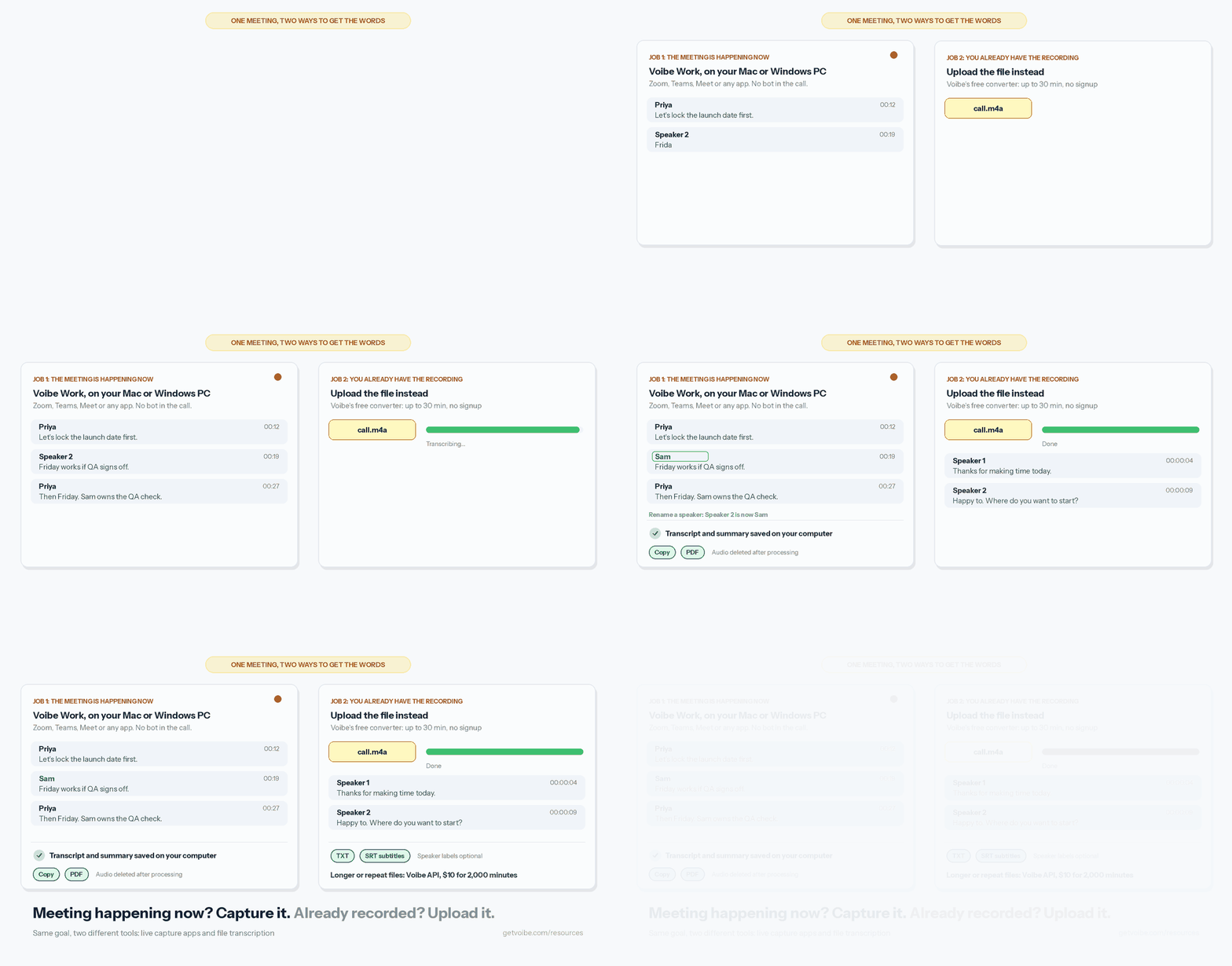
"Meeting transcription" covers two jobs. Most apps are good at one of them.
- Job 1: the meeting is happening now. You need an app that captures the call as it runs. It comes in three shapes:
- Bots join the call.
- Desktop apps capture your computer's audio.
- Platform tools transcribe their own meetings.
- Job 2: you already have the recording. You need file transcription: upload an MP3, M4A or MP4 and get text back.
Mixing them up is the easiest buying mistake to make.
- Granola won't take a file.
- TurboScribe won't join a call.
- Zoom won't transcribe a local recording.
Which apps do which job
| Job | Strongest picks | Also does it |
|---|---|---|
| Live meetings | Voibe Work, Otter, Zoom/Teams/Meet | Notta, Fireflies, MacWhisper (Mac, Pro) |
| Recorded files | Voibe converter and API, Rev, TurboScribe, Sonix, MacWhisper | Otter, Notta, Fireflies |
Have both jobs? You need two tools, or one that does both well enough.
Voibe covers both with two products: Voibe Work for live meetings, and the converter or API for files.
Why Meeting Transcripts Let People Down
Most complaints about meeting transcription aren't about accuracy.
They're about the transcript not existing, being cut short, or being stuck somewhere.
1. The platform transcript only exists if you set it up first
Zoom transcribes cloud recordings on paid plans.
A local recording gets no transcript, and upgrading later doesn't help.
"Zoom only provides meeting transcription for recordings made with our Cloud Recording service."
That's Zoom's own reply on its community forum. Another user had asked for "the transcription for pre-existed records, even as a on-demand service."
Our guide to transcribing a Zoom recording covers the workaround.
2. Free plans cut the meeting short
- Otter Basic: 30 minutes per conversation, 300 minutes a month, 3 file imports for the life of the account.
- Notta Free: 3 minutes per recording.
- Fireflies Free: downloads of transcripts need Pro or higher, per its help guide.
3. Bot-free modes can lose the speaker names
Fireflies' bot-free desktop mode labels speakers "Speaker 1" and "Speaker 2", per its own bot-vs-no-bot table.
A transcript without names is hard to quote.
4. Meeting bots get blocked
- Eastern Washington University blocked Read AI and Otter after "several complaints regarding read.ai and otter.ai tools appearing in Zoom and Teams meetings without the consent of all participants".
- Morgan State blocked Fireflies, Otter, Read AI and MeetGeek bots from university-hosted Zoom meetings in June 2026 (Morgan State IT).
5. A summary isn't a record
A summary is someone's compression of what was said.
When you need the exact commitment or a quote, the compression is the part you can't check.
How the Better Meeting Transcription Apps Fix These Problems
Each of those failures has a fix. Here's what to look for.
- No setup to forget: desktop capture apps such as Voibe Work and MacWhisper record from your computer, in any meeting app. You don't need the host's cloud recording.
- No cap on a normal meeting: Voibe Work handles up to 4 hours per meeting, with no minute caps on paid plans.
- Same ceiling elsewhere: Otter Business and Fireflies Enterprise also reach 4 hours.
- Names without a bot: Voibe Work labels each speaker with a time next to every line. Click a name to rename a speaker, and the summary updates.
- A file for recordings: upload tools such as Voibe's converter, Rev, TurboScribe and Sonix take the recording you already have.
- The transcript, not just a summary: every app ranked here keeps the full transcript and lets you copy or export it.
What Makes a Meeting Transcript Usable: 7 Checks
A usable meeting transcript passes seven checks.
I call it the usable-transcript test, and I ran every app here through it.
What's on the page
- Speaker labels. Every turn names who spoke. Check whether you can rename "Speaker 2" once, everywhere.
- A time on every line. Timestamps let you jump back to the moment and cite it.
- Verbatim or cleaned. Verbatim keeps every "um" for legal and research work. Cleaned text is easier to read. Know which one you're getting.
How it gets out of the app
- Export formats. TXT for notes, DOCX for editing, PDF for the file, SRT or VTT for captions. Check which plan unlocks each one.
Whether it fits your meetings
- Live capture or file upload. Match the app to the job: a meeting happening now, or a recording on disk.
- Languages. Counts range from 6 (Otter) to 100+ (Fireflies, MacWhisper). Check your languages, not the total.
- Where the archive lives, and a human option. Your computer or the vendor's cloud. And for high-stakes words, can a person verify them?
Tip
Run a 10-minute test call with two people before you buy. Check the speaker names, the times and the export file, not the summary.
Meeting Transcription Software Compared
Capture, bots, speaker labels and languages
| App | Live or file | Bot? | Speaker labels | Languages |
|---|---|---|---|---|
| Voibe Work | Live: any meeting app or in person | No | Yes, time on every line, rename | Not published for meetings |
| Voibe converter + API | File | n/a | Optional, with timestamps | Multilingual Whisper |
| Otter | Both | Bot, or desktop app with none | Yes, editable | 6 |
| Zoom, Teams, Meet | Live, own platform | Built in | Teams: yes | Meet 8; Teams 50+ settings |
| Rev | File (plus a notetaker) | n/a | Yes | Free 1; Pro 37+ |
| MacWhisper | File, plus Mac calls on Pro | No | Pro | 100 |
| TurboScribe | File | n/a | Yes (setting) | 90+ |
| Sonix | File | n/a | Yes | 54+ |
| Notta | Both | Bot, or desktop app with none | Yes, editable | 58 |
| Fireflies | Both | Bot by default; desktop app without | Yes with the bot; "Speaker 1/2" without | 100+ |
Exports, free tiers and the cheapest annual plan
| App | Export formats | Free tier | Cheapest paid, annual |
|---|---|---|---|
| Voibe Work | Copy, PDF | Voibe Free is dictation only; meetings in the 7-day trial | $149/yr |
| Voibe converter + API | TXT, SRT (converter); JSON (API) | Converter free to 30 min per file; API 15 free minutes | $10 per 2,000 min |
| Otter | Basic: MP3, TXT. Pro+: PDF, DOCX, SRT | 300 min/mo, 30-min cap, 3 lifetime imports | $99.96/yr |
| Zoom, Teams, Meet | Zoom VTT; Teams DOCX, VTT; Meet Google Doc | Zoom Basic: no cloud transcript | In your plan |
| Rev | DOCX, PDF, TXT; SRT, VTT captions | 45 AI min/mo, English only | $305.90/yr; human $1.99/min |
| MacWhisper | Free: TXT, SRT, VTT. Pro: DOCX, PDF, MD, HTML | Yes, on-device | €64 once |
| TurboScribe | PDF, DOCX, TXT, CSV, SRT, VTT | 3 files/day, 30 min each | $120/yr |
| Sonix | DOCX, PDF, TXT, SRT, VTT | 30 free minutes | $10/hr, or $275/yr |
| Notta | TXT, DOCX, SRT, PDF (paid) | 120 min/mo, 3-min cap | $97.99/yr |
| Fireflies | PDF, DOCX, SRT, CSV, JSON, MD (Pro+) | Transcription, 400 min storage | $120/yr |
- Voibe Work trial: every new account gets a 7-day trial of every Voibe Work feature.
- Sources: prices and limits are from each vendor's pricing page or help center, checked October 29, 2026.
- Languages: counts are the vendor's own.
What Meeting Transcription Costs per Year
Per user, billed annually, for the cheapest paid plan.
The last column compares each one with Voibe Work at $149 a year. Free plans, team costs and hidden limits are in our AI meeting note taker pricing breakdown.
Annual price, plan by plan
| Plan | Per year | What it includes | Voibe Work ($149) vs this |
|---|---|---|---|
| Notta Pro | $97.99 | 1,800 min/mo, 5 h per recording | Voibe Work costs $51.01 more (52.1%) |
| Otter Pro | $99.96 | 1,200 min/mo, 90 min per meeting | Voibe Work costs $49.04 more (49.1%) |
| TurboScribe Unlimited | $120 | Unlimited files, no live capture | Voibe Work costs $29 more (24.2%) |
| Fireflies Pro | $120 | 8,000 min storage, 2 h per meeting | Voibe Work costs $29 more (24.2%) |
| Voibe Work | $149 | Unlimited meetings up to 4 h each, plus dictation | n/a |
| Notta Business | $199.99 | Unlimited minutes | $50.99 less (25.5%) |
| Fireflies Business | $228 | Unlimited storage, 3 h per meeting | $79 less (34.6%) |
| Otter Business | $239.88 | Unlimited meetings, 4 h per meeting | $90.88 less (37.9%) |
| Sonix Core | $275 | 60 hours a year, files only | $126 less (45.8%) |
| Rev Essentials | $305.90 | 5,000 AI min/mo, files | $156.90 less (51.3%) |
Where Voibe Work isn't the cheapest
- Otter Pro, Notta Pro, Fireflies Pro and TurboScribe all cost less per year. Each caps something: meeting length, minutes, storage, or live capture.
- MacWhisper Pro is €64 once. Voibe Work lifetime is $399 once, currently offered.
- Your meeting platform may already include transcripts at no extra cost.
Occasional recordings: pay per minute instead
If you only transcribe a few recordings, a subscription is the wrong tool.
Here's 10 hours of recordings a year (600 minutes):
- Voibe converter: $0, if each file is 30 minutes or less.
- Voibe API: $10. One 2,000-minute pack covers it, and minutes never expire.
- Sonix pay as you go: $100, at $10 an hour.
- Rev human transcription: $1,194, at $1.99 a minute.
- Voibe Work: $149. It's for live meetings, so it's the wrong buy for files alone.
Where pay-per-minute stops winning
- Sonix vs Voibe Work: Sonix pay as you go stays cheaper than Voibe Work until about 15 hours of recordings a year.
- Voibe API, small pack: cheaper still, at $0.30 an hour on the $10 pack.
- Voibe API, big pack: $0.25 an hour on the $100 pack for 24,000 minutes.
Sources, checked October 29, 2026: the vendors' own pricing pages for Voibe, Otter, Notta, Fireflies, Sonix and Rev.
TurboScribe's pricing comes from its own help and learn pages, because its pricing page blocks automated fetches.
How I Tested and Ranked These Meeting Transcription Apps
Three steps, the same for every app, ours included.
- Hands-on: I used every app here on real calls and real recordings.
- Checked against the vendor: then I confirmed each price, free-plan limit, export format and language count on the vendor's own pages, on October 29, 2026.
- Ranked on the usable-transcript test: speaker labels, times, export, the job it does, languages, where it's stored, and a human option.
Why Voibe Work is first
- It reaches every meeting: any meeting app or the room, on Mac or Windows, with no bot.
- The transcript stays with you: saved on your computer, with a speaker and a time on every line.
- Weak spots: no file upload, no SRT or DOCX, no shared team archive. The file route is a separate Voibe tool.
Why Otter is second
Otter is the strongest all-rounder for a team that wants one shared, searchable cloud archive.
It loses first place on three things: free-plan caps, six languages and training on de-identified data.
1. Voibe Work: Best for Live Meeting Transcription Without a Bot
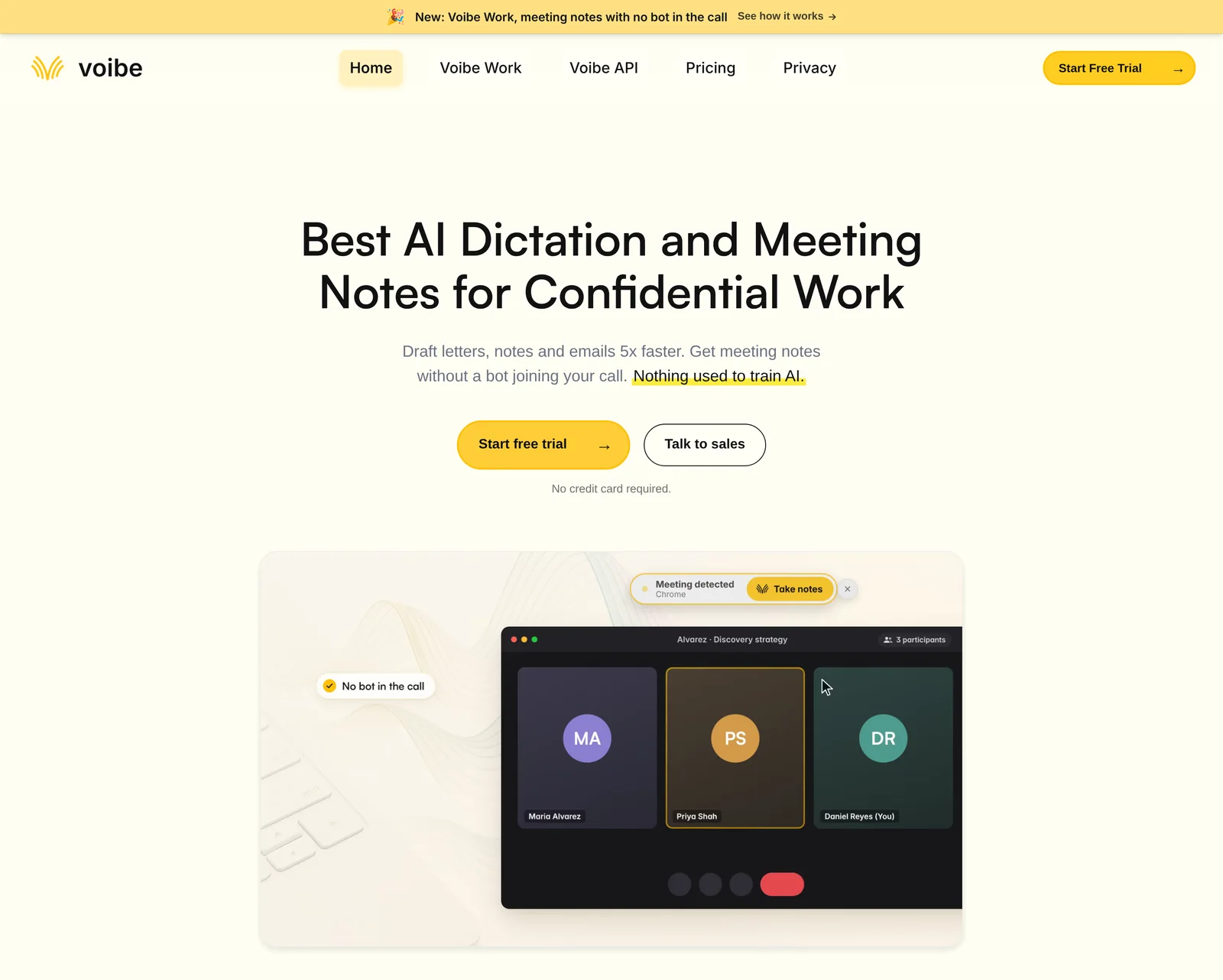
Voibe Work, the meeting plan in the app we build, transcribes from your own computer. Nothing joins the call.
Best for: people who meet in many apps, or in person, and want the transcript on their own machine.
Why it ranks here
- Any meeting: Zoom, Microsoft Teams, Google Meet, Webex, Slack huddles or any other app, from your Mac or Windows PC.
- In the room too: in-person meetings record through your computer's mic.
- Speaker labels with a time on every line: click a speaker's name to rename them, and the summary updates. Names aren't pulled from your calendar.
- Long meetings: up to 4 hours per meeting, unlimited meetings, no minute caps.
- Faster than before: transcripts and summaries arrive 10 to 20 times faster than before, by Voibe's own measurements (October update).
Where the transcript goes
- Audio deleted: meeting audio is processed by open-source models on zero-retention cloud providers, then deleted.
- Kept on your computer: the transcript and summary are saved on your computer, not on Voibe's servers, and never used to train AI.
- Out of the app: one-click copy and PDF export of transcripts and summaries.
What you can do with it
- Templates, including your own: summary templates for each type of meeting, plus custom templates you create yourself.
- Chat with your meetings: ask "what was agreed, who owns what". Nothing you ask is stored.
- Meeting MCP: ask ChatGPT and Claude about all your meetings. It's optional; whatever ChatGPT or Claude reads becomes part of that chat, under OpenAI's or Anthropic's terms.
The Voibe Work launch post walks through a meeting from capture to saved transcript.
Watch out for
- No file upload. Voibe Work captures meetings as they happen. For a recording you already have, use the converter or API below.
- No SRT or DOCX. Exports are copy and PDF. Need captions? Use the converter's SRT.
- No recording to replay. Audio is deleted after processing.
- No shared team archive and no calendar auto-join. Voibe offers to take notes when a call starts, which isn't the same.
- Needs internet. Meeting audio is processed in the cloud, not on your computer.
- No phone app. Mac and Windows only.
- Consent is on you. Voibe reminds you to tell everyone you're taking notes when recording starts; you're responsible for consent rules.
For recordings you already have: Voibe's file route
- Free audio to text converter: MP3, M4A, WAV, MP4 and more, up to 30 minutes per file, no signup.
- Output: optional speaker labels with timestamps; copy, TXT or SRT.
- Deletion: audio is deleted once the transcript is saved; the transcript after 24 hours.
- Voibe API and MCP server: for longer files or repeat jobs. A diarized transcript with per-segment timestamps.
- Price: $10 for 2,000 minutes up to $100 for 24,000.
- Billing: per-second, charged only on DONE, 15 free minutes.
Price and rating
- Price: $19 a month, $149 a year, or $399 once (currently offered), dictation included.
- Free trial: every new account starts with a 7-day trial of every Voibe Work feature, no credit card.
- Refunds: paid plans have a 30-day money-back guarantee.
- Rating: Product Hunt 4.8/5 (6 reviews), for Voibe.
Trusted by 4,000+ professionals, including people at Netflix, NVIDIA, Amazon, Twilio, and Intercom





See Voibe Work in action
Get your next meeting transcript free
Start free on Mac or Windows. 7 days of every Voibe Work feature, no credit card required.
2. Otter: Best Shared Meeting Transcript Archive
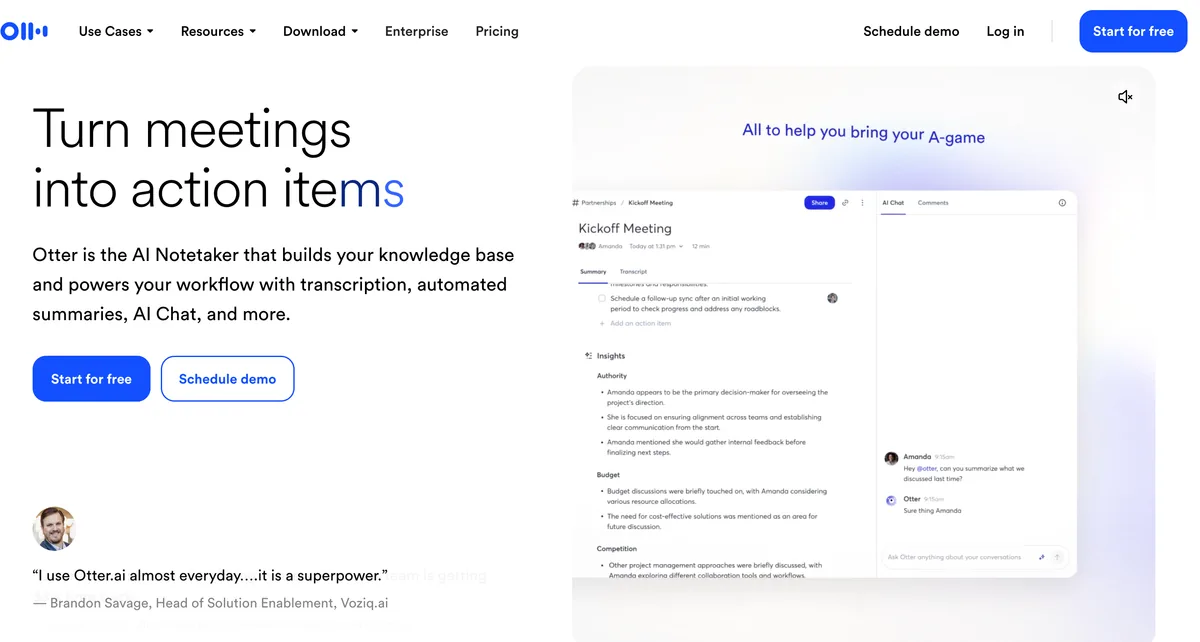
Otter is the transcript-first tool most people have met, usually as a bot in someone else's call.
Best for: teams that want one shared, searchable cloud archive of every meeting, with comments and highlights.
Why it ranks here
- Both jobs: live transcription through a bot or the bot-free desktop app on Mac and Windows, plus audio and video file imports.
- A live view, then an archive: it shows the transcript live, then keeps it in a searchable team workspace.
- Editable speaker tags and advanced search by speaker and date range.
- Real exports on Pro and up: MP3, TXT, PDF, DOCX and SRT, with bulk export on Business. Basic exports only MP3 and TXT.
- Long meetings on Business: up to 4 hours per meeting and unlimited imports.
Watch out for
- Free caps: 300 minutes a month, 30 minutes per conversation, 3 lifetime file imports.
- Pro caps: 1,200 minutes a month, 90 minutes per meeting, 10 imports a month.
- Six languages: English, Spanish, French, German, Japanese and Chinese, per its pricing page.
- Training: its privacy policy says it trains on "de-identified audio recordings and on transcriptions". Detail in Is Otter safe?
Price and rating
- Pro: $16.99 a month or $99.96 a year.
- Business: $30 a month or $239.88 a year.
- Against Voibe Work: Voibe Work costs $49.04 (49.1%) more than Otter Pro, and $90.88 (37.9%) less than Business.
- All tiers: Otter pricing explained.
- Rating: App Store 4.79/5 (87,018).
3. Zoom, Microsoft Teams and Google Meet: Best Free Option on One Platform
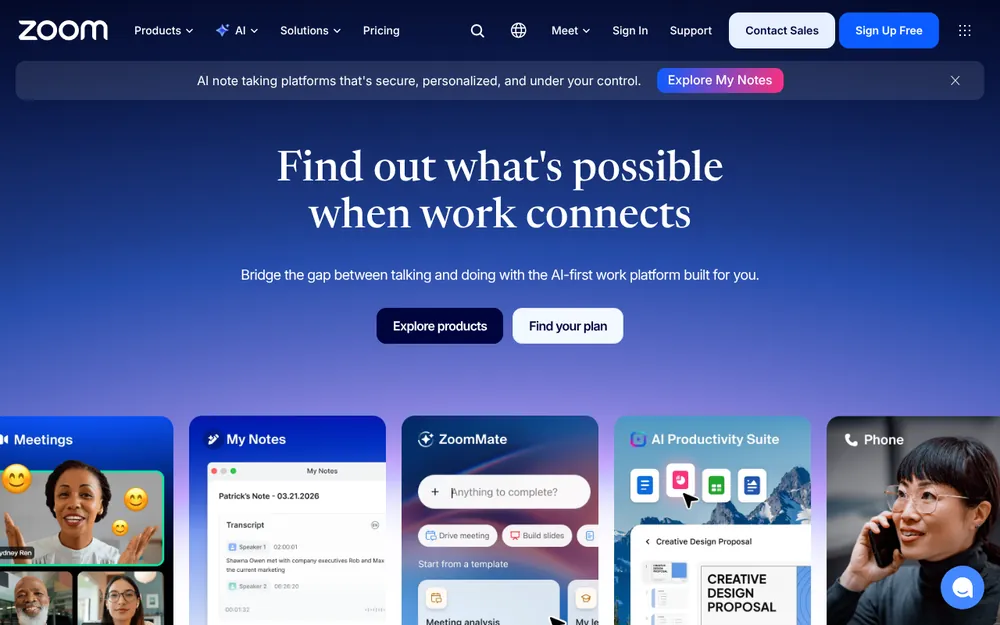
If every meeting is on one platform, check its built-in transcript first. You may already pay for it.
Best for: organizations that meet almost entirely in Zoom, Teams or Meet.
What each one gives you
- Zoom: transcribes cloud recordings on Pro, Business, Education and Enterprise plans, as a VTT file.
- Set it first: the setting must be on before you record. Local recordings get no transcript.
- Cost: Zoom Workplace Pro is $16.99 a user a month billed monthly, or $14.16 billed annually ($169.92 a year), per Zoom's pricing page.
- Microsoft Teams: a live transcript with "timestamps and speaker attribution", saved with the recording in OneDrive or SharePoint (Microsoft Learn).
- Download: organizers can download it as .docx or .vtt (Microsoft Support).
- Admin control: transcription is a meeting-policy setting your admin controls.
- Google Meet: transcripts on Business Standard, Business Plus, Enterprise and some Education and Individual editions.
- Where it's saved: the organizer's Google Drive, attached to the calendar event (Google Meet help).
Watch out for
- Own platform only. None of them transcribes the client's Zoom call when you live in Teams, or a meeting in the room.
- Languages: Meet lists 8 transcript languages. Teams offers more than 50 spoken-language settings.
- The host decides. If you're a guest, you get the transcript only if the host turns it on and shares it.
- On Teams? Our AI note takers for Microsoft Teams covers what Teams Premium and Copilot add on top.
Price and rating
- Price: included in the plans above; no separate transcription fee.
- Rating: iPhone apps on the App Store: Zoom 4.66/5 (3,259,296), Teams 4.8/5 (3,382,121), Meet 4.76/5 (2,332,773).
- Caveat: these rate the whole meeting app.
4. Rev: Best When a Human Has to Check Every Word
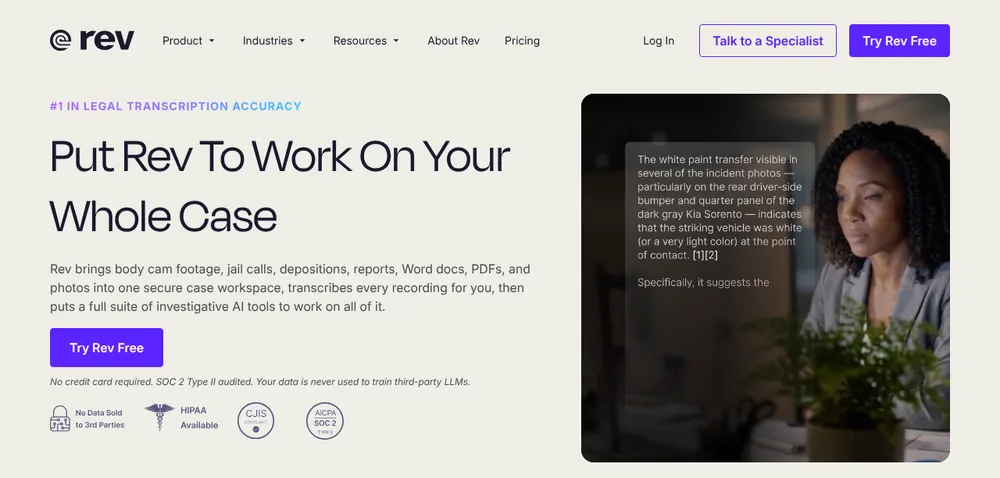
Rev, the oldest name here, is the only one on this list that sells human transcription by the minute.
Best for: depositions, research interviews, board minutes and anything you'll quote in public.
Why it ranks here
- Human-verified option: human transcription is $1.99 a minute. A verbatim add-on keeps every filler word.
- Legal formatting: legal-formatted transcripts are $2.25 or $2.50 a page.
- Proper exports: Word (.docx), PDF and plain text, plus SRT and VTT captions, per Rev's help center.
- AI tiers for volume: Essentials includes 5,000 AI minutes per user a month; Pro 10,000.
Watch out for
- English only on Free. Essentials adds Spanish; 37+ languages need Pro.
- Files first. It has an AI notetaker, but Rev is built around uploads.
- Pitched at case work. Its site now leads with legal and investigative work.
- Price: Essentials is $305.90 a year, $156.90 (51.3%) more than Voibe Work.
Price and rating
- Free: 45 AI minutes a month.
- Essentials: $29.99 a month or $25.49 billed annually.
- Pro: $59.99, or $47.99 billed annually ($575.88 a year).
- Human transcription: priced separately.
- Rating: App Store 4.52/5 (4,358).
More options in our Rev alternatives for journalists.
5. MacWhisper: Best On-Device Option for Mac Files and Calls
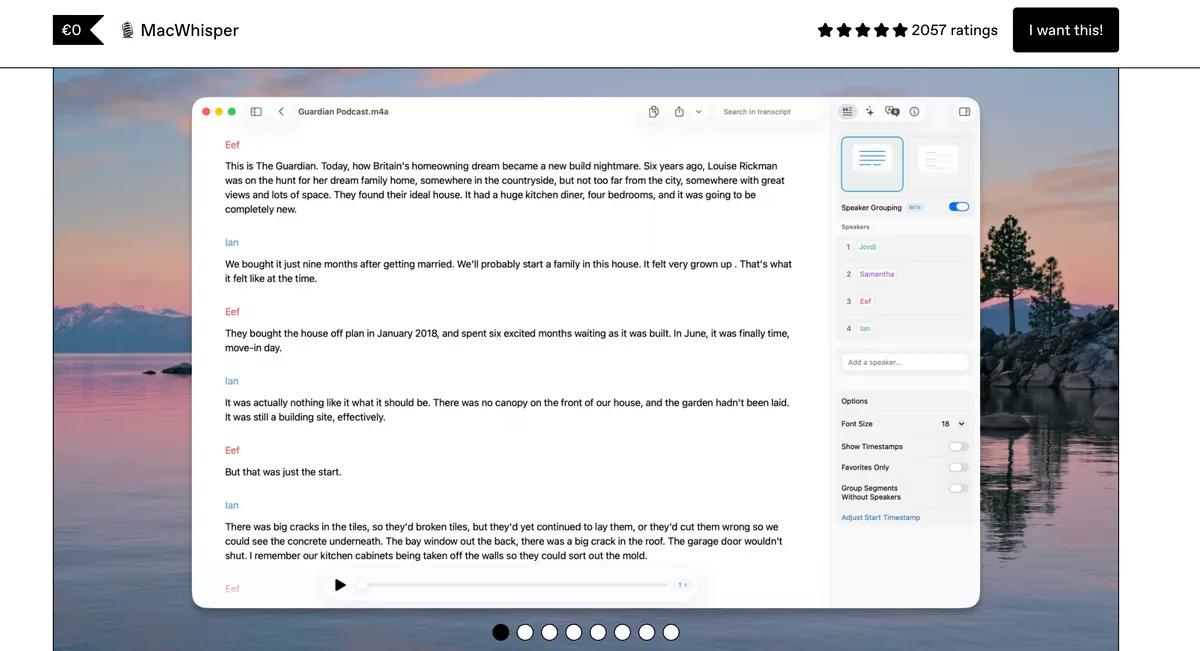
MacWhisper runs Whisper on your Mac. Files never leave the machine.
Best for: Mac users with recordings they won't upload, such as interviews and client calls.
Why it ranks here
- Both jobs, on a Mac: it transcribes files, and Pro records Zoom, Teams, Webex, Skype, Chime and Discord calls with automatic start and end detection.
- Exports: TXT, SRT and VTT on Free; Pro adds DOCX, PDF, Markdown and HTML.
- 100 languages, batch transcription and watched folders on Pro.
Watch out for
- Mac only. No Windows or phone version of this app.
- Speaker recognition is Pro. Free transcripts have no speaker labels.
- Your Mac does the work. Speed depends on the machine and the model you pick.
Price and rating
- Price: free tier; Pro is €64 once with lifetime updates. That's cheaper than any subscription here.
- Details: MacWhisper pricing.
- Rating: the "Whisper Transcription" App Store edition is rated App Store 3.92/5 (172).
6. TurboScribe: Cheapest Unlimited File Transcription
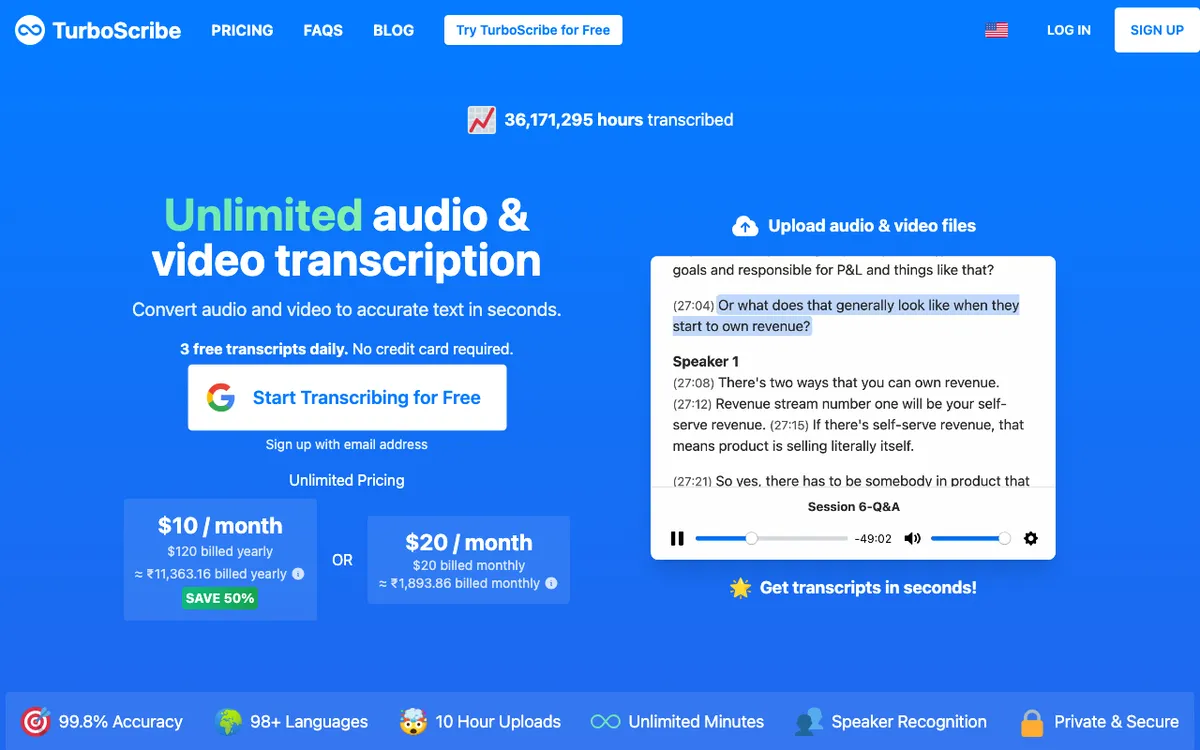
TurboScribe does one job: upload files, get transcripts, with no monthly minute cap on its paid plan.
Best for: people with a backlog of recorded meetings, lectures or interviews.
Why it ranks here
- Unlimited plan: files up to 10 hours or 5 GB, up to 50 files per upload.
- Exports: PDF, DOCX, TXT and CSV, plus SRT and VTT captions, per its FAQ.
- Speaker recognition as a transcription setting.
Watch out for
- No live capture. It won't record a meeting.
- Free limits: 3 files a day, 30 minutes each, one upload at a time.
Price and rating
- Price: Unlimited is $10 a month billed yearly ($120 a year), or $20 monthly.
- Against Voibe Work: Voibe Work costs $29 (24.2%) more, but transcribes live meetings instead of files.
- Rating: Trustpilot 4.5/5 (527).
7. Sonix: Best Pay-As-You-Go File Transcription
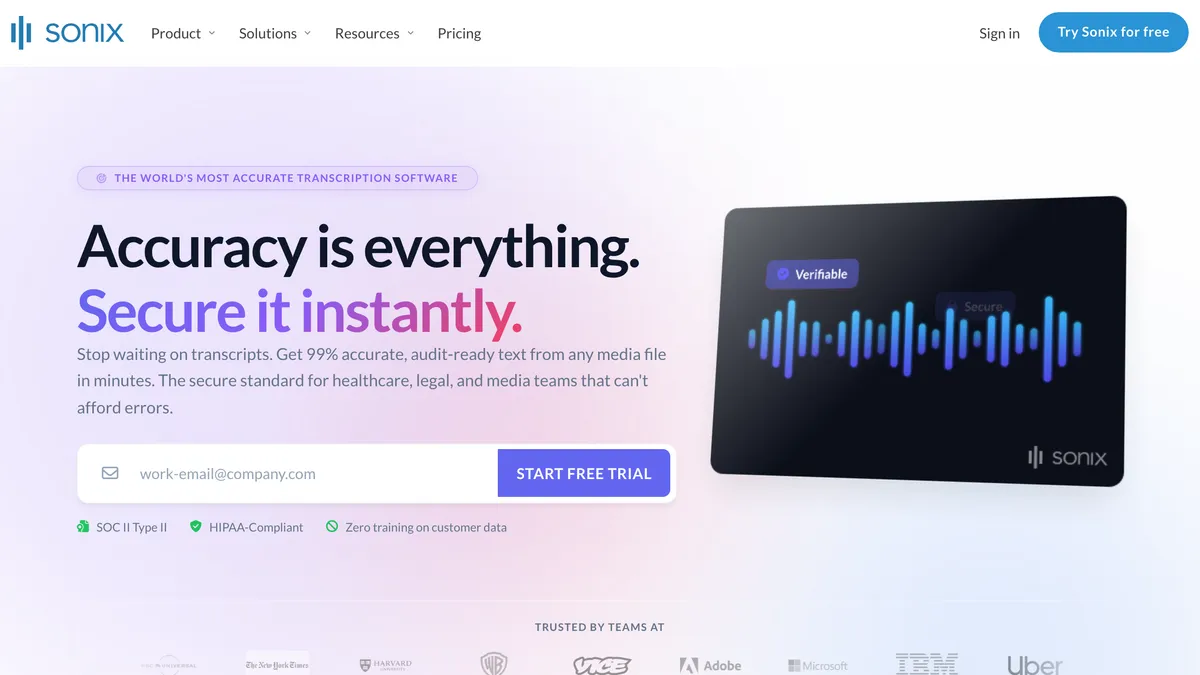
Sonix charges by the hour of audio, prorated to the second. That suits occasional meeting recordings.
Best for: occasional recordings in many languages, with an editor to fix names before you export.
Why it ranks here
- 54+ languages for transcription, and translation into 54+.
- Speaker labels and timestamps on every plan.
- Exports: DOCX, PDF and TXT, plus SRT and VTT subtitles.
Watch out for
- Files only. It doesn't capture a meeting live.
- Subscriptions add up: Core includes 5 hours a month; extra hours are $10 each.
Price and rating
- Pay as you go: $10 an hour. New accounts get 30 free minutes.
- Core: $25 a month or $275 a year (60 hours a year).
- Higher tiers: Advanced $550 a year; Pro $880 a year.
- Rating: Trustpilot 4.4/5 (1,124).
8. Notta: Live and File Transcription in 58 Languages
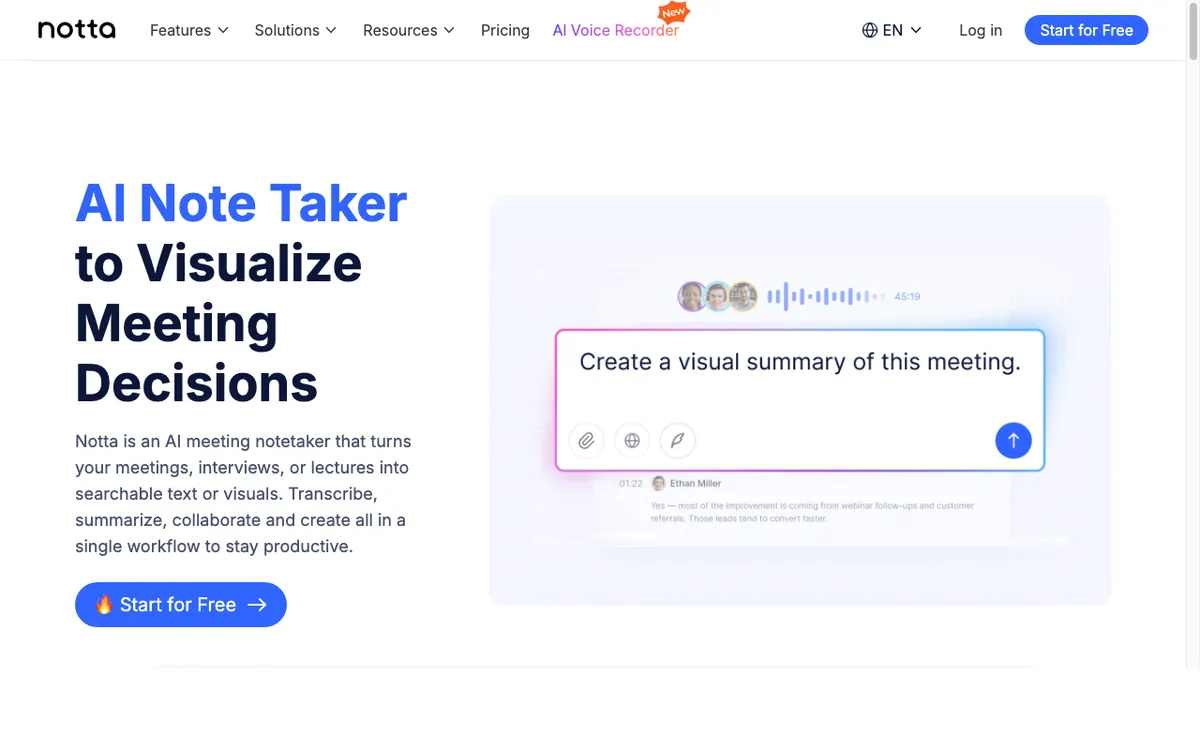
Notta does both jobs: a bot or bot-free desktop recording on Mac and Windows, plus file uploads.
Best for: multilingual teams on a budget that can live with paid-plan exports.
Why it ranks here
- 58 languages, per Notta's own pages (some say 50+), and bilingual transcription a few times a month.
- Long recordings on paid plans: up to 5 hours per recording.
- Edit speaker names, timestamped notes, and TXT, DOCX, SRT or PDF export on paid plans.
Watch out for
- Free is a demo: 120 minutes a month, 3 minutes per recording.
- Downgrading hides old transcripts: its FAQ says Free users "can only view the first 3 minutes of the transcript". Export before you cancel.
Price and rating
- Pro: $97.99 a year (1,800 minutes a month).
- Business: $199.99 a year.
- Against Voibe Work: Voibe Work costs $51.01 (52.1%) more than Pro, and $50.99 (25.5%) less than Business.
- Rating: App Store 4.07/5 (1,466).
9. Fireflies: Meeting Bot Transcripts in 100+ Languages
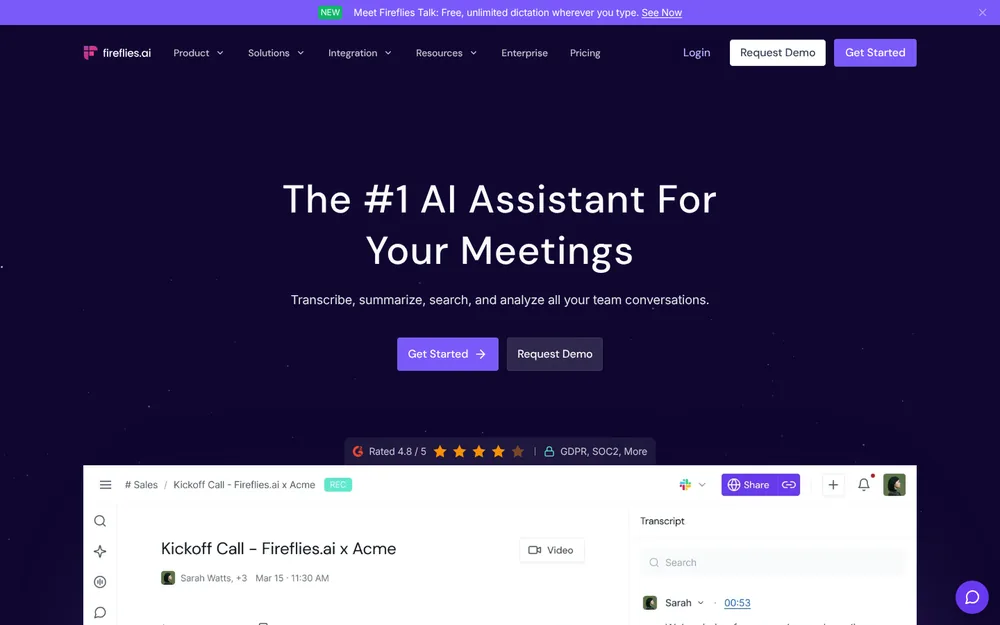
Fireflies is a meeting bot first, with a bot-free desktop app, a Chrome extension and file uploads on the side.
Best for: sales and customer teams that want the bot, search across calls and CRM integrations.
Why it ranks here
- 100+ transcription languages and unlimited transcription on every plan, Free included.
- Exports on Pro and up: PDF, DOCX, SRT, CSV, JSON or Markdown, with timestamps and speaker labels as options.
Watch out for
- Names need the bot. The bot-free desktop mode labels "Speaker 1" and "Speaker 2" and saves no audio.
- Downloads need Pro. Free stores 400 minutes per team.
- Meeting length: 2 hours on Free and Pro, 3 on Business, 4 on Enterprise.
Price and rating
- Pro: $10 a month billed annually ($120 a year), with 8,000 minutes of storage.
- Business: $228 a year.
- Against Voibe Work: Voibe Work costs $29 (24.2%) more than Pro, and $79 (34.6%) less than Business.
- More detail: plans in Fireflies pricing; data handling in Is Fireflies safe?
- Rating: App Store 4.82/5 (5,387).
Other Meeting Transcription Tools Worth Knowing
- Trint: a newsroom-style transcript editor for interviews and recorded files. It's built for journalists more than meetings.
- Descript: edit audio and video by editing the transcript. Transcription in 25 languages; Hobbyist is $16 a month billed annually, with 10 media hours a month.
- Granola: bot-free meeting notes with a transcript, kept in Granola's US cloud. It deletes audio and takes no files.
- Legal: it faces a privacy class action; see the Granola lawsuit.
- Notes over transcript: if you want the summary more than the transcript, see our best AI meeting note takers.
- Never joins the call: see best no-bot meeting note takers.
Turning a transcript into formal minutes is its own job.
- The how-to: our guide to AI meeting minutes walks through it.
- In Voibe Work: create a custom template for formal minutes and get the summary in that shape.
Recording Consent: Tell Everyone Before You Transcribe
Transcribing a meeting means recording it. Many US states require everyone's consent.
- All-party consent: California, Florida, Maryland, Massachusetts, Montana, New Hampshire and Pennsylvania.
- Generally all-party: Illinois and Washington.
- One-party: most other states, including New York, Texas, Ohio and Georgia.
Source: the Reporters Committee's state-by-state recording guide. When people join from different states, follow the strictest law.
Bots announce themselves; desktop capture doesn't
- A bot shows up as a participant, so people can see it. That's also why some hosts block it.
- Bot-free capture (Voibe Work, MacWhisper, Otter's or Notta's desktop apps) is invisible to others. You have to say it.
- Voibe Work reminds you to tell everyone you're taking notes when recording starts. You're responsible for consent rules.
A line you can say at the start
"Before we start: I'm recording this call so I have an accurate transcript. Is everyone OK with that?"
Warning
This is a summary, not legal advice. Check your state's law and your organization's policy before you record a meeting.
How to Choose a Meeting Transcription App
Start with the job. Then answer the questions below until you land on a pick.
Is the meeting happening now, or already recorded?
- Already recorded: skip to the file questions below.
- Happening now: keep going.
Is everyone on one platform with transcription in your plan?
- Yes: use the Zoom, Teams or Google Meet transcript.
- No, or meetings in many apps and in person: keep going.
Do you need a shared cloud archive for the whole team?
- Yes: Otter (Pro $99.96 a year) or Fireflies (Pro $120 a year).
- No: Voibe Work. No bot, a time on every line, saved on your computer, $149 a year. Tell everyone; Voibe reminds you.
For a recording: must a person check every word?
- Yes: Rev human transcription, $1.99 a minute.
- No: keep going.
On a Mac, and the file mustn't leave it?
- Yes: MacWhisper, €64 once.
- No: Voibe's converter (free to 30 minutes) or Voibe API ($10 for 2,000 minutes).
- Big backlog: TurboScribe ($120 a year).
Best Meeting Transcription App for Your Situation
Live meetings
| Your situation | Best choice | Why |
|---|---|---|
| Client calls in whatever app the client uses | Voibe Work | No bot, any meeting app, transcript saved on your computer |
| In-person meeting in a conference room | Voibe Work | Records through your Mac or PC's microphone |
| Team that wants every call in one searchable archive | Otter Business | Shared workspace, 4-hour meetings, bulk export |
| Company that meets only in Teams | Teams transcription | Speaker attribution, DOCX download, stored in OneDrive |
| Meetings in Japanese, Korean or Hindi | Notta or Fireflies | 58 and 100+ languages |
Recordings, captions and code
| Your situation | Best choice | Why |
|---|---|---|
| A Zoom recording saved to your computer | Voibe converter or API | Zoom won't transcribe local recordings |
| Deposition or interview you'll quote in print | Rev human transcription | A person checks it; $1.99 a minute |
| Captions for a recorded webinar | Voibe converter or Sonix | SRT export; Sonix adds VTT and 54+ languages |
| Sensitive recordings on a Mac | MacWhisper | Transcribes on the Mac; €64 once |
| A semester of recorded lectures | TurboScribe | Unlimited files for $120 a year |
| Developer piping recordings into an app | Voibe API | Diarized JSON with timestamps; $10 for 2,000 minutes |
| Agent that transcribes files for you | Voibe MCP server | Claude or Cursor transcribes a file on request |
Every Voibe Work row assumes you tell everyone you're recording. Voibe reminds you when recording starts.
Frequently Asked Questions About Meeting Transcription
Basics
- What is the best meeting transcription app? For live meetings with no bot, Voibe Work: a speaker and a time on every line, saved on your computer, $149 a year. For a shared cloud archive, Otter. For human-checked words, Rev at $1.99 a minute. For files, Voibe's free converter or API.
- What's the difference between a meeting transcript and meeting notes? A meeting transcript is the full text of what was said, ideally with speaker names and times. Meeting notes are a summary: decisions, action items and highlights. Notes are faster to read; the transcript is the record you can quote and check.
- Can I transcribe a meeting I already recorded? Yes, with a file transcription tool. Voibe's free converter takes MP3, M4A or MP4 files up to 30 minutes, no signup. The Voibe API handles longer files at $10 for 2,000 minutes. Rev, TurboScribe, Sonix and MacWhisper also take uploads. Voibe Work doesn't.
Transcript quality and export
- Which meeting transcription apps label speakers? Voibe Work, Otter, Rev, Sonix, Notta and TurboScribe label speakers, and Teams adds speaker attribution. MacWhisper does on Pro. Fireflies names speakers with its bot; its bot-free desktop mode shows Speaker 1 and Speaker 2. In Voibe Work, renaming a speaker updates the summary.
- Which apps export a meeting transcript as SRT or DOCX? Otter Pro and up, Rev, TurboScribe, Sonix, Notta's paid plans, Fireflies Pro and up, and MacWhisper (SRT free, DOCX on Pro). Teams downloads DOCX or VTT. Voibe's converter exports TXT and SRT. Voibe Work exports PDF and one-click copy, not SRT or DOCX.
- Is there a human-verified meeting transcription option? Yes. Rev sells human transcription at $1.99 a minute, with a verbatim add-on. Legal-formatted transcripts cost $2.25 or $2.50 a page. Its subscription plans add discounts on human work. The other apps on this list are AI-only.
Privacy and consent
- Can I transcribe a meeting without a bot joining? Yes. Voibe Work captures any meeting app from your Mac or Windows PC with no bot. MacWhisper Pro records Mac calls; Otter, Notta and Fireflies have bot-free desktop apps. Zoom, Teams and Meet transcribe their own meetings. Without a bot, tell everyone; Voibe reminds you.
- Do I need consent to transcribe a meeting? Often, yes. California, Florida, Maryland, Massachusetts, Montana, New Hampshire and Pennsylvania require all-party consent, and Illinois and Washington generally do, per the Reporters Committee. Follow the strictest law that applies. Voibe Work reminds you to tell everyone; you're responsible for consent rules.
- Where are my meeting transcripts stored? It depends on the app. Voibe Work saves transcripts on your computer and deletes the audio after processing. MacWhisper keeps everything on your Mac. Otter, Fireflies, Notta, Rev, Sonix and TurboScribe use their cloud. Teams uses OneDrive or SharePoint; Meet, the organizer's Drive.
Pricing
- Is there a free meeting transcription app? Several, with limits. Otter Basic gives 300 minutes a month with a 30-minute cap. Fireflies Free transcribes but stores 400 minutes and blocks downloads. TurboScribe allows 3 files a day. Voibe's converter takes files up to 30 minutes, no signup. Voibe Free is dictation only.
- Is per-minute transcription cheaper than a subscription? For occasional recordings, yes. Ten hours a year costs $10 on the Voibe API or $100 on Sonix pay as you go, against $149 for Voibe Work. Subscriptions win once you transcribe meetings every week, or when you need live capture.
- Do Zoom, Teams and Google Meet transcribe meetings for free? Only on eligible plans. Zoom transcribes cloud recordings on paid plans if the setting is on before you record. Teams transcription depends on your admin's meeting policy. Google Meet transcripts need Business Standard or higher, or certain Education and Individual editions.
Final Verdict: The Best Meeting Transcription App
Pick by the job first, then by where you want the transcript to live.
That first choice does most of the narrowing.
- Live meetings in any app, no bot: Voibe Work. A speaker and a time on every line, saved on your computer.
- Price: $149 a year or $399 once, Mac and Windows, dictation included.
- Consent: tell everyone; Voibe reminds you.
- A shared cloud archive: Otter, or Fireflies if you want the bot and CRM links.
- Everyone on one platform: the Zoom, Teams or Meet transcript you may already pay for.
- Words a human checked: Rev, at $1.99 a minute.
- Recordings you already have: Voibe's free converter or the Voibe API; MacWhisper if it must stay on your Mac.
Leaving a paid notetaker or transcription app? Voibe's switch offer gives you Voibe Work free for the time left there, plus a bonus month, up to 12 months in total.
Try Voibe Work free for 7 days → Every feature, no credit card, no automatic charge.