

Which AI Note Taker for User Interviews, With or Without a Bot?
You've spent ten minutes building rapport. Then a third tile appears in the grid: your notetaker bot, waiting to be admitted.
Your participant sees it too. Nielsen Norman Group calls the result observer bias: people "behave differently when they know they are observed" (NN/g).
The short answer
- Best research-built note taker: Looppanel. It maps notes to your discussion guide and cuts clips. It uses a bot.
- Best with no bot in the call: Voibe Work, the app we build. Audio is deleted after processing, and notes are saved on your computer.
- Best repository for synthesis: Dovetail, if a team tags and searches many studies.
We tested every app here hands-on, on real calls.
Then we checked each vendor's pricing, security and help pages on October 29, 2026 (how I ranked them).
The ranking
- Looppanel: built for user interviews. A bot records; notes land under each guide question. From $49 a month.
- Voibe Work: no bot, any meeting app or in person, notes on your computer. $149 a year.
- Grain: bot or bot-free desktop capture, with clips. Pro is $180 a year.
- Dovetail: the research repository. Imports your recordings; free for one project.
- Marvin: repository plus a notetaker bot and an observer room. Demo-priced.
- Granola: the bot-free notepad many PMs already use. $168 a year.
- Great Question: recruiting, scheduling, incentives and interviews in one. $1,290 a seat a year.
- Condens: an EU- or US-hosted repository that never trains on your data. From EUR 165 a year.
- Lookback: moderated usability tests with screen and face. $299 a year for 10 sessions.
Key takeaways
| Tool | Best for | Bot in the call? | Key strength |
|---|---|---|---|
| Looppanel | Researchers running guide-based interviews | Yes | Notes grouped by discussion-guide question, 1-click clips |
| Voibe Work | Interviews where a bot would change the conversation | No | Nothing left at the vendor; in-person interviews too |
| Grain | Clips for stakeholders without a bot | Optional | Bot-free desktop capture, never trains on meetings |
| Dovetail | Teams synthesizing many studies | No (imports recordings) | Tags, highlights, AI summaries, semantic search |
| Great Question | Research ops in one tool | No (Zoom cloud recording) | Recruiting, scheduling and incentives built in |
Whatever you pick, the consent form has to name it (consent wording below).
Voibe reminds you to tell everyone you're taking notes when recording starts. Following recording-consent rules is up to you.
Key Takeaway
Looppanel is the best AI note taker built for user interviews, if a bot can join the call. With no bot in the call, Voibe Work is the pick: audio deleted after processing, notes saved on your computer, $149 a year. For team synthesis across studies, add a repository like Dovetail. Tell every participant how the session is recorded.
Why a Bot in the Call Changes a User Interview
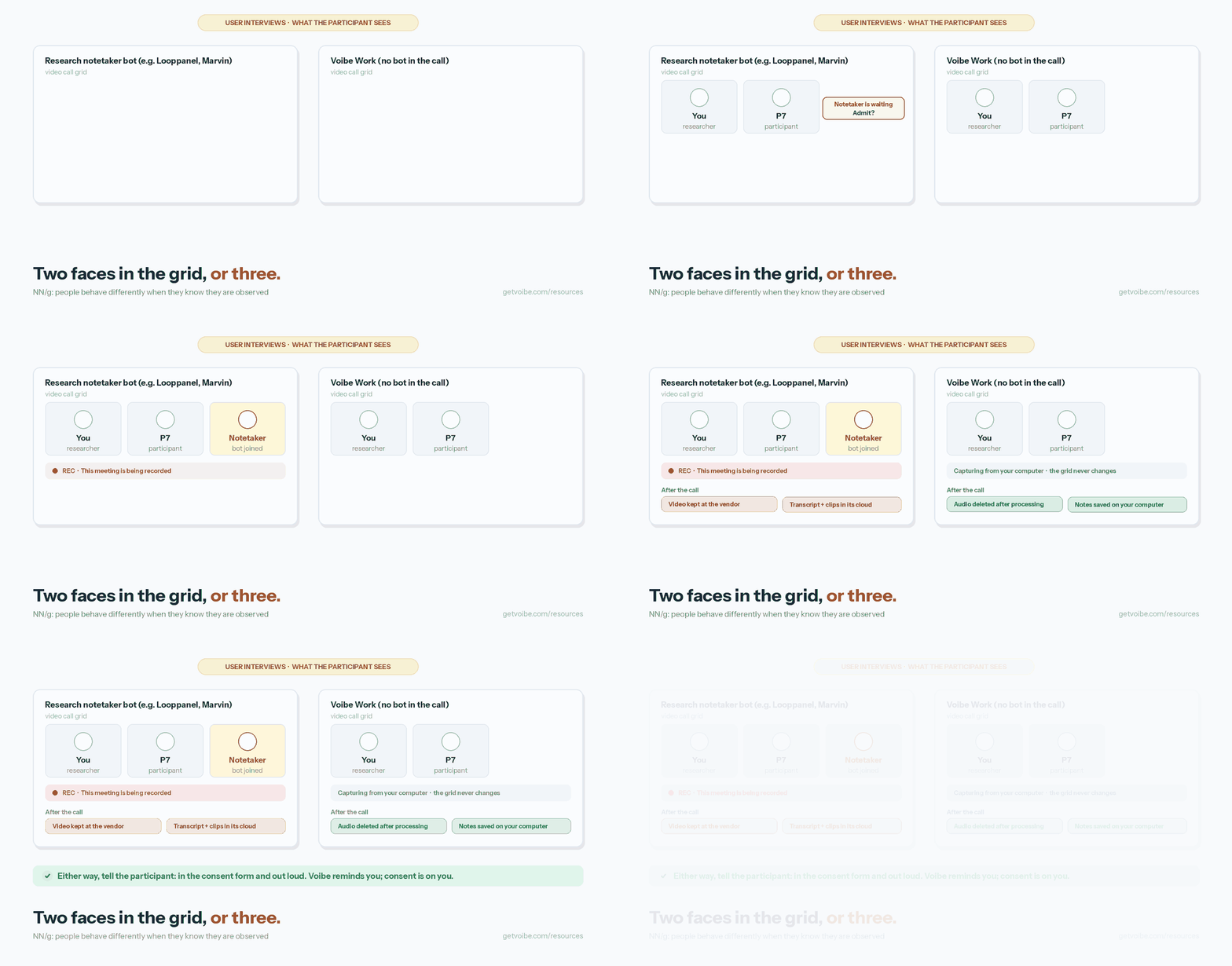
A user interview isn't a sales call. You're there for candor, and four things about notetakers work against it.
1. The bot is a visible observer
NN/g says the knowledge of being watched "may pressure participants into behaviors they may consider expected of them" (Mayya Azarova, NN/g, May 21, 2023).
- Looppanel's bot: joins Zoom, Meet or Teams two minutes early. The host admits it from the waiting room (Looppanel help center, checked October 29, 2026).
- Marvin's bot: "a silent digital participant". The host admits it, then grants recording permission within 50 seconds (Marvin help center).
- Rally's advice: its help center tells researchers to delay the bot through the waiting room if they need verbal consent before recording begins.
2. Consent forms name how the session is stored
NN/g's example consent form says:
"With your permission, we will record you on audio and/or video, and we will take notes to document your comments" (NN/g example consent form).
It has checkboxes for observers, audio and video.
It has no line for AI processing or a vendor's cloud. Your form needs one.
3. Research recordings are personal data
- Identifiable by default: a face, a voice and a job title identify a participant. The UK ICO treats information that identifies a person as personal data (ICO).
- Sensitive asides: participants talk about employers, health and money. That lands in transcripts.
- Redaction costs extra: enterprise research tools sell PII redaction for that reason. Looppanel, Marvin and Dovetail list it on their top plans.
4. A summary isn't synthesis
- A sales notetaker: writes action items.
- A researcher: needs quotes, tags, clips and a searchable repository, then compares ten interviews.
Most meeting notetakers stop at the summary.
How Research Note Takers Solve These Problems
Each design below fixes a different problem.
| Problem | Design that fixes it | Tools |
|---|---|---|
| A bot changes the room | Capture from your own computer | Voibe Work, Granola, Grain desktop |
| Recordings sit in a vendor cloud | Delete audio, keep notes on your device | Voibe Work |
| Recordings hold PII | Redaction, region choice, no training | Condens (EU or US), Dovetail, Looppanel and Marvin on top plans |
| Summaries aren't synthesis | Guide-mapped notes, tags, clips, repository | Looppanel, Dovetail, Marvin, Condens |
| Recruiting and incentives live elsewhere | All-in-one research ops | Great Question |
No single tool wins every row. Many teams pair a bot-free capture tool with a repository.
Note Taker or Research Repository? Decide Before You Buy
A note taker captures one conversation.
A research repository holds hundreds, so a team can find patterns across them.
You need a note taker if
- Low volume: you run fewer than about 10 interviews a month.
- One synthesizer: one person does the synthesis, in a doc or a spreadsheet.
- Simple output: you need quotes and a clean summary, not a tagged database.
You need a repository if
- Shared tagging: three or more people tag the same studies.
- Self-serve stakeholders: they search past research before asking for new research.
- Clips as evidence: you share clips and highlight reels to make the case.
Note taker vs repository at a glance
| Note taker | Repository | |
|---|---|---|
| Unit of work | One interview | Many studies |
| Output | Transcript, summary, quotes | Tags, highlights, themes, reels |
| Examples | Voibe Work, Granola, Grain | Dovetail, Marvin, Condens |
| Both | Looppanel and Marvin capture and store; Great Question adds recruiting | |
| Typical cost | $0 to $192 a year | Free tiers, then sales-quoted or EUR 6,000 a year (Condens Business) |
The common combo: capture with a note taker, then paste the transcript into the repository.
Voibe Work's one-click copy and PDF export make that step quick. A custom user-interview template shapes the summary before it gets there.
What to Look For in a User Interview Note Taker
These are the six checks I'd run before a study starts.
- What the participant sees. A bot tile, a platform recording banner, or nothing new. Every option still needs disclosure.
- Where the recording lives afterwards. Vendor cloud, which region, and for how long. Your consent form has to say it.
- Training default. Does the vendor train on your sessions? Get it in writing.
- Research features. Discussion-guide mapping, tags, clips, highlight reels, cross-study search.
- Reach. Zoom, Meet, Teams, a customer's Webex, or a usability lab in person.
- Price per researcher. Research platforms often price by editor seat with a minimum.
How I Ranked These User Interview Note Takers
Hands-on first. We used every app on real calls.
Then we checked pricing, security and help pages on October 29, 2026.
The criteria, in order
- Research fit: guide mapping, tags, clips, synthesis.
- Participant view: what the participant sees during the session.
- Vendor retention: what stays at the vendor, and the training default.
- Reach: meeting apps and in person.
- Price: per researcher per year.
Why Looppanel is first
- Wins criterion 1. It was built for user interviews, from the discussion guide to the clip.
- Loses on 2 and 3. It sends a bot, and recordings live in its US cloud.
Why Voibe Work is second
- Wins criteria 2 and 3. No bot, audio deleted after processing, notes on your computer.
- Loses on 1. No clips, tags or repository. It's a note taker, not a research platform.
- Narrows the gap. A custom user-interview template gives every summary research sections. Cross-study synthesis still happens elsewhere.
Why Lookback is last
It's excellent at moderated usability tests, but it's a testing platform.
It's here for the in-person and screen-share sessions a note taker can't capture.
User Interview Note Takers Compared
Capture, research features, training and ratings
| Tool | How it captures | Research features | Trains on your data? | Where data lives | Rating |
|---|---|---|---|---|---|
| Looppanel | Bot joins Zoom, Meet or Teams; uploads | Guide-mapped notes, tags, clips; reels on Pro | Not stated on its pricing or security page | North America (USA) | G2 4.6/5 (26) |
| Voibe Work | No bot; any meeting app or in person | Speaker labels, custom templates, chat with your meetings | Never | Your computer; audio deleted after processing | Product Hunt 4.8/5 (6) |
| Grain | Bot or bot-free desktop app | Clips, highlight reels, custom templates | "Never", on any plan | Grain's cloud | G2 4.6/5 (307) |
| Dovetail | Imports Zoom, Teams and Meet recordings; uploads | Highlights, tags, AI summaries, reels, semantic search | "Never" for LLMs or third-party models | Dovetail's cloud | Capterra 4.6/5 (97) |
| Marvin | Bot joins Zoom, Meet or Teams; uploads | Repository, clips, reels, observer room | Not stated on its security page | US or EU data centers | G2 4.8/5 (136) |
| Granola | No bot; desktop and mobile | Templates, AI chat across notes | Anonymized data, opt-out; off on Enterprise | Granola's US cloud; audio deleted | App Store 4.96/5 (14,631) |
| Great Question | Zoom cloud recording of interviews it schedules | Repository, highlights, AI analysis, recruiting | Not stated on its security page | AWS US East | G2 4.7/5 (22) |
| Condens | Upload or import; live notetaking on Business | Tags, repository, AI clustering | "Never" | EU or US, your choice | Capterra 5.0/5 (7) |
| Lookback | Participant joins a Lookback session | Findings, reels, AI analysis (Eureka) | Not checked | Lookback's cloud | G2 4.3/5 (21) |
How to read the training column
Quoted training lines come from each vendor's own pages, checked October 29, 2026.
"Not stated" means we couldn't find a statement. Ask the vendor in writing.
What Each Tool Costs a Researcher per Year
Annual billing, one researcher, cheapest paid plan, checked October 29, 2026.
| Tool and plan | Per year | Voibe Work ($149) vs this |
|---|---|---|
| Voibe Work | $149 ($19 monthly, $399 once) | n/a |
| Looppanel Solo | $540 ($49 monthly) | $391 less (72.4%) |
| Looppanel Pro (5 editors) | $4,200, or $840 per editor | $691 less per editor (82.3%) |
| Grain Pro | $180 ($19 monthly) | $31 less (17.2%) |
| Grain Free | $0, 45-minute meetings, 30-day history | Grain Free costs less |
| Dovetail | Free (one project); Enterprise custom | Dovetail Free costs less |
| Marvin | Free plan; paid plans by demo | n/a |
| Granola Business | $168 (monthly billing only) | $19 less (11.3%) |
| Great Question Self-serve | $1,290 per seat ($129 monthly) | $1,141 less (88.4%) |
| Condens Lite | EUR 165 (Business EUR 6,000 for 5 contributors) | Euro pricing; compare at your exchange rate |
| Lookback Freelance | $299 for 10 sessions | $150 less (50.2%) |
| Fathom Premium | $192 ($20 monthly) | $43 less (22.4%) |
| Otter Pro | $99.96 ($16.99 monthly) | Voibe Work costs $49.04 more (49.1%) |
Where Voibe Work isn't the cheapest
- Free tiers: Grain Free, Dovetail Free and Marvin's free plan cost nothing. Voibe Free is dictation only, with no meeting notes.
- Otter Pro: $49.04 a year cheaper. But it uses a bot unless you record from its desktop app. It also trains on de-identified data (Otter pricing explained).
A cheap research stack
- Voibe Work + Dovetail Free: $149 a year for bot-free capture plus one synthesis project. That's $391 (72.4%) less than Looppanel Solo.
- Over three years: Voibe Work lifetime is $399 once, currently offered. Looppanel Solo costs $1,620, so the lifetime seat is $1,221 (75.4%) less.
- Dictation included: Voibe Work includes Voibe Dictation, so you can also dictate the research readout. Dictation alone is $99 a year.
1. Looppanel: Best AI Note Taker Built for User Interviews
Looppanel is the tool I'd hand a new UX researcher. It knows what a discussion guide is.
Best for: researchers and PMs running guide-based interviews on Zoom, Meet or Teams, where a recording bot is acceptable.
Why it ranks first
- Guide-mapped notes: add your discussion guide, and AI notes group under each question.
- Clips and reels: 1-click video clips on Solo; video highlight reels on Pro.
- Team notes: colleagues take time-stamped notes from a shared link, no account needed.
- Synthesis: auto-tag themes, Ask Looppanel AI and a team repository on Pro.
- Security: SOC 2 Type II and GDPR, per its security page. Data stored in North America (USA).
Watch out for
- It's a bot. It joins two minutes early and waits in the lobby for the host.
- Host only on Zoom. Its help center says it can't record if you aren't the host. A customer's own Zoom call is out.
- No training statement on its pricing or security page. Ask before you name it in a consent form.
- PII redaction and auto-deletion are Enterprise features.
Price and rating
- Solo: $49 a month or $540 a year, with a 15-day trial.
- Pro: $395 a month or $4,200 a year with 5 editors.
- Vs Voibe Work: $391 (72.4%) more for one researcher.
- Rating: 4.6/5 on G2 from 26 reviews; 4.9/5 on Product Hunt from 7.
2. Voibe Work: Best User Interview Note Taker Without a Bot
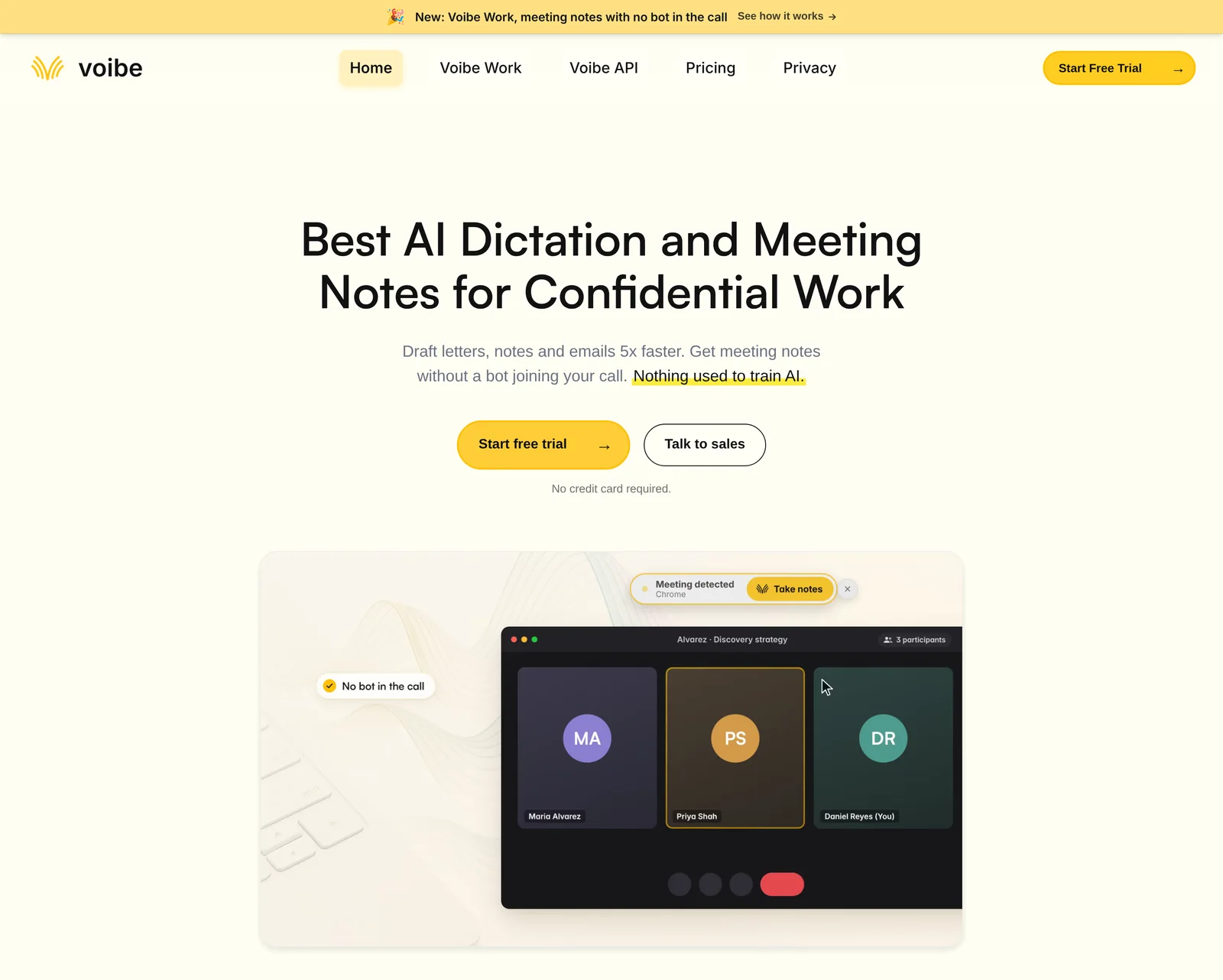
Voibe Work is the meeting-notes plan of Voibe, the app we build. It does less research work than Looppanel, so it's second.
It's here because it changes the least in the room.
Who it's for
- Sensitive interviews: health, money, or a churned customer who'd clam up at a bot.
- Customer-owned calls: founders, PMs and researchers joining someone else's meeting.
- In-person sessions: usability sessions and field interviews.
How it captures
- No bot: it captures Zoom, Teams, Google Meet, Webex, Slack huddles or any other app from your Mac or Windows PC.
- Anyone's call: you don't need to be the host, so a customer's Zoom works.
- In person: it records a usability session or field interview through your computer's mic.
- Consent: Voibe reminds you to tell everyone you're taking notes when recording starts. Following recording-consent rules is up to you.
What's left after the interview
- Audio: processed by open-source models on zero-retention cloud providers, then deleted.
- Transcript and summary: saved on your computer, not on Voibe's servers.
- Training: never.
- Internet needed: processing runs in the cloud, so notes need a connection.
Useful for research
- Your own interview template: create a custom template and paste in the seven sections below. Every summary comes back in your research format.
- Templates per meeting type are built in, if you'd rather not set one up.
- Speaker labels: a time sits next to every line. Rename "Speaker 2" to "P7" and the summary updates.
- Chat with your meetings: ask "what did P7 say about pricing?" Nothing you ask is stored.
- One-click copy and PDF export to paste into Dovetail, Notion or a synthesis doc.
- Up to 4 hours per interview. Notes arrive 10 to 20 times faster than before, by Voibe's own measurements (October update).
- Meeting MCP: ask ChatGPT and Claude about all your meetings.
- MCP is optional: whatever ChatGPT or Claude reads falls under OpenAI's or Anthropic's terms. Name it in your consent form if you use it.
Watch out for
- No clips, highlight reels or tagging. No audio or video file to play back, either.
- No repository. Cross-study synthesis happens in your own tool.
- No calendar auto-join. Voibe offers to take notes when a call starts.
- Your laptop holds the notes. Turn on FileVault or BitLocker and set a retention rule.
Price and rating
- Price: $19 a month, $149 a year or $399 once, with dictation included.
- Trial: 7 days of every feature, no credit card.
- See it end to end: the Voibe Work launch post walks through one meeting.
- Rating: 4.8/5 on Product Hunt from 6 reviews of the Voibe app.
Trusted by 4,000+ professionals, including people at Netflix, NVIDIA, Amazon, Twilio, and Intercom





See Voibe Work in action
Run your next interview with no bot in the call
Start free on Mac or Windows. 7 days of every Voibe Work feature, no credit card required.
3. Grain: Best for Video Clips Without a Bot
Grain started as a clip tool for customer calls, and it shows. It's the cheapest way to send a stakeholder a 30-second quote.
Best for: PMs and founders who need shareable clips and can live with video in Grain's cloud.
Why it ranks here
- Bot optional: "Record without a bot (desktop app)" is on every plan, Free included. The desktop app runs on Mac and Windows.
- Clips: clip creation on Free; shareable clips, playlists and highlight reels in the plan table.
- Training: "Grain never trains AI with your meeting data on any plan."
- Consent controls: recording consent settings appear in its admin table.
Watch out for
- Free caps meetings at 45 minutes with 30-day history. Most interviews run longer.
- Sales-first product. Newer features are conversation intelligence and CRM sync, not research tagging.
- Video lives at the vendor. Your consent form has to say so.
Price and rating
- Free: $0.
- Pro: $15 a month billed annually ($180 a year) or $19 monthly, for 4-hour meetings.
- Business: $29 a seat billed annually, 2-seat minimum.
- Vs Voibe Work: Voibe Work is $31 (17.2%) less than Pro.
- Rating: 4.6/5 on G2 from 307 reviews; 4.8/5 on Product Hunt from 16.
4. Dovetail: Best Research Repository for Team Synthesis
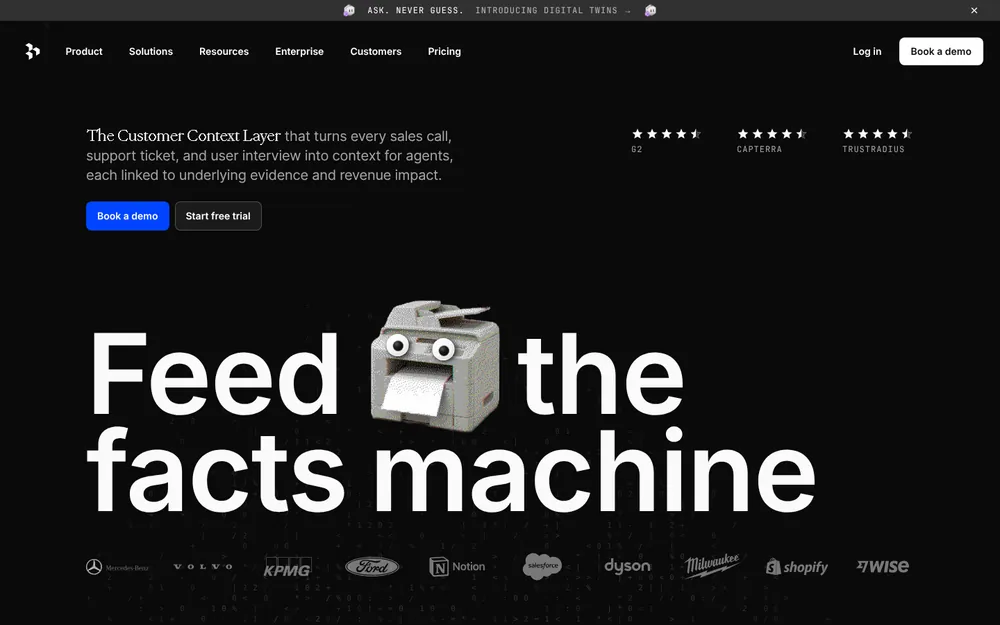
Dovetail is the repository most research teams measure the others against. It doesn't sit in your call at all.
Best for: research teams that tag, search and share findings across many studies.
Why it ranks here
- No bot: it imports Zoom cloud recordings, and calendar rules pull recorded Zoom, Teams and Meet calls into a project.
- Synthesis: transcripts, AI summaries, highlights, tags, semantic search, and docs with clips and reels.
- Training: its AI terms say "Customer Data is never used to train large language models or third party models."
Watch out for
- Two plans now. The live pricing page shows only Free and Enterprise (custom). Free is one project and one channel.
- The platform still records. No Dovetail bot, but Zoom's own recording notice shows.
- Redaction and HIPAA sit on Enterprise.
Price and rating
- Price: Free $0; Enterprise by quote.
- Cheap stack: pair Free with a note taker and you have a $149 stack.
- Rating: 4.6/5 on Capterra from 97 reviews; 4.5/5 on Product Hunt from 13.
5. Marvin: Repository Plus a Notetaker Bot and an Observer Room
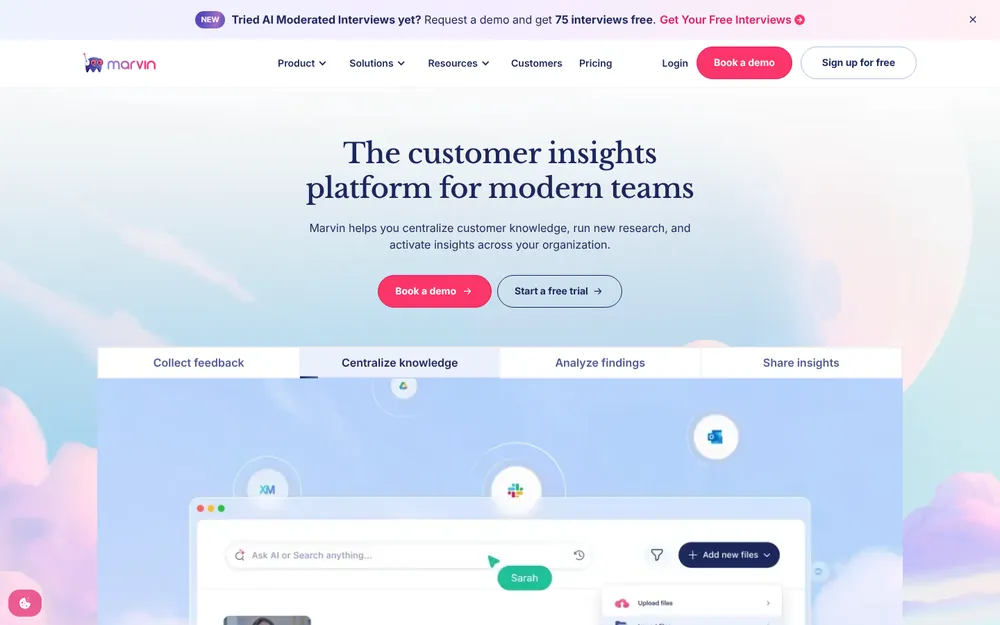
Marvin (HeyMarvin) does what Looppanel and Dovetail do, in one product.
Best for: research teams that want capture, repository and stakeholder viewing in one contract.
Why it ranks here
- Built-in notetaker: it "joins your Zoom, Meet, or Teams calls to transcribe, take notes, and summarize automatically."
- Starter includes: AI notetaker and observer room, Ask AI, video clips, highlight reels and a participant panel.
- Consent message: an optional chat alert, "This meeting is being recorded."
- Region and HIPAA: US or EU data residency; HIPAA and a signed BAA as a Pro add-on.
Watch out for
- A bot, admitted by the host. It then asks for recording permission, which only the host can grant.
- No public prices. Every paid plan is "Book a demo".
- No training statement on its security page.
Price and rating
- Price: free plan; Starter, Pro and Enterprise by demo.
- Rating: 4.8/5 on G2 from 136 reviews; 4.8/5 on Capterra from 13.
6. Granola: The Bot-Free Notepad Many PMs Already Use
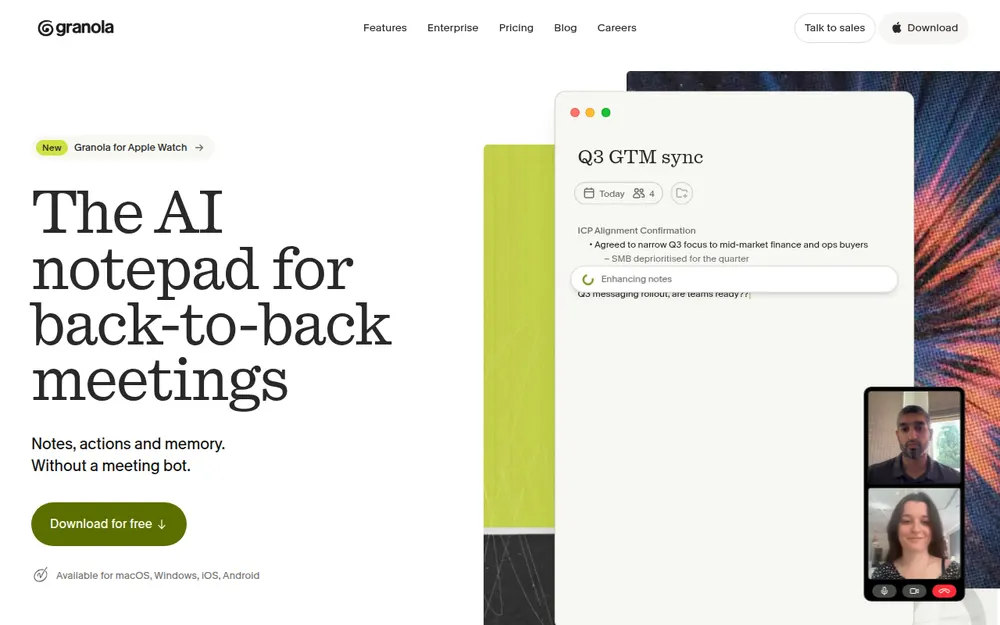
Granola is the note taker I see most on PM laptops. No bot joins, and your own typed notes steer the summary.
Best for: PMs and founders doing discovery calls who want polished notes and team sharing.
Why it ranks here
- Bot-free capture: device audio on every plan, with desktop, iOS, Android and Apple Watch apps.
- Audio deleted after transcription.
- Templates and chat across your notes.
Watch out for
- Training on by default. Granola trains on anonymized data unless each user opts out. Enterprise is off by default.
- Notes in its US cloud, not on your laptop. See is Granola safe?
- A pending lawsuit. A wiretap class action over bot-free capture is pending (the Granola lawsuit).
- No clips or research tagging.
Price and rating
- Basic: $0 with limited history.
- Business: $14 a user a month, billed monthly ($168 a year).
- Vs Voibe Work: Voibe Work is $19 (11.3%) less (Granola pricing).
- Rating: 4.96/5 on the App Store from 14,631 ratings.
7. Great Question: Best All-in-One for Research Ops
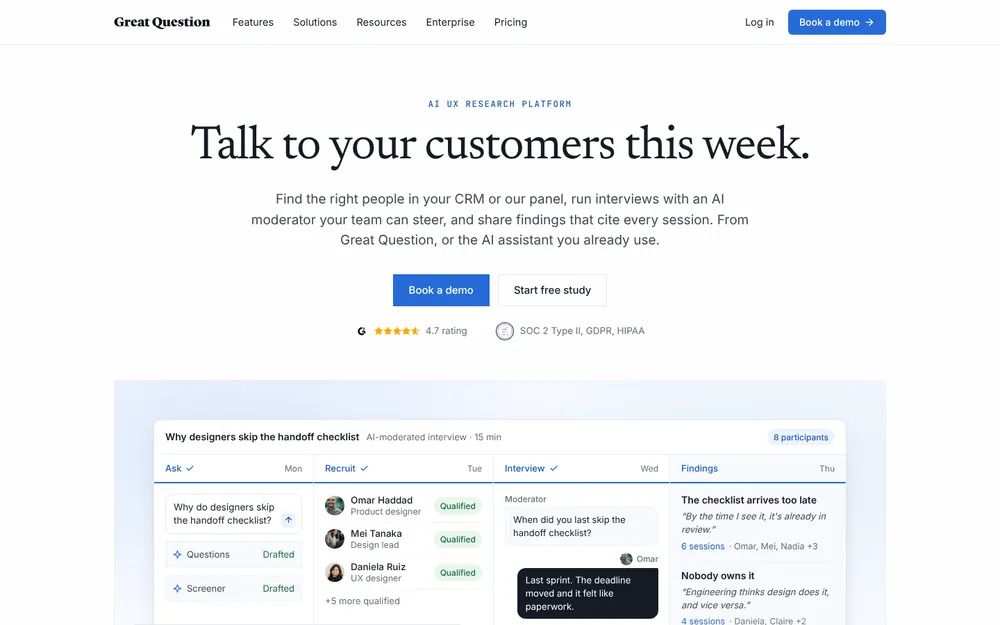
Great Question solves the problems around the interview: finding people, booking them and paying them.
Best for: research teams that want recruiting, scheduling, incentives, interviews and a repository in one place.
Why it ranks here
- Recruiting: your own customers at no per-participant fee, or Respondent's panel pay-as-you-go.
- Incentives: paid through Tremendous in 80+ countries.
- No bot found: interviews it schedules on Zoom record to Zoom's cloud, then import automatically.
- Security: AWS US East; SOC 2 Type II; "A BAA is available for research that touches PHI."
Watch out for
- Price. It's the most expensive self-serve plan here.
- Zoom cloud recording required for automatic import; local recordings don't come across.
- HIPAA is an Enterprise add-on; no training statement on its security page.
Price and rating
- Self-serve: $129 a seat a month or $1,290 a year, up to 5 seats, 14-day trial.
- Enterprise: custom, 5-seat minimum.
- Vs Voibe Work: Voibe Work is $1,141 (88.4%) less, but does far less.
- Rating: 4.7/5 on G2 from 22 reviews.
8. Condens: Repository With EU or US Hosting and No Training
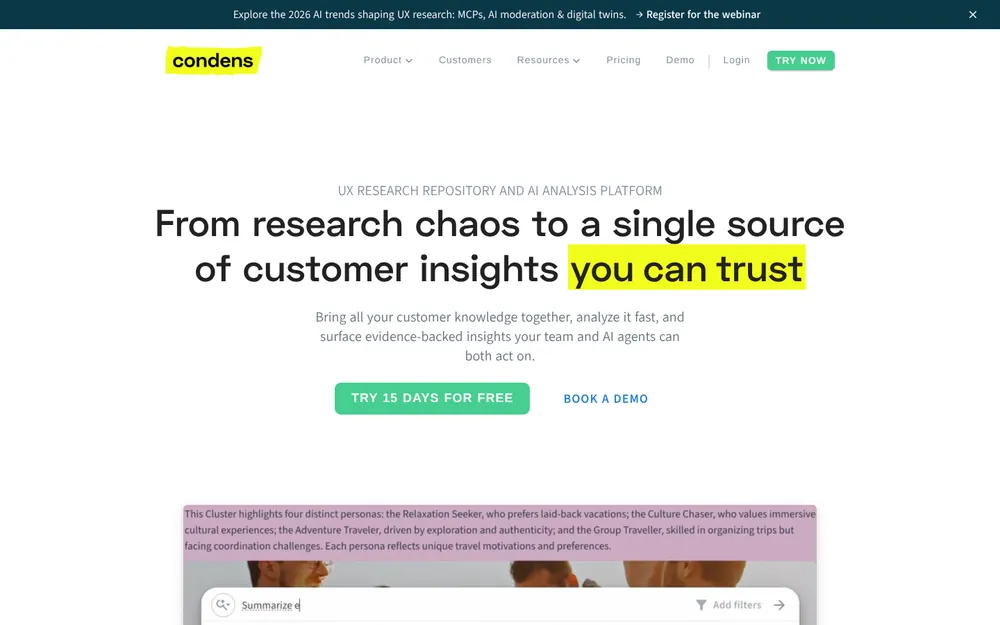
Condens is a research repository from Germany. It's the easiest answer here for a GDPR-minded consent form.
Best for: European research teams, and anyone who needs data in a chosen region.
Why it ranks here
- Region: "All data is exclusively processed in the service location you chose, i.e. the EU or the US."
- Training: "Your data is never used for training AI models or improving AI services in any way."
- Anonymization: video blurring on Lite; redaction on Enterprise.
- Unlimited projects, storage and transcription on every plan.
Watch out for
- A repository, not a capture tool. Live notetaking is on Business only.
- A steep step up: Lite to Business goes from EUR 165 a year to EUR 6,000.
Price and rating
- Lite: EUR 15 a month or EUR 165 a year, one contributor.
- Business: EUR 500 a month, paid yearly, 5 contributors.
- Trial: 15 days.
- Rating: 5.0/5 on Capterra from 7 reviews; 4.8/5 on G2 from more than 100.
9. Lookback: Best for Moderated Usability Tests
Lookback is a usability-testing platform. The participant joins its session, so you see their screen and face together.
Best for: moderated and unmoderated usability tests on prototypes, sites and apps.
- Why it's here: screen plus face, live observers, findings and reels, and AI analysis called Eureka.
- Watch out for: session-based pricing, annual plans only, and recordings deleted 90 days after a paid plan ends.
- Price: Freelance $299 a year for 10 sessions. Team $1,782 for 100 sessions. Insights Hub $4,122 for 300.
- Trial: 5 free sessions.
- Rating: 4.3/5 on G2 from 21 reviews.
Other Note Takers Researchers Ask About
Meeting notetakers
- Otter: a bot by default, or bot-free through its desktop app. Pro is $99.96 a year. It trains on de-identified audio and transcripts. See is Otter safe?
- Fathom: free unlimited recordings, a bot by default and a Mac-only bot-free beta. It trains on de-identified data unless you opt out.
- Notta: a bot or bot-free desktop capture, Pro $97.99 a year. Built for transcripts, not synthesis.
- tl;dv: a bot-based recorder with clips. Its prices load by script, so we couldn't verify them.
- Wispr Flow Notetaker: bot-free, but notes sit in Wispr's US cloud. It trains by default on Free and Pro (Wispr Flow Notetaker vs Voibe Work).
Not ranked, or a different job
- Notably: its site didn't load when we checked on October 29, 2026, so it isn't ranked.
- UserTesting and Maze: unmoderated testing platforms with their own panels. Different job from interview notes.
Where to go next
- Every bot-free tool: our best no-bot meeting note takers.
- General meetings: the best AI meeting note takers.
- Old recordings: our free audio-to-text tool transcribes a file without storing it.
- Verbatim with timestamps: the best meeting transcription apps.
Consent for Recorded User Interviews: What to Put in the Form
Research consent is stricter than meeting etiquette, and it sits on top of the state recording-consent laws that apply to any AI notetaker. Participants sign a form, and the form has to match what your tool does.
Voibe reminds you to tell everyone you're taking notes when recording starts. Following recording-consent rules is up to you.
What NN/g's template already covers
- Recording: "on audio and/or video", with permission, plus notes.
- Observers: people who "may join your interview".
- Storage and withdrawal: kept "until we deem the content no longer necessary", and withdrawal at any time.
Source: NN/g example consent form.
It has no line about AI processing, a vendor's cloud or model training.
Lines to add for an AI note taker
"We will record the audio [and video] of this session with [tool]. AI software will transcribe and summarize it.
[Bot-based tool: A recording assistant will appear as a participant. The recording and transcript are stored by [vendor] in [region] until [date or event].]
[Voibe Work: No assistant joins the call. The audio is deleted after processing, and the transcript and summary are saved on the researcher's computer.]
Your session will not be used to train AI models. You can ask us to delete your recording, transcript and notes at any time."
- Fill in the training line honestly. If the vendor hasn't said, ask in writing before you promise it.
- Name any chat assistant. If transcripts go to ChatGPT or Claude, say so.
- Say it out loud too. Repeat it at the start, before recording begins.
Recording law still applies
Per the Reporters Committee recording guide, these states require all-party consent:
- All-party states: California, Florida, Maryland, Massachusetts, Montana, New Hampshire and Pennsylvania.
- Mixed-state calls: follow the strictest state on the call.
- Therapy sessions: they carry their own AI consent laws; see our AI note takers for therapists.
Warning
This is a summary for comparing tools, not legal advice. Check your organization's research policy, your privacy team and local recording law before recording any participant.
A User Interview Summary Template You Can Reuse
Most summary templates are built for sales calls. This one is built for synthesis.
- Participant context: role, company size, segment, how they use the product today.
- Jobs to be done: what they were trying to get done, in their words.
- Pains and workarounds: what breaks, and what they do about it.
- Verbatim quotes: 3 to 5, with timestamps. No paraphrase.
- Surprises: anything that contradicts a hypothesis.
- Answers by guide question: one line each, or "not covered".
- Follow-ups: questions for the next interview, and anything you promised the participant.
Set it up as a custom template in Voibe Work
- Create it once: in Voibe Work, create your own custom template and paste in the seven sections above.
- Reuse it every interview: each summary follows the same sections, so a study compares cleanly.
- Rename speakers first: quotes then carry "P7" instead of "Speaker 2".
- Export the PDF to your study folder.
Any note taker that takes custom templates can use the same seven sections.
Or ask chat with your meetings
No template set up yet? Paste this prompt into chat with your meetings, or any note taker's chat:
"Summarize this interview in seven sections: participant context, jobs to be done, pains and workarounds, 3 to 5 verbatim quotes with timestamps, surprises, answers by guide question, and follow-ups. Quote exactly. If something wasn't discussed, write 'not covered'."
Need formal minutes from a research readout instead? See our guide to AI meeting minutes.
How to Choose an AI Note Taker for User Interviews
Do three or more people synthesize across studies?
- Yes → a repository: Dovetail, Marvin or Condens. Capture with Looppanel, or a bot-free tool.
- No → keep going.
Is a bot in the call acceptable to your participants?
- Yes, and you host the calls → Looppanel ($540 a year).
- No → keep going.
Do stakeholders need video clips?
- Yes → Grain with its bot-free desktop app ($180 a year).
- No → keep going.
Are interviews sensitive, in person, or on the customer's own call?
- Yes → Voibe Work ($149 a year): no bot, nothing left at the vendor. Tell everyone; Voibe reminds you.
- No → Granola ($168 a year) or Voibe Work.
Running usability tests or a recruiting pipeline?
- Usability → Lookback.
- Recruiting and incentives → Great Question.
Best Note Taker for Your Research Situation
By who runs the research
| Your situation | Best choice | Why |
|---|---|---|
| Solo founder doing 10 discovery calls | Voibe Work | No bot, works on the customer's own call, $149 a year |
| UX researcher running guide-based interviews | Looppanel | Notes grouped by guide question, 1-click clips |
| Research team of 5 with a repository | Dovetail or Marvin | Tags, highlights and search across studies |
| PM sharing clips with leadership | Grain | Bot-free desktop capture, clips and reels |
| PMM running win/loss calls with churned customers | Voibe Work | No bot to put a former customer on guard; notes on your computer |
| Research ops lead who owns recruiting and incentives | Great Question | Panel, scheduling, Tremendous incentives in one |
| PM already on Granola | Granola | Opt out of training; add a repository for synthesis |
By the kind of session
| Your situation | Best choice | Why |
|---|---|---|
| In-person usability test | Voibe Work or Lookback | Voibe records through your computer's mic; Lookback adds the screen |
| Remote prototype test with screen share | Lookback | Screen and face in one session, live observers |
| Interviews with patients or health topics | Voibe Work or Marvin | Voibe: BAA available on request; Marvin: HIPAA add-on with a BAA |
| European team with GDPR questions | Condens | EU hosting, never trains on your data |
| Transcribing old session recordings | Voibe audio-to-text | Free, and the file isn't stored |
Every Voibe Work row assumes you tell the participant.
Voibe reminds you to tell everyone you're taking notes when recording starts. Following recording-consent rules is up to you.
Frequently Asked Questions About AI Note Takers for User Interviews
Choosing a tool
- What is the best AI note taker for user interviews? Looppanel is the best tool built for user interviews: notes grouped by guide question, clips and reels, from $49 a month. It uses a bot. Without a bot, Voibe Work is the pick: audio deleted after processing, notes on your computer, $149 a year.
- Is there a user interview note taker without a bot? Yes. Voibe Work, Granola and Grain's desktop app capture from your own computer with no bot in the call. Dovetail and Great Question use the meeting platform's own recording instead. Every option still needs participant consent.
- Do I need a research repository or just a note taker? A note taker is enough for one researcher running fewer than about 10 interviews a month. A repository like Dovetail, Marvin or Condens pays off when three or more people tag and search across many studies.
- Is Dovetail a note taker? No. Dovetail is a research repository. It imports Zoom cloud recordings and calendar-matched Zoom, Teams and Meet recordings, then transcribes, summarizes and tags them. It sends no bot. Its live pricing shows a Free plan and custom Enterprise.
Consent and privacy
- Do participants need to consent to an AI note taker? Yes. Research consent should name the recording, the AI processing, where data is stored and whether it trains models. NN/g's example form covers recording and observers but not AI. Voibe Work reminds you to tell everyone; consent rules are your responsibility.
- Does a meeting bot change how participants behave? It can. NN/g describes observer bias: people behave differently when they know they're observed. A bot tile is a visible observer. Some tools, like Rally, advise delaying the bot until verbal consent is collected.
- Where does Voibe Work store user interview recordings? It doesn't keep a recording. Open-source models on zero-retention cloud providers process the audio, then it's deleted. The transcript and summary are saved on your computer, not on Voibe's servers, and never used to train AI.
- Which research tools don't train AI on my interviews? Voibe Work, Grain, Dovetail and Condens say they never train on your data. Granola trains on anonymized data unless you opt out. Looppanel, Marvin and Great Question don't state it on their pricing or security pages.
Pricing
- How much does a user interview note taker cost? Per researcher per year: Voibe Work $149, Granola $168, Grain Pro $180, Looppanel Solo $540, Great Question $1,290. Dovetail and Marvin have free plans with sales-quoted paid tiers. Otter Pro costs less, $99.96, but uses a bot unless you record from its desktop app.
- Is there a free AI note taker for user interviews? Yes, with limits. Grain Free caps meetings at 45 minutes with 30-day history. Dovetail Free allows one project. Voibe Free is dictation only, with no meeting notes, but Voibe Work has a 7-day trial with no credit card.
Workflow
- Can I use an AI note taker for in-person user interviews? Yes. Voibe Work records in-person interviews through your Mac or PC's mic, with the same deletion and consent rules as calls. Granola and Grain have mobile apps. For usability tests with a screen, Lookback records screen and face together.
- Can I get Voibe Work notes into Dovetail or Notion? Yes, by hand. Voibe Work has one-click copy and PDF export of transcripts and summaries. A custom user-interview template keeps every summary in the same sections. Paste them into Dovetail, Notion or your synthesis doc; there's no direct integration.
Final Verdict: The Best AI Note Taker for User Interviews
Pick the tool for the room first, then for the repository.
- A bot is fine and you host the calls: Looppanel. The most research-aware note taker here, from $540 a year.
- No bot, any call, in person or sensitive: Voibe Work. Audio deleted after processing, notes on your computer, $149 a year or $399 once.
- Research-shaped summaries: build a custom user-interview template in Voibe Work once.
- A team synthesizing many studies: add Dovetail, Marvin or Condens.
- Clips without a bot: Grain.
- Every option: put it in the consent form. Voibe reminds you to tell everyone you're taking notes when recording starts; following recording-consent rules is up to you.
Leaving a paid notetaker? Our switch offer credits the time left on your current plan, plus a bonus month of Voibe Work.
Try Voibe Work free for 7 days → Every feature, no credit card, no automatic charge.
Related reading
- Best AI meeting note takers: the general list
- Best no-bot meeting note takers
- Voibe Work: meeting notes with no bot in the call
- The Granola lawsuit: what it means for bot-free capture
- Dictation vs notetaker vs meeting assistant vs transcription