

The Best AI Note Takers for Insurance Agents, Ranked by Where Your Calls Happen
Most insurance conversations never touch Zoom. A renewal question comes in on the agency line. A quote gets talked through on your cell, and the annual review happens at the client's kitchen table.
Most AI meeting note takers were built for video calls, which makes the first question simple. Where do your client conversations actually happen? The second question comes from whoever reviews your files. Where does each copy of the call end up, and can the agency find it, keep it and delete it on schedule?
The ranking
I compared seven tools on agency fit, phone coverage, vendor copies, deletion controls and price per agent. Every fact comes from the vendor's own pricing, security and help pages, checked between late October and early November 2026.
- Voibe Work: best for client meetings on Zoom, Teams or in the office. No bot joins, and notes are saved on your computer, for $149 per agent per year.
- Jump: best all-in-one platform for producers, with phone calls captured through its iPhone app. It costs $1,200 per agent per year.
- Sonant: best for property and casualty (P&C) agencies whose clients call the agency line, with each call written into the agency management system (AMS). Pricing is on request.
- Fellow: best for an agency-wide rollout that needs a deletion schedule. Enterprise costs $300 per user per year and starts at 10 users.
- Fireflies: best if your agency already runs calls through RingCentral, Zoom Phone or Aircall. Plans run from $120 to $468 per seat per year.
- Dialpad: best if you're replacing the phone system anyway, since call summaries come built in. Standard is $180 per user per year.
- Plaud: best for calls on your own cell phone and visits at the client's home. Its Plaud Note recorder is $159, plus a plan from $99.99 a year.
Selling annuities or giving investment advice as well? Our best AI meeting note takers for financial advisors covers SEC and FINRA recordkeeping.
Key takeaways
| Note taker | Best for | Phone calls? | Where notes are kept | Per agent per year |
|---|---|---|---|---|
| Voibe Work | Zoom, Teams and in-office meetings | No, there's no phone app | On your computer | $149, or $399 once |
| Jump | Producers who want one platform | Yes, through the iPhone app | Jump's cloud | $1,200 |
| Sonant | P&C agency phone lines | Yes, on your existing phone system | Your AMS | On request |
| Fellow | Agency-wide deletion schedules | Not listed | Fellow's cloud, auto-delete on Enterprise | $300 on Enterprise |
| Plaud | Cell-phone calls and home visits | Yes, with the recorder on your phone | Plaud's cloud until you delete | $258.99 in year one |
Key Takeaway
Voibe Work is the best AI meeting note taker for insurance agents whose client meetings run on Zoom, Teams or in the office: no bot, audio deleted after processing, notes saved on your computer, $149 a year. For phone calls, pick Jump, Sonant, Dialpad or Plaud, because Voibe has no phone app. Tell every client you're taking notes.
Why Generic AI Notetakers Fall Short for Insurance Agents
Agents don't lack note-taking tools. The trouble is that insurance work breaks the assumptions most meeting tools are built on.
1. Client calls happen on phones, not in video meetings
Most AI note takers are built for video calls. Fellow, a meeting assistant that markets to insurance brokers, is a typical example.
Its page for brokers lists Zoom, Google Meet, Microsoft Teams, in-person meetings and Slack huddles, but names no phone line (Fellow for insurance brokers). Most bot-based note takers work the same way. If your day runs on the agency phone line, a video-call tool documents only part of it.
2. Your notes are the record of what you recommended
For annuity sales, states that adopted the 2020 suitability model from the National Association of Insurance Commissioners (NAIC) require a written record. Hawaii's version, for example, says a producer must "make a written record of any recommendation and the basis for the recommendation" (HRS §431:10D-630).
Property and casualty files face a different test. Say a client later insists they asked for flood coverage. The notes in the client file are your evidence of what was discussed. A transcript in a vendor's cloud helps only if someone can find it and file it.
3. Every vendor holding client calls is a third-party provider
The NAIC's Insurance Data Security Model Law (Model Law #668) covers anyone licensed under a state's insurance laws, which includes producers. A licensee "shall exercise due diligence in selecting its Third-Party Service Provider" and must make it protect the data (NAIC Model Law #668).
The model exempts licensees with fewer than ten employees from that section. A larger agency, say one with 90 agents, doesn't qualify, and each state that adopted the model may word it differently.
4. Transcripts pile up unless someone deletes them
Most cloud note takers keep recordings and transcripts until you delete them. Dialpad, for example, keeps data until you delete it or set a retention policy (Dialpad help center). Deleting on a set schedule is often an admin feature on a higher plan, as with Fellow's Enterprise-only auto-delete.
5. A bot in the call changes the conversation
A visible notetaker in a renewal review is one more attendee in a talk about a client's health or home. It also has to be explained. A dozen or so states require every party to agree to recording, as the consent section below shows.
How the Better Note Takers Solve These Problems
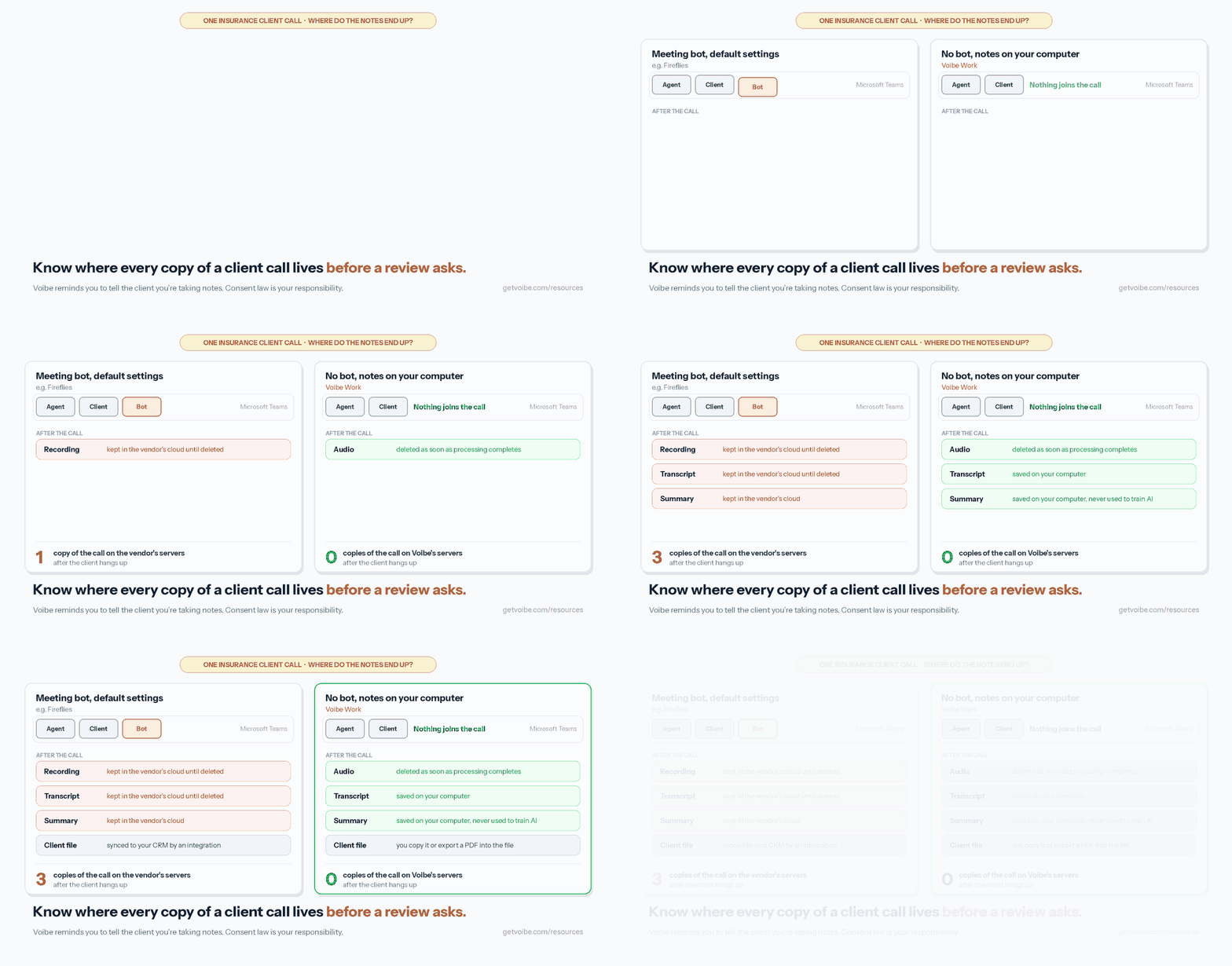
Each of those problems has a design answer, and no single tool on this list covers all five.
- Phone coverage: Sonant runs on top of your existing phone setup. Dialpad builds call summaries into the phone system itself. Jump merges its notetaker into calls from its iPhone app, while Plaud's recorder sits on the back of your phone.
- Notes in the client file: Sonant writes a structured record into Applied Epic and other AMS platforms. Jump syncs to CRMs such as SmartOffice. With Voibe Work, you copy the summary or export a PDF into the file yourself.
- Fewer vendor copies: Voibe Work deletes meeting audio once processing completes. It saves the transcript and summary on your computer. Jump offers a summary-only mode that keeps no audio or video.
- Deletion on a schedule: Fellow Enterprise, Jump, Dialpad and Fireflies Enterprise let admins set how long recordings and transcripts live.
Voibe Work also answers the bot problem: it captures Zoom or Teams from your computer, and nothing joins the call. You still tell the client you're taking notes.
Whatever you pick, the call should end the same way. A reviewed note goes into the client file your agency supervises.
What a Compliance Review Wants From Your Call Notes
No note taker makes call notes compliant by itself, and no vendor here, Voibe included, can promise that. Compliance comes from what the agency files and how it handles client data.
Five checks before you switch one on
- The file. Decide where the final note lives. If the tool doesn't write to your AMS, name who files the note and by when.
- The recommendation. For annuity sales, the note must capture the recommendation and its basis wherever your state adopted the NAIC model.
- The vendor. Check what the vendor stores, where, for how long, and whether it trains AI on your calls. Model Law #668 asks licensees for exactly this due diligence.
- Retention. Set how long recordings and transcripts live and who can delete them. Decide it once for the agency rather than agent by agent.
- Consent. Follow your state's recording law and your carriers' rules. When a call crosses state lines, follow the strictest law.
Carriers often add their own documentation rules on top of state law. Ask your carrier compliance contacts before you standardize the whole agency on one tool.
Warning
This section summarizes public rules to help you compare tools. It is not legal or compliance advice. Your compliance lead, your carriers and counsel decide what your agency must keep and which tools it may use.
What to Look For in an AI Note Taker for an Insurance Agency
I weighed six criteria, in this order, and checked each one against the vendor's own pages.
- Channel coverage. Phone line, cell phone, video calls and in-person visits. A tool that misses where you talk to clients misses the note.
- Handoff to the client file. AMS or CRM write-back, or at least a clean copy and PDF export.
- Copies left with the vendor. Audio, transcript and summary, and how long each one is kept.
- Deletion controls. Admin-set retention periods, and whether they need an Enterprise plan.
- Training and consent. Whether your calls train the vendor's AI, and how the tool reminds you to get consent.
- Price per agent per year, plus what the bill looks like across a whole agency.
Why the top three rank where they do
Voibe Work is first for the meetings it covers. It leaves no copy of the call on Voibe's servers and costs the least of the top three. It also includes a full dictation app. It doesn't capture phone calls at all, and that limit decides whether it fits your agency.
Jump is second because it covers phone, video and in-person meetings in one platform. It costs about eight times as much as Voibe Work, and its notetaker joins the call.
Sonant is third for agencies whose client contact runs through the phone line. It writes notes into the AMS, but it publishes no price and says nothing about video or in-person meetings.
Voibe Work is the product we build. I didn't test every tool hands-on for this list. The ranking rests on what each vendor publishes about pricing, security and data handling.
AI Note Takers for Insurance Agents Compared
| Tool | Phone calls | Video calls | In person | Where notes are kept | Trains on your calls? | Per agent per year | Rating |
|---|---|---|---|---|---|---|---|
| Voibe Work | No, there's no phone app | Any meeting app, no bot | Through your computer's mic | On your computer; audio deleted after processing | Never | $149 ($399 once) | Product Hunt 4.8/5 (6), for Voibe |
| Jump | Yes, merged in from the iPhone app | Notetaker joins | iPhone app | Jump's cloud; admins set deletion delays | Never, per Jump | $1,200 | App Store 4.9/5 (2,238) |
| Sonant | Yes, on your existing phone system | Not stated | Not stated | Your AMS; retention set per call outcome | Not stated | On request | None verified |
| Fellow | Not listed | Bot or botless | Yes | Fellow's cloud; auto-delete on Enterprise | Never | $300 (Enterprise), $180 (Business) | App Store 3.2/5 (24) |
| Fireflies | Through dialer integrations | Bot by default, bot-free desktop mode | Mobile app | Fireflies' cloud; custom retention on Enterprise | Never | $120 to $468 | App Store 4.8/5 (5,479) |
| Dialpad | Built into the phone system | Dialpad's own meetings | No | Dialpad's cloud until deleted; admin retention policies | Off by default in the US and Canada | $180 (Standard) | App Store 4.6/5 (4,569) |
| Plaud | Yes, recorder on the back of your phone | Plaud Desktop | Yes, with the recorder | Plaud's cloud until you delete | Not unless you opt in | $159 device plus $99.99 a year | App Store 4.9/5 (24,199) |
App Store ratings are from Apple's US store on November 6, 2026. Voibe's rating comes from Product Hunt, where the sample is small.
Pricing: What Each AI Note Taker Costs per Agent and for a 90-Agent Agency
Annual billing, per agent, for the plan an agency would actually buy. The last column shows the list price for an agency of about 90 agents.
| Tool and plan | Per agent per year | Voibe Work ($149) costs | 90 agents per year |
|---|---|---|---|
| Jump Meet | $1,200 ($1,440 monthly) | $1,051 less (87.6%) | $108,000 |
| Fireflies Enterprise (custom retention) | $468, annual only | $319 less (68.2%) | $42,120 |
| Fellow Enterprise (auto-delete, from 10 users) | $300 | $151 less (50.3%) | $27,000 |
| Plaud Note plus Pro plan, year one | $258.99 | $109.99 less (42.5%) | $23,309.10 |
| Fireflies Business | $228 | $79 less (34.6%) | $20,520 |
| Dialpad Standard | $180 ($324 monthly) | $31 less (17.2%) | $16,200 |
| Fellow Business | $180 | $31 less (17.2%) | $16,200 |
| Voibe Work | $149 (or $399 once) | n/a | $13,410 at list price |
| Fireflies Pro | $120 | $29 more | $10,800 |
| Plaud Pro plan after year one | $99.99 | $49.01 more | $8,999.10 |
| Sonant | Not published | n/a | On request |
Where Voibe Work costs more
Fireflies Pro costs $29 less per seat per year than Voibe Work. It caps storage at 8,000 minutes per seat and keeps retention controls for Enterprise. Plaud's Pro plan costs $49.01 less after the first year, once the $159 recorder is paid for. It covers 1,200 transcription minutes a month.
At agency scale
Voibe Work sells up to 10 seats in one checkout. An agency with more than 10 agents goes through Voibe Enterprise, which adds team admin, central billing and invoicing on custom terms. The $13,410 figure is the list price, not a quote.
Fellow Enterprise starts at 10 users. Plaud Team costs $20 per user per month billed annually in year one. That launch offer ends November 30, 2026, and the price then rises to $25, with a two-seat minimum.
Sources: Jump pricing, Fireflies pricing, Fellow pricing, Dialpad pricing, Plaud plans, Voibe pricing. Checked November 5 and 6, 2026; the Jump figures are from its pricing page as checked in October 2026.
1. Voibe Work: Best for Client Meetings on Zoom, Teams or in the Office
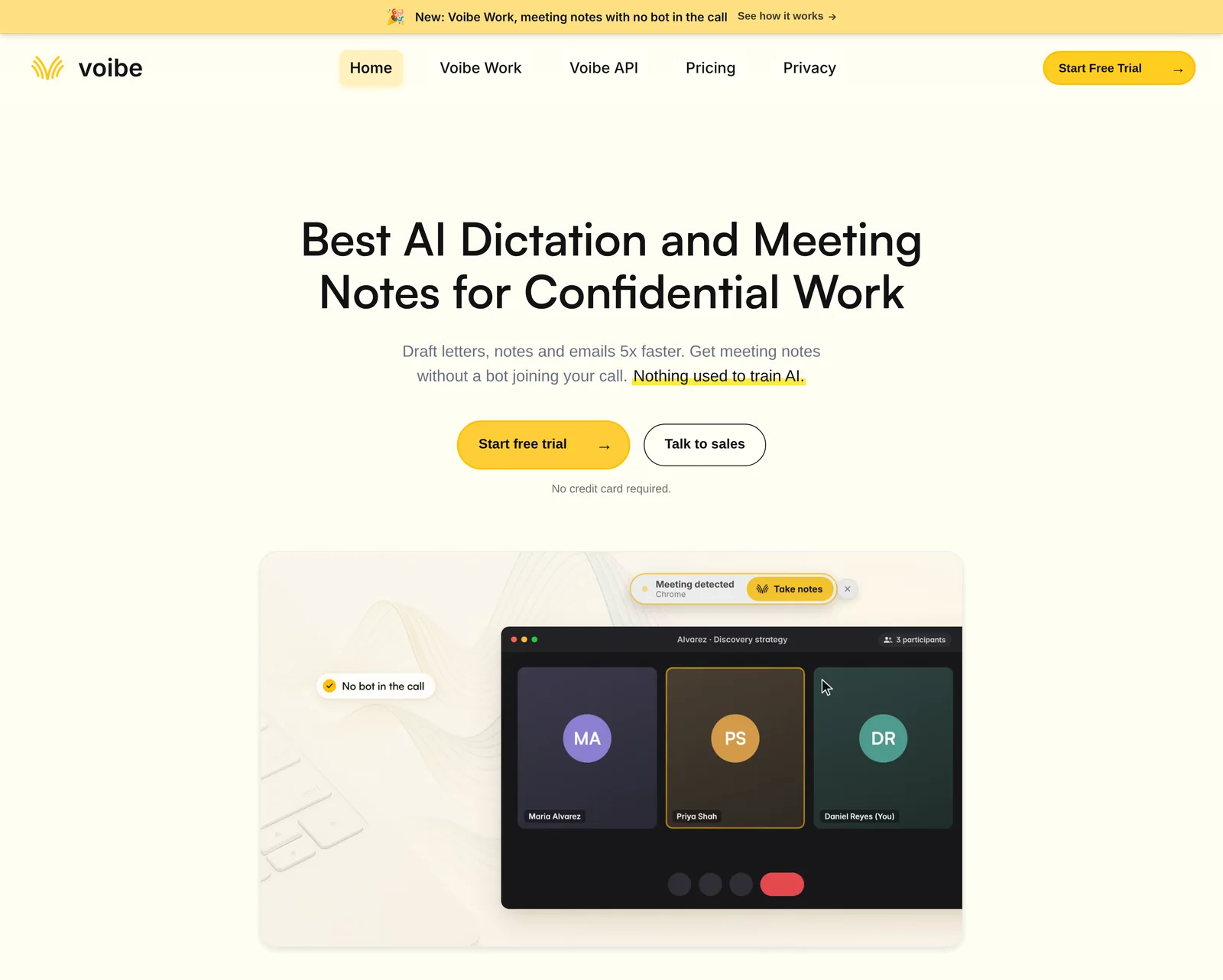
Voibe Work is the meeting-notes plan from Voibe, the app we build. It takes notes on client meetings from your Mac or Windows PC, and no bot joins the call.
Best for: agents and brokers who meet clients on Zoom, on Teams or across the desk.
What it captures, and what it doesn't
Voibe Work records Zoom, Microsoft Teams, Google Meet, Webex, Slack huddles or any other meeting app on your computer. It also records an in-person meeting through your computer's microphone, so a review across your desk works the same way. When a call starts, Voibe offers to take notes.
It doesn't capture phone calls. Voibe has no iPhone or Android app, so a call on your cell or desk phone isn't covered. If most of your client contact runs through the phone, Jump, Sonant, Dialpad or Plaud will serve you better.
Where the client's call ends up
- Audio: processed by open-source models on zero-retention cloud providers, then deleted as soon as processing completes.
- Transcript and summary: saved on your computer, not on Voibe's servers.
- Training: never used to train AI (Voibe cloud privacy page).
- Internet: meeting notes need a connection, because processing happens in the zero-retention cloud rather than on your computer.
For the compliance file, Voibe holds no recording, transcript or summary to retain or produce. The note you file in the client record becomes the record.
Built for the client consultation
Voibe Work summarizes each meeting with a template for its type (such as client intake or investment committee). You can create your own template. Our insurance client meeting notes template covers needs, quotes, objections, the recommendation and a compliance note.
The transcript labels each speaker and puts a time next to every line. Rename a speaker and the summary updates. A built-in chat, which Voibe calls chat with your meetings, answers questions such as which quote the client picked. It runs on the same zero-retention cloud, and nothing you ask is stored.
One-click copy and PDF export move the summary into your AMS or the client file. One meeting can run up to 4 hours. Transcripts and summaries arrive 10 to 20 times faster than before, by Voibe's own measurements (October update).
Meeting MCP, consent and dictation
MCP (Model Context Protocol) is the standard that lets AI apps connect to other software. The optional Meeting MCP lets Claude, ChatGPT and other AI apps read your meetings. The in-app panel describes what they get:
Apps you connect can read your meeting titles, summaries and transcripts. Your dictation is never shared. What an app reads goes to the company behind its AI, for example Anthropic for Claude. None of it goes through Voibe's servers.
Check your agency's policy before you connect an AI app, and remember that one switch stops every app at once.
When recording starts, Voibe reminds you to tell everyone you're taking notes. Following your state's consent law is your responsibility. Voibe Work also includes everything in Voibe Dictation, so you can dictate the follow-up email in any app.
Where it falls short for agencies
- No phone calls. There's no phone app and no phone-system integration.
- No AMS or CRM sync. Notes reach an AMS such as Applied Epic, HawkSoft or EZLynx by copy or PDF export.
- No admin deletion schedule for notes. Notes sit on each agent's computer, so your agency's own device and file policies decide how long they're kept.
- No calendar auto-join and no shared team workspace.
- No SOC 2 report. SOC 2 is an independent security audit, and Voibe doesn't have one. Its privacy claim rests on architecture, not certification. A BAA (business associate agreement, a contract for handling health information) is available on request.
Price, trial and seats
Price: $19 per seat per month, $149 a year or $399 once, dictation included. One seat covers Mac and Windows, and paid plans carry a 30-day money-back guarantee.
Trial: every new account gets 7 days of every Voibe Work feature, with no credit card and no automatic charge. Afterwards the account moves to Voibe Free, which covers dictation but not meeting notes.
Seats: up to 10 in one checkout. An agency with more than 10 agents goes through Enterprise, which adds team admin, central billing and custom terms. Voibe itself is rated 4.8/5 from 6 reviews on Product Hunt.
New to Voibe Work? The first-week setup guide walks you through it.
Trusted by 4,000+ professionals, including people at Netflix, NVIDIA, Amazon, Twilio, and Intercom




See Voibe Work in action
Take notes on your next client review
7 days of every Voibe Work feature on Mac or Windows. No credit card.
2. Jump: Best All-in-One Platform for Producers, Phone Calls Included

Jump is the broadest platform here for insurance producers. It captures video calls, phone calls and in-person meetings, then turns them into notes, tasks and CRM updates.
Best for: producers who want one tool for every channel and don't mind a notetaker on the line.
Why it ranks second
Jump's insurance page covers "videoconference, VoIP, phone, or in-person meetings" and names SmartOffice among its CRM connections. Its pricing page lists 40+ integrations on every plan, plus follow-up tasks and emails on the Meet plan.
Phone calls work through the iPhone app. You tap Join my call and enter the number the notetaker should dial. Then you merge it into your live call (Jump help center). For an in-person meeting, the app records the room and uploads the audio for notes.
Jump says recordings, transcripts and summaries are never used for training. Admins can run summary-only mode, which keeps no audio or video. They can also set deletion delays by meeting type (Jump retention settings). Notes, tasks and recap emails are kept.
Watch out for
- A notetaker on the call: it joins video meetings and is merged into phone calls. The client knows it's there.
- Retention by default: an account keeps media and transcripts until an admin changes the policy.
- Cost: $1,051 more per agent per year than Voibe Work, which costs 87.6% less.
Price: the Meet plan is $100 per seat per month billed annually ($1,200 a year), or $120 monthly. The Onboard and Grow add-ons cost $50 a month each (Jump pricing).
3. Sonant: Best for P&C Agencies Whose Clients Call the Agency Line
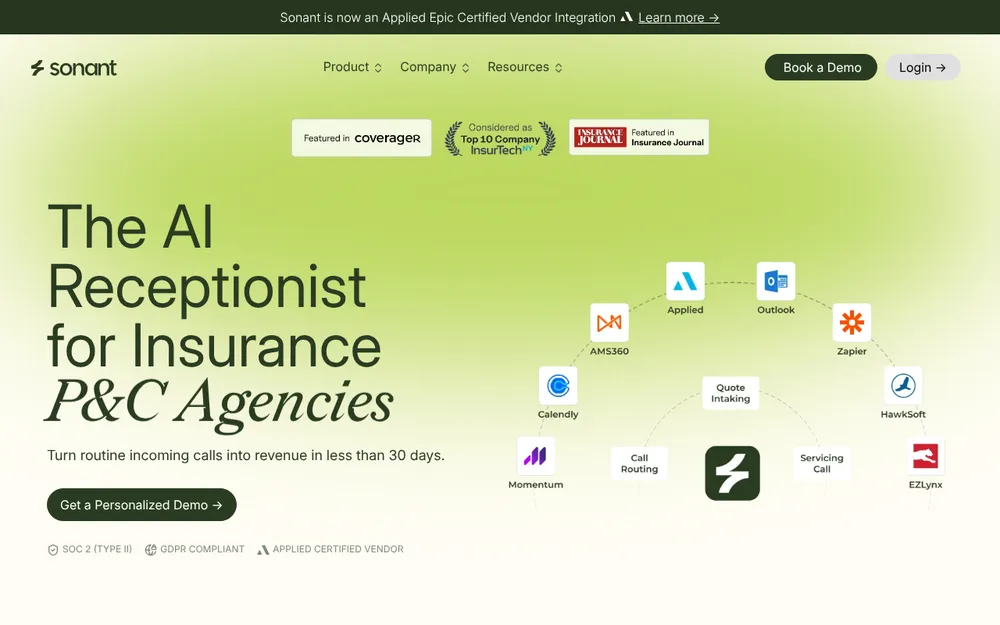
Sonant is an AI receptionist for P&C agencies, with a note taker for the calls your team takes. It suits agencies whose client contact runs through the main phone line.
Best for: P&C agencies on Applied Epic, AMS360, HawkSoft or EZLynx that want every call logged.
What it does for call notes
Sonant says it transcribes calls in real time. It then writes a structured record into the AMS, with a summary, the outcome and follow-up tasks. It runs on top of your existing phone setup (Sonant AI note taker).
Its homepage lists EZLynx, Momentum, QQCatalyst, HawkSoft, Applied and AMS360 among its integrations. Sonant is also an Applied Epic certified integration partner.
Sensitive fields such as Social Security numbers and payment details go into dedicated AMS fields, not the summary. Retention policies are configurable per call outcome, and Sonant shows a SOC 2 Type II badge.
Watch out for
- No public price. Sonant quotes a partner rate after a demo. It says most agencies go live in under 30 days.
- Phone first. Its pages don't mention video calls or in-person meetings.
- Training on your calls isn't addressed. Sonant says its AI was trained on real insurance calls but doesn't say whether your own calls are used.
- The receptionist is the core product. If you only want notes on calls agents already take, ask whether the note taker is sold on its own.
Rating: I found no third-party rating I could verify. Its review-site listings carry only a handful of reviews.
4. Fellow: Best for an Agency-Wide Rollout With a Deletion Schedule
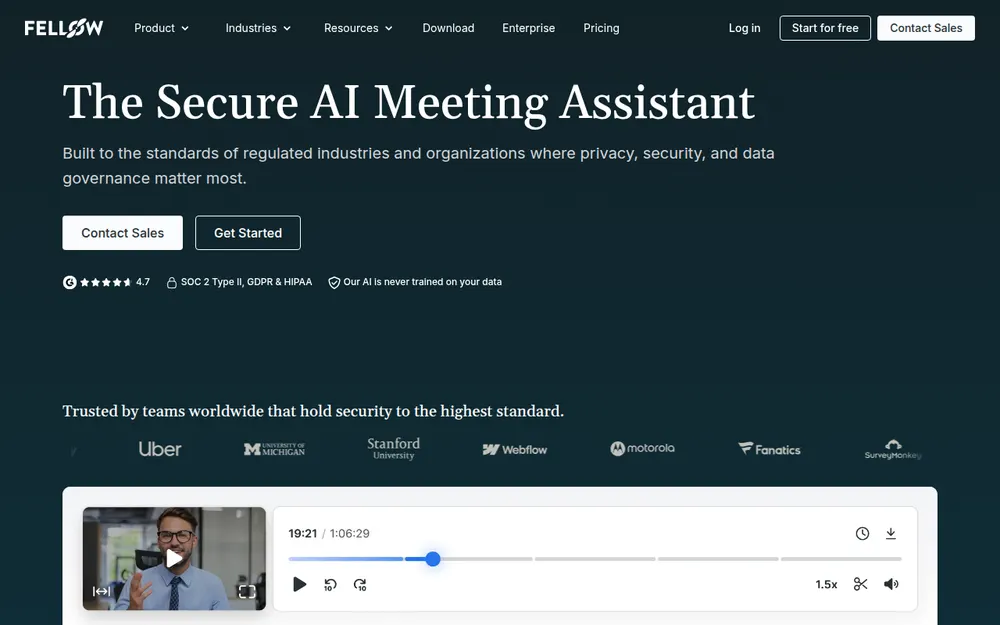
Fellow fits the agency that needs one tool for every producer, with admin-set retention. Of the tools here, it most directly meets the need to delete call transcripts on a set schedule.
Best for: agencies of 10 or more users that want the same rules applied to everyone.
Why it fits a compliance-minded agency
On Enterprise, admins set workspace-wide auto-deletion with separate periods for recordings and transcripts. Setting either one to 0 days deletes it as soon as Fellow finishes processing. Admins can delete the AI notes too (Fellow help center).
Fellow's page for insurance brokers describes bot or botless recording, permanent redaction of sensitive content and admin-enforced settings. It says Fellow "never trains AI models on customer data" (Fellow for insurance brokers).
Watch out for
- Auto-delete needs Enterprise. That plan costs $25 per user per month billed annually and starts at 10 users.
- No phone line. The insurance page lists video platforms, in-person meetings and Slack huddles, not phone calls.
- Notes live in Fellow's cloud until the retention policy removes them.
Price: Team is $7 and Business $15 per user per month billed annually. Enterprise is $25, from 10 users (Fellow pricing). Enterprise costs $151 more per user per year than Voibe Work, which costs 50.3% less.
Rating: 3.2/5 from 24 ratings on the App Store, a small sample.
5. Fireflies: Best If Your Agency Already Uses RingCentral, Zoom Phone or Aircall
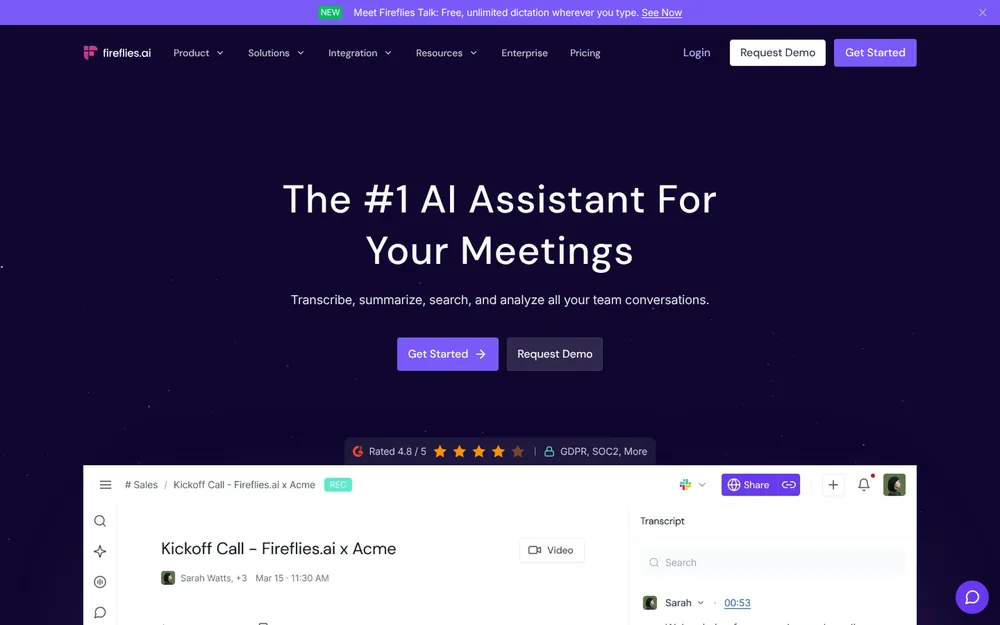
Fireflies is a general meeting note taker that also transcribes calls from business phone systems. For an agency already on a supported dialer, it covers phone and video in one account.
Best for: agencies on RingCentral, Zoom Phone, Aircall, JustCall or Quo.
Its dialer integrations capture, transcribe and summarize calls made through those systems. Pro and Business seats can transcribe up to 3,000 dialer minutes a month each. Overage costs $0.01 a minute (Fireflies help center).
On video calls, Fireflies sends a bot by default and also offers a bot-free desktop mode. Its pricing page says your data is never used for AI training. Custom data retention sits on Enterprise (Fireflies pricing). Our Is Fireflies safe? review covers where the recordings are kept.
Watch out for
- Retention controls need Enterprise, at $39 per seat per month, annual only ($468 a year).
- Storage limits on Pro: 8,000 minutes per seat.
- A bot by default on Zoom, Teams and Google Meet.
Price: Pro is $10, Business $19 and Enterprise $39 per seat per month billed annually. Voibe Work costs $29 (24.2%) more per year than Pro, and Business costs $79 more than Voibe Work.
6. Dialpad: Best When You're Replacing the Agency Phone System
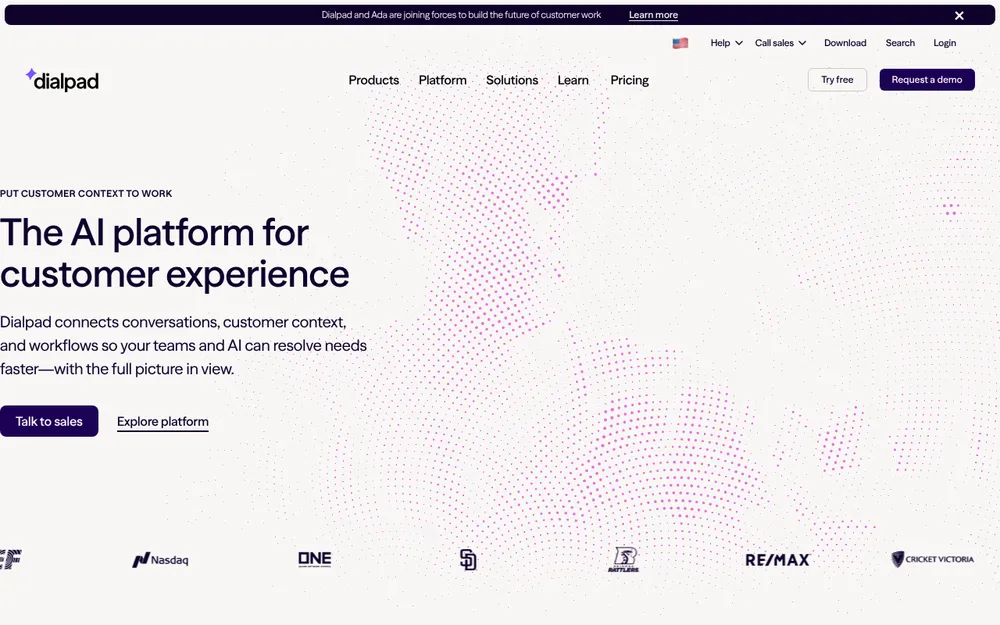
Dialpad is a cloud phone system with call transcripts and summaries built in. If the agency is choosing a new phone system anyway, notes come with every call.
Best for: agencies moving off an old phone system that want summaries on every call.
The Standard plan includes real-time transcripts and instant call summaries, and AI Recaps add action items (Dialpad pricing). Company admins can set retention policies on every plan, by office, department or user. Without one, Dialpad keeps data until you delete it or cancel (Dialpad retention policy).
AI training is off by default for US and Canadian companies. A signed BAA blocks it entirely (Dialpad AI training settings).
Watch out for
- It's a phone system, not a note taker. Moving the agency's numbers is a bigger project than installing an app.
- Integrations cost more. Pro adds advanced integrations at $25 per user per month billed annually.
- Access windows: recordings and transcripts stay accessible for 45 days to one year, depending on the plan.
Price: Standard is $15 per user per month billed annually ($180 a year) or $27 monthly. Pro is $25 annually or $35 monthly. Standard costs $31 more per user per year than Voibe Work, which costs 17.2% less.
7. Plaud: Best for Calls on Your Cell Phone and Kitchen-Table Visits
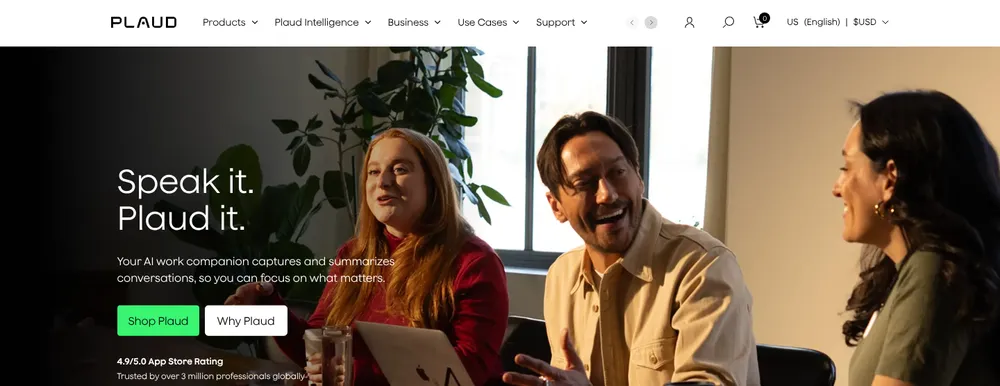
Plaud sells pocket recorders that capture phone calls and in-person conversations. It's the simplest way to document calls on your own cell phone.
Best for: agents who sell by cell phone and visit clients at home.
The Plaud Note ($159) switches between phone-call and meeting modes. For calls, it attaches to the back of your phone and picks up sound through a vibration conduction sensor. It records offline and transcribes later, which needs the paired phone and an internet connection.
Plaud says it doesn't train on your content unless you opt in. Recordings and transcripts stay in Plaud's cloud until you delete them (Is Plaud safe?).
Watch out for
- Hardware per agent. Every agent who takes calls on a cell needs a device.
- Minutes: the free Starter plan covers 300 transcription minutes a month, and Pro covers 1,200.
- No AMS sync. Notes move to the client file by hand.
Price: the Plaud Note costs $159 and includes the free Starter plan. Pro is $99.99 a year or $17.99 monthly, and Unlimited is $239.99 a year (Plaud plans).
Year one of the Note plus Pro costs $258.99, which is $109.99 more than Voibe Work. After that, the Pro plan alone costs $49.01 less per year than Voibe Work.
Other Note Takers Insurance Agents Ask About
- RingCentral: its pricing page lists an AI Virtual Assistant as included on the Core plan. Core costs $20 per user per month billed annually. Its AI Receptionist add-on starts at $39. Check what the assistant records on your plan before you rely on it for client files.
- Granola: no bot on video calls. Its App Store listing says the iPhone app can take notes on outbound phone calls. Notes sit in Granola's US cloud, with training on by default on Free and Business.
- Otter and other video-call note takers: they suit Zoom and Teams but don't answer the agency phone line. Our list of best no-bot meeting note takers compares every bot-free option.
- Speakwise: an iPhone-only app for in-person meetings and speakerphone calls. Its own blog lists plans from $69.99 a year. I couldn't verify how it handles data.
- Microsoft Teams intelligent recap: it needs Teams Premium or Microsoft 365 Copilot, and the notes stay in Microsoft's cloud.
For in-person reviews at your desk, see our guide to recording an in-person meeting on your laptop.
Can an AI Note Taker Document Insurance Phone Calls Automatically?
Yes, but only a tool that sits on the phone line or on the phone itself can do it. A meeting note taker that captures Zoom or Teams can't hear a call on your cell or desk phone.
| How your calls happen | Tool that documents them | How it works |
|---|---|---|
| Agency phone line, P&C agency on an AMS | Sonant | Runs on your existing phone setup and writes the record into the AMS |
| Agency on RingCentral, Zoom Phone or Aircall | Fireflies | Dialer integration, up to 3,000 minutes per seat a month |
| Agency choosing a new phone system | Dialpad | Transcripts and summaries built into every call |
| Cell phone, with a CRM to update | Jump | The iPhone app merges the notetaker into the call |
| Cell phone, no platform | Plaud Note | A recorder on the back of the phone |
| Zoom, Teams or in person | Voibe Work | Captured from your computer, with no bot in the call |
Voibe Work isn't a phone-call tool. It has no phone app. It earns its place here for the meetings at your desk, not the calls on your cell.
Recording a phone call carries the same consent rules as any other recording. Some states treat phone calls more strictly than conversations in person.
Deleting Call Transcripts on a Set Schedule: What Each Tool Allows
Five of the seven tools let an admin set how long recordings and transcripts live. They differ on the plan you need and on what actually gets deleted.
| Tool | Schedule control | Plan | What's deleted |
|---|---|---|---|
| Fellow | Separate periods for recordings and transcripts, from 0 days | Enterprise | Recordings, transcripts and, optionally, AI notes |
| Jump | Custom deletion delay, set by meeting type | Set by account owners or compliance admins | Audio, video and transcripts; notes and tasks are kept |
| Dialpad | Policies by office, department or user | All plans | Call recordings, voicemails, messages and AI transcripts |
| Fireflies | Custom data retention | Enterprise | Not detailed on the pricing page |
| Sonant | Retention set per call outcome | Not stated | Not detailed |
| Plaud | Manual deletion | All plans | Whatever you delete |
| Voibe Work | Audio deleted as soon as processing completes | Voibe Work and its trial | Transcript and summary stay on your computer until you delete them |
For an agency that must delete transcripts on a schedule, Fellow Enterprise and Dialpad give the most explicit controls. Voibe Work takes a different route. Voibe never holds the transcript. The schedule that applies is the one your agency sets for files on its own computers.
Recording Consent on Client Calls: What Agents Need to Do
A quieter note taker makes telling the client more important, not less. Voibe Work reminds you to tell everyone when recording starts. Following the law and your carriers' rules is your responsibility.
Clients call from other states all the time. Our guide to AI notetaker recording consent laws explains which state's law applies when they do.
Where every party must agree
These groupings follow Justia’s 50-state survey of recording laws.
- All-party consent: California, Florida, Maryland, Massachusetts, New Hampshire and Pennsylvania. California applies its rule to calls between California and a one-party state.
- Generally all-party: Illinois and Washington.
- It depends: Connecticut imposes civil liability for recording phone calls without all-party consent. Nevada is one-party in person but all-party for phone calls, and Oregon requires telling everyone in person.
- One-party: most other states, including New York, New Jersey, Texas and North Carolina.
A disclosure line for client calls
Before we start, I use an AI note taker so I can focus on you instead of typing. It writes a summary for your file. Is that okay with you?
Log the client's answer wherever your agency records consent, and adjust the line to match what your tool actually keeps.
Warning
This is a summary for comparing tools, not legal advice. Check your state's recording law, your carriers' rules and your agency's written policy before you record any client.
How to Choose the Right AI Note Taker for Your Agency
Do client calls come in on the agency phone line?
- Yes, and you're a P&C agency on an AMS → Sonant, which writes each call into the AMS.
- Yes, and you already use RingCentral, Zoom Phone or Aircall → Fireflies, through its dialer integrations.
- Yes, and you're replacing the phone system anyway → Dialpad, with summaries on every call.
Are your calls on your own cell phone, or at the client's home?
- Yes, and you want one platform with CRM sync → Jump, at $1,200 per agent per year.
- Yes, and you just need the call recorded → Plaud, with a $159 recorder.
Must admins delete transcripts on a set schedule across the agency?
- Yes → Fellow Enterprise, at $300 per user per year from 10 users.
Do your client meetings run on Zoom, Teams or in the office, with notes kept on your own computer?
- Yes → Voibe Work: no bot and dictation included, for $149 a year on Mac and Windows.
Best AI Note Taker for Your Insurance Situation
| Your situation | Best choice | Why |
|---|---|---|
| Independent agent meeting clients on Zoom or Teams | Voibe Work | No bot, notes on your computer, audio deleted, $149 a year |
| Annual reviews across your desk at the office | Voibe Work | Records the room through your computer's mic |
| Agent who also writes follow-up emails and file notes by voice | Voibe Work | Meeting notes and dictation in one plan |
| P&C agency whose clients call the main line | Sonant | Notes written into Applied Epic, AMS360, HawkSoft or EZLynx |
| Agency of about 90 agents needing files for a compliance review | Fellow Enterprise or Sonant | Admin-enforced retention, or every call logged in the AMS |
| Agency that must delete call transcripts on a schedule | Fellow Enterprise or Dialpad | Admin retention periods, from 0 days on Fellow |
| Agency already on RingCentral or Zoom Phone | Fireflies | Dialer integration, 3,000 minutes per seat a month |
| Agency replacing its phone system | Dialpad | Call summaries on Standard, $180 per user per year |
| Producer who wants notes, tasks and CRM updates in one tool | Jump | Phone, video and in-person capture, 40+ integrations |
| Agent selling from a cell phone | Plaud or Jump | A recorder on the phone, or a notetaker merged into the call |
| Home and care-facility visits with Medicare clients | Plaud | Records in person without a laptop |
| Client consultations that follow the same structure every time | Voibe Work | Your own summary template, or start from our insurance client meeting notes template |
Frequently Asked Questions About AI Note Takers for Insurance Agents
Choosing a tool
- What is the best AI note taker for insurance agents? Voibe Work for client meetings on Zoom, Teams or in the office. Jump for one platform that also covers phone calls, Sonant for agency phone lines, and Fellow Enterprise for deletion schedules.
- What's the best tool to document insurance phone calls automatically? Sonant for P&C agency phone lines, Dialpad for a new phone system, and Fireflies on RingCentral or Zoom Phone. On a cell phone, use Jump or a Plaud recorder.
- Does Voibe Work record phone calls? No. Voibe has no iPhone or Android app. It captures Zoom, Teams and other meeting apps on your Mac or Windows PC, plus in-person meetings.
Compliance and retention
- Which AI note takers suit an agency of about 90 agents that needs notes for a compliance review? Fellow Enterprise for admin-enforced retention, Sonant for phone calls logged into the AMS, and Jump for one platform across channels. Voibe Work fits agents who meet on video or in person and file notes themselves.
- Can an AI note taker delete call transcripts on a set schedule? Yes. Fellow Enterprise deletes recordings and transcripts on separate schedules from 0 days. Jump, Dialpad and Fireflies Enterprise also offer admin retention settings.
- Is any AI note taker compliant for insurance on its own? No. Compliance depends on what your agency files and how it vets vendors. Voibe makes no compliance claim, and a BAA is available on request.
Privacy and consent
- Where does Voibe Work keep meeting notes? On your computer, not on Voibe's servers. Audio is deleted as soon as processing completes, and notes need an internet connection.
- Do I need the client's consent to use an AI note taker? Often, yes. Several states require every party to agree, and when a call crosses state lines you should follow the strictest law.
Pricing
- How much does an AI note taker for an insurance agency cost? From $120 (Fireflies Pro) to $1,200 (Jump Meet) per agent per year on annual billing. Voibe Work is $149, and Sonant prices on request.
- Is there a free trial of Voibe Work? Yes. Every new account gets 7 days of every Voibe Work feature, with no credit card and no automatic charge.
Final Verdict: The Best AI Meeting Note Taker for Insurance Agents
Pick the tool that covers the channel your clients use. Then check where its copies of the call end up.
- Voibe Work for client meetings on Zoom, Teams or in the office. No bot joins, and notes are saved on your computer, for $149 a year or $399 once. It doesn't cover phone calls.
- Jump for one platform across phone, video and in-person meetings, at $1,200 per agent per year.
- Sonant for P&C agencies that want every call on the agency line logged in the AMS.
- Fellow Enterprise when admins must delete transcripts on a set schedule.
Whatever you choose
Tell every client you're taking notes, and read the summary before it goes in the file. Then file the final note where your agency keeps its client records.
Start a free Voibe Work trial: 7 days of every feature, with no credit card and no automatic charge.
Related reading
- Insurance client meeting notes template, with a summary prompt and follow-up prompts.
- Your first week with Voibe Work.
- Best AI meeting note takers for financial advisors.
- AI notetaker recording consent laws by state.
- Plaud alternatives, for in-person capture without a recorder.