

How to Transcribe a Teams Recording: The Quick Answer
The meeting ended an hour ago, and the recording is sitting in the chat. You open Recap, click Transcript, and find nothing there. Somebody hit Record, but nobody's policy had transcription switched on.
To transcribe a Teams recording that has no transcript, download the MP4 and send its audio to a transcription service. Buying Teams Premium or Copilot today won't add a transcript to a meeting that already happened. You need the file, and you need it before Teams expires it.
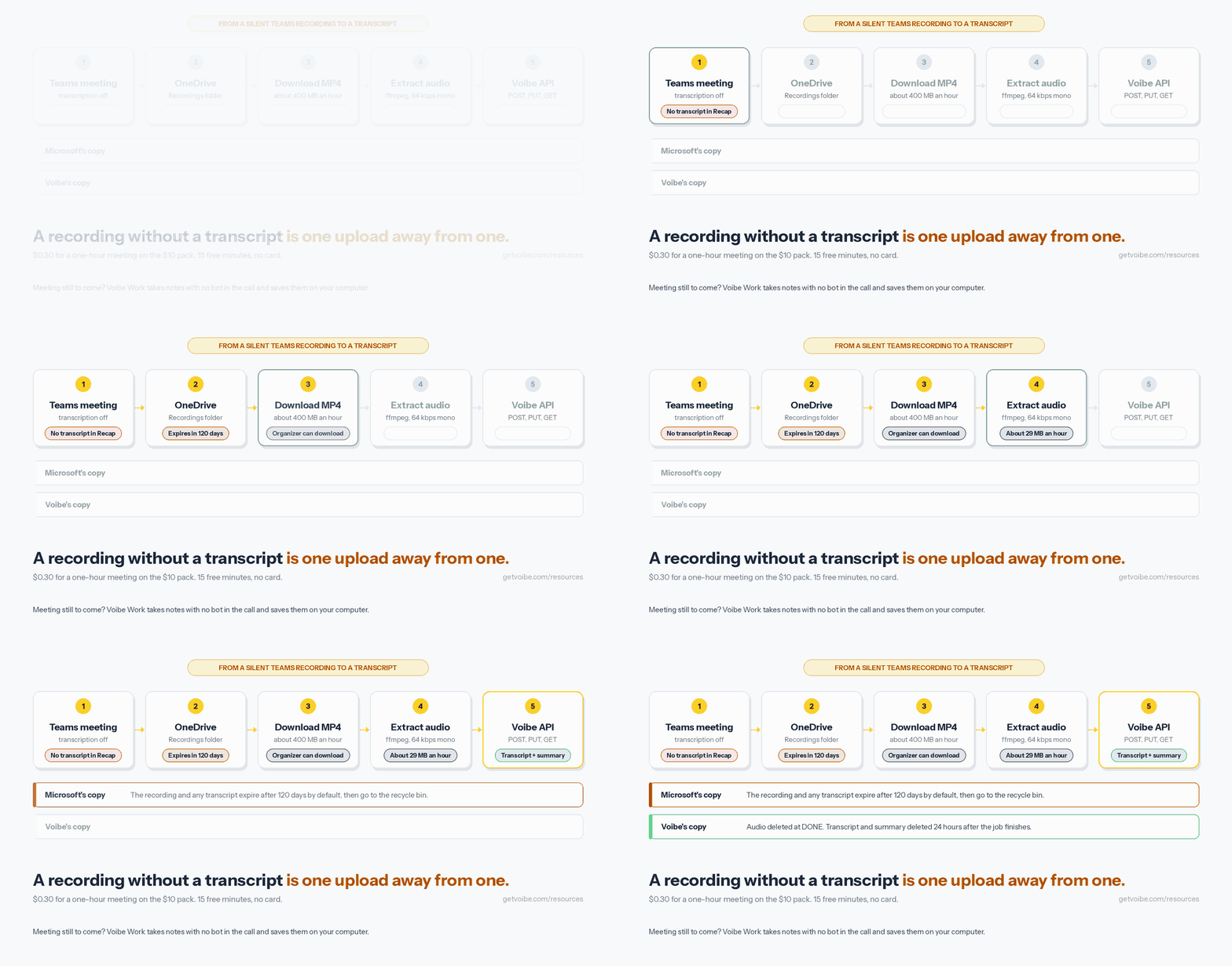
- Check Recap first. Recording starts transcription automatically when the policy allows it, so the transcript may already be there to download.
- Find the MP4. It sits in the organizer's OneDrive for a normal meeting, or in the channel's SharePoint site for a channel meeting.
- Download it, then pull out the audio. By default only the organizer can download, and one ffmpeg command turns the video into a small audio file.
- Transcribe it. Use the free Generate option in the OneDrive player for a single file, or the Voibe API for speaker labels, a summary and whole folders.
Budget about ten minutes for the first file, most of it spent on the download. After that, the API steps take three commands.
Key takeaways
| Question | Answer |
|---|---|
| Why is there no transcript? | Transcription was off in the organizer's or recorder's meeting policy, or it was never started |
| Will Teams Premium or Copilot fix it? | No. Both build on a transcript that has to exist already |
| Where is the recording? | Organizer's OneDrive, Recordings folder; channel meetings go to the channel's SharePoint site |
| Who can download it? | The organizer by default; other people in your organization can watch but not download |
| How long do I have? | 120 days by default, then it moves to the recycle bin |
| Free option | Generate captions in the OneDrive or SharePoint player, if you own or can edit the file |
| API cost | $0.30 for a one-hour meeting on the $10 pack; 15 free minutes, no card |
| What Voibe keeps | Audio deleted once the transcript exists; transcript and summary deleted 24 hours after the job finishes |
Key Takeaway
A Teams recording without a transcript can't be fixed by a licence bought after the meeting. Download the MP4 before it expires, then transcribe the file: free in the OneDrive player for one recording, or about $0.30 an hour with the Voibe API.
Where Teams Saves Your Recording, and Who Can Download It
Every Teams meeting recording is saved as an MP4 file in OneDrive or SharePoint, and which one depends on the meeting type. Microsoft's storage and permissions article spells it out.
Normal meetings: the organizer's OneDrive
A scheduled meeting, a Meet now meeting or a meeting booked in Outlook saves to the organizer's OneDrive, in a folder called Recordings. That holds even if the organizer never joined the call. Co-organizers get the same editing rights to the file as the organizer.
Everyone else from the organizer's organization gets read access. They can watch it, but the permissions table gives them no sharing or download rights. Microsoft's user guide is blunter: “Only the meeting organizer can download the meeting recording” ({a(L_PLAY, 'Microsoft Support')}).
Channel meetings: the team's SharePoint site
A meeting held in a Teams channel saves to that team's SharePoint document library, under Documents and then Recordings. Permissions follow the channel's owners and members. The person who clicked Record gets edit rights.
Calls and personal Teams
- 1:1 and group calls save to the OneDrive of whoever clicked Record, and the other people on the call from the same organization can only watch.
- Teams (free) on a personal account keeps the recording in the meeting chat for 30 days. Recording needs a Microsoft 365 Personal, Family or Premium subscription, and the chat shows a Download arrow (Microsoft Support).
- Guests from another organization get no access at all until the organizer shares the file with them.
Expiration: the clock you didn't know was running
Recordings and their transcripts expire after 120 days by default, and admins can set anything from 1 day to never (Microsoft Learn). Users on A1 education licences get 30 days at most. An expired recording moves to the recycle bin of the OneDrive or SharePoint site that held it.
Work and school recycle bins empty after 93 days unless an admin changed that. After that the file is gone for good, so download anything you want to keep long before either deadline.
A one-hour recording is about 400 MB, per Microsoft's own storage planning figure. That size is why the next steps pull the audio out before uploading anything.
When Teams Makes a Transcript, and When It Doesn't
A Teams transcript only exists if transcription ran during the meeting. Transcription is a meeting-policy setting, and it has to be on for two people: the organizer and whoever starts the recording or transcript (Microsoft Learn).
The setting is on by default for new policies. That default is why most business meetings get a transcript without anyone asking.
The five reasons a recording has no transcript
- The policy was off. Microsoft is plain about it: if recording is on but transcription is off, the recording has no transcript file next to it.
- Nobody started it. Recording starts transcription automatically, but you can also transcribe without recording from More actions during the call (Microsoft Support). It covers only the part of the meeting after it started.
- You weren't in the host's organization. People from another tenant and anonymous attendees can't start transcription. They can't view or download the transcript either.
- Copilot ran in no-save mode. Copilot's Only during the meeting setting uses speech-to-text data that isn't saved after the meeting ends (Microsoft Learn). The default policy, On with saved transcript required, does save one.
- It was a personal Teams meeting. Microsoft's Teams (free) recording guide covers recording, captions and a Download button, but no saved transcript.
What Teams Premium and Copilot add
Basic transcription comes with business Teams plans. Even Teams Essentials, at $4 per user per month paid yearly, lists recordings with transcripts (Microsoft). The paid add-ons layer AI on top of that transcript.
- Teams Premium ($10 per user per month, paid yearly) adds intelligent recap: AI notes, suggested tasks, chapters and speaker markers (Microsoft).
- Microsoft 365 Copilot ($30 per user per month, paid yearly) adds intelligent recap and questions during and after the meeting. It sits on top of a qualifying Microsoft 365 plan (Microsoft).
- Intelligent recap needs transcription on. Without a recording, it also loses the recording, speakers, topics and chapters (Microsoft Learn).
Both add-ons work on meetings that are transcribed while they happen. Neither goes back and transcribes last Tuesday's call, so buying one today won't help the file you already have.
Teams Premium, Copilot or a Transcription API: What a Year Costs
Say you want transcripts for future meetings too, and you're weighing a Microsoft add-on against paying per minute. The Voibe API costs $0.005 a minute on the $10 pack, which is $0.30 an hour. Microsoft's add-ons cost the same every month whether you record or not.
Cost per meeting on the Voibe API
| Meeting length | Cost at $0.005 a minute |
|---|---|
| 30 minutes | $0.15 |
| 45 minutes | About $0.23 |
| 1 hour | $0.30 |
| 90 minutes | $0.45 |
| 2 hours | $0.60 |
| 4 hours | $1.20 |
A year of transcripts, per person
The table below assumes 250 working days and the $10 pack rate. Microsoft prices are per user, paid yearly: Teams Premium $120, Copilot Business $252 and Microsoft 365 Copilot $360.
| You record | Hours a year | Voibe API | vs Teams Premium ($120) | vs Copilot Business ($252) | vs Microsoft 365 Copilot ($360) |
|---|---|---|---|---|---|
| Two 1-hour meetings a week | 104 | $31.20 | $88.80 less (74.0%) | $220.80 less (87.6%) | $328.80 less (91.3%) |
| 1 hour every working day | 250 | $75.00 | $45 less (37.5%) | $177 less (70.2%) | $285 less (79.2%) |
| 2 hours every working day | 500 | $150.00 | $30 more (25.0%) | $102 less (40.5%) | $210 less (58.3%) |
The break-even against Teams Premium is 400 recorded hours a year, about 1.6 hours every working day. Above that, Premium is cheaper if you host the meetings and your organization will buy it. Even the $100 pack, at $0.25 an hour, puts two hours a day at $125, which is still $5 more than Premium.
What the comparison leaves out
- Copilot Business lists $21 per user per month, with a promotional $18 for the first year through 31 December 2026, for existing eligible business customers (Microsoft).
- The Teams Premium trial runs one month, then converts to a 12-month paid subscription, and it needs a card.
- Both add-ons cover only meetings in your tenant. A client's Teams meeting, a Zoom call or an old recording on your laptop is out of reach.
- API packs never expire, and billing is per second, charged only when a job reaches
DONE.
Free First: Generate a Transcript in the OneDrive Player
If you own the recording or can edit it, try Microsoft's built-in Generate option before paying for anything. It's the cheapest fix there is, and it works on a meeting that was never transcribed.
The OneDrive and SharePoint video player can create a transcript and captions file for a video after the fact (Microsoft Support). Microsoft says it works for videos spoken in 28 languages and locales, under 4 GB and under 4 hours.
Steps
- Open OneDrive, go to My files, then the Recordings folder, and open the meeting video in the browser player.
- Open the Video settings panel and select Generate under transcripts and captions.
- Wait for it to finish, then download the captions from the same panel as a WebVTT file.
Where Generate runs out
- You need edit rights. An attendee with view-only access won't see the option, which is most people in the meeting.
- It works one video at a time. A backlog of thirty recordings means thirty rounds of clicking and waiting.
- You get captions, not a summary. The output is a WebVTT file built for subtitles, with no prompt to shape decisions or action items.
- It stops at 4 hours. An all-day workshop recording won't qualify.
For one short meeting you own, Generate is enough, so take it. The rest of the steps below are for everything else: folders of recordings, files someone sent you, and transcripts an agent can work with.
Step 1: Download the Teams Recording and Extract the Audio
Download the MP4 from whichever place you can reach. Microsoft's download guide uses the Shared tab of the meeting chat, and OneDrive works just as well.
From the Teams meeting chat
- Open Chat in Teams and find the meeting's chat thread.
- Select the Shared tab and find the recording.
- Open More options next to it and choose Download.
From OneDrive or SharePoint
- For a normal meeting, the organizer opens OneDrive, then My files, then Recordings.
- For a channel meeting, open the channel's Files tab and then the Recordings folder.
- Select the video, open its menu and choose Download. The file arrives as an MP4.
No Download option? You probably aren't the organizer, or your admin turned on Microsoft's policy that blocks recording downloads across the organization. The troubleshooting section below covers both.
Pull the audio out with ffmpeg
At about 400 MB an hour, the MP4 is mostly video you don't need. One ffmpeg command keeps the sound and drops the rest:
ffmpeg -i meeting.mp4 -vn -ac 1 -c:a aac -b:a 64k meeting.m4aThe -vn flag drops the video, and -ac 1 mixes the sound to mono. The -b:a 64k flag sets the bitrate, which works out to about 29 MB for an hour of audio. Speech stays clear at that rate.
You're billed on audio length, not file size, so the smaller file costs the same to transcribe. It just uploads in a fraction of the time.
Step 2: Transcribe the Recording With the Voibe API
The Voibe API takes three calls: create a job, upload the audio, read the result. Get a key from the API keys page first. New accounts get 15 free minutes with no card, which covers a short meeting end to end.
export VOIBE_KEY="vb_live_…"Create the job
response=$(curl -s -X POST "https://api.getvoibe.com/v1/transcripts" \
  -H "Authorization: Bearer $VOIBE_KEY" \
  -H "Content-Type: application/json" \
  -d '{"diarize": true, "prompt": "Summarize as decisions, owners and deadlines."}')
job_id=$(echo "$response" | jq -r .job_id)
upload_url=$(echo "$response" | jq -r .upload_url)
The response holds a job_id and a signed upload_url, which the two jq lines save as shell variables. All three request fields are optional:
diarizelabels each speaker. It's off by default, so send it as true for meetings, as the command above does.prompttakes up to 2,000 characters and shapes the summary. It never changes the transcript itself.webhook_urltakes a public HTTPS address if you'd rather be called back than poll.
Upload the audio
curl -s -X PUT "$upload_url" \
  -H "Content-Type: application/octet-stream" \
  --data-binary @meeting.m4a
The signed URL goes straight to storage, and transcription starts the moment the upload lands.
Read the transcript
curl -s "https://api.getvoibe.com/v1/transcripts/$job_id" \
  -H "Authorization: Bearer $VOIBE_KEY"
The status moves from QUEUED to PROCESSING to DONE. Poll with backoff, starting at 3 seconds and doubling up to every 30 seconds. A FAILED job explains itself in the error field and isn't charged.
A finished job returns four fields worth keeping. The transcript field is the speaker-labelled array with start and end times in seconds. The transcript_text field holds the same thing as one string, and summary.text is the summary your prompt shaped. The audio_duration_seconds field tells you what you were billed for.
What Voibe deletes, and when
- The audio is deleted the moment the transcript exists. It's never stored afterwards and never used to train any model.
- The transcript and summary are kept for 24 hours after the job finishes, then deleted. Save them to your own disk as soon as the job reaches
DONE. - Your MP4 stays wherever you put it. Delete the downloaded copy once the transcript is checked, unless a retention policy says otherwise.
Transcription runs on open-source models at zero-retention providers, with no third-party AI lab in the audio path. Every read is scoped to the key that created the job. The background is in the API docs.
Or Hand It to Claude: The Voibe MCP in Claude Code and Claude Desktop
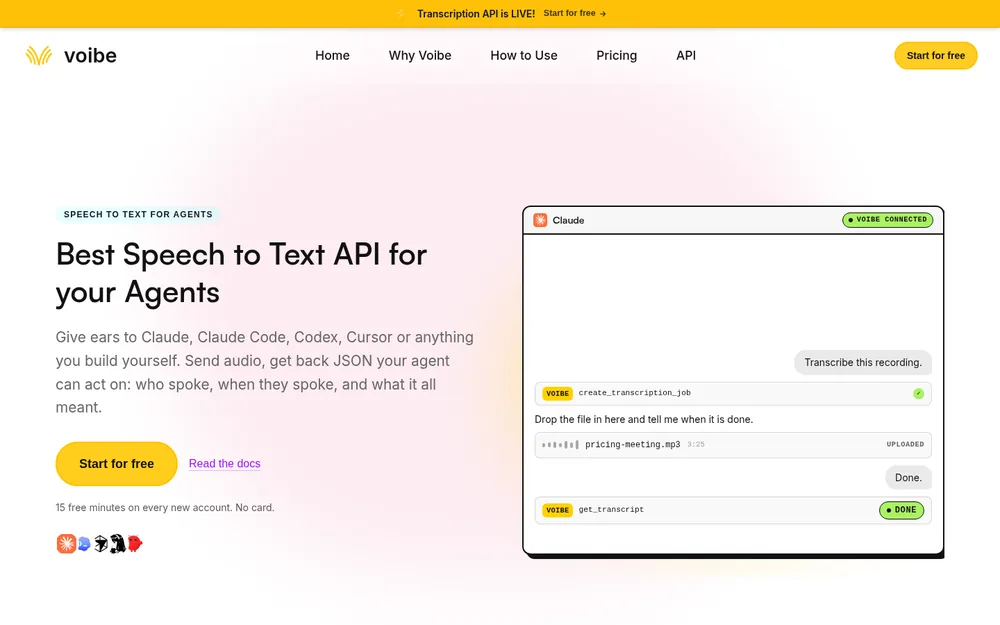
The same API runs as an MCP server at https://api.getvoibe.com/mcp. Connect it once, and an AI app can start jobs, read transcripts, list past jobs and check your balance. It signs in through your browser by default, so an API key is optional.
Claude Code
claude mcp add --transport http voibe https://api.getvoibe.com/mcpRun /mcp afterwards to sign in. Claude Code can read your Downloads folder, run ffmpeg and do the upload itself, so the whole job becomes one sentence:
Find the newest Teams recording in ~/Downloads, extract the audio with ffmpeg, transcribe it with the Voibe MCP, and save the transcript and an action-item table to notes/.
Claude Desktop
Open Customize, then Connectors, choose Add custom connector and paste the server address. Anthropic’s connector docs cover the Team and Enterprise setup, where an owner adds it once for everyone. Claude Code is still the easier home for a file on your disk, because it can run the upload step on its own.
Two limits to know
- It transcribes files and nothing else. The API's MCP server can't open your Teams meetings, your OneDrive or your dictation history.
- Claude sees the transcript. When Claude drives the MCP, the transcript text goes to Anthropic under your Claude plan's terms. For your most sensitive recordings, run the three API calls yourself.
An agent with the MCP connected can't spend your money either. It has no way to create keys or buy minutes.
Batch Transcribe a Folder of Teams Recordings
A backlog is where an API pays for itself. Download the recordings you need into one folder, then let a script walk it. The version below is plain Python with no packages to install, and it skips any meeting that already has a transcript.
#!/usr/bin/env python3
# Transcribe every Teams MP4 in a folder that has no transcript yet.
import json, os, pathlib, subprocess, time, urllib.request

API = 'https://api.getvoibe.com/v1'
KEY = os.environ['VOIBE_KEY']
SRC = pathlib.Path.home() / 'Downloads' / 'teams-recordings'
OUT = pathlib.Path('transcripts'); OUT.mkdir(exist_ok=True)
PROMPT = 'Summarize as decisions, owners and deadlines.'


def call(method, url, body=None, headers=None):
    req = urllib.request.Request(url, method=method, data=body, headers=headers or {})
    with urllib.request.urlopen(req) as r:
        return r.read()


for mp4 in sorted(SRC.glob('*.mp4')):
    dest = OUT / f'{mp4.stem}.md'
    if dest.exists():
        continue
    audio = mp4.with_suffix('.m4a')
    subprocess.run(['ffmpeg', '-y', '-loglevel', 'error', '-i', str(mp4),
                    '-vn', '-ac', '1', '-c:a', 'aac', '-b:a', '64k', str(audio)], check=True)

    job = json.loads(call('POST', f'{API}/transcripts',
        json.dumps({'diarize': True, 'prompt': PROMPT}).encode(),
        {'Authorization': f'Bearer {KEY}', 'Content-Type': 'application/json'}))
    call('PUT', job['upload_url'], audio.read_bytes(),
         {'Content-Type': 'application/octet-stream'})

    delay = 3
    while True:
        res = json.loads(call('GET', API + '/transcripts/' + job['job_id'],
                              None, {'Authorization': f'Bearer {KEY}'}))
        if res['status'] in ('DONE', 'FAILED'):
            break
        time.sleep(delay)
        delay = min(delay * 2, 30)

    if res['status'] != 'DONE':
        print(mp4.name, res['error'])      # failed jobs are not charged
        continue
    dest.write_text('# ' + mp4.stem + '\n\n## Summary\n\n' + res['summary']['text']
                    + '\n\n## Transcript\n\n' + res['transcript_text'] + '\n')
    audio.unlink()
    print(dest, round(res['audio_duration_seconds'] / 60, 1), 'min')
Why it's built this way
- It's safe to re-run. The
dest.exists()check skips finished meetings, so next week's run only picks up new files. - It uploads audio, not video. ffmpeg makes a 64 kbps mono file first and deletes it after the transcript is saved.
- Failures cost nothing. A failed job prints its error and the loop moves on, and you're never charged for it.
- Transcripts land on your disk at once. Voibe deletes its copy 24 hours after each job, and the Markdown file is the copy you keep.
Thirty one-hour recordings cost $9 at the $10 pack rate, which leaves most of the pack for next month. For long batches, pass a webhook_url instead of polling.
Turn the Transcript Into Meeting Notes or a Recap Email
A transcript is the raw material. Most people want one of three things from it: notes for themselves, a recap for the attendees, or formal minutes.
Let the prompt do the first pass
The prompt field shapes the summary Voibe returns, so ask for the format you'll actually send. A few that work for Teams meetings:
- Recap email: “Write a recap email: three decisions, then action items with owner and deadline.”
- Project update: “List what changed since last week, open risks, and who is blocked.”
- Client call: “Summarize what the client asked for and what we promised, with dates.”
Rename the speakers before you share
The transcript labels voices as Speaker 1, Speaker 2 and so on. Replace them with names once, by search and replace or by telling your agent who is who, before anything leaves your hands.
Check the summary against the transcript
An AI summary can drop a condition that changes the meaning, such as a deadline that depends on a review. Read it against the transcript before it goes to a client or a board. The transcript is verbatim, and the summary is the part you can regenerate with a different prompt.
Need minutes a committee can approve? Turning a transcript into meeting minutes walks through that format.
Which Route Fits Your Recording, and When an API Is Overkill
An API earns its place on repeated jobs. For a single meeting, one of the cheaper routes is often enough, so work down these questions in order.
- Does Recap already show a transcript? Download it as .docx or .vtt from the meeting chat's Recap tab, if you're the organizer or a co-organizer.
- Can you download or edit the MP4? If not, ask the organizer to share the file or a transcript with you. No tool gets around missing permissions.
- Must the audio stay on your machine? Run Whisper locally. It's slower and separates speakers less cleanly, but nothing gets uploaded.
- Is it one file under 4 hours, and are captions enough? Use Generate in the OneDrive player for free.
- Anything else? Use the Voibe API or MCP for folders, speaker labels, steerable summaries and agents.
The local route is explained in how Whisper works. If you also have Zoom files, how to transcribe a Zoom recording covers the same API steps for Zoom's local recordings. How to transcribe a Google Meet recording does the same for Meet files in Google Drive.
How to Get Teams Meeting Notes Without a Bot or a Recording
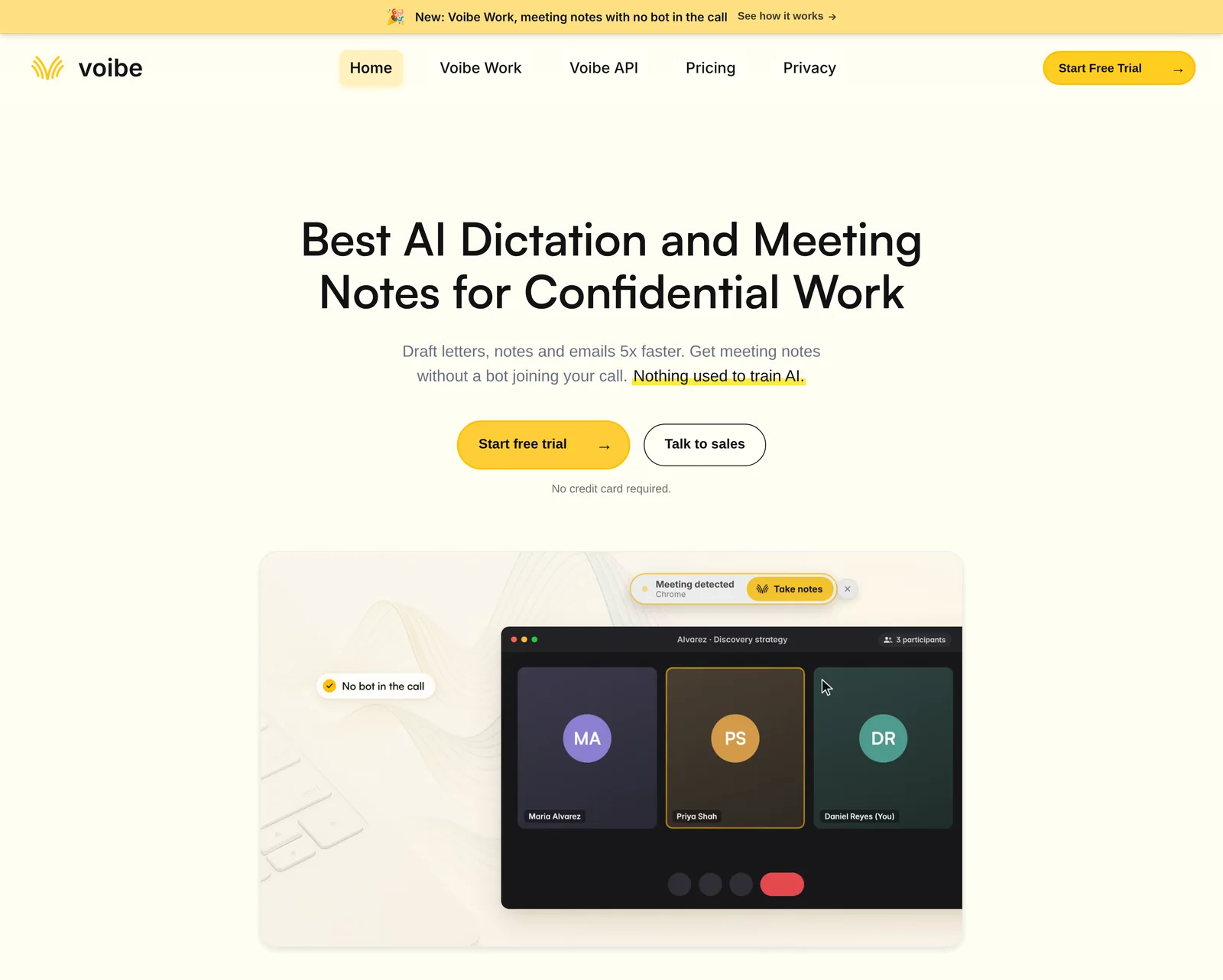
Everything above starts from a file that already exists. For meetings still ahead of you, you can skip the recording, the download and the expiry clock entirely. The Voibe API transcribes a recording you already have. Voibe Work, our meeting-notes plan, takes notes on the live call.
What Voibe Work does in a Teams meeting
- No bot joins. Voibe Work captures the meeting from your Mac or Windows PC, in Teams, Zoom, Google Meet, Webex, Slack huddles or any other meeting app.
- Nothing waits in the lobby. By default, Teams holds a detected bot in the lobby until the organizer admits it (Microsoft Learn). With nothing joining, there's no bot to admit and no notetaker for IT to approve.
- It works in meetings you don't host. A client's tenant works the same as yours, where Teams' own transcription and recap stay with the host.
- Speakers are labelled. Every line shows who spoke and when, and renaming a speaker updates the summary.
- Summaries follow a template for each meeting type, and you can create your own, such as a recap email in your team's format.
- Long meetings fit. One meeting can run up to 4 hours, and you can chat with your meetings, copy in one click or export a PDF.
Where the audio and notes go
Meeting audio is processed by open-source models on zero-retention cloud providers and deleted as soon as processing completes. The transcript and summary are saved on your computer, not on Voibe's servers, and never used to train AI. That processing step means meeting notes need an internet connection.
When recording starts, Voibe reminds you to tell everyone you're taking notes. Following the consent rules where each person on the call is stays your responsibility. Our guide to AI notetaker consent laws covers them state by state.
What it costs next to Microsoft's add-ons
Voibe Work costs $19 a month, $149 a year or $399 once, with Voibe's dictation app included on Mac and Windows. Against Microsoft 365 Copilot ($360 a year) it's $211 less (58.6%), and against Copilot Business ($252) it's $103 less (40.9%).
Teams Premium ($120) is $29 cheaper (24.2%), but it only covers meetings your own organization hosts.
Many Teams users work on Windows, and Voibe for Windows covers the native app. The full field of Teams note takers, including Copilot, is ranked in the best AI note taker for Microsoft Teams. Why we built Voibe Work without a bot is in its launch post.
See Voibe Work in action
Take notes in your next Teams meeting without a bot
Start free on Mac or Windows. You get 7 days of every Voibe Work feature, with no credit card and no automatic charge.
Tips for Cleaner Teams Transcripts
These habits save you from the empty Recap tab next time, and they cost nothing.
- Check your policy once. Ask IT whether transcription is on for you, or run a two-minute test meeting and look for the transcript afterwards.
- Record as organizer when you can. The organizer owns the file and is the only person who can download it by default.
- Download within the month. Don't count on the 120-day default, because your admin may have set something shorter.
- Keep one folder for recordings. The batch script works best when every MP4 you care about lands in the same place.
- Write your summary prompt once. Save the prompt that produces your recap format and reuse it for every job.
- Save transcripts the day they finish. Voibe deletes its copy after 24 hours, so your disk is the archive.
Tip
Recording starts transcription automatically when your policy allows it. If a test recording comes back without a transcript, the policy is the problem, not the button.
Why You Can't Get a Transcript From Your Teams Recording and How to Fix It
There's no Download button on the recording
By default, only the organizer can download a meeting recording, and other attendees from the same organization can only watch it. Ask the organizer to download the MP4 or share it with edit rights.
If even the organizer can't download, your admin may have turned on the organization-wide policy that blocks downloads of recordings and transcripts (Microsoft Learn).
The recording says it's unavailable or expired
Expired recordings move to the recycle bin of the OneDrive or SharePoint site that held them. The organizer restores a normal meeting's file from the OneDrive recycle bin. Anyone with edit rights can restore a channel recording from the SharePoint recycle bin.
Work and school recycle bins empty after 93 days by default, and after that the file can't be recovered.
The recording failed to upload to OneDrive
If nobody involved has a OneDrive account or the storage is full, Teams parks the recording in temporary storage. The organizer has 21 days to download it from there before Teams deletes it.
The transcript only covers part of the meeting
Someone started transcription partway through, and Teams only transcribes from that moment on. Transcribe the full MP4 with Generate or the Voibe API to get the whole meeting.
I was a guest in another company's meeting
People from another tenant can't start transcription or open the host's transcript, and they have no access to the recording until the organizer shares it. Ask the host for the file, or take your own notes with a tool that runs on your computer.
The Voibe API returned an error
- 401 means the key is missing or wrong, and the request is never billed.
- 402 means you're out of minutes, so buy a pack and resend the job.
- A failed job explains itself in the
errorfield and isn't charged, so retrying is free.
Tools That Make Transcribing Teams Recordings Easier
The right tool depends on whether you're fixing an old recording or planning for the next meeting. These are the options people weigh most often.
| Tool | Works on | Best for | Price |
|---|---|---|---|
| OneDrive Generate | A recording you own or can edit | One meeting under 4 hours | Free |
| Voibe API or MCP (ours) | Any audio file you can download | Folders, speaker labels, summaries, agents | $10 for 2,000 minutes; 15 free minutes |
| Teams Premium | Future meetings in your tenant | Intelligent recap for internal meetings | $120 a user a year |
| Microsoft 365 Copilot | Future meetings in your tenant | Recap plus questions during and after | $360 a user a year |
| Voibe Work (ours) | Future meetings in any app, hosted or not | Notes with no bot, saved on your computer | $149 a year ($19 a month; $399 once) |
For a meeting you already have, start with Generate and move to the API when a single file isn't the job anymore. For future meetings, Microsoft's add-ons make sense if your organization already pays for them and you host the calls.
The Microsoft Teams iPhone app is rated 4.80 out of 5 from 3,383,252 App Store ratings (checked 4 November 2026). Voibe is rated 4.8 out of 5 from 6 reviews on Product Hunt.
Teams Recording Transcription FAQ
Teams settings and licences
Why does my Teams recording have no transcript? Transcription was off in the meeting policy for the organizer or the person who recorded, or nobody started it. Teams only saves a transcript when transcription runs during the meeting.
Can Teams transcribe a recording after the meeting? Not in Recap. The OneDrive and SharePoint player can generate captions for a video you own or can edit, for files under 4 hours and 4 GB in 28 languages.
Do I need Teams Premium or Copilot for a transcript? No. Basic transcription comes with business Teams plans, and Premium and Copilot add AI recap on top of a transcript that already exists.
Does Teams (free) make transcripts? Microsoft's Teams (free) recording guide describes recording, captions and a Download button, but not a saved transcript. Recording itself needs a Microsoft 365 Personal, Family or Premium subscription.
Files and downloads
Where are Teams recordings saved? Normal meetings save to the organizer's OneDrive, in the Recordings folder. Channel meetings save to the channel's SharePoint site, and calls save to the OneDrive of whoever clicked Record.
How long are Teams recordings kept? 120 days by default, though admins can change that. Expired recordings go to the recycle bin, which empties after 93 days for work and school accounts.
Can I transcribe the MP4 directly? You can, but extract the audio first with ffmpeg. A one-hour recording drops from about 400 MB to about 29 MB at 64 kbps mono, and the cost stays the same.
Cost
How much does it cost to transcribe a Teams recording? On the Voibe API's $10 pack, a one-hour meeting costs $0.30, and new accounts get 15 free minutes with no card. Packs never expire, and failed jobs aren't charged.
Is the API cheaper than Teams Premium? Below 400 recorded hours a year, yes. One recorded hour every working day costs $75 a year on the API, against $120 for Teams Premium.
Agents and privacy
Can Claude transcribe my Teams recording? Claude isn't a transcription engine, but Claude Code or Claude Desktop can drive the Voibe MCP server, which does the transcription. The transcript text Claude reads then goes to Anthropic under your plan's terms.
What happens to my recording after transcription? Voibe deletes the audio the moment the transcript exists and never uses it for training. The transcript and summary are kept for 24 hours after the job finishes, then deleted.
Can I get notes from Teams meetings I don't host? Not from Teams itself, because the host's tenant owns the recording and transcript. Voibe Work captures those meetings from your Mac or Windows PC with no bot in the call.
The Recording Was the Hard Part
An empty Recap tab feels like a lost meeting, but the recording holds every word. What went missing was a setting, and you can make up for a setting with a download and three API calls.
Check Recap, then try Generate if you own the file. Use the Voibe API when you have more than one recording or want a summary in your own format. Do it before the 120-day clock runs out.
For meetings that haven't happened yet, you can try Voibe Work free for 7 days on Mac or Windows and skip the recording altogether.
More step-by-step guides on meeting notes, recordings and dictation are in our how-to guides.