

TL;DR: Which AI Note Takers Have an MCP Server
You ask Cursor to fix a bug a customer described on Tuesday’s call. Cursor has your code but not the call, and a note taker’s MCP server closes that gap. Almost every big AI note taker ships one now.
They differ in the details buried in the docs. Each covers a different set of AI apps and unlocks MCP on a different plan. Some let the AI change your notes, and the notes sit in different places before the AI reads them.
These are the ten I’d connect, in order (how I ranked them):
- Circleback: best overall, with MCP on every plan and a read-only option.
- Voibe Work (ours): notes stay on your computer, and one switch stops every AI app.
- Granola: bot-free notes in Claude and ChatGPT, and Free reads 30 days.
- Krisp: the clearest write tools, six of them.
- Jamie: the widest client docs and 17 tools, EU-hosted, Pro and up.
- Otter: the best free read-only server, three tools on every plan.
- Fathom: free MCP on all five plans, with seven read tools.
- Quill Meetings: a local server that only accepts connections from your computer.
- Wispr Flow Notetaker: free and read-only, with dictation attached.
- Notta: a local npm package that can also upload files for transcription.
Key takeaways
| Tool | Best for | Read or write | Cheapest plan with MCP |
|---|---|---|---|
| Circleback | Best overall, every client documented | Read + write (read-only scope) | Free |
| Voibe Work | Notes saved on your computer | Reads; write not published | $149/yr (7-day trial) |
| Granola | Bot-free notes, Claude + ChatGPT | Read + folder edits | Free (30 days) |
| Krisp | Tags, speakers, action items | Read + 6 write tools | $96/yr |
| Otter | Free, read-only | Read only | Free |
Voibe Work’s Meeting MCP needs a paid plan at $149 a year, which is $49.04 (49.1%) more than Otter Pro at $99.96. Five tools here include MCP on a free plan.
Key Takeaway
Most big AI note takers now ship an official MCP server. Circleback is the best overall: MCP on every plan, setup documented for Claude, ChatGPT, Cursor and Claude Code, and write access you can turn down to read-only. Voibe Work is the pick when your notes should stay on your computer.
How I Tested and Ranked Them
I set up all ten MCP connections myself, and each verdict below comes from using them. For every server I also went through the vendor’s MCP docs, its pricing, security, privacy and help pages, and its entry in Anthropic’s connector directory. Prices and App Store ratings were last checked on November 3, 2026.
What I judged, in order
- Client coverage: does the vendor document Claude, ChatGPT, Cursor and Claude Code?
- Plan: is MCP on a free plan, and what does the cheapest paid seat cost?
- Scope: what can the AI read, and can it change anything?
- Where notes live: in the vendor’s cloud or on your computer.
- Controls: a kill switch, admin scopes or a read-only mode.
Why Circleback is first and Voibe Work second
Circleback wins the first three criteria. Every plan includes MCP, its help page covers six AI apps, and write access is a default you can refuse.
Voibe Work wins the last two, because notes are saved on your computer and one switch cuts off every AI app. It loses on plan, since no free tier includes Meeting MCP.
Why People Want Meeting Notes Inside Claude and Cursor
The same five problems run through every vendor’s MCP docs. The first is copy-paste: without MCP you export a transcript and paste it into a chat, one meeting at a time. That breaks down when a question spans a month of customer calls.
Coding agents have it worse, because Cursor can’t fix a bug from a call it can’t see. Free plans forget, too: Granola Basic and Circleback Free both stop at 30 days. And some servers edit and share meetings, which pricing pages rarely mention.
How an MCP server fixes it
MCP (Model Context Protocol) is an open standard for connecting AI apps to other software. The note taker runs a server, and your AI app signs in once, then calls its tools when you ask.
Search tools find meetings by topic, person or date, and read tools return summaries and transcripts. Write tools, where they exist, tag, rename, share or close action items.
What Separates a Good MCP Server From a Weak One
On a pricing page these servers look alike. These seven checks are where they split.
- Documented clients. Most remote servers work anywhere, but docs for Cursor or Claude Code save you guessing.
- Transport. A remote server runs in the vendor’s cloud behind a URL. A local one runs on your computer over stdio or a loopback address.
- History window. Free plans often cap it, and Granola Basic reads only the last 30 days.
- Transcript access. Some plans give summaries only, and Granola keeps transcript tools for paid plans.
- Read or write. Check the tool list, not the marketing page, for anything that can delete or share.
- Admin controls. Look for a kill switch, scopes and a read-only mode.
- Where the copy goes. Whatever the AI reads lands in that chat, under the AI company’s terms.
AI Note Takers With an MCP Server, Compared
All ten run an official server, and they split on transport, plan and write access.
| Tool | MCP? | Server / transport | Plans | Read / write | Claude | ChatGPT | Cursor | Claude Code |
|---|---|---|---|---|---|---|---|---|
| Circleback | Official | Remote: circleback.ai/api/mcp, Streamable HTTP, OAuth | Every plan, Free included | Read + write; read-only scope available | Yes (directory) | Yes (app) | Yes (Marketplace plugin) | Yes |
| Voibe Work | Official (Meeting MCP) | Set up from Meetings › MCP in the Voibe app | Voibe Work and the 7-day trial | Reads titles, summaries, transcripts; write not published | Claude Desktop, one click | Tab in the panel | Tab in the panel | Tab in the panel |
| Granola | Official | Remote: mcp.granola.ai/mcp, Streamable HTTP, OAuth | Every plan; Basic = last 30 days | Read + folder edits; Enterprise can lock to read-only | Yes (directory) | Yes | Not documented | Yes |
| Krisp | Official | Remote: mcp.krisp.ai/mcp, Streamable HTTP, OAuth + PKCE | Core and Advanced | Mostly read; 6 write tools | Yes (directory) | Named on pricing page | Yes | Yes |
| Otter | Official | Remote: mcp.otter.ai/mcp, OAuth | Every plan, Basic included | Read only (3 tools) | Yes (directory) | Yes (app, connect on web) | Yes | Not documented |
| Fathom | Official | Remote: api.fathom.ai/mcp | All five plans, Free included | Read (7 tools) | Yes (directory) | Yes (app) | Not documented | Yes (via mcp-remote) |
| Jamie | Official | Remote: mcp.meetjamie.ai/mcp, Streamable HTTP, OAuth | Pro, Team, Enterprise | Read + write (17 tools) | Yes (directory) | Yes (plugin) | Yes | Yes |
| Quill Meetings | Official | Local: stdio or loopback HTTP on your computer | Not stated | Read + write | Claude Desktop extension | No web connector | Yes | Yes |
| Wispr Flow | Official | Remote: api.wisprflow.ai/connect/mcp | Every plan, Free included | Read only, per help center | Yes (directory) | Yes | Yes (Marketplace) | Not documented |
| Notta | Official | Local npm package: @notta-labs/notta-mcp | Not published | Read + file uploads + exports | Claude Desktop config | Not documented | Yes | Not documented |
Sources: each vendor’s MCP docs and pricing page, and Anthropic’s connector directory, checked November 3, 2026. “Not documented” means the vendor gives no steps for that app.
A remote server works from any app that takes a URL and an OAuth sign-in. A local server needs the note taker’s app, or Node.js, on the same computer.
Which MCP Servers Can Change Your Notes
Ask this before you connect a team, because some of these servers can edit notes, share meetings or delete action items.
Read only
Otter has three tools (get user info, search and fetch), and Fathom’s seven tools in Anthropic’s directory are all reads. Wispr Flow’s help center says “Access is read-only”, even though the directory still lists add_task and update_task. The tl;dv directory listing promises read access.
Can change your notes
Circleback goes furthest. It updates and shares meetings, and it creates, edits and deletes action items, tags and folders. Krisp has six write tools that tag meetings, close action items, rename speakers and import recordings.
Quill creates and updates notes, contacts, threads, templates and meeting types. Granola adds notes to folders, removes them and sends feedback. Jamie creates and updates tasks, templates and tags, and its delete_tag “cannot be undone.” Notta uploads local files for transcription and saves exports.
How to lock a server to read-only
- Circleback: connect with scope=user, and its write tools then return an error.
- Granola Enterprise: an admin turns off “Make changes over MCP” for everyone.
- Krisp: keep human confirmation on in your AI app, as Krisp advises.
Voibe Work’s panel lists what apps can read, but whether they can write isn’t published.
What MCP Access Costs per Seat
Five of the ten include MCP on a free plan: Circleback, Granola, Otter, Fathom and Wispr Flow. Voibe Work’s 7-day trial includes Meeting MCP, and after that it’s $149 a year.
| Tool | Free plan with MCP | Cheapest paid plan with MCP | Per year |
|---|---|---|---|
| Krisp | No (7-day trial) | Core, $8/mo billed annually ($16 monthly) | $96 |
| Otter | Yes, Basic (300 min/mo) | Pro, $8.33/mo billed annually ($16.99 monthly) | $99.96 |
| Wispr Flow | Yes, weekly meeting limit | Pro, $12/mo billed annually ($15 monthly) | $144 |
| Voibe Work | No (7-day trial) | $19/mo, or $399 lifetime | $149 |
| Granola | Yes, last 30 days | Business, $14/mo | $168 |
| Circleback | Yes, 30-day history | Pro, $15/mo billed annually ($18 monthly) | $180 |
| Fathom | Yes | Premium, $16/mo billed annually ($20 monthly) | $192 |
| Jamie | No (Free and Plus exclude it) | Pro, $46/mo billed annually | $552 |
| Quill Meetings | Plan not stated | Lite, $6.99/mo | Not stated |
| Notta | Plan not published | Pro, $97.99/yr | $97.99 |
Voibe Work against the paid seats
- Krisp Core ($96): Voibe Work costs $53 (55.2%) more.
- Otter Pro ($99.96): $49.04 (49.1%) more.
- Wispr Flow Pro ($144): $5 (3.5%) more.
- Granola Business ($168): $19 (11.3%) less.
- Circleback Pro ($180): $31 (17.2%) less.
- Fathom Premium ($192): $43 (22.4%) less.
- Jamie Pro ($552): $403 (73.0%) less.
The Voibe Work seat also includes a full dictation app on Mac and Windows. Prices for every note taker are in our AI note taker pricing guide.
1. Circleback: The Best Overall, Free Plan Included
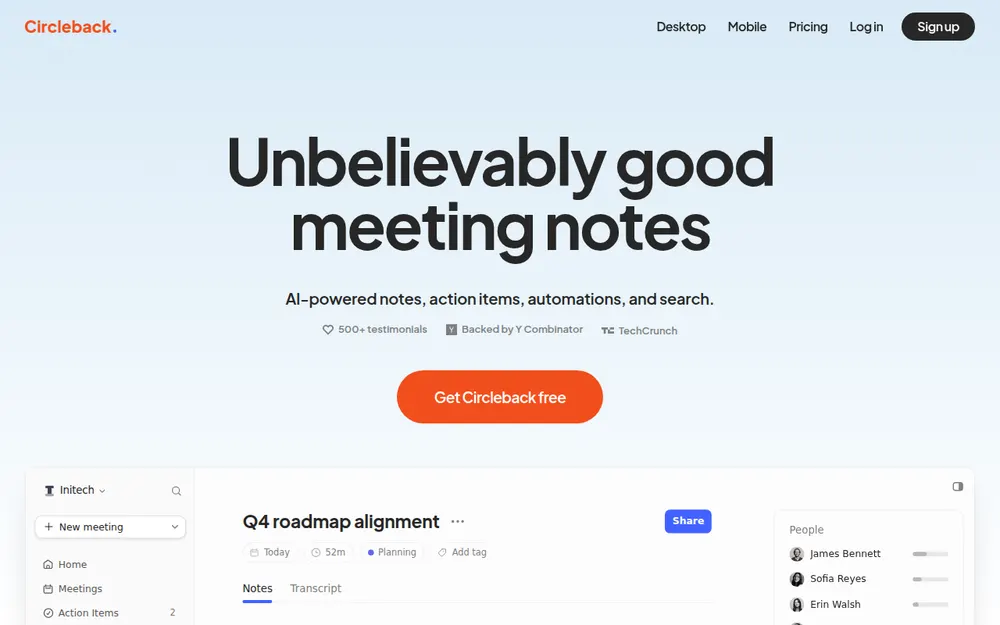
Circleback is the one I’d connect if you want a single MCP that works everywhere. Its pricing page puts “API, MCP, and CLI access” on every plan, Free included.
Setup in each AI app
- Claude: Settings › Connectors › Browse connectors, then search Circleback.
- ChatGPT: the Circleback ChatGPT app.
- Cursor: a Circleback plugin in the Cursor Marketplace.
- Claude Code:
claude mcp add --transport http circleback https://circleback.ai/api/mcp, then/mcpto sign in. - Codex and Raycast: documented too.
What it reads and writes
It searches meetings, transcripts, calendar events, emails, people and companies. Its write tools update and share meetings and manage action items, tags and folders.
Connecting grants read and write by default, but an app that requests scope=user gets read-only access. Your AI app can still ask you to confirm each change.
What to weigh before you connect it
Free keeps a 30-day meeting and recording history, and Pro costs $18 a month, or $180 a year ($15 a month). Circleback joins with a bot by default, though it also has a bot-free desktop app, and your notes live in Circleback’s cloud.
On the App Store it holds 4.80/5 from 273 ratings. More on plans is in Circleback pricing and Circleback alternatives.
2. Voibe Work: For Notes That Stay on Your Computer
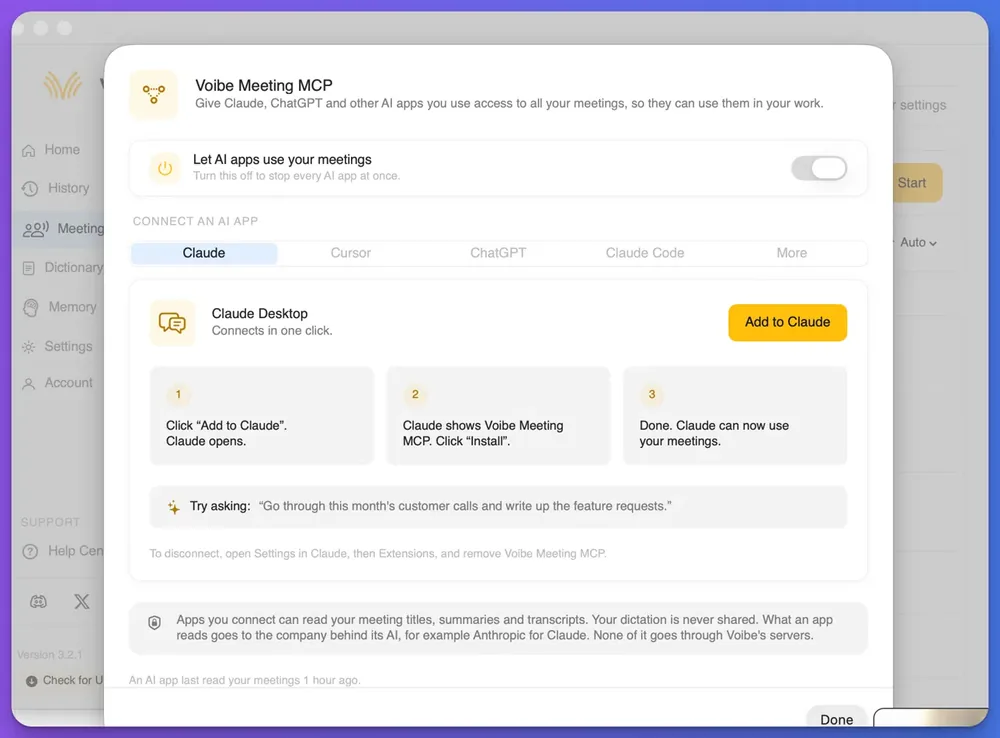
Voibe Work is the meeting-notes plan in Voibe. Its Meeting MCP lets Claude, ChatGPT, Cursor, Claude Code and other AI apps read your meetings. I’d pick it over Circleback when the notes shouldn’t sit in a vendor’s cloud.
How it connects
Open Meetings in Voibe and click MCP. The panel has tabs for Claude, Cursor, ChatGPT, Claude Code and More, and Claude Desktop connects in one click:
- Click Add to Claude, and Claude opens.
- When Claude shows Voibe Meeting MCP, click Install.
To disconnect, open Settings in Claude, then Extensions, and remove Voibe Meeting MCP. Only the Claude Desktop steps are public so far; the other tabs and the tool list aren’t published yet.
What apps can read
The panel puts it plainly: “Apps you connect can read your meeting titles, summaries and transcripts. Your dictation is never shared.” One switch, “Let AI apps use your meetings”, stops every AI app at once.
The panel also shows when an AI app last read your meetings, and none of it goes through Voibe’s servers.
Why the notes start on your computer
No bot joins the call, because Voibe captures it from your Mac or Windows PC. Open-source models on zero-retention cloud providers process the audio, which is then deleted. The transcript and summary are saved on your computer and never train AI.
Because no bot announces itself, Voibe prompts you at the start of each recording to let everyone know you’re taking notes. Meeting the recording-consent rules is still your job.
What it costs, and what it lacks
Voibe Work is $19 a month, $149 a year or $399 lifetime, and one seat covers Mac, Windows and Voibe’s dictation app. Every account starts with a 7-day trial of Voibe Work, no credit card.
Voibe Free and Voibe Dictation don’t include Meeting MCP. There’s no phone app, and write access isn’t published. The case for leaving the bot out is in the Voibe Work launch post.
3. Granola: The Smoothest Fit for Claude and ChatGPT
Granola fits people who live in Claude or ChatGPT, and it’s the smoothest Claude setup in this list. Its connector has sat in Anthropic’s directory since January 2026.
Setup
- Claude: Settings › Connectors, search Granola, connect.
- ChatGPT: Settings, search Granola, connect, then type @Granola.
- Claude Code:
claude mcp add granola --transport http https://mcp.granola.ai/mcp, then/mcpand Authenticate. - Cursor: not documented, though Granola says any app with Streamable HTTP and OAuth can use the URL.
What each plan can read
- Basic (free) reads personal and public notes from the last 30 days, and some folder, search and transcript tools are paid only.
- Business ($14 per user a month) reads personal and public notes with no time cap.
- Enterprise ($35) lets admins pick scopes and block transcripts over MCP.
Sign-in is OAuth only, and Granola says there is no API key method for MCP.
What to weigh
Notes sit in Granola’s cloud, and its pricing page says it trains on anonymized data unless you opt out. The app holds 4.96/5 from 14,656 ratings on the App Store.
Plan details are in Granola pricing, and data questions in is Granola safe?
4. Krisp: The Clearest Write Tools
Krisp suits teams that want an AI to tidy meetings as well as read them. Its MCP comes with Core and Advanced (Krisp help center, updated October 6, 2026).
Setup
The server is https://mcp.krisp.ai/mcp, Streamable HTTP only, with OAuth 2.0 and PKCE.
- Cursor: add a global MCP server, or share a project
.cursor/mcp.json. - Claude Code:
claude mcp add --transport http krisp https://mcp.krisp.ai/mcp, then/mcp. - Claude: in Anthropic’s directory since March 2026.
- ChatGPT: named on Krisp’s pricing page and help article.
What it can change
Krisp says most tools only read your workspace, and it names the six that change it:
- attach_tag and detach_tag
- complete_action_item and complete_action_items
- bulk_update_speakers, which renames speakers in the transcript and summary
- import_recording, which turns an audio or video file into a meeting
No other vendor here lists its write tools this clearly on one help page.
What it costs
Core is $8 a month billed annually ($96 a year), or $16 monthly. Advanced is $15 a month billed annually, or $30 monthly. The app holds 4.73/5 from 271 ratings on the App Store.
See Krisp alternatives and is Krisp safe?
5. Jamie: The Most Thorough Docs, Hosted in the EU
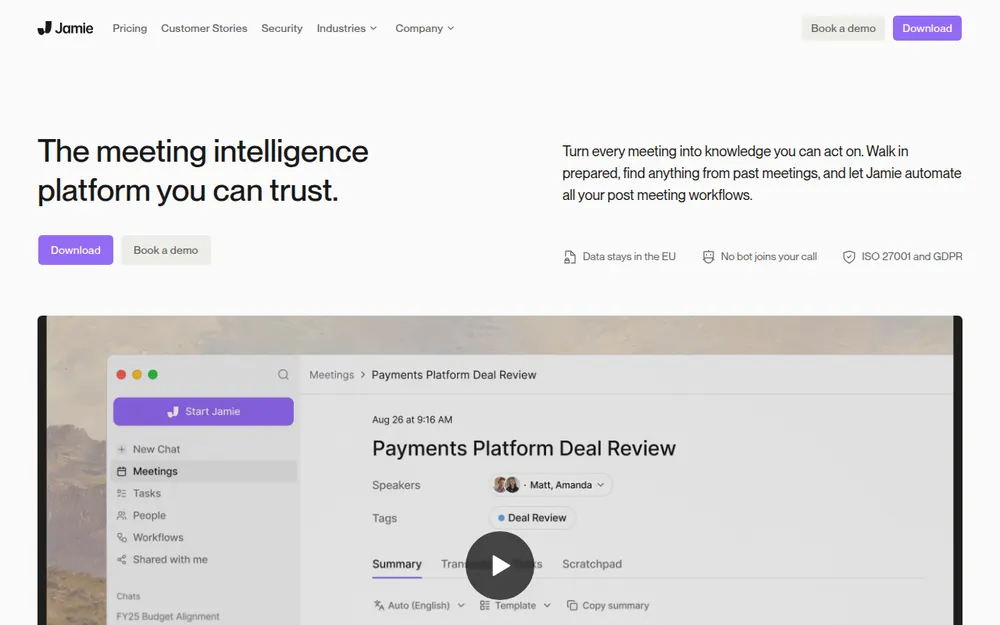
Jamie suits European teams that want every AI app covered, and its MCP docs are the most thorough of the ten. MCP comes with Pro, Team and Enterprise.
Setup
The server is https://mcp.meetjamie.ai/mcp, over Streamable HTTP with OAuth and no API keys.
- Claude: the Jamie listing in Claude’s directory, or a custom connector.
- ChatGPT: the Jamie plugin, or a custom connector in Developer Mode.
- Claude Code:
claude mcp add jamie --transport http https://mcp.meetjamie.ai/mcp, then/mcp. - Cursor: Tools & MCP, or a
.cursor/mcp.jsonfile. - Windsurf and Microsoft Copilot Studio: documented too.
What it can read and change
Jamie exposes 17 tools. Reads cover meetings, transcripts, people, tasks, templates and tags, and search covers the last 6 months by default.
Writes create and update tasks, templates and tags. One tool deserves care: delete_tag removes a tag from every meeting and “cannot be undone.”
What it costs
Pro is $46 a month billed annually ($552 a year), the priciest seat here, and Free and Plus exclude MCP. Jamie hosts in the EU with no model training on your data, per its pricing page. It holds 4.89/5 from 261 ratings on the App Store.
See Jamie pricing and is Jamie safe?
6. Otter: The Simplest Free Read-Only Server
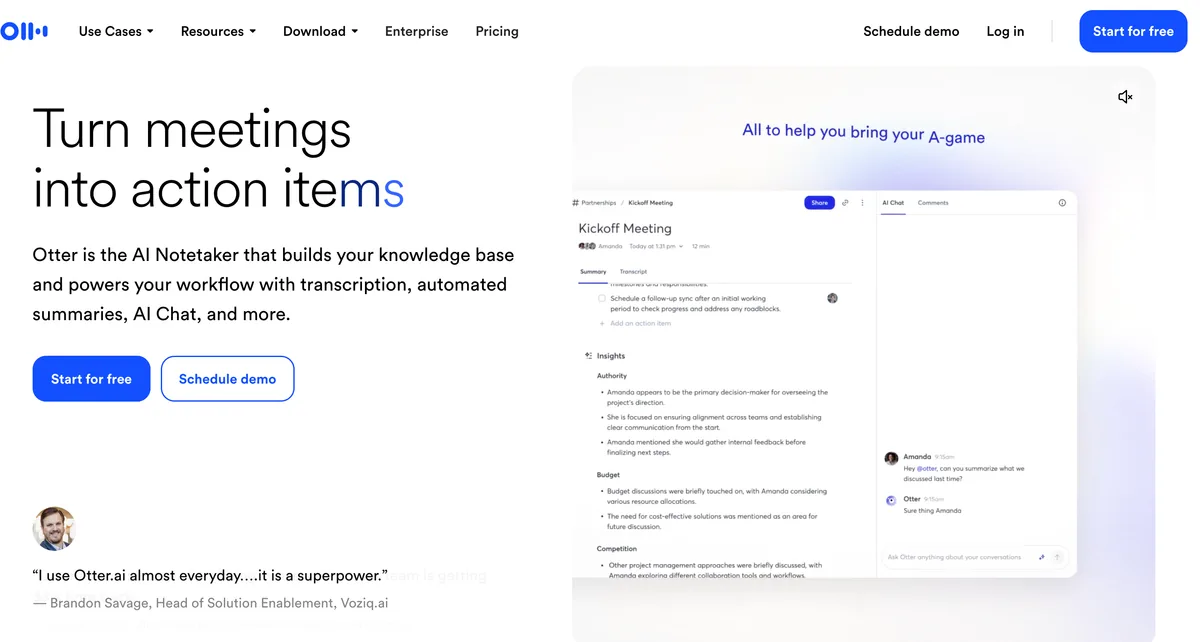
Otter is the simplest free option. Its pricing page lists the Otter MCP server on every plan, Basic included, and the server only reads.
Setup
- Claude: the Otter.ai connector in Anthropic’s directory.
- ChatGPT: the Otter.ai app, connected on the web, because the desktop app can’t start it yet.
- Cursor: Tools & MCP › Add Custom MCP, with
https://mcp.otter.ai/mcp. - Claude Code: not documented by Otter.
Perplexity is documented as well, but Otter says Gemini isn’t supported.
What it reads, and what it costs
There are three tools (get user info, search and fetch), all of them reads. They reach your own meetings plus ones shared with you in your workspace.
Basic caps transcription at 300 minutes a month. Pro is $8.33 a month billed annually ($99.96 a year), or $16.99 monthly, and Otter holds 4.79/5 from 87,739 ratings on the App Store.
Read is Otter safe? before you connect client calls.
7. Fathom: Free MCP for Teams Already Recording With It
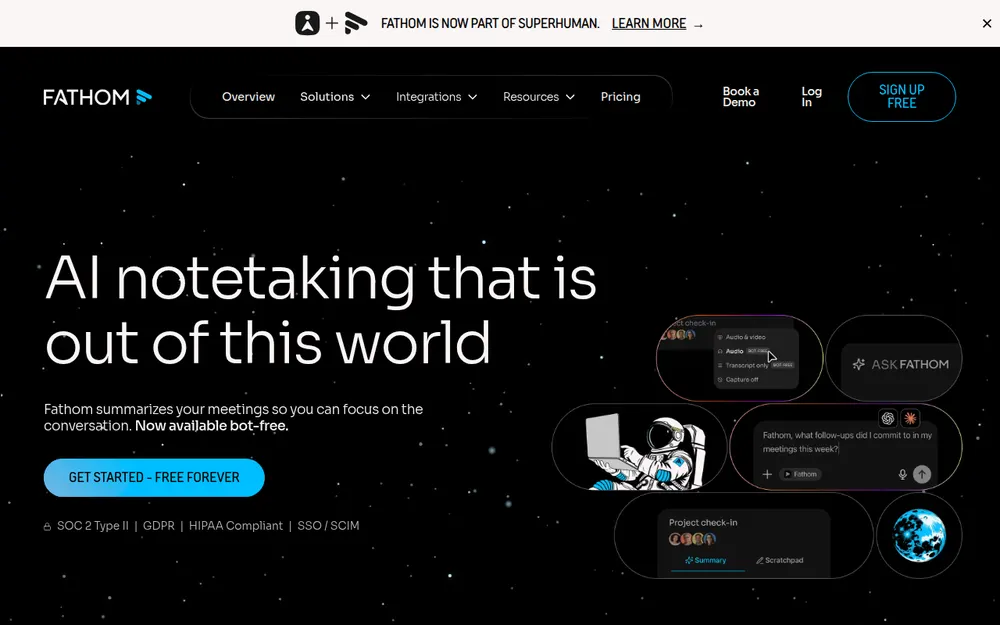
Fathom fits teams already recording with it. Its pricing table includes “Public API & MCP” on all five plans, Free included, and the server lives at https://api.fathom.ai/mcp.
- Claude: the Fathom connector, in Anthropic’s directory since April 2026. Team owners must enable it first.
- ChatGPT: the Fathom app, then type @Fathom.
- Claude Code:
claude mcp add fathom -- npx mcp-remote@latest https://api.fathom.ai/mcp, which needs Node.js. - Cursor: not documented, though Fathom says any MCP-compatible tool can use the URL.
All seven tools are reads: get_identity, list_teams, list_meetings, get_meeting_summary, get_meeting_transcript, find_person and search_meetings. Premium costs $16 a month billed annually ($192 a year), or $20 monthly.
The App Store shows 5.0/5 from 8 ratings, which is too few to lean on. More is in Fathom alternatives and is Fathom safe?
8. Quill Meetings: A Server That Only Talks to Your Computer
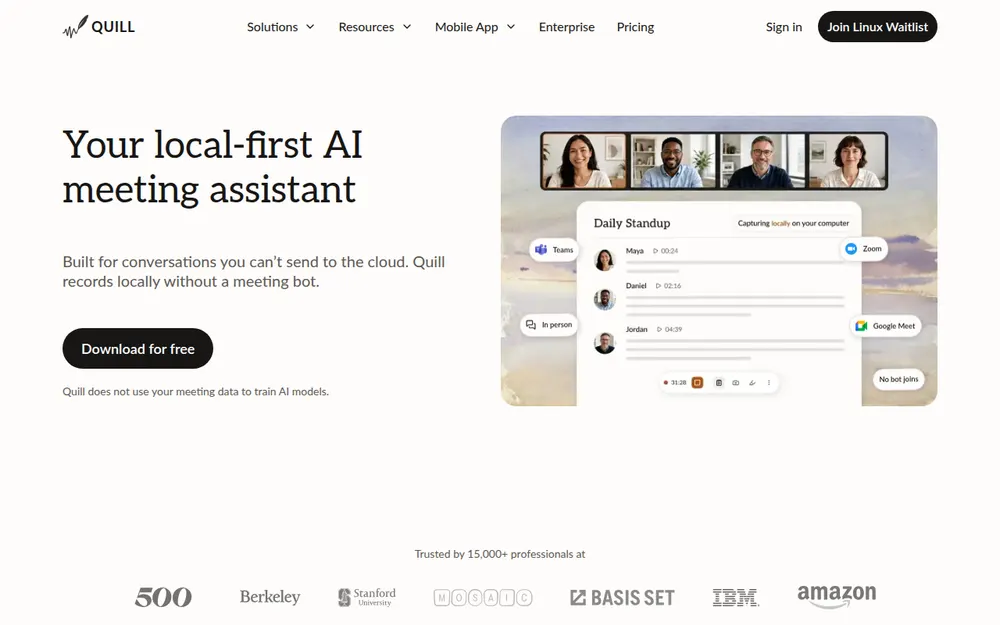
Quill is for people who want the server on their own machine. Its docs say it only accepts connections from your computer, over stdio or a loopback HTTP address, so it never listens on the network.
- Turn it on in Settings › MCP Server, and keep Quill running.
- Claude Desktop installs a Quill extension.
- Claude Code, Codex, Cursor and Windsurf connect from a button in Quill.
There’s no ChatGPT web connector yet, “since Quill runs on your own computer”. The server reads meetings, transcripts, notes, contacts, templates and upcoming events, and its write tools create and update notes, contacts, threads, templates and meeting types.
Quill Deep Analysis, a Claude Code plugin, researches across months of meetings. Transcription is free and local, and paid plans start at $6.99 a month (Lite).
The App Store shows 4.60/5 from 10 ratings. Compare it in Quill Meetings alternatives.
9. Wispr Flow Notetaker: Free MCP With Dictation Attached
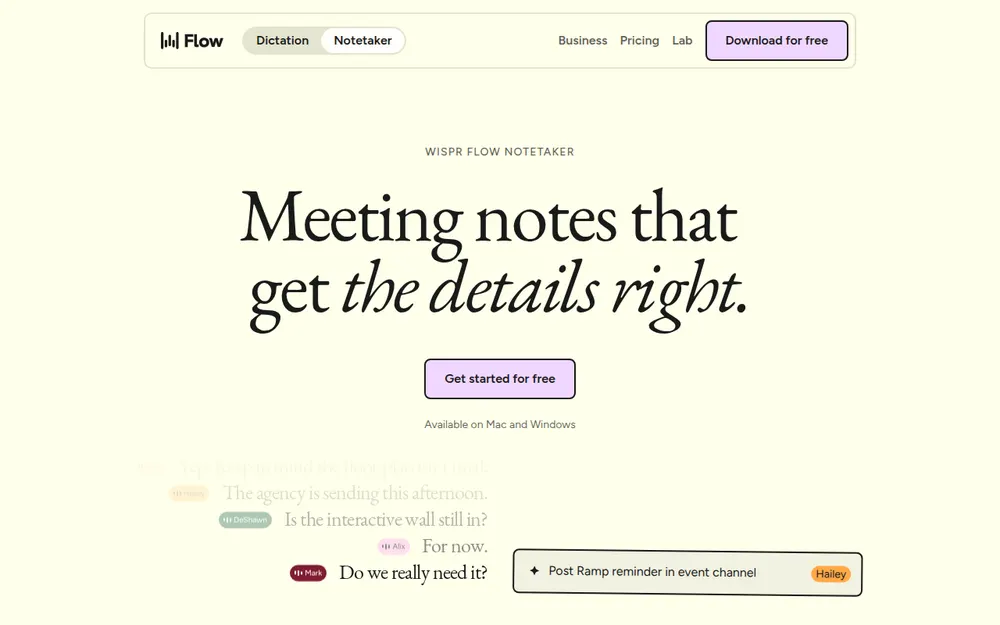
Wispr Flow lists MCP on its Free plan, as “Use your meeting notes in Claude and ChatGPT”, at https://api.wisprflow.ai/connect/mcp with no trailing slash. It has one-click buttons for Claude, ChatGPT, Gemini and Cursor, but Claude Code isn’t documented.
On paper it’s read-only. The help center calls access read-only, though Anthropic’s directory still lists add_task and update_task. It can’t read your dictation history, and an active HIPAA BAA blocks every MCP feature.
Pro costs $12 a month billed annually, or $15 monthly. The App Store shows 4.85/5 from 18,733 ratings, and that rating covers the Wispr Flow app. Full setup is in our Wispr Flow MCP guide.
10. Notta: A Local Package That Also Transcribes Files
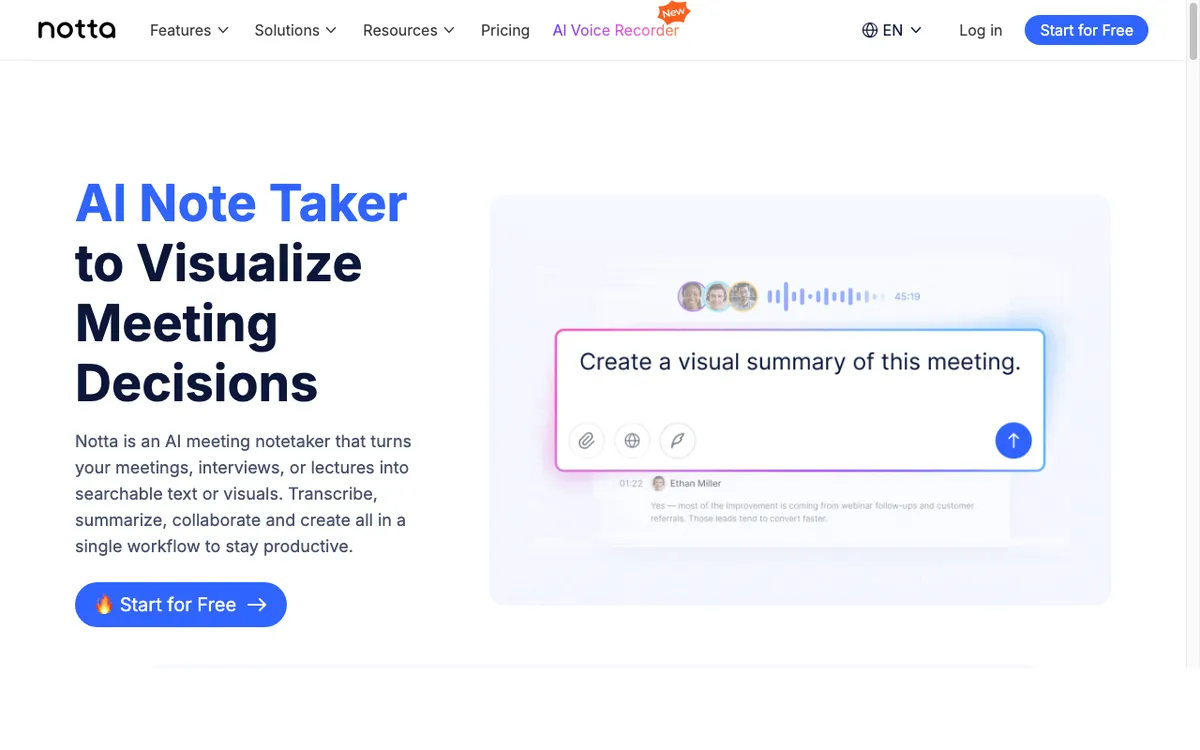
Notta ships its MCP as an npm package, installed with npm install -g @notta-labs/notta-mcp, and its setup article is dated October 22, 2026. Examples cover Claude Desktop, Cursor and Codex, and your AI app must support local MCP servers.
It retrieves transcripts, summaries and recording media, and it can upload local files for transcription. Exports come as PDF, Word, text, Excel or SRT, and uploads and downloads stay inside two folders you choose.
The server runs locally, but your recordings live in Notta’s cloud. Which plans include it isn’t published; Pro is $97.99 a year, and the app holds 4.07/5 from 1,475 ratings on the App Store.
See Notta alternatives and is Notta safe?
Seven More Note Takers With an Official MCP Server
These seven have an MCP server too, but their docs say less about clients and writes, so I kept them out of the ranking.
| Tool | Server | Plans with MCP | What the docs list |
|---|---|---|---|
| Fireflies | api.fireflies.ai/mcp | Not stated on pricing page | 3 tools: get_user, get_transcript, get_transcripts (directory, added Nov 2025) |
| Read AI | api.read.ai/mcp | Not stated on pricing page | 2 tools: get_meeting_by_id, list_meetings (directory, May 2026) |
| tl;dv | mcp.tldv.io/mcp | Not stated on pricing page | 5 tools, read access (directory, May 2026) |
| Tactiq | mcp.tactiq.io | Business, $29.17/user/mo billed annually (beta) | 9 tools (directory, Aug 2026) |
| Fellow | fellow.app/mcp | Not checked | 5 tools incl. get_meeting_transcript (directory, Nov 2025) |
| Bluedot | Not published | Basic ($14/user/mo billed annually) and up | “MCP integration” (pricing page) |
| Laxis | Not published | Premium ($9.99/mo) | “MCP connector” (pricing page) |
Anarlog, Meetily, Plaud and Avoma also advertise MCP access on their own sites. Every note taker I checked has one now.
What the AI App Can Read, and Where It Goes
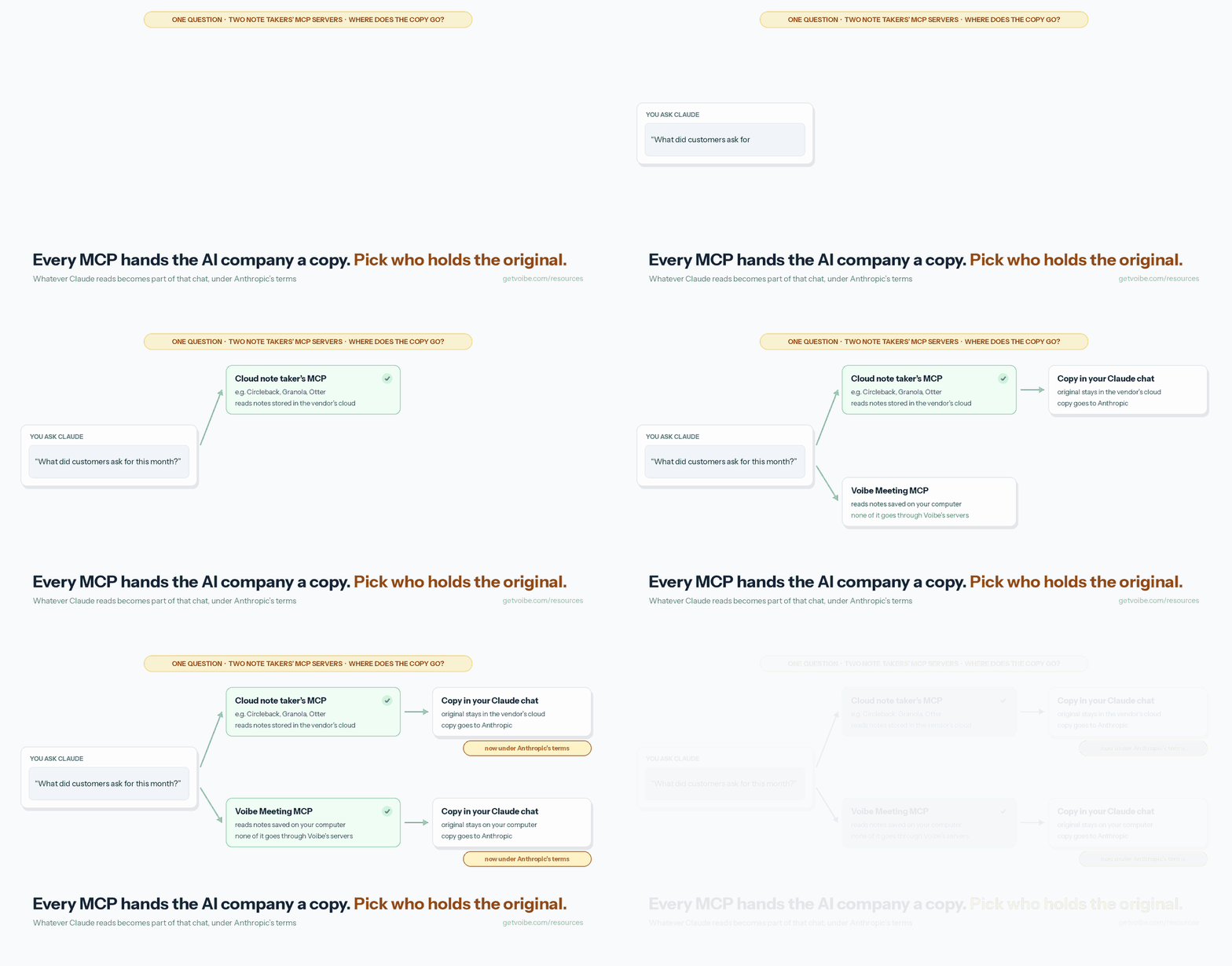
Connecting an MCP server is a standing permission. The AI app can pull whatever the server exposes, whenever you ask.
What you grant on approval
The grant is usually account-wide. Wispr says authorization “includes existing content, with no per-meeting consent”, and Otter’s MCP reaches meetings shared with you in your workspace.
Where write tools exist, you grant those too, and Circleback’s default grant is read and write.
Where the copy goes
Whatever the AI reads becomes part of that chat, and from then on the AI company’s terms apply. For Claude that’s Anthropic (see Claude Pro and Max privacy), and for ChatGPT it’s OpenAI.
The original stays where it was, in the vendor’s cloud or, with Voibe Work, on your computer. Voibe’s panel says the same thing: “What an app reads goes to the company behind its AI.”
How to cut it off
- Voibe Work: one switch stops every AI app.
- Wispr Flow: turning MCP off blocks every client, but it doesn’t revoke the grant.
- Granola Enterprise: admins can turn off transcripts or changes over MCP.
- Everywhere else: remove the connector inside the AI app.
Once you've picked a server, how to give Claude access to your meeting notes has the connection steps for Granola, Circleback, Otter and Fathom in Claude and Claude Code.
For example prompts to try once a server is connected to Claude, browse our AI prompts for meeting notes library or see the end of the stand-up meeting notes template.
Warning
Client, patient or deal calls? Check your organization's AI policy before you connect any note taker. Once an AI app reads a meeting, that copy is under the AI company's terms, not the note taker's.
Voibe's Other MCP: For Audio Files, Not Meetings
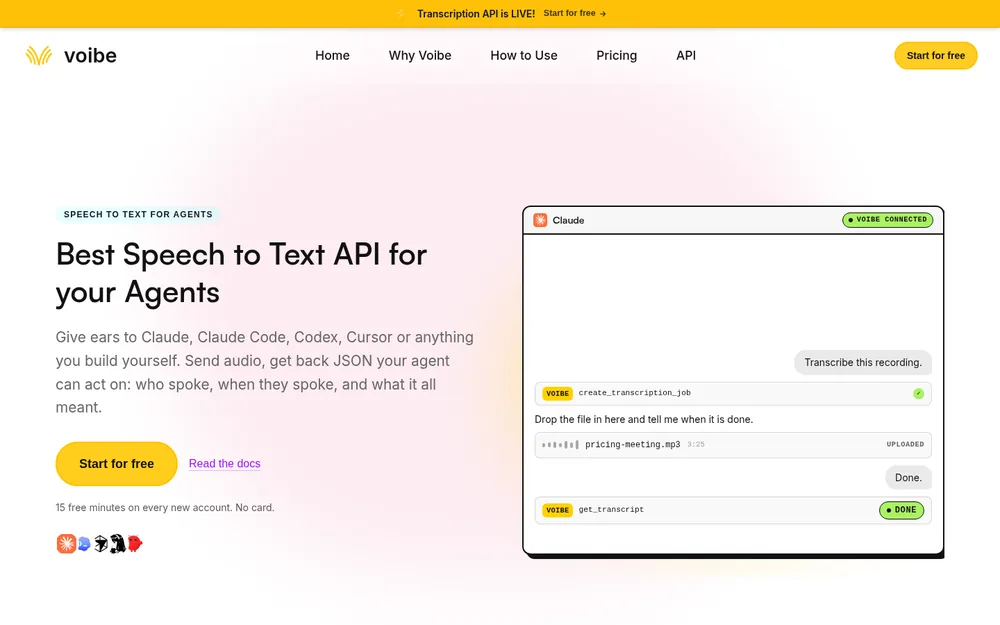
Voibe runs a second MCP server at https://api.getvoibe.com/mcp. It belongs to the Voibe speech-to-text API, not Voibe Work, and transcribes audio files an agent hands it. It doesn’t read meetings, dictation history or calendars.
It has four tools: create_transcription_job, get_transcript, list_transcripts and get_balance. Audio is deleted the moment the transcript exists, and transcripts and summaries are kept for 24 hours after the job finishes, then deleted.
You buy prepaid minutes, from $10 for 2,000 up to $100 for 24,000, with per-second billing that charges only on DONE. The first 15 minutes are free with no card, and you sign in with your browser or use an API key.
In Claude Code, run claude mcp add --transport http voibe https://api.getvoibe.com/mcp, then /mcp to sign in.
Which Voibe MCP do you need?
- To ask questions about past meetings, use Meeting MCP, in Voibe Work.
- To turn a recording into text inside Claude or Cursor, use the API’s MCP.
- To ask about one meeting inside Voibe, use in-app chat with your meetings, a third, separate feature.
Other transcription APIs are compared in best speech-to-text APIs.
How to Choose an AI Note Taker With an MCP Server
Answer in order and stop at the first yes.
1. Must your notes stay off the vendor’s servers?
On Mac or Windows, pick Voibe Work. If the MCP may only take local connections, pick Quill Meetings. If neither matters, go to question 2.
2. Do you need MCP on a free plan?
With write access, pick Circleback. If read-only is fine, pick Otter, or Fathom if you already use it.
3. Should the AI change notes for you?
For tags, speakers and action items, pick Krisp. For sharing and folders too, pick Circleback.
4. Do you also dictate all day?
Pick Voibe Work or Wispr Flow, since both pair dictation with meeting notes. If you’d rather have bot-free notes on every device, pick Granola.
Which One Fits Your Situation
| Situation | Best choice | Why |
|---|---|---|
| Developer asking Cursor about customer calls | Circleback | Cursor Marketplace plugin, free plan |
| Developer who wants a project-level config | Krisp | Documents a shared .cursor/mcp.json |
| Lawyer or consultant on confidential calls | Voibe Work | Notes saved on your computer; one switch stops every app |
| Founder who lives in Claude | Granola | Directory connector, polished setup |
| Anyone who wants it free and read-only | Otter | Three read tools on Basic |
| Sales team already on Fathom | Fathom | MCP on all five plans |
| Security team that bans remote servers | Quill Meetings | Stdio or loopback only |
| 75-person company that wants read-only | Circleback or Granola Enterprise | Read-only scope, or an admin switch |
| EU team that wants Claude and Cursor | Jamie | EU-hosted, every client documented |
| Researcher pulling themes from months of calls | Quill Meetings | Deep Analysis plugin for Claude Code |
| Agent that must transcribe a recording | Voibe API MCP | Takes audio files, deletes the audio |
| Heavy dictation user who wants meetings too | Voibe Work | Dictation and meeting notes in one seat |
For the wider field, see the best AI meeting note takers and no-bot note takers.
Frequently Asked Questions About Note Takers With MCP
The basics
Which AI note takers have an MCP server?
Circleback, Granola, Krisp, Jamie, Otter, Fathom, Quill Meetings, Wispr Flow, Notta and Voibe Work all ship official MCP servers. Fireflies, Read AI, tl;dv, Tactiq and Fellow are in Anthropic’s connector directory too. Bluedot and Laxis list MCP on their pricing pages.
Which AI note takers have an MCP server I can connect to Cursor?
Circleback (a Cursor Marketplace plugin), Krisp, Jamie, Otter, Quill, Wispr Flow and Notta document Cursor setup. Voibe Work’s panel has a Cursor tab. Granola and Fathom don’t document Cursor, but their remote URLs work in any app that supports OAuth.
What does a meeting-notes MCP server do?
It lets an AI app such as Claude, ChatGPT or Cursor search and read your meeting notes on request. Some servers can also change notes, such as tagging meetings or closing action items.
Setup
How do I connect meeting notes to Claude with MCP?
Most note takers are in Claude’s connector directory: open Settings, then Connectors, search for the note taker and sign in. Voibe Work connects Claude Desktop from its own panel: Add to Claude, then Install.
Can I use a note taker’s MCP in Claude Code?
Yes for Circleback, Granola, Krisp, Jamie, Fathom and Quill, which document Claude Code. For a remote server, run claude mcp add --transport http with its URL, then /mcp to sign in.
Read and write access
Is the MCP integration read-only, or can the AI also change my notes?
It depends on the vendor. Otter, Fathom and Wispr Flow are read-only by their docs. Circleback, Krisp, Jamie, Quill, Granola and Notta have tools that change data. Voibe Work hasn’t published whether apps can write.
Can an admin make a note taker’s MCP read-only for the whole company?
Granola Enterprise has a Make changes over MCP switch that makes MCP read-only for everyone. Circleback grants read-only access when the app requests scope=user, and Krisp advises keeping human confirmation on.
Privacy and price
Where do my meetings go when Claude reads them through MCP?
What the AI app reads becomes part of that chat, under the AI company’s terms: Anthropic for Claude, OpenAI for ChatGPT. For Voibe Work, the panel says none of it goes through Voibe’s servers.
Which note takers include MCP on a free plan?
Circleback, Granola, Otter, Fathom and Wispr Flow. Granola Basic reads only the last 30 days. Voibe Work’s Meeting MCP needs Voibe Work at $149 a year, after a 7-day trial.
Does Voibe have an MCP for meetings?
Yes. Voibe Work’s Meeting MCP lets Claude, ChatGPT, Cursor and Claude Code read meeting titles, summaries and transcripts. The separate Voibe API MCP at api.getvoibe.com/mcp only transcribes audio files.
Final Verdict: Which Server I Would Connect First
Circleback is the best overall. It’s free to start and documented everywhere, and you choose read-only or read-write.
Pick Voibe Work when the notes themselves should stay on your computer, with a dictation app in the same seat. For narrower jobs, Otter is the free read-only choice and Krisp has the most precise write tools. Quill Meetings is the one if the server must stay local.
Try Voibe Work free for 7 days at getvoibe.com, with no credit card and Meeting MCP included. Leaving a paid note taker? Our switch offer covers the time left on your plan.