

Claude can’t open TurboScribe for you. There’s no TurboScribe MCP server, and TurboScribe’s support FAQ says it offers no API or automated access, so there is nothing for anyone to build one on.
I went looking anyway on November 3, 2026: the official MCP Registry, Anthropic’s connector directory, npm, PyPI and GitHub. All I found were two scripts that log in to the website with your password.
You don’t need TurboScribe’s cooperation, though. What you want from an agent is one of three jobs, and each has a way around the missing server:
- Ask about transcripts you already have. Export them as TXT or DOCX and let Claude Code or Cowork read the folder. No server at all.
- Transcribe a new recording. Connect a transcription MCP. I’d use the one my team builds, Voibe’s MCP: $10 for 2,000 minutes, and the first 15 are free.
- Talk to Claude instead of typing. That’s dictation, not an MCP job, and a dictation app or Claude Code’s own voice command already does it.
One exception before you switch anything. If you upload more than about 39 hours of audio a month by hand, I’d stay on TurboScribe. Unlimited is a flat $120 a year, and at that volume it beats any per-minute API, ours included.
Key Takeaway
TL;DR: TurboScribe has no MCP server and no API, so no agent can call it. Export old transcripts for Claude to read and send new audio to a transcription MCP, unless you upload 39+ hours a month, where TurboScribe's $120 year is cheaper.
TurboScribe MCP at a Glance
The TurboScribe facts come from its support FAQ, pricing page and security FAQ. Registry results are as of November 3, 2026.
| Question | Answer |
|---|---|
| Does TurboScribe have an MCP server? | No. No official server, and no unofficial MCP server in any registry checked |
| Does TurboScribe have an API? | No. Its support FAQ says it offers no API or automated access |
| Anthropic’s connector directory | No TurboScribe listing (claude.com/connectors/turboscribe returns a 404) |
| MCP registries | 0 results in the official MCP Registry, mcp.so and Glama; no match on Smithery |
| npm and PyPI | No TurboScribe packages |
| Zapier and Make | No Zapier app page; Make couldn’t be verified |
| Unofficial code | Two GitHub scripts that log in to the website with your password |
| ChatGPT | GPT directories list a custom GPT under TurboScribe’s name; unverified on chatgpt.com |
| How transcripts get out | Exports in PDF, DOCX, TXT, CSV, SRT and VTT; bulk export on Unlimited |
| Can an agent send TurboScribe audio? | No. You upload by hand in a browser |
| Price | Free: 3 files a day, up to 30 minutes each. Unlimited: $10/month billed yearly ($120) or $20 monthly |
| Rating | 4.4/5 on Trustpilot from 536 reviews, 18% of them 1-star (November 3, 2026) |
| Like-for-like agent answer | A transcription MCP, such as Voibe MCP at https://api.getvoibe.com/mcp |
How I Checked TurboScribe for an MCP
I’ve used TurboScribe and worked through every Voibe MCP setup path covered below, so the verdicts are my own.
Whether a server exists is a separate question. For that I read TurboScribe’s support, pricing and security pages, then searched everywhere MCP servers get listed. Prices, ratings and registry results were re-checked on November 3, 2026.
Where I looked, in order
- TurboScribe’s support FAQ, pricing page and security FAQ.
- Anthropic’s connector directory, for a TurboScribe connector.
- The official MCP Registry, mcp.so, Glama and Smithery.
- npm, PyPI and GitHub, for unofficial servers.
- Zapier and Make, for a no-code bridge.
The turboscribe.ai site blocks automated fetchers. The TurboScribe wording quoted below comes from its own pages as search engines indexed them that day. Where TurboScribe is the better deal, I say so.
Why TurboScribe Has No MCP (and What People Use Instead)
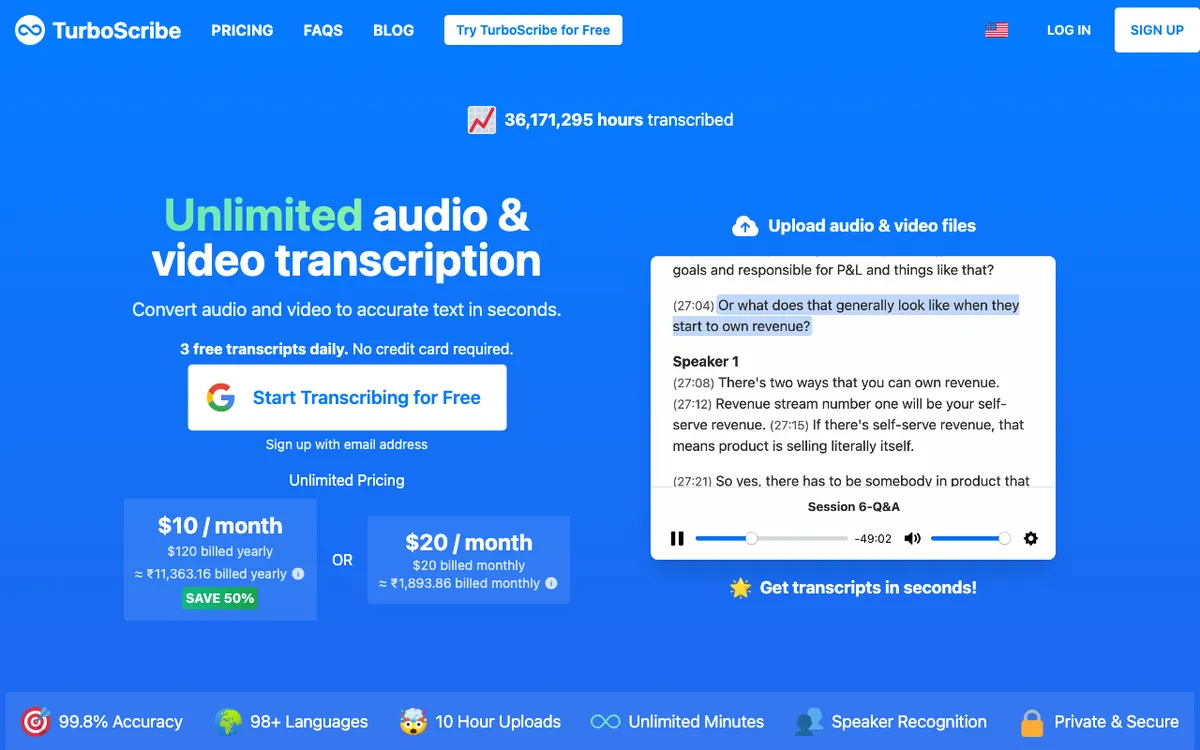
TurboScribe is built for a person at a browser, not for an agent. You open TurboScribe, drop in files, then read or export the results. There is no other way in.
What TurboScribe says about automation
Its support FAQ answers the API question directly: “TurboScribe does not offer an API or automated access to our service. All files are uploaded via TurboScribe’s web interface.”
Its own TurboScribe vs Sonix page goes further. It lists API access as a Sonix feature and names API workflows as a reason to pick Sonix instead.
Why an MCP needs an API first
An MCP server is a thin layer over something a program can already call. With no API underneath, a TurboScribe MCP would have to drive the website with your login. The two unofficial projects further down do exactly that.
What people connect instead
For new audio, people add a transcription MCP. Voibe’s takes a file and returns a transcript and summary. For old transcripts, exported files are enough, because Claude Code and Cowork can read a folder directly.
If the audio has to stay on your Mac, a local app with a command line, such as MacWhisper, fills the gap. And if you only want to talk to the agent, dictation does it with no server.
What an AI Agent Can and Can’t Reach in TurboScribe
An agent reaches TurboScribe only through files you export. Every step before that happens by hand in the browser.
What an agent can use
- Transcripts you exported as TXT, DOCX or PDF files.
- SRT and VTT subtitle files, or a CSV export.
- A bulk export as one ZIP, which TurboScribe’s blog limits to 50 transcripts at a time on Unlimited.
- A transcript you paste or attach in a chat.
- A folder of exports that Claude Code or Cowork can read.
What doesn’t exist
There is no official TurboScribe MCP server. There is no public API either, since the FAQ rules out automated access. Anthropic’s connector directory has no TurboScribe listing, and Zapier has no TurboScribe app. No TurboScribe MCP turns up on npm, PyPI, the official MCP Registry, mcp.so, Glama or Smithery.
Unofficial TurboScribe MCP Servers and Scripts
No unofficial TurboScribe MCP server shows up in any registry I checked. GitHub does have two scripts that automate the website. Neither is an MCP server, and neither is affiliated with TurboScribe.
jmh-devel/turboscribe (Python)
This one calls itself a TurboScribe.ai API wrapper, and its README shows an API key. The code does something else. It logs in to turboscribe.ai with your username and password, posts files to the upload page and reads transcripts back. It’s MIT-licensed, with 2 stars and last commits on October 26, 2024.
MoazMirza-13/turboScribe-script (Puppeteer)
This script drives a headless browser through the site, with your email and password in a .env file. It uploads one hard-coded file, Recording.m4a, and downloads an SRT. It has 2 stars and no stated license.
A different TurboScribe on GitHub
The dparksports/turboscribe repo is an unrelated Windows app with the same name. It runs Whisper on your own PC and has no link to turboscribe.ai.
Warning
Both scripts need your TurboScribe password in plain text, and both break when the website changes. TurboScribe’s FAQ says it offers no automated access, so neither has its blessing. Wrapping one in an MCP server would hand an agent your whole account.
How to Get TurboScribe-Style Results in Claude Without an MCP
Split the job in two: transcripts you already have, and new audio. Neither half needs a TurboScribe server.
Transcripts TurboScribe already made
- In TurboScribe, select the transcripts you want.
- Export them as TXT or DOCX. TXT is the easiest format for an agent to read.
- Unzip the export into one folder, such as ~/Transcripts.
- Point Claude Code or Cowork at that folder and ask your question.
On Claude desktop or the web, attach the file to the chat instead.
New recordings you want transcribed
For these you connect a transcription MCP. Voibe’s reads the file from disk in coding tools and gives chat apps an upload link. Setup steps for five clients are further down.
Talking to Claude instead of typing
No MCP does this job, because no file is involved. Claude Code has /voice, and a system-wide dictation app types into any text box. Both routes are in dictating in Claude Code.
The ChatGPT GPT you might find
GPT directories list a custom GPT called TurboScribe Transcription under TurboScribe’s name. Its listing says uploads still happen at turboscribe.ai. I couldn’t load it on chatgpt.com, so treat it as unverified.
TurboScribe Unlimited vs Voibe MCP: What $120 a Year Buys
Heavy users pay less on TurboScribe. Unlimited is a flat $120 a year. Voibe’s API bills per second from prepaid packs, so the winner depends on your hours.
| Audio per month | Voibe packs for a year | Voibe API cost | vs TurboScribe Unlimited ($120/yr) |
|---|---|---|---|
| 5 hours | Two $10 packs (4,000 min) | $20 | $100 less (83.3%) |
| 10 hours | $25 + $10 (7,250 min) | $35 | $85 less (70.8%) |
| 20 hours | $50 + two $10 (15,000 min) | $70 | $50 less (41.7%) |
| About 39 hours | $100 + two $10 (28,000 min) | $120 | Break-even |
| 50 hours | $100 + $50 + $10 (37,000 min) | $160 | $40 more (33.3%) |
| 100 hours | Three $100 packs (72,000 min) | $300 | $180 more (150.0%) |
How the maths works
Voibe sells four packs: $10 for 2,000 minutes, $25 for 5,250, $50 for 11,000 and $100 for 24,000. The most that $120 buys is 28,000 minutes. That is about 467 hours a year, or 38.9 hours a month, the break-even row above.
Billing is per second and charged only when a job reaches DONE, so a failed job costs nothing. Minutes never expire, which means a quiet month carries over. TurboScribe’s monthly plan is $20, and the same $20 buys 4,000 Voibe minutes, about 67 hours.
What TurboScribe gives you that the API doesn’t
The free tier is far bigger: 3 files a day of up to 30 minutes, so 90 minutes daily. Voibe gives 15 free minutes, once. TurboScribe also takes 10-hour files, while Voibe caps each upload at 200 MB.
You get a web editor and unlimited storage, too. Voibe keeps transcripts and summaries for 24 hours after a job finishes, then deletes them. And TurboScribe needs no agent, terminal or connector.
What the API gives you that TurboScribe doesn’t
An agent can start the job and read the result itself. There’s no subscription to cancel, because minutes are a one-time purchase. And the audio is deleted as soon as the transcript exists, while TurboScribe keeps files until you delete them.
TurboScribe’s billing record is the other half of the decision. It rates 4.4/5 on Trustpilot from 536 reviews, but 18% of them are 1-star. Our TurboScribe alternatives guide covers the billing complaints.
Before You Upload: Where the Audio Goes on Each Path
TurboScribe keeps your files until you delete them. Voibe’s API keeps a transcript for 24 hours, then deletes it. Pick by whether you want an archive or a hand-off.
TurboScribe, per its security FAQ
Files and transcripts are encrypted with AES-256 at rest and sent over HTTPS. Uploads are not used to train AI models, and transcription runs in-house with no third-party transcription API. Files stay until you delete them yourself.
Voibe MCP, per its API docs
Audio is deleted once the transcript is saved, and anything left over is removed within a day. Transcripts and summaries are kept for 24 hours after the job finishes, then deleted, so save what you need. Nothing you send trains a model, and open-source models on zero-retention providers do the transcribing.
What the agent sees
Whatever an agent reads goes to the AI company behind it, under that company’s terms. That holds for an exported TurboScribe file and a Voibe transcript alike, so decide before you share a confidential recording.
Which MCP Do You Actually Need? A Cheat Sheet
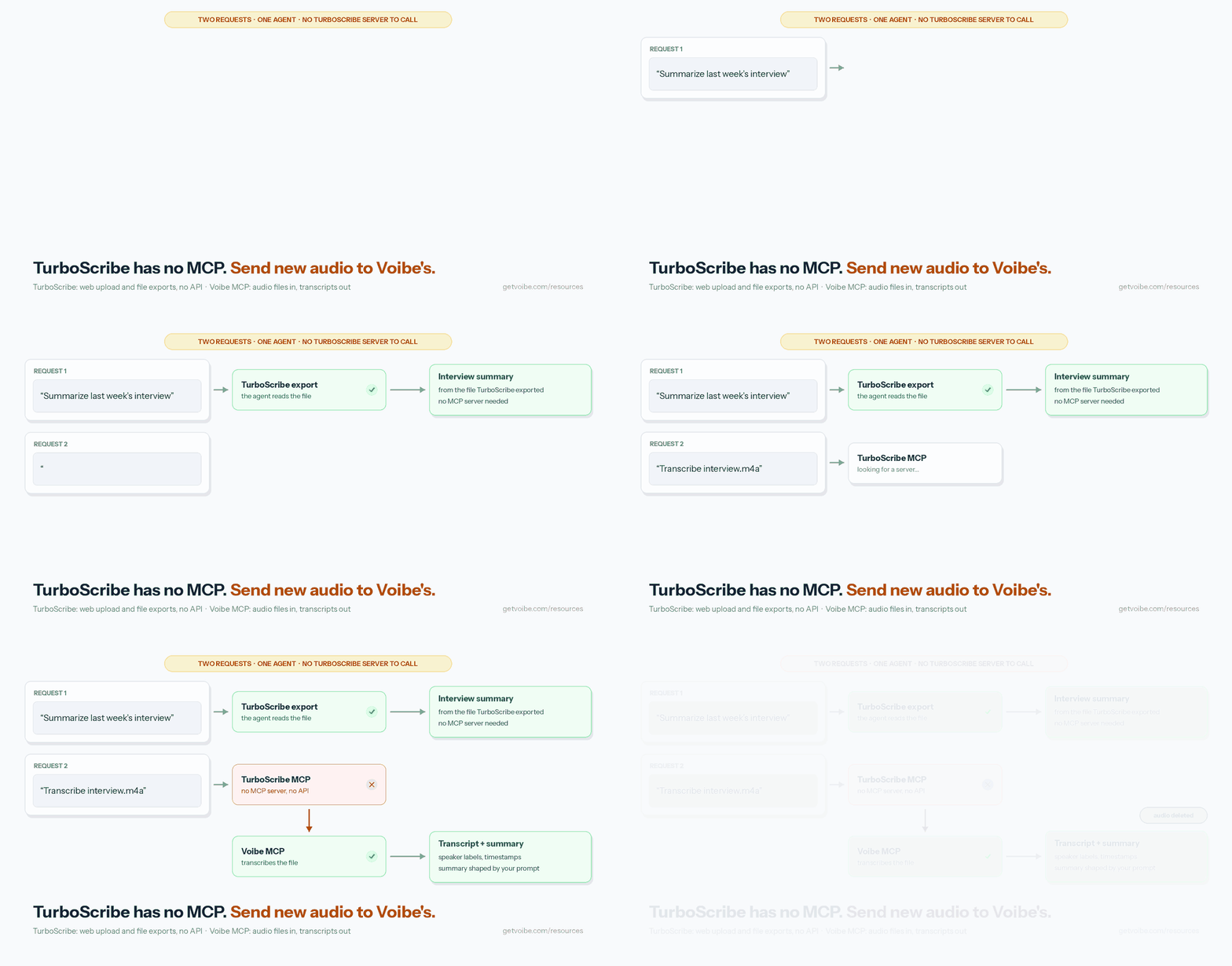
Pick the route by the job, not the brand. Most TurboScribe users need two of these: an export route for old transcripts and an MCP for new audio.
| What you want | Use | Why |
|---|---|---|
| Ask Claude about transcripts TurboScribe already made | TurboScribe export + Claude Code or Cowork | No server needed; the agent reads the files |
| Have an agent transcribe a new recording | Voibe MCP | Takes a file, returns a transcript and summary, deletes the audio |
| Transcribe a folder every night | Voibe API + cron | Walk-through in our Zoom recording guide |
| 40+ hours a month, uploaded by hand | TurboScribe Unlimited | $120 a year flat beats per-minute billing at that volume |
| One file, no account | Our free audio to text converter | Files up to 30 minutes, audio deleted once the transcript is saved |
| Keep the audio on your Mac | MacWhisper | Runs locally, with a CLI for scripts |
| Ask Claude about recorded meetings | A meeting-notes MCP: Otter, Circleback or Voibe Work’s Meeting MCP | They read meetings those apps recorded |
| Let an agent ask you something you answer out loud | Spokenly MCP (Mac) | Its one tool records your spoken reply |
| Talk to Claude Code instead of typing | No MCP | /voice or a system-wide dictation app |
| Automate the TurboScribe website | Don’t | Unofficial scripts need your password, and the FAQ rules out automated access |
Voibe MCP: A Transcription Server Your Agent Can Call
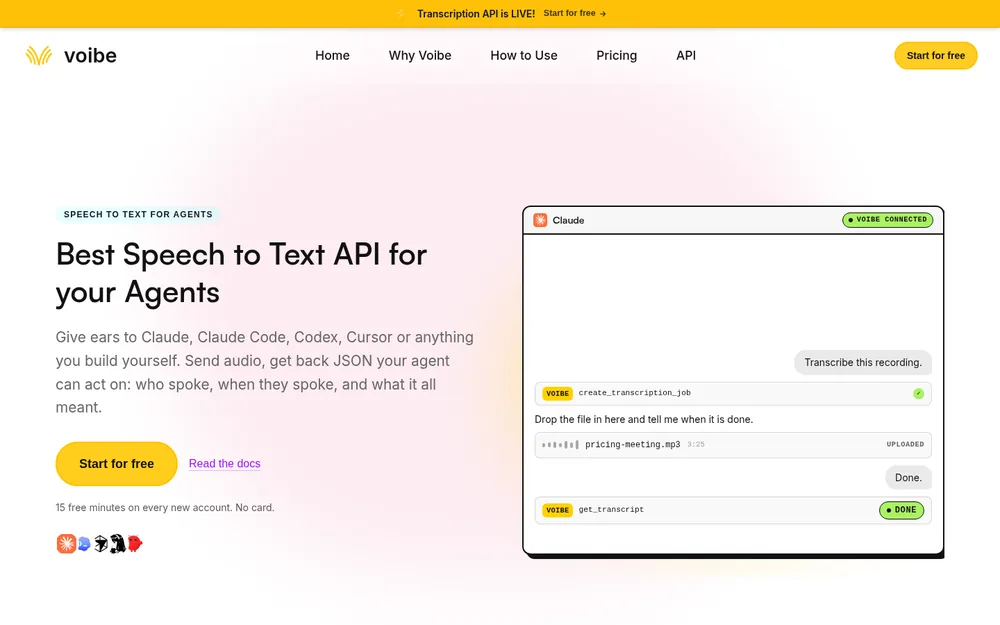
Voibe’s MCP server lets an agent do what TurboScribe makes you do by hand. It sits on the Voibe speech-to-text API, launched in August 2026.
Four tools, deliberately narrow
| Tool | Does |
|---|---|
create_transcription_job | Starts a job, with speaker labels and a summary prompt if you want them |
get_transcript | Status, then the summary and transcript text |
list_transcripts | Your jobs, newest first |
get_balance | Minutes remaining |
An agent can start jobs, read results, list them and check the balance. It can’t see or create API keys, buy minutes or change billing. The worst a connected app can do is spend minutes you already bought.
Sign in, or use a key
Most people sign in once in the browser. A new email gets an account with 15 free minutes, no card. Scripts and servers can send an API key from the API keys page as a Bearer token instead.
A signed-in app loses access 30 days after it last used it, and deleting a key cuts access at once.
How the audio gets there
Coding tools such as Claude Code, Cursor and Codex read the file from disk and upload it. Chat apps give you a link to a Send your audio page, which works for 5 hours and takes one file up to 200 MB.
The usual formats go straight in (mp3, wav, m4a, mp4, flac, ogg, webm), and others are converted when possible.
What it costs
Packs run from $10 for 2,000 minutes ($0.30/hour) to $100 for 24,000 minutes ($0.25/hour). A 47-minute interview costs $0.24 at the $10 tier. It’s batch, not streaming, so it transcribes files that already exist.
Launch details are in the Voibe API launch post. Seven other vendors are lined up in our speech-to-text API comparison.
If you came for an app, not an API
Voibe also makes desktop apps, if your real goal is dictation or meeting notes.
- Voibe Dictation types into any app on Mac and Windows, on-device on Apple Silicon or on the zero-retention cloud. It’s $9.90/month, $99/year or $199 lifetime.
- Voibe Free costs $0, with 2,000 cloud words a week and AI clean-up, on one device.
- Voibe Work ($19/month, $149/year or $399 lifetime) adds meeting notes with no bot in the call, on Mac and Windows.
On Voibe Work, meeting audio is deleted after processing, and the transcript and summary are saved on your computer. When a recording starts, Voibe prompts you to let the room know you’re taking notes, but checking the consent rules where you are stays your job. Our consent-law guide has the details.
Voibe Work also has a Meeting MCP for asking Claude and ChatGPT about your meetings. Apps you connect can read meeting titles, summaries and transcripts. What an app reads goes to the company behind its AI.
How to Connect Voibe MCP to Claude, ChatGPT, Codex, Cursor and Claude Code
Every client takes the same address, https://api.getvoibe.com/mcp. The steps follow Voibe’s MCP guide.
Claude (desktop, web and Cowork)
- In Claude, open Customize, then Connectors.
- Click +, then choose Add custom connector.
- Name it Voibe, paste the address and click Add.
- Click Connect, then sign in and approve in the browser.
- In a chat, open the + menu, choose Connectors and switch Voibe on.
On Team or Enterprise plans, an Owner adds the connector first. Then each person connects.
Claude Code
claude mcp add --transport http voibe https://api.getvoibe.com/mcpThen type /mcp in a session, pick voibe and sign in. Add -s user to have it in every project.
Cursor
Add this to ~/.cursor/mcp.json. Cursor opens the browser to sign you in the first time.
{ "mcpServers": { "voibe": { "url": "https://api.getvoibe.com/mcp" } } }Codex
codex mcp add voibe --url https://api.getvoibe.com/mcp
codex mcp login voibe
The ChatGPT desktop app, the Codex CLI and the IDE extension share this config, so you set it up once.
ChatGPT
- Open Settings, then Security and login, and turn on Developer mode. Your plan and workspace policy decide whether it appears.
- Open ChatGPT Plugins, click +, name it Voibe and paste the address.
- Sign in when asked, then add Voibe from the tools menu in a chat.
Anything else
Any MCP client works with the address. If it supports sign-in, sign in. If it only takes a fixed header, send an API key as a Bearer token.
Prompts That Work for TurboScribe-Style Jobs
Talk to the agent normally. These prompt shapes follow Voibe’s own guide.
- Transcribe ~/Downloads/interview.m4a and give me the decisions has a coding tool upload the file and return the summary.
- Transcribe this call recording gets you the upload link in a chat app.
- Is it done? returns the status, queued or processing, or the finished result.
- Show me who said what, with times returns speaker labels and timestamps.
- How many transcription minutes do I have left? returns your balance.
- Read every TXT in ~/Transcripts and list the open questions works on TurboScribe exports, with no MCP at all.
Two habits that save money and time
Ask for speaker labels only when speakers matter, because labelling is the slow part of a job. And have the agent save each result to a file, since Voibe deletes transcripts 24 hours after the job finishes.
Other TurboScribe Alternatives Your Agent Can Use
Voibe isn’t the only thing you can hand an agent instead of TurboScribe, or alongside it. Four others can take part of the job, with facts from each vendor’s own pages.
If your recordings are mostly meetings, the best AI note takers with MCP ranks the notetakers with official servers. Our Wispr Flow MCP guide walks through one in detail.
| Tool | Best for | Where it runs | Free tier | Agent route |
|---|---|---|---|---|
| Voibe MCP | Agents transcribing audio files | Zero-retention cloud | 15 minutes, once | Remote MCP, 4 tools |
| MacWhisper | Local file transcription | Your Mac | Free version | CLI and watch folders |
| Otter | Meetings, plus a few file imports | Otter’s cloud | 300 min a month, 3 lifetime imports | Otter MCP server |
| Circleback | Meeting notes with an API | Circleback’s cloud | 30-day history | API, MCP and CLI |
| Spokenly | An agent asks, you answer by voice | Your Mac (localhost) | Free app | Local MCP, 1 tool |
MacWhisper: Local File Transcription With a CLI for Agents
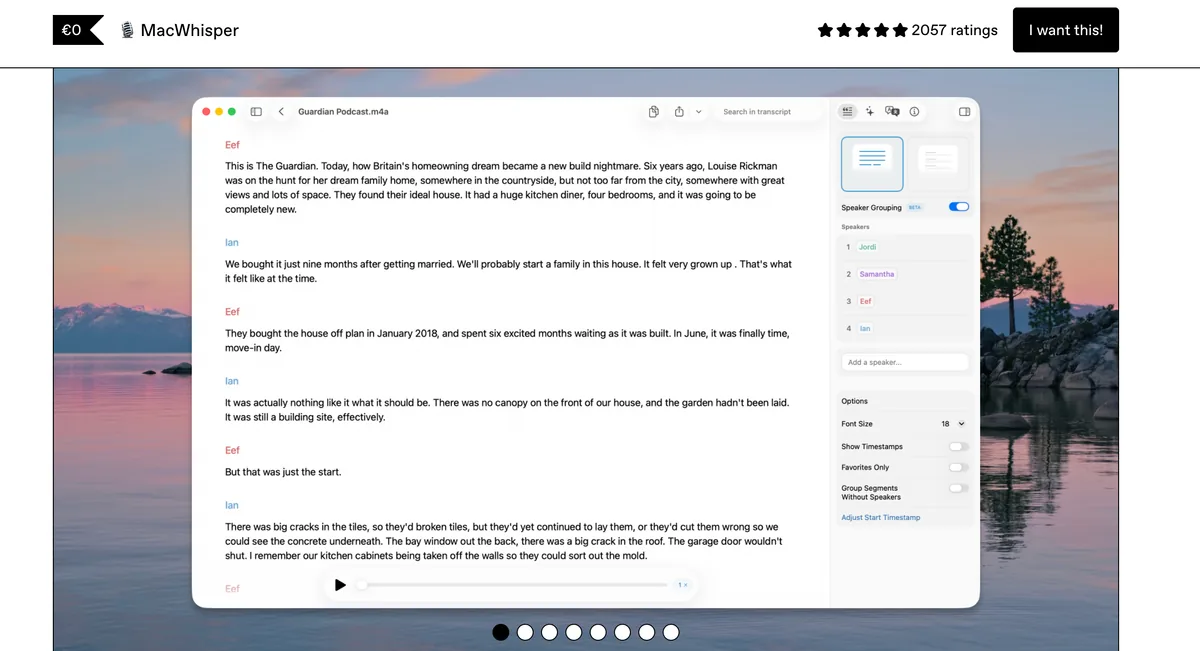
MacWhisper is the one I’d pick when a recording must never leave your Mac. Its homepage lists a CLI for agent and scripting workflows, plus watch folders that transcribe files as they land. It can send transcripts to Notion, Zapier, Obsidian, n8n, Make.com or a webhook.
There’s a free version, and Pro is €64 once. The Mac App Store edition, Whisper Transcription, rates 3.9/5 from 172 ratings on the App Store. The homepage doesn’t mention MCP. Our MacWhisper MCP guide covers what does connect.
Otter: File Imports Plus an MCP Server on the Free Plan
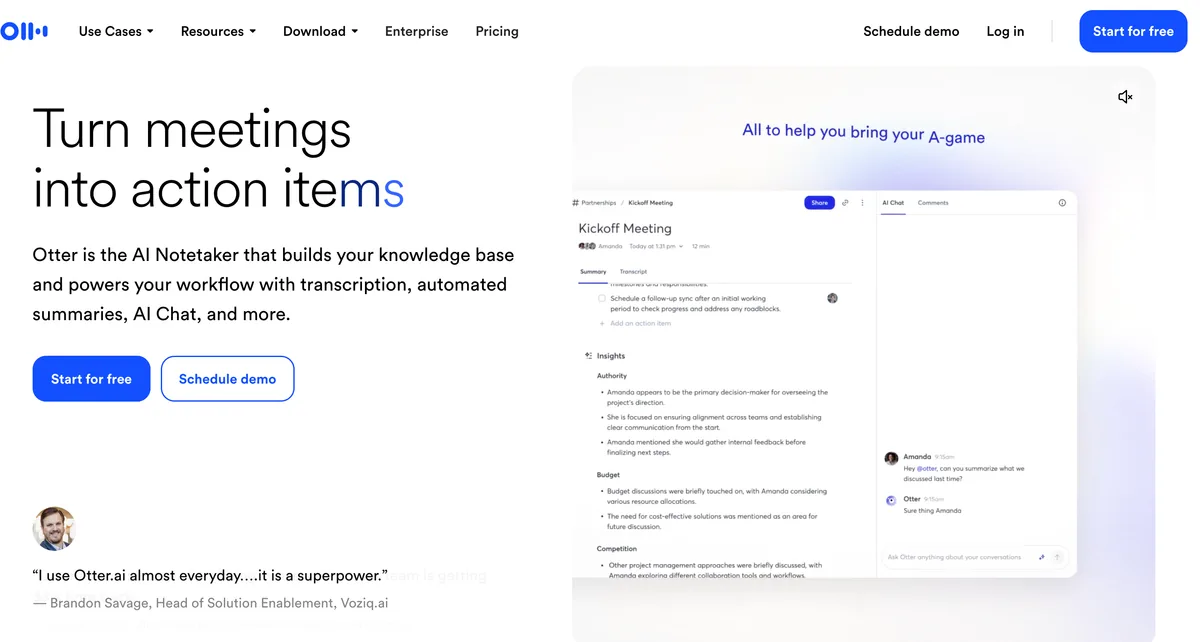
Otter is the nearest notetaker with both file imports and an MCP. Its free Basic plan lists an Otter MCP server and 300 transcription minutes a month. But Basic allows only 3 file imports per lifetime, so it won’t absorb a backlog.
Pro is $16.99 monthly or $8.33/month billed annually, with 10 imports a month. Business is $30 monthly or $19.99 billed annually, with unlimited imports. The iPhone app rates 4.8/5 from 87,739 ratings on the App Store.
Circleback: API, MCP and CLI on Every Plan
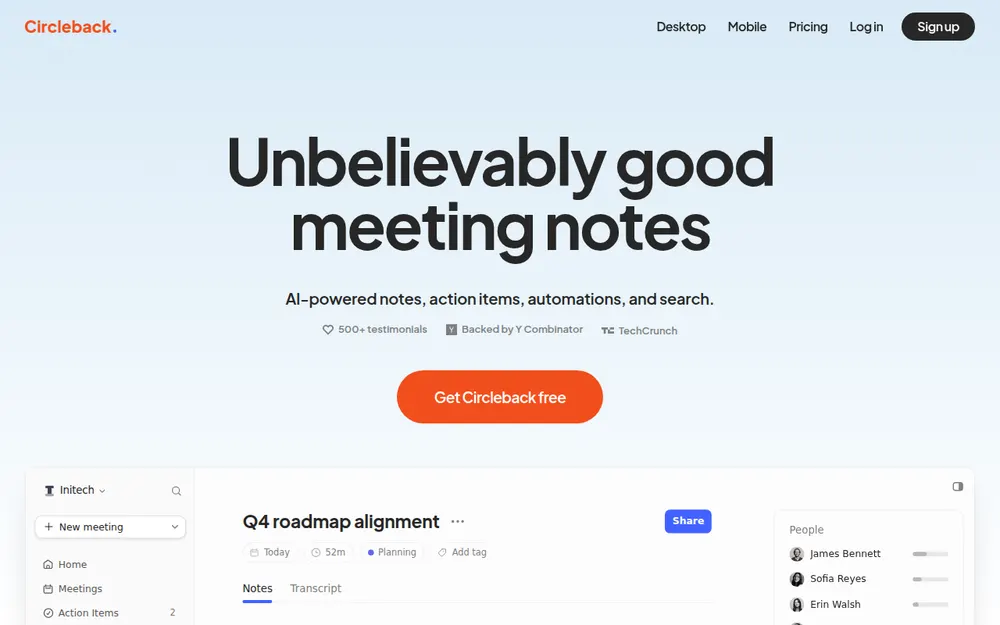
Circleback fits when the recordings are meetings and you want agents in the loop. Its free plan lists API, MCP and CLI access with 30 days of history. Pro is $15 per user a month, with unlimited history.
The pricing page doesn’t say whether you can upload your own audio files, which matters for a TurboScribe backlog. The iPhone app rates 4.8/5 from 273 ratings on the App Store.
Spokenly: An MCP Where the Agent Asks and You Answer Out Loud
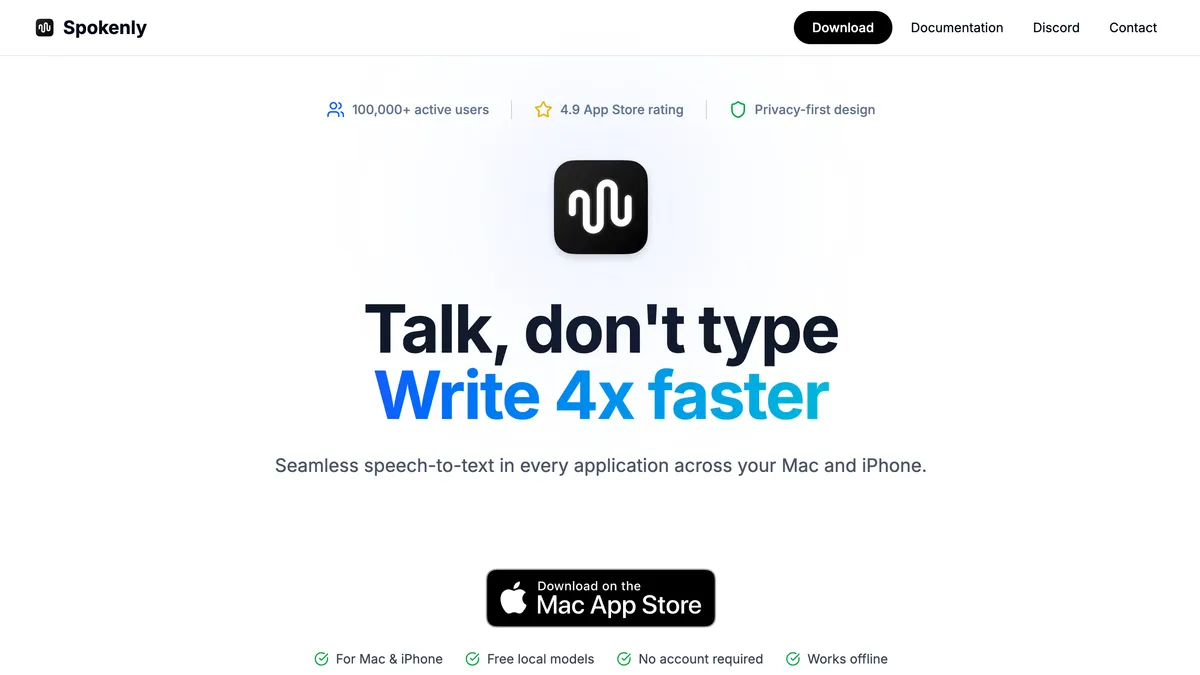
Spokenly solves a different voice job, in the opposite direction. Its agent docs describe a local server at http://localhost:51089 with one tool, ask_user_dictation. The agent asks, Spokenly records your spoken answer, and the text goes back.
Setup covers Claude Code through a bridge script, plus Codex and Cursor. You need Spokenly 2.18.0 or later in the sideload build, because the App Store build lacks MCP. The app rates 4.3/5 from 68 ratings on the App Store.
TurboScribe MCP Not Working? Error Messages and Fixes
The first two rows are TurboScribe dead ends. The rest come from the troubleshooting list in Voibe’s MCP guide.
| What you see | Why | Fix |
|---|---|---|
| No TurboScribe connector in Claude | None exists | Export transcripts, or add a transcription MCP |
| An unofficial script won’t log in | The website changed, or the password is wrong | Use exports; the FAQ rules out automated access |
| This connection request has expired. (Voibe) | The approve page sat for more than 10 minutes | Start again from the app |
| The app can’t reach the server | The address is wrong | Use exactly https://api.getvoibe.com/mcp, including /mcp |
| Job failed with not enough minutes | The recording is longer than your balance; nothing was charged | Buy minutes and ask again |
| An older job has no transcript | Transcripts are deleted 24 hours after the job finishes | Send the recording again |
| The first request after a while times out | The server is waking up | Ask again |
| Signed in with a new email, landed in an old account | Gmail dots and + tags count as the same inbox | Sign in with the address you meant |
TurboScribe MCP FAQ
The basics
Does TurboScribe have an MCP server? No, there is no official TurboScribe MCP server. I found no unofficial one in the official MCP Registry, mcp.so, Glama, Smithery, npm or PyPI on November 3, 2026. Anthropic’s connector directory doesn’t list TurboScribe either.
Does TurboScribe have an API? No, its support FAQ says TurboScribe offers no API or automated access. Every file goes through the web interface.
Is there an unofficial TurboScribe MCP? No MCP server exists, official or not. GitHub has two scripts that log in to the TurboScribe website with your password. Neither is affiliated with TurboScribe, and both break when the site changes.
Using TurboScribe with AI apps
Can Claude read my TurboScribe transcripts? Yes, once you export them as files. Save them from TurboScribe as TXT or DOCX in one folder, then point Claude Code or Cowork at it. In Claude desktop or on the web, attach the file to the chat.
Can ChatGPT connect to TurboScribe? Not through an MCP or an API. GPT directories list a custom GPT called TurboScribe Transcription under TurboScribe’s name. Its listing says uploads still happen at turboscribe.ai, and I couldn’t load it on chatgpt.com.
Does TurboScribe work with Zapier? No, Zapier has no TurboScribe app page, and the URL returns a 404. TurboScribe also has no API for a Zapier app to use.
Cost
Is TurboScribe cheaper than a transcription API? Yes, if you transcribe a lot every month. TurboScribe Unlimited is a flat $120 a year, and on Voibe’s API $120 buys 28,000 minutes, about 39 hours a month. Below that, Voibe costs less. At 100 hours a month, Voibe costs $300 a year, $180 (150.0%) more.
How much does Voibe MCP cost? Prepaid packs run from $10 for 2,000 minutes ($0.30 an hour) to $100 for 24,000 minutes ($0.25 an hour). Billing is per second, charged only when a job reaches DONE. Minutes never expire, and new accounts get 15 free minutes.
Privacy
Does TurboScribe train on my files? No, TurboScribe’s security FAQ says uploads are not used to train AI models. Files and transcripts are encrypted with AES-256 at rest and stay on its servers until you delete them.
What happens to audio sent to Voibe MCP? The audio is deleted once the transcript is saved, and anything left over is removed within a day. Transcripts and summaries are kept for 24 hours after the job finishes, then deleted. Nothing is used to train models.
What I’d Connect Instead of TurboScribe
There’s no TurboScribe MCP, and no API anyone could build one on. TurboScribe is still a good browser tool if you upload by hand. At 40 or more hours a month, its $120 year is hard to beat.
If you want an agent involved, match the route to the job. Export the transcripts you already have and let Claude read the files. Add a transcription MCP for new audio, and use dictation, not a server, to talk to Claude.
For new audio I’d start with Voibe’s: it deletes the audio once the transcript exists, and the first 15 minutes are free.
Tip
Connect Voibe in Claude Code with one command: claude mcp add --transport http voibe https://api.getvoibe.com/mcp, then type /mcp to sign in. New accounts get 15 free minutes, no card.