

TL;DR: Voibe Work Wins at Your Desk and in the Room, Granola on Your Phone
A Plaud recorder makes you pay twice. First comes $159 or more for the device, then a plan once the free 300 minutes a month run out.
Yet most of what it records, the phone in your pocket or the laptop on your desk can record too, with nothing extra to charge or carry.
Plaud still beats everything here on two jobs: phone calls in both directions, and long days away from a desk. For everything else, two Plaud alternatives replace it with no new hardware.
Best at your desk and in the meeting room: Voibe Work
Voibe Work is the meeting-notes plan in the app we build. If your meetings happen where a laptop can hear them, it's the one I'd pick.
- No device to buy: it runs on the Mac or Windows PC you already own.
- Every meeting at your desk: it captures Zoom, Teams, Meet or any meeting app with no bot, and records in-person meetings through your Mac or PC's mic.
- Notes that stay with you: the audio is deleted once processing completes, and the notes are saved on your computer, never used to train AI.
- Dictation included: the same plan types what you say in any app.
- Less than Plaud: $149 a year is $109.99 (42.5%) less than a Plaud Note plus Pro in year one ($258.99). The $399 lifetime plan is $59.97 (13.1%) less than three years of a Note plus Pro.
Each time a recording starts, Voibe reminds you to tell people you're taking notes. The recording-consent rules where you work are yours to follow.
Best if most of your meetings happen on your phone: Granola
Granola is the pick when your phone does most of the recording, because one account covers your phone and your desktop.
- Its iPhone and Android apps record the room, and its dialer records calls you place.
- Its Mac and Windows apps catch video calls with no bot joining the meeting.
- Business costs $168 a year, $90.99 (35.1%) less than a Note plus Pro in year one.
The weak spot is training. Granola trains on anonymized data by default, though each user can opt out.
The ranking
- Voibe Work: best for desk calls and meetings in the room, with no device to buy.
- Granola: best if most of your meetings happen on your phone.
- Otter: the best-known phone app for recording the room, with a free plan.
- Krisp: outgoing US calls and in-person notes for $96 a year.
- Jamie: phone apps for in-person meetings, with EU storage.
- Apple Voice Memos, Notes and Phone: the free option already on your iPhone.
Plaud's plans and fees are in our Plaud pricing guide, and storage and training in Is Plaud safe?.
If your laptop sits in the room, our guide to recording an in-person meeting on your laptop covers the setup.
Key takeaways
| Alternative | Best for | Records the room | Records phone calls | Year one vs Plaud Note + Pro ($258.99) |
|---|---|---|---|---|
| Voibe Work | Desk calls and room meetings, notes kept on your computer | Through your Mac or PC's mic | No | $149: $109.99 (42.5%) less |
| Granola | Replacing Plaud on your phone and desk | Phone app or laptop | Calls you place | $168 Business: $90.99 (35.1%) less |
| Otter | A free phone app for the room | iPhone and Android | Import only | $99.96 Pro: $159.03 (61.4%) less |
| Krisp | Outgoing US calls plus noise cancellation | iPhone app | Outgoing, US numbers | $96 Core: $162.99 (62.9%) less |
| Apple | Free, on an iPhone 12 or later | Voice Memos or Notes | Phone app, one other person | $0: $258.99 less |
Key Takeaway
Desk calls and meetings in the room: Voibe Work, no device to buy, notes saved on your computer, $149 a year, $109.99 less than a Plaud Note plus Pro in year one. Meetings mostly on your phone: Granola, $168 a year. Keep Plaud for incoming calls and days away from a desk.
Why People Look Past Plaud

Plaud makes small AI voice recorders. You clip one to your phone, wear it as a pin or set it on the table. Its app then turns the audio into a transcript and a summary.
Buyers like it. The app holds 4.883/5 on the App Store from 24,174 ratings and 4.6/5 on Google Play from 11.1K reviews. On Trustpilot it has a 4.7 TrustScore from 2,914 reviews.
The reasons people leave are mostly structural, and Plaud's own pages spell them out.
The device is the entry ticket
Every individual plan starts with hardware. The Note and NotePin cost $159, the NotePin S $179 and the Note Pro $189. No sale was running on standalone devices when we looked.
Even the free plan needs it. Plaud's help center says membership benefits "start from a bound Plaud device", so Starter only works once you own one.
Minutes are the bill
- Starter: 300 transcription minutes a month, free once you own a device.
- Pro: $17.99 a month or $99.99 a year for 1,200 minutes.
- Unlimited: $29.99 a month or $239.99 a year, with no minute count.
Unused minutes don't roll over, and the paid tiers differ only in minutes. You're paying for time (Plaud's pricing page, checked November 5, 2026).
The desktop app needs the device and the cloud
Plaud Desktop, still a beta, captures online meetings on Mac or Windows with no bot. It looks like a way around the hardware. On an individual plan, it isn't.
- Plaud's help center lists a Plaud device bound to your account as a requirement (checked November 5, 2026).
- Only Plaud Team works without one, and Team needs at least 2 seats.
- Plaud's privacy policy also says cloud sync is required for the desktop and web apps.
Your audio goes to the big AI labs' models
All transcription runs in Plaud's cloud. Plaud's help center says it builds on the GPT, Claude and Gemini model families from OpenAI, Anthropic and Google.
Contracts with those vendors bar training and retention, per Plaud. Its privacy policy says it won't train on your content unless you give explicit consent.
That's a reasonable promise. For a confidential client call, though, I'd still want to know my audio is going to the biggest AI labs' models.
A gadget to carry, and no dictation
- You charge and carry another device, and transcription needs a paired phone and internet.
- There's no dictation app, so it won't help with the follow-up email you write after the meeting.
- The few low-star Trustpilot reviews we could see mention shipping delays and weak speaker labels, though that sample is thin.
What Plaud does well
Quite a lot, and it deserves credit for it.
- Phone calls: the Note and Note Pro record calls through a vibration sensor pressed against the back of your phone.
- Battery: the Note Pro runs up to 30 hours per charge, or 50 in Endurance mode.
- No signal needed to record: every device records offline to 64GB of storage.
- Paperwork: Plaud claims more than most notetakers. It says it holds SOC 2 Type II and a HIPAA validation report, and it offers a BAA through privacy@plaud.ai.
If your day is phone calls and site visits, keep it.
Where Each Alternative Can Record: the Room, Your Phone or Your Desk
Plaud covers three places a meeting happens: the room, a phone call and, with its desktop beta, a video call.
No alternative covers all three without hardware, which is why I'd start with where your meetings actually happen.
Coverage, tool by tool
| Tool | In the room | Phone calls | Video calls at a desk | Hardware to buy |
|---|---|---|---|---|
| Plaud (reference) | Recorder on the table or worn | Note and Note Pro, both directions, clipped to the phone | Plaud Desktop (beta); device required on individual plans | Yes, $159 to $189 |
| Granola | iPhone, Android or laptop | Calls you place, through its dialer; not incoming | Mac and Windows, no bot | No |
| Voibe Work | Through your Mac or PC's mic | No phone app | Mac and Windows, no bot | No |
| Otter | iPhone and Android apps | Imports files from other call recorders | Bot, or Mac and Windows app with no bot | No |
| Krisp | iPhone app | Outgoing calls on US numbers | Mac and Windows, no bot by default | No |
| Jamie | iPhone and Android apps | Not supported | Mac and Windows, no bot | No |
| Apple | Voice Memos or Notes, iPhone 12 or later | Phone app, one other person, both hear a notice | Not covered | No, if you own an iPhone |
What the grid shows
Phone calls are where Plaud is hardest to replace. Only its Note and Note Pro record calls in both directions.
Granola and Krisp record calls you place, not the ones you receive. Apple's Phone app records one-on-one calls where it's offered.
The room is the easy part, since every pick records it from a phone or a laptop.
Voibe Work works wherever your laptop is: on your desk for video calls, or open on the meeting-room table for the people in the room.
How the alternatives answer each complaint
- The device: every pick runs on a phone or a computer you already own.
- Minute caps: Granola Business, Krisp Core and Voibe Work have no monthly minute cap, while Otter Pro matches Plaud Pro's 1,200 minutes.
- The big AI labs: Voibe Work runs open-source models on zero-retention providers, with no OpenAI, Google, Anthropic or Microsoft model in the audio path.
- No dictation: Voibe Work includes a dictation app, and Granola's voice typing is free on Mac.
What to Look For in a Plaud Alternative
Check these seven things before you compare prices, in this order. Price comes late on purpose: a cheap app that can't record your calls is still the wrong app.
- Where you record: a phone app suits walks, site visits and meetings on the move. A laptop app suits desk calls and meeting rooms where the laptop sits on the table.
- Phone calls: check incoming and outgoing calls separately. Most apps only record calls you place. Only Plaud's Note and Note Pro record both directions.
- Caps: Plaud meters minutes, while some alternatives meter notes or meeting length instead. Check each plan's monthly minutes, note count and longest meeting against a busy week.
- Where the notes live: notes sit either in the vendor's cloud or on your own computer. Check which one, and how long the vendor keeps audio and transcripts.
- Training and AI vendors: check whether the tool trains on your recordings by default, and whether you can opt out. Then check which AI companies process the audio.
- Cost over three years: Plaud front-loads the device, so year one looks expensive and later years look cheap. Compare year one and year three, as well as the monthly price.
- Dictation: Plaud has no dictation app. If you also write a lot after meetings, a plan that includes dictation saves you a second subscription.
How I Compared Them
I read each vendor's pricing, privacy, security and help pages. All prices and ratings were checked November 5, 2026.
For Plaud, I read its store, pricing page, help center, privacy policy and trust center. Every Plaud fact below is attributed to them.
What I judged, in order
- Coverage: the room, phone calls and video calls, with no device to buy.
- What happens to the recording: where it's stored, for how long, and whether it trains AI.
- Caps: minutes, notes and meeting length.
- Cost: year one and year three against a Plaud Note plus Pro.
- Extras: dictation, summary templates and access from AI apps.
Why the top two sit where they do
Voibe Work is first because it replaces Plaud at a desk and in a meeting room with no device to buy.
It deletes the audio after processing, saves notes on your computer, never trains and adds dictation.
Granola is second. Its phone apps cover the most of Plaud's ground away from a desk, including calls you place, and it has a free plan.
It trains on anonymized data by default, though, and its notes live in its US cloud.
Plaud Alternatives Compared
Plaud sits in the first row as the baseline. Ratings come from the App Store unless a row says otherwise.
Side by side, with Plaud as the baseline
| App | Platforms | Notes stored | Trains on your data? | Free plan | Cheapest yearly plan | Rating |
|---|---|---|---|---|---|---|
| Plaud (reference) | Recorder, plus iPhone, Android, Mac and Windows (beta) apps and web | Plaud cloud in the US, Germany, Japan or Singapore, by region | Not unless you opt in | Starter, 300 minutes a month, with a device | Pro $99.99, plus a $159+ device | 4.883/5 (24,174) |
| Voibe Work | Mac, Windows | On your computer | Never | Yes: Voibe Free (dictation, 2,000 cloud words a week); every Voibe Work feature free for 7 days | $149 | 4.8/5 Product Hunt (Voibe app, 6) |
| Granola | Mac, Windows, iPhone, Android | Granola cloud, US | Yes by default, opt-out | Basic, last 30 days visible | Business $168 | 4.96/5 (14,668) |
| Otter | Web, Mac, Windows, iPhone, Android | Otter cloud | Yes, de-identified; no opt-out found | 300 minutes a month, 30 minutes per conversation | Pro $99.96 | 4.79/5 (87,912) |
| Krisp | Mac, Windows, iPhone, Android | Krisp cloud, US | Never | No (7-day trial) | Core $96 | 4.73/5 (271) |
| Jamie | Mac, Windows, iPhone, Android | Jamie cloud in the EEA, Switzerland and UK | Never | 10 AI notes a month, 30-minute cap | Plus $288 | 4.89/5 (261) |
| Apple Voice Memos and Notes | iPhone, built in | Not stated in Apple's guides | Not stated in Apple's guides | Free with the iPhone | $0 | Built in, no rating |
What the table tells you
- Training: Voibe Work, Krisp and Jamie never train. Granola trains by default with an opt-out, and Otter trains on de-identified data.
- Storage and dictation: Voibe Work is the only pick that keeps notes on your computer and includes a dictation app.
- Where you record: Voibe Work is built for the laptop and has no phone app. If phone calls are the job, a Plaud Note or Granola's dialer fits better.
What a Year Costs Against a Plaud Note and Pro
Plaud's cheapest full setup is a $159 Note or NotePin plus Pro at $99.99 a year. That's $258.99 in year one and $458.97 over three years, because you only buy the device once.
On the free Starter plan alone, it's $159 once, for 300 minutes a month.
Year one and year three, side by side
Each row is the cheapest plan for regular meeting notes, billed annually where offered.
| Alternative | Plan | Year one | vs Plaud year one ($258.99) | Three years | vs Plaud three years ($458.97) |
|---|---|---|---|---|---|
| Apple Voice Memos and Notes | Built in | $0 | $258.99 less | $0 | $458.97 less |
| Krisp | Core ($8 a month annual) | $96 | $162.99 (62.9%) less | $288 | $170.97 (37.3%) less |
| Otter | Pro ($8.33 a month annual, 1,200 min a month) | $99.96 | $159.03 (61.4%) less | $299.88 | $159.09 (34.7%) less |
| Voibe Work | Annual, unlimited meetings up to 4 hours each | $149 | $109.99 (42.5%) less | $447 | $11.97 (2.6%) less |
| Voibe Work | Lifetime, paid once | $399 | $140.01 (54.1%) more | $399 | $59.97 (13.1%) less |
| Granola | Business ($14 a month, billed monthly) | $168 | $90.99 (35.1%) less | $504 | $45.03 (9.8%) more |
| Jamie | Plus ($24 a month annual, 20 AI notes a month) | $288 | $29.01 (11.2%) more | $864 | $405.03 (88.2%) more |
Where Plaud is the cheaper buy
- If you already own a Plaud device: Pro at $99.99 a year is $49.01 cheaper than Voibe Work. It's $68.01 cheaper than Granola Business.
- If 300 minutes a month is enough: a Note on Starter costs $159 once. That's less than two years of any paid plan in the table.
- Month to month: Plaud Pro is $17.99, which is $1.01 less than Voibe Work's $19.
- Discounts: Plaud gives eligible US and Canadian students, educators, healthcare workers and military 10% off its devices. Voibe has no student or education discount.
If the recorder is already in your drawer, the money case for leaving is weak. Leave for coverage or privacy, not price.
Where the alternatives win
- Against Plaud Unlimited ($239.99 a year): Voibe Work is $90.99 (37.9%) less, with unlimited meetings of up to 4 hours each.
- Over three years: Voibe Work's lifetime plan ($399) costs $479.97 (54.6%) less than a Note plus Unlimited ($878.97).
- In year one: every pick except Jamie Plus and Voibe Work lifetime costs less than a Note plus Pro.
Our meeting note taker pricing guide lists every plan. The Granola pricing and Otter pricing guides go plan by plan.
Plaud Plus Wispr Flow vs Voibe Work: What the Bundle Costs
Plaud has no dictation app, so covering meetings and dictation takes a second tool. For dictation, that could be Wispr Flow Pro, at $144 a year billed annually.
Voibe Work covers meetings and dictation in one plan, at $149 a year.
The bundle, year by year
In year one, a Plaud Note ($159), Plaud Pro ($99.99) and Wispr Flow Pro ($144) come to $402.99. Voibe Work is $253.99 less, which is 63.0% of the bundle.
From year two, the device is paid for. Plaud Pro plus Wispr Flow Pro is $243.99 a year, so Voibe Work is $94.99 (38.9%) less.
| Period | Plaud Note + Pro + Wispr Flow Pro | Voibe Work annual | Voibe Work costs less by |
|---|---|---|---|
| Year one | $402.99 | $149 | $253.99 (63.0%) |
| Each year from year two | $243.99 | $149 | $94.99 (38.9%) |
| Three years in total | $890.97 | $447 | $443.97 (49.8%) |
The bundle still earns its keep if you record incoming phone calls or spend days away from a desk. If your meetings happen at a laptop, one plan does both jobs.
Plaud vs Wispr Flow: Which One Do You Need?
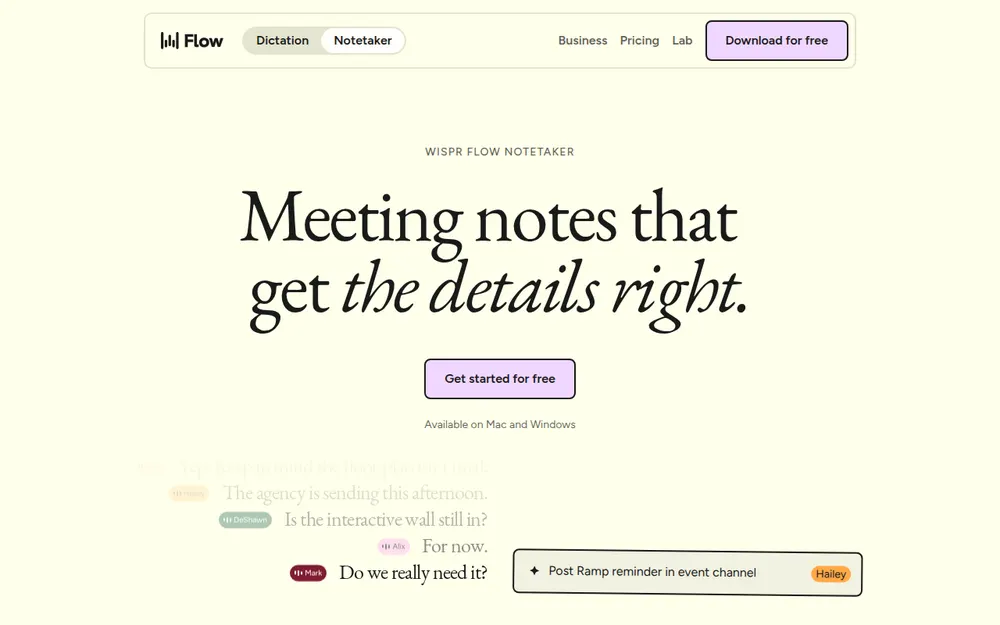
Plaud and Wispr Flow get compared often, but they do different jobs. Plaud is a hardware recorder with an AI plan for meetings and calls.
Wispr Flow is a dictation app that types what you say. Since August 2026, it also has a bot-free meeting Notetaker, now on Mac and Windows.
How they differ
| Plaud | Wispr Flow | |
|---|---|---|
| What it is | AI voice recorder, phone app and AI plan | Dictation app plus a bot-free desktop Notetaker |
| Records the room | Yes, on the recorder | Yes, through your computer's mic |
| Phone calls | Note and Note Pro, clipped to the phone | Not listed; the iPhone app only shows notes |
| Online meetings | Plaud Desktop (beta); device required on individual plans | Notetaker on Mac and Windows, live sessions up to 3 hours |
| Dictation | None | Mac, Windows, iPhone and Android |
| Where notes live | Plaud cloud by region, kept until you delete them while cloud sync is on | Wispr's US cloud |
| Training | Not unless you opt in | On by default for Free and Pro, per Wispr's help center, with an opt-out (see Is Wispr Flow safe?) |
| Price | $159+ device; Pro $99.99 a year | Free with limited Notetaker access; Pro $144 a year ($15 monthly) |
Which to pick
- Pick Plaud if you record away from a computer or on phone calls.
- Pick Wispr Flow if you mostly need dictation and want meeting notes at your desk now and then.
Check the tier before you buy Wispr for meetings. Unlimited Notetaker access sits on its Growth tier, not Pro.
Where Voibe Work fits between them
Voibe Work gives you dictation plus bot-free meeting notes on Mac and Windows. Its notes are saved on your computer instead of a vendor cloud.
It costs $149 a year, $5 (3.5%) more than Wispr Flow Pro. Our Wispr Flow Notetaker vs Voibe Work comparison goes feature by feature, and Wispr Flow pricing covers every tier.
1. Voibe Work: Best Plaud Alternative for Desk Calls and Meetings in the Room, With No Device to Buy
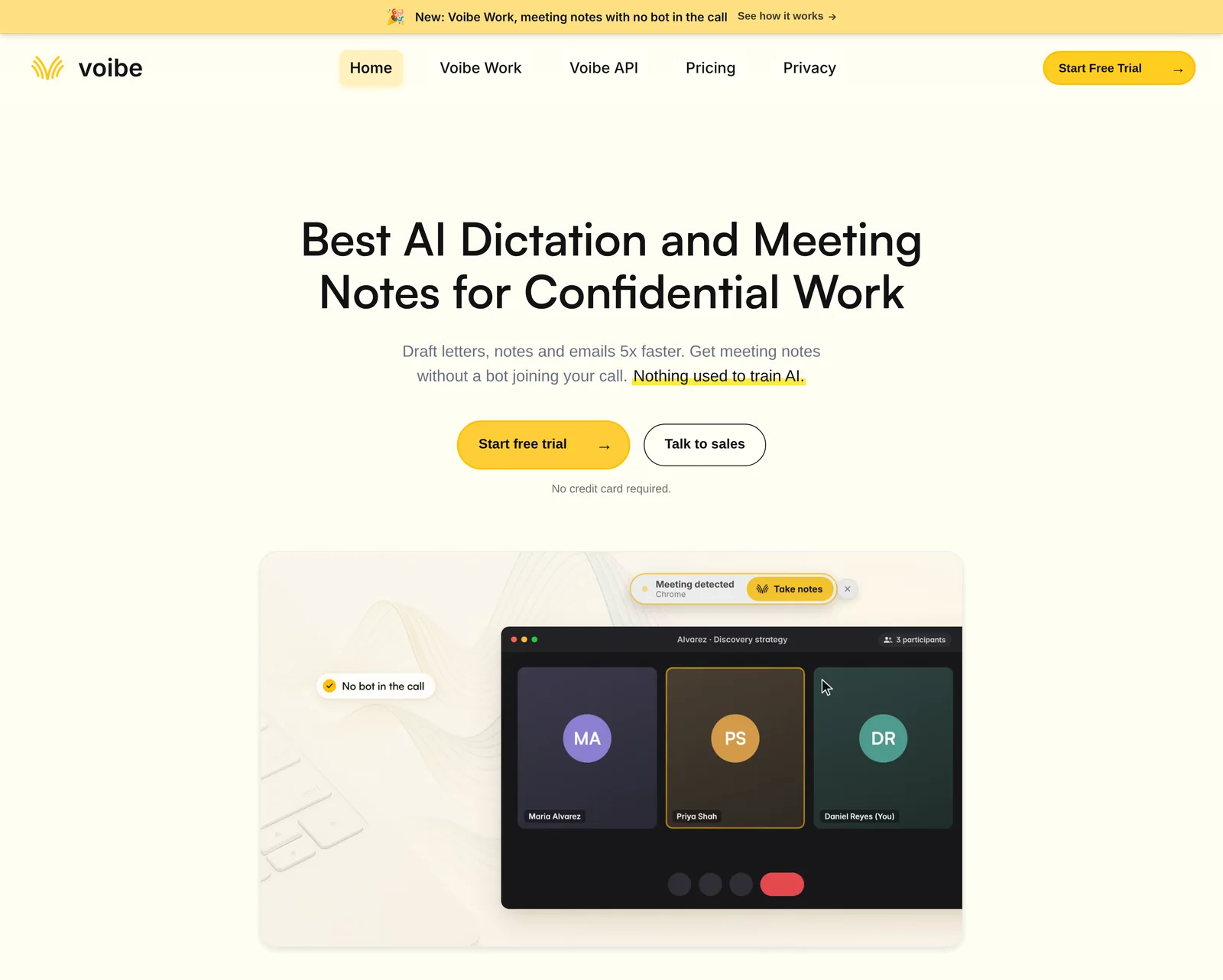
If your meetings happen where a laptop can hear them, Voibe Work replaces Plaud with no device to buy.
Think of a client meeting in a glass-walled room with the laptop open on the table, or a Teams call from your desk.
I'd hand it to consultants, lawyers, advisors and anyone whose meetings are confidential.
Where your meeting goes
- Capture: from your Mac or Windows PC in Zoom, Teams, Google Meet, Webex, Slack huddles or any meeting app, with no bot. In-person meetings record through your Mac or PC's mic.
- Processing: open-source models on zero-retention cloud providers. No OpenAI, Google, Anthropic or Microsoft model is in the audio path.
- Audio: deleted as soon as processing completes.
- Notes: the transcript and summary are saved on your computer, not on Voibe's servers, and never used for training.
Plaud, by contrast, sends audio to GPT, Claude and Gemini family models. It keeps recordings in its cloud while cloud sync is on.
Each time a recording starts, Voibe asks you to tell the others you're taking notes. Following the recording-consent rules is still your job.
Our Voibe Work launch post explains the design.
Plaud vs Voibe Work, side by side
| Plaud | Voibe Work | |
|---|---|---|
| Hardware | A $159 to $189 recorder | None; runs on your Mac or Windows PC |
| In-person meetings | Recorder on the table or worn | Through your Mac or PC's mic |
| Phone calls | Note and Note Pro, both directions | Not supported; no phone app |
| Online meetings | Plaud Desktop (beta); device required on individual plans | Any meeting app, no bot |
| AI models | GPT, Claude and Gemini families | Open-source models on zero-retention providers |
| Audio | Kept in Plaud's cloud while cloud sync is on | Deleted as soon as processing completes |
| Transcript and summary | Plaud cloud by region, until you delete them (with sync on) | Saved on your computer |
| Training | Not unless you opt in | Never |
| Offline | Records offline; transcribes later in the cloud | Meeting notes need internet |
| Limits | 300 or 1,200 minutes a month, or Unlimited at $239.99 a year | Unlimited meetings, up to 4 hours each |
| Dictation | None | Included, in any app |
| Compliance | Says it holds SOC 2 Type II and a HIPAA validation report; BAA on request | BAA available on request |
| Refunds | Devices: 30-day return; plans: only if unused | 30-day money-back guarantee on paid plans |
| Price | $159+ device, then $0, $99.99 or $239.99 a year | $19/mo, $149/yr or $399 lifetime |
What you get beyond the transcript
- Speaker labels: the transcript labels each speaker and times every line. Rename a speaker and the summary updates, though names don't come from your calendar.
- Long meetings: one meeting can run up to 4 hours, with no cap on how many you record.
- Speed: transcripts and summaries now arrive 10 to 20 times faster than before, by Voibe's own measurements.
- Templates: summary templates cover each type of meeting, and you can create your own.
- Chat with your meetings: it runs on the same zero-retention cloud, with nothing stored.
- Export: one-click copy and PDF export are built in for transcripts and summaries.
The October update post covers the 4-hour limit.
If you use Plaud's MCP
Plaud lists an MCP server (Preview) on every plan, so Claude, Cursor and ChatGPT can read your recordings.
Voibe Work includes a Meeting MCP of its own:
- Connect: click MCP on the Meetings page to connect Claude, Cursor, ChatGPT or Claude Code.
- Disconnect: one switch turns it off for every app at once.
- Where the data goes: Voibe's panel notes that what an app reads goes to the company behind its AI, for example Anthropic for Claude.
Our AI note takers with MCP roundup compares both.
What it costs
- Voibe Work: $19 a month, $149 a year or $399 once for lifetime access. One seat covers Mac and Windows.
- Voibe Dictation only: $9.90 a month, $99 a year or $199 lifetime.
- Voibe Free: $0, with 2,000 cloud words a week of dictation on one device.
Every new account gets a 7-day trial of every Voibe Work feature, with no credit card and no automatic charge. Paid plans carry a 30-day money-back guarantee.
Why it ranks first
- No device: the laptop already on your desk does the recording, so there's nothing to buy, charge or carry.
- Every meeting app: Zoom, Teams, Meet, Webex and Slack huddles with no bot, plus the room through your Mac or PC's mic.
- Notes that stay with you: the audio is deleted after processing, and the notes are saved on your computer and never trained on.
- Two tools in one plan: meeting notes and dictation for $149 a year, or $399 once.
If your meetings happen at a laptop, that combination replaces a Plaud recorder and its plan, with nothing new to carry.
Trusted by 4,000+ professionals, including people at Netflix, NVIDIA, Amazon, Twilio, and Intercom




See Voibe Work in action
Record your next meeting with the laptop you already own
Start free on Mac or Windows. 7 days of every Voibe Work feature, no credit card required.
2. Granola: Best if Most of Your Meetings Happen on Your Phone
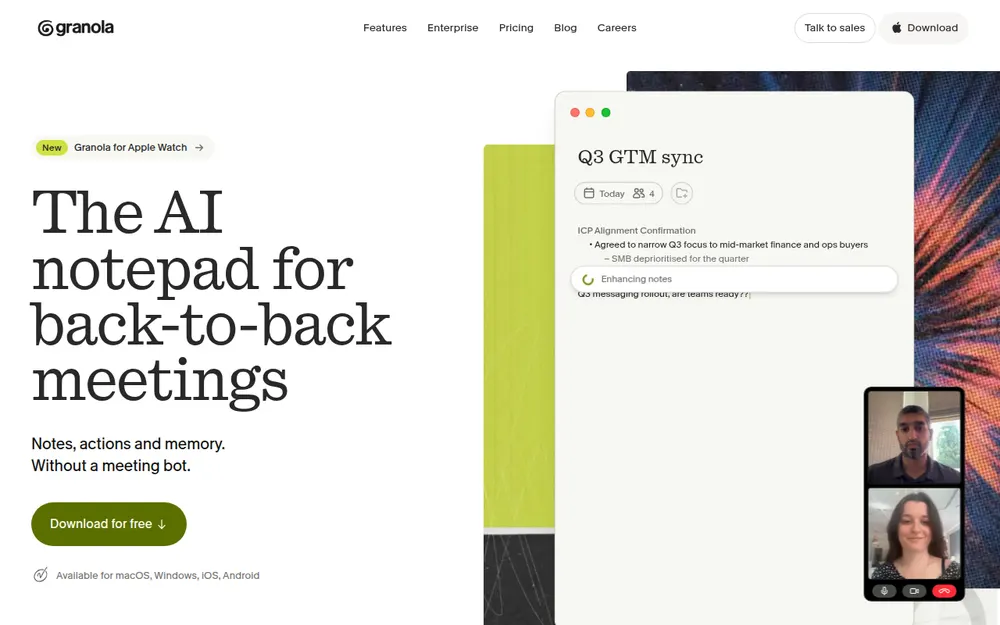
Granola is my pick if most of your meetings happen on your phone. One account covers the room, calls you place and video calls.
It also suits the way a lot of people take notes. You jot rough notes while it records, and it fills them in afterwards.
What it records
- In the room: its iPhone and Android apps record in-person meetings.
- Calls you place: a built-in dialer records outbound calls from your phone.
- Video calls: on Mac and Windows, it records your mic and system audio with no bot.
- Dictation: voice typing on Mac is free, which is something Plaud doesn't offer at all.
Calls you receive are the gap. Granola's help center says it "can't transcribe inbound calls" (checked November 5, 2026), so those still need something else.
The app holds 4.96/5 on the App Store from 14,668 ratings, the highest here.
What it costs
- Basic: free, but only the last 30 days of notes are visible.
- Business: $14 a user a month, billed monthly ($168 a year). That's $90.99 (35.1%) less than a Plaud Note plus Pro in year one.
- Enterprise: $35 a user a month, with training off by default.
Once you own a Plaud device, the sums flip. Business then costs $68.01 a year more than Plaud Pro.
Where it's weaker than Plaud
Training is the big one, and it's the part I'd think hardest about. Granola's pricing page says it "trains on your anonymized data", though each user can opt out.
Plaud says it won't train unless you opt in. Granola's notes are also US-hosted.
A July 2026 lawsuit, Chamberlain v. Granola, alleges wiretapping. Nothing is proven, and our Granola lawsuit explainer has the details.
Granola or Voibe Work?
Granola has phone apps, outbound calls and a free plan. Voibe Work is $19 (11.3%) a year cheaper, never trains and saves notes on your computer.
More in our Granola pricing guide and Is Granola safe?
3. Otter: The Free Phone App That Records the Room
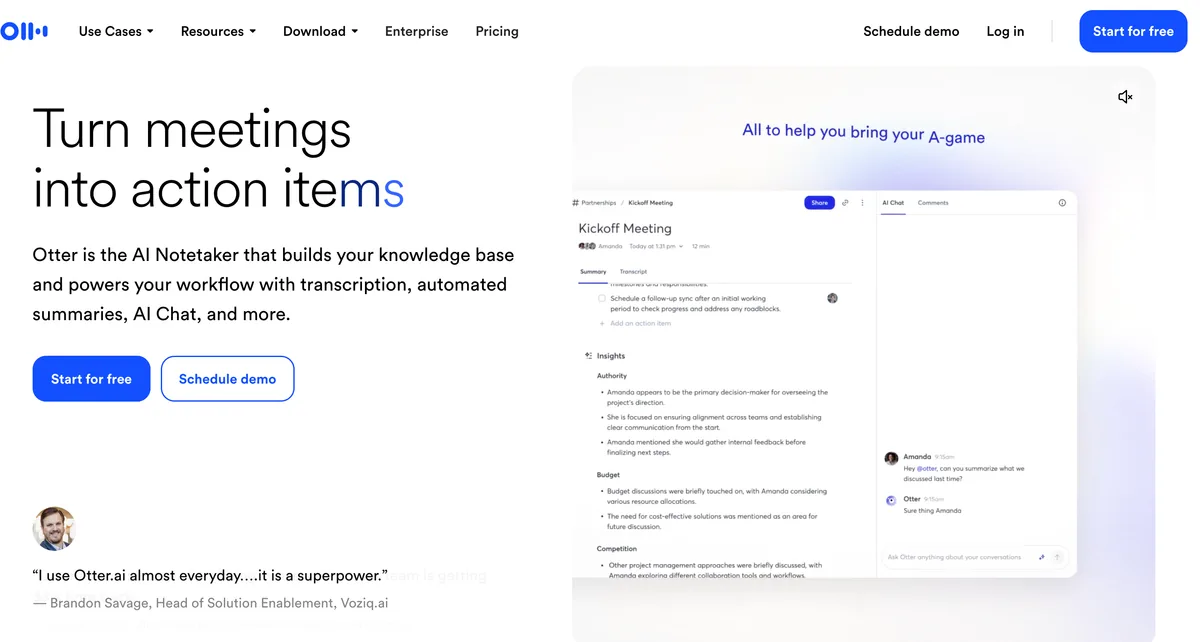
Otter is the biggest name here and the closest thing to Plaud's app without the recorder. Its iPhone listing promises "Record & transcribe live" in one tap, including through AirPods.
It holds 4.79/5 on the App Store from 87,912 ratings, the biggest sample here.
Plans, next to Plaud's
- Basic: free, with 300 minutes a month and 30 minutes per conversation.
- Pro: $8.33 a month billed annually ($99.96 a year), or $16.99 monthly. It gives 1,200 minutes a month and 90 minutes per meeting.
- Business: $19.99 a month billed annually ($239.88 a year), or $30 monthly, with 4-hour meetings.
Pro costs $159.03 (61.4%) less than a Plaud Note plus Pro in year one. It matches Plaud Pro's 1,200 minutes a month for $0.03 less a year, with no device to buy.
Why it's third, not first
- Otter can't record phone calls itself, though it imports files "from other call recording apps".
- It trains its AI on de-identified audio and transcripts, per its privacy policy, and I found no opt-out.
- In In re Otter.AI Privacy Litigation, wiretap and biometric claims survived an August 13, 2026 ruling. They're allegations, not findings, and our Is Otter safe? review covers them.
For a free phone app that records the room, it's still the easy default. Every plan is in our Otter pricing guide.
4. Krisp: Outgoing US Calls and Noise Cancellation for $96 a Year
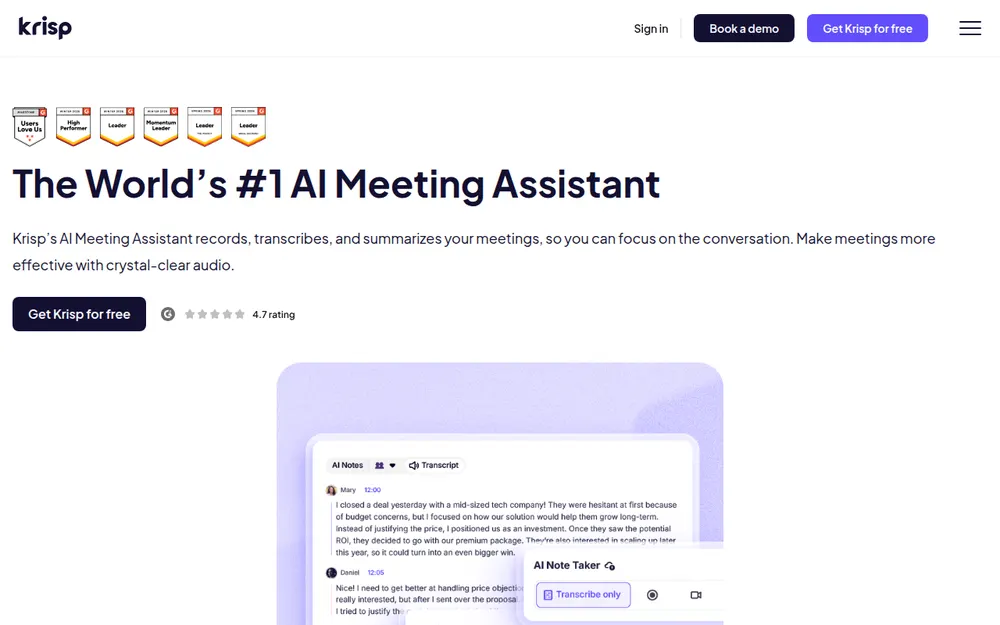
Krisp started as a noise-cancellation app and now sells bot-free meeting notes. If you make a lot of outgoing calls from a US number, it's the one I'd look at.
Its iPhone app "captures in-person and online meetings". On US numbers, you can place calls through Krisp with recording.
What $96 a year covers
Core costs $96 a year ($8 a month billed annually, or $16 monthly). It includes unlimited AI notes, noise cancellation and the outbound call recorder.
That's $162.99 (62.9%) less than a Plaud Note plus Pro in year one, and even $3.99 a year less than Plaud Pro alone. Advanced is $180 a year billed annually, or $30 monthly.
Before you buy
- There's no free plan, only a 7-day trial with no credit card.
- Recordings and notes stay in Krisp's US cloud until you delete them, and recordings stop at 4 hours.
- Fees are non-refundable, per its terms, so use the trial week properly.
On training, Krisp is clear. Its pricing FAQ says "Your meeting data is never used to train Krisp's AI models".
It holds 4.73/5 on the App Store (271). Voibe Work costs $53 (55.2%) more than Krisp Core, for notes on your computer and a dictation app. See our Krisp pricing guide and Is Krisp safe?
5. Jamie: In-Person Notes on Your Phone, Stored in Europe
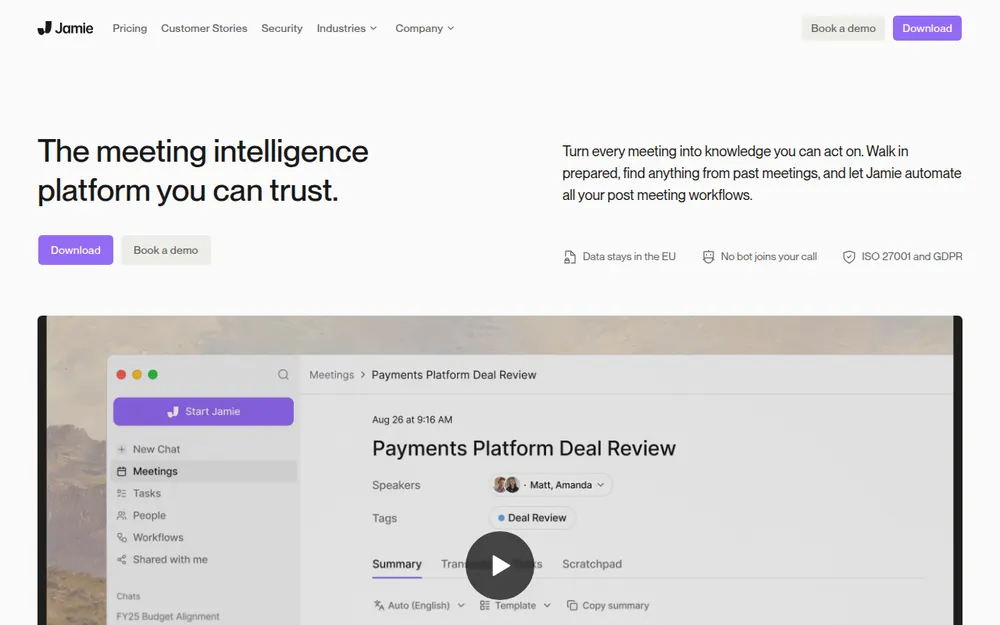
Jamie suits Plaud users in Europe who mostly record the room. Its iPhone and Android apps record in-person meetings, and its Mac and Windows apps catch video calls with no bot.
Where your data sits is the selling point. Data is stored in the EEA, Switzerland and the UK, and the audio is deleted after transcription.
Its pricing page also promises "No model training on your data".
The limits that might stop you
- Jamie's help center says it "cannot record phone calls".
- Free gives you 10 AI notes a month, with a 30-minute cap on each.
- Plus is $24 a month billed annually ($288 a year), or $29 monthly, for 20 AI notes a month.
Plus is $29.01 (11.2%) more than a Plaud Note plus Pro in year one. And 20 notes a month runs out fast if you meet every working day.
It holds 4.89/5 on the App Store (261). Voibe Work is $139 (48.3%) a year less than Jamie Plus. See our Jamie pricing guide and Is Jamie safe?
6. Apple Voice Memos, Notes and Phone: Free on the iPhone You Already Own
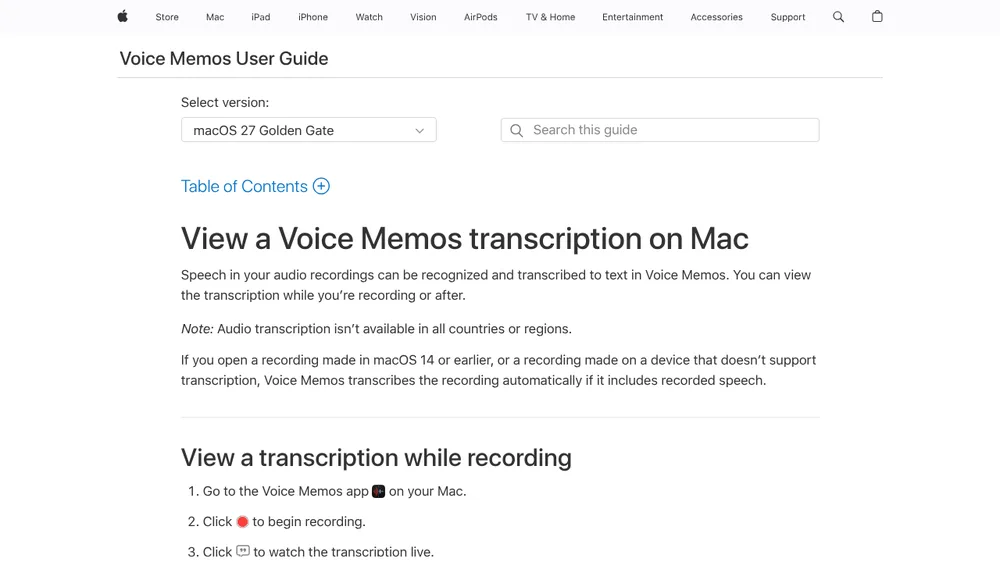
If you own an iPhone 12 or later, you already have a free Plaud alternative for the room. Apple's iPhone User Guide says Voice Memos can show a transcription while you record or afterwards.
What it covers
- Voice Memos and Notes: both record and transcribe on iPhone 12 or later, in 10 languages including English, Spanish, French, German and Japanese. Apple says it's not available in all countries or regions.
- Summaries: Apple Intelligence can summarize a transcript on iPhone 15 Pro or later.
- Phone calls: the Phone app can record a call with one other person. Apple's iPhone User Guide says both people hear an audio notice, and recordings and transcripts land in Notes.
The audio notice tells the other person, but the recording-consent rules where you both are still apply.
Where it falls short
- Apple's guides don't mention speaker labels, meeting templates or desktop capture.
- Call recording isn't offered in the EU and some other countries.
- The guides also don't say where transcription runs, which matters for client work.
It costs $0, which is $258.99 less than a Plaud Note plus Pro in year one. For quick one-to-one calls and the odd meeting, I'd start here before paying anyone.
Other Plaud Alternatives I Looked At
A few more came close, each for a narrower need.
More apps
- Wispr Flow Notetaker records meetings on Mac and Windows with no bot, alongside Wispr's dictation app. Notes sit in Wispr's US cloud, as the Plaud vs Wispr Flow section above explains.
- Fireflies has iPhone and Android apps that record the room and a no-bot desktop mode. Pro is $120 a year billed annually, and its Fireflies Talk dictation is free.
- Notta has phone apps and 5-hour recordings on Pro ($97.99 a year billed annually). Data sits in a Tokyo data center, and its no-training promise is Enterprise-only.
- Tactiq reads browser captions, so it can't record in person; you'd upload a recording made elsewhere.
Plaud without a recorder: Plaud Team
Plaud Team is the one Plaud plan that works with no device, recording through Plaud Desktop. It needs at least 2 seats, and every seat includes Unlimited's minutes.
- Annual: the launch offer is $20 a user a month billed annually for the first year, then $25.
- Monthly: $28 a user a month until November 30, 2026, then $35.
Our best no-bot meeting note takers list has more desktop options, and every roundup sits on our alternatives hub.
When a Plaud Recorder Still Wins
Keep Plaud, or buy one, if any of these describe your day. No phone or laptop app matches it on these points.
- Incoming phone calls: the Note and Note Pro record both sides of a call through a sensor against your phone. Granola and Krisp only record calls you place.
- Phone calls in general: Voibe Work is built for the laptop and has no phone app. If phone calls are the job, a Plaud Note or Granola's dialer fits better. Our phone app explainer has the detail.
- Recording away from any screen: site visits, walking meetings or a day at a conference. The NotePin and NotePin S clip on or hang from a lanyard.
- No signal: the recorder stores audio offline and transcribes later, while Voibe Work's meeting notes need internet.
- Long days on one charge: the Note Pro records for up to 30 hours, or 50 in Endurance mode. That's per Plaud's device comparison page, checked November 5, 2026.
- Paperwork: Plaud says it holds SOC 2 Type II and a HIPAA validation report on every plan. Some employers ask for that.
Running both
Some people run both: Plaud for calls and the road, and a laptop app at the desk.
It costs less than you'd think. Plaud Starter is free with the device, so pairing it with Voibe Work costs $149 a year after the $159 recorder.
Starter's 300 minutes then only have to cover your calls.
Tip
If you already own a Plaud recorder, try the free Starter plan for calls before paying for Pro, and record desk meetings with a laptop app.
A Recorder in Your Pocket Still Needs Consent
A clip-on recorder is about the most discreet notetaker there is, and that puts consent squarely on you.
- The Note, NotePin and NotePin S show a red light while recording, and it can't be turned off.
- Plaud describes no audible notice to the people around you.
What each tool does to tell people
- Plaud: Plaud's help center says you are "responsible for informing all participants and obtaining any legally required consent".
- Apple's Phone app: it plays an audio notice to both people on a call.
- Voibe Work: it reminds you to tell everyone each time recording starts, but the consent rules are still yours to follow.
What the law asks
Federal law allows recording with one party's consent, per the Digital Media Law Project. The states are where it gets messy.
The Reporters Committee for Freedom of the Press counts about 11 states that mainly require everyone's consent. They include California, Florida, Illinois, Maryland, Massachusetts, Pennsylvania and Washington.
- Missouri and Oregon require all parties' consent for in-person conversations but not phone calls.
- Connecticut and Nevada work the other way round from Missouri and Oregon.
- For in-person talks, many state laws turn on whether people expected privacy.
A line you can use
"I'm recording this with an AI note taker so I don't miss anything, and I'll share the notes after. Is everyone okay with that?"
If anyone says no, stop recording.
This is general information, not legal advice. Our recording consent guide covers the rules state by state.
Warning
No app or recorder can get consent for you. Tell everyone in the room or on the call, every time, and check the rules where each person is located.
Before You Cancel Plaud
Do these in order. The first two keep your recordings safe, so don't skip them.
Save your recordings first
- Export what you need: Plaud exports in more than 27 formats. Pull out the transcripts and summaries you want to keep.
- Check where your files live: with Private Cloud Sync on, Plaud keeps recordings in its cloud until you delete them.
Cancel the plan
- Cancel where you subscribed: App Store and Google Play subscriptions are managed there. Service runs to the end of the billing period.
- Know what stays: cancelling doesn't delete your recordings, and the account drops back to Starter.
- Ask about refunds early: Plaud's refund policy refunds a plan within 30 days only if it's unused. A device can go back within 30 days of delivery, and Plaud pays the return shipping (Plaud's refund policy, checked November 5, 2026).
Delete your data, if you want it gone
- Delete the account: in the app, go to Settings, then Account & security, then Delete account. Plaud says deletion is irreversible and includes your cloud recordings.
- Run the new app for a week first: Voibe Work's 7-day trial needs no credit card. Granola Basic and Otter Basic are free.
Claim the switch offer
Cancel your paid Plaud plan and email the cancellation confirmation to hi@getvoibe.com. Voibe's switch offer gives you Voibe Work free for the time left on that plan, plus a bonus month, up to 12 months.
Four Questions to Find Your Plaud Alternative
Answer in order and stop at your first match. Figure 3 shows the same path.
1. Where do most of your meetings happen?
If it's phone calls, go to question 2. In person away from a desk, go to question 3, and at a laptop, go to question 4.
2. Do you need to record calls you receive?
If yes, stay on Plaud with a Note or Note Pro. For calls you place, pick Granola, or Krisp for US numbers with noise cancellation.
For one-to-one calls on an iPhone, Apple's Phone app is free where Apple offers it.
3. Do you want a phone app instead of a recorder?
- No, I want hands-free recording all day: keep Plaud.
- Yes, and it must be free: pick Apple Voice Memos.
- Yes, with EU storage and no training: pick Jamie.
- Yes, from a big brand with a free plan: pick Otter.
- Yes, with phone and desktop in one app: pick Granola.
4. Should the notes stay off the vendor's cloud?
If yes, pick Voibe Work, which saves notes on your computer and includes dictation. If not, Granola covers your desk and your phone.
Pick by Your Situation
If you already know what your week looks like, find your row.
Where and how you record
| Situation | Best choice | Why |
|---|---|---|
| Calls you receive as well as place | Plaud Note or Note Pro | Records both directions through a sensor on the phone |
| Calls you place, plus video calls at a desk | Granola | Built-in dialer for outbound calls; Mac and Windows apps with no bot |
| Outgoing US calls with noise cancellation | Krisp Core | $96 a year with unlimited AI notes |
| In-person meetings with your laptop on the table | Voibe Work | Records through your Mac or PC's mic; notes saved on your computer |
| Confidential client, patient or HR meetings at a desk | Voibe Work | Audio deleted after processing, never trains, BAA available on request |
| Walking meetings and site visits | Plaud NotePin or NotePin S | Worn as a pin, clip, lanyard or wristband |
| A European team that records the room | Jamie | EU storage, phone apps and no training |
Budget and extras
| Situation | Best choice | Why |
|---|---|---|
| Free, on an iPhone | Apple Voice Memos | Built in on iPhone 12 or later |
| Free, on Android or iPhone | Otter Basic | 300 minutes a month, 30 minutes per conversation |
| You already own a Plaud device | Plaud Pro | $99.99 a year, $49.01 less than Voibe Work |
| Meetings and dictation in one plan | Voibe Work | $149 a year, with dictation in any app on Mac and Windows |
| Mostly dictation, a few desk meetings | Wispr Flow | Dictation on four platforms; Pro is $144 a year |
Frequently Asked Questions About Plaud Alternatives
Basics
What is the best Plaud alternative?
Voibe Work, if your meetings happen at a desk or in a meeting room. It records video calls with no bot and in-person meetings through your Mac or PC's mic, for $149 a year.
There's no device to buy, the notes are saved on your computer and nothing is used for training.
If most of your meetings happen on your phone, pick Granola. Its phone apps record the room and its dialer records calls you place, from $0 on Basic or $168 a year on Business.
It trains on anonymized data by default, though.
Is there a Plaud alternative without hardware?
Yes. Granola, Voibe Work, Otter, Krisp, Jamie and Apple's Voice Memos all run on a phone or computer you already own.
Plaud's own no-device option is Plaud Team, which records through Plaud Desktop and needs at least 2 seats.
Plaud vs Wispr Flow: which do I need?
They do different jobs. Plaud is a recorder with an AI plan for in-person meetings and phone calls. It costs $159 plus Pro at $99.99 a year.
Wispr Flow is a dictation app with a bot-free desktop Notetaker, and it stores notes in Wispr's US cloud. Pro is $144 a year.
Pick Plaud for calls and the road, and Wispr Flow if dictation comes first.
Phone calls and hardware
Which Plaud alternative records phone calls?
Granola records calls you place through its dialer, and Krisp records outgoing calls on US numbers. Apple's Phone app records one-to-one calls where it's offered, with an audio notice to both people.
None of them records incoming calls the way Plaud's Note and Note Pro do. Voibe Work, Jamie and Otter don't record phone calls.
Can my laptop replace a Plaud recorder?
For meetings where the laptop is in the room, yes. Voibe Work records in-person meetings through your Mac or PC's mic and catches video calls with no bot.
For site visits and phone calls, a Plaud recorder fits better, since Voibe Work has no phone app.
Privacy
Does Plaud train AI on my recordings?
Plaud says it won't use your content to train AI unless you give explicit consent. Transcription runs in its cloud on GPT, Claude and Gemini family models, under contracts that bar training, per Plaud.
Our Is Plaud safe? review covers storage regions and deletion.
What is the most private Plaud alternative?
Voibe Work, if your meetings happen at a computer. Open-source models on zero-retention providers process the audio, which is deleted once processing completes. Notes are saved on your computer and never used for training.
Jamie and Krisp also never train, but they keep notes in their own clouds.
Pricing
Is there a Plaud alternative without a subscription?
Apple Voice Memos and Notes are free on an iPhone 12 or later. Voibe Work also sells a $399 lifetime plan. That's $59.97 (13.1%) less than three years of a Plaud Note plus Pro.
Plaud itself works without a subscription on Starter, which gives 300 minutes a month once you own the $159 device.
Is Voibe Work cheaper than Plaud?
In year one, yes: $149 against $258.99 for a Note plus Pro, or $109.99 (42.5%) less. Once you own a Plaud device, Pro at $99.99 a year is $49.01 cheaper than Voibe Work.
Against Plaud Unlimited ($239.99 a year), Voibe Work is $90.99 (37.9%) less.
Switching
How do I cancel Plaud?
Export what you need first. Then cancel where you subscribed, in the app or through the App Store or Google Play.
Service runs to the end of the billing period, and your recordings stay on the Starter plan.
Can I get a refund from Plaud?
Plaud refunds a plan within 30 days only if it's unused. Devices can be returned within 30 days of delivery for a full refund, and Plaud pays return shipping.
Voibe Work's paid plans have a 30-day money-back guarantee.
Final Verdict: The Plaud Alternative I'd Pick
Three answers, depending on where your meetings happen.
At your desk and in the meeting room: Voibe Work
I'd pick Voibe Work ($149 a year or $399 lifetime). It records video calls and the room through your Mac or PC, with no device to buy.
It saves notes on your computer, never trains and includes dictation. For client, patient or deal meetings, I'd want exactly that combination.
If your meetings happen on your phone: Granola
I'd pick Granola (free on Basic, or $168 a year). It has phone apps for the room, a dialer for calls you place and desktop apps for video calls.
In exchange, you accept a US cloud and training by default.
On the road and on the phone: keep Plaud
Plaud still wins for incoming calls and days away from a screen. If that's your job, keep the recorder. If not, the device was the most expensive part of the setup.
Switching to Voibe Work
Run Voibe Work alongside Plaud for a week before you cancel anything. Tell people you're taking notes, and check the recording-consent rules where you work.
Try Voibe Work free for 7 days → You get every feature, with no credit card and no automatic charge.
Cancel Plaud Pro or Unlimited and email the cancellation confirmation to hi@getvoibe.com. Voibe's switch offer gives you Voibe Work free for the time left on that plan, plus a bonus month, up to 12 months.
Related reading
- Plaud pricing: every device, plan and minute cap
- Is Plaud safe?: where recordings go, training and compliance claims
- How to record an in-person meeting on your laptop
- Best AI meeting note takers and Tactiq alternatives
- All alternatives roundups
Key Takeaway
Desk calls and meetings in the room: Voibe Work, $149 a year, no device to buy, notes saved on your computer. Meetings mostly on your phone: Granola, $168 a year or free on Basic. Incoming calls and days away from a desk: keep the Plaud recorder.