
Free AI Deposition Summary, Cited by Timestamp
Upload a deposition recording and get a neutral summary of topics, admissions, objections and exhibits, with a timestamped transcript to check it against. An AI draft for prep and review, not a certified transcript.
No file handy?
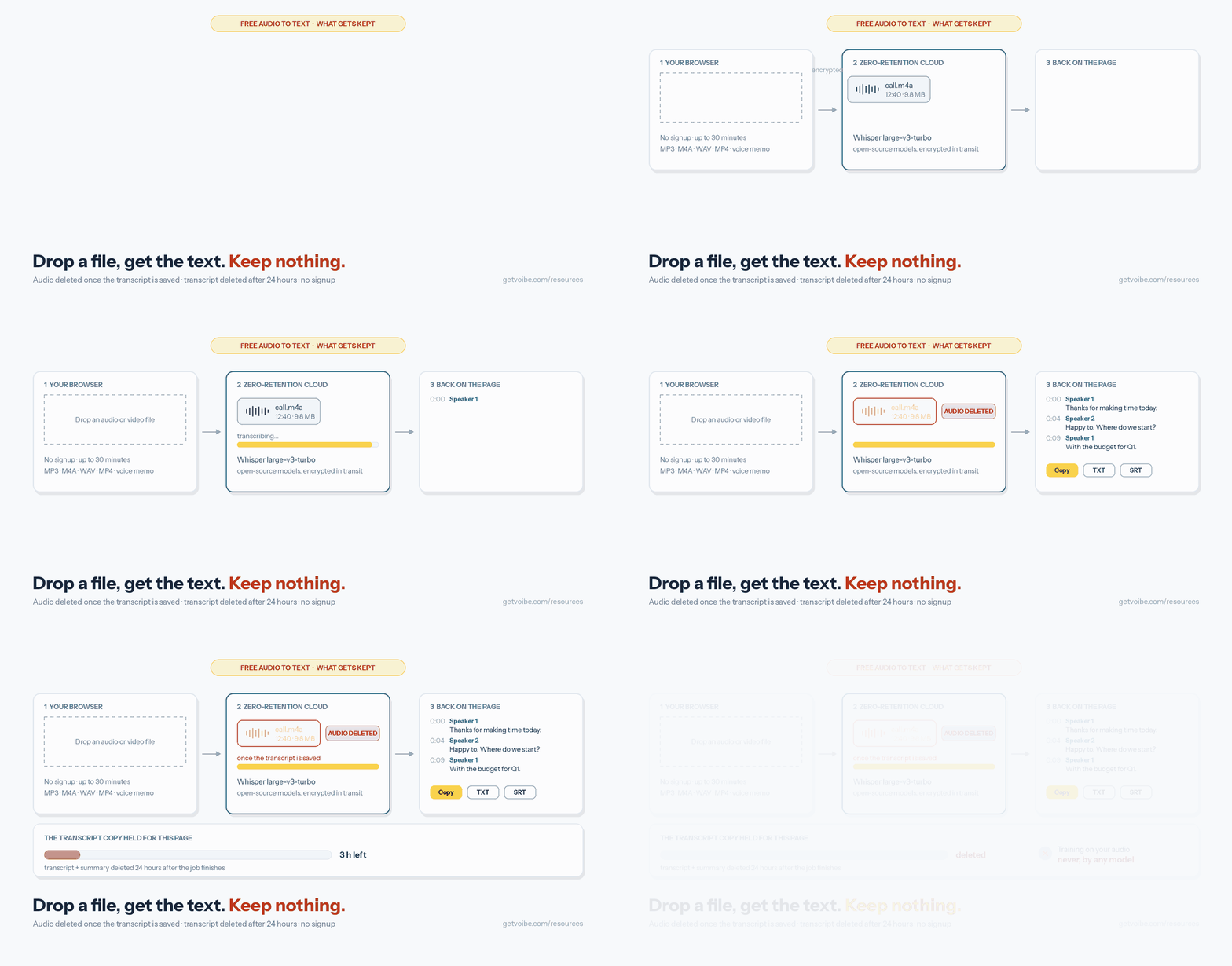
No signup. Your file is transcribed by open-source Whisper on Voibe's zero-retention cloud. The audio is deleted once the transcript is saved and is never used to train any model.
What this deposition summary tool does
This page turns a deposition recording into a neutral AI summary and a speaker-labelled transcript with a timestamp on every line, free and with no account. The summary lists the topics in the order they came up, the witness's key statements and admissions, objections and exhibits, and draws no legal conclusions.
Where a paralegal's digest cites page and line, this one cites the minute in the recording, so you can jump to the testimony and listen. Name the speakers ("Examining attorney", "Witness") and the names carry through the transcript, the summary and every download.
It is an AI transcript, not a certified court reporter's transcript. Use it to review testimony, build outlines and brief the team, and check quotes against the recording before you rely on them.
Key Takeaways
| Question | Answer |
|---|---|
| Cost | Free, no signup, no card |
| Input | Deposition audio or video, up to 30 minutes per file |
| Summary type | Chronological: topics, statements and admissions, objections, exhibits |
| Citations | Timestamps (not page and line) |
| Speakers | Labelled automatically; rename to attorney and witness |
| Exports | Copy, TXT, TXT with timestamps, SRT for video |
| Status | AI draft, not a certified transcript |
| What is kept | Audio: deleted once transcribed. Transcript: deleted after 24 hours. Training: never. |
How to summarize a deposition with AI
- Confirm you may process the recording. Check any protective order or confidentiality designation before you upload.
- Export the audio and split it into parts of 30 minutes or less. Audio-only files upload much faster than video. Name the parts in order (part-1, part-2).
- Upload each part. Speaker labels and "Deposition summary" are already selected.
- Name the speakers and download. Type "Examining attorney", "Witness" and so on over the speaker numbers, then download the timestamped TXT with the summary.
- Verify before you rely on it. Check key admissions against the recording at their timestamps, or against the certified transcript once it arrives.
What the AI deposition summary contains
The summary follows the shape of a chronological deposition summary. Each section is built only from what was said on the record, and an empty section reads "None stated" rather than being guessed. The transcript beneath it carries the timestamps you need to cite or verify each point.
Chronological, topical or page-line: which one you get
| Summary type | What it is | From this tool |
|---|---|---|
| Chronological (narrative) | Testimony in the order it was given | Yes, directly |
| Topical | Testimony grouped by issue: liability, damages, timeline | Regroup the bullets under issue headings, keeping timestamps |
| Page-line digest | Each point cited to the certified transcript's page and line | No; use timestamps to find the passage in the certified transcript |
Confidentiality: what to check before you upload
- Protective orders and designations. Material marked confidential or attorneys' eyes only may be limited to approved vendors. This page uses a cloud provider, even though it keeps nothing.
- Health information. This free page has no BAA. For testimony with protected health information, use the Voibe API under a BAA (available on request) or a local tool.
- What is kept. The audio is deleted once the transcript is saved; the transcript and summary are deleted 24 hours after the job finishes; nothing trains any model. Only open-source models run on zero-retention providers, with no OpenAI, Google, Anthropic or Microsoft model in the audio path.
More on transcription for legal work, including certified services, is in our legal transcription guide and the Rev alternatives for lawyers.
Summarizing a full-day deposition
The free page takes 30minutes per file, so a long deposition goes through in parts. Keep the parts in order and add the part's start time to each timestamp when you merge the notes (a line at [00:12:30] in part 3 of 30-minute parts is at 1:12:30 in the full recording). For whole-day files, the Voibe speech-to-text API accepts files up to 200 MB under the same zero-retention terms.
Full-length depositions and a case's worth of recordings: the Voibe API and MCP
Splitting works for one deposition. For a whole-day recording, or every deposition in a matter, the Voibe speech-to-text API runs the same transcription on files up to 200 MB each, with no splitting. Connect its MCP server to Claude, Claude Code or Cursor and ask it to transcribe each recording with speaker labels, or call the API from your litigation-support scripts. You can write your own summary prompt, for example your firm's digest format.
- 15 free minutes on a new account, no card; then packs from $10 for 2,000 minutes that never expire, billed per second and only when a job finishes.
- Speaker labels are off by default in the API: send
"diarize": true. - Audio is deleted once the transcript exists; transcripts and summaries are kept for 24 hours, then deleted.
- A BAA is available on request for the API, for testimony that includes health information.
Transcribe depositions from Claude, Cursor or your code
The same pipeline as this page, for files up to 200 MB and with nothing to click per file, plus your own summary prompt instead of the presets. 15 free minutes on a new account, then $10 for 2,000 minutes, billed per second.
- Open Customize → Connectors (claude.ai/customize/connectors, or the sidebar in Claude Desktop and Cowork).
- Click +, then Add custom connector. Name it Voibe and paste the address below.
- Click Connect and sign in. A new email gets an account with 15 free minutes.
https://api.getvoibe.com/mcpThen ask: “Transcribe this call recording and list the decisions.”
Other Voibe tools for litigation work
To dictate the summary memo itself, use free legal dictation, which runs in your browser and never uploads the audio, or the Voibe app, which types into Word and every other app. For client meetings, Voibe Work takes notes from your Mac or Windows PC with no bot in the call and reminds you to tell everyone you're taking notes; you are responsible for recording-consent rules where you and the client are. It is compared with other options in the best AI meeting note takers for lawyers.
Frequently Asked Questions
Making a Deposition Summary
How do I make a deposition summary from a recording?
What does the AI deposition summary include?
Can it cite page and line numbers?
My deposition is several hours long. What do I do?
Which kind of deposition summary does it produce?
Accuracy and Use in a Case
Is this a certified deposition transcript?
How accurate is the transcript?
Confidentiality
What happens to the deposition recording?
Can I upload testimony under a protective order?
What if the testimony includes medical records or other health information?
Sources and References
- Voibe transcription documentation (models, speaker labels, 200 MB per upload, retention: audio deleted once the transcript is saved; transcripts deleted 24 hours after the job finishes)
- Voibe cloud AI privacy (zero-retention providers, open-source models)
- ABA Formal Opinion 512, Generative Artificial Intelligence Tools (July 29, 2024: understand how a tool uses and stores what you input, and review its output)
Related Tools and Resources
Legal Transcription Guide
AI, human and certified transcription for legal work.
Free Legal Dictation
Dictate memos in your browser; the audio never leaves your computer.
Free Interview Transcription
Witness and client interviews with speaker names and timestamps.
Audio to Text Converter
Client calls, meetings and other recordings, with a summary for each.
Got a deposition recording?
Upload it at the top of this page for a neutral summary and a timestamped transcript to review it against.
- Free, no signup
- Cited by timestamp
- Audio deleted once transcribed
- Never used for training
Voibe Work takes client-meeting notes from your Mac or Windows PC with no bot in the call, and includes dictation into Word and every other app. No credit card for the trial.