

Is Bluedot Safe? Mostly, if Everyone Knows It's Recording
Bluedot's homepage headline calls it an "invisible, privacy-first AI note taker." Both halves of that pitch are the safety question.
Is Bluedot safe, then? For most work meetings, yes. Its paperwork is better than most notetakers its size.
Bluedot says it holds a SOC 2 Type II report (an independent audit of its security controls), stores customer content in the EU by default, and never trains AI on your meetings. My concerns sit elsewhere:
- Quiet recording: the desktop app can auto-record Meet, Teams and Zoom calls. Others see no visible notice. Telling people falls to you, under your recording consent law.
- The Chrome extension: it asks for access to every website you visit, plus tab and screen capture.
- Mixed signals on deletion: Bluedot's own pages disagree on backup windows (30 or 90 days) and on how long data lasts after you cancel.
- Unnamed AI vendors: Bluedot publishes no list of the outside companies that process your meetings (its sub-processors), though its note templates let you pick Claude or GPT-5 models.
If I were choosing, I'd use Bluedot for sales calls, interviews and team meetings, with its notice to participants switched on. For patient conversations, I'd first sign a business associate agreement (BAA), the contract the US health privacy law HIPAA requires. Bluedot offers one on request but makes no HIPAA compliance claim.
Which meetings Bluedot suits
- Fine as it comes: internal standups and your own recordings, with the notice on.
- Fine once you say it: sales calls, client meetings and candidate interviews, with consent asked first.
- Paperwork first: EU teams under the GDPR (the EU's data protection law), who should sign Bluedot's data processing agreement (DPA).
- Slow down: health information that needs a BAA, and privileged legal meetings.
How I checked
On 12 November 2026, I read Bluedot's privacy policy, terms, security page, Enterprise page and trust center, plus a dozen help center articles. I also unpacked the Chrome extension to read its permission list.
If a cloud copy of your meetings is the part that worries you, Voibe Work, the app we build, deletes the audio after processing and saves the notes on your computer. It has a 7-day free trial with no credit card.
- Plans and what each costs: Bluedot pricing
- Tools people switch to: Bluedot alternatives
- Bluedot head to head with its closest rival: Bluedot vs Granola
Key Takeaway
Bluedot is safe for most work meetings if you tell people it's recording. It says SOC 2 Type II, EU storage by default and no AI training, but its desktop app can record quietly.
Key Takeaways: Bluedot Safety at a Glance
Every row comes from Bluedot's own pages and public rating pages, as of 12 November 2026. Skim it here, then read on for the rows that need judgment.
| Question | Bluedot's answer (November 2026) | Source |
|---|---|---|
| What records? | A Chrome extension (also Edge, Brave and Arc), desktop apps for Apple Silicon Macs and Windows, phone and Apple Watch apps, and an optional calendar bot | Product pages; help center |
| Where is it stored? | On Amazon Web Services (AWS). Customer content is stored and processed in the EU by default, with US storage on request. | Privacy policy (effective 8 January 2026); security page |
| How long? | As long as it stays in your account. Business admins can set a retention period. | Terms; pricing page |
| Backups after deletion | Cleared within 30 days, or within 90 days | Security page and terms say 30; privacy policy says 90 |
| After you cancel | Recordings deleted after one month, or after 3 months | Pricing FAQ and help center say one month; security page says 3 |
| Which AI? | Vendors aren't named publicly. Custom templates offer Claude 4.6 Sonnet or GPT-5. | Privacy policy; templates help article |
| Trained on? | No, says Bluedot, and its vendors may not train on it either | Privacy policy; terms; security page |
| Encryption | AES-256 encryption for stored data and TLS for data in transit, per Bluedot | Security and Enterprise pages |
| Compliance claims | SOC 2 Type II and GDPR. A BAA on request on the Enterprise page, but no HIPAA claim and no ISO 27001 (international security standard) certificate. | Trust center; Enterprise page |
| Bot | An optional calendar bot, though the homepage FAQ says Bluedot never invites one | Homepage; help center |
| Consent tools | An optional chat notice. Admins can force one in the Chrome extension, and on every device on Enterprise. | Help center; Enterprise page |
| Chrome extension | Access to all websites, your tabs, tab capture and screen capture | Extension manifest, version 0.1.32 |
| Company | Twiso Inc., with a San Francisco address and California law | Chrome Web Store; terms |
| Ratings | App Store 4.75 from 278 ratings. Chrome Web Store 5.0 from 198. Google Play 4.7 from 178. | App Store; Chrome Web Store; Google Play |
| Price | Free for 5 meetings. Basic $14, Pro $20 and Business $32 a seat a month on annual billing. | Our Bluedot pricing breakdown |
| Option with no vendor-side copy | Voibe Work, the app we build, deletes meeting audio after processing and saves notes on your computer, not on Voibe's servers | Where Voibe Work differs |
What Is Bluedot, and Who Makes It?
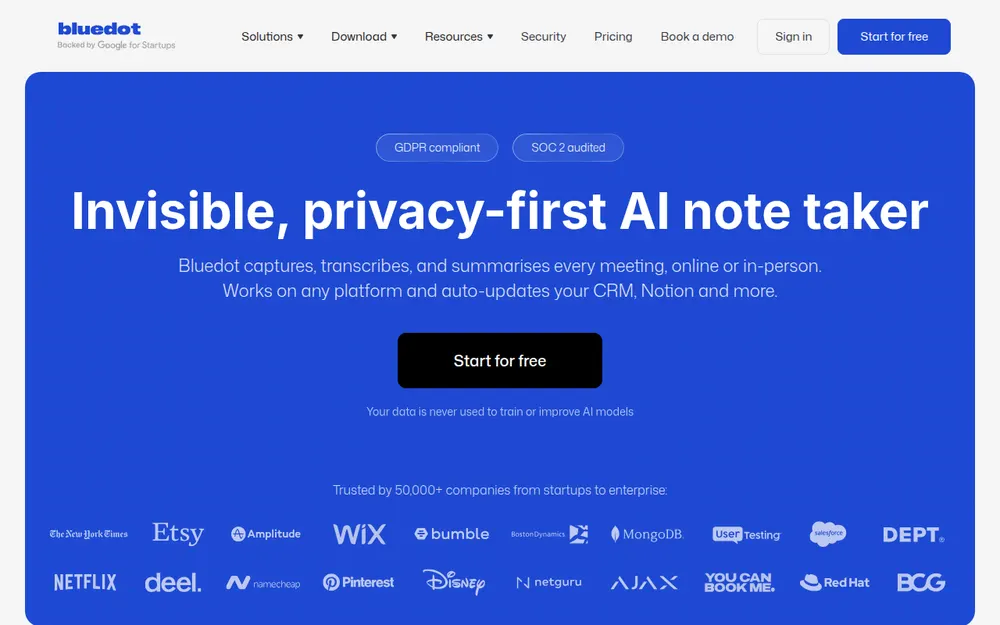
Bluedot is a meeting recorder and AI note taker made by Twiso Inc. The Chrome Web Store lists Twiso at an address in San Francisco, and Bluedot's terms are governed by California law.
Press coverage describes a Ukrainian-founded startup. In May 2024, AIN.UA reported a $600,000 pre-seed round. I found no later funding round.
Where Bluedot records
- Chrome extension: records a meeting in a browser tab, in Chrome, Edge, Brave or Arc.
- Desktop app: for Apple Silicon Macs (macOS 12.3 or later) and Windows 10 or later. It records Zoom, Teams, Google Meet and Slack huddles.
- Mobile: iPhone, iPad, Android and Apple Watch apps for in-person meetings.
- Bot: an optional notetaker that joins Meet, Zoom or Teams from your calendar.
Everything lands in one cloud workspace, where Bluedot writes transcripts, summaries and action items. Prices run from a 5-meeting Free plan to Business at $32 a seat a month on annual billing.
Where Does a Bluedot Recording Go? To the EU by Default

Bluedot stores and processes your meetings in the European Union by default, per its privacy policy. Customers can ask for US storage instead, under an agreed arrangement with Bluedot.
That policy shows an effective date of 8 January 2026. On 13 October 2026, the same address showed a policy dated November 2023 that named AWS in Germany. Either way, the hosting points to Europe.
The path, step by step
- Capture: the extension, desktop app, phone app or bot records the meeting.
- Upload: the recording goes to Bluedot's cloud on AWS over TLS, per the security page.
- Processing: transcription and AI providers turn it into a transcript and notes.
- Storage: the recording, transcript and notes stay in your workspace until you delete them or cancel.
Account, billing and support data sit in a separate category. The policy says those may be processed in other countries.
The Enterprise page adds detail for big customers. It says recordings, transcripts and notes are encrypted with AES-256, with the keys held in AWS's key management service.
Which AI Companies See a Bluedot Meeting?
Bluedot doesn't name its transcription or AI vendors publicly. The privacy policy lists them only by category, as hosting and storage providers and as transcription and AI processing providers.
The product itself drops a hint. Bluedot's guide to custom templates, updated 30 September 2026, lets you pick Claude 4.6 Sonnet or GPT-5. Those models come from Anthropic and OpenAI.
What Bluedot promises about those vendors
- No retention: the security page says data "is not stored, logged, or retained by AI providers after generation."
- No vendor training: the terms say vendors aren't allowed to train on your content.
- A list for buyers: the Enterprise page says every AI provider is named on Bluedot's sub-processor list, under no-training contracts.
I couldn't find that list. Bluedot's public trust center shows no documents, so ask for it before you sign.
Does Bluedot Train AI on Your Meetings? It Says No
Bluedot says it never uses your meetings to train AI, and it says so on three separate pages.
- The privacy policy says Bluedot "does not use Customer Content to train any AI models."
- The terms add that its vendors and service providers can't use your content for their own training.
- The security page and the homepage repeat the promise.
The privacy policy also says Bluedot doesn't store voice profiles. That puts it ahead of tools that train by default, such as Wispr Flow on its Free and Pro plans.
How Long Does Bluedot Keep Your Data? It Depends on the Page
Bluedot keeps recordings for as long as they stay in your account. The terms say so directly, and paid plans include unlimited storage.
Business adds custom retention, so admins can set how long recordings, transcripts and notes are kept. On other plans, you delete recordings yourself.
Where Bluedot's pages disagree
- Backups after a deletion: the security page and terms say copies clear within 30 days. The privacy policy says 90 days.
- After you cancel: the pricing FAQ and the cancel help article (updated 20 October 2026) say recordings are deleted after one month. The security page still says 3 months.
For planning, I'd assume the longer figure in each case. If the numbers matter, ask Bluedot to fix both in your DPA.
How to delete your data
The privacy policy says to email support@bluedothq.com with the subject Privacy Request. Admins can also delete a whole workspace, which Bluedot's settings guide warns can't be undone.
The terms make exporting your job before any deletion or cancellation. Bluedot's pricing breakdown covers what cancelling costs you.
Is Bluedot SOC 2 or HIPAA Compliant? What It Claims
Bluedot says it's SOC 2 Type II audited and GDPR compliant. Its trust center, run on the Oneleet compliance platform, lists both frameworks as compliant, last updated 12 November 2026.
- SOC 2 Type II: an independent audit of security controls over a period of time. The Enterprise page says the report and a Q2 2026 penetration test are available under a non-disclosure agreement (NDA).
- GDPR: Bluedot offers a DPA, standard contractual clauses (EU-approved contract terms for moving data abroad), and EU data residency.
- Encryption: the security page claims AES-256 at rest and TLS in transit. The privacy policy is softer, promising encryption at rest where appropriate.
- Insurance: cyber liability and tech errors-and-omissions cover, per the security page.
HIPAA and the BAA
Bluedot's Enterprise page lists a BAA on request. A BAA is a contract, not a certification, and no Bluedot page claims HIPAA compliance.
HIPAA isn't a listed framework in its trust center either. I found no ISO 27001 certificate. If you handle patient information, get the BAA signed and read what it covers first.
Key Takeaway
Bluedot claims SOC 2 Type II and GDPR, with AES-256 encryption and a DPA. Its Enterprise page lists a BAA on request, but no page claims HIPAA compliance or ISO 27001.
Does Bluedot Use a Bot? The Homepage and Help Center Disagree
Bluedot is bot-free by default, and it also offers an optional meeting bot. Its homepage FAQ, checked 12 November 2026, still says Bluedot "never invites a bot to your meeting or asks for calendar access."
The help center tells another story. An article updated 11 September 2026 explains how to send a Bluedot bot into Google Meet, Zoom or Teams, by hand or from your calendar.
How the bot works
- You connect Google or Outlook Calendar first, so the bot route does need calendar access.
- The bot shows up under your name as an AI notetaker, and someone has to click Admit.
- It joins a few minutes early and leaves when the meeting ends.
No page I found says which plans include the bot. For consent, the bot is the more visible option. Everyone in the call sees it join.
Auto-Record and Quiet Recording: What It Means for Consent
The Bluedot desktop app can record Meet, Teams and Zoom calls automatically, and other people may never know. Its FAQ asks whether other participants will know you're recording, and answers no.
It says the app can record "discretely, without a visible desktop notification." The same FAQ warns that recording without consent is illegal in some places.
Bluedot's consent tools
- A chat notice: the desktop app's Notify participants setting posts a message in the meeting chat. It covers Teams on Windows, and Teams, Zoom and Meet on Mac.
- An admin lock: a workspace setting sends a consent message whenever anyone starts recording. The settings guide says it works only in the Chrome extension.
- Enterprise enforcement: the Enterprise page describes a consent prompt on every recording and device that no user can turn off.
- An off switch: a help article explains how to turn the recording notification off.
The terms are clear about whose job this is: "Bluedot does not obtain consent on your behalf."
What the law asks
- Federal rule: one party's consent is enough, per the Digital Media Law Project.
- All-party states: about 11 states, including California, Florida, Illinois and Pennsylvania, need everyone's consent, per the Reporters Committee for Freedom of the Press.
- Auto-record: it starts without a click from you, so a late joiner can be recorded before anyone mentions it.
Our AI notetaker consent laws guide covers state rules, late joiners and calls across borders.
With Voibe Work
Each time a recording starts, Voibe Work reminds you to tell everyone you're taking notes. Following the recording-consent rules where you are is still your job.
For balance, Bluedot's admin-enforced notice is more consent tooling than Voibe Work's reminder.
What You Grant the Bluedot Chrome Extension
Installing Bluedot's Chrome extension grants it broad access: every website you visit, your tabs, and tab and screen capture. I unpacked version 0.1.32, updated 31 October 2026, and read its manifest.
The manifest, the extension's permission file, requests host access to every site, so the extension can run on any page you open. It also asks for these browser permissions:
| Permission | Chrome's warning to you | Likely use in a recorder |
|---|---|---|
| Tab capture | Read and change all your data on all websites | Recording a tab's audio and video |
| Desktop capture | Capture content of your screen | Recording your screen or a window |
| Tabs | Read your browsing history | Spotting which tab holds the meeting |
| Scripting, active tab, storage, alarms | No separate warning | Running code in pages, saving settings, timers |
The middle column is Chrome's own wording, from its permissions reference. It describes what the extension could do, not what Bluedot does.
What the Chrome Web Store listing says
- Bluedot declares that it handles personal information, payment details, authentication information and user activity.
- It declares that it doesn't sell that data or use it for unrelated purposes.
- Google marks the listing as following recommended practices, from a publisher with no history of violations.
If all-sites access bothers you, record with the desktop app instead, or keep a separate Chrome profile just for meetings.
Is Bluedot Safe for Your Meeting? A Five-Question Check
Run through these five questions before you record. Most everyday meetings stop at the first two.
- Does everyone know you're recording? If not, turn on Notify participants or say it out loud. Auto-record won't tell them for you.
- Is anyone in an all-party consent state? Then get a yes from every person before you start.
- Will health information come up? Get the BAA from Bluedot's Enterprise page signed first, since Bluedot makes no HIPAA claim.
- Must the data stay in one region? The EU is the default, so get any US arrangement in writing.
- Is OpenAI or Anthropic off-limits? Then skip Bluedot, because its templates name Claude 4.6 Sonnet and GPT-5.
If You Keep Bluedot, Check These Six Settings
Bluedot puts most safety choices in your hands. These six settings close the biggest gaps.
- Notify participants: turn it on in the desktop app and the extension.
- Workspace consent message: admins can force a chat notice on every Chrome extension recording.
- Auto-record: switch it off unless you need it, from the three-dot menu in the desktop app.
- Downloads and sharing: admins can stop members downloading recordings or sharing them outside the workspace.
- Retention: on Business, set a retention period rather than keeping everything.
- One bot per meeting: if you use the bot, this stops duplicate bots joining the same call.
Warning
Cancelling deletes your Bluedot recordings after one month. Export anything you need to keep before you downgrade.
Where Voibe Work Differs: No Copy on Voibe's Servers
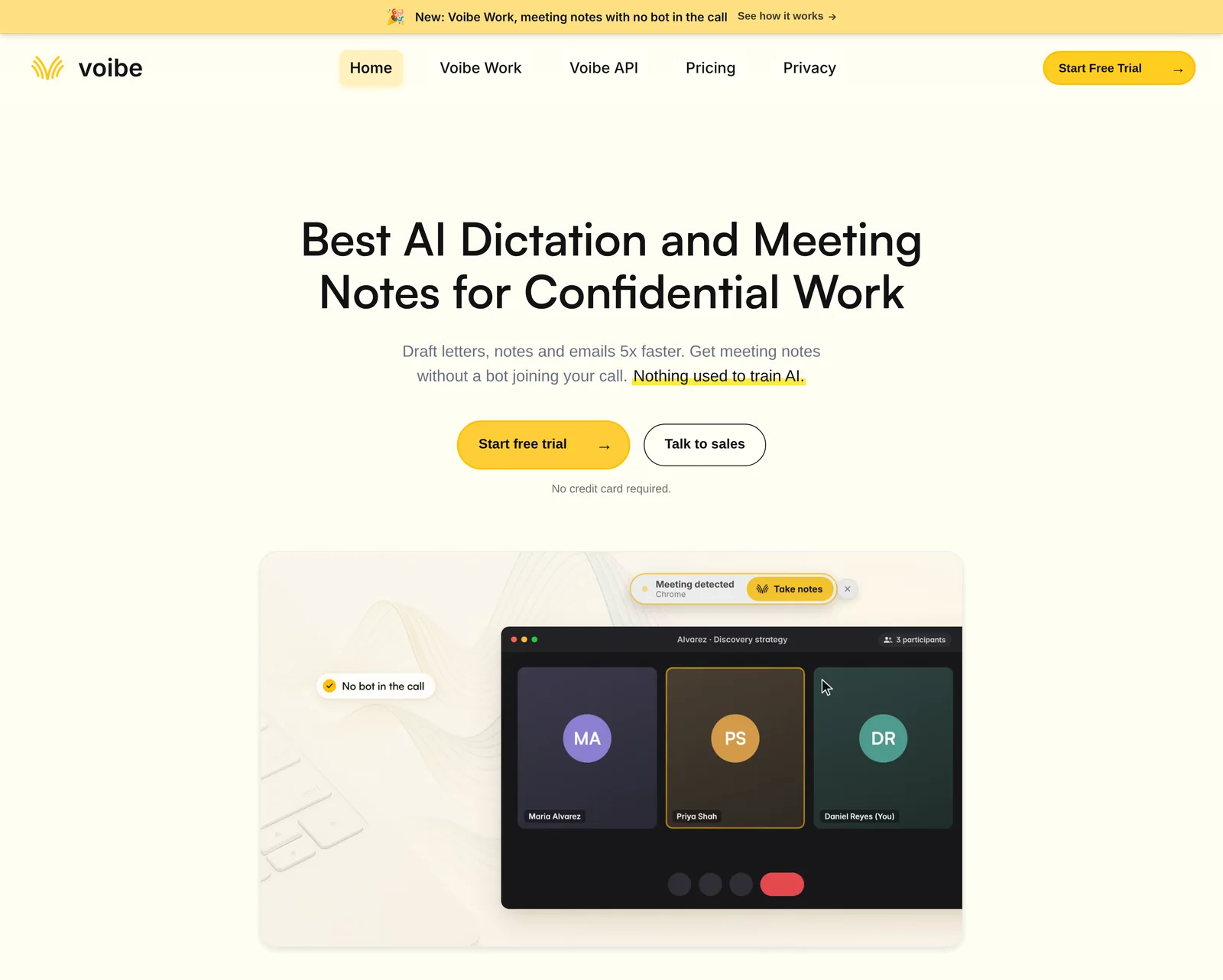
Voibe Work deletes meeting audio as soon as processing completes, and saves the notes on your computer. Bluedot keeps recordings in its cloud for as long as you pay.
How Voibe Work handles a meeting
- Voibe Work captures calls from your Mac or Windows PC in Zoom, Teams, Google Meet, Webex, Slack huddles or any other app. No bot joins.
- In-person meetings record through your Mac or PC's mic.
- Open-source models on zero-retention cloud providers process the audio, and it's deleted as soon as processing completes.
- The transcript and summary are saved on your computer, not on Voibe's servers, and never used to train AI.
Compliance, plainly
For Voibe, a BAA is available on request. Voibe doesn't claim HIPAA compliance or SOC 2, so Bluedot is ahead on audit paperwork.
Where Bluedot still wins
- A SOC 2 Type II report and EU storage by default
- Phone and Apple Watch apps, video recording and CRM sync
- Admin-enforced consent notices
Voibe Work costs $149 a year, against $168 for Bluedot Basic. It has no phone app and no calendar auto-join.
Key Takeaway
Voibe Work deletes meeting audio after processing and saves notes on your computer, with a BAA available on request. Bluedot leads on SOC 2, EU storage, phone apps and consent tooling.
Trusted by 4,000+ professionals, including people at Netflix, NVIDIA, Amazon, Twilio, and Intercom





See Voibe Work in action
Meeting notes with no copy on Voibe's servers
Start free on Mac or Windows. 7 days of every Voibe Work feature, no credit card required.
Who Bluedot Is Safe For, and Who Should Pick Something Else
Bluedot is safe for most sales, recruiting and team meetings, as long as people know it's recording. It fits less well when a cloud copy or an unnamed AI vendor would hurt you.
| Your situation | Bluedot verdict | What to do |
|---|---|---|
| Internal standups and one-to-ones | Safe | Turn Notify participants on |
| Sales calls and customer interviews | Safe with consent | Turn on the chat notice and mention it out loud |
| Candidate interviews | Safe with consent | Check the recording rules where the candidate lives |
| Anyone in an all-party consent state | Safe only with everyone's consent | Ask each person, and turn auto-record off |
| EU teams under the GDPR | Good fit | Sign the DPA; EU storage is the default |
| Patient conversations | Possible with paperwork | Get the Enterprise BAA signed; no HIPAA claim |
| Privileged legal meetings | Risky | Read the lawyers guide; prefer no vendor-side copy, such as Voibe Work |
| Shared or managed work laptops | Check with IT | The extension can read every website |
If your row says look elsewhere
- Our Bluedot alternatives compare bot-free and bot-based options.
- The best no-bot meeting note takers cover desktop capture.
- Our guide to confidential meeting notes goes deeper on sensitive meetings.
Is Bluedot Safe? FAQ
Quick answers on where Bluedot keeps your meetings, what it claims, and how consent works, grouped by theme.
Privacy and your data
Is Bluedot safe to use?
For most work meetings, yes. Bluedot says it holds a SOC 2 Type II report, stores customer content in the EU by default and never trains AI on it. The risks are quiet auto-recording on desktop, a Chrome extension with access to all websites, and deletion windows that differ between its pages.
Where does Bluedot store my data?
On AWS, in the EU by default. That's what Bluedot's privacy policy (effective 8 January 2026) says. Customers can request US storage under an agreed arrangement. Account and billing data may be processed in other countries.
Does Bluedot train AI on my meetings?
No, according to Bluedot. Its privacy policy, terms and security page all say customer content isn't used to train AI models, and its vendors aren't allowed to train on it either. Bluedot also says it doesn't store voice profiles.
How long does Bluedot keep recordings?
As long as they stay in your account, per its terms. After you cancel, recordings are deleted after one month (pricing FAQ and help center) or 3 months (security page). Backups clear within 30 days (security page, terms) or 90 days (privacy policy).
Compliance, vendors and company
Is Bluedot HIPAA compliant?
Bluedot makes no HIPAA compliance claim, and HIPAA isn't a listed framework in its trust center. Its Enterprise page lists a BAA on request. A BAA is a contract, not a certification, so get it signed and read its scope before recording health information.
Is Bluedot SOC 2 compliant?
Bluedot says yes. Its trust center lists SOC 2 Type II as compliant, and the Enterprise page says the report is available under NDA, with a Q2 2026 penetration test. It also claims GDPR compliance and AES-256 encryption.
Which AI models does Bluedot use?
Bluedot doesn't publish its vendor list. Its custom templates guide lets you pick Claude 4.6 Sonnet (Anthropic) or GPT-5 (OpenAI), and the transcription vendor isn't named. The security page says AI providers keep no data after generation.
Who owns Bluedot?
Twiso Inc., listed on the Chrome Web Store with a San Francisco address. Bluedot's terms are governed by California law. AIN.UA reported a $600,000 pre-seed round for the Ukrainian-founded startup in May 2024.
Consent, the bot and alternatives
Does Bluedot notify meeting participants?
Only if you or an admin turn it on. The desktop FAQ says the app can record without a visible notification. A Notify participants setting posts a chat message, admins can force one in the Chrome extension, and Enterprise can enforce a prompt on every device.
Does Bluedot join meetings as a bot?
Not by default. Bluedot records through its Chrome extension or desktop app, but the help center documents an optional bot that joins Meet, Zoom or Teams from your calendar. The homepage FAQ still says Bluedot never invites a bot.
Is the Bluedot Chrome extension safe?
Google's listing says it follows recommended practices, from a publisher with no violations. It does request access to every website, your tabs, and tab and screen capture. Chrome's warning for tab capture reads: read and change all your data on all websites.
What's a safer alternative to Bluedot?
It depends on the risk. Voibe Work deletes meeting audio after processing and saves notes on your computer, with a BAA available on request. Bluedot is ahead on SOC 2, EU storage, phone apps and admin consent controls.
Is Bluedot Safe in 2026? My Verdict
Bluedot is safe for most work meetings, and its paperwork beats many notetakers its size. SOC 2 Type II, EU storage by default and a clear no-training rule are real strengths.
The weak spots are about people in the meeting, not servers.
What I'd want Bluedot to fix
- A desktop app that records quietly, with an FAQ that says so
- Deletion windows that change from page to page
- No public list of the AI vendors that read your meetings
- A homepage that says it never uses a bot, while the help center documents one
My recommendation
Use Bluedot for sales, recruiting and team meetings with the notice turned on. For health information, sign its BAA first, or pick a tool built around not keeping a copy.
If you'd rather no copy of the meeting sat on a vendor's servers, try Voibe Work. The 7-day trial covers every feature, with no card and no automatic charge.
Info
I checked every source on 12 November 2026. Bluedot's pages disagree on deletion windows, so re-check the privacy policy and security page before relying on these figures.