

TL;DR: Which Fellow Alternative I'd Pick
Fellow's free plan gives each person five AI notes. That allowance lasts for the life of the account, not a month. Team raises it to ten a month per user, about two and a half meetings a week.
Ten notes a month runs out faster than it sounds. Microsoft's 2025 Work Trend Index found that 57% of meetings are ad hoc calls with no calendar invite. Many of the calls you record never show up on the schedule you budget against.
The controls finance teams ask about, like transcript redaction and auto-deletion, sit on Enterprise. That plan is $25 per user per month, billed annually, and it starts at 10 users.
Fellow's prices and privacy
Every Fellow plan and cap is in our Fellow pricing breakdown. Where Fellow keeps your meetings, and which AI vendors read them, is in Is Fellow safe?
I tested eight Fellow alternatives. For small teams and confidential calls I'd pick Voibe Work, the meeting-notes plan in the app we build. It records with no bot, deletes the audio once processing completes, and saves the notes on your computer.
It costs $149 a year with dictation included. That's $31 (17.2%) less than Fellow Business and $151 (50.3%) less than an Enterprise seat. With no bot in the call, Voibe reminds you to tell people you're taking notes.
For finance teams and shared notes
Finance teams that need notes pushed into an archive should book a demo of Rogo Notes, formerly Arvo. Teams that live in shared notes should look at Granola.
The ranking
- Voibe Work: best for small teams and confidential calls, with dictation in the same plan.
- Granola: best for shared team notes with no bot, though it trains by default.
- Rogo Notes: best for banks, PE firms and broker-dealers that need archiving.
- Circleback: best for action items and automations into your other apps.
- Fireflies: the most integrations for the money, with free dictation.
- Fathom: the best free plan, if you're happy with a bot.
- Otter: the cheapest well-known annual plan, with a botless desktop app.
- Krisp: the cheapest unlimited notes, bundled with noise cancellation.
Key takeaways
| Alternative | Best for | Bot in the call | Where notes live | Per year vs Fellow Business ($180) |
|---|---|---|---|---|
| Voibe Work | Small teams, confidential calls, notes plus dictation | No | On your computer | $149 (save $31, 17.2%) |
| Granola | Shared notes across a team | No | Granola's US cloud | $168 Business (save $12, 6.7%) |
| Rogo Notes | Finance firms with archiving and MNPI rules | No | Rogo's cloud, retention set by admins | No public price (demo) |
| Circleback | Action items and automations | Bot or desktop app | Circleback's US cloud | $180 Pro (same price) |
| Fathom | A free plan with unlimited recordings | Bot, or bot-free beta | Fathom's cloud | $192 Premium ($12 more, 6.7%) |
Key Takeaway
For a small team hitting Fellow's AI-note caps, or anyone with confidential calls, Voibe Work is the pick: no bot, unlimited meetings, audio deleted after processing, notes saved on your computer and dictation included, for $149 a year. Finance teams that need archiving and MNPI flags should book a Rogo Notes demo.
Why People Leave Fellow
Fellow is a meeting-agenda and one-on-one app with an AI notetaker built in. It joins as a bot or records from a botless desktop app. The plans push people out in two places.
The AI-note caps arrive fast
Free gives each user 5 AI notes and 5 AI recordings for the lifetime of the account. Team costs $7 per user per month billed annually, or $11 monthly. It allows 10 AI notes per user each month.
Fellow's help center says recording credits are pooled across the workspace. One busy colleague can drain the shared allowance. Unlimited notes start on Business, at $15 per user per month billed annually or $23 monthly.
You pay per seat for agendas you may not use
Fellow bills every active user. Team caps a workspace at 20 seats, and Business caps it at 50. If you came for AI notes, each seat still pays for agendas and meeting policies.
A single user can take the Solo plan instead, at $19 a month billed annually or $29 monthly. Solo costs more per seat than Business, though it does include HubSpot and Salesforce integration.
The compliance controls sit on Enterprise
On Fellow's pricing page, several controls appear only in the Enterprise column. They include transcript redaction, advanced recording permissions, domain control and the HIPAA and BAA row. Fellow's auto-deletion article says retention controls are Enterprise-only too.
Enterprise costs $25 per user per month billed annually and starts at 10 users. The smallest Enterprise contract therefore costs $3,000 a year.
Botless mode doesn't tell your guests
Fellow's botless recording page says the desktop app records "without notifying external participants". Internal participants get a notice, but clients and other guests see nothing, so telling them is your job. The consent section covers what to say. Our Is Fellow safe? review covers its retention, AI vendors and Chrome extension.
What App Store reviewers complain about
Fellow's iPhone app rates 3.17/5 on the App Store from just 24 ratings. No other app here scores lower. Its Chrome extension does better, at 4.8/5 on the Chrome Web Store from 63 ratings. The recent iPhone reviews cluster around lost recordings and paywalls:
"Recordings disappear … affects my relationship with client" (BiancaBeastly, 2 stars, App Store, July 8, 2026)
"put it behind a $20 month paywall and held everyone's notes hostage with no warning" (Rtmcc14mcc, 1 star, App Store, April 19, 2026)
What Fellow does well
- No training: Fellow says it doesn't train AI models on meeting data. Its AI providers don't either.
- Capture options: a bot, a botless desktop app on Mac and Windows, and phone apps for in-person meetings.
- Governance: zero-day retention, redaction, recording restrictions by domain or keyword, and audit logs on Enterprise.
- Archiving: an integration that sends transcripts, summaries and action items to Global Relay.
- Team meetings: collaborative agendas, one-on-one notes, action items and an MCP server for AI apps.
Does your team run on the agendas, with Enterprise already approved by compliance? Then staying put is a sound choice.
How the Alternatives Fix Fellow's Problems
Each complaint about Fellow points to a different kind of tool. Start with the one that made you look.
- Note caps: Voibe Work, Granola Business, Krisp Core and Fireflies Business set no monthly AI-note limit.
- Per-seat agendas: pure notetakers such as Voibe Work, Granola and Otter charge for notes and nothing else.
- Enterprise-only controls: Rogo Notes builds retention, redaction and MNPI flags into a product made only for finance firms.
- No vendor copy: Voibe Work deletes the audio after processing and keeps the notes off its servers entirely.
- Guest notice: no bot-free tool tells guests for you. Voibe does remind you when each recording starts.
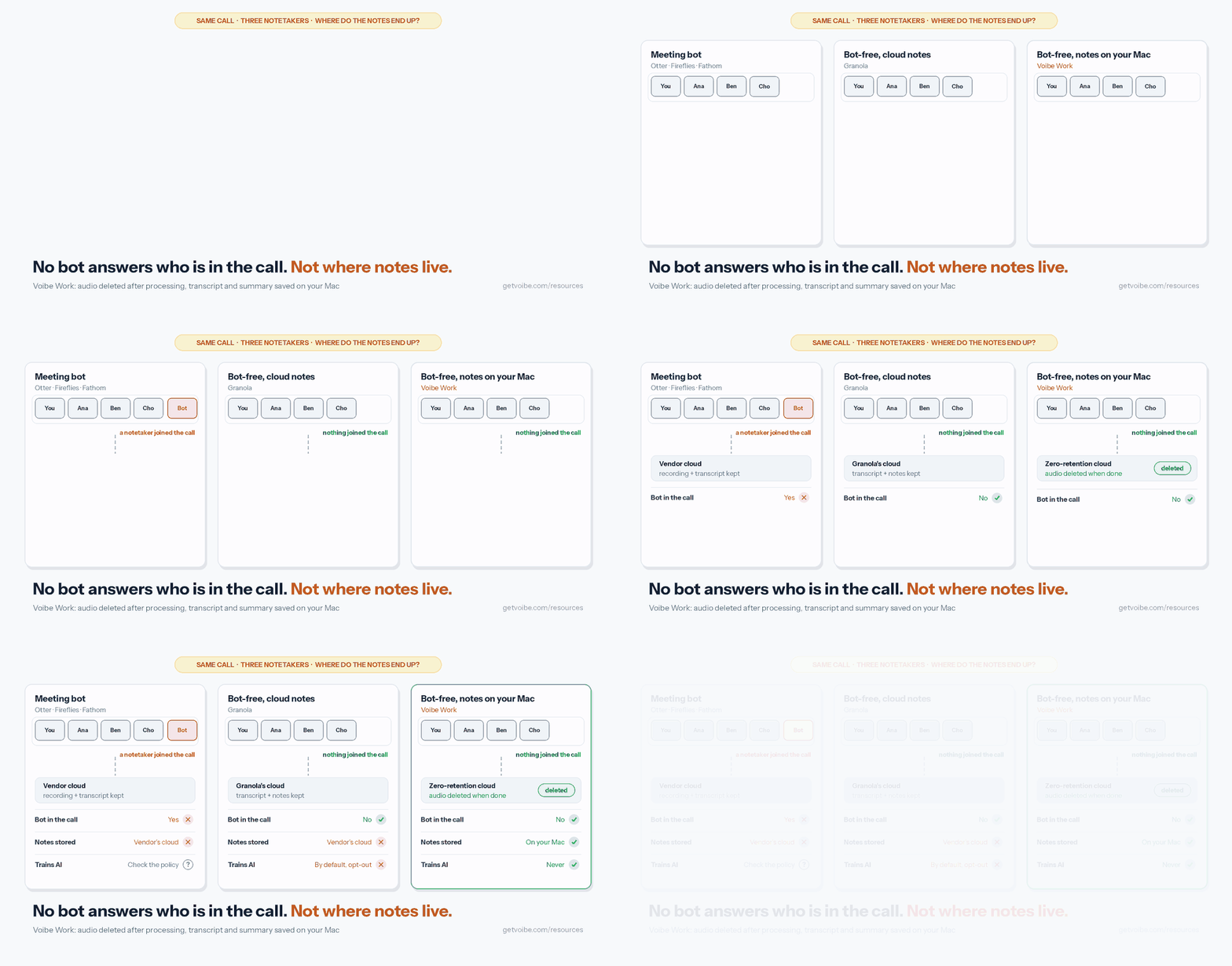
Removing the bot only answers who is in the call. The animation shows three answers to the next question: where the notes end up.
What to Look For in a Fellow Alternative
Small teams and finance teams leave Fellow for different reasons. Weigh these six questions by which group you're in.
- Does it cap AI notes? Check the monthly limit per user and whether credits are shared across the workspace.
- Do you need agendas, or only notes? Most alternatives skip agendas, so keep a shared doc if your one-on-ones depend on them.
- Does a bot join the call? A bot covers meetings you miss, while a desktop recorder can't be turned away by a host.
- Where do the notes live afterwards? Most tools keep them in their cloud, and Voibe Work saves them on your computer.
- Which controls does compliance require? Retention, redaction, archiving and audit logs decide it for regulated firms.
- What does a year cost per seat? Compare against Fellow Business at $180, Solo at $228 or Enterprise at $300.
Fellow Alternatives Compared
Fellow sits in the first row as the baseline. I tested each alternative myself, and every verdict below comes from those tests. I also read each vendor's pricing, security, privacy and help pages. Every price and rating was checked on 13 November 2026.
Side by side, with Fellow as the baseline
| App | Bot? | Platforms | Unlimited AI notes from | Free plan | Dictation | Rating |
|---|---|---|---|---|---|---|
| Fellow (baseline) | Bot, or botless desktop app | Web, Mac, Windows, iOS, Android | $180/yr (Business) | 5 AI notes, lifetime | No | 3.17/5 (24) |
| Voibe Work | No bot | Mac, Windows | $149/yr | 7-day trial of every feature; Voibe Free covers dictation | Yes | 4.8/5 Product Hunt (6) |
| Granola | No bot | Mac, Windows, iOS, Android | $168/yr (Business) | Yes, limited history | Yes (voice typing) | 4.96/5 (14,700) |
| Rogo Notes | No bot | Not stated | Demo only | No | No | None found |
| Circleback | Bot, or desktop app | Web, Mac, Windows, iOS, Android, Apple Watch | $180/yr (Pro) | Yes, 30-day history | No | 4.81/5 (282) |
| Fireflies | Bot, or botless desktop app | Web, desktop, iOS, Android | $228/yr (Business) | Yes, 400 minutes of storage per team | Yes (Fireflies Talk) | 4.82/5 (5,517) |
| Fathom | Bot, or bot-free beta | Web, iOS; bot-free desktop capture in beta | $0 for recordings; $192/yr Premium | Unlimited recordings | No | 4.9/5 Chrome Web Store (1.7K) |
| Otter | Bot, or botless desktop app | Web, Mac, Windows, iOS, Android | $239.88/yr (Business) | 300 minutes a month | No | 4.79/5 (89,070) |
| Krisp | No bot, or a bot if you choose | Mac, Windows, iOS | $96/yr (Core) | 7-day trial | No | 4.74/5 (274) |
Ratings are App Store scores unless the table names another source. Voibe Work is the only app here that saves notes on your computer and includes dictation. Granola and Fireflies also ship voice typing.
Where Your Meetings Go With Each App
Most tools here can record without a bot now, so the split is what happens after the call. Without a bot, telling guests falls to you. Each row gives the vendor's own answer.
Bot, storage, retention and training, tool by tool
| Tool | Bot in the call | Where notes are stored | Retention | Trains on your meetings? | Attestations (vendor-stated) |
|---|---|---|---|---|---|
| Fellow (baseline) | Bot, or botless desktop app | Fellow's cloud, hosted by AWS | Auto-deletion, including zero-day, on Enterprise | No | SOC 2 Type II, GDPR; HIPAA and BAA on Enterprise |
| Voibe Work | No, on Mac and Windows | On your computer, not on Voibe's servers | Audio deleted as soon as processing completes | Never | BAA available on request |
| Granola | No | Granola's US cloud (AWS) | Org-wide auto-deletion on Enterprise | Yes by default (anonymised), opt-out | SOC 2 Type II, GDPR |
| Rogo Notes | No | Rogo's cloud, in siloed environments | No persisted audio; transcript retention zero, short-term or permanent | No | SOC 2 Type II, ISO 27001 |
| Circleback | Bot, or desktop app | Circleback's cloud, US | Recordings kept 30 days (Free) to unlimited (Enterprise); custom retention on Business | No | SOC 2 Type II; HIPAA on Enterprise |
| Fireflies | Bot, or botless desktop app | Fireflies' cloud | Custom retention on Enterprise | No | SOC 2 Type II, GDPR; HIPAA on Enterprise with Private Storage |
| Fathom | Bot, or bot-free beta | Fathom's cloud | Custom retention on Enterprise | Yes (de-identified), opt-out | HIPAA with a standard BAA from Team |
| Otter | Bot, or botless desktop app | Otter's cloud (AWS, US) | Not stated on the pages I checked | Yes (de-identified audio and transcripts) | HIPAA as an Enterprise add-on |
| Krisp | No bot by default; bot optional | Krisp's cloud; on-device on Enterprise | Storage capped at 10 GB (Core) or 60 GB (Advanced) | No | SOC 2 Type II, HIPAA; BAA for 100+ seats |
Reading the table
Fellow, Rogo, Circleback, Fireflies and Krisp all promise not to train on your meetings. Granola, Fathom and Otter do train on de-identified data, and only Granola and Fathom offer an opt-out.
Voibe Work is the one app that keeps the finished notes off the vendor's servers. It needs internet, because open-source models on zero-retention cloud providers process the audio before it's deleted.
Fellow vs Circleback, Otter and Others: Quick Answers
The baseline first. Fellow Business costs $15 per user per month billed annually ($180 a year), or $23 monthly. Fellow never trains on your meetings and offers a bot or a botless desktop app.
Circleback vs Fellow
Both offer a bot or a bot-free desktop app, and neither trains on your meetings. Circleback Pro costs $18 a month or $15 billed annually, the same $180 a year as Fellow Business.
Circleback's free plan keeps 30 days of history with unlimited meetings. Fellow Free stops at 5 AI notes for life. Pick Circleback for automations into Notion, HubSpot and Salesforce, or Fellow for agendas and Enterprise governance. Every Circleback tier is in our Circleback pricing guide.
Fellow vs Otter for regulated industries
Fellow is the safer pick of the two for regulated work. Otter's privacy policy says it trains its AI on de-identified audio recordings and transcriptions. Fellow says it never trains on meeting data.
Fellow also offers redaction, zero-day retention and Global Relay archiving, while Otter lists HIPAA as an Enterprise add-on. Otter Pro is much cheaper at $99.96 a year. Our Is Otter safe? review covers the training policy.
Fellow vs Granola
Granola never sends a bot. Business costs $14 per user per month, $12 (6.7%) a year less than Fellow Business. Granola trains on anonymised data unless each user opts out, while Fellow never trains.
Fellow vs Fathom and Fireflies
Fathom Free records unlimited meetings, against Fellow's 5 lifetime AI notes. Fathom does train on de-identified data unless you opt out. Fireflies Pro costs $120 a year, $60 (33.3%) less than Fellow Business, and doesn't train on meeting data.
Fellow vs Voibe Work
Voibe Work never sends a bot and deletes the audio once processing completes. The transcript and summary are saved on your computer. It costs $149 a year with dictation included, $31 (17.2%) less than Fellow Business. Voibe reminds you to tell people when recording starts.
It has no agendas, no shared team workspace, no CRM sync and no admin retention controls. If you need those, Fellow fits better.
For Finance Teams: What Fellow Enterprise Does That Most Alternatives Don't
Banks, PE firms, hedge funds, asset managers and advisory firms should take Fellow Enterprise seriously. Few alternatives match its controls, so compare control by control before you switch.
Fellow Enterprise's controls, and who else has them
| Control | Fellow | Rogo Notes | Voibe Work |
|---|---|---|---|
| Recording and transcript retention | Auto-deletion with separate periods, down to zero days (Enterprise) | No persisted audio; transcript retention set per user | Audio deleted after processing; notes saved on the user's computer, with no admin policy |
| Transcript redaction | Names, account numbers, NPI or flagged terms (Enterprise) | Flagging and redaction set by user, group, org or call type | No |
| MNPI and sensitive-content flags | Keyword tracking (Business and up) | MNPI flagging | No |
| Recording restrictions | Block by counterparty domain, participant or title keyword | Meeting restrictions by role, team or user | No; each user decides per meeting |
| Archiving | Global Relay integration for transcripts, summaries and action items | Built for SEC archiving and record-keeping, per Rogo | No; export a PDF or copy into your archive |
| Audit trail | Audit log and deletion logs (Enterprise) | Immutable audit trail | No |
| Training on your meetings | Never | Never | Never |
| BAA | HIPAA and BAA row on Enterprise | Not stated | BAA available on request |
| Price per seat | $300 a year, from 10 users | No public price (demo) | $149 a year, from one seat |
Which one fits your desk
- Broker-dealers and firms that archive every meeting record should stay on Fellow Enterprise or demo Rogo Notes. Both are built to get notes into an archive.
- Small advisory firms and solo advisers often can't reach Fellow's 10-seat minimum. Voibe Work fits if your compliance officer accepts exporting reviewed notes by hand.
- Deal teams that want no bot and no vendor copy get both from Voibe Work. Notes are saved on the banker's own computer, and the banker still tells the room.
Recordkeeping rules decide what you must keep. They include SEC Rule 17a-4, FINRA Rule 4511 and the Advisers Act's Rule 204-2. No notetaker makes a firm compliant on its own, and your compliance team makes that call.
Our ranking of AI meeting note takers for finance goes desk by desk. The guide for financial advisors covers advisor CRMs and archiving.
What a Year Costs Against Fellow Team, Business and Solo
Fellow's prices come from Fellow's pricing page, checked on 13 November 2026. Our AI meeting note taker pricing guide compares 20 tools.
Fellow's plans
- Free costs $0, with 5 AI notes and 5 AI recordings per user for life. It allows up to 5 seats.
- Solo costs $19 a month billed annually ($228 a year) or $29 monthly. It covers one user with unlimited notes.
- Team costs $7 billed annually ($84 a year) or $11 monthly. It allows 10 AI notes per user a month and up to 20 seats.
- Business costs $15 billed annually ($180 a year) or $23 monthly. It adds unlimited notes and CRM sync for up to 50 seats.
- Enterprise costs $25 billed annually ($300 a year) and starts at 10 users. It adds redaction, SSO and the BAA.
Annual billing saves $48 (36.4%) on Team, $96 (34.8%) on Business and $120 (34.5%) on Solo. Startups can apply for up to 25% off the first year.
What each alternative costs for a year
Each row shows a plan billed annually where that's offered, compared with Fellow Business at $180.
| Alternative | Plan | Per year | vs Fellow Business ($180) |
|---|---|---|---|
| Krisp | Core ($8/mo annual), unlimited AI notes, 10 GB storage | $96 | Save $84 (46.7%) |
| Otter | Pro ($8.33/mo annual), 1,200 minutes a month | $99.96 | Save $80.04 (44.5%) |
| Fireflies | Pro ($10/mo annual), 8,000 minutes of storage per seat | $120 | Save $60 (33.3%) |
| Voibe Work | Annual, unlimited meetings, dictation included | $149 | Save $31 (17.2%) |
| Granola | Business ($14/mo) | $168 | Save $12 (6.7%) |
| Circleback | Pro ($15/mo annual) | $180 | Same price |
| Fathom | Premium ($16/mo annual) | $192 | $12 more (6.7%) |
| Fireflies | Business ($19/mo annual), unlimited storage | $228 | $48 more (26.7%) |
| Otter | Business ($19.99/mo annual), unlimited meetings | $239.88 | $59.88 more (33.3%) |
| Circleback | Business ($25/mo annual) | $300 | $120 more (66.7%) |
Where Voibe Work isn't the cheapest
If 10 AI notes a month covers you, Fellow Team is the cheaper buy. At $84 a year it's $65 less than Voibe Work, which costs 77.4% more. Krisp Core ($96), Otter Pro ($99.96) and Fireflies Pro ($120) also cost less. Voibe Work is $53 (55.2%), $49.04 (49.1%) and $29 (24.2%) more.
Each of those has a limit Voibe Work doesn't. Otter Pro stops at 1,200 minutes a month. Fireflies Pro caps storage at 8,000 minutes per seat, and Krisp Core at 10 GB.
Fathom Free and Granola's free Basic plan cost nothing, so take one if it covers you. Voibe Work's case is where the meeting goes: no bot, audio deleted, notes saved on your computer.
Monthly billing, small teams and lifetime
- Monthly: Voibe Work's $19 is $4 (17.4%) less than Fellow Business at $23. It's $10 (34.5%) less than Solo at $29, and $8 (72.7%) more than Team at $11.
- Against Solo: a solo user pays $228 a year for Fellow Solo, so Voibe Work saves $79 (34.6%).
- A team of five: Fellow Business costs $900 a year, and Voibe Work costs $155 (17.2%) less at $745. Fellow Team costs $420, so Voibe Work is $325 (77.4%) more.
- A team of ten: Voibe Work costs $1,490 a year, $310 (17.2%) less than Fellow Business. Against Enterprise's $3,000, it saves $1,510 (50.3%).
- Lifetime: the $399 lifetime seat (currently offered) undercuts three years of Fellow Business ($540) by $141 (26.1%). Against three years of Solo ($684), it saves $285 (41.7%).
Voibe Work covers up to 10 seats in one checkout. Larger teams move to Voibe's Enterprise terms, which add team admin, central billing and a BAA on request.
Meeting Notes and Dictation in One Plan
Fellow takes meeting notes but has no dictation app. If you also dictate emails and documents, you probably pay for a second tool. A common one is Wispr Flow Pro, at $15 a month or $144 a year.
Every Voibe Work seat includes everything in Voibe Dictation. Hold a key (Fn by default) and speak. Punctuated text lands in any app on your Mac or Windows PC.
Two apps vs one, per user
| Setup (per user) | Per month | Per year | Voibe Work saves (per year) |
|---|---|---|---|
| Fellow Team + Wispr Flow Pro | $26 ($11 + $15) | $228 ($84 + $144) | $79 (34.6%) |
| Fellow Business + Wispr Flow Pro | $38 ($23 + $15) | $324 ($180 + $144) | $175 (54.0%) |
| Fellow Solo + Wispr Flow Pro | $44 ($29 + $15) | $372 ($228 + $144) | $223 (59.9%) |
| Voibe Work | $19 | $149 | $399 lifetime |
Billed monthly, Voibe Work is $7 (26.9%) less than Fellow Team plus Wispr Flow. It's $19 (50.0%) less than Fellow Business plus Wispr Flow. Over three years, the $399 lifetime seat is $573 (59.0%) less than Fellow Business plus Wispr Flow Pro at $972.
Two exceptions
Fireflies includes Fireflies Talk, which it calls "Free and unlimited on every plan". Granola includes voice typing on every plan too. Both keep meeting notes in their own cloud, and Granola trains on anonymised data by default.
What the dictation side includes
- Push-to-talk on the Fn key, Hands-Free Mode with a double tap, and Live Dictation on Mac.
- On-device dictation with no internet on Apple Silicon Macs. The zero-retention cloud covers any Mac or Windows PC.
- A Dictionary for client names and jargon, Memory shortcuts for boilerplate text, and more than 90 languages.
Meeting notes take a different path from dictation, through Voibe's zero-retention cloud, so they always need internet. Our Voibe review covers the dictation app.
1. Voibe Work: Best for Small Teams and Confidential Calls
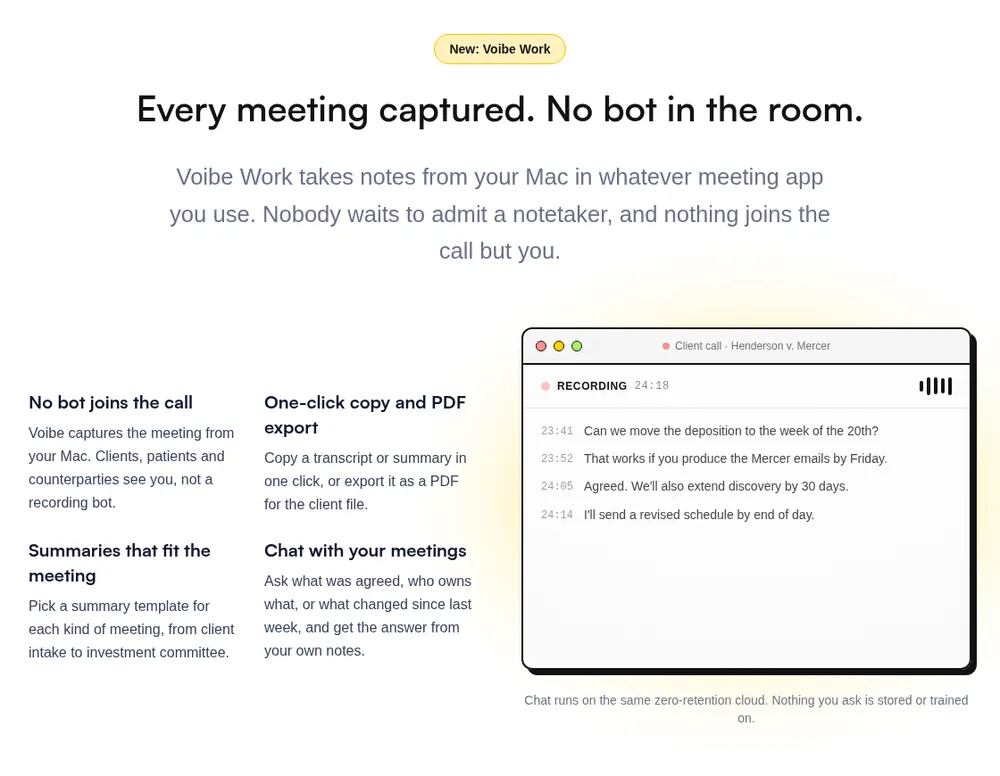
If Fellow's caps keep stopping your team, or your calls are confidential, Voibe Work is where I'd move. It's the meeting-notes plan in the app we build, with no limit on how many meetings get notes.
It suits small teams, consultants, lawyers, advisers, deal teams and HR, on a Mac or a Windows PC.
Where your meeting goes
- Capture happens on your Mac or Windows PC, with no bot. It works in Zoom, Microsoft Teams, Google Meet, Webex, Slack huddles or any meeting app, and in person through your computer's mic.
- Processing runs on open-source models at zero-retention cloud providers. No OpenAI, Google, Anthropic or Microsoft model is in the audio path.
- The audio is deleted as soon as processing completes.
- The transcript and summary are saved on your computer, not on Voibe's servers. They're never used to train AI.
Every provider is listed on Voibe's cloud privacy page. Because processing runs in the cloud, meeting notes need an internet connection.
Voibe reminds you to tell everyone you're taking notes each time a recording starts. Following the recording-consent rules where you and your participants are is your responsibility.
What replaces the Fellow features you used
- Unlimited meetings: each one can run up to 4 hours, with no monthly note allowance to share.
- Templates: summary templates for each type of meeting, plus your own, such as a one-on-one template.
- Speaker labels: each speaker gets a label and every line a time. Rename a speaker and the summary updates.
- Chat with your meetings: ask what was agreed or who owns what. It runs on the same zero-retention cloud, with nothing stored.
- Export: one-click copy and PDF export of transcripts and summaries.
Fellow's MCP server vs Voibe's Meeting MCP
Fellow's MCP server lets Claude, ChatGPT or Cursor read your recaps, notes and action items. An admin has to turn it on first. Voibe Work has its own Meeting MCP. Click MCP on the Meetings page to connect Claude, Cursor, ChatGPT, Claude Code or another app.
One switch turns it off for every AI app at once. Apps you connect can read your meeting titles, summaries and transcripts. What an app reads goes to the company behind its AI, for example Anthropic for Claude.
The Meeting MCP launch post covers setup. Our list of AI note takers with MCP compares the others.
What it doesn't do
- It has no agendas, one-on-one workspaces or shared team notes, so keep a shared doc for those.
- It has no admin console, retention policies, redaction or Global Relay and Smarsh archiving.
- It has no calendar auto-join and no CRM, Notion or Slack integrations. It can't cover a meeting you aren't in.
- There's no phone app, no recording to replay, and no free meeting-notes plan after the trial.
What it costs
Voibe Work is $19 per seat per month, $149 a year or $399 lifetime. One seat covers Mac and Windows. That's $31 (17.2%) a year less than Fellow Business and $79 (34.6%) less than Solo. A BAA is available on request for the app and the API.
Voibe Dictation alone is $9.90 a month, $99 a year or $199 lifetime. Voibe Free covers dictation on one device with 2,000 cloud words a week.
Every new account starts with a 7-day trial of every Voibe Work feature. There's no credit card and no automatic charge, and paid plans carry a 30-day money-back guarantee.
The Voibe Work launch post explains why there's no bot.
Trusted by 4,000+ professionals, including people at Netflix, NVIDIA, Amazon, Twilio, and Intercom




See Voibe Work in action
Unlimited meeting notes, saved on your computer
Start free on Mac or Windows. 7 days of every Voibe Work feature, no credit card required.
2. Granola: Best for Shared Team Notes Without a Bot
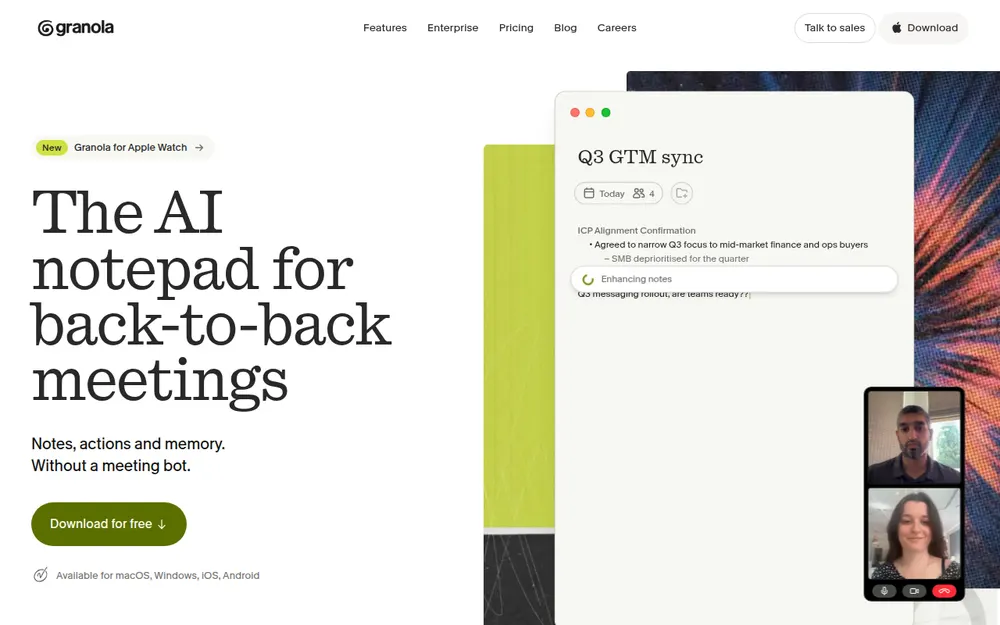
If your team liked Fellow's shared notes, Granola is the closest no-bot replacement. Shared folders come on the free Basic plan. It records your mic and computer audio without joining the call.
It runs on Mac, Windows, iPhone, Android and Apple Watch. It's also the highest-rated app here, at 4.96/5 on the App Store from 14,700 ratings.
Plans
- Basic is free, with AI notes, shared folders, voice typing and a limited meeting history.
- Business costs $14 per user per month ($168 a year), with unlimited notes and MCP. It connects to Attio, Notion, HubSpot, Affinity and Zapier.
- Enterprise costs $35 per user per month and adds SSO, org-wide auto-deletion and training switched off for everyone.
What to weigh
Granola's security page says it "trains on your anonymized data", with an opt-out in Settings. Enterprise has training off by default, and notes live in Granola's US-hosted AWS cloud.
With no bot, Granola can't cover a meeting you miss, and telling guests is up to you. Granola Business is $19 (11.3%) a year more than Voibe Work. Our Granola pricing guide and Is Granola safe? go further.
3. Rogo Notes: Best for Banks, PE Firms and Broker-Dealers
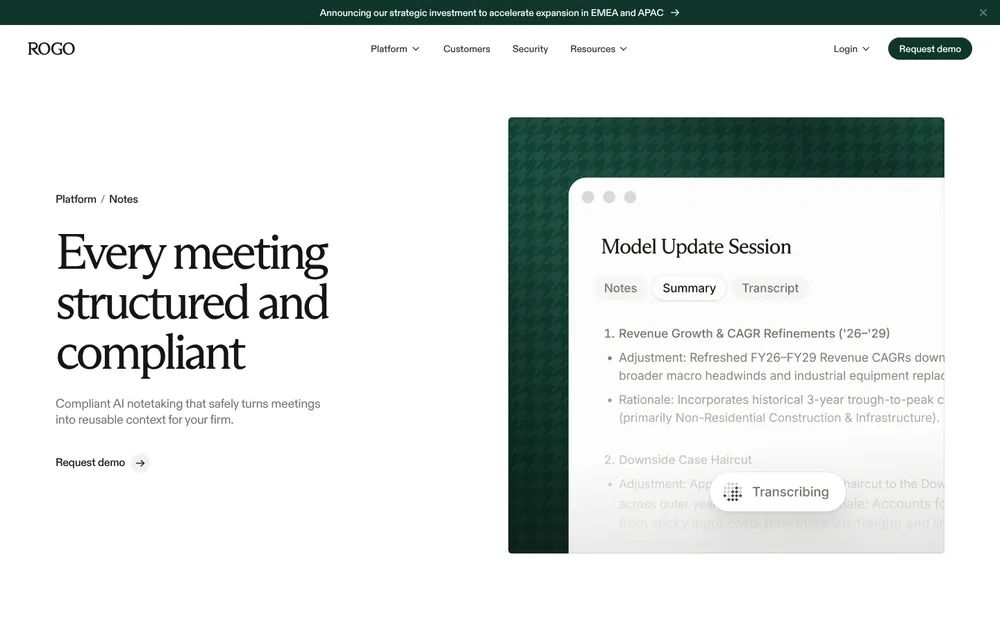
For a finance firm weighing Fellow Enterprise, Rogo Notes is the specialist to compare. Arvo has joined forces with Rogo, and Arvo says it "exclusively serves private equity firms, investment banks, RIAs, and broker-dealers".
What it does that Fellow does on Enterprise
- It records Zoom, Teams, Google Meet, Webex, phone calls and in-person meetings without a bot, per Arvo's site. Arvo also lists consent collection among its controls.
- It keeps no persisted audio, and admins pick zero, short-term or permanent retention for transcripts.
- Rogo lists flagging, redaction, retention and meeting restrictions set by user, group, org or call type.
- It offers MNPI flagging, an immutable audit trail and a DealCloud integration.
Arvo says it's built for SEC archiving and record-keeping requirements. Rogo's security page lists SOC 2 Type II and ISO 27001. It says Rogo never uses your private data to train its models.
What to weigh
Rogo's site shows no public price and no self-serve trial, so you'll need a sales demo. I found no App Store rating, and the pages don't say which desktop platforms it runs on.
If your firm is small or doesn't archive meeting notes, it's more product than you need. Our finance notetaker ranking puts it first for regulated desks.
4. Circleback: Best for Action Items and Automations
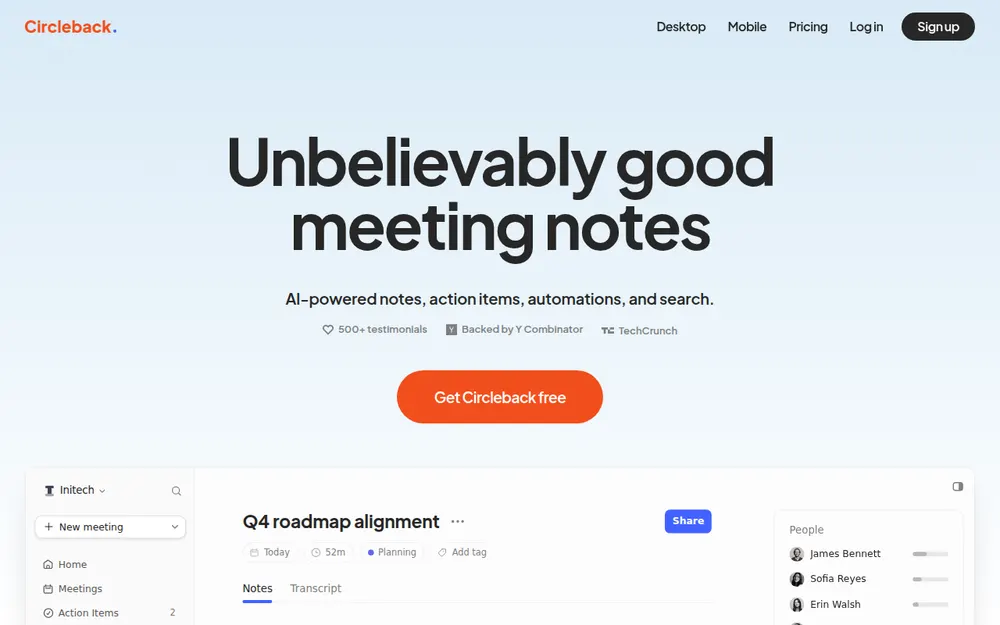
Circleback is the swap for teams that used Fellow mainly for action items. It joins as a bot or records from its desktop app. Notes then flow into Notion, HubSpot, Salesforce, Attio and webhooks.
Plans
- Free costs $0, with unlimited meetings, a 30-day history and API, MCP and CLI access.
- Pro costs $18 a month or $15 billed annually ($180 a year), with unlimited history and every integration.
- Business costs $29 or $25 billed annually ($300 a year), adding admin roles and custom data retention.
- Enterprise costs $35 per user per month and adds SSO, SCIM and HIPAA.
Circleback's security page says "We do not use customer data to train models". Data sits in the United States.
Pro matches Fellow Business at $180 a year, and Voibe Work is $31 (17.2%) less. It's rated 4.81/5 on the App Store from 282 ratings, and our Circleback pricing guide has every tier.
5. Fireflies: Most Integrations for the Money
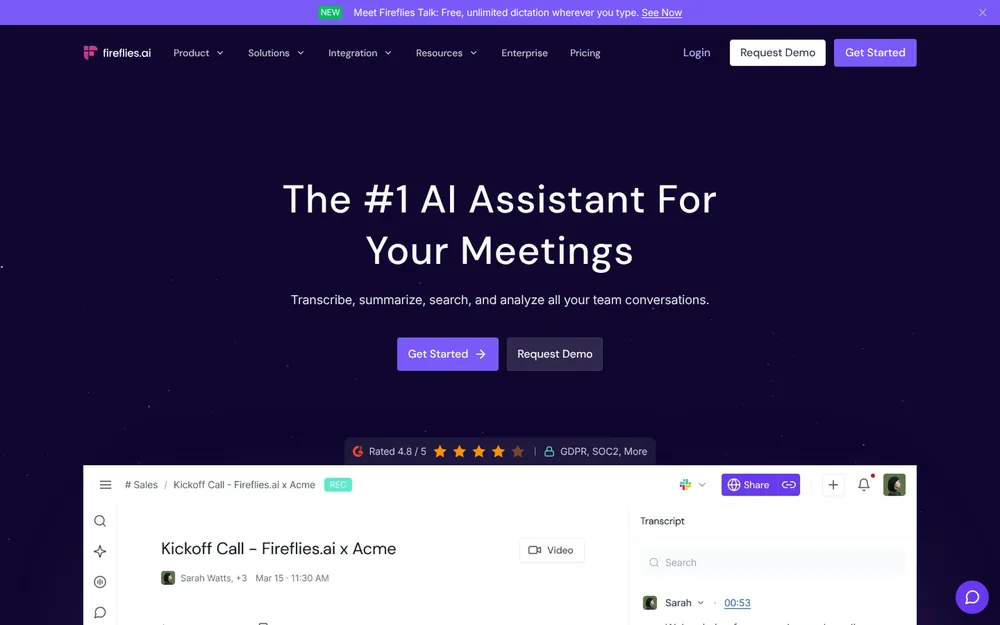
Fireflies gets you Fellow's integrations for less money. Pro already includes unlimited integrations, while Fellow keeps CRM sync for Business.
Plans
- Free gives a team 400 minutes of storage, 20 AI credits and limited AI summaries.
- Pro costs $18 a month or $10 billed annually ($120 a year). It includes unlimited summaries and 8,000 minutes of storage per seat.
- Business costs $29 or $19 billed annually ($228 a year), adding unlimited storage and conversation intelligence.
- Enterprise costs $39 per seat per month, billed annually only.
Its security page says Fireflies doesn't use meeting data to train AI models. Fireflies Talk, its dictation app, is free on every plan.
The desktop app records with no bot, and Fireflies tells you to get consent from all participants. Pro is $29 (24.2%) a year cheaper than Voibe Work, but notes live in Fireflies' cloud. Rated 4.82/5 on the App Store (5,517); see Is Fireflies safe?
6. Fathom: Best Free Plan, If a Bot Is Fine
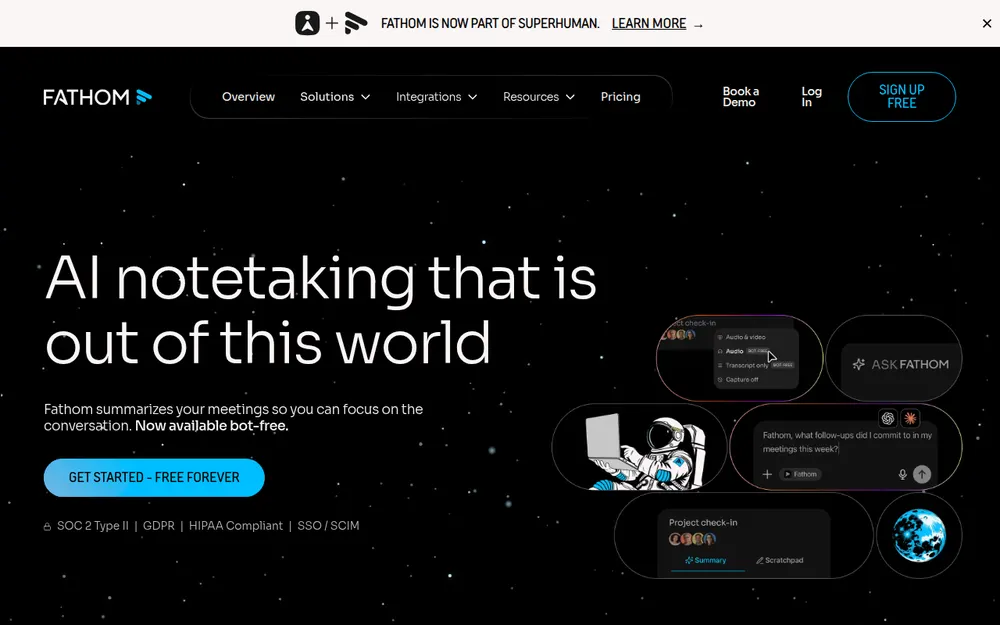
If Fellow Free's 5 lifetime notes pushed you out, Fathom has the most generous free plan here. It includes unlimited recordings and transcriptions, with a choice of bot capture or a bot-free beta.
Paid plans
- Premium costs $20 a month or $16 billed annually ($192 a year) for individuals.
- Team costs $19 or $15 billed annually, with a 2-user minimum and HIPAA with a standard BAA.
- Business costs $34 or $25 billed annually, adding CRM field sync and coaching metrics.
- Enterprise costs $35 per user per month, billed annually only.
Fathom's privacy policy says it may train in-house models on de-identified meeting data. You can opt out in account settings. Premium is $43 (22.4%) a year more than Voibe Work. Rated 4.9/5 on the Chrome Web Store (1.7K); see Fathom pricing.
7. Otter: Cheapest Big Name on Annual Billing
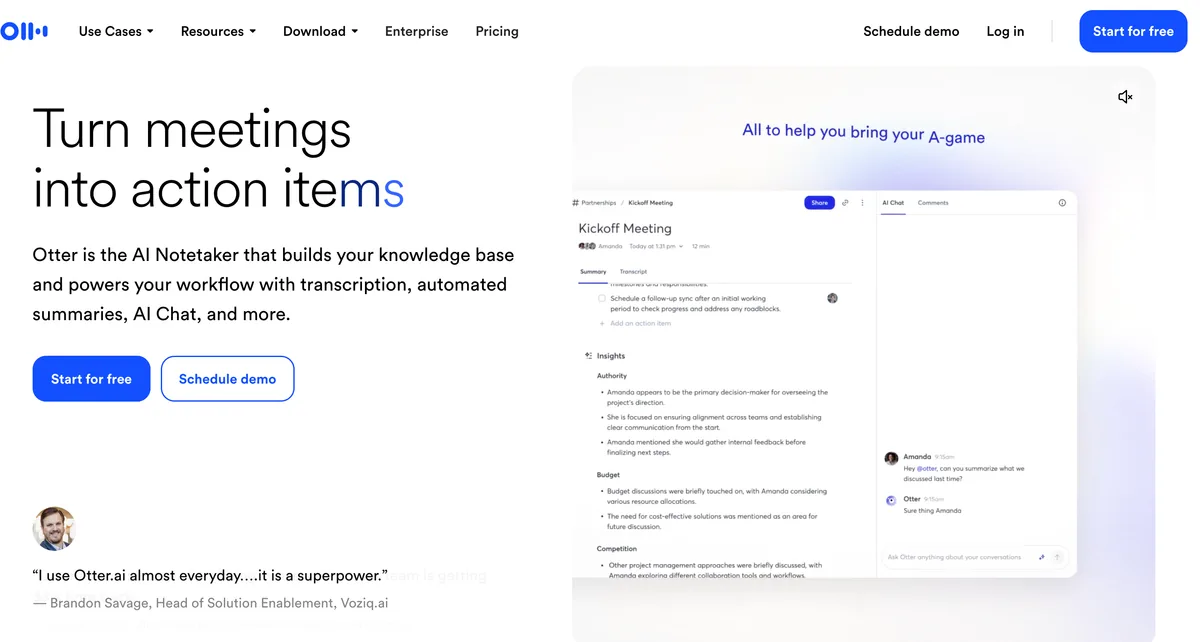
Otter is the budget pick for teams whose calls aren't confidential. Its Mac and Windows desktop app records "without bots joining the call", so you announce the recording yourself.
Plans
- Basic is free, with 300 transcription minutes a month and phone apps.
- Pro costs $16.99 a month or $8.33 billed annually ($99.96 a year). It allows 1,200 minutes a month and 90 minutes per meeting.
- Business costs $30 or $19.99 billed annually ($239.88 a year), with unlimited meetings up to 4 hours each.
Privacy is the weak spot. Otter's privacy policy says it trains its AI on de-identified audio recordings and transcriptions. I found no opt-out.
If 1,200 minutes a month is enough, Otter Pro is $49.04 a year cheaper than Voibe Work. Past that, Otter Business costs $90.88 (37.9%) more. Rated 4.79/5 on the App Store (89,070); see Otter pricing.
8. Krisp: Cheapest Unlimited Notes, Plus Noise Cancellation
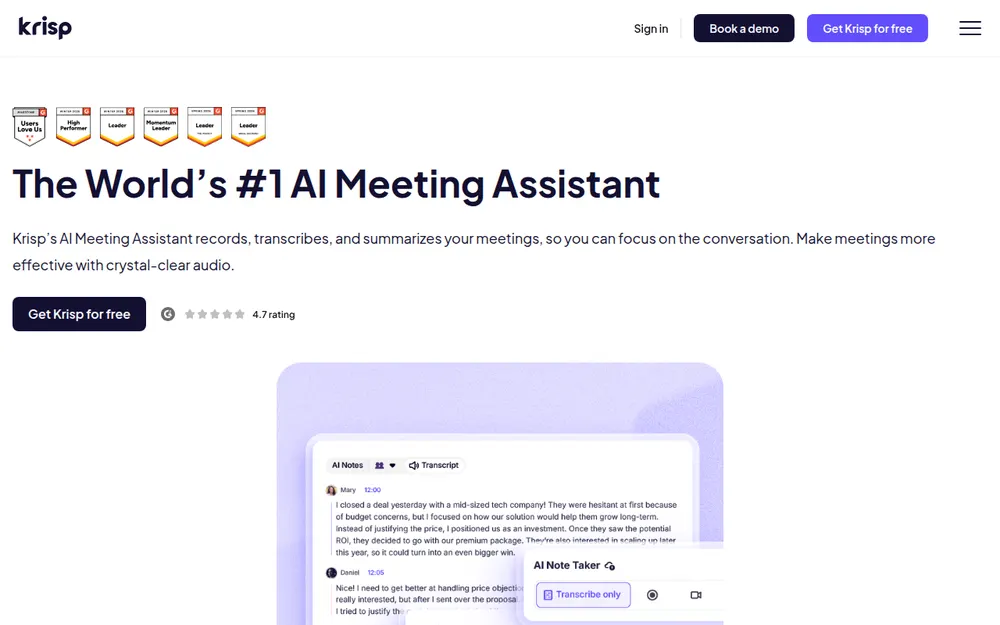
Krisp is the cheapest way out of Fellow's caps. Core includes an unlimited AI note-taker, bot-free recording and in-person notes. As with any bot-free tool, tell people you're recording.
Plans
- Free trial lasts 7 days with no credit card, and there's no free plan after it.
- Core costs $16 a month or $8 billed annually ($96 a year). It includes 10 GB of storage and MCP.
- Advanced costs $30 or $15 billed annually ($180 a year), with 60 GB and Salesforce.
- Enterprise is custom, with on-device transcription and a BAA for teams of 100 or more seats.
Krisp's pricing page says meeting data is never used to train its AI models. Core is $53 a year cheaper than Voibe Work, though notes live in Krisp's cloud.
It's rated 4.74/5 on the App Store from 274 ratings. Our Krisp pricing guide covers the storage add-ons.
Other Fellow Alternatives I Looked At
Four more came close, and one gap is worth flagging if you used Fellow for agendas.
Read AI
Read AI Pro costs $15 per user per month billed annually, matching Fellow Business, with unlimited transcripts. Its free plan covers 5 meetings a month. Rated 4.88/5 (1,081); see Read AI alternatives.
Jamie
Jamie's free plan offers 10 AI notes a month with a 30-minute meeting cap. Pro costs $46 a month billed annually. Rated 4.89/5 (263); see Jamie alternatives.
Quill Meetings
Quill transcribes on your computer for free. Lite costs $6.99 a month billed annually for 16 hours of AI meetings. Rated 4.60/5 from 10 ratings; see Quill Meetings alternatives.
tl;dv
tl;dv suits teams that want recordings shared around the company. Its Google Meet extension rates 4.6/5 on the Chrome Web Store (603); see tl;dv alternatives.
If you mainly used Fellow's agendas
None of these notetakers runs collaborative agendas the way Fellow does. A shared doc plus our one-on-one meeting notes template covers most of it.
Fellow's Botless Mode and Recording Consent
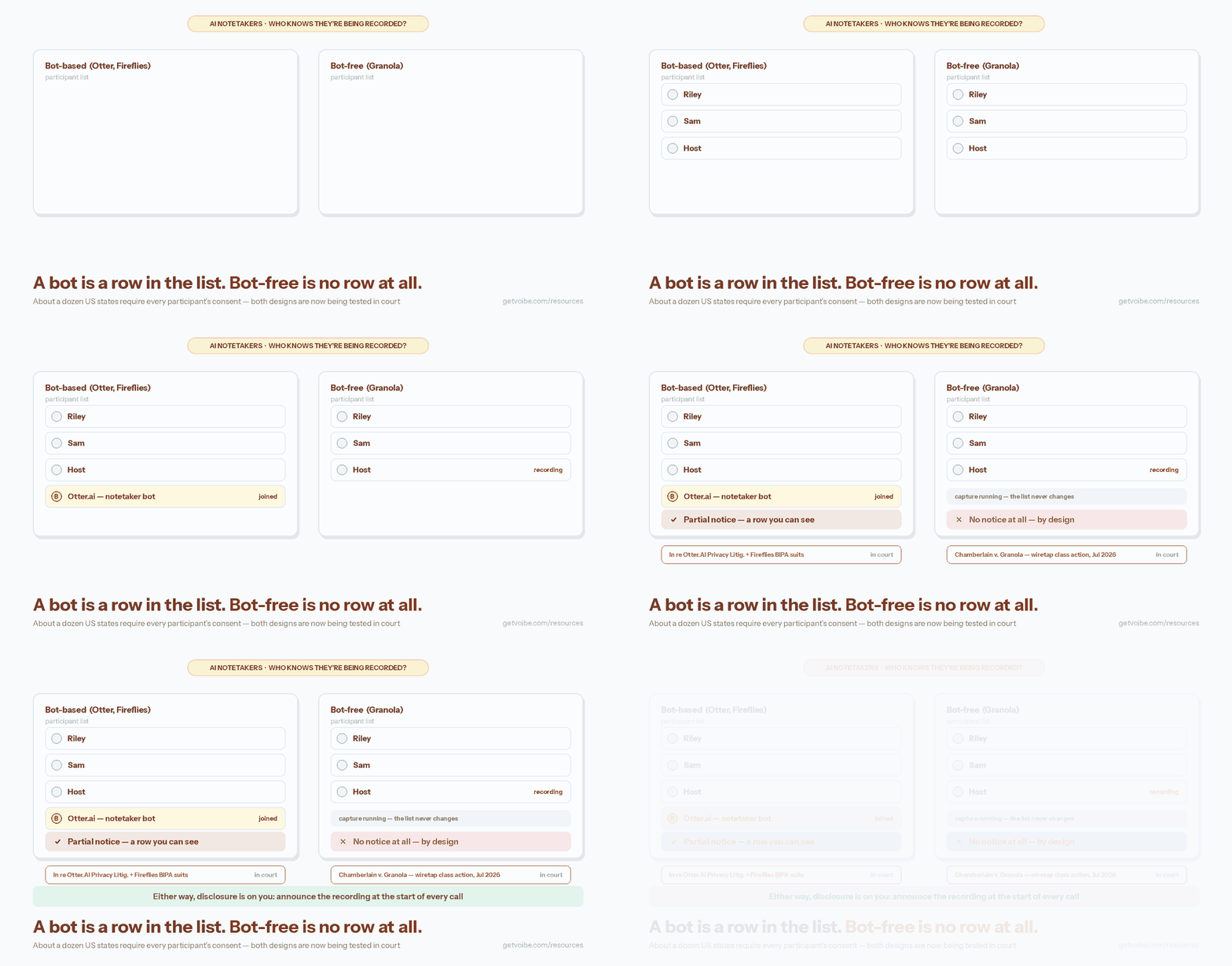
Fellow's botless mode notifies people inside your organization. Guests and customers see no bot and get no notice from Fellow. Fellow's own FAQ says organizations must inform external participants where the law requires it.
Fellow admins can also send pre-meeting disclosure emails and keep an auditable log of every disclosure. Most alternatives, Voibe Work included, leave the announcement to you.
Where everyone has to agree
About a dozen US states generally require everyone in a private conversation to agree to a recording. They include California, Florida and Illinois. Our guide to AI notetaker recording-consent laws lists them.
A five-second script
"I'm using an AI note taker so I can focus. It doesn't join as a bot, so is everyone okay with that?"
Voibe prompts you to say something like this when recording starts. If anyone objects, turn it off. This is general information, not legal advice.
Warning
No app can get consent for you. Tell everyone on the call, every time, and check the recording rules where each participant is located.
Before You Cancel Fellow
Work through these in order, because the first steps protect notes you'd lose on the Free plan.
Before you cancel
- Download the recordings and transcripts you need. Fellow's help center says you export the video, transcript or recap from each recording's view.
- Ask an admin if the download button is missing. A workspace policy can block downloading, and only an admin can switch it back on.
- Save the agendas and notes you still use. Free shows a limited meeting history, so copy recurring one-on-one notes into a shared doc first.
- Check auto-deletion settings on Enterprise. Deletion is permanent, removes content from backups, and doesn't warn workspace members first.
When you switch
- Expect a downgrade, not a deletion. When a trial ends, Fellow moves the workspace to the Free plan.
- Run both tools for a week on real calls. Voibe Work's 7-day trial needs no credit card.
- Tell people on your next calls, because a botless tool gives guests no sign that you're recording.
How to Choose the Right Fellow Alternative
Three questions settle it, and the picker near the top of the article asks the same ones.
1. Why are you leaving Fellow?
- The AI-note caps or the per-seat price → go to question 2.
- My firm needs archiving, redaction or MNPI controls → go to question 3.
- I want a free plan → go to question 4.
2. Are your calls confidential?
- Yes, client, deal, HR or patient calls → Voibe Work.
- No, and I want shared team notes → Granola.
- No, and I want automations into Notion or a CRM → Circleback.
- No, and I want lots of integrations for less → Fireflies.
- No, and I want the cheapest unlimited plan → Krisp.
3. Must archiving be built into the tool?
- Yes, notes must reach our archive with an audit trail → Rogo Notes, or stay on Fellow Enterprise.
- No, we want no bot and no vendor copy → Voibe Work.
4. Do you mind a bot in the call?
Pick by Situation
If you'd rather match your exact situation, start with this table.
| Your situation | Best choice | Why |
|---|---|---|
| Your team of five keeps hitting Fellow Team's 10-note cap | Voibe Work | Unlimited meetings for $745 a year, $155 less than Fellow Business |
| You're a solo consultant paying for Fellow Solo | Voibe Work | $149 a year, $79 less than Solo, with dictation included |
| Your client calls are confidential | Voibe Work | No bot, audio deleted after processing, notes saved on your computer |
| Your team shares notes in folders | Granola | Shared folders on every plan, no bot, phone apps |
| You're a broker-dealer that archives meeting records | Rogo Notes or Fellow Enterprise | Retention, redaction, MNPI flags and archiving built in |
| You're a two-person advisory firm below Fellow's 10-seat minimum | Voibe Work | No seat minimum; you export reviewed notes into your archive |
| Your meetings feed Notion, HubSpot or Salesforce | Circleback | Automations on Pro for $180 a year, Fellow Business's price |
| You want integrations and dictation on a budget | Fireflies | Pro at $120 a year with free Fireflies Talk dictation |
| You need a free plan and a bot is fine | Fathom | Unlimited free recordings and transcriptions |
| Your calls aren't sensitive and 1,200 minutes a month is enough | Otter | Pro at $99.96 a year, with a botless desktop app |
| You take calls from a noisy room | Krisp | Noise cancellation plus unlimited notes for $96 a year |
| You only used Fellow for agendas | A shared doc | Notetakers don't run agendas; use a one-on-one template instead |
Frequently Asked Questions About Fellow Alternatives
Basics
What is the best Fellow alternative?
Voibe Work is the best Fellow alternative for small teams and confidential calls. It records with no bot and has no monthly note cap. It deletes the audio after processing and saves notes on your computer, and it reminds you to tell people you're recording.
It costs $149 a year with dictation, $31 less than Fellow Business. Finance firms that need archiving should demo Rogo Notes, and teams that share notes should try Granola.
How many AI notes does Fellow's free plan include?
Fellow Free includes 5 AI notes and 5 AI recordings per user. The allowance covers the lifetime of the account, not a month. Team raises that to 10 a month per user, and unlimited notes start on Business or Solo.
Is there a free alternative to Fellow?
Yes. Fathom Free records unlimited meetings with a bot or a bot-free beta. Circleback Free keeps 30 days of history. Granola Basic and Otter Basic are free too, with limited history or 300 minutes a month.
Comparisons
Circleback vs Fellow: which is better?
Circleback is better for automations, and Fellow is better for agendas and Enterprise governance. Circleback Pro and Fellow Business both cost $180 a year billed annually, and neither trains on your meetings.
Circleback's free plan keeps 30 days of history, while Fellow Free stops at 5 AI notes for life.
Is Fellow or Otter better for regulated industries?
Fellow is better for regulated industries. Fellow says it never trains on meeting data and offers redaction, zero-day retention and Global Relay archiving. Otter's privacy policy says it trains its AI on de-identified recordings and transcripts. HIPAA is an Enterprise add-on.
Does Voibe Work replace Fellow's agendas and one-on-ones?
No. Voibe Work takes meeting notes and includes dictation. It has no collaborative agendas, one-on-one workspaces or shared team notes. Keep a shared doc for agendas, and use a custom summary template for one-on-one notes.
Privacy and compliance
Does Fellow's botless recording notify participants?
Only internal ones. Fellow says internal participants are notified, while external guests see no bot and get no notice from Fellow. Fellow admins can send pre-meeting disclosure emails, and otherwise telling guests is your job.
Which Fellow alternatives don't train AI on your meetings?
Voibe Work, Rogo Notes, Circleback, Fireflies and Krisp all say they don't train on your meetings. Granola, Fathom and Otter train on de-identified data, and only Granola and Fathom offer an opt-out.
Can a finance firm use Voibe Work instead of Fellow Enterprise?
It depends on your recordkeeping rules. Voibe Work has no archiving integration, redaction or admin retention policy. Advisers export reviewed notes into their archive by hand.
It suits small firms below Fellow's 10-seat minimum, and a BAA is available on request. Your compliance team makes the final call.
Pricing
How much does Fellow cost?
Fellow Free is $0. Team costs $7 per user per month billed annually or $11 monthly. Business costs $15 or $23, and Solo $19 or $29. Enterprise costs $25 per user per month billed annually and starts at 10 users, a $3,000 minimum.
What is the cheapest Fellow alternative with unlimited notes?
Krisp Core is the cheapest at $96 a year billed annually. It includes unlimited AI notes and 10 GB of storage. Voibe Work costs $149 a year with unlimited meetings, dictation and notes saved on your computer.
Final Verdict: Where I'd Move From Fellow
Fellow is a good product held back by its plan limits. Five lifetime notes on Free and ten a month on Team push most people to look elsewhere.
If you're a small team or your calls are confidential: Voibe Work
I'd move to Voibe Work at $149 a year or $399 lifetime. It records any meeting app with no bot and saves notes on your computer. Dictation is included, on Mac and Windows.
Remember to tell people you're taking notes, since there's no bot to do it for you.
If your firm archives meeting records: Rogo Notes or stay
Book a Rogo Notes demo, or stay on Fellow Enterprise if its controls already passed review. Voibe Work fits small advisory firms that export notes by hand.
If your team lives in shared notes: Granola
Granola gives you shared folders with no bot, as long as you switch off training in Settings.
Trying Voibe Work
Try Voibe Work free for 7 days → You get every feature, with no credit card and no automatic charge.
Related reading
- Best AI meeting note takers for finance, ranked by where the MNPI ends up.
- Circleback alternatives, with Fellow among the nine picks.
- Best no-bot meeting note takers, for every tool that records without joining.
- Jump alternatives and Zocks alternatives, for financial advisors.
- All alternatives roundups, across dictation and meeting notes.
Key Takeaway
Small teams hitting Fellow's caps and anyone with confidential calls: Voibe Work, $149 a year, no bot, unlimited meetings, notes saved on your computer, dictation included. Finance firms that archive meeting records: Rogo Notes or Fellow Enterprise. Shared team notes: Granola. A free plan with a bot: Fathom.