

TL;DR: Back Up Your Anarlog Notes First, Then Pick by How You Used It
On 6 November 2026, a message appeared in the Discord community of Anarlog, the open-source meeting notetaker. Posted under the name John, it said he had decided to shut the app down. Another message said the announcement had been pulled because a buyer might step in.
Anarlog's GitHub README still says the app isn't being retired, and Anarlog Pro, the paid plan, is still on sale (both checked 12 November 2026). Nobody outside the company knows which way it will go, and your meeting history shouldn't ride on a guess.
Back up first
- Keep the audio: set Settings → Meetings → Audio file retention to Forever, so no recording expires mid-backup.
- Export the notes: use the ••• menu on a meeting, or Anarlog's free command-line tool to export every meeting as Markdown and JSON.
- Copy the recordings: exports leave out audio, so copy the files from Anarlog's data folder.
The full steps, with commands for Mac, Windows and Linux, are in the backup section below.
Then pick by how you used Anarlog
- You paid for Pro (cloud transcription, cloud AI, dictation): Voibe Work, the meeting-notes plan in the app we build. It saves notes on your computer, adds no bot to the call and includes dictation, on Mac and Windows.
- You ran it free with on-device models: Meetily, which is open source under the MIT license and transcribes on your computer, Windows included.
- You're technical and on Linux: keep running Anarlog's MIT-licensed community build, and keep backing it up.
The ranking
- Voibe Work: best for Anarlog Pro users who want notes saved on their computer.
- Meetily: best open-source alternative with local transcription.
- Anarlog's open-source build: stay put if you can maintain it.
- Quill Meetings: local transcription in a polished paid app.
- Granola: the polished cloud pick, with phone apps.
- Handy: free open-source dictation, if dictation is all you used Pro for.
Key takeaways
| Alternative | Best for | Where notes live | Open source | One year |
|---|---|---|---|---|
| Voibe Work | Anarlog Pro users on Mac or Windows | Your computer | No | $149 ($9 more than Anarlog Pro) |
| Meetily | Free, local, open source | Your computer | Yes, MIT | $0, or $120 for Pro |
| Anarlog open source | Developers and Linux users | Your computer | Yes, MIT | $0 |
| Quill Meetings | Local transcription, polished app | Your computer | No | $0, $83.88 or $203.88 |
| Granola | Phone apps, cloud notes | Granola's cloud | No | $0, or $168 for Business |
| Handy | Dictation only | Not a notetaker | Yes, MIT | $0 |
Key Takeaway
Back up today: set audio retention to Forever, export every meeting as Markdown or JSON, and copy the recordings. Then move: Voibe Work ($149 a year) if you used Anarlog Pro's cloud AI and dictation, or Meetily (free, or $120 a year) if you ran Anarlog locally and want open source.
What Happened to Anarlog in November 2026
Anarlog is the open-source, bot-free meeting notetaker that started as Hyprnote and briefly went by Char, a name the team now uses for a separate new product. Fastrepl, a Y Combinator company, makes it and releases the community app under the MIT license.
What the Discord messages said
On 6 November 2026, a message posted under the name John in Anarlog's Discord said he had decided to shut the app down. John Jeong is the company's founder and CEO, according to its Y Combinator page. The Discord account shows only a first name.
He gave the reasons plainly. The app was "unprofitable", and making money needed teams to adopt it. Winning teams takes a lot of time and sales effort, which he said he wasn't willing to put in.
He added that he had looked for someone to take on the project full time, without success.
Then the announcement came down
In a message posted 16 minutes earlier and later marked as edited, he explained why the post had disappeared. He wrote that he might be able to find an acquirer, and had removed the post for that reason.
A shutdown post on Reddit was also taken down, and the Discord announcement was deleted. We've seen a screenshot of the Discord messages, but with the posts gone we can't link them.
What Anarlog's own pages say
- The GitHub README says "anarlog is not being retired" and that the community app stays MIT-licensed and buildable from source.
- The Char Is Now Anarlog post (May 2026, updated August 2026) says the team still ships maintenance and product updates. Its daily focus, the post adds, is the new Char product.
- The newest release on Anarlog's changelog is Desktop 1.4.34, dated 29 October 2026. The latest code change on the GitHub main branch is dated 5 November 2026.
- The pricing page still sells Pro at $14 a month or $140 a year, with a 30-day free trial.
A deletion date nobody has confirmed
Meetily, a competing open-source notetaker, wrote on 4 November 2026 that notes synced to Anarlog's cloud will be deleted on 15 November 2026. Anarlog's sync documentation doesn't mention any date.
The Discord messages and the company's pages disagree, and the messages themselves say a buyer may step in. Until Anarlog says more, I'd treat it as a project that may stop and back up as if it will.
Info
Checked 12 November 2026. Every Anarlog fact below comes from Anarlog's docs, pricing page, changelog and GitHub repository on that date, unless another source is named.
What Keeps Working if Anarlog Stops, and What Doesn't
Anarlog was built local-first, and that design protects you now. Its data sits on your computer, and much of the app runs without Anarlog's servers.
What runs on your computer
- Notes and transcripts: stored in a local SQLite database, a single database file on your disk, per the README.
- Recordings: kept as plain local files, for as long as your audio retention setting allows.
- On-device transcription: available on Apple Silicon Macs. Anarlog's help page says it isn't available on Windows, Linux or Intel Macs.
- Local summaries and chat: through local model runners such as LM Studio, Ollama or Unsloth.
- Your own API keys: requests go straight from the app to the provider you set up, not through Anarlog.
- Exports, the command-line tool (CLI) and the local MCP server: all three read the database on your computer. MCP, the Model Context Protocol, lets AI apps such as Claude read your meetings.
What depends on Anarlog's servers or team
- Pro's cloud transcription and cloud AI: Soniox 5, a hosted speech model, writes the transcripts. Claude Sonnet, reached through the OpenRouter model gateway, writes summaries and chat answers.
- Cloud sync: end-to-end encrypted (E2EE), so Anarlog can't read it, but it runs through Anarlog's servers.
- Share links and Cloud API copies: sharing a note, or turning on Anarlog's Cloud API and Connectors, uploads a server-readable copy to Anarlog's servers.
- Sign-in and connected calendars: the setup guide ties both to an Anarlog account.
- Pro features: system-wide dictation, integrations and automations come with a Pro subscription.
- Fixes and updates: a project that stops shipping also stops getting security fixes.
The MIT license is the safety net. Anyone can still build the community app from source, and a fork could keep it going.
A fork can't bring back Pro's hosted side, though. If you relied on cloud transcription, sync or dictation, plan a replacement now.
How to Back Up Your Anarlog Notes Today, Step by Step

I put these steps together from Anarlog's docs and the source code of its command-line tool. Run them on the computer that holds your meetings, then on any other computer you've recorded on.
Step 1: Pull in notes from your other devices (Pro)
If you use Cloud Sync, open Anarlog on your main computer and go to Settings → Sync. Click Sync now, then check that meetings recorded elsewhere appear.
- Recovery key: keep it in a password manager. Anarlog's docs say support can't restore encrypted cloud data once every device holding the key is gone.
- Local-only items: recordings never sync, and daily notes, folders and tags created since version 1.4.24 stay on the device that made them.
Step 2: Stop recordings from expiring
Open Settings → Meetings and find Audio file retention. Set it to Forever while you back up.
Audio already past its retention period is gone for good. The note and transcript remain, but the recording doesn't.
Step 3: Export single meetings from the app
- Open a meeting and click the ••• menu in its header.
- Choose Export, then pick Markdown, PDF, text or Org.
- Tick the memo, the summary and the transcript.
Files land in your default export folder, which you can change under Settings → General. Pick Markdown, because almost any notes app can open it.
Step 4: Export every meeting at once with the CLI
Anarlog's CLI comes with the free plan and exports whole meetings, transcripts included.
- Install it: go to Settings → Developers and click Install.
- Mac App Store copy: that build doesn't include the CLI, so build it from the GitHub source instead.
- App closed is fine: once the app has created its database, the CLI works while Anarlog is closed.
On a Mac or Linux, with jq (a free JSON tool) installed, this exports every meeting as Markdown and JSON:
mkdir -p ~/anarlog-backup
anarlog --json meetings list --limit 200 \
  | jq -r '.data[].id' \
  | while read -r id; do
      anarlog meetings export "$id" --format markdown --output ~/anarlog-backup/"$id".md
      anarlog meetings export "$id" --format json --output ~/anarlog-backup/"$id".json
    done
On Windows, the same job in PowerShell looks like this:
New-Item -ItemType Directory -Force "$HOME\anarlog-backup" | Out-Null
$ids = (anarlog --json meetings list --limit 200 | ConvertFrom-Json).data.id
foreach ($id in $ids) {
  anarlog meetings export $id --format markdown --output "$HOME\anarlog-backup\$id.md"
  anarlog meetings export $id --format json --output "$HOME\anarlog-backup\$id.json"
}- Over 200 meetings: the list command returns 200 at most. Run it again with
--offset 200, then--offset 400. - Why JSON too: the JSON export can keep speaker names as a separate field, ready for any future import.
- No overwrites: the export refuses to replace an existing file unless you add
--force.
Step 5: Copy the recordings
Exports don't include audio. In Anarlog, right-click a meeting in the sidebar and choose Show in Finder on a Mac to reveal its recording, then copy it out.
To grab everything at once, quit Anarlog and copy its whole data folder. Anarlog's docs say notes, recordings and settings sit there together, and that backup tools which snapshot the folder are fine.
| System | Default Anarlog data folder |
|---|---|
| macOS | ~/Library/Application Support/anarlog/ |
| Windows | %APPDATA%\anarlog\ |
| Linux | ~/.local/share/anarlog/ |
Older installs may use a folder named hyprnote or com.hyprnote.stable instead, and a custom storage folder chosen at setup overrides all three. Run anarlog --json doctor to print the exact database path on your machine.
Never edit the database file itself. Anarlog warns that direct edits can corrupt your notes, so treat the copy as read-only.
Step 6: Keep new meetings backed up (Pro)
Pro's Export every meeting as Markdown automation writes each new meeting to a folder you pick, such as an Obsidian vault. It runs after each meeting ends, and the docs don't say it exports older ones.
Share links and Cloud API copies live on Anarlog's servers. Your own exports are the copy to rely on.
What to Look For in an Anarlog Alternative
Anarlog did several jobs at once, so the right replacement depends on which jobs you used it for. Six checks cover it.
- Where transcription runs. On your computer (Meetily, Quill, Anarlog's free build) or in a cloud (Voibe Work, Granola, Anarlog Pro). If audio must never leave the machine, only the first group qualifies.
- Where the notes are kept. On your computer (Voibe Work, Meetily, Quill) or in the vendor's cloud (Granola). Notes on your own disk survive a vendor shutting down.
- Platforms. Linux narrows the list to Anarlog's own build. Phone apps narrow it to Granola and Quill.
- Dictation. Anarlog Pro included system-wide dictation. Voibe Work and Granola include it too, while Meetily and Quill don't.
- Your old history. None of the other apps here documents importing Anarlog's notes. Meetily imports audio files, and Voibe's speech-to-text API transcribes them.
- Who keeps it running. Open source lets anyone fork the code, and a paid product needs a company that keeps selling it. Both are reasonable bets, and either can fail.
Match Each Anarlog Feature You Used to a Replacement
Start from the Anarlog features you actually used. Each one has a different best replacement.
| Anarlog feature | Plan | Best replacement |
|---|---|---|
| On-device transcription | Free | Meetily (Windows and Apple Silicon Macs) or Quill Free |
| Cloud transcription and cloud AI | Pro | Voibe Work (open-source models on zero-retention providers) or Granola |
| System-wide dictation | Pro | Voibe Work (included), Voibe Dictation, Handy (free) or Granola voice typing |
| Encrypted sync across devices | Pro | Quill (optional encrypted sync); Granola syncs through its cloud |
| Linux app | Free | Anarlog's own build (Meetily has a Linux waitlist) |
| CLI and MCP for AI agents | Free | Anarlog's build, Meetily Pro, or Voibe Work's Meeting MCP |
| Markdown export | Free | Meetily Pro (PDF, DOCX, Markdown); Voibe Work offers copy and PDF |
If you used three or more Pro features, a single plan that covers notes and dictation saves juggling two apps.
Anarlog Alternatives Compared
Every price and claim in the table below comes from each vendor's own pages, checked on 12 November 2026.
| App | Transcription runs | Notes live | Open source | Platforms | Dictation | Price | Bringing old notes |
|---|---|---|---|---|---|---|---|
| Voibe Work | Zero-retention cloud, audio deleted after processing | Your computer | No | Mac, Windows | Included | $19/mo, $149/yr, $399 lifetime | No import; Voibe API transcribes old audio |
| Meetily | Your computer, by default | Your computer | Yes, MIT | Windows, Apple Silicon Mac | No | Free; Pro $120/yr | Imports audio files |
| Anarlog build | Your computer (Apple Silicon) or your own keys | Your computer | Yes, MIT | Mac; Windows and Linux in beta | Pro only | Free | Nothing to move |
| Quill Meetings | Your computer; AI notes in a cloud by default | Your computer | No | Apple Silicon Mac, Windows, phone companions | No | Free; Lite $83.88/yr; Unlimited $203.88/yr | None documented |
| Granola | Cloud | Granola's cloud | No | Mac, Windows, iPhone, Android | Voice typing | Free Basic; Business $168/yr | None documented |
| Handy | Your computer | Not a notetaker | Yes, MIT | Mac, Windows, Linux | Dictation only | Free | Not applicable |
What a year costs against Anarlog Pro ($140)
- Quill Lite: $83.88, which is $56.12 (40.1%) less, with 16 hours a month of what Quill calls pro meetings.
- Meetily Pro: $120, or $20 (14.3%) less than Anarlog Pro.
- Voibe Work: $149, or $9 (6.4%) more, with dictation included.
- Granola Business: $168, or $28 (20%) more.
- Quill Unlimited: $203.88, or $63.88 (45.6%) more.
- Free options: Anarlog Free, Meetily Community, Quill Free, Granola Basic and Handy all cost $0.
1. Voibe Work: Best for Anarlog Pro Users Who Want Notes Saved on Their Computer
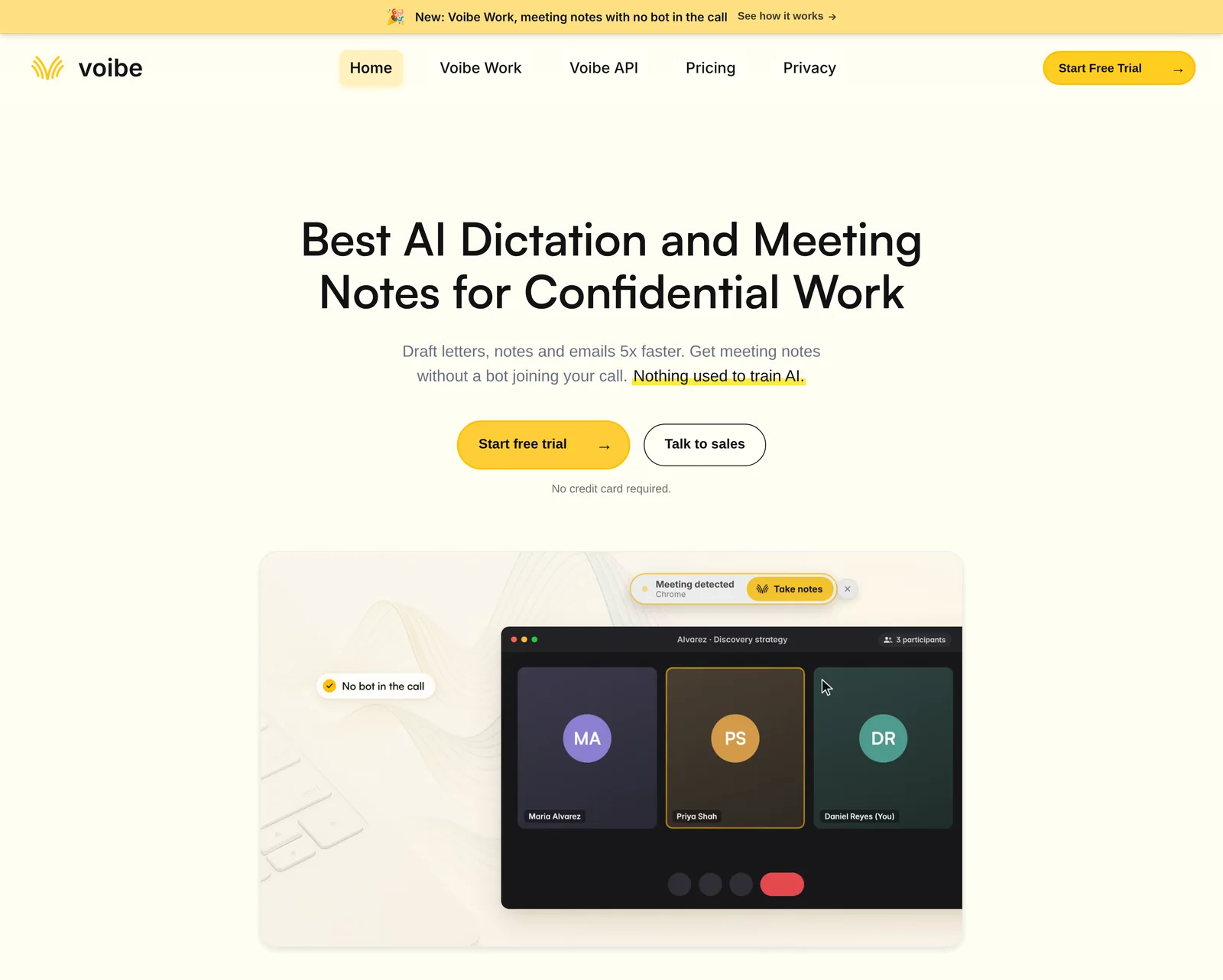
If you paid for Anarlog Pro, Voibe Work is the replacement I'd pick. It's the meeting-notes plan in the app we build, and it covers both jobs Pro did: meeting notes and dictation in any app.
It fits consultants, lawyers, founders and anyone whose meetings are confidential, on a Mac or a Windows PC.
Where your meeting goes
- Capture: from your Mac or Windows PC in Zoom, Teams, Google Meet, Webex, Slack huddles or any meeting app, with no bot. In-person meetings record through your Mac or PC's mic.
- Processing: open-source models on zero-retention cloud providers. No AI lab such as OpenAI, Google, Anthropic or Microsoft is in the audio path.
- Audio: deleted as soon as processing completes.
- Notes: the transcript and summary are saved on your computer, not on Voibe's servers, and never used to train AI.
Compare that with Anarlog Pro's cloud path, which sends audio to Soniox and routes summaries through Claude Sonnet on OpenRouter, per Anarlog's model docs.
Meeting notes do need an internet connection, because processing runs in the cloud. If audio must never leave your computer, Meetily is the better pick.
Each time a recording starts, Voibe reminds you to tell everyone you're taking notes. Following the recording-consent rules where you work is your job.
What replaces the Pro features you used
- Dictation: hold a hotkey (Fn by default) and speak into any app, or double-tap for hands-free mode. Live Dictation, which streams words as you speak, is Mac only.
- Speaker labels: each speaker gets a label and every line a time. Rename a speaker and the summary updates, though names don't come from your calendar.
- Templates: summary templates for each type of meeting, plus any you create yourself.
- Chat with your meetings: runs on the same zero-retention cloud, with nothing stored.
- Meeting MCP: connects Claude, Cursor, ChatGPT or Claude Code to your meetings, and one switch turns it off for every app. What an app reads goes to the company behind its AI, for example Anthropic for Claude.
- Long meetings: up to 4 hours each, with no cap on how many you record.
The Meeting MCP launch post covers setup, and the Voibe Work launch post explains the design.
What it doesn't do
- It isn't open source, so nobody can fork it if we stop selling it.
- There's no Linux app and no phone app.
- It doesn't import Anarlog's notes, so keep your Markdown exports in a folder or a notes app.
- It has no calendar auto-join and no CRM, Notion or Slack integrations. Export is one-click copy and PDF.
Old Anarlog recordings
Voibe's speech-to-text API can transcribe the audio files you copied out. New accounts get 15 free minutes with no card, and packs start at $10 for 2,000 minutes, billed per second.
Send "diarize": true if you want speaker labels, because they're off by default. Transcripts are kept for 24 hours, then deleted, so save each one when it's ready.
What it costs
- Voibe Work: $19 a month, $149 a year or $399 lifetime. One seat covers Mac and Windows.
- Against Anarlog Pro: $149 a year is $9 (6.4%) more than Pro's $140. The $399 lifetime plan costs about the same as 2.9 years of Pro.
- Voibe Dictation only: $9.90 a month, $99 a year or $199 lifetime. At $99 a year, it's $41 (29.3%) less than Anarlog Pro.
- Voibe Free: $0, with 2,000 cloud words a week of dictation on one device.
Every new account starts with a 7-day trial of every Voibe Work feature, with no credit card and no automatic charge. Paid plans carry a 30-day money-back guarantee.
Cancelling a paid Anarlog Pro plan? Email the confirmation to hi@getvoibe.com. Voibe's switch offer then gives you Voibe Work free for the time left on it, plus a bonus month, up to 12 months.
Trusted by 4,000+ professionals, including people at Netflix, NVIDIA, Amazon, Twilio, and Intercom




See Voibe Work in action
Keep your meeting notes on your own computer
Start free on Mac or Windows. 7 days of every Voibe Work feature, no credit card required.
2. Meetily: Best Open-Source Alternative That Keeps Transcription on Your Computer
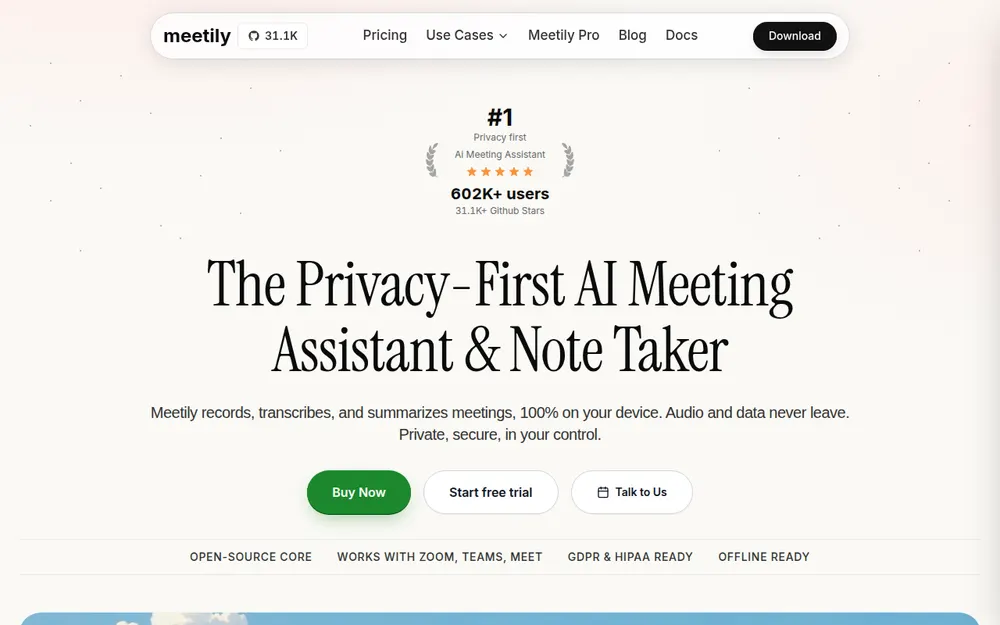
Meetily is the closest match to Anarlog's free, local setup. It's open source under the MIT license, records without a bot and transcribes on your computer by default.
I'd pick it if you ran Anarlog free with on-device models, and especially if you're on Windows.
Why it's the closest match
- Local transcription on Windows too: Meetily runs it on Windows and Apple Silicon Macs, where Anarlog's built-in on-device transcription is Mac-only.
- A bigger community: 32.6k GitHub stars against Anarlog's 9.9k, both checked on 12 November 2026.
- Agent access on Pro: MCP, a CLI and webhooks, like the tools Anarlog's free plan had.
- Speaker labels on Pro: Pro separates who said what, on your computer.
What you give up
- No Linux app yet; Meetily's blog points Linux users to a waitlist.
- No phone app, no dictation, and no Intel Mac build listed.
- Chat with your meetings and calendar integration are both marked "Soon" on the pricing page.
- MCP, the CLI and speaker labels need Pro, while Anarlog's free plan included its CLI and MCP.
Bringing your Anarlog history
Meetily's blog says Import Audio is free on Community and Pro. It takes MP3, WAV, OGG and seven other audio and video formats, up to 20 GB per file.
It brings in audio only, not your typed notes, so keep the Markdown exports alongside it.
What it costs
Community is free. Pro is $120 a year per user, shown as an early-bird $10 a month against a regular $25, with a 14-day free trial.
Pro costs $20 (14.3%) less than Anarlog Pro, and $29 less than Voibe Work, which adds dictation and works on Intel Macs.
3. Anarlog's Open-Source Build: Stay Put if You Can Maintain It
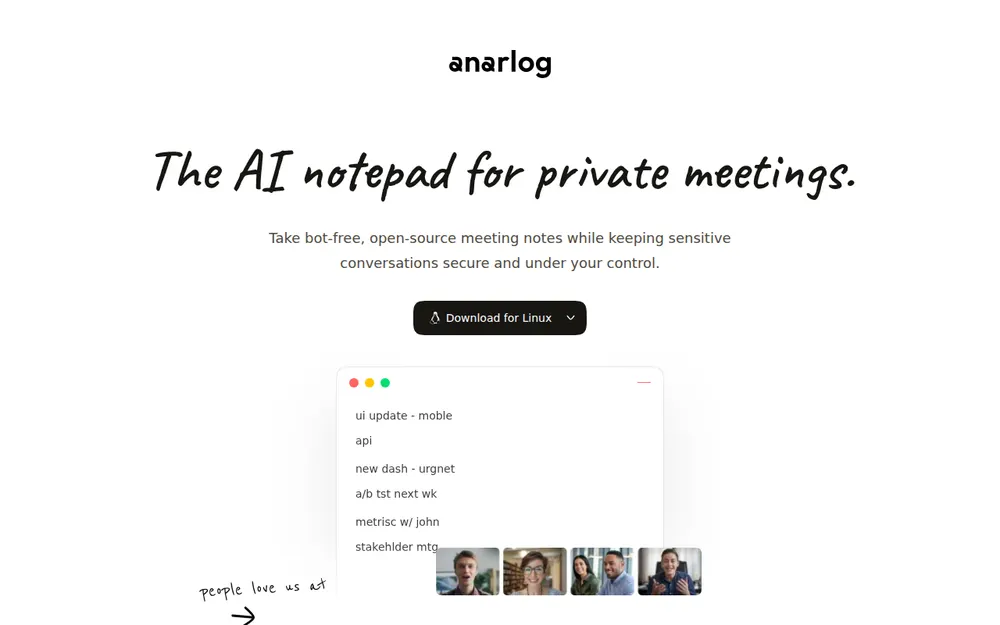
You don't have to leave. The community app is MIT-licensed, and Anarlog's README says it stays forkable and buildable from source.
It suits developers who run Anarlog free with on-device models or their own API keys. Linux users have no other bot-free notetaker in this list, either.
What keeps working
- Unlimited on-device transcription on Apple Silicon Macs, plus local summaries through Ollama, LM Studio or Unsloth.
- Your own API keys for transcription and AI, sent straight to the provider.
- The CLI, the local MCP server and exports, all reading your local database.
- Builds for macOS 15 or later, plus Windows and Linux builds that Anarlog still labels beta.
The risk of staying
Nobody is promising fixes. If the company stops, a macOS update or a meeting-app change could break audio capture, and only a fork would repair it.
Building it yourself takes work. The README lists Node.js 22, pnpm, Rust and the dependencies of Tauri v2, the app's desktop framework. Apple Silicon builds also need Xcode's Metal toolchain.
If you stay, schedule the CLI export from the backup steps, so a broken update can't take your notes with it.
4. Quill Meetings: Local Transcription in a Polished Paid App
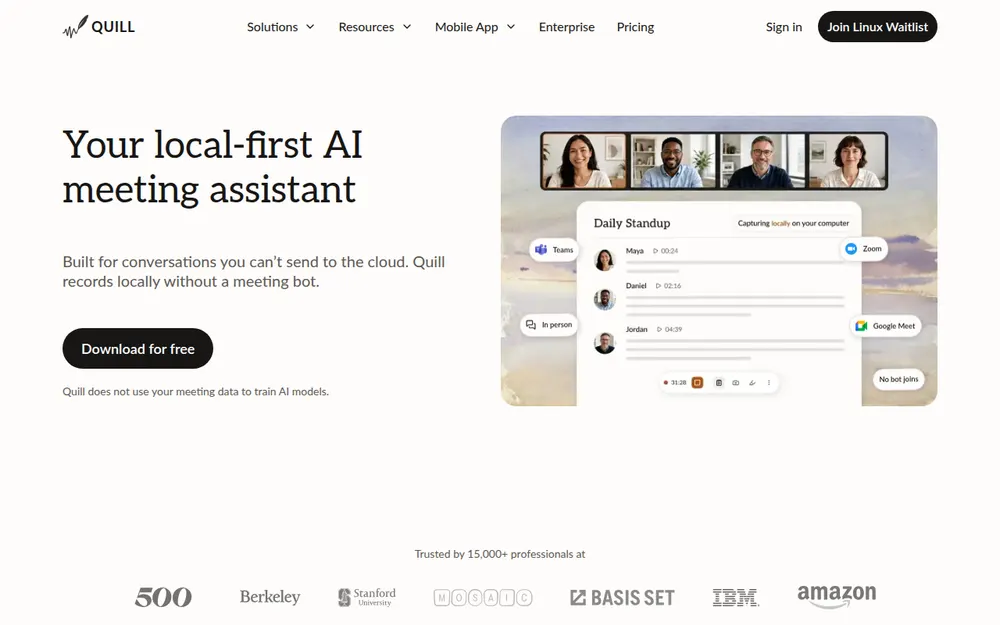
Quill Meetings transcribes on your computer for free and keeps the notes there too. It isn't open source, but it's the most polished local-first app in this list.
It suits Anarlog Free users who want a company-backed app with phone companions.
- Transcription: local by default, with unlimited free recordings and transcripts.
- AI notes: Quill sends transcripts to a cloud language model by default for its paid AI notes.
- Platforms: Apple Silicon Macs on macOS 12 or later and Windows 10 or later. The iPhone and Android companions need a paid plan, per Quill's FAQ.
- Sync: optional and end-to-end encrypted.
- Gaps: no dictation, no Intel Macs, no Linux, and no documented import of other apps' notes.
Quill's pricing starts free. Lite is $6.99 a month billed annually ($83.88 a year), for 16 hours a month of what Quill calls pro meetings. Unlimited is $16.99 a month billed annually ($203.88). Monthly billing is $7.99 and $19.99.
Unlimited costs $54.88 more a year than Voibe Work. Quill's iPhone app holds a 4.6 App Store rating from 10 ratings, and our Quill Meetings alternatives page goes deeper.
5. Granola: The Polished Cloud Pick, With Phone Apps
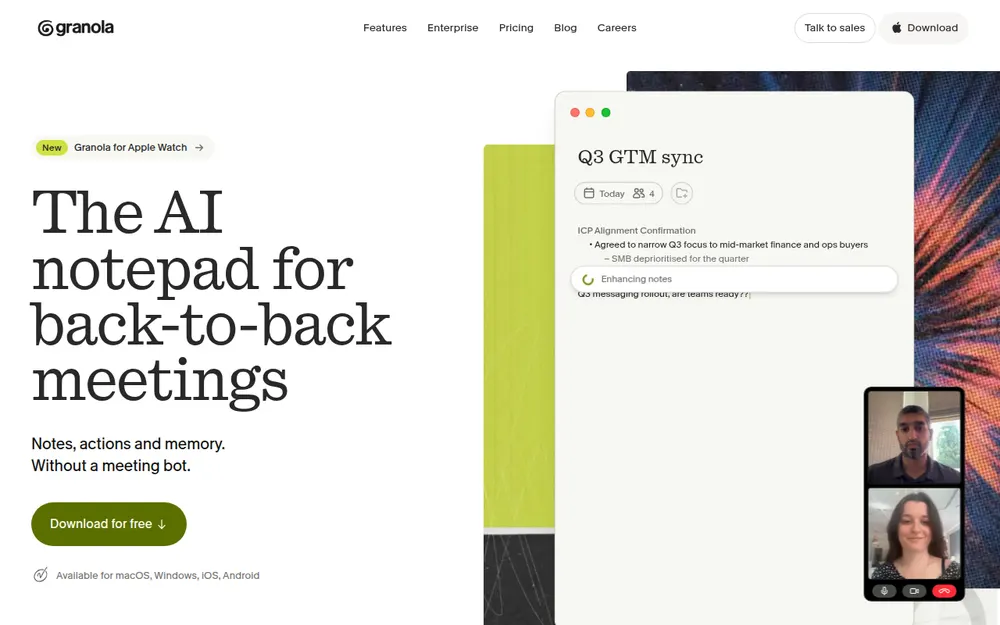
Anarlog's name is an anagram of Granola, according to Anarlog's blog. Granola is the pick if local storage no longer matters to you and phone apps do.
- Capture: no bot, on Mac and Windows, plus iPhone, Android and Apple Watch apps.
- Storage and training: notes live in Granola's cloud. It trains on de-identified data by default, and each user can opt out (Is Granola safe?).
- Dictation: voice typing in any app on every plan, which covers Anarlog Pro's dictation.
- Old notes: no documented import of other apps' notes.
Basic is free with limited meeting history (our Granola pricing breakdown has the details). Business is $14 per user a month, or $168 a year, so Voibe Work costs $19 (11.3%) less. Enterprise is $35 per user a month.
The iPhone app holds a 4.96 App Store rating from 14,697 ratings (12 November 2026). Our Granola alternatives roundup covers the reverse move.
6. Handy: Free Open-Source Dictation if That's All You Used Pro For
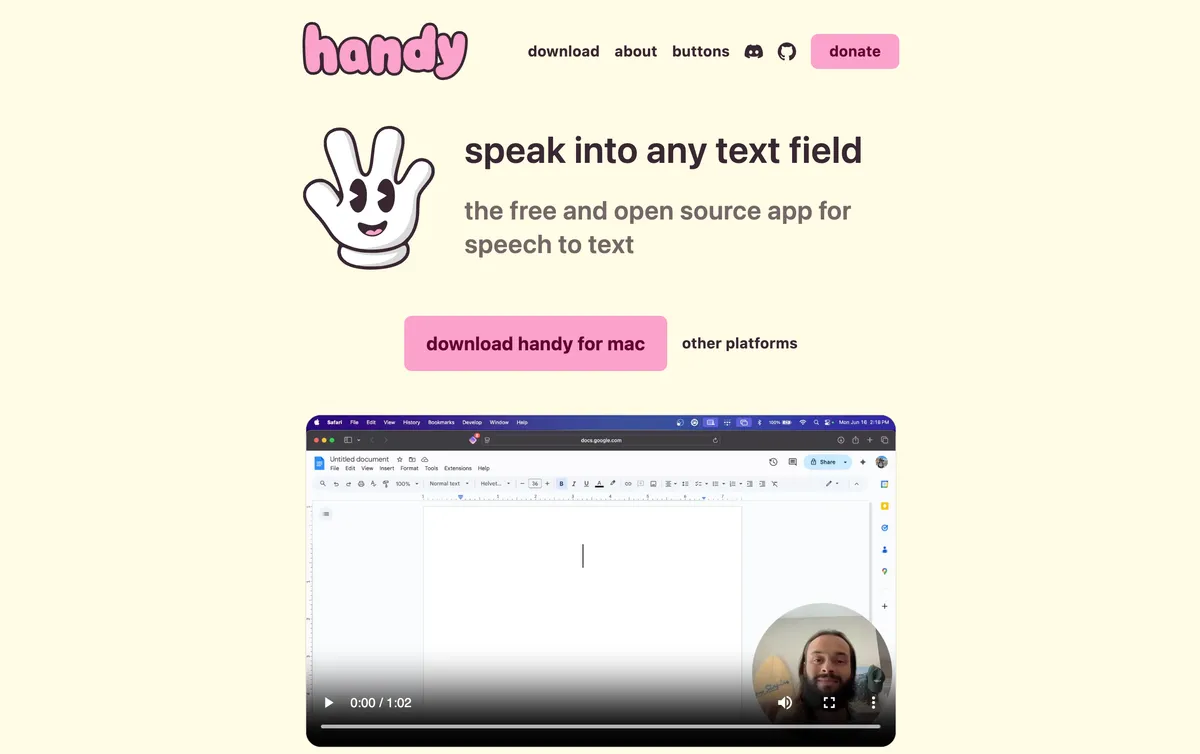
Some people paid for Anarlog Pro mainly for its system-wide dictation. If that's you, a dictation app replaces it for less, and none of these depends on Anarlog's servers.
- Handy: free and MIT-licensed, transcribing on-device on Mac, Windows and Linux. Output stays close to verbatim unless you wire up your own AI cleanup.
- OpenWhispr: an open-source client with free local transcription on the same three systems, plus an optional paid cloud.
- Voibe Dictation: $99 a year, or $41 (29.3%) less than Anarlog Pro. It dictates on-device on Apple Silicon Macs and uses a zero-retention cloud on Windows and Intel Macs.
Handy is my pick for a free swap. Our open-source dictation roundup compares more options.
Other Anarlog Alternatives I Looked At
Char is the Anarlog team's new product, an AI to-do notepad in private beta at char.com. Meetily's blog says Char can move Anarlog notes over for Pro users. I couldn't find that on Char's site (checked 12 November 2026).
Other bot-free notetakers, such as Jamie and Krisp, keep notes in their own clouds. Our no-bot meeting note takers roundup ranks them.
Three Questions to Find Your Anarlog Alternative
Three questions settle it, and the picker near the top asks the same ones.
1. How did you use Anarlog?
- Pro, for cloud transcription, AI or sync → go to question 2.
- Free, with on-device models or your own keys → go to question 3.
- Mostly for dictation → Handy if you want free, or Voibe Dictation for formatting and a company behind it.
2. Do you need Linux or phone apps?
- Linux → keep Anarlog's open-source build.
- Phone apps → Granola, if notes in its cloud are acceptable.
- Neither, a Mac or Windows PC is enough → Voibe Work.
3. Must audio stay on your computer?
- Yes, and open source matters → Meetily.
- Yes, and polish matters more → Quill Meetings.
- Yes, and you'll maintain the build yourself → Anarlog's open-source build.
- No, a zero-retention cloud is fine → Voibe Work.
Pick by Your Situation
If you'd rather match your exact situation, start here.
| Your situation | Best choice | Why |
|---|---|---|
| You paid for Anarlog Pro and use a Mac or Windows PC | Voibe Work | No bot, notes saved on your computer, dictation included, $149 a year |
| Your meetings are confidential client calls | Voibe Work | Audio deleted after processing, notes kept off Voibe's servers, BAA (business associate agreement) available on request |
| You ran Anarlog free on Windows | Meetily | Local transcription on Windows, which Anarlog's built-in models lacked |
| You ran Anarlog free on an Apple Silicon Mac and want open source | Meetily | MIT-licensed, local by default, free Community edition |
| You're on Linux | Anarlog's open-source build | The only bot-free Linux notetaker in this list |
| You script against the CLI or MCP every day | Anarlog's build or Meetily Pro | Free local CLI and MCP, or MCP, CLI and webhooks for $120 a year |
| You want local transcription and a phone companion | Quill Meetings | Free local transcription; companion apps on a paid plan |
| Most of your meetings happen on your phone | Granola | iPhone and Android apps, free Basic or $168 a year |
| You only used Pro for dictation and want free | Handy | Free, MIT-licensed, on-device on Mac, Windows and Linux |
| You only used Pro for dictation and want cleanup | Voibe Dictation | $99 a year, $41 less than Anarlog Pro |
| You have hundreds of old recordings to re-transcribe locally | Meetily | Import Audio is free on every edition |
| You have a few old recordings and want transcripts fast | Voibe API | 15 free minutes; transcripts kept 24 hours, then deleted |
Frequently Asked Questions About Anarlog Alternatives
Anarlog's future
Is Anarlog shutting down?
On 6 November 2026, a message in Anarlog's Discord, posted under the name John, said he had decided to shut the app down. He called the app unprofitable. A later message said the announcement was removed because he might find an acquirer.
Anarlog's GitHub README still says the app is not being retired, and Pro is still on sale (checked 12 November 2026). No official shutdown date has been published.
Will my Anarlog notes disappear?
Notes and transcripts on your computer stay in a local database, and recordings stay as local files, according to Anarlog's docs. Copies on Anarlog's servers, such as cloud sync, share links and Cloud API copies, depend on the company.
Meetily's 4 November blog post says cloud-synced notes will be deleted on 15 November 2026, but Anarlog's docs don't mention it. Back up either way.
Is Anarlog still being updated?
The newest release on Anarlog's changelog is Desktop 1.4.34, dated 29 October 2026. The latest code change on the GitHub main branch is dated 5 November 2026, the day before the Discord shutdown message.
Backup and offline use
How do I export all my Anarlog notes?
For one meeting, open the ••• menu, choose Export and pick Markdown. For every meeting, install the free CLI from Settings → Developers. Then list your meeting IDs with anarlog --json meetings list and run anarlog meetings export for each one.
Exports leave out audio, so copy the recordings separately with Show in Finder or by copying Anarlog's data folder.
Where does Anarlog store my notes?
In its application data folder: ~/Library/Application Support/anarlog/ on macOS, %APPDATA%\anarlog\ on Windows, and ~/.local/share/anarlog/ on Linux. Older installs may use a hyprnote or com.hyprnote.stable folder.
Run anarlog --json doctor to print the exact database path, and never edit the database file directly.
Can I keep using Anarlog offline?
Yes. Notes, recording, playback and export all work offline, and so does on-device transcription on Apple Silicon Macs. Local summaries work through LM Studio, Ollama or Unsloth.
Hosted models, Google and Outlook calendar sync, cloud sync and share links need a network connection.
Choosing an alternative
What is the best open-source Anarlog alternative?
Meetily. It's MIT-licensed, records without a bot and transcribes on your computer by default, on Windows and Apple Silicon Macs. Community is free, and Pro is $120 a year.
It has no Linux app yet and no dictation.
What is the best Anarlog alternative for Pro users?
Voibe Work, if you're on a Mac or Windows PC. It records any meeting app with no bot, deletes the audio after processing on a zero-retention cloud, and saves notes on your computer.
Dictation in any app is included, for $149 a year. It isn't open source and has no Linux or phone app.
Can any app import my Anarlog notes?
None of the alternatives here documents importing Anarlog's notes. Meetily imports audio files, and Voibe's speech-to-text API transcribes them.
Meetily's blog says Char, the Anarlog team's new app, can import Anarlog notes for Pro users, but Char's site doesn't confirm it. Keep your Markdown exports either way.
Pricing
How much does Anarlog Pro cost?
Anarlog Pro is $14 per person a month or $140 a year, with a 30-day free trial. The free plan costs $0 and includes unlimited on-device transcription, your own API keys, the CLI and MCP.
Is Voibe Work cheaper than Anarlog Pro?
No. Voibe Work is $149 a year, $9 (6.4%) more than Anarlog Pro's $140, and it includes dictation. Voibe Dictation alone is $99 a year, $41 (29.3%) less.
Among the paid meeting notetakers here, only Quill Lite ($83.88) costs less than Meetily Pro ($120 a year).
Final Verdict: Where I'd Move My Anarlog Notes
Back up first, whatever you decide. Set audio retention to Forever, export every meeting as Markdown and JSON, and copy the recordings.
If you paid for Anarlog Pro: Voibe Work
I'd move to Voibe Work ($149 a year or $399 lifetime). It records any meeting app with no bot, saves notes on your computer and includes dictation, on Mac and Windows.
It costs $9 a year more than Pro and isn't open source, but a company is still selling it and building it.
If you ran Anarlog free: Meetily
I'd pick Meetily (free, or $120 a year for Pro). It keeps transcription on your computer, Windows included, under the same MIT license.
If you're on Linux or love tinkering: stay
Keep the open-source build, and schedule the CLI export so your notes never depend on the next update.
Trying Voibe Work
Try Voibe Work free for 7 days → You get every feature, with no credit card and no automatic charge.
Related reading
- Quill Meetings alternatives: the local-first notetakers, ranked
- Granola alternatives: bot-free notetakers compared
- Best no-bot meeting note takers
- Voibe Meeting MCP: let Claude and ChatGPT read your meetings
- All alternatives roundups
Key Takeaway
Back up first: audio retention to Forever, Markdown and JSON exports, recordings copied. Anarlog Pro users: Voibe Work, $149 a year, notes saved on your computer, dictation included. Free local users: Meetily, MIT-licensed, free or $120 a year. Linux: keep Anarlog's open-source build.