

TL;DR: The Best Jump Alternatives for Financial Advisors
Jump Meet costs $1,200 per advisor per year on annual billing, and its notetaker joins your client's video call. By default it also keeps meeting data until somebody deletes it. If one of those three is why you're looking, the answer depends on which one.
Advisor-built notetakers still earn their price for many firms. Kitces Research found that Jump and Zocks lead advisor satisfaction, while Zoom AI Companion, the most adopted notetaker, ranked last. Kitces also found that advisors spend more than an hour on preparation and follow-up for every hour of client meetings.
- You still want CRM sync and an archive feed: Zocks, at $804 a year for Essentials. It never records audio, and it feeds Smarsh and Global Relay.
- You want no bot and no vendor copy: Voibe Work, the meeting-notes plan in the app we build. Notes are saved on your computer, and dictation is included for $149 a year.
- Your firm wants one tool for every team: Fellow, with Salesforce sync and Global Relay archiving.
Skip to the Voibe Work section if the bot and the stored recording are your problem. Its 7-day trial needs no credit card.
The ranking
- Zocks: the closest like-for-like Jump replacement, built for advisors and never recorded.
- Voibe Work: no bot, audio deleted after processing, notes on your computer, dictation included.
- Fellow: one notetaker firm-wide, with a botless mode and Global Relay archiving.
- Quill Meetings: transcripts made on your own computer, with an RIA-focused setup.
- Krisp: bot-free notes and noise cancellation at a low annual price.
- Granola: the most polished bot-free notepad, with defaults to change on day one.
- Fireflies: general-purpose notes and CRM integrations, with a bot by default.
Key takeaways
| Pick | Best for | Bot in the client's call? | Where notes live | Per advisor per year |
|---|---|---|---|---|
| Zocks | Firms that need CRM sync and archiving | An AI assistant joins virtual calls | Zocks' US cloud | $804 (Essentials) |
| Voibe Work | Independent advisors on Mac or Windows | No | On your computer | $149, or $399 once |
| Fellow | Firm-wide rollouts on Salesforce | Bot or botless | Fellow's cloud | $180 (Business) |
| Jump (for reference) | Firms that want prep, notes and CRM updates in one platform | Yes, on video calls | Jump's cloud | $1,200 (Meet) |
Key Takeaway
Zocks is the closest Jump replacement for firms that need CRM sync and archiving, from $804 per advisor per year with no audio recorded. Voibe Work is the pick for independent advisors who want no bot and no vendor copy: notes saved on your computer, dictation included, $149 a year. Tell every client you're taking notes, whichever tool you choose.
Why Advisors Look for Jump Alternatives

Jump is a capable platform, and plenty of advisors love it. Its App Store rating sits at 4.9 from 2,288 ratings. The reasons people shop around are specific, and every one of them is written into Jump's own pages.
1. The price is per advisor, and it scales with the firm
Meet is $100 per advisor per month billed annually, which is $1,200 a year. Monthly billing is $120, or $1,440 a year. Onboard and Grow are add-ons at $50 a month each on annual billing, so the full set reaches $2,400 per advisor per year.
A ten-advisor firm pays $12,000 a year for Meet alone (Jump pricing).
2. A notetaker joins your client's call
Jump watches your calendar for Zoom, Google Meet and Teams links. With auto-join on, it "will schedule a notetaker to attend that meeting" (Jump FAQs). Admins can make the notetaker always attend, never attend, or leave the choice to each advisor.
That's transparent, because the client sees it. It also means one more participant in a talk about their money, health and family.
3. Meeting data stays until someone deletes it
Jump's privacy FAQ answers the retention question directly. "Meeting data is retained in Jump until you decide to delete it," it says, "either manually or via automatic deletion." The same FAQ says Jump hosts data on servers in Iowa (Jump security FAQs).
Account owners can switch to No Recording mode or choose "Retain nothing". Someone at the firm has to set that up, and it's an account-wide setting.
4. You may be paying for a platform when you wanted notes
Meet bundles meeting prep, scheduling, follow-up emails, an AI Associate and an MCP connection. Firms that only want a clean summary in the CRM are paying for the rest.
Zocks makes the pitch from the other side. A CTO quoted on its homepage says "The biggest determination for us was that Zocks does not record."
How the Alternatives Fix Each Jump Complaint
Each complaint above has a different fix, and no single tool fixes all four.
- The price: Zocks Essentials is $396 a year less than Jump Meet. Voibe Work, Fellow Business, Granola, Krisp, Quill and Fireflies all cost under $250 a year.
- The bot: Voibe Work, Quill, Krisp and Granola capture the call on your own computer. Fellow and Fireflies offer a desktop mode without a bot.
- The stored recording: Zocks never records audio. Voibe Work deletes audio once processing completes and saves the notes on your computer.
- The platform you don't use: Voibe Work, Quill and Krisp sell notes, not a client-lifecycle platform. Zocks Essentials also skips forms and email replies.
Bot-free capture also moves the disclosure to you, since no participant tile tells the client.
The one Jump strength most alternatives give up is automatic sync to advisor CRMs such as Redtail and Wealthbox. Only Zocks matches it on this list.
With the others, you or an assistant copy the summary into the client record.
What to Look For in a Jump Alternative
Score every candidate on the same six questions before you look at the demo.
- CRM handoff. Does the note reach Redtail, Wealthbox or Salesforce on its own, or does someone paste it? Count the minutes that paste costs per meeting.
- Archive feed. If your firm supervises through Smarsh or Global Relay, check for a native integration. Otherwise, write down who files the final note.
- Copies left with the vendor. Ask what is kept after the call: audio, transcript, summary, and for how long by default.
- A bot or not. A visible notetaker announces itself. A bot-free tool doesn't, so the disclosure becomes your job every time.
- Training and subprocessors. Get the no-training statement in writing, and read which AI providers touch the audio and text.
- Price per advisor per year. Compare annual list prices, then add whatever separate dictation app you'd still need.
How I Tested and Ranked These Jump Alternatives
I tested Zocks, Voibe Work, Fellow, Quill Meetings, Krisp, Granola and Fireflies myself, and every verdict below comes from those tests. I also read each vendor's pricing, security, privacy and help pages, and every price and policy on this list was rechecked on those pages on 13 November 2026.
The ranking criteria, in order
- Fit with advisor work: CRM and archive handoff, consent support and meeting templates.
- Copies left with the vendor after the call, and the default retention.
- No bot in the client's meeting, and no training on client conversations.
- Price per advisor per year against Jump Meet's $1,200.
Why the top two rank where they do
- Zocks is first because it's the only alternative that keeps Jump's advisor CRM sync and archive feeds, at a lower entry price. It gives ground on criterion 3, since an assistant still joins virtual calls.
- Voibe Work is second because it wins criteria 2, 3 and 4 outright. It trails on criterion 1, because notes reach the CRM by copy or PDF, not by sync.
Voibe Work is our product. Ratings come from the Apple App Store, fetched on 13 November 2026.
Jump Alternatives Compared
Every ranked alternative sits next to Jump below, scored on the five things advisors ask about first.
| Tool | Bot in the client's call? | Where notes live | Trains on your meetings? | CRM sync | Archive feed | Per advisor per year | Rating |
|---|---|---|---|---|---|---|---|
| Jump (for reference) | Yes, on Zoom, Teams and Meet | Jump's cloud, kept until deleted | Never | 40+ integrations, incl. Redtail, Wealthbox, Salesforce | Global Relay, Smarsh, Proofpoint | $1,200 (Meet) | App Store 4.9 (2,288) |
| Zocks | An AI assistant joins virtual calls | Zocks' US cloud; never records audio | Never | Redtail, Wealthbox, Salesforce, Practifi, HubSpot and more | Smarsh, Global Relay, Proofpoint | $804 (Essentials) | App Store 4.6 (36) |
| Voibe Work | No | On your computer; audio deleted after processing | Never | None; copy or PDF export | None | $149, or $399 once | No App Store app; Voibe is on Mac and Windows |
| Fellow | Bot or botless desktop mode | Fellow's cloud; optional zero-day retention | Never | Salesforce, HubSpot (Business) | Global Relay | $180 (Business) | App Store 3.2 (24) |
| Quill Meetings | No | On your computer | Never | General CRM connections; none advisor-specific listed | None named; says integrations can auto-archive | $0 local, $83.88 (Lite) | App Store 4.6 (10) |
| Krisp | No | Krisp's cloud until you delete | Never | Salesforce, HubSpot (Advanced) | None listed | $96 (Core) | App Store 4.7 (274) |
| Granola | No | Granola's cloud, indefinitely by default | Yes, anonymized, unless you opt out | HubSpot, Attio, Affinity (Business) | None listed | $168 (Business) | App Store 4.96 (14,700) |
| Fireflies | Bot by default; desktop app without one | Fireflies' cloud | Never | Integrations on Pro; none advisor-specific listed | None listed | $120 (Pro) | App Store 4.8 (5,521) |
Prices are annual list prices for the cheapest plan with AI notes, and Granola Business is billed monthly at $14. Where a tool has no bot, you tell the client yourself.
Where Your Meetings Go With Each Jump Alternative
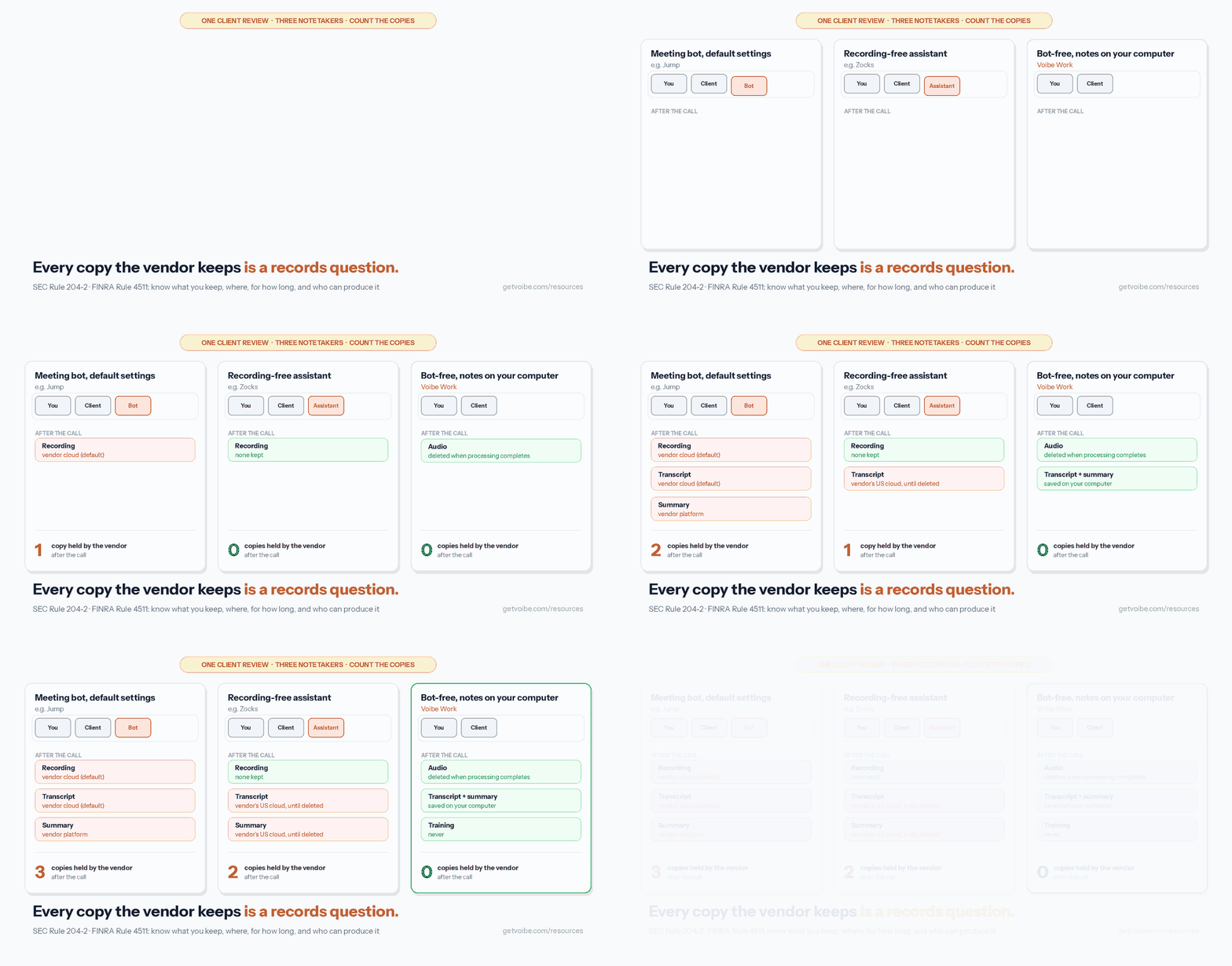
For an RIA, every copy a vendor keeps is a record somebody may have to find, retain or produce. SEC Rule 204-2 covers written communications about advice and requires most records to be kept for at least five years.
| Tool | Bot | Where notes are stored | Kept for | Training default | Attestation (vendor-stated) |
|---|---|---|---|---|---|
| Jump | Notetaker on video calls | Jump's cloud (US servers in Iowa, per its FAQ) | Until deleted; firm sets auto-delete rules | Never trains | SOC 2 Type II |
| Zocks | AI assistant joins | Zocks' US cloud, no audio | Until deleted, on demand or by hour, day or month | Never trains | SOC 2 Type 2; says HIPAA compliant |
| Voibe Work | None | Your computer; audio deleted after processing | Until you delete the notes | Never trains | None claimed; BAA available on request |
| Fellow | Bot or botless | Fellow's cloud | Auto-deletion schedules; optional zero-day retention | Never trains | SOC 2 Type II; says HIPAA compliant |
| Quill Meetings | None | Your computer | Configurable auto-deletion | Never trains | SOC 2 Type II |
| Krisp | None | Krisp's cloud (AWS) once saved | Until you delete | Never trains | SOC 2 Type II |
| Granola | None | Granola's cloud | Indefinitely by default | Trains on anonymized data unless you opt out | SOC 2 Type 2 |
| Fireflies | Bot by default | Fireflies' cloud | Until you delete | Never trains | SOC 2 Type II |
The animation counts the copies left with the vendor after one client review. Jump's lane shows its default settings, which an account owner can change. A tool with no bot still needs your spoken disclosure.
Jump vs Zocks for Financial Advisors: Which One Fits Your Firm
Jump fits firms that want one platform for prep, notes, onboarding and growth analytics, with the choice to record. Zocks fits firms whose compliance team wants no audio ever, at a lower entry price. Both sync to advisor CRMs, both feed archives, and both send a participant into virtual calls.
| Jump | Zocks | |
|---|---|---|
| Entry price | Meet: $100 per advisor per month annual ($1,200 a year), $120 monthly | Essentials: $67 per user per month annual ($804 a year), $80 monthly |
| Higher tiers | Onboard and Grow add-ons, $50 a month each annual ($60 monthly); Enterprise custom | Professional $117 ($140 monthly); Ultimate $184 ($220); Enterprise custom |
| Video calls | A notetaker attends, from your calendar | "An AI assistant that joins" |
| Recording | Firm chooses Recording or No Recording mode | Never records audio or video, by design |
| Transcripts | Kept until deleted; storage policy can purge them | Kept until deleted; deletable on demand or by hour, day or month |
| Archiving | Global Relay, Smarsh, Proofpoint | Smarsh, Global Relay, Proofpoint and others |
| Consent tools | Verbal-consent detection, attestation, audible disclosures | Audio and visual notices, contact-level consent tracking |
| Phone and in-person | iOS and Android apps, web recorder, Join My Call | Desktop platform and mobile app; any phone line |
| MCP for Claude and ChatGPT | Included in every plan | Professional and up |
| Training | Never | Never |
| App Store | 4.9 from 2,288 ratings | 4.6 from 36 ratings |
Which is better value for independent advisors and small firms?
Zocks, at the entry tier. Essentials costs $396 (33.0%) less per advisor per year than Jump Meet and includes CRM, planning and portfolio integrations. Zocks Professional, at $1,404 a year, costs $204 (17.0%) more than Meet, so compare the tier you'd actually need.
Does Jump turn client meetings into structured records?
Yes. Jump drafts notes, tasks, follow-up emails and CRM updates, and nothing syncs until an advisor approves it (Jump security). Firms can require users to attest they've reviewed an output before it syncs, and Jump can archive outputs to Global Relay, Smarsh or Proofpoint (Jump compliance).
What each vendor says about the other
Both run comparison pages, so read them as marketing. Jump's page cites a 2026 T3 survey putting its market share at 22.68% against 10.22% for Zocks. Zocks' page says Jump records client conversations, but Jump now offers a No Recording mode.
Both vendors offer a free trial. Zocks lists 14 days. Running both on the same week of real client meetings is the fairest test.
Leaning toward leaving Zocks instead? Our Zocks alternatives ranking shows which Zocks plan unlocks archiving and what Mili, Hazel and Voibe Work cost against each tier.
What a Year Costs: Jump vs Each Alternative
Annual billing, per advisor, for the plan a solo advisor or small RIA would buy. Savings are the difference divided by the Jump price.
| Tool and plan | Per advisor per year | Against Jump Meet ($1,200) | 10 advisors per year |
|---|---|---|---|
| Jump Meet + Onboard + Grow | $2,400 | $1,200 more (100.0%) | $24,000 |
| Zocks Professional | $1,404 | $204 more (17.0%) | $14,040 |
| Jump Meet | $1,200 ($1,440 monthly) | n/a | $12,000 |
| Zocks Essentials | $804 ($960 monthly) | $396 less (33.0%) | $8,040 |
| Fireflies Business | $228 | $972 less (81.0%) | $2,280 |
| Quill Unlimited | $203.88 | $996.12 less (83.0%) | $2,038.80 |
| Fellow Business | $180 | $1,020 less (85.0%) | $1,800 |
| Granola Business (monthly only) | $168 | $1,032 less (86.0%) | $1,680 |
| Voibe Work | $149, or $399 once | $1,051 less (87.6%) | $1,490 |
| Fireflies Pro | $120 | $1,080 less (90.0%) | $1,200 |
| Krisp Core | $96 | $1,104 less (92.0%) | $960 |
| Quill Lite | $83.88 | $1,116.12 less (93.0%) | $838.80 |
Over three years
Three years of Jump Meet cost $3,600 per advisor, and three years of Zocks Essentials cost $2,412. Voibe Work's $399 lifetime plan is $3,201 (88.9%) less than three years of Jump, and $2,013 (83.5%) less than three years of Zocks Essentials.
Where Voibe Work isn't the cheapest
If all you need is bot-free notes and you don't write by voice, three tools cost less. Quill Lite is $65.12 a year less than Voibe Work, but it caps AI notes at 16 hours a month.
Krisp Core is $53 less, with notes kept in Krisp's cloud. Fireflies Pro is $29 less, with a bot by default and 8,000 minutes of storage per seat.
Voibe Work costs less than Quill Unlimited ($54.88 less), Granola Business ($19 less) and Fellow Business ($31 less). It also includes a full dictation app with custom vocabulary and text expansion.
Sources: Jump, Zocks, Fellow, Quill, Krisp, Granola, Fireflies and Voibe pricing pages. Checked 13 November 2026. Every plan and add-on, across 20-plus notetakers, is in our AI meeting note taker pricing guide.
Meeting Notes and Dictation in One Plan
The meeting is half the job. Then come the recap email, the CRM note and the plan narrative. Neither Jump nor Zocks lists a dictation app that types into Outlook or your CRM. Advisors who write by voice often add one, such as Wispr Flow Pro at $144 a year.
| Setup, per advisor | Per year | Voibe Work ($149) against it |
|---|---|---|
| Jump Meet ($1,200) + Wispr Flow Pro ($144) | $1,344 | $1,195 less (88.9%) |
| Zocks Essentials ($804) + Wispr Flow Pro ($144) | $948 | $799 less (84.3%) |
| Fellow Business ($180) + Wispr Flow Pro ($144) | $324 | $175 less (54.0%) |
| Krisp Core ($96) + Wispr Flow Pro ($144) | $240 | $91 less (37.9%) |
| Quill Lite ($83.88) + Wispr Flow Pro ($144) | $227.88 | $78.88 less (34.6%) |
| Voibe Work (meeting notes + dictation) | $149, or $399 once | n/a |
What the dictation half does for an advisor
- Dictionary: load client surnames, fund families and custodians, and Voibe uses them during transcription, not as find-and-replace afterwards.
- Memory: say a trigger and Voibe types preset text, such as your disclosure language or scheduling link.
- Smart Formatting: punctuation, capitalization and filler-word removal, without rewriting what you said.
- Where it runs: fully on-device with no internet on Apple Silicon Macs, or in Voibe's zero-retention cloud on Windows and Intel Macs.
Our guide to dictation for financial advisors covers the post-meeting note in detail. Wispr Flow Pro is $12 a month billed annually, per the Wispr Flow pricing page (checked 13 november 2026).
1. Zocks: Best Jump Alternative for Firms That Need CRM Sync and Archiving
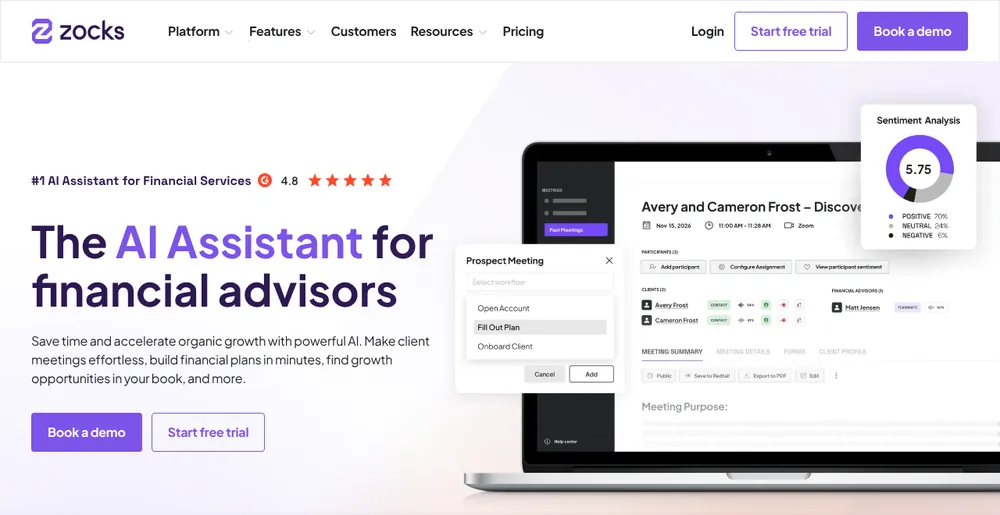
Zocks is the replacement I'd pick for a firm that runs on Jump's CRM sync today. It does the same core job for advisors, never records audio, and starts at $804 a year.
Best for: RIAs and broker-dealer reps whose compliance team wants no recordings, transcripts in the archive and consent logged.
Why it ranks first
- Advisor integrations: Redtail, Wealthbox, Salesforce, Practifi, HubSpot and Microsoft Dynamics 365, plus eMoney, RightCapital, Orion, Holistiplan and Black Diamond (Zocks integrations).
- No audio, ever: Zocks says it "never records audio or video. This is a design decision, not a configuration option."
- Archiving and consent: transcripts and summaries go to Smarsh, Global Relay or Proofpoint on demand or on a schedule. Consent workflows log consent at the contact level (Zocks compliance).
- Security and training: SOC 2 Type 2 since November 2023, US storage, and data "never used for training or improving" LLMs (Zocks privacy and security).
- Every meeting type: virtual calls, any phone line, and in-person meetings through its desktop platform or mobile app.
What to weigh
- An assistant still joins: on Zoom, Meet and Teams, Zocks describes "an AI assistant that joins", so the bot complaint isn't solved.
- No recording isn't no record: transcripts and summaries are stored in the US until deleted. You can purge them on demand or by hour, day or month.
- Tier gating: MCP, forms and client profiles start at Professional, which costs more than Jump Meet.
Price: Essentials $67 per user per month annual ($804 a year) or $80 monthly. Professional $117 or $140; Ultimate $184 or $220; Enterprise custom. There's a 14-day free trial (Zocks pricing).
Rating: 4.6/5 from 36 App Store ratings, a small base. Our Zocks alternatives page covers the tier ladder in detail.
2. Voibe Work: Best for Independent Advisors Who Want No Bot and No Vendor Copy
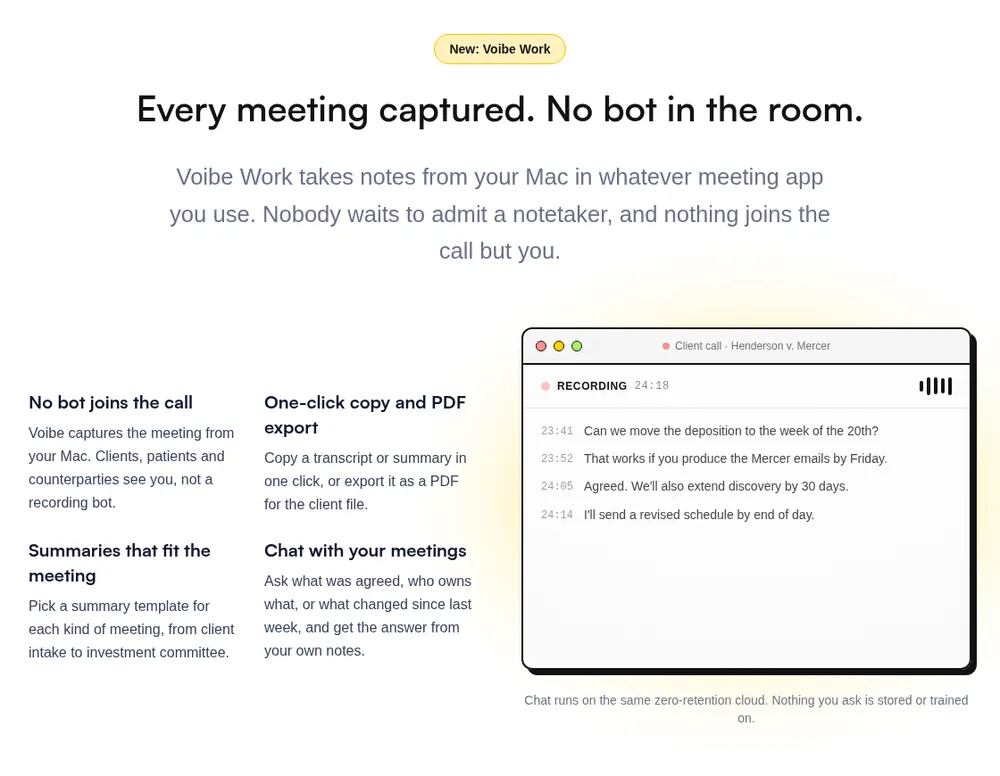
Voibe Work is the meeting-notes plan in Voibe, the app we build. It's my pick for an independent advisor who wants all three Jump complaints gone at once: the bot, the stored recording and the $1,200 bill.
Best for: solo advisors and small RIAs on a Mac or Windows PC who will file the final note themselves.
Where a client review goes
- Capture: from your Mac or Windows PC in Zoom, Teams, Google Meet, Webex, Slack huddles or any meeting app. No bot joins, and in-person reviews record through your Mac or PC's mic.
- Processing: open-source models on zero-retention cloud providers. No OpenAI, Google, Anthropic or Microsoft model is in the audio path (Voibe cloud privacy).
- Audio: deleted as soon as processing completes.
- Notes: the transcript and summary are saved on your computer, not on Voibe's servers, and never used to train AI.
Voibe reminds you to tell everyone you're taking notes when a recording starts. Following the recording-consent rules that apply to you and your client is your responsibility. The recording-consent guide covers clients in all-party states.
Built for advisor meetings
- Templates for each type of meeting, including client intake and investment committee. You can also create your own, for example one for annual reviews.
- Speaker labels with a time on every line. Rename a speaker and the summary updates.
- Chat with your meetings on the same zero-retention cloud, with nothing you ask stored.
- One-click copy and PDF export into Redtail, Wealthbox, Salesforce or your archive folder.
- Meetings up to 4 hours, with unlimited meetings on paid plans.
- Meeting MCP, optional: Claude, ChatGPT and other AI apps can read your meetings. What an app reads goes to the company behind its AI, for example Anthropic for Claude, so check your firm's policy first.
What it doesn't do for advisors
- No CRM sync. Notes reach Redtail, Wealthbox or Salesforce by copy or PDF, so someone files them.
- No archive feed. There's no Smarsh or Global Relay integration.
- No compliance console. There's no consent logging, attestation or firm-wide retention rules like Jump's. Enterprise, above 10 seats, adds team admin and central billing.
- No phone calls or phone app, and no calendar auto-join.
- Needs internet. Meeting audio is processed in Voibe's zero-retention cloud, not on your computer.
- No SOC 2 report. Privacy is architecture, not a certification. A BAA is available on request.
Price: $19 per seat per month, $149 per year, or $399 once, dictation included. That's $1,051 (87.6%) less per year than Jump Meet. One seat covers Mac and Windows, and up to 10 seats fit in one checkout.
One financial planner's setup shows the summary, the manual CRM filing step and the dictated recap email around real client reviews.
Trusted by 4,000+ professionals, including people at Netflix, NVIDIA, Amazon, Twilio, and Intercom




See Voibe Work in action
Client reviews with no bot and no vendor copy
Start free on Mac or Windows. 7 days of every Voibe Work feature, no credit card required.
3. Fellow: Best for Firm-Wide Rollouts on Salesforce
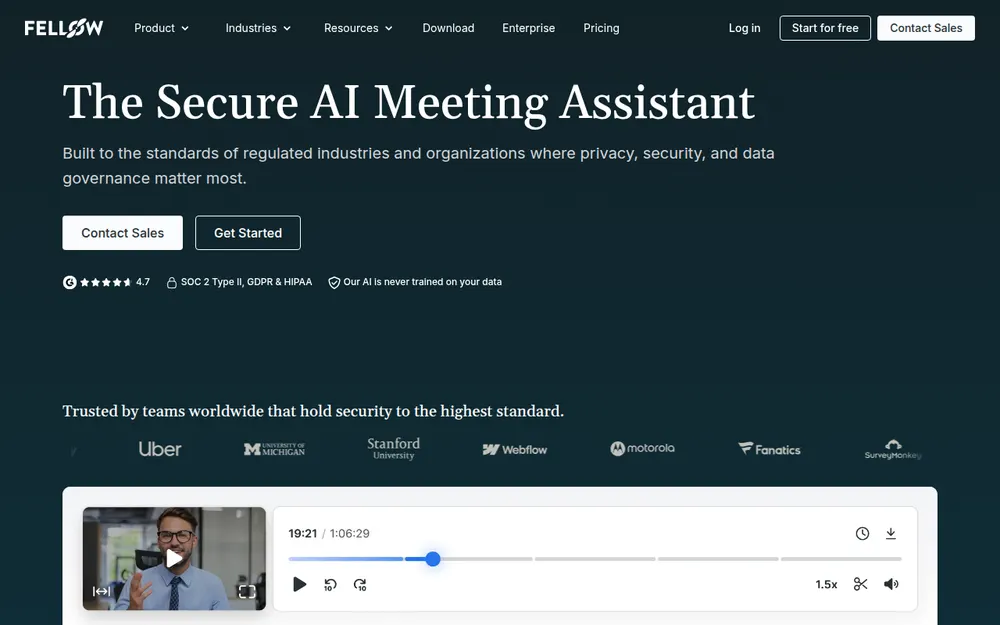
Fellow is a general meeting assistant with a compliance kit that finance firms ask for. It suits a firm that wants one notetaker for advisors, operations and the back office.
Best for: larger firms on Salesforce that want archiving and retention set centrally, at a fraction of Jump's price.
Why it ranks here
- Archiving: Fellow archives transcripts, summaries and action items to Global Relay (Fellow compliance integrations).
- Retention: workspace auto-deletion schedules and optional zero-day retention, so recordings and transcripts aren't kept after processing (Fellow compliance).
- Bot or no bot: a botless desktop mode on Mac and Windows, plus a mobile app for in-person meetings.
- Training: Fellow says it "does not use your organization's data to train AI models".
- CRM: Salesforce and HubSpot sync on Business.
What to weigh
- External guests aren't told: botless mode captures audio "without notifying external participants", while internal colleagues are notified (Fellow botless recording). Your client hears about it only from you.
- No advisor CRMs: Redtail and Wealthbox aren't among the CRMs on Fellow's pricing page.
- Enterprise gating: transcript redaction and auto-record rules are Enterprise features, and Enterprise starts at 10 users.
Price: Free gives 5 AI notes per user, lifetime. Team is $7 annual or $11 monthly with 10 AI notes per user per month. Business is $15 annual ($180 a year) or $23 monthly. Enterprise is $25 annual from 10 users, with HIPAA/BAA listed.
Rating: 3.2/5 from 24 App Store ratings. Finance teams outside wealth management should see our note takers for finance teams, and the full lineup is in our Fellow alternatives.
4. Quill Meetings: Best for Transcripts Made on Your Own Computer
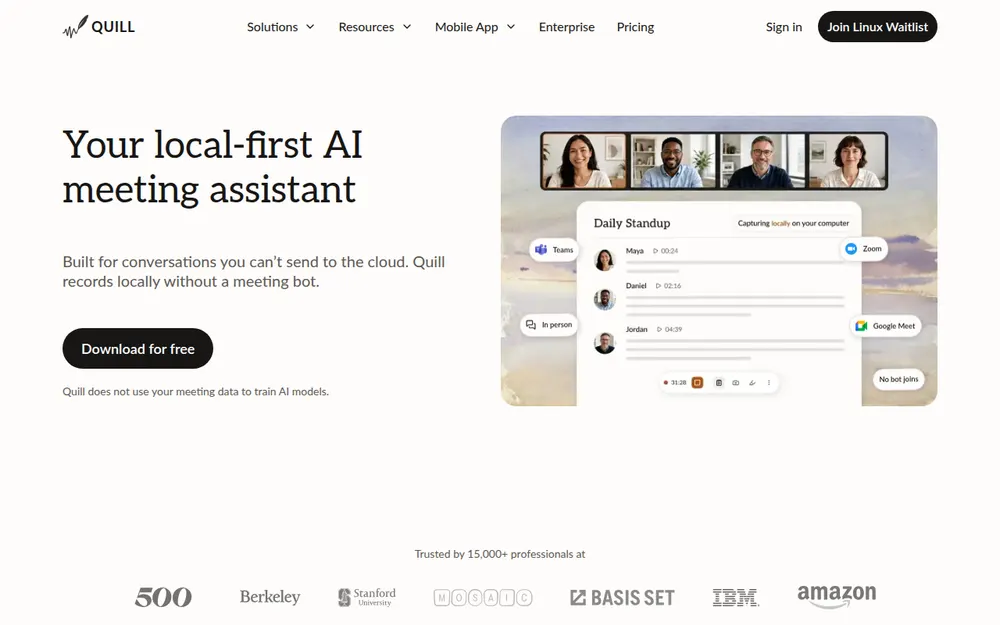
Quill Meetings records locally without a bot and pitches itself to RIAs directly. It's the pick when transcripts must be made on your own Mac or Windows PC.
Best for: advisors who want no vendor cloud in the transcription step and can live without advisor CRM sync.
Why it ranks here
- Local-first: Quill's RIA page says local recording "keeps sensitive audio on-device", with configurable auto-deletion of transcripts and end-to-end encryption.
- Training and security: Quill says it does not use meeting data to train AI models, and it states SOC 2 Type II (Quill security).
- Your own model: bring your own LLM, local or in your own cloud account, so transcripts never reach Quill's default models.
- Consent reminder: Quill reminds you when recording starts, and says you're responsible for compliance.
What to weigh
- A books-and-records claim to check: Quill's FAQ says local transcripts are "generally not considered books & records" under Rule 204-2. Take that to your CCO before relying on it.
- Hour cap on Lite: 16 hours of pro meetings a month, about four one-hour reviews a week.
- Phone apps need a paid plan and the desktop app.
Price: local transcription is free. Lite is $6.99 a month billed annually ($83.88 a year) or $7.99 monthly. Unlimited is $16.99 annually ($203.88) or $19.99 monthly. Teams is $12 a seat annually, with a 5-seat minimum (Quill pricing).
Rating: 4.6/5 from 10 App Store ratings. More local-first options are in our Quill Meetings alternatives.
5. Krisp: Cheapest Bot-Free Notes With Noise Cancellation
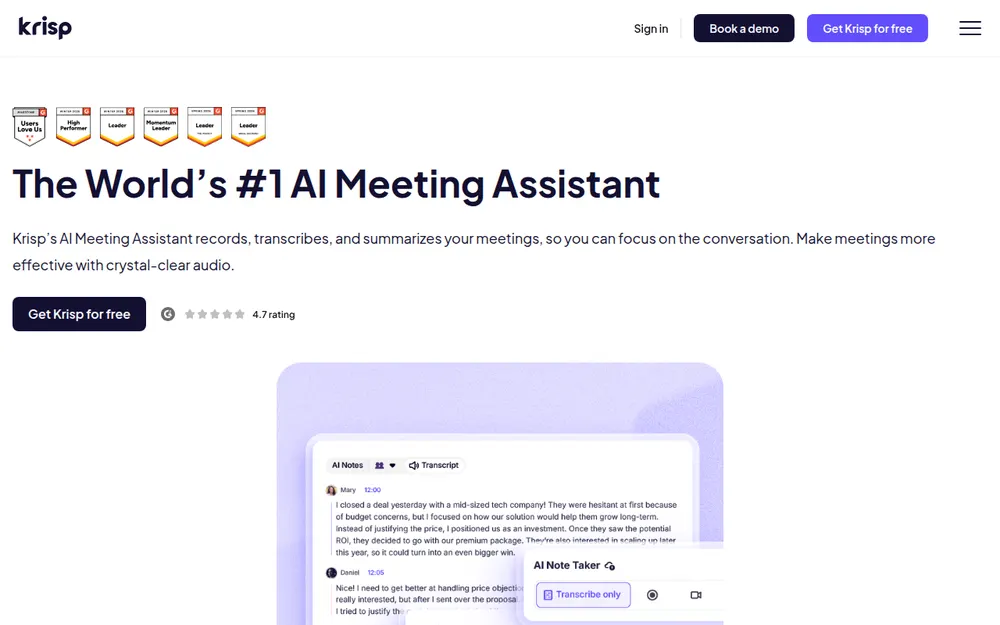
Krisp began as noise cancellation and now takes meeting notes without a bot. It's for the advisor who takes calls from a busy office or a car and wants clean bot-free notes for little money.
Best for: solo planners who want the cheapest bot-free notes and will paste the summary into the CRM.
Where your data goes
English desktop transcription runs on your device. Meetings you save, with recordings and summaries, sit in Krisp's cloud on AWS until you delete them.
On training, Krisp says it "has opted out of model training with every third-party AI provider". Summaries are generated with Anthropic Claude on AWS Bedrock (Krisp security).
What to weigh
No bot means no participant tile, so tell the client yourself. There's no free plan, only a 7-day trial, and no advisor CRM integration. Fully on-device transcripts and recordings are an Enterprise feature.
Price: Core is $8 a month annually ($96 a year) or $16 monthly. Advanced, with Salesforce, is $15 or $30. Enterprise is custom (Krisp pricing).
Rating: 4.7/5 from 274 App Store ratings. Plan detail lives in our Krisp pricing breakdown.
6. Granola: The Polished Bot-Free Notepad, With Defaults to Change
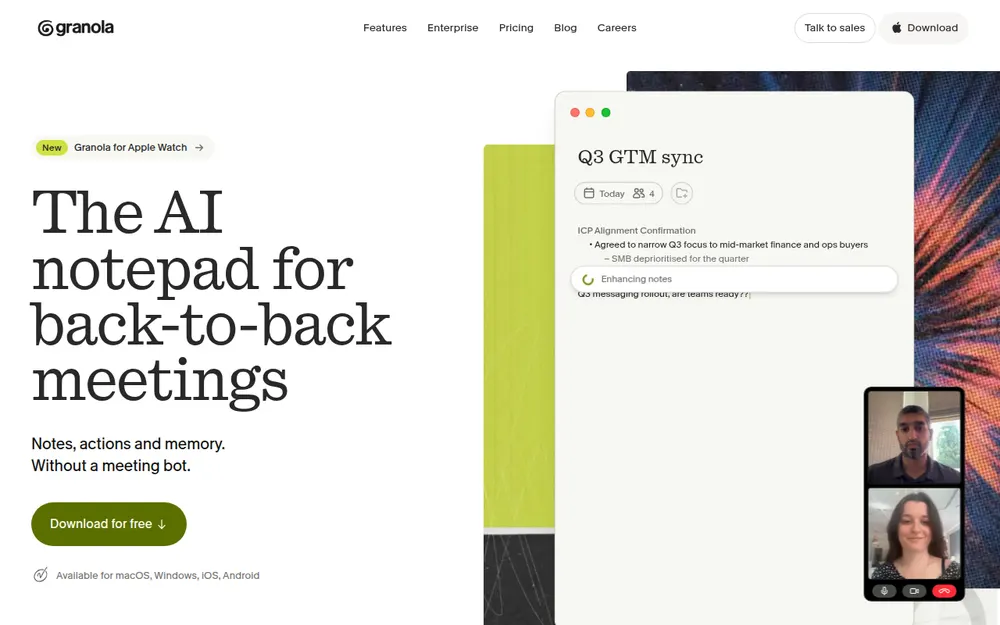
Granola is the best-loved bot-free notepad I tested. For client reviews, its defaults need attention before the first meeting.
Best for: advisors who want phone apps and polish, and who will opt out of training on day one.
- No bot, on desktop, iOS, Android and Apple Watch, with phone-call notes on mobile. With no bot, telling the client is on you.
- Free voice typing: Granola's Basic plan includes voice typing in any app.
- Training default: "Granola trains on your anonymized data" unless you opt out in Settings. Enterprise has training off by default.
- Retention default: notes and transcripts are "stored indefinitely by default", with retention periods only on Enterprise (Granola security).
- Subprocessors: Deepgram and AssemblyAI for transcription, and OpenAI and Anthropic for summaries.
- No advisor CRM: integrations cover HubSpot, Attio, Affinity, Notion and Zapier.
Price: Basic is free with limited meeting history. Business is $14 per user per month ($168 a year), and Enterprise is $35.
Rating: 4.96/5 from 14,700 App Store ratings, the highest on this list. See Is Granola safe? and Granola alternatives before client use.
7. Fireflies: General-Purpose Notes and Integrations, Bot by Default
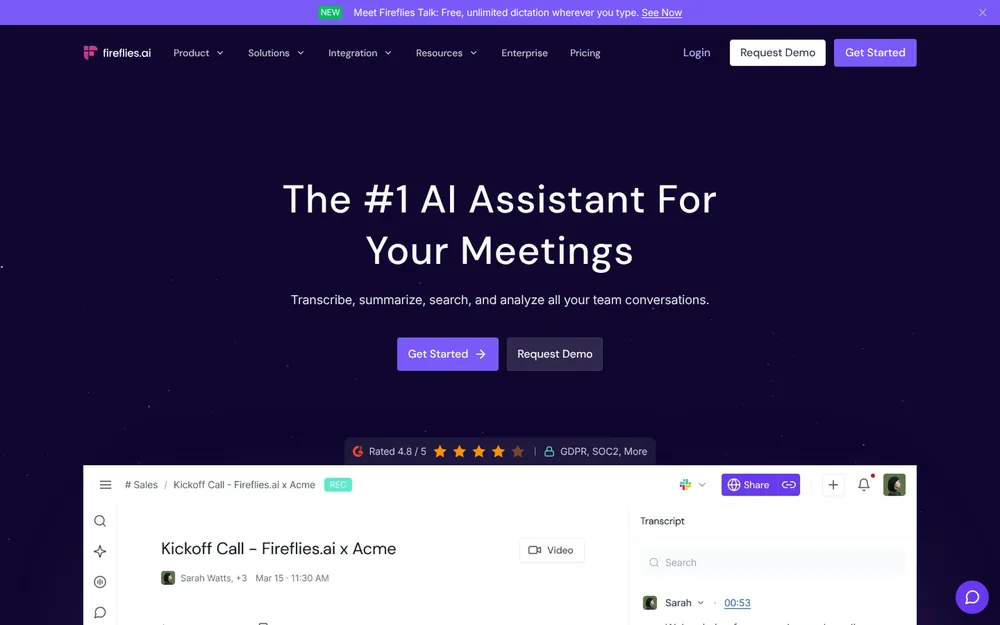
Fireflies is a general meeting notetaker with a long integration list and a low entry price. It isn't built for advisors, but it covers the basics for a tenth of Jump's price.
Best for: small firms that want notes and general CRM integrations cheaply, and don't mind a visible bot.
- Capture: a bot joins by default, and its desktop app takes notes "without a bot on the call" (Fireflies desktop).
- Training and security: Fireflies says it "does not use your meeting data to train AI models". It states SOC 2 Type II, with HIPAA-ready Enterprise plans under a BAA (Fireflies security).
- Catches: Pro caps storage at 8,000 minutes per seat and 20 AI credits. Advisor CRMs like Redtail aren't on its pricing page, and there's no archive feed listed.
- Desktop mode: without the bot, nobody sees a notetaker, so the disclosure is yours.
Price: Free has 400 minutes of team storage. Pro is $10 a seat per month annually ($120 a year) or $18 monthly. Business is $19 or $29, and Enterprise is $39, annual only.
Rating: 4.8/5 from 5,521 App Store ratings. Data handling is covered in Is Fireflies safe?.
Other Jump Alternatives I Looked At
These are advisor tools or close cousins that didn't make the ranked list, mostly because prices or capture details aren't public.
- FinMate AI: an advisor notetaker with a desktop app that records "botless" on Apple Silicon Macs and Windows. It syncs with Salesforce, Redtail and Wealthbox, and states SOC 2 Type 2. Standard is $39 a month billed annually, or $468 a year (FinMate pricing). It has no App Store ratings yet.
- Mili: says it uses "streaming only, no recording", with no bots and no stored transcripts, and states SOC 2 Type 2. No public price (Mili).
- Zeplyn: says it does not store meeting audio and never trains on client data, and states SOC 2 Type II. Sold by demo, with no public pricing (Zeplyn security).
- Wealthbox AI Notetaker: built into the Wealthbox CRM, it joins your calls and saves notes straight to the contact record (Wealthbox). It's an option only if you're on Wealthbox.
- Saturn: an AI platform for advice firms with meeting capture and compliance tools. Its customer stories come from UK firms, so check US fit first.
- Pulse360: its website now says "We have shutdown", so it's no longer an option.
For every bot-free option across industries, see our best no-bot meeting note takers.
CRM Sync, Archiving and SEC Rule 204-2 After You Leave Jump
Leaving Jump changes who files the record, not whether there is one. Plan the filing step before you switch.
What the rules say
- RIAs: Rule 204-2 requires advisers to keep written communications about advice, mostly for five years (Rule 204-2).
- Broker-dealers: FINRA Rule 4511 adds its own books-and-records duties (FINRA Rule 4511). FINRA says its rules are technology neutral and apply to generative AI (Regulatory Notice 24-09).
- Recordings aren't required: Jump's own compliance page says "Neither Rule 204-2 nor FINRA Rule 4511(b) requires you to create a recording. Confirm with counsel."
How each path files the note
- Zocks: syncs the note to your CRM and the transcript to Smarsh or Global Relay, as Jump did.
- Fellow: archives to Global Relay and syncs to Salesforce, but not to Redtail or Wealthbox.
- Voibe Work, Quill, Krisp, Granola: you copy the reviewed summary or attach the PDF to the client record yourself. That record in your CRM becomes the note your firm supervises.
No tool on this list, Voibe Work included, makes meeting notes SEC or FINRA compliant on its own. Your CCO decides which tools are approved and what gets retained. Our AI note takers for financial advisors guide covers the regulatory background in more depth.
Warning
This summarizes public rules to help you compare tools. It is not legal or compliance advice. Your CCO and counsel decide what your firm must retain and which tools are approved.
No Bot Still Means Telling Your Client
Jump's notetaker announces itself by sitting in the call, and Jump can play an audible disclosure when participants join. A bot-free tool gives your client no such signal.
Voibe Work reminds you at the start of each recording, and Quill does the same. Fellow's botless mode tells your colleagues but not external guests. Either way, the disclosure is yours to make.
A line you can use
"Before we start, I use an AI notetaker so I can focus on you instead of typing. It writes a summary for your file. Are you comfortable with that?"
Log the answer wherever your firm records consent. About a dozen states, including California, Florida and Illinois, generally require every party to agree. Our guide to recording consent laws explains which law applies across state lines.
Warning
No app can get consent for you. Tell every client, every time, and follow your state's law and your firm's written policy.
Before You Cancel Jump
Do these in order. The first three protect your records.
Before you cancel
- Request a full data export. An account owner goes to Profile & settings → Compliance → Data Export and picks transcripts, notes and summaries, recordings and tasks for any date range.
- Download it quickly. Jump's security team reviews each request, links appear only inside Jump, and they expire (Jump data export).
- Check what your CRM already holds. Notes Jump synced to Redtail or Wealthbox stay there after you leave.
- Turn off auto-join so the notetaker stops attending client calls while you test a replacement.
When you switch
- Delete what you don't need to keep. Use Delete stored audio/video or the storage policy, once your CCO confirms retention.
- Run the replacement on a week of real meetings. Voibe Work's 7-day trial needs no credit card, and Zocks offers 14 days.
- Update your client disclosure if the new tool captures differently, especially when moving from a bot to a bot-free app.
Moving to Voibe after a paid plan elsewhere? Voibe's switch offer covers moving over from a paid notetaker plan.
How to Choose the Right Jump Alternative
Answer these in order. The first yes is your pick, and whichever you choose, tell every client you're taking notes.
1. Must notes sync to Redtail or Wealthbox and feed your archive on their own?
- Yes, and compliance wants no recordings → Zocks, from $804 a year.
- Yes, and Jump already does what you need → stay, and set No Recording mode or a shorter storage policy.
- General CRM sync is enough, and a bot is fine → Fireflies, Pro at $120 a year.
2. Do you want one tool for every team, with Salesforce and Global Relay?
- Yes → Fellow, Business at $180 a year or Enterprise at $300 from 10 users.
3. Do you want no bot and no vendor copy, plus dictation?
- Yes → Voibe Work: notes saved on your computer, audio deleted after processing, $149 a year.
4. Must transcripts be made on your own computer?
- Yes → Quill Meetings, free locally or $83.88 a year for Lite.
- No, the cheapest bot-free notes will do → Krisp Core at $96 a year.
- No, you want phone apps and polish → Granola, after opting out of training.
Pick a Jump Alternative by Situation
If you'd rather match your exact situation, start here.
| Your situation | Best choice | Why |
|---|---|---|
| Ensemble RIA that relies on Jump's Redtail or Wealthbox sync | Zocks | Advisor CRM sync and archive feeds, $396 a year less than Jump Meet |
| Broker-dealer rep supervised through Smarsh or Global Relay | Zocks | Transcript archiving, consent tracking, no audio recorded |
| Independent advisor on a Mac or Windows PC, reviews on Zoom | Voibe Work | No bot, notes on your computer, $149 a year |
| Advisor who also dictates recap emails and plan narratives | Voibe Work | Notes and dictation in one plan, $1,195 a year less than Jump plus Wispr Flow Pro |
| In-person reviews across the desk | Voibe Work or Zocks | Voibe Work records the room through your computer's mic; Zocks adds a mobile app |
| Investment committee meetings | Voibe Work | Investment committee template and PDF export for the minutes file |
| Firm on Salesforce rolling out one tool to every team | Fellow | Global Relay archiving, auto-deletion, Salesforce sync |
| Advisor whose transcripts must be made on the device | Quill Meetings | Local transcription, free; bring your own LLM on Enterprise |
| Solo planner on the tightest budget | Krisp | Bot-free notes and noise cancellation, $96 a year |
| Advisor who wants phone apps | Granola | iOS, Android and Apple Watch apps; opt out of training first |
| Small firm that wants cheap general integrations | Fireflies | Pro at $120 a year, bot by default |
| Firm happy with Jump but uneasy about recordings | Stay on Jump | Switch to No Recording mode and set a storage policy |
Frequently Asked Questions About Jump Alternatives
Choosing a Jump alternative
What is the best Jump alternative for financial advisors?
Zocks, if your firm depends on automatic CRM sync and archive feeds. It never records audio and starts at $804 per advisor per year. Voibe Work is the pick for independent advisors who want no bot and no vendor copy, at $149 a year with dictation included.
Which Jump alternative doesn't put a bot in the client's call?
Voibe Work, Quill Meetings, Krisp and Granola capture the call on your own computer. Fellow and Fireflies also offer a desktop mode without a bot. Zocks still sends an AI assistant into virtual calls. You still have to tell the client you're taking notes.
Is there a cheaper alternative to Jump with advisor CRM sync?
Zocks Essentials costs $804 a year, $396 (33.0%) less than Jump Meet, and syncs to Redtail, Wealthbox and Salesforce. FinMate AI lists Salesforce, Redtail and Wealthbox sync at $468 a year, but its capture and data terms are less documented.
Jump vs Zocks
Jump or Zocks: which is better for advisors?
Jump suits firms that want one platform for prep, notes, onboarding and growth analytics, with the option to record. Zocks suits firms that want no audio ever and a lower entry price. Both sync to advisor CRMs, feed Smarsh and Global Relay, and send a participant into virtual calls.
Does Jump record client meetings?
Only if your firm chooses Recording mode. Jump also offers a No Recording mode that keeps no audio or video, and a storage policy that can delete transcripts. Its privacy FAQ says meeting data is retained until you delete it, manually or by automatic deletion.
Which offers the best value for independent advisors and small firms, Zocks or Jump?
Zocks Essentials, at $67 per user per month billed annually against Jump Meet's $100. Zocks Professional costs $117, more than Jump Meet, so compare the tier you need. If you don't need CRM sync, Voibe Work costs $1,051 a year less than Jump Meet.
Privacy and records
Where does Voibe Work store client meeting notes?
On your computer, not on Voibe's servers. Meeting audio is processed by open-source models on zero-retention cloud providers and deleted as soon as processing completes, so meeting notes need an internet connection. Notes are never used to train AI.
Are AI meeting notes books and records for an RIA?
They can be. SEC Rule 204-2 covers written communications about advice and requires most records to be kept for at least five years. Whatever tool you use, decide with your CCO which notes are retained and where the final note is filed.
Does Voibe Work integrate with Redtail, Wealthbox or Salesforce?
Not today. You copy the summary or export a PDF to the client record, or dictate the final note into the CRM with Voibe's dictation. There's no Smarsh or Global Relay feed either.
Pricing
How much does Jump cost per advisor?
Jump Meet is $100 per advisor per month billed annually, or $1,200 a year, and $120 on monthly billing. Onboard and Grow are $50 a month each on annual billing. Enterprise pricing is custom.
Is Voibe Work cheaper than Jump?
Yes. Voibe Work is $149 a year against $1,200 for Jump Meet, which is $1,051 (87.6%) less. The $399 lifetime plan is $3,201 less than three years of Jump. Voibe Work doesn't sync to CRMs or archives, which Jump does.
Final Verdict: The Jump Alternative I'd Choose
Pick by the complaint that sent you looking.
- Zocks if you need the meeting to update Redtail or Wealthbox and feed your archive, without audio recordings. It costs $804 a year, $396 less than Jump Meet.
- Voibe Work if you want no bot and no vendor copy. Notes are saved on your computer, audio is deleted after processing, and dictation is included for $149 a year or $399 once. You file the note yourself.
- Fellow if the whole firm needs one tool with Salesforce sync and Global Relay archiving.
- Quill Meetings if transcripts must be made on your own computer.
Whatever you choose, tell every client you're taking notes and read the summary before it becomes the record of advice.
Try Voibe Work free for 7 days → Every feature, no credit card, no automatic charge. Your first week with Voibe Work walks through setup.
Key Takeaway
Zocks is the best Jump alternative for firms that need CRM sync and archive feeds, from $804 per advisor per year with no audio recorded. Voibe Work is the best for independent advisors who want no bot and no vendor copy: $149 a year, notes on your computer, dictation included.