

Granola vs Microsoft Copilot: The Security Review Verdict
Your company banned meeting bots. One team wants Granola, and IT would rather switch on Copilot. Neither sends a bot into the call, so both get past the ban. They split on where the meeting ends up.
The verdict: if your meetings run in Teams and you already pay for Copilot, Microsoft 365 Copilot wins. The transcript lands in the organizer's OneDrive, inside your Microsoft 365 tenant, under the Purview retention and eDiscovery you already run. Teams Premium, a $10 add-on, gives you the recap alone.
Granola wins if meetings spill onto Zoom, Google Meet, other companies' Teams calls or meeting rooms. It's also the nicer place to take notes, but it stores them in its own US cloud.
Key takeaways
| Question | Microsoft 365 Copilot (Teams) | Granola | Edge |
|---|---|---|---|
| Does a bot join the call? | No | No | Tie |
| Where notes live | Organizer's OneDrive or SharePoint, in your tenant | Granola's cloud (AWS, United States) | Copilot |
| Default retention | Recordings and transcripts expire after 120 days; admins can change it | Kept until deleted; transcript auto-deletion optional | Copilot |
| eDiscovery and legal hold | Microsoft Purview, built in | Legal Holds API and Audit API on Enterprise | Copilot |
| AI training on meetings | Not used to train foundation models | On by default on Basic and Business; off on Enterprise | Copilot |
| Meetings covered | Teams meetings, events and calls | Any meeting app on desktop; phone apps for in-person | Granola |
| Price per seat | Teams Premium $10/mo; Microsoft 365 Copilot $30/mo; both on top of a Microsoft 365 plan | Business $14/mo; Enterprise $35/mo | Depends on plan |
I checked Microsoft's and Granola's pricing, security and help pages on 12 November 2026. Every price and policy below is as of that date.
If your meetings are confidential and also run on Zoom, Meet or in the room, Voibe Work, the app we build, may fit better. It records with no bot, deletes the audio after processing and saves the notes on your computer.
Key Takeaway
For a Teams-only Microsoft 365 company that already licenses Copilot, Microsoft 365 Copilot passes a security review more easily than Granola: meeting notes stay in your tenant under the retention and eDiscovery you already run. Granola wins when meetings happen on Zoom, Google Meet, in other companies' Teams calls or in person, and on the note-taking experience.
Microsoft 365 Copilot
WinnerMicrosoft's AI assistant across Microsoft 365. In Teams meetings it answers questions live and writes intelligent recaps; recordings and transcripts are saved in the organizer's OneDrive or SharePoint, inside your tenant, under Purview retention and eDiscovery. Teams Premium offers the recap alone for $10.
Teams Premium $10/user/mo paid yearly (intelligent recap); Microsoft 365 Copilot $30/user/mo paid yearly or $31.50 monthly; Copilot Business $21 ($18 first-year promotion for purchases through Dec 31, 2026; $25.20 monthly). All need a qualifying Microsoft 365 or Teams plan.
Pros
- + Notes stay in your Microsoft 365 tenant
- + Purview retention and eDiscovery already apply
- + Never used to train foundation models
- + Automatic transcription banner for every participant
- + BAA through Microsoft's Data Protection Addendum
- + Live questions during the meeting
Cons
- - Teams meetings only
- - No Copilot recap in meetings another organization hosts
- - $30 per seat for the full version, on top of a base plan
- - Not available in end-to-end encrypted meetings or GCC High
Granola
AI notepad that captures meeting audio on your Mac or Windows PC with no bot, in any meeting app, plus iPhone and Android apps for in-person meetings. Audio is deleted after transcription; notes and transcripts are stored in Granola's AWS cloud in the United States.
Basic $0 (30 days of history); Business $14/user/mo, billed monthly; Enterprise $35/user/mo
Pros
- + Works in any meeting app and in person
- + A notepad you write in, finished by AI
- + Business at $14 costs less than a Copilot seat
- + Legal Holds and Audit APIs on Enterprise
- + Logged pre-meeting consent page on Enterprise
Cons
- - Notes in Granola's US cloud, no regional residency
- - Training on by default on Basic and Business
- - SSO, admin training control, BAA and workspace deletion need Enterprise
- - Transcript auto-deletion leaves the notes
- - Pending wiretap class action
Quick Comparison: Granola vs Microsoft 365 Copilot
Microsoft sells its AI meeting notes, called intelligent recap, in Teams Premium and in the fuller Microsoft 365 Copilot. Both store meetings the same way, so they share a column here and in the checklist below.
| Microsoft 365 Copilot or Teams Premium | Granola | |
|---|---|---|
| Base licence needed | Yes, a qualifying Microsoft 365 or Teams plan | No |
| Platform | Teams meetings, events and calls; a Record feature in the Copilot phone app | Mac and Windows; iPhone and Android apps for in-person meetings |
| How it hears the meeting | Teams transcription, inside the meeting service | Your computer's microphone and system audio |
| Rating | Teams iPhone app 4.8/5 (3,384,674 App Store ratings) | iPhone app 4.96/5 (14,697 ratings); Android 4.7/5 (4.55K reviews) |
Those scores measure the apps, not their compliance. Neither product has a public security rating, so the checklist carries more weight.
What Is Microsoft 365 Copilot in Teams?
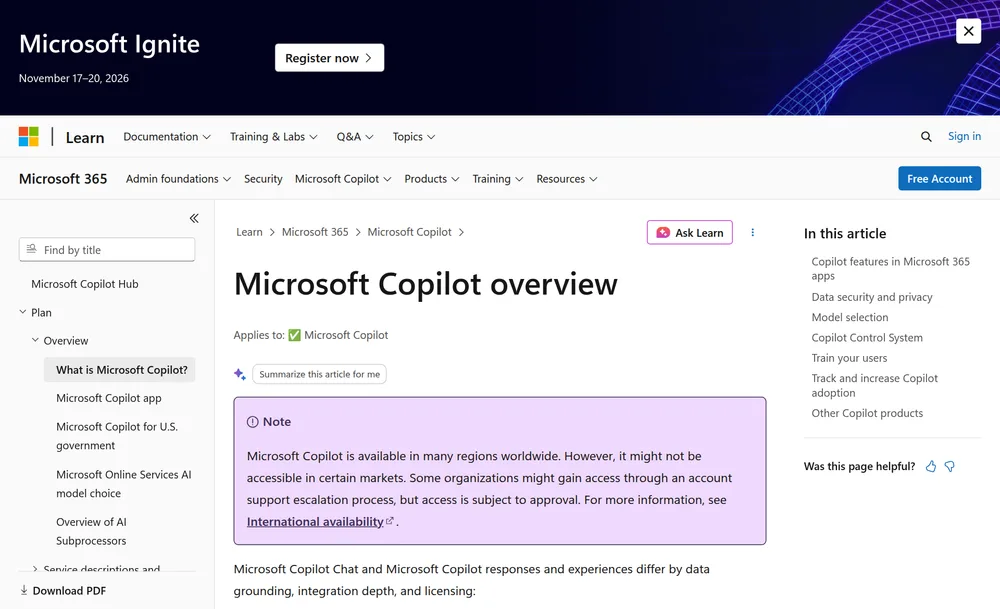
Microsoft 365 Copilot is Microsoft's AI assistant across Word, Outlook, Excel and Teams. In a meeting it answers questions live, such as what you missed, then writes a recap.
Teams Premium ($10 per user per month, paid yearly) gives you the recap alone: AI notes, suggested tasks and, for recorded meetings, chapters. Copilot Business, for up to 300 users, costs $21.
A full Copilot licence adds the live questions, which Microsoft's Teams Rooms guide lists as Copilot-only. It also adds audio recaps and a mode that saves no transcript.
Admins must turn on transcription, per Microsoft's intelligent recap documentation, and it's documented for Teams only. Recorded with transcription off? Our guide to transcribing a Teams recording gets a transcript out of the file.
What Is Granola?
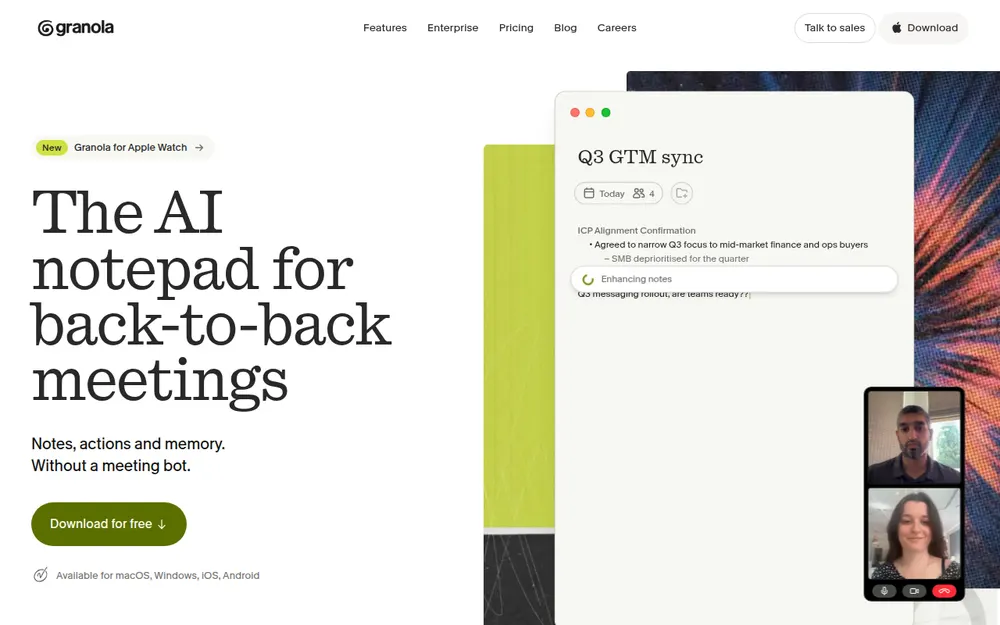
Granola is an AI notepad. You type a few bullets during the call, and afterwards Granola merges them with the transcript into finished notes.
Its security page says it "does not add a bot to your video call". It records your microphone and system audio instead, so it works in any meeting app. It also preps a brief before external meetings. You start it by hand; it never auto-joins.
- Basic, $0: 30 days of meeting history.
- Business, $14 per user per month: unlimited notes, integrations and an API, billed monthly only.
- Enterprise, $35 per user per month: training off for everyone, SSO for 50 or more users, audit and legal-hold APIs, and HIPAA workspaces.
Does a Bot Ban Stop Granola or Copilot?
No. A bot ban usually means Microsoft's external bot controls, which hold bots in the lobby. Copilot runs inside Teams and Granola listens on the laptop, so the lobby never sees either.
A bot ban won't stop anyone installing Granola. Blocking it takes app controls on the laptop; our guide to stopping meeting bots covers the lobby side.
Admin controls and sign-in
- Copilot uses your existing Entra ID accounts. Its default policy is "On with saved transcript required" (Microsoft Learn). It isn't available in end-to-end encrypted meetings or GCC High.
- Granola deploys through Intune, Jamf Pro, Iru (formerly Kandji), JumpCloud and Rippling. Microsoft sign-in asks for read-only User.Read, Calendars.Read and Calendars.Read.Shared (Granola docs). It doesn't support Intune app protection, which can block phone sign-in.
Where the Meeting Goes: Your Tenant or Granola's Cloud
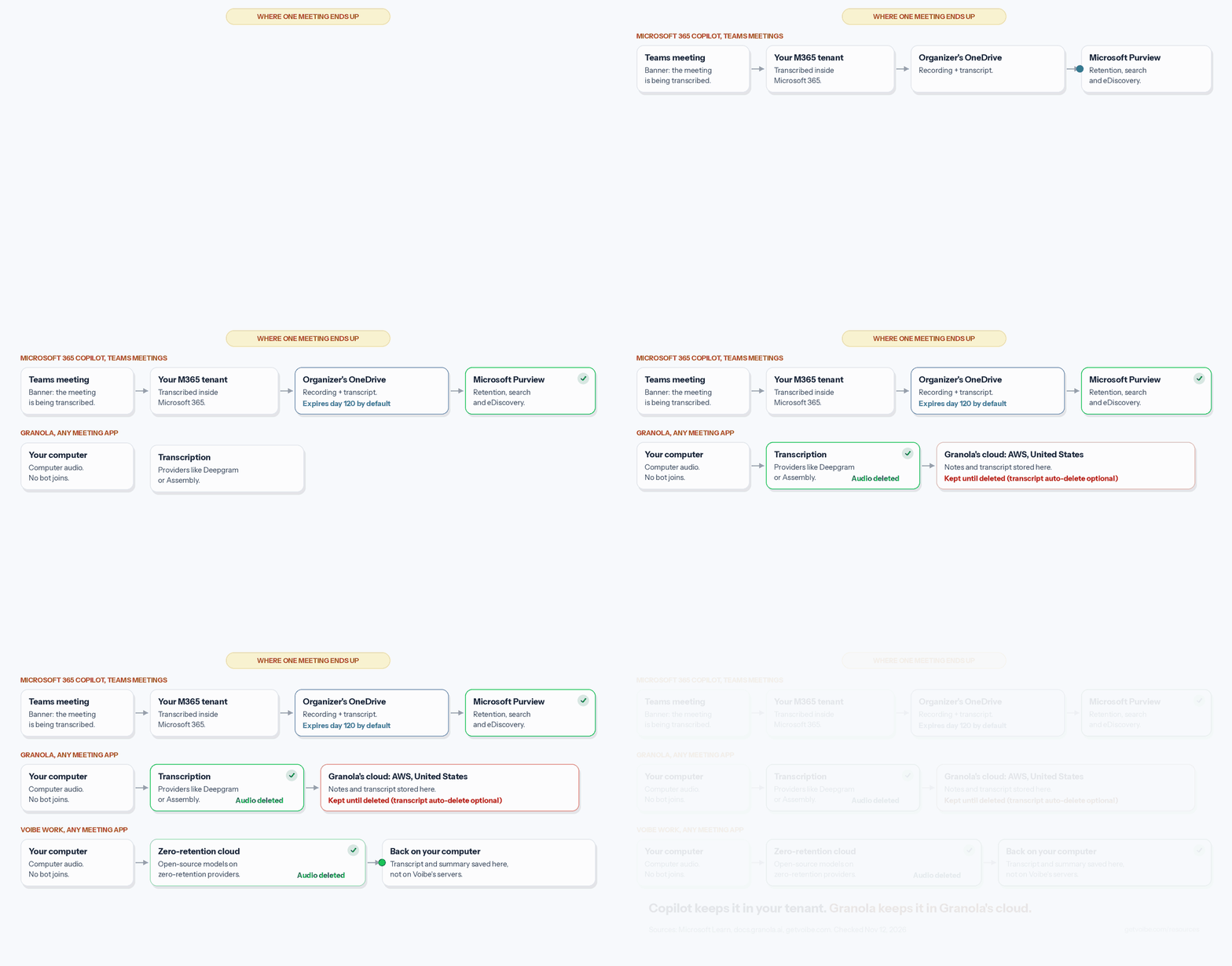
Copilot keeps the meeting inside Microsoft 365. Granola moves it to a vendor cloud you'd add to your supplier register.
Microsoft 365 Copilot
- Storage: the organizer's OneDrive, even if they didn't attend (Microsoft Learn). Channel meetings use the channel's SharePoint site.
- Access: invitees from your organization. External guests get nothing unless the organizer shares it.
- No-save mode: Copilot uses speech-to-text data that isn't saved after the meeting.
- EU Data Boundary: Copilot's EU traffic stays inside it, except Anthropic models, per Microsoft's Copilot privacy page.
Granola
- Audio: deleted once transcription completes, per its security FAQ.
- Notes: stored encrypted on AWS in the United States, backed up daily.
- Residency: no EU, UK or other regional option.
Retention, eDiscovery and Legal Hold: Who Gives Records Teams More Control?
Copilot's lead is widest here, because your legal team already searches Microsoft 365. A legal hold freezes records so nobody can delete them during a dispute.
Copilot: your existing Purview setup
Teams recordings and transcripts expire after 120 days by default, adjustable up to 99,999 days (Microsoft Learn). Purview can search Copilot interactions and apply retention. Depending on policy, Copilot prompts may be kept even with transcription off.
Granola: real tools, on the top plan
Granola keeps everything until deleted. Auto-deletion runs from one day to one year, and Enterprise admins can enforce it (Granola docs). But it removes transcripts only: "your notes are not affected."
- The Legal Holds API freezes a person's notes, transcripts and attachments.
- The Audit API logs a year of activity by signed-in users. A note opened through a share link leaves no entry.
With Granola, your legal team runs a second system and keeps it in step.
Does Either One Train AI on Your Meetings?
Copilot doesn't. Granola does by default on its two cheaper plans.
Microsoft's Copilot privacy page says prompts, responses and Microsoft Graph data "aren't used to train foundation LLMs", on every licence.
Granola's pricing FAQ says it "trains on your de-identified data," though OpenAI and Anthropic can't. On Basic and Business, each user must switch it off, so a 40-person rollout means 40 switches. Enterprise turns it off for everyone.
Granola's chat also offers Fable 5.1, which isn't covered by zero data retention. Anthropic keeps its logs for 30 days. Our Granola safety review covers every setting to check.
Participant Notice and Consent: Teams Banner vs Granola Heads Up
Teams tells everyone automatically. Granola tells people only if the user, or an Enterprise admin, turns it on.
Teams: a banner everyone sees
All participants see a notice when transcription starts (Microsoft Support). Admins can customise the consent message or require explicit consent. I found no documented notice for Copilot's no-save mode.
Granola: opt-in, unless Enterprise enforces it
Granola's chat message and watermark are optional. Enterprise adds Heads Up, a pre-join consent page that logs each click with a timestamp. Its FAQ is plain: "You are responsible for obtaining consent from participants."
External Meetings, Zoom, Meet and In-Person: Where Copilot Stops
Here the verdict flips. Copilot's reach ends at your tenant and at Teams.
People from another tenant can't start transcription (Microsoft Support), and a licensed guest can't use Copilot on another organization's transcript. A sales call in a customer's tenant gets no Copilot recap for your rep. Granola doesn't care who hosts.
No Microsoft page says Copilot covers Zoom or Meet. In the room, naming speakers needs a Teams Rooms Pro licence. The phone app's Record feature stops at 120 minutes and notifies nobody for you.
If a fifth of your meetings happen outside Teams, see our Teams note-taker roundup.
The Security Review Checklist: Granola vs Microsoft Copilot
Copy this into your vendor review. Copilot passes 10 of 16 questions and Granola passes 3.
| Question | Microsoft 365 Copilot or Teams Premium | Granola | Who passes |
|---|---|---|---|
| 1. Does a bot join? | No | No | Both |
| 2. Where are notes stored? | Organizer's OneDrive or SharePoint, in your tenant | Granola's AWS cloud, United States | Copilot |
| 3. Is meeting audio kept? | Only if you record; the no-save mode keeps no speech-to-text data after the meeting | Deleted once transcription completes | Both |
| 4. Default retention | 120 days; admins can set up to 99,999 days | Until deleted | Copilot |
| 5. Org-wide deletion policy | Yes, through Teams expiry and Purview retention | Transcripts only, on Enterprise; notes stay | Copilot |
| 6. eDiscovery and legal hold | Purview, built in | Legal Holds API and Audit API, on Enterprise | Copilot |
| 7. Training on meeting content | Not used to train foundation LLMs | On by default on Basic and Business; off on Enterprise | Copilot |
| 8. Third-party AI providers | Includes Anthropic models as a subprocessor, outside the EU Data Boundary | Names Deepgram, Assembly, OpenAI and Anthropic as examples | Review both |
| 9. Automatic participant notice | Banner when transcription starts; none documented for the no-save mode | Only if enabled; Enterprise admins can enforce it | Copilot |
| 10. Logged pre-meeting consent | Explicit recording consent available; no pre-join consent page | Heads Up consent page with a click log, on Enterprise | Granola |
| 11. Meetings another org hosts | The host's tenant controls transcription | Works in any meeting you attend | Granola |
| 12. Zoom, Meet and in-person | Teams only; Copilot phone app records in person | Any app on desktop; phone apps for in-person | Granola |
| 13. Single sign-on | Your Microsoft 365 identity | Enterprise only, 50+ users | Copilot |
| 14. Regional data residency | EU Data Boundary, with Anthropic models excluded | United States only | Copilot |
| 15. SOC 2 and ISO 27001 | Teams, OneDrive and SharePoint are in scope for both (Microsoft Learn) | SOC 2 Type II since July 2025; ISO 27001 not yet | Copilot |
| 16. BAA for health data | Included in Microsoft's Data Protection Addendum for covered entities (Microsoft) | Enterprise only, desktop apps only (Granola) | Copilot |
Handling patient data? Our healthcare note-taker guide ranks options by BAA.
Two items outside the checklist
Granola faces a wiretap class action, Chamberlain v. Granola. It was amended on October 19, 2026, and the docket showed no answer or motion to dismiss on November 12. See our Granola lawsuit explainer. It also patched a June 2026 desktop flaw within a week and says it found no evidence of exploitation.
Pricing Breakdown: What a Seat Costs
Microsoft's prices sit on top of a Microsoft 365 plan, such as Business Basic at $7 a month paid yearly, which the totals leave out. Sources: Copilot, Copilot Business, Teams Premium and Granola.
| Plan | Per seat per month | Per seat per year | 3 years |
|---|---|---|---|
| Teams Premium (intelligent recap) | $10, paid yearly | $120 | $360 |
| Granola Business | $14, billed monthly only | $168 | $504 |
| Microsoft 365 Copilot Business (up to 300 users) | $21 paid yearly; $18 first-year promotion; $25.20 monthly | $252 ($216 in year one) | $756 |
| Microsoft 365 Copilot | $30 paid yearly; $31.50 billed monthly | $360 | $1,080 |
| Granola Enterprise | $35 | $420 | $1,260 |
| Voibe Work (third option) | $19 monthly | $149 | $447, or $399 lifetime |
- Granola Business is $192 (53.3%) a year less than Microsoft 365 Copilot and $84 (33.3%) less than Copilot Business.
- Granola Enterprise costs $60 (16.7%) more than Copilot and $168 (66.7%) more than Copilot Business.
- Teams Premium is $48 (28.6%) a year less than Granola Business.
- The Copilot Business promotion ends December 31, 2026 and covers the first year only.
Copilot's seat also covers Word, Outlook and Excel. More in our Granola pricing breakdown.
Which Should You Choose?
Choose Copilot if meetings stay in your own Teams tenant. Choose Granola if they don't, and budget for Enterprise.
| You are… | Pick | Why |
|---|---|---|
| IT lead at a Teams-only company with Copilot | Copilot | Notes stay in the tenant under existing retention |
| A Teams-only company with no Copilot budget | Teams Premium | Intelligent recap for $120 a seat a year |
| A sales team on customers' Zoom and Teams calls | Granola Enterprise | Works in meetings you don't host |
| A health system that bans bots | Copilot | Microsoft's BAA covers Teams; see our healthcare guide |
| A startup under 50 people on mixed apps | Granola Business | Cheaper than Copilot; ask each user to switch training off |
| A law firm or deal team on confidential calls | Voibe Work | No stored copy in a vendor's cloud or a shared tenant folder |
A Third Option for Confidential Meetings: Voibe Work
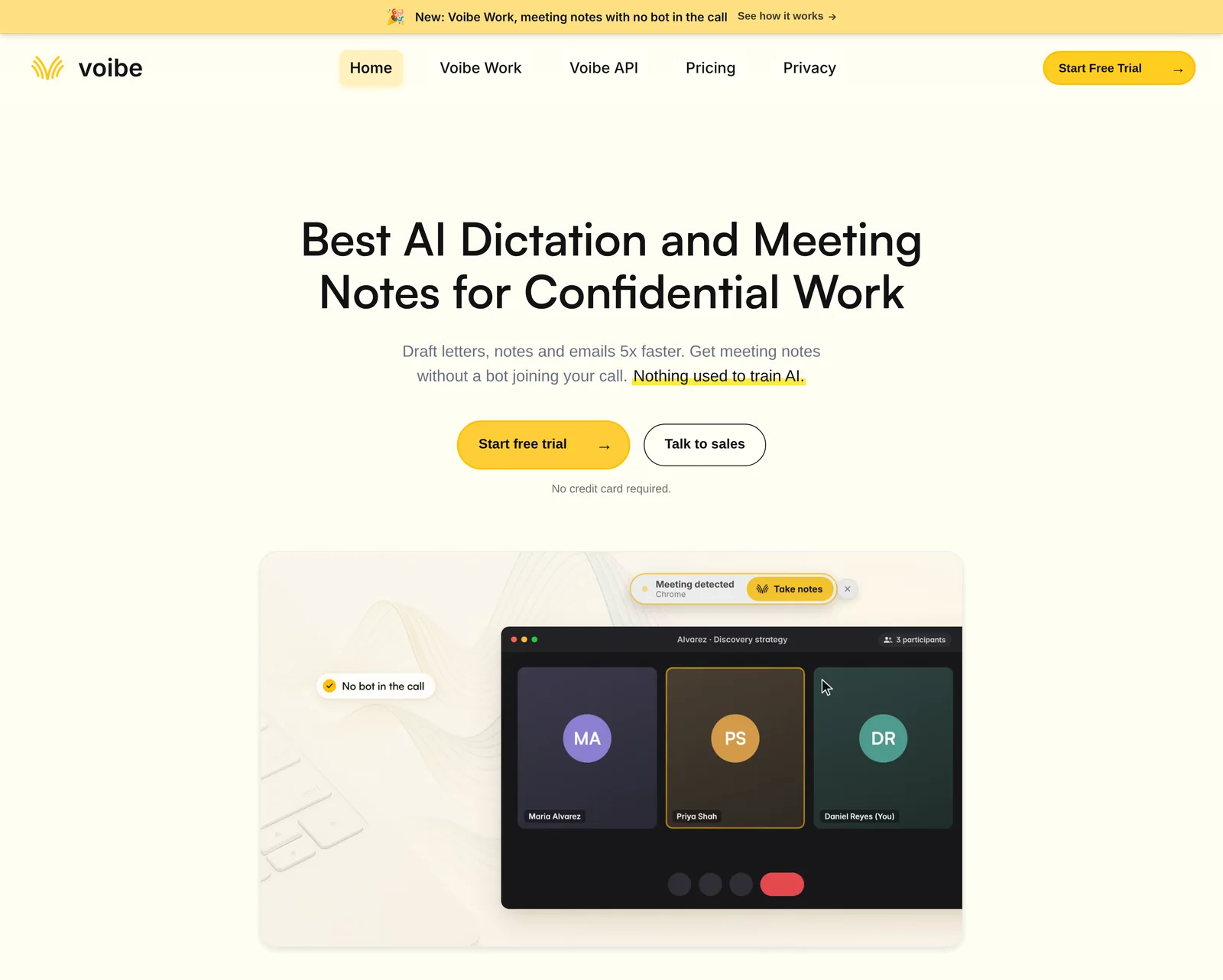
Board prep, HR investigations and privileged client calls shouldn't sit in a vendor's cloud or a shared tenant folder. For those, Voibe Work, the meeting-notes plan we build, takes a third path.
- No bot joins. It captures Zoom, Teams, Meet or any app from your Mac or Windows PC, and in-person meetings through its mic.
- Open-source models on zero-retention cloud providers process the audio, then delete it.
- The transcript and summary are saved on your computer, not Voibe's servers, and never train AI.
- Speaker labels, custom summary templates, meeting chat and PDF export. Meetings run up to 4 hours.
Notes need an internet connection. Voibe reminds you to tell everyone you're taking notes, and you're responsible for consent rules.
Where it falls short: no Purview or legal-hold tooling, so a hold means collecting laptops. No calendar auto-join, phone app or SOC 2 report. BAA available on request, and over 10 seats goes through Voibe Enterprise.
Voibe Work costs $19 a month, $149 a year or $399 lifetime. At $149 it's $211 (58.6%) less than Copilot and $19 (11.3%) less than Granola Business, but $29 (24.2%) more than Teams Premium.
New accounts get a 7-day trial, no card needed. See our guide to confidential meeting notes.
Trusted by 4,000+ professionals, including people at Netflix, NVIDIA, Amazon, Twilio, and Intercom




See Voibe Work in action
Confidential meetings in Teams, Zoom or the room, with no bot
Start free on Mac or Windows. 7 days of every Voibe Work feature, no credit card required.
Frequently Asked Questions: Granola vs Microsoft Copilot
Licences and storage
Do I need Copilot to get AI meeting notes in Teams? No. Teams Premium includes intelligent recap for $10 a seat.
Does Granola support eDiscovery and legal holds? On Enterprise only, through APIs. Neither connects to Microsoft Purview on its own.
Health data and consent
Can I get a BAA from Microsoft or Granola? Microsoft includes one in its Data Protection Addendum for covered entities and business associates. Granola offers one on Enterprise, for desktop apps only.
Do participants know Granola or Copilot is taking notes? Teams shows a banner. Granola's notices are opt-in unless an Enterprise admin enforces them.
Alternatives
Is there an option that doesn't store meeting notes in any cloud? Voibe Work deletes the audio after processing and saves notes on your computer, but has no legal-hold tooling.
Final Verdict: Granola or Microsoft Copilot?
For a Teams-only Microsoft 365 company, Copilot wins the security review: notes stay in your tenant and nobody adds a vendor. Teams Premium covers the recap for $10.
Granola wins once meetings leave Teams, and it's the better notepad. Budget for Enterprise if security must sign off.
For meetings that shouldn't sit in anyone's cloud, Voibe Work keeps notes on your computer, with a 7-day trial and no credit card. See also our Granola alternatives and no-bot note takers.