

Connect Circleback to Claude and, unless you change a setting, Claude can do more than read your meetings. It can mark action items done, rename meetings and share a meeting with anyone who has the link.
OWASP’s Top 10 for LLM applications calls this risk excessive agency. Its advice is to limit what an AI extension can touch “to the minimum necessary.”
Yes, Circleback has an official MCP server for Claude and ChatGPT. It lives at https://circleback.ai/api/mcp, signs you in with OAuth, and Circleback’s pricing lists it on every plan, Free included. On Free the limit is history: it keeps 30 days of meetings, so that’s all your AI app can see.
Key Takeaway
TL;DR: Circleback’s official MCP server is at https://circleback.ai/api/mcp (remote, Streamable HTTP, OAuth). It’s included on every plan, Free too, but Free only keeps 30 days of meetings. Claude adds it from the connector directory, ChatGPT through the Circleback app, Claude Code with claude mcp add, Cursor with a Marketplace plugin and Codex with codex mcp add. Of its 30 tools, 13 change data, including CreateActionItem, UpdateActionItem, DeleteActionItem, UpdateMeeting and ShareMeeting, and connecting grants read and write by default. No tool accepts an audio file. For meetings saved on your own computer, see Voibe Work’s Meeting MCP below; for transcribing files, Voibe’s API MCP.
Circleback MCP at a Glance
I checked every row on November 23, 2026 against Circleback’s MCP article, integration page and pricing, plus the Circleback listing in Anthropic’s directory. Competitor facts further down were checked on November 3 and 23, and App Store ratings come from Apple’s US store.
| Question | Answer |
|---|---|
| Does Circleback have an MCP server? | Yes, official and remote. Anthropic’s directory lists it as added in January 2026 |
| Server URL | https://circleback.ai/api/mcp |
| Transport and sign-in | Streamable HTTP and OAuth. No API key |
| Documented clients | Claude, ChatGPT, Claude Code, Cursor, Codex, Raycast. No documented Gemini setup |
| What it reads | Meetings, transcripts, action items, calendar, connected email, people and companies |
| What it can change | Meetings, sharing, action items, upcoming events, tags and folders |
| Default access | Read and write (scope=user user:write) |
| Can it transcribe audio? | No. No tool accepts an audio file |
| Price | Every plan. Free keeps 30 days of history; Pro is $18/month or $15/month billed annually, with unlimited history (every plan) |
| Admin control | Enterprise-Managed Authorization, on Enterprise ($35/user/month, annual only) |
| App Store rating | 4.81/5 from 295 ratings (US store) |
| BAA | Enterprise only; Circleback’s HIPAA article doesn’t mention MCP |
What the Circleback MCP Server Actually Connects To
The Circleback MCP server opens your whole Circleback account to the AI app, from notes to email. Circleback’s docs say an assistant can “search and access your meetings, emails, calendar events, and more.”
Once you approve it, the AI app can reach five kinds of data:
- Meetings: notes, your private notes, attendees, action items, insights, tags, folders and duration.
- Transcripts: full transcripts with speaker labels and timestamps.
- Calendar: upcoming and past events, with attendees, meeting links and whether Circleback joins.
- Email: threads in the email accounts you connected to Circleback, searched by keyword, sender, recipient or date.
- People and companies: names, emails, titles, companies and domains.
Screen content counts too: Circleback’s developer index says screen content from saved meeting video is part of the notes.
Thirteen tools also change data, and all of them work on what Circleback already holds.
How to Set Up the Circleback MCP in Claude
Claude has the shortest path, because Circleback is listed in Anthropic’s connector directory as Anthropic verified.
- Open the Circleback listing. Go to the Circleback page in Claude’s directory and click Add to Claude.
- Or find it inside Claude. Circleback’s docs say Settings › Connectors › Browse connectors, then search Circleback and select +. Newer Claude builds call the same area Customize › Connectors.
- Sign in to Circleback and approve access. The approval screen asks for read and write access unless the app requests read-only.
- Test it. Ask about a meeting from this week, which works on any plan.
Adding it by hand
Circleback’s integration page says any app that supports remote MCP servers works. In Claude, open Connectors, choose Add custom connector, paste https://circleback.ai/api/mcp and sign in.
If you connected before October 2026, when write access arrived, Circleback’s docs say to disconnect and reconnect to grant it. Other snags are in the troubleshooting table.
How to Connect Circleback MCP to ChatGPT, Claude Code, Cursor, Codex and Raycast
Every app uses the same server and the same Circleback sign-in. Only the way in changes.
ChatGPT
- Connect the Circleback app in ChatGPT and sign in.
- Ask about a meeting. If ChatGPT doesn’t call Circleback on its own, name it in your message.
Claude Code
- Run the command Circleback documents:
claude mcp add --transport http circleback https://circleback.ai/api/mcp - Run
/mcpin a Claude Code session to finish the browser sign-in. Headlessclaude -pruns can’t complete it, so do this once interactively.
Claude Code’s MCP docs describe the same flow for any remote OAuth server. Prefer a plugin? The official Circleback plugin for Claude Code (Anthropic verified, 12,396 installs) comes from Circleback and points at the same server.
Cursor
- Add the Circleback plugin from the Cursor Marketplace.
- Sign in to Circleback when it asks.
Codex
The IDE extension and the CLI share one configuration.
- If it’s your first MCP server in Codex, Circleback says to enable the rmcp client in
~/.codex/config.tomlfirst. You can declare the server there too:[features] experimental_use_rmcp_client = true [mcp_servers.circleback] url = "https://circleback.ai/api/mcp" - Or add the server from the command line, then log in with Circleback when prompted:
codex mcp add circleback --url https://circleback.ai/api/mcp - If you used the config route, run
codex mcp login circlebackto sign in.
Raycast
- Install the Circleback MCP server in Raycast.
- Type
@circlebackin root search, AI Commands or AI Chat to use its tools.
Gemini and everything else
Circleback’s docs don’t cover Gemini, so there’s no documented setup. For other clients, add the URL as a remote MCP server and sign in with OAuth.
The 30 Tools in Circleback’s MCP Server
Circleback’s MCP article lists 30 tools in ten groups. Thirteen read, thirteen change data and one sends feedback to Circleback. The other three are Display tools, which show clickable cards in apps that support MCP Apps; the calendar cards include a switch for whether Circleback joins.
| Area | Read tools | Tools that change data |
|---|---|---|
| Meetings | SearchMeetings, ReadMeetings, DisplayMeetings (cards) | UpdateMeeting, ShareMeeting |
| Transcripts | GetTranscriptsForMeetings | None |
| Action items | SearchActionItems, DisplayActionItems (checklist) | CreateActionItem, UpdateActionItem, DeleteActionItem |
| Calendar | SearchCalendarEvents, DisplayCalendarEvents (cards) | UpdateCalendarEvent |
| Emails | SearchEmails | None |
| People and companies | FindProfiles, FindCompanies | None |
| Tags | ListTags | CreateTag, UpdateTag, DeleteTag |
| Folders | ListFolders, ReadFolders | CreateFolder, UpdateFolder, DeleteFolder, ShareFolder |
| Workspace | ListTeams | None |
| Support | SearchSupportArticles | SubmitFeedback (sends to Circleback) |
Why Anthropic’s directory shows fewer tools
Anthropic’s directory listing shows nine read tools, including SearchTranscripts and FindDomains, which aren’t in Circleback’s current article. Trust the tools your client shows after you connect.
Can Circleback’s MCP Create or Update Action Items? Yes
Yes. Circleback’s MCP can create, update and delete action items, and it can also edit and share meetings. Write access arrived in October 2026, and it’s on by default when you connect.
What each write tool does
CreateActionItemadds an item, optionally with a description or linked meeting, assigned to you unless you say otherwise.UpdateActionItemchanges the title, description, status or assignee, so it’s the one that marks a task done.DeleteActionItemremoves an item.UpdateMeetingrenames a meeting or edits its notes, your private notes, tags or folders.ShareMeetingshares a meeting with a person, a team, the workspace or anyone with the link, or removes access.UpdateCalendarEventedits private notes or tags on a meeting before it starts.
How the permission works
Circleback’s docs put it plainly: “By default, connecting grants read and write access.” That’s scope user user:write. A client can request scope=user for read-only, and write tools then return an error.
Most chat apps don’t show that choice, so your real guard is the confirmation step. Circleback says your AI app “can still ask you to confirm each change.”
Warning
ShareMeeting can open a meeting to anyone with the link. If your AI app offers to approve tool calls automatically, leave Circleback’s write tools on manual confirmation.
How to Use Circleback MCP: Prompts That Work
Ask in plain language and the AI app picks the tools, as in these prompts:
- What did we agree with Acme last Tuesday, and who owns each follow-up?
- Pull the full transcript of my call with Priya and list every objection she raised.
- Show my pending action items from client calls this month, then mark the Acme invoice one done.
- Share Thursday’s design review with the product team as viewers.
Three habits from the tool descriptions
- Give it a filter.
SearchMeetingsfilters by keyword, date range, tags, attendee, domain, ownership and folder, so name at least one. - Use a keyword for transcript hits. The first page of results then includes matching transcript excerpts with timestamps.
- Ask for the full transcript by name. Notes come from
ReadMeetings; the word-for-word record comes fromGetTranscriptsForMeetings.
When a script fits better than a chat
For cron jobs, use Circleback’s CLI or API, both on every plan. Install the CLI with npm install -g @circleback/cli and sign in with cb auth login. The API takes a key from Settings › API keys.
What Circleback’s MCP Can’t Do
Six limits, each from Circleback’s own docs or tool list:
- It can’t transcribe anything. No MCP tool accepts an audio file. Circleback’s app and API import recordings up to 2 GB in MP3, MP4, WAV, M4A or MOV, but MCP doesn’t.
- It can’t see past Free’s 30-day window. Free includes 30 days of meeting history; Pro and above include all of it.
- It can’t send or draft email. The only email tool searches threads.
- It can’t create calendar events. The calendar tool only edits notes and tags.
- It can’t delete a meeting. Tags, folders and action items have delete tools; meetings don’t.
- It can’t limit itself to one meeting or folder. The MCP article describes no per-meeting or per-folder setting for a connection.
Info
If the job is “let my agent hear a recording,” pair Circleback with a transcription MCP. The cheat sheet below maps each job to a server.
Before You Click Approve: What the Circleback MCP Can See
Approving the Circleback MCP lets the AI app read your Circleback workspace and, by default, change it. To undo that, remove Circleback in your AI app’s connector settings.
Your connected email comes along
If you linked Gmail or Outlook to Circleback, SearchEmails puts those threads in reach. Circleback’s trust center says it reads email on demand without storing copies, but the AI app sees whatever it pulls.
Your notes live in Circleback’s cloud
Circleback stores data in the US until someone deletes it or a retention setting expires it; custom retention comes with Business and Enterprise. It says it doesn’t train models on customer data. More in is Circleback safe?
The AI app keeps its own copy
Whatever Claude or ChatGPT reads lands in that chat, under that AI company’s terms. For Claude, retention depends on your plan and settings; see Claude Pro and Max privacy.
A BAA covers Circleback, not your AI app
Circleback signs a BAA on Enterprise only, through a Settings toggle, and offers no custom BAAs. Its HIPAA article doesn’t mention MCP, so check your AI vendor’s terms before it reads health information.
Enterprise-Managed Authorization: Admin Control of Circleback MCP
Enterprise-Managed Authorization lets a company’s identity provider decide who can use Circleback MCP. Circleback says the open standard is supported by identity providers like Okta and by apps like Claude.
What you need
You must be a workspace admin on Enterprise, and the workspace needs a verified domain. Only members with an email on that domain can connect this way.
How to set it up
- In Circleback, open Settings › General, under Workspace.
- Under Enterprise-Managed Authorization, select Connect next to Identity provider.
- Add Circleback in your identity provider with the Resource, Authorization server and Tenant ID that Circleback shows.
- Paste your identity provider’s issuer URL into Issuer URL and select Enable. It must be specific to your organization.
Enforcing it
Turn on Enforce Enterprise-Managed Authorization and members can only connect through the identity provider; connections they set up on their own stop working. Disconnecting the identity provider reverses it.
Unofficial Circleback MCP Servers and Hosted Brokers
There’s no community-built Circleback MCP server on GitHub, going by a repository search.
Hosted brokers
Composio lists a Circleback MCP toolkit with 11 tools that signs in through Circleback’s own OAuth. Gumloop runs a Circleback connector too.
Both put a third company between your Circleback account and your AI app. Use the official URL unless you need a broker’s workflow tools.
Warning
A broker holds a token to your Circleback account, including write access if you granted it. Read its data terms before you route a work account through it.
Which MCP Do You Actually Need? A Cheat Sheet
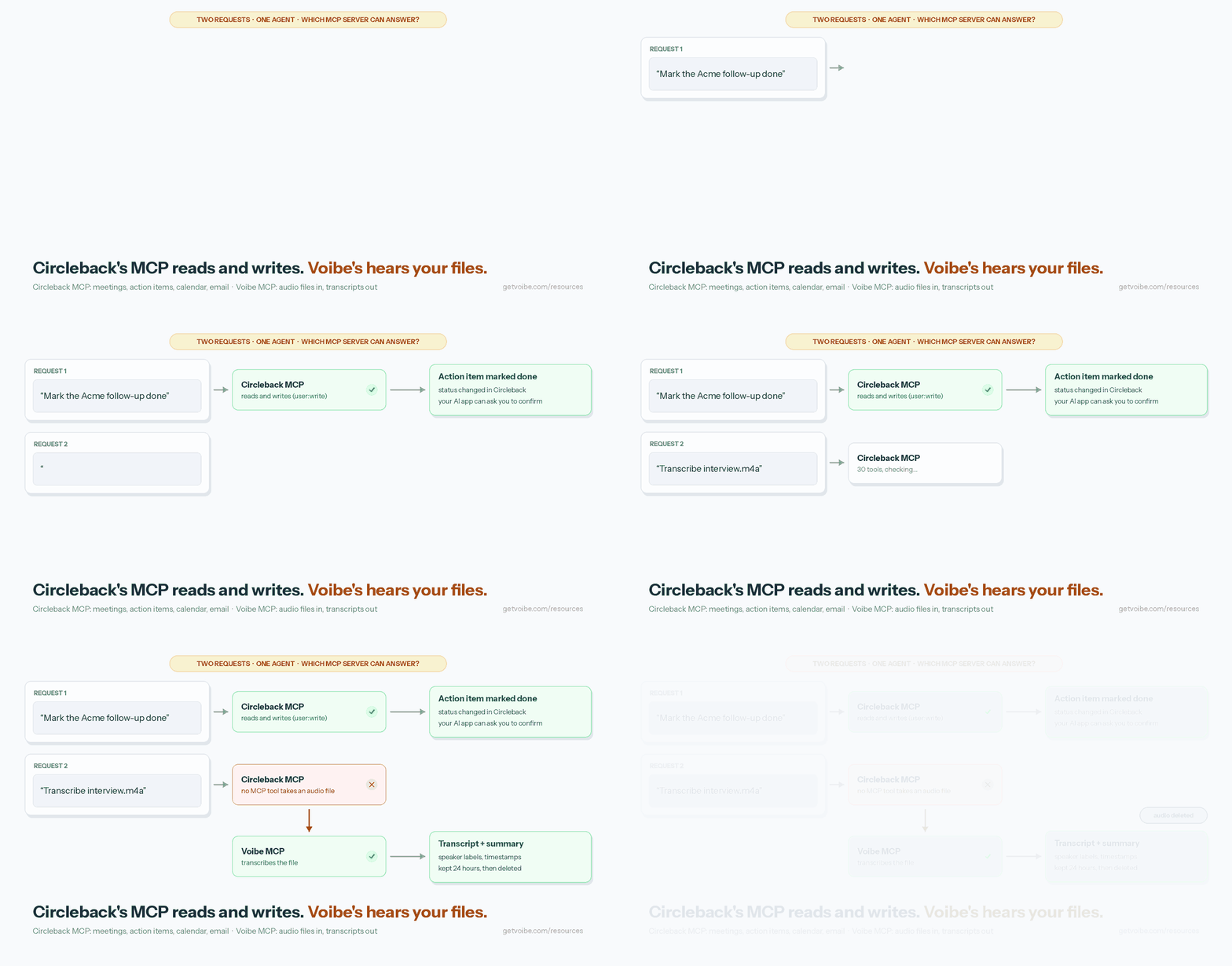
Pick the server by the job, not the brand. Plenty of people end up with two connected.
| What you want | Use | Why |
|---|---|---|
| Ask Claude or ChatGPT about meetings Circleback recorded | Circleback MCP | Reads notes, transcripts and action items |
| Have Claude mark action items done or reassign them | Circleback MCP | UpdateActionItem, with write access on by default |
| Let an agent read meetings but never change them | Circleback MCP with scope=user | Read-only scope; write tools return an error |
| Ask AI apps about meetings saved on your own computer | Voibe Work Meeting MCP | Notes saved on your device; none of it goes through Voibe’s servers |
| Transcribe a recording, interview or voice memo | Voibe MCP | Takes an audio file, returns a transcript, deletes the audio |
| Transcribe a folder of recordings every night | Voibe API and cron | Walk-through in our Zoom recording guide |
| Talk to Claude Code instead of typing | No MCP | /voice or a system-wide dictation app; see dictating in Claude Code |
Voibe Work’s Meeting MCP: The Circleback MCP Alternative for Notes on Your Computer
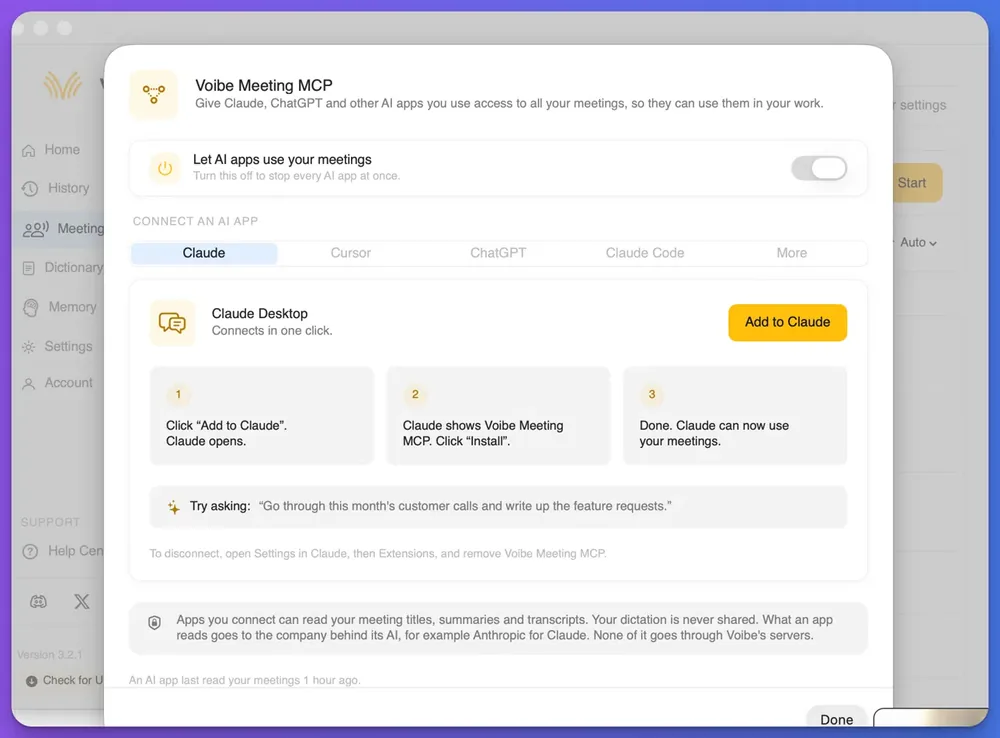
Circleback’s MCP reads notes kept in Circleback’s cloud. Voibe Work’s Meeting MCP reads meetings saved on your computer.
How Voibe Work takes the notes
Voibe Work captures Zoom, Teams, Google Meet, Webex, Slack huddles or any other call from your Mac or Windows PC, with no bot in the call.
- Open-source models on zero-retention cloud providers process the audio, which is deleted as soon as processing completes.
- The transcript and summary are saved on your computer, not on Voibe’s servers, and never used to train AI.
- Processing runs in the cloud, so meeting notes need internet.
At the start of each recording, Voibe reminds you to tell everyone you’re taking notes. You’re responsible for the recording consent rules where you are.
How Meeting MCP connects
Click MCP on the Meetings page. There are tabs for Claude, Cursor, ChatGPT, Claude Code and More, and Claude Desktop connects in one click: Add to Claude, then Install. One switch, “Let AI apps use your meetings,” stops every AI app at once.
The panel’s privacy note reads: “Apps you connect can read your meeting titles, summaries and transcripts. Your dictation is never shared. What an app reads goes to the company behind its AI, for example Anthropic for Claude. None of it goes through Voibe’s servers.”
Where Circleback still wins
- MCP on Free. Voibe’s Meeting MCP comes with Voibe Work and its 7-day trial only.
- Documented write tools and email search.
- Calendar auto-join, CRM automations, shared team workspaces, and phone and Apple Watch apps, none of which Voibe Work has.
- SSO, SCIM and Enterprise-Managed Authorization on Circleback Enterprise.
What Voibe Work costs
Voibe Work costs $19/month, $149/year or $399 lifetime, dictation included. At $149 a year it’s $31 (17.2%) less than Circleback Pro billed annually ($180) and $151 (50.3%) less than Business ($300).
Month to month it’s $1 (5.6%) more than Pro’s $18. For regulated work, a BAA is available on request.
Key Takeaway
Pick Circleback’s MCP for a free, writable connector inside a team workspace. Pick Voibe Work’s Meeting MCP when you want no bot in the call, audio deleted after processing and notes saved on your computer, with dictation in the same plan.
Trusted by 4,000+ professionals, including people at Netflix, NVIDIA, Amazon, Twilio, and Intercom





See Voibe Work in action
Meeting notes saved on your computer
Start free on Mac or Windows. 7 days of every Voibe Work feature, Meeting MCP included, no credit card required.
Voibe MCP: For the Audio Files Circleback’s MCP Can’t Take
Voibe’s API MCP gives an agent ears. It runs on the Voibe speech-to-text API and turns an audio file into a transcript and summary. It doesn’t read meetings; that’s the Meeting MCP above.
Connect it in one line
Claude Code signs in through the browser, so you don’t need a key:
claude mcp add --transport http voibe https://api.getvoibe.com/mcpThen run /mcp, pick voibe and sign in. In Claude, add the same URL as a custom connector.
Four tools and what happens to the audio
The tools are create_transcription_job, get_transcript, list_transcripts and get_balance. The agent can’t see API keys or buy minutes.
- Open-source models on zero-retention providers transcribe the file.
- The audio is deleted the moment the transcript exists and never trains a model.
- Transcripts and summaries are kept for 24 hours after the job finishes, then deleted.
What the Voibe API costs
Prepaid minutes never expire: $10 for 2,000 minutes ($0.30/hour) up to $100 for 24,000 minutes ($0.25/hour). Billing is per second, charged only when a job reaches DONE, and new accounts get 15 free minutes with no card.
A 47-minute meeting recording costs $0.24 at the $10 tier. It’s a batch API, not streaming; more in the Voibe API launch post and our speech-to-text API comparison.
Other Circleback MCP Alternatives, by Job
Four more meeting tools have MCP servers. For the full field, see AI note takers with an MCP server and our Wispr Flow MCP guide.
Head-to-heads: Circleback vs Granola, Circleback vs Otter and Circleback vs Fathom.
| Server | Best for | Where notes live | Free tier MCP | Writes? |
|---|---|---|---|---|
| Circleback | Team workspaces that want write access | Circleback’s US cloud | Yes, 30-day history | Yes, 13 tools |
| Granola | Granola users | Granola’s cloud | Last 30 days of notes | Folder changes; admins can switch off |
| Otter | Otter users | Otter’s cloud | Yes, every plan | Not documented |
| Fathom | Fathom users | Fathom’s cloud | Listed on pricing | No, read-only |
| Quill Meetings | A local server | Your computer | Yes | Yes |
Granola: A Meeting MCP With a 30-Day Window on Basic
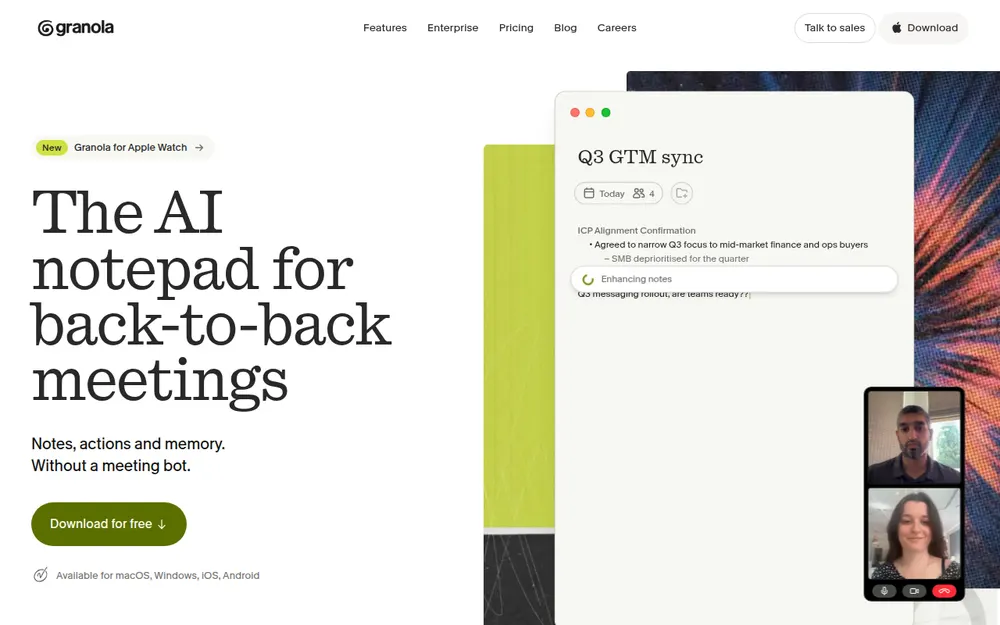
Granola runs a remote server at https://mcp.granola.ai/mcp, OAuth only. Its pricing page lists MCP on Basic for personal notes from the last 30 days, and on Business ($14/user/month) for personal and public workspace notes.
- Transcript tools need a paid plan, per Granola’s docs.
- Enterprise admins can switch off changes over MCP, making the server read-only.
- No bot joins, but notes sit in Granola’s cloud; see is Granola safe?
- App Store: 4.96/5 from 14,748 ratings.
Otter: An MCP Server on Every Plan, Three Tools
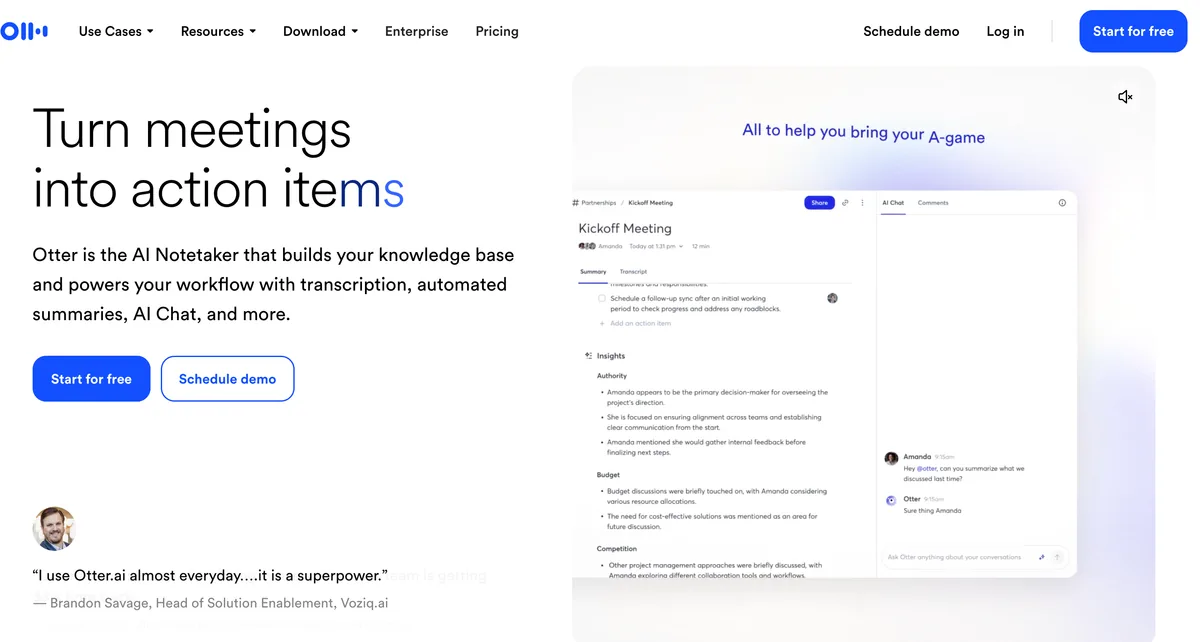
Otter lists an Otter MCP server on every plan, Basic included, at https://mcp.otter.ai/mcp. Its help center documents three tools: Get user info, Search and Fetch.
- Documented for Claude, ChatGPT, Cursor and Perplexity; Claude Code isn’t documented.
- Basic caps transcription at 300 minutes a month; Pro is $16.99/month or $8.33/month billed annually.
- Data terms: is Otter safe?
- App Store: 4.80/5 from 90,467 ratings.
Fathom: A Read-Only Meeting MCP
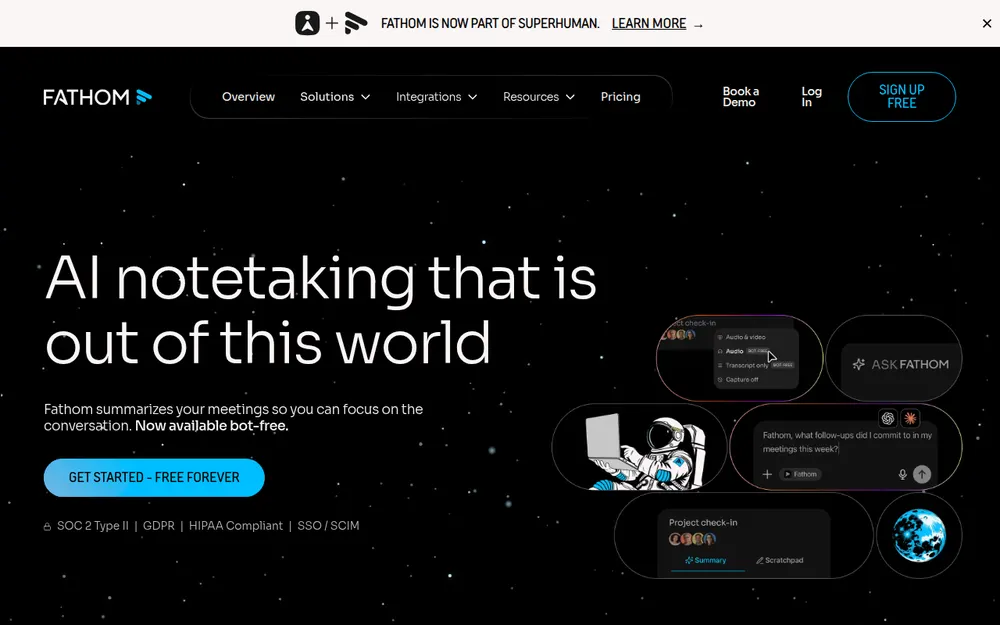
Fathom lists Public API & MCP on its pricing page. Its server at https://api.fathom.ai/mcp is in Anthropic’s directory with seven tools, including search_meetings, get_meeting_summary and get_meeting_transcript.
- The server’s own instructions say every tool is read-only.
- Data terms: is Fathom safe?
- Fathom’s Team plan is $19/month or $15/month per user billed annually, the same annual price as Circleback Pro.
Quill Meetings: The Meeting MCP That Stays on Your Machine
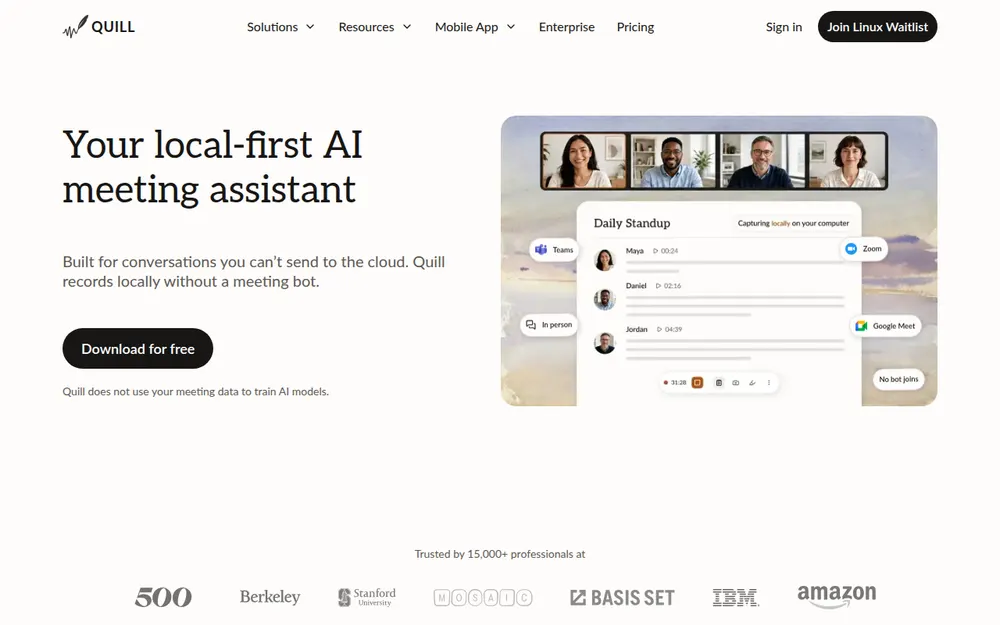
If you want write tools without a cloud server in between, Quill Meetings is the closest swap. Its MCP server runs on your computer and only accepts stdio or loopback connections.
- Connects to Claude Desktop, Claude Code, Codex, Cursor and Windsurf; Quill says there’s no ChatGPT web connector yet.
- Write tools include
create_noteandupdate_note, per Quill’s MCP docs, and the Free plan costs $0. - App Store: 4.60/5 from 10 ratings.
Circleback MCP Not Working? Symptoms and Fixes
Circleback doesn’t publish an MCP error list, so these come from its setup notes:
| Symptom | Likely cause | Fix |
|---|---|---|
| Write tools return an error asking you to reconnect | The connection has read-only scope, or predates write access | Reconnect Circleback and approve write access |
| Older meetings don’t show up | Free keeps a 30-day history | Ask about recent meetings, or move to Pro |
| Your connection stopped working overnight | An admin enforced Enterprise-Managed Authorization | Connect through your company’s identity provider |
| You can’t connect through your identity provider | Email mismatch or a wrong issuer URL | Match your email in both systems; the admin checks the issuer URL, trailing slash included |
| Codex won’t add the server | The rmcp client is off | Set experimental_use_rmcp_client = true under [features] |
| Claude Code shows the server but no tools | Sign-in not finished | Run /mcp in an interactive session |
Circleback MCP FAQ
The basics
Does Circleback have an MCP server for Claude or ChatGPT? Yes. Circleback’s official remote server is at https://circleback.ai/api/mcp, signs in with OAuth and is on every plan, Free too.
Is the Circleback MCP free? Yes, but Free keeps only 30 days of meeting history. Pro costs $18/month or $15/month billed annually and keeps everything.
Does Circleback’s MCP work with Gemini? There’s no documented Gemini setup. Any app that supports remote MCP servers can try the URL.
Setup
How do I add Circleback to Claude? Click Add to Claude on Circleback’s page in Claude’s connector directory, then sign in and approve access. Full steps.
How do I connect Circleback MCP to Claude Code? Run claude mcp add --transport http circleback https://circleback.ai/api/mcp, then /mcp in an interactive session to sign in.
Do I need a Circleback API key for the MCP? No. The MCP signs in with OAuth; API keys are for Circleback’s CLI and API.
What it can read and write
Can Circleback’s MCP create or update action items? Yes. CreateActionItem, UpdateActionItem and DeleteActionItem handle action items, and write access is on by default. What each tool does.
Can I make the Circleback MCP read-only? Yes, if your client requests scope=user. In chat apps that hide the scope, keep confirmation prompts on.
Can the Circleback MCP read my email? It can search the email accounts you connected to Circleback. Circleback says it reads email on demand and doesn’t store copies.
Can Circleback’s MCP transcribe an audio file? No. None of its 30 tools accepts audio, so pair it with a transcription MCP such as Voibe’s.
Privacy and admin
Is the Circleback MCP safe to connect? It’s official and uses OAuth, but it reaches your whole workspace, connected email included, and writes by default. Keep confirmation prompts on. What you grant.
What is Enterprise-Managed Authorization in Circleback? An Enterprise feature that lets your identity provider control who can use Circleback MCP.
Does Circleback’s BAA cover MCP? Circleback signs a BAA on Enterprise only, and its HIPAA article doesn’t mention MCP.
Alternatives
What’s the best Circleback MCP alternative for notes on my own computer? Voibe Work’s Meeting MCP. Voibe Work records with no bot in the call, deletes the audio after processing and saves notes on your computer.
What’s the best Circleback MCP alternative for transcription? Voibe’s API MCP. It turns an audio file into a transcript and deletes the audio, at $10 for 2,000 minutes after 15 free minutes.
The Bottom Line on Circleback MCP
Circleback’s MCP is official, free on every plan and documented for six AI apps. If your team already lives in Circleback, connect it: asking Claude what was decided beats scrolling a transcript.
Know what you’re approving, though: it reads your workspace and connected email, and it edits action items, meetings and sharing unless you hold it to read-only.
If you’d rather no vendor kept the meeting, try Voibe Work’s Meeting MCP on the 7-day trial, with no credit card and no automatic charge. The first-week guide walks through setup.