Up to 4 months free with annual billing on Voibe Dictation and Voibe WorkView pricing
Voibe Logovoibe Resources

Circleback vs Otter (2026): Price, Accuracy and Switching

Circleback costs more than Otter but drops the minute caps and doesn't train on your calls. Is it worth switching, and can your Otter recordings come along?

Our pick: CirclebackCircleback 8.3/10 · Otter 7.2/10
BalaBalaUpdated

Circleback vs Otter at a glance

Circleback

Circleback

Our pick
8.3/10

Price: Free $0 (unlimited meetings, 30-day history); Pro $18/mo or $15/mo annual ($180/yr); Business $29/mo or $25/mo annual ($300/yr); Enterprise $35/user/mo, annual only

  • No minute caps on any plan, including Free
  • 100+ transcription languages
  • Says it doesn't use customer data to train models
  • Pro costs $180 a year, $80.04 more than Otter Pro
  • No direct import from Otter
Otter

Otter

7.2/10

Price: Basic free (300 min/mo); Pro $16.99/mo or $8.33/mo annual ($99.96/yr); Business $30/mo or $19.99/mo annual ($239.88/yr); Enterprise custom

  • Cheapest paid seat: Pro $99.96 a year
  • Free Basic plan with 300 minutes a month
  • Desktop app runs on macOS 12.3 and Windows 10
  • Pro caps at 1,200 minutes a month and 90 minutes per meeting
  • Only 6 transcription languages

Circleback vs Otter: Is Circleback Worth Switching To?

Otter Pro stops a meeting at 90 minutes and a month at 1,200 minutes. Circleback publishes no minute cap on any plan, even Free. It also says it doesn't train AI on your meetings. In exchange, Pro costs $80.04 more per seat each year.

Training is where Otter carries real risk. NPR reported in August 2025 that a class action accuses Otter of secretly recording private work conversations to train its AI. The case is still going.

  • Switch to Circleback if you keep hitting Otter's caps, need more than six languages, or want a vendor that doesn't train on your calls.
  • Stay on Otter if the seat price decides it. Otter Pro is $99.96 a year against $180 for Circleback Pro.

I read both vendors' pricing pages, help centers and security docs on 23 November 2026, and every fact below comes from them.

For confidential calls, Voibe Work, the app we build, records with no bot and saves the notes on your computer.

If you needPick
The lowest price per seatOtter Pro, $99.96 a year
No minute caps and no AI trainingCircleback Pro, $180 a year
One workspace for 6 to 25 peopleCircleback Pro, because Otter Pro stops at 5 members
A BAA for a small practiceCircleback Enterprise, self-serve from one seat
Confidential calls with no bot and no vendor copy of the notesVoibe Work, $149 a year

Key Takeaway

Circleback is worth switching to if Otter's minute caps, its default AI training or its six languages get in your way. It costs $180 a year at Pro. Stay on Otter if the $99.96 Pro price decides it. For confidential calls with the notes saved on your computer, Voibe Work costs $149 a year.

Quick Comparison: Circleback vs Otter at a Glance

Prices are per user at list price, and the sections below source every row.

CirclebackOtter
Free planUnlimited meetings, 30-day history300 minutes a month, 30 minutes per conversation, 25 most recent conversations
Cheapest paid seatPro: $18 monthly, or $15 a month billed annually ($180 a year)Pro: $16.99 monthly, or $8.33 a month billed annually ($99.96 a year)
Minute caps on paid plansNone statedPro: 1,200 minutes a month and 90 minutes per meeting. Business: unlimited meetings, 4 hours each
How it joins a callCalendar bot by default, or the bot-free desktop app on every planCalendar bot, or the bot-free desktop app on every plan
Desktop app needsmacOS Sonoma 14.2 or Windows 11macOS 12.3 or Windows 10
Phone and watchiPhone, Android, Apple WatchiPhone, Android
Transcription languages100+, detected automatically6
Trains AI on your meetingsNo, by Circleback's own statementYes, on de-identified audio and transcripts; no opt-out found
HIPAA and BAAEnterprise only, $35 per user a month billed annuallyEnterprise only, paid add-on through sales
MCP serverReads and writes, every planReads only, every plan

What Is Circleback?

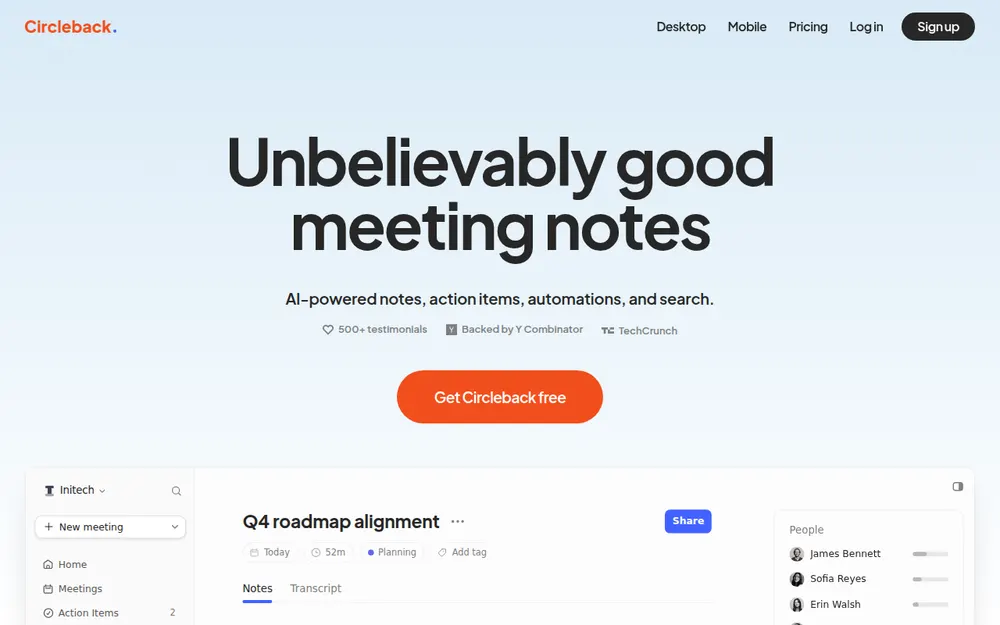
Circleback homepage: 'Unbelievably good meeting notes', with the line AI-powered notes, action items, automations, and search, a Get Circleback free button and a meeting called Q4 roadmap alignment
Circleback: built for teams that want the meeting to turn into work, not just a transcript.

Circleback is an AI note taker from a Y Combinator company. It turns each meeting into a speaker-labeled transcript, notes and assigned action items. A free plan arrived on 31 August 2026, and our Circleback pricing page breaks down every plan.

  • Capture: a calendar bot joins Zoom, Google Meet, Microsoft Teams or Webex by default. The Mac and Windows desktop app records without a bot on every plan.
  • In person: iPhone, Android and Apple Watch apps record audio. Phone calls come in as imported recordings.
  • After the call: automations can update HubSpot, Salesforce, Attio or Notion, create Linear issues, or post to Slack. Free gets limited automations, and Pro gets every integration.
  • For agents: an API, a CLI and an MCP server on every plan, including Free.

It fits teams that live in action items and a CRM, less so buyers chasing the cheapest seat. Our Circleback safety review covers storage and retention.

What Is Otter.ai?
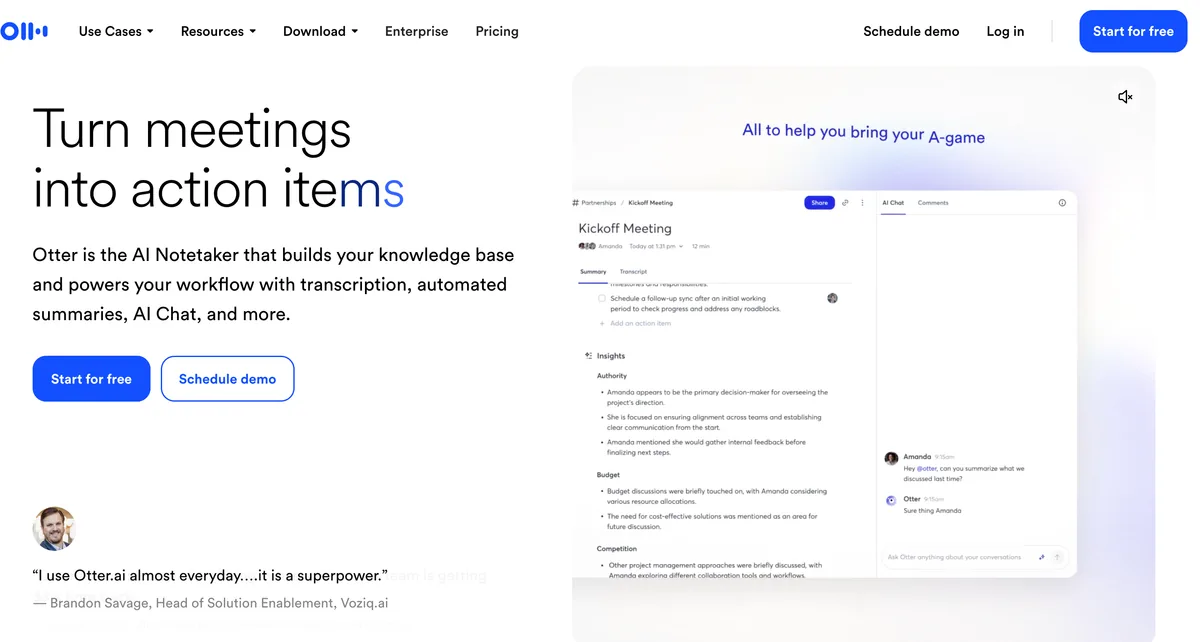
Otter.ai homepage: 'Turn meetings into action items', describing Otter as the AI Notetaker that builds your knowledge base, with Start for free and Schedule demo buttons beside a Kickoff Meeting summary and an AI Chat panel
Otter: the notetaker most teams try first, and the cheapest big name on annual billing.

Otter.ai is a cloud meeting transcription service. It joins calls as a bot or records them bot-free from its Mac and Windows desktop app. You get a live transcript, a summary with action items, and Otter AI Chat for questions.

Pro adds Salesforce, HubSpot and Zapier, with user limits on the CRM sync. Paid plans export to PDF, DOCX and SRT.

Otter fits students, solo users and small teams who want a low price and a familiar tool. Its weak spots are privacy and the minute caps; see is Otter safe? and Otter pricing.

Can I Import My Otter Recordings into Circleback?
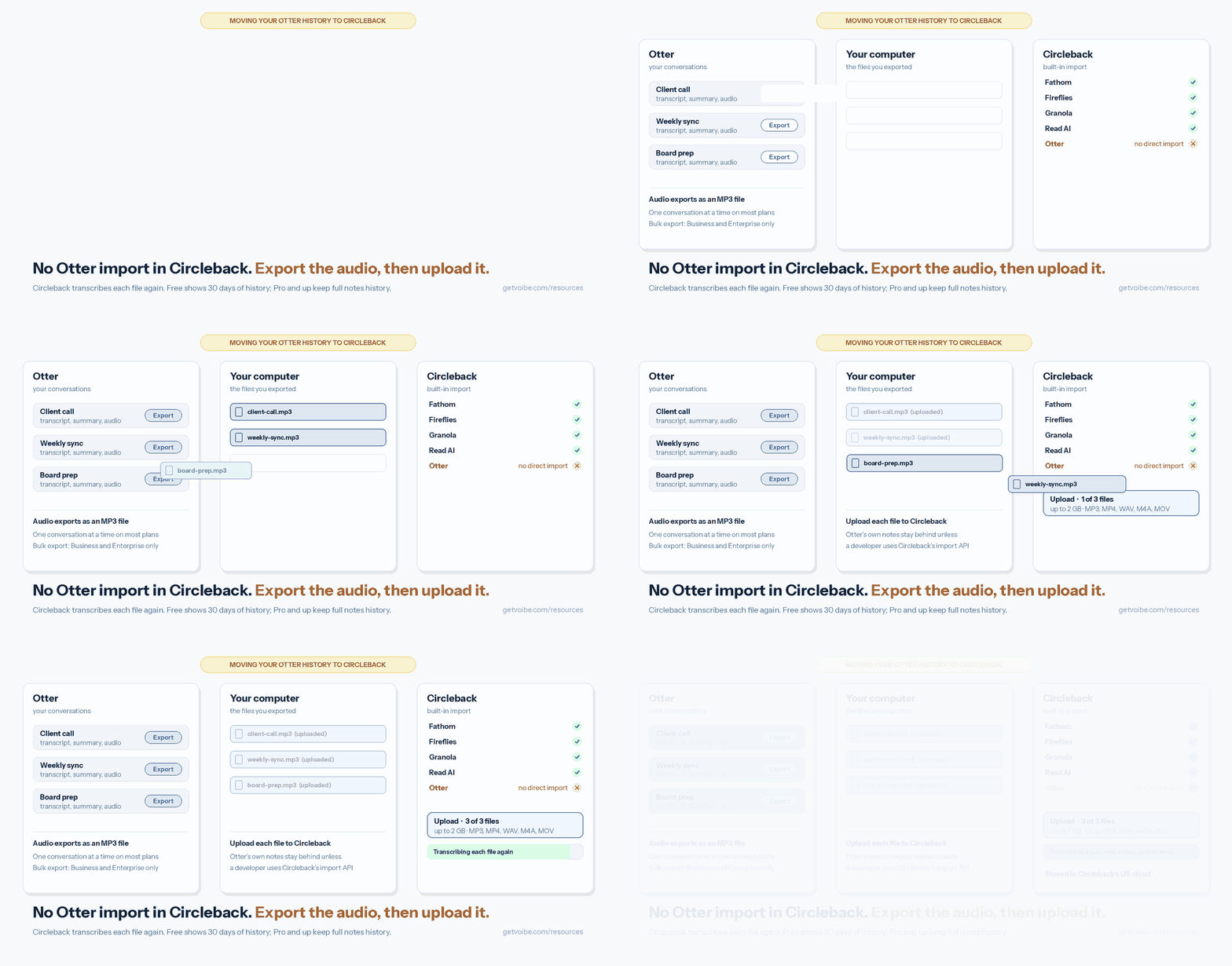
Animation in three cards. The Circleback card lists its built-in importers: Fathom, Fireflies, Granola and Read AI each get a check, and Otter gets a cross labelled no direct import. In the Otter card, three conversations (Client call, Weekly sync, Board prep) are exported one by one, with a note that audio exports as an MP3 file and bulk export is Business and Enterprise only. Each MP3 file flies to a Your computer card, then into Circleback's upload box, which accepts files up to 2 GB in MP3, MP4, WAV, M4A or MOV. Circleback transcribes each file again, writes new notes and action items, and stores them in its US cloud. Closing line: no Otter import in Circleback; export the audio, then upload it.
There's no Otter button in Circleback's importer. The audio file is the bridge.

No, not directly. Circleback's switch page imports history from Fathom, Fireflies, Granola and Read AI, but not Otter. For everything else, it offers a file upload or its import API.

Move your Otter meetings with an audio export

  1. Export the audio from Otter. Open a conversation, click the three dots, choose Export and turn on Audio. Otter's export help page says the file downloads as an MP3.
  2. Bulk export if you're on Business. Otter's bulk export, on Business and Enterprise only, emails you a ZIP file. On Basic or Pro, you export one conversation at a time.
  3. Upload each file to Circleback. Open the menu next to New meeting and choose Import. Circleback's import guide accepts files up to 2 GB in MP3, MP4, WAV, M4A or MOV.
  4. Link the calendar event if you have one. Circleback takes the title and participant names from it.

What doesn't come across

Otter's summaries, highlights and comments stay behind, since Circleback writes new notes from the audio. Developers can export the transcript as TXT or DOCX instead. Circleback's import API takes notes, attendees, and transcript lines with speakers and timestamps.

Export before you cancel Otter, because Basic shows only your 25 most recent conversations and archives the rest. Circleback Free shows just 30 days of history, so an older archive needs Pro or above.

Circleback vs Otter: Which Is More Accurate?

Neither vendor publishes an accuracy benchmark you can compare. Circleback calls its transcription state of the art, and Otter calls itself the world's smartest AI notetaker. Those are claims, not test results.

You can compare what each app does to get names and terms right. Circleback does more, and its 100+ languages are the biggest gap.

Speakers

Circleback names speakers from the calendar invite. Its help center says it saves a participant's voice and recognizes it in later meetings. Otter identifies speakers by name on every plan and shares speaker profiles across a paid workspace.

Speaker mix-ups come up in Otter's reviews. One 3-star App Store review from 14 October 2026 says Otter "often fails to distinguish between different voices".

Custom vocabulary

Circleback takes your jargon, acronyms and product names, and adds people's names and your company name for you. Admins can enforce the list. Otter caps it by plan: 5 terms on Basic, 100 names plus 100 terms per user on Pro, and 800 of each for a Business team.

What's on the screen

Since May 2026, Circleback reads shared slides, dashboards and docs into the notes when the meeting has saved video. Otter's pricing table lists automated slide capture on every plan.

Languages

Circleback supports more than 100 languages and detects the main one automatically. It can also write the notes in another language. Otter's pricing table lists six: English, Spanish, French, German, Japanese and Chinese.

Minute Caps and Capture: Bot or Desktop App?

Minute caps are the most practical reason to leave Otter. Circleback publishes no monthly or per-meeting limit on any plan.

PlanMonthly minutesPer meetingFile imports
Otter Basic (free)30030 minutes3, lifetime
Otter Pro1,20090 minutes10 a month
Otter BusinessUnlimited meetings4 hours6,000 minutes a month
Circleback, every planNo cap statedNo cap statedUploads up to 2 GB per file

Two 90-minute calls a day use up Otter Pro's 1,200 minutes in seven working days.

How each one joins the call

Both apps can send a bot from your calendar, and that's Circleback's default. Both also have a desktop app that records without one.

Circleback's bot posts a recording notice in the chat that you can't turn off. If its joining preferences stay on, the desktop app only takes over when the bot can't join.

Otter's bot, Notetaker, joins Zoom, Microsoft Teams and Google Meet. Its desktop app needs macOS 12.3 or Windows 10, against macOS Sonoma 14.2 or Windows 11 for Circleback's. Older machines favor Otter.

Circleback's desktop app keeps meeting video by default, which is how it reads your screen. You can turn recording storage off and keep only the transcript and notes.

Privacy, the Otter Class Action and HIPAA

Circleback has the cleaner privacy position, mainly because it says it doesn't train AI on your meetings. Both still store meetings in their own cloud.

AI training

Otter's privacy policy (effective 16 June 2026) lists training its own AI on de-identified recordings and transcripts. We found no opt-out. Circleback's security page says it doesn't use customer data to train models.

The Otter class action

In re Otter.AI Privacy Litigation (5:25-cv-06911, N.D. Cal.) claims Otter recorded people who never agreed to it. On 13 August 2026 the judge let the wiretap and Illinois biometric claims go forward, per the court docket. These are allegations, not findings.

Storage and retention

Circleback hosts data in the United States and keeps it until you delete it. Recordings stay 30 days on Free, 1 year on Pro and 2 years on Business. Business and Enterprise admins can set retention periods.

Otter keeps conversations until you delete them, and custom retention goes through an account manager.

HIPAA and BAAs

Both offer a business associate agreement (BAA, the US health privacy contract) on Enterprise only. Circleback's is a self-serve toggle at $35 per user a month, from one seat, with no custom BAAs. Otter lists HIPAA compliance as an Enterprise add-on with no public price, so you book a demo.

Recording consent

Both vendors leave consent to you. Circleback's bot announces itself in the chat, but I found no consent notice in its desktop app's docs. Our recording consent guide covers the state rules. Firms that can't allow third-party bots on client calls can find bot-free options in our Otter alternatives.

MCP, Mobile and Team Features

Circleback is the stronger team and agent product; Otter is the simpler one.

MCP: which one lets Claude or ChatGPT act on your meetings?

Circleback's MCP server at circleback.ai/api/mcp works with Claude, ChatGPT, Cursor, Claude Code, Codex and Raycast on every plan. It can also write: update and share meetings, and create, update or delete action items. Our Circleback MCP guide walks through the setup.

Otter's server at mcp.otter.ai/mcp has three read tools: user info, search and fetch. Its help center documents Claude, ChatGPT and Cursor, but not Claude Code. Our note takers with MCP servers list compares the rest.

Mobile

Both have iPhone and Android apps for in-person meetings. Circleback adds an Apple Watch app that records with no phone. One Android reviewer says some key features exist only on its desktop app.

Teams and admin

Otter Pro allows 5 workspace members and Business allows 25. SSO and SCIM need a 100-user Enterprise license. Circleback Business adds admin roles, unlimited free viewers and enforceable settings, and Enterprise adds SSO and SCIM at any size.

Otter AI Chat allows 20, 50 or 200 questions a month by plan. Circleback publishes no such cap.

Feature Comparison: Who Wins Each Round?

I scored the ten rounds that decide whether the switch pays off. Circleback takes seven, Otter takes two, and one is a tie.

RoundCirclebackOtterWinner
1. Price per seat$180 a year (Pro)$99.96 a year (Pro)Otter
2. Minute capsNone stated1,200 a month on ProCircleback
3. Languages100+6Circleback
4. AI training and legal riskSays it doesn't trainTrains by default; class actionCircleback
5. Bot-free captureRecords video and screenRuns on older Macs and Windows 10Tie
6. MobilePhone and Apple WatchPhoneCircleback
7. A 10-person team$1,800 a year (Pro)$2,398.80 a year (Business)Circleback
8. BAA for a small teamSelf-serve, $420 a seatEnterprise add-on via salesCircleback
9. MCP and automationsRead and write, CRM automationsRead-only MCP, ZapierCircleback
10. Export formatsNotes, transcripts, recording linksPDF, DOCX, SRT, MP3, bulk exportOtter

Round 7 uses Otter Business because Otter Pro stops at 5 workspace members.

Pricing Breakdown: Circleback vs Otter per Seat

Otter is cheaper at the entry tier, by a wide margin on annual billing. The gap nearly closes on monthly billing and flips for teams.

PlanMonthly billingPer year3 years
Otter Basic$0$0$0
Circleback Free$0$0$0
Otter Pro$16.99$99.96$299.88
Circleback Pro$18$180$540
Otter Business$30$239.88$719.64
Circleback Business$29$300$900
Circleback EnterpriseAnnual only$420$1,260
Voibe Work$19$149, or $399 lifetime$447, or $399 lifetime

What the gaps work out to

  • Pro, annual: Otter is $80.04 (44.5%) less than Circleback, or $240.12 less over three years.
  • Pro, monthly: Otter is $1.01 (5.6%) a month less.
  • Business, annual: Otter is $60.12 (20.0%) less. Monthly, Circleback is $1 (3.3%) less.
  • Ten people: Otter needs Business at $2,398.80 a year. Circleback Pro costs $1,800, which is $598.80 (25.0%) less.

Discounts and refunds

Circleback offers 50% off for students with a school email and 30% off for non-profits. Otter gives students and teachers 20% off Pro with a .edu email, and its non-profit discount on Business runs through TechSoup.

On 23 November 2026, Otter showed a Black Friday banner with 50% off annual Pro and Business. Every figure here uses list prices. Otter subscriptions are non-refundable, and so are Circleback payments under its terms.

Circleback or Otter: Which Should You Choose?

Pick Circleback if Otter's limits get in your way, and stay on Otter if seat price comes first.

Choose Circleback if

  • Your meetings run past 90 minutes or 1,200 minutes a month, and Otter Business costs too much.
  • Your calls happen in languages beyond Otter's six.
  • You want meetings to update your CRM, Notion or Linear, or Claude to edit action items.
  • You need a BAA without a sales call, or a workspace for more than 5 people at Pro prices.

Choose Otter if

  • You want the cheapest paid seat, at $99.96 a year for Pro.
  • Your machine runs Windows 10 or a macOS version older than Sonoma 14.2.
  • You need PDF, DOCX or SRT exports, or bulk export on Business.
  • You're a student on Otter's 20% .edu discount and your lectures fit inside 90 minutes.

Weighing more than these two? Our Circleback alternatives ranks nine options, and Circleback vs Fathom and Circleback vs Granola cover the other common switches.

A Third Option for Confidential Calls: Voibe Work
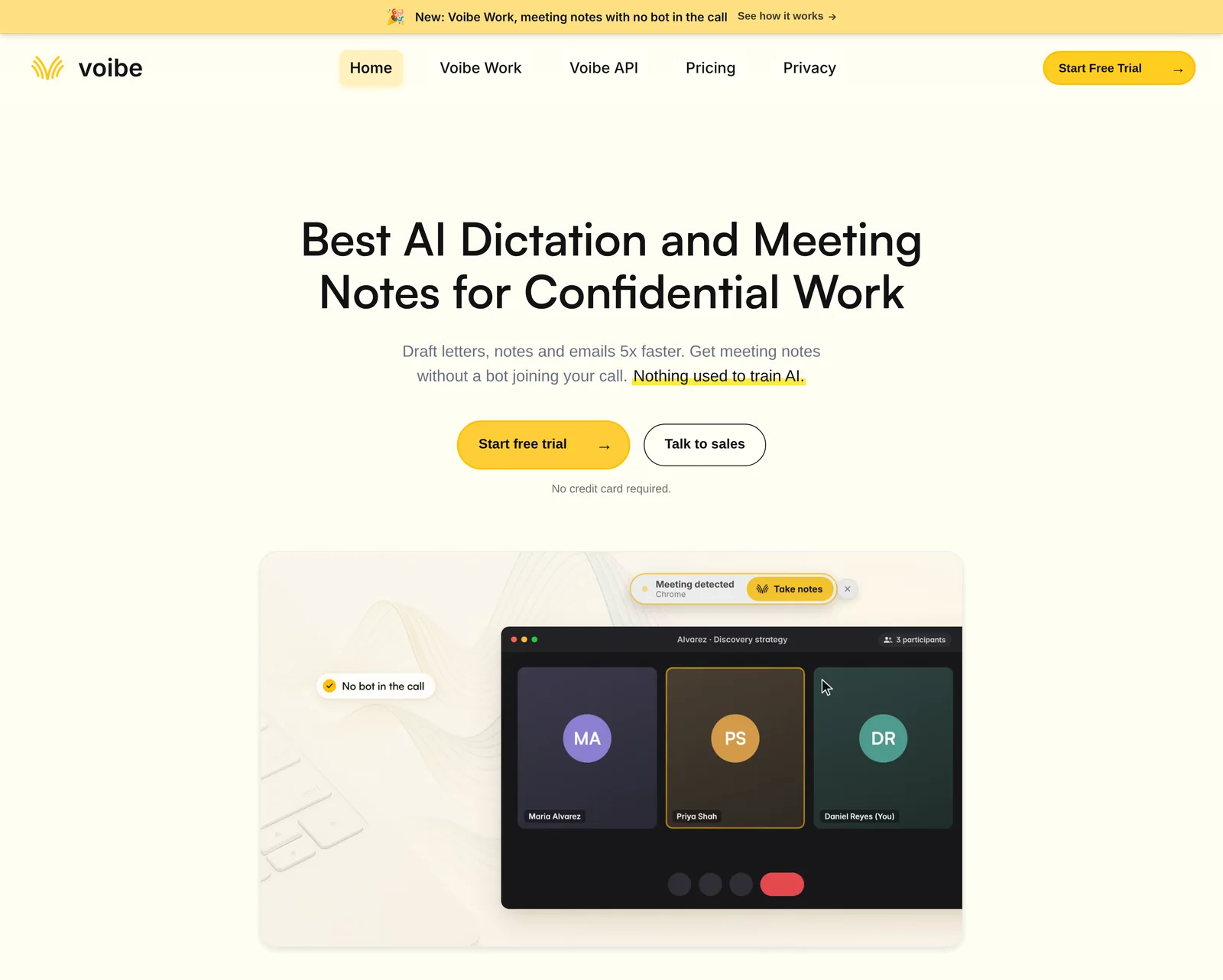
Voibe homepage hero: 'Best AI Dictation and Meeting Notes for Confidential Work', with a Meeting detected, Take notes prompt and a No bot in the call label over a three-person video call
Voibe Work: no bot in the call, with the transcript and summary saved on your computer instead of a vendor's cloud.

Circleback and Otter both keep your meetings in their US cloud. If your calls carry client, patient or deal details, Voibe Work, the meeting-notes plan of the app we build, avoids that stored copy.

  • No bot: it captures Zoom, Teams, Google Meet, Webex or any meeting app from your Mac or Windows PC, plus in-person meetings through your computer's mic.
  • Audio deleted: open-source models on zero-retention cloud providers process the audio, and it's deleted as soon as processing completes.
  • Notes on your computer: the transcript and summary are saved on your device, not on Voibe's servers, and never used to train AI.
  • Speakers and templates: every line gets a speaker label and a time, and you can create your own summary templates.
  • Meeting MCP: Claude, ChatGPT and other AI apps can read your meeting titles, summaries and transcripts. What an app reads goes to the company behind that AI.
  • Dictation included: every seat also gets Voibe's dictation app.

It costs $19 a month, $149 a year or $399 lifetime on Voibe’s pricing page. A year costs $31 (17.2%) less than Circleback Pro, and $90.88 (37.9%) less than Otter Business with the same 4-hour meeting limit. It's $49.04 (49.1%) more than Otter Pro.

Where Voibe Work falls short

It doesn't auto-join from your calendar, and it has no CRM or Notion automations or shared team workspace. There's no phone app and no video, and meeting notes need an internet connection. Unlike both rivals, it has no student discount.

Trial and consent

Every account starts with a 7-day trial of every Voibe Work feature, with no credit card and no automatic charge. After that it moves to Voibe Free, which is dictation only with 2,000 cloud words a week. Paid plans carry a 30-day money-back guarantee, and a BAA is available on request.

Voibe reminds you to tell everyone you're taking notes when recording starts; following recording-consent rules is up to you. Our Otter switch page and first-week guide cover setup.

Trusted by 4,000+ professionals, including people at Netflix, NVIDIA, Amazon, Twilio, and Intercom

NetflixNVIDIAAmazonTwilioIntercom

See Voibe Work in action

Meeting notes with no bot and no vendor copy

Start free on Mac or Windows. 7 days of every Voibe Work feature, no credit card required.

Start for free

What Users and Reviewers Say About Circleback and Otter

Both score about 4.8 on the App Store, but Otter has roughly 300 times as many ratings. Circleback's smaller sample is warmer on notes and colder on support.

What people praise and complain about

A 5-star Circleback reviewer on the App Store had tried Otter first, and wrote in May 2025 that "Circleback is much better" and summarizes Spanish well. A 2-star Trustpilot review from September 2026 says Circleback sometimes fails to take notes, and you only learn it afterwards.

A 5-star Otter reviewer in October 2026 called it "easy to use, reliable" for meeting transcripts. Another gave five stars but called the recording limit very annoying.

Final Verdict: Circleback or Otter?

Circleback is the better tool for most teams leaving Otter. It removes the minute caps, supports far more languages and says it doesn't train on your meetings. Pro costs $180 a year instead of $99.96.

Otter is still right when the seat price decides it and your meetings fit inside 90 minutes. Students, solo users and anyone on Windows 10 get more from it per dollar.

For confidential calls, try Voibe Work free for 7 days. It saves the transcript and summary on your computer.

Key Takeaway

Choose Circleback ($180 a year for Pro) for no minute caps, 100+ languages, no AI training and CRM automations. Choose Otter ($99.96 a year for Pro) for the lowest seat price when meetings fit in 90 minutes. For confidential calls, Voibe Work saves notes on your computer for $149 a year.

Circleback vs Otter: questions people ask

Is Circleback worth switching to from Otter.ai?
Yes, if Otter's minute caps, default AI training or six languages hold you back. If price decides it, Otter Pro is $99.96 a year against $180 for Circleback Pro.
Can I import my Otter recordings into Circleback?
Not directly. Export each conversation's audio from Otter as an MP3, then upload it to Circleback, which writes new notes from it.
Can I try Circleback before I cancel Otter?
Yes. Circleback Free has unlimited meetings with 30 days of history, and paid plans include a free trial. Export what you want to keep from Otter first.
Circleback vs Otter: which is more accurate?
Neither publishes an accuracy benchmark you can compare. Circleback does more to get names and terms right, and it supports 100+ languages against Otter's 6.
Do Circleback and Otter both use a meeting bot?
Both can send a calendar bot, and Circleback does by default. Both also have a desktop app that records without one.
Which has the better MCP server?
Circleback's, because it can read and write, action items included, on every plan. Otter's has three read-only tools: user info, search and fetch.
Is Circleback more expensive than Otter?
At the Pro tier, yes: $180 a year against $99.96 for Otter Pro. For a 10-person team it flips, since Otter needs Business at $2,398.80 a year and Circleback Pro costs $1,800.
Which free plan is better, Circleback Free or Otter Basic?
Circleback Free suits frequent meetings if 30 days of history is enough. Otter Basic, at 300 minutes a month and 30 minutes per conversation, suits occasional short calls.
Does Otter or Circleback train AI on my meetings?
Otter does, on de-identified audio and transcripts, and we found no opt-out. Circleback says it doesn't train models on customer data.
Which is HIPAA compliant, Circleback or Otter?
Both offer a BAA on Enterprise only: Circleback as a self-serve toggle at $35 per user a month, Otter as an add-on through sales. A BAA is a contract, not a certification, so compliance still rests with your practice.
Is Otter being sued?
Yes. In re Otter.AI Privacy Litigation claims Otter recorded people without consent. On 13 August 2026 the court let the wiretap and biometric claims proceed.

Leaving Otter? We'll cover the months you paid for.

Cancel Otter and get Voibe Work free for the time you had left, plus a bonus month, up to 12 months. Meeting notes with no bot in the call, saved on your computer, with dictation included.

  • Mac + Windows
  • No bot in your calls
  • Nothing used to train AI
  • 7-day free trial
See the Otter switch offer

Want to compare plans first? View pricing →