
Up to 4 months free with annual billing on Voibe Dictation and Voibe WorkView pricing
Voibe Logovoibe Resources

Granola vs Circleback (2026): Bot, Notes, Price and Privacy

Circleback sends a bot by default and turns calls into assigned action items. Granola never sends one and fills in notes you type. Price, privacy and fit.

Verdict: different fitsCircleback 8.1/10 · Granola 8.3/10
AyushAyushUpdated

Circleback vs Granola at a glance

Circleback

Circleback

8.1/10

Price: Free; Pro $18/user/mo monthly or $15 annual; Business $29 or $25; Enterprise $35/user/mo annual only (volume tiers from 51 users)

  • Action items assigned to owners automatically
  • Automations into Salesforce, HubSpot, Attio, Notion and Linear from Pro
  • Never trains AI on customer data
  • Bot is the default, and its chat notice can't be disabled
  • Tries the bot first unless calendar joining is turned off

Granola

Granola

8.3/10

Price: Basic free; Business $14/user/mo (monthly only); Enterprise $35/user/mo

  • Never sends a bot into the call
  • Notepad you write in, enhanced by AI
  • Business is $14 a month, the cheaper paid plan
  • Trains on anonymised data by default (per-user opt-out)
  • No recording to replay

Circleback vs Granola: The Verdict First

Circleback's notetaker introduces itself in the meeting chat, and you can't switch that message off. Granola never joins the call at all. A lawsuit filed this summer claims that silence was the whole design.

The class action complaint in Chamberlain v. Granola, filed on July 30, 2026, alleges Granola was built so it "need not be disclosed" to others in the call. Most notetakers announce themselves, it says. Those are allegations, and no court has ruled on them.

Circleback joins your calls, writes the notes and pushes action items into your other apps. Granola is a notepad you start yourself, and it fills in what you typed once the call ends.

  • Pick Circleback if your team runs on follow-ups. You get action items with owners, CRM automations and free viewers on Business.
  • Pick Granola if you want to write your own notes, never send a bot and pay less. Business costs $14 a month, against $18 for Circleback Pro.

I read both vendors' pricing, help and security pages on 23 November 2026, plus Circleback's guide for Granola users. Facts below come from those pages unless I say otherwise.

Are your calls confidential? Voibe Work, the app we build, saves the notes on your computer instead of a vendor's cloud.

Key Takeaway

Circleback is the pick for teams that want a bot on every call, notes written for them and action items pushed into their CRM ($180 a year for Pro). Granola is the pick for people who want a no-bot notepad, a free plan and a lower price ($168 a year for Business). Circleback never trains AI on your meetings; Granola does by default unless each user opts out.

Quick Comparison: Granola vs Circleback at a Glance

Prices are per user at list price.

CirclebackGranola
PlatformsWeb, Mac (macOS 14.2 or later), Windows 11, iPhone, Android, Apple WatchMac, Windows, iPhone, Android, Apple Watch
How it recordsBot from your calendar by default; optional bot-free desktop appDesktop app you start; never a bot
NotesWritten for you, with action items assigned to ownersYou type rough notes and AI fills them in
RecordingsAudio and video saved by default, kept longer on higher plansNone; audio deleted after transcription
AI trainingNever trains on customer dataAnonymised data by default, with a per-user opt-out; off on Enterprise
Free planUnlimited meetings, 30 days of historyBasic, 30 days of history
Paid plansPro $18 monthly or $15 annual; Business $29 or $25; Enterprise $35 annual onlyBusiness $14 (monthly only); Enterprise $35
HIPAA and BAAEnterprise only, self-serve toggleEnterprise only, desktop apps only
MCPEvery plan; reads and makes changesMostly reads; 30 days on Basic
DictationNoneFree voice typing (beta)

What Is Circleback? A Bot That Writes the Follow-Ups
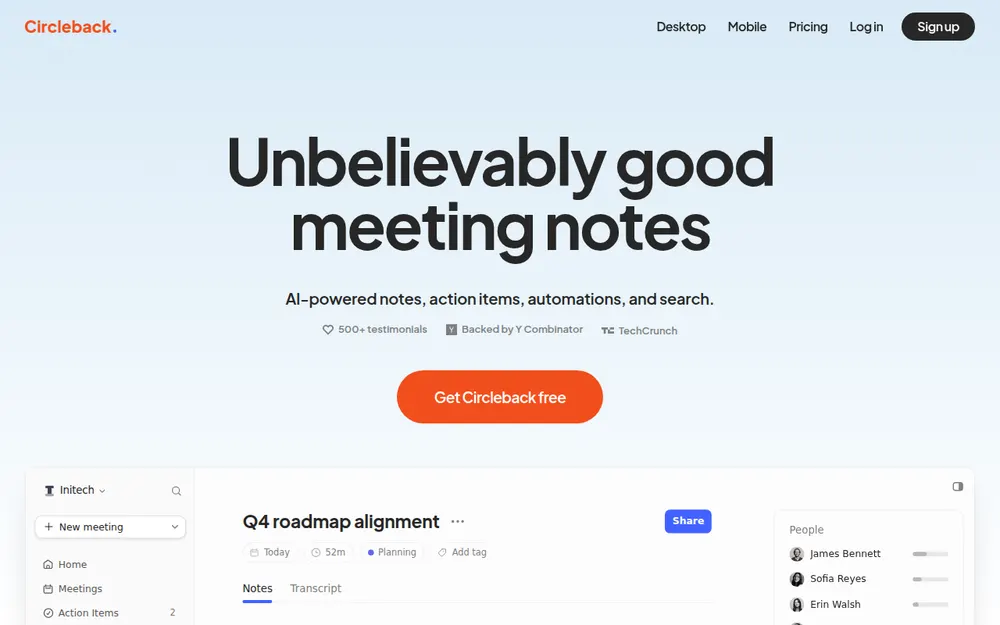
Circleback homepage: 'Unbelievably good meeting notes', AI-powered notes, action items, automations and search, with a 'Get Circleback free' button above a meeting called Q4 roadmap alignment
Circleback: the notes arrive with owners attached, and the bot is how most teams get them.

Circleback is a meeting notetaker from Circleback AI, a Y Combinator company in San Francisco. It promises notes that make sense even if you missed the meeting, with the follow-up done for you.

By default it joins Zoom, Google Meet, Microsoft Teams and Webex as a bot, using your Google or Outlook calendar. A desktop app records the same calls without a bot on every plan, Free included. Phone and Apple Watch apps cover in-person meetings.

After the call you get detailed notes, a transcript labelled by speaker and action items assigned to their owners.

What Is Granola? A Notepad That Never Sends a Bot
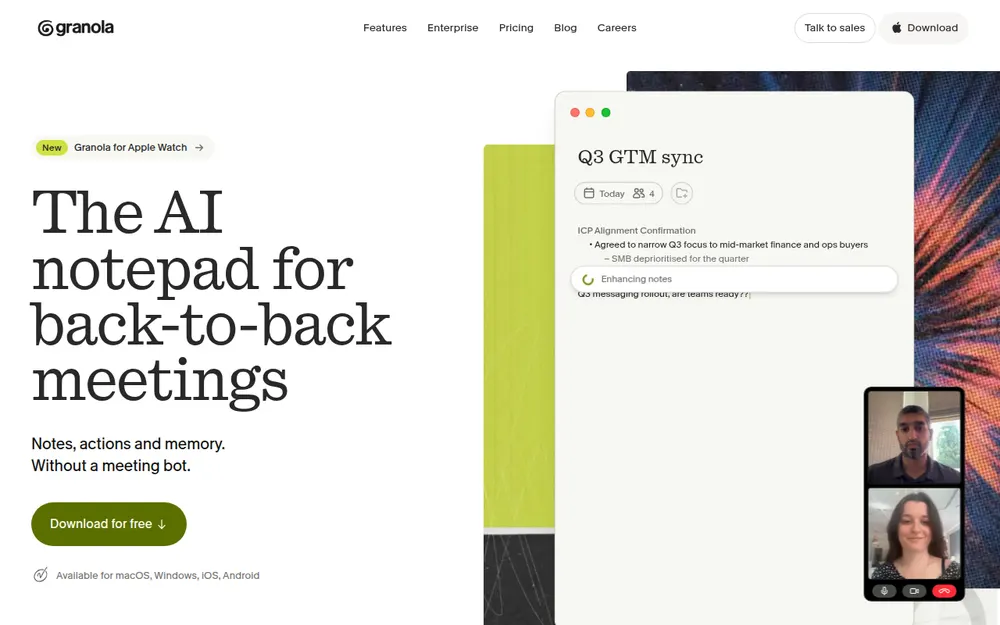
Granola homepage: 'The AI notepad for back-to-back meetings', a notes window enhancing meeting notes beside a video call, available for macOS, Windows, iOS and Android
Granola: you write the outline, it writes the rest, and nobody sees a notetaker join.

Granola is an AI notepad. You jot rough notes during the call, and when it ends Granola turns them into full notes using the transcript.

The Mac and Windows apps capture your microphone and your computer's meeting audio, so any call app works. Granola's security page says it adds no bot and "won't auto-join or auto-record anything". You press start each time.

Free iPhone, Android and Apple Watch apps cover in-person meetings. Every plan includes custom templates and AI chat across meetings.

How Does Each One Record a Meeting: Bot by Default or Never?
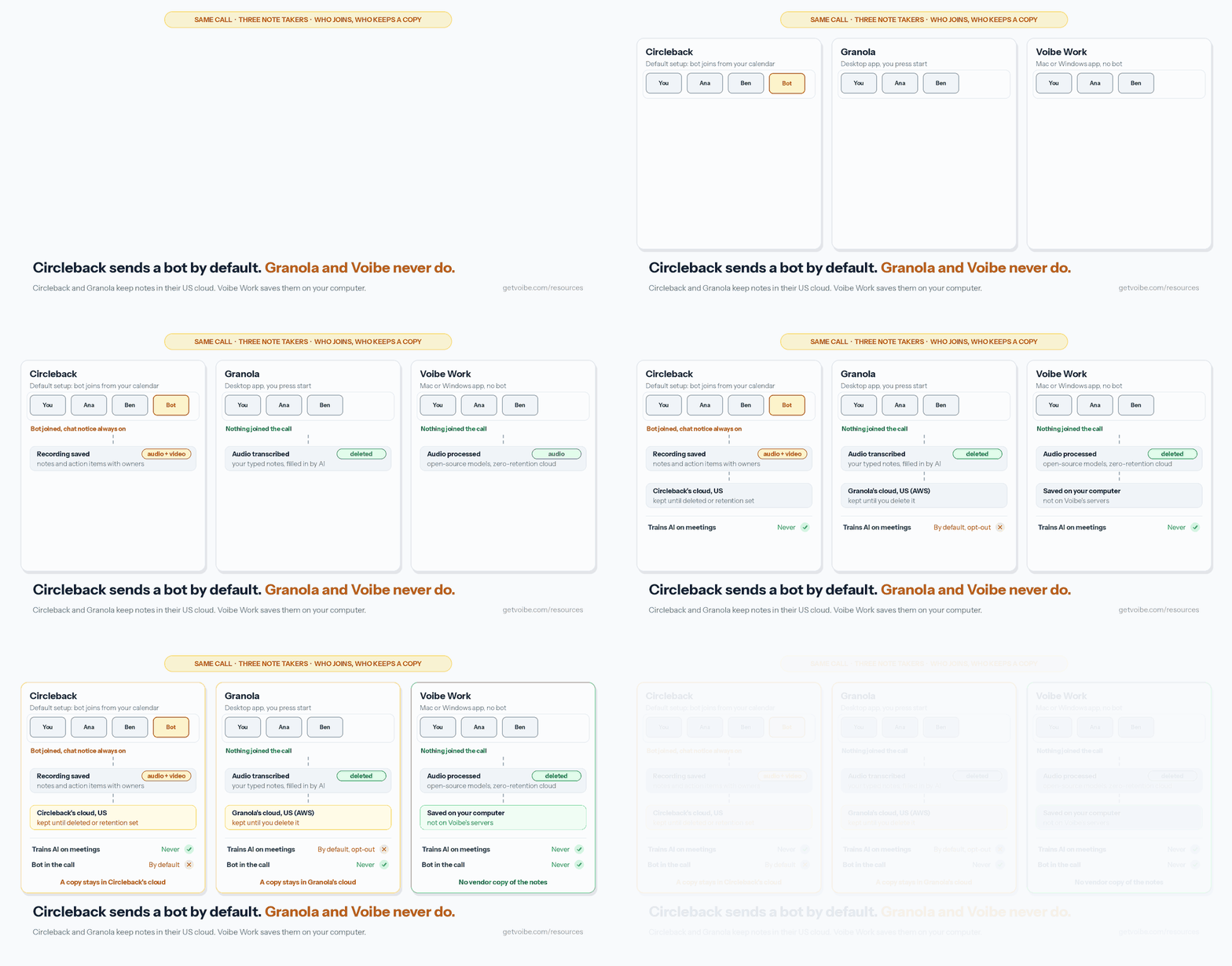
Animation in three lanes. The same three-person call runs through Circleback, Granola and Voibe Work. In the Circleback lane a bot tile joins the call and a line reads bot joined, chat notice always on; the recording is saved as audio plus video, with notes and action items with owners, and lands in Circleback's US cloud, kept until deleted or until a retention period is set. In the Granola lane nothing joins; the audio is transcribed and deleted, your typed notes are filled in by AI, and the notes land in Granola's US cloud on AWS, kept until you delete them. In the Voibe Work lane nothing joins; the audio is processed by open-source models on zero-retention cloud providers and deleted, and the notes are saved on your computer, not on Voibe's servers. Rows then read: trains AI on meetings, Circleback never, Granola by default with an opt-out, Voibe never; bot in the call, Circleback by default, Granola never, Voibe never. Closing line: Circleback sends a bot by default; Granola and Voibe never do. Circleback and Granola keep notes in their US cloud; Voibe Work saves them on your computer.
One joins the call and keeps the recording. One never joins and keeps only the notes. Both keep those notes in their own cloud.

Circleback defaults to a bot and makes the desktop app optional. Nothing from Granola ever joins your call.

Circleback: a bot first, the desktop app if you choose it

Circleback's recording guide treats the bot as the main path. It joins from your calendar, and the host may need to admit it. Once inside, it posts a chat message saying whether recordings are stored and whether everyone gets the notes by email.

The participant settings page says that message can't be disabled. Pro lets you rename the bot and change its picture, but not silence it.

The desktop app guide covers the bot-free route, with one catch. If calendar joining is still on, Circleback tries the bot first and uses the desktop app only when the bot can't get in.

Granola: you press start, and nothing joins

With no bot, nobody sees a notetaker arrive, so telling people is up to you. Each user can turn on an opt-in chat message and a video watermark.

On Enterprise, an admin can enforce those notices. Heads Up adds a page participants open before joining. It logs each click with the meeting ID and a timestamp.

Recordings: Circleback keeps them, Granola deletes the audio

Circleback saves audio and video by default, and you can switch that off. Free keeps recordings for 30 days, Pro for a year, Business for two years and Enterprise with no limit. Granola deletes the audio once transcription finishes, so there's nothing to replay.

Both vendors make recording consent your job. Our guide to AI notetaker consent laws covers the rules by state and country.

Notes, Action Items and Automations: What You Get After the Call

Granola builds on what you write. Circleback writes everything without you.

Granola: your notes, filled in

Type a two-word reminder during the call, and the finished note expands it from the transcript. Templates shape the output for each kind of meeting. Business adds follow-up emails, pre-meeting briefs and a shared dictionary.

Circleback: notes written for you, with owners

Circleback turns commitments into action items and assigns each one when the owner is clear. Ask Circleback answers questions across your meetings with citations, and searches connected email too.

Automations are where Circleback pulls clearly ahead. A rule can match meetings by tag, attendee or domain. It can then update HubSpot, Salesforce, Attio or Notion, send notes to Slack, create Linear issues or fire a webhook.

Integrations and CRM

Granola Basic connects to Slack only. Business adds Attio, Notion, HubSpot, Affinity and Zapier, and Salesforce needs Enterprise. Circleback Pro covers Salesforce for $15 a month billed annually, along with Linear, Zoho, monday.com, Zapier and Make.

Team features

Circleback Business adds admin roles, enforceable settings and unlimited free viewers who read shared meetings without a paid seat. Admins also get retention sliders. If nobody sets them, notes and transcripts stay until someone deletes them.

Granola Enterprise adds org-wide auto-deletion, a team-wide training opt-out and SCIM, with SSO from 50 users. Circleback Enterprise includes SSO and SCIM from the first seat.

Privacy, AI Training and HIPAA: Is Circleback or Granola Safer?

Circleback is the safer default on training, and Granola is the one with a pending lawsuit. Both keep your notes in their own US cloud.

Who trains AI on your meetings

Circleback's security page says: "We don't use customer data to train models." Its subprocessors are barred from it too.

Granola trains its own models on anonymised data by default on Basic and Business. Each user has to opt out in Settings. Its security FAQ says it can't guarantee data wasn't used before you opt out. Enterprise has training off for everyone, and OpenAI and Anthropic aren't allowed to train on your data.

Where the notes live

Granola stores notes on AWS in the US, with no EU or UK data residency. It names Deepgram and Assembly for transcription, and OpenAI and Anthropic for summaries.

Circleback sends personal data to the United States and doesn't name its transcription vendor. It also saves a participant's voice from calendar meetings to recognise it later.

HIPAA and BAAs

Both sell HIPAA coverage on Enterprise only, at $35 a seat. Circleback's HIPAA guide lets an admin switch on its standard business associate agreement (BAA) in Settings. It offers no custom BAAs and excludes substance-use records under 42 CFR Part 2.

Granola's HIPAA page says its BAA covers the desktop apps, not the phone apps. A BAA is a contract, not a certification, as Circleback's own FAQ points out.

More in Is Circleback safe?, Is Granola safe? and the healthcare note taker guide.

The Granola lawsuit

The Chamberlain complaint claims Granola's hidden capture breaks federal and California wiretap laws, and that default training makes it worse. An amended complaint followed on October 19, 2026.

On November 20 the court docket added a motion to dismiss and a motion to compel. Neither filing is public yet. Our Granola lawsuit explainer walks through the claims.

MCP, Voice Typing and Mobile: The Smaller Differences

Circleback wins on MCP, and Granola wins on dictation. Mobile is close to a draw.

MCP: Circleback can make changes, Granola mostly reads

Both connect to Claude, ChatGPT and Claude Code through a remote MCP server. Circleback's runs on every plan, and its tool list lets an assistant edit notes, share meetings, and create, reassign or delete action items.

Granola's MCP server mainly reads, and on Basic it only reaches the last 30 days. Transcripts need a paid plan, and an Enterprise admin can make it fully read-only.

Once an AI app reads a meeting, that AI company's terms apply. See our Circleback MCP guide and the AI note takers with MCP list.

Voice typing and dictation

Granola includes free voice typing on Mac and Windows on every plan, still in beta, according to its docs. Circleback has no dictation feature.

Mobile and phone calls

Both have iPhone, Android and Apple Watch apps for in-person meetings. Circleback's phone app records audio only and imports phone calls as recordings. Granola's phone apps record outbound calls, but not inbound ones.

Feature Comparison: Who Wins Each Round?

I scored ten rounds that decide the fit. Circleback takes six and Granola four, but a solo user feels Granola's four every day.

RoundCirclebackGranolaWinner
1. No bot in the callBot by default, app optionalNever a botGranola
2. Participants always toldChat notice can't be disabledOpt-in, enforced on EnterpriseCircleback
3. Writing your own notesNotes written for youNotepad you type inGranola
4. Action items with ownersAssigned automaticallyNot a task systemCircleback
5. Automations and CRMSalesforce from Pro ($180 a year)Salesforce on Enterprise ($420 a year)Circleback
6. Recordings to replayAudio and video, by planNoneCircleback
7. No AI training by defaultNever trainsOpt-out on Basic and BusinessCircleback
8. Price for unlimited history$180 a year (Pro)$168 a year (Business)Granola
9. Dictation includedNoneFree voice typingGranola
10. MCP that can make changesEdits notes and action itemsMostly readsCircleback

Accuracy isn't a round, because neither vendor publishes a benchmark. Circleback names speakers from your calendar and saved voices. Granola leans on your typed notes.

Pricing Breakdown: Is Granola Cheaper Than Circleback?

Yes, on every paid plan below Enterprise. Granola Business is $168 a year, which is $12 (6.7%) less than Circleback Pro on annual billing.

PlanWhat it addsMonthly billingPer year3 years
Granola BasicFree, 30 days of history$0$0$0
Granola BusinessUnlimited history, MCP, API, CRM integrations; monthly only$14$168$504
Granola EnterpriseSSO for 50+ users, HIPAA, training off, auto-deletion$35$420$1,260
Circleback FreeUnlimited meetings, 30 days of history$0$0$0
Circleback ProUnlimited history, 1 year of recordings, all integrations$18$180 annual / $216 monthly$540 / $648
Circleback BusinessAdmin roles, free viewers, custom retention, 2 years of recordings$29$300 annual / $348 monthly$900 / $1,044
Circleback EnterpriseSSO and SCIM, HIPAA, unlimited recordings; annual onlyNot offered$420$1,260
Voibe Work (third option)Meeting notes plus dictation, Mac and Windows$19$149$447, or $399 lifetime

Sources: Circleback's pricing page, Granola's pricing page and Granola's billing docs, which reserve annual billing for Enterprise.

What the numbers say

  • Month to month: Granola's $14 is $4 (22.2%) less than Circleback Pro's $18, or $48 a year.
  • Against Circleback Business: Granola Business is $132 (44.0%) less than its $300 a year.
  • Three years: Granola Business costs $504, which is $36 less than Circleback Pro on annual billing.
  • Enterprise volume: Circleback drops from $35 to $30 a seat from user 51, and to $15 above 5,000 users.
  • A team of 10: Granola Business costs $1,680 a year, Circleback Pro $1,800 and Circleback Business $3,000.

Circleback Business can still win when many people read but few record, because viewers are free. Five recorders and 20 readers pay $1,500 a year, and Granola has no free viewer seat.

Discounts, trials and refunds

Circleback offers 50% off for students and 30% off for nonprofits. Granola gives students and startups 12 months of Business free, and nonprofits 50% off.

Circleback's paid plans have a free trial of unpublished length, and payments are non-refundable. Granola publishes no refund policy.

More: Circleback pricing, Granola pricing and our AI meeting note taker pricing guide.

Moving From Granola to Circleback: What Comes Over?

Circleback has a built-in Granola import on every plan, Free included. It takes three steps:

  1. Open Settings, then Import, and pick Granola.
  2. Approve Circleback in the Granola window that opens.
  3. Confirm the meeting count. Circleback emails you when the import is done.

Circleback's switch page lists what comes over. Check sharing afterwards, since recipients get edit access.

What you had in GranolaWhat arrives in Circleback
NotesImported
TranscriptsImported; your mic is labelled as you, everyone else as one generic speaker
AttendeesImported
Action itemsNot imported as tasks; may still appear as text in the notes
FoldersBecome Circleback folders and tags; private folders stay hidden until you share them
RecordingsNot imported (Granola keeps no audio)
SharingMeeting shares come over; recipients get edit access

Each teammate runs the import from their own Granola account. Circleback Free shows only the last 30 days, and Pro or higher keeps the full history.

Weighing other tools first? Our Granola alternatives and Circleback alternatives rankings cover both directions.

Circleback or Granola: Which Should You Choose?

Start with who writes the notes. Want them written for you, with follow-ups chased? Choose Circleback. Want to take your own and have them tidied up? Choose Granola.

Use-case cheat sheet

If you are…PickWhy
A sales team that updates Salesforce after every callCircleback ProSalesforce automations from $15 a month, billed annually
A founder in back-to-back calls who types notes anywayGranola BusinessNotepad plus AI for $14 a month
A manager who misses meetings but wants the notesCirclebackThe bot joins from your calendar without you
A team where many read but few recordCircleback BusinessUnlimited free viewers
Someone who won't send a bot into client callsGranolaNothing ever joins the call
A clinic that needs a BAAEither, on EnterpriseBoth cost $35 a seat; Granola's BAA covers desktop apps only
Someone who dictates as much as they meetGranolaFree voice typing on every plan
A lawyer, advisor or clinician on confidential callsVoibe WorkNo bot, and the notes are saved on your computer

Still comparing? See Circleback vs Fathom, Circleback vs Otter and Bluedot vs Granola.

Voibe Work: No Bot, and the Notes Stay on Your Computer
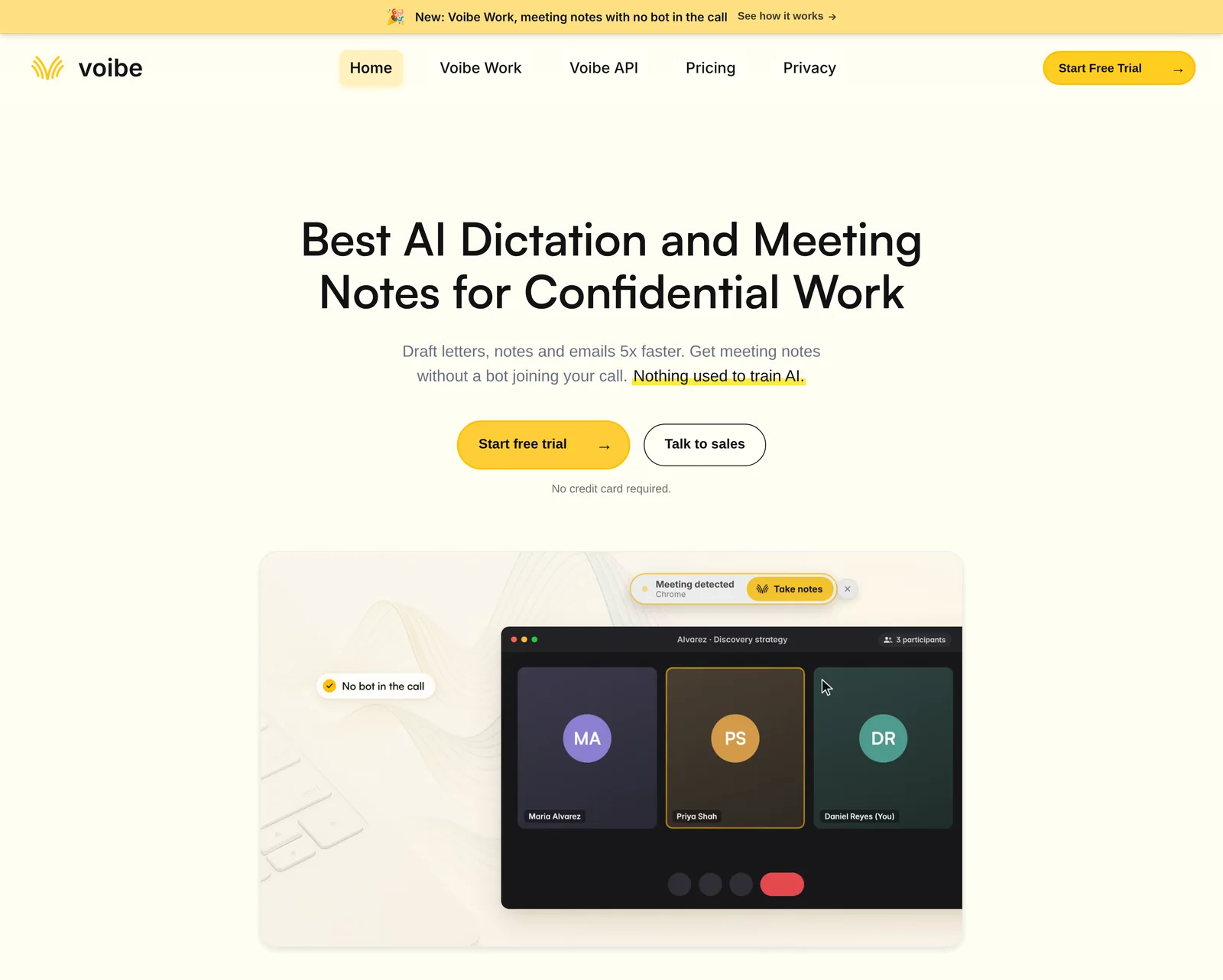
Voibe homepage hero: 'Best AI Dictation and Meeting Notes for Confidential Work', with a Meeting detected, Take notes prompt and a No bot in the call label over a three-person video call
Voibe Work: no bot in the call, with the transcript and summary saved on your computer instead of a vendor's cloud.

Both tools keep your meetings in their own US cloud. For client, patient or deal calls, that copy may be the part you don't want, and Voibe Work avoids it.

  • No bot: it captures the meeting from your Mac or Windows PC, in any meeting app, and records in-person meetings through your computer's mic.
  • Audio deleted: open-source models on zero-retention cloud providers process the audio, which is deleted as soon as processing completes.
  • Notes on your computer: the transcript and summary are saved on your device, not Voibe's servers, and never train AI.
  • Speakers and templates: speaker labels with a time on every line, plus templates per meeting type or your own.
  • Dictation included: every seat includes Voibe's dictation app on Mac and Windows.

It costs $19 a month, $149 a year or $399 lifetime on Voibe’s pricing page. A year costs $19 (11.3%) less than Granola Business and $31 (17.2%) less than Circleback Pro. Monthly, it's $5 (35.7%) more than Granola and $1 (5.6%) more than Circleback Pro.

Where Voibe Work falls short

Voibe Work has no CRM or Slack automations, no calendar auto-join, no shared team workspace and no phone app. It keeps no recording to replay, and meeting notes need an internet connection.

Trial, consent and Meeting MCP

New accounts get a 7-day trial of every Voibe Work feature, with no credit card and no automatic charge. After that you move to Voibe Free: dictation only, with 2,000 cloud words a week. Paid plans carry a 30-day money-back guarantee and a BAA available on request. There's no student discount.

Voibe reminds you to tell everyone you're taking notes; consent rules are up to you. Its Meeting MCP lets Claude or ChatGPT read your meetings, and what they read goes to that AI company.

Setup is in our first-week guide. Other bot-free tools are in best no-bot meeting note takers.

Trusted by 4,000+ professionals, including people at Netflix, NVIDIA, Amazon, Twilio, and Intercom

NetflixNVIDIAAmazonTwilioIntercom

See Voibe Work in action

Meeting notes with no bot and no vendor copy

Start free on Mac or Windows. 7 days of every Voibe Work feature, no credit card required.

Start for free

What Users and Reviewers Say About Circleback and Granola

Both score close to five stars on the App Store, but Granola has about 50 times as many ratings.

Circleback reviewers praise the notes but question reliability. An October 2026 App Store reviewer missed Apple Calendar support. A Trustpilot reviewer wrote in September 2026 that Circleback "fails to take notes, which you only learn after the meeting."

Granola reviewers love the notepad and miss the recording. One October 2026 reviewer wrote: "No matter how hard I try, I cannot take and organize my notes as well as Granola." Another said in November that Granola "does not allow you to access the actual audio".

Final Verdict: Circleback or Granola?

For a team that lives on follow-ups, Circleback is the stronger product. Action items, automations, free viewers and no AI training make the bot worth it, if everyone is comfortable with one that announces itself.

For one person or a small team that wants its own notes, Granola is the better buy. It never sends a bot, costs $12 a year less than Circleback Pro and includes voice typing. Turn off model training on day one, and keep an eye on the lawsuit.

Would you rather no vendor kept a copy? Try Voibe Work free for 7 days, with no credit card needed. Its notes stay on your computer.

Key Takeaway

Choose Circleback for action items with owners, CRM automations and no AI training ($180 a year for Pro). Choose Granola for a no-bot notepad, free voice typing and a lower price ($168 a year for Business). For confidential calls, Voibe Work saves notes on your computer for $149 a year.

Circleback vs Granola: questions people ask

What are the differences between Circleback and Granola?
Circleback sends a bot by default and writes the notes for you. Granola never sends a bot; AI fills in the notes you type.
Does Circleback or Granola use a bot?
Granola never does. Circleback does by default, but its desktop app records without one once calendar joining is off.
Is Circleback better than Granola?
For teams that want action items, CRM automations and recordings, yes. Individuals who want a cheaper no-bot notepad are better off with Granola.
Which is more accurate, Circleback or Granola?
Neither publishes an accuracy benchmark, so there's no fair way to rank them on it.
Can I import my Granola meetings into Circleback?
Yes, on every plan. Notes, transcripts, attendees and folders come over, but action items stay as text.
Is Granola cheaper than Circleback?
Yes. Granola Business is $168 a year, $12 (6.7%) less than Circleback Pro billed annually.
Do Circleback and Granola have free plans?
Yes. Circleback Free and Granola Basic both cost $0 and show 30 days of meeting history.
Does Circleback or Granola train AI on my meetings?
Circleback says it never does. Granola trains on anonymised data by default on Basic and Business unless each user opts out.
Are Circleback and Granola HIPAA compliant?
Both offer HIPAA coverage with a BAA on Enterprise only, at $35 a seat. Granola's BAA covers its desktop apps but not its phone apps.
Is there an alternative that keeps meeting notes off the vendor's servers?
Voibe Work records with no bot and saves the notes on your computer. It costs $149 a year, dictation included.

Leaving Granola? We'll cover the months you paid for.

Cancel Granola and get Voibe Work free for the time you had left, plus a bonus month, up to 12 months. Meeting notes with no bot in the call, saved on your computer, with dictation included.

  • Mac + Windows
  • No bot in your calls
  • Nothing used to train AI
  • 7-day free trial
See the Granola switch offer

Want to compare plans first? View pricing →