

Claude Meetings Review: A Smart Bot That Still Joins Your Call
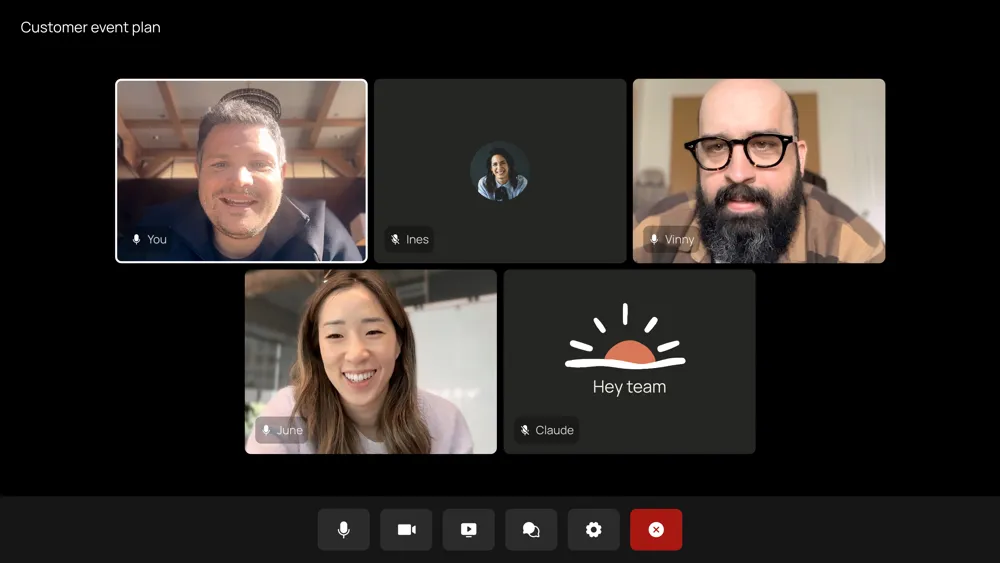
Picture a client call where a sixth tile appears, labelled Claude, and a notice lands in the chat. Everyone now knows an AI is listening. Some of them never agreed to it.
That is the trade in Claude Meetings. You get real help during the call, and you pay for it with a bot in the room.
NPR reported in August 2025 on a class action claiming Otter's notetaker recorded calls without asking every participant. Claude announces itself, which helps, but a notice is still not consent.
How I checked
- Hands-on: I've used Claude Meetings in my own Google Meet calls since the beta opened.
- Docs: on 25 November 2026 I read Anthropic's launch post, help article and privacy terms.
- Coverage: I also read the launch-week press and the Hacker News thread.
Pros
- +Answers questions and builds docs, whiteboards and slides during the call
- +Uses your connected work tools with permission
- +Saves a transcript, summary and screen descriptions, not audio
- +Team and Enterprise data isn't used for training by default
- +Notes and transcripts are free on Team and Enterprise during the beta
Cons
- -Joins as a visible bot, with a chat notice as the only signal to guests
- -Google Meet only during the beta
- -Requires a Claude Team (2+ seats) or Enterprise plan
- -No retention period published for meeting pages
- -Outside guests are allowed by default on Team plans
- -Excluded for HIPAA-ready, zero data retention and customer-managed key organizations
TL;DR: Claude Meetings in 30 Seconds
- Verdict: 6.5/10. Turn it on if you already pay for Claude Team or Enterprise and use Google Meet.
- What it is: a beta that puts Claude in Google Meet calls. It answers, plans and drafts.
- My experience: it worked well in my calls and felt more like a shared whiteboard than a note taker.
- Privacy: it saves text, not audio, and Team data isn't used for training by default. No meeting retention period is published.
- Main risk: it is a bot everyone can see. Team plans let it join calls with outside guests.
- Price: free during the beta on Team, from $20 a seat a month billed annually, and on Enterprise.
- Skip it if: you meet on Zoom or Teams, or with clients who haven't agreed to an AI.
- No-bot pick: Voibe Work, the app we build. It records from your computer for $149 a year.
Key Takeaway
Claude Meetings is worth using for internal Google Meet calls on Claude Team or Enterprise, where it is free during the beta. It joins as a visible bot, keeps transcripts in Anthropic's cloud with no published retention period, and allows outside guests by default on Team plans.
Key Takeaways: Claude Meetings at a Glance
Scores are mine, based on my own meetings and Anthropic's documentation as of 25 November 2026.
| Aspect | Rating | Summary |
|---|---|---|
| In-call help | 8/10 | Answers in the Meet chat, uses connected tools, builds docs, whiteboards and slides |
| Price for Claude teams | 9/10 | Notes, transcripts and answers are free on Team and Enterprise during the beta |
| Training defaults | 8/10 | Commercial plans are not used for training by default, per Anthropic's privacy center |
| Transparency to guests | 6/10 | Visible tile plus a chat notice, but no consent step for guests |
| Retention terms | 4/10 | No retention period published for meeting pages or transcripts |
| Plan access | 4/10 | Team (2 to 150 seats) and Enterprise only, with no solo plan |
| Platform coverage | 3/10 | Google Meet only; other platforms are "coming soon" |
| Overall | 6.5/10 | Strong for internal Google Meet calls, weak for client calls |
Who Should Use Claude Meetings, and Who Should Skip It
Claude Meetings suits internal teams that already work inside Claude and meet on Google Meet. For them it costs nothing extra during the beta. Live drafting during a planning call is useful.
Best for
- Product and operations teams on Claude Team who run internal planning calls on Google Meet
- Enterprise teams whose admins want meeting notes inside the same Claude account as their chats
- People who want a live helper in the call that can look things up in Drive or a CRM
Skip it if
- Your calls run on Zoom or Microsoft Teams, which Claude Meetings doesn't support yet
- You talk with clients, patients or candidates who never agreed to an AI participant
- Your organization uses Claude's HIPAA-ready setup, zero data retention or customer-managed keys, which are excluded from the beta
- You work alone, because Team starts at two seats
If the bot is the problem, no-bot note takers record from your own computer instead.
What Is Claude Meetings?
Claude Meetings is a beta that adds Claude to a Google Meet call as a visible participant. Anthropic announced it in its launch post on 12 November 2026.
The basics
- The job: per the help article, Claude "takes the notes, answers questions, and builds artifacts" such as docs and slides.
- Where it runs: Claude on the web and Claude Desktop, joining Google Meet calls only for now.
- Who gets it: Team and Enterprise plans; Free, Pro and Max accounts don't.
- Status: beta, with other video platforms listed as coming soon.
Promised, not shipped
The launch post names Gong, Attention, Granola, Fireflies.ai, Otter and Plaud. Each will "soon" receive Claude's meeting transcripts, but none of that is live yet.
Which privacy terms apply
Anthropic's commercial terms govern Team and Enterprise. The consumer training choice in our Claude Pro and Max privacy guide doesn't reach your meetings.
Claude Meetings Setup and User Experience
Setup takes a few clicks once an owner has switched on Google Calendar for your organization.
Who switches it on
On Team plans, Meetings is on by default and an owner can turn it off.
On Enterprise plans, an owner turns it on for all or part of the company.
Adding Claude to a call
- Open Meetings in Claude and connect your Google Calendar.
- Pick a meeting and click Add Claude.
- Or switch on auto-join in Settings, Capabilities, Meetings, for every meeting or every meeting except one-on-ones.
Owners can't set auto-join on your behalf. Claude usually joins without asking, and if the host declines, it won't retry that call.
During and after the call
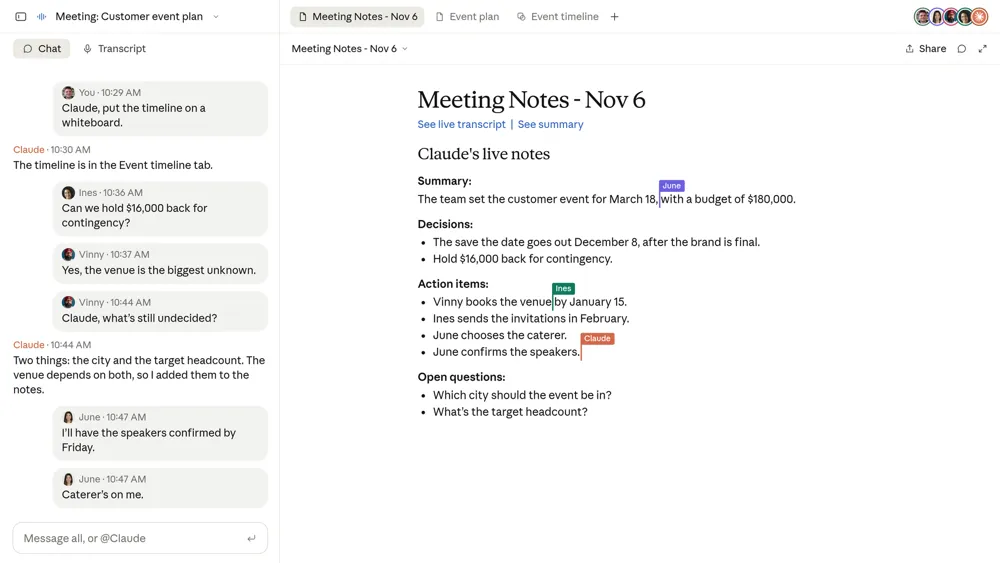
- Ask: say "Claude" and ask your question, or type it in the Meet chat.
- Answers: they come back in writing, and spoken questions trigger a check on who is speaking.
- Pause: tell Claude to stop listening, or use the meeting page.
- Afterwards: a meeting page holds the summary, action items and transcript, and internal invitees get a recap email.
Claude Meetings Key Features
The feature list leans toward doing work during the call as well as recording it. The help article and launch post describe seven pieces.
- Live answers: anyone on your team can ask a question out loud or in the Meet chat.
- Connected tools: Claude can use your connectors with your permission, and those calls count toward your plan's usage.
- Artifacts: docs, whiteboards and slides built during the call, free until 10 February 2027.
- Meeting page: summary, action items and transcript, plus a chat that stays internal to your organization.
- Recap email: sent after the call to internal invitees, never to outside guests.
- Past meetings: any regular Claude chat can search meetings you have access to.
- Auto-join: set per user, for all meetings or all except one-on-ones.
The partner hand-off to Granola, Otter and others is still listed as coming soon. Want Claude to read meetings recorded elsewhere? Our guide to giving Claude your meeting notes covers the routes that work today.
Claude Meetings Privacy: What It Saves and Who Sees It
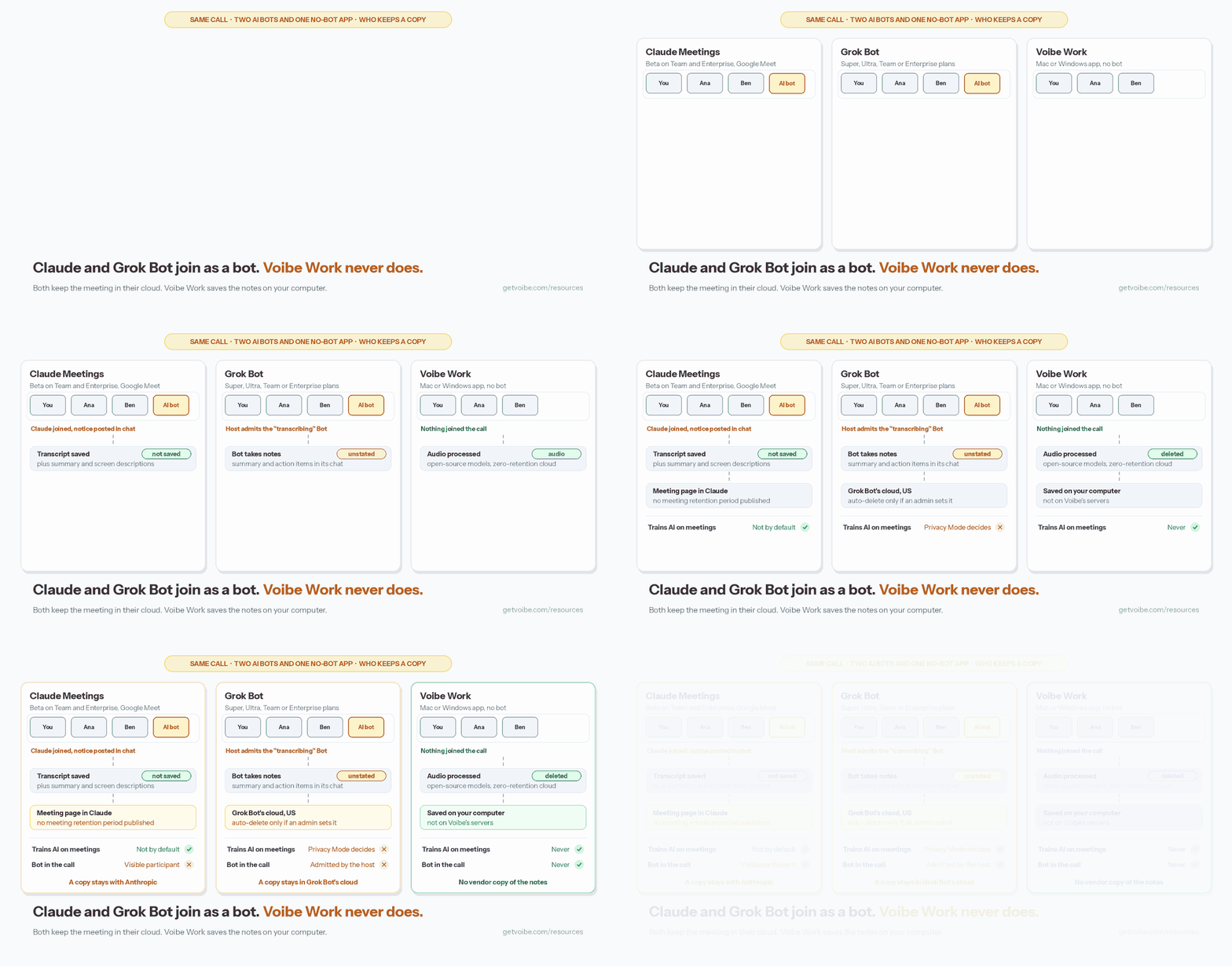
Claude Meetings saves a transcript, a summary and screen descriptions, and Anthropic says it does not save audio. The notes sit on a meeting page inside your organization's Claude account.
Training
Anthropic's privacy center says commercial products such as Team and Enterprise aren't used for training by default. Feedback sent with the thumbs buttons is the exception, kept for up to five years.
Retention
- No page I read gives a retention period for meeting pages.
- Claude for Work keeps chats in the product for "a consistent product experience" until you delete them.
- Deleted conversations leave back-end storage within 30 days, and Enterprise adds custom retention controls.
Who sees what
- Anything Claude posts in the Meet chat is visible to everyone on the call, guests included.
- The chat on the meeting page stays inside your organization.
- Guests' words go into the notes and transcript, but guests don't get the page or the recap email.
Consent
Claude's notice is the only signal guests get. Anthropic asks you to check that everyone "is OK with being transcribed" first.
Our recording consent laws guide covers the all-party states.
Outside Guests: Team and Enterprise Defaults Differ
Claude Meetings joins calls with outside guests by default on Team plans, and stays out by default on Enterprise. Several launch-week articles reported only the Enterprise rule.
| Setting | Team plan default | Enterprise plan default |
|---|---|---|
| Meetings switched on | On for everyone | Off until an owner turns it on |
| Calls with external guests | Allowed | Internal only until an owner allows it |
| Outsider joins mid-call | Claude stays | Claude leaves, including if another company's notetaker bot joins |
| Replies to guests | Posts its notice, doesn't reply in chat | Same, once allowed |
Each person also has a "Meetings with external guests" setting. On a Team plan, switch it off before your next sales or support call.
Warning
On a Claude Team plan, outside guests are allowed by default. Turn off Meetings with external guests in your own settings before client calls.
Claude Meetings Pricing & Plans (2026)
Claude Meetings costs nothing extra on Team and Enterprise during the beta, but you need one of those plans.
What you pay for Claude itself
| Plan | Billed annually | Billed monthly | Notes |
|---|---|---|---|
| Team, Standard seat | $20 a seat a month ($240 a year) | $25 ($300 a year) | 2 to 150 seats |
| Team, Premium seat | $100 a seat a month | $125 | 5x the usage of a Standard seat |
| Enterprise | $20 a seat a month plus usage | Annual only | 20-seat minimum, usage billed at API rates |
What the beta includes
- Free in beta: notes, transcripts and plain answers in the call.
- Counts toward usage: answers that use one of your connected tools.
- Free until 10 February 2027: docs, whiteboards and other artifacts.
- After the beta: Anthropic hasn't announced a price.
Cost compared with a dedicated note taker
If you already pay for Claude Team, Meetings adds $0 today. The math only changes if you'd buy Team just for meeting notes:
| Per seat | 1 year | 3 years | Voibe Work difference |
|---|---|---|---|
| Claude Team Standard, annual | $240 | $720 | Voibe Work annual is $91 (37.9%) less a year |
| Claude Team Standard, monthly | $300 | $900 | Voibe Work monthly ($228 a year) is $72 (24.0%) less |
| Voibe Work, annual | $149 | $447 | Includes dictation on Mac and Windows |
| Voibe Work, lifetime | $399 once | $399 | $321 (44.6%) less than three years of Claude Team |
Claude Team buys far more than meetings. Two seats is the minimum, so the smallest bill is $480 a year.
Our meeting note taker pricing guide lists every other plan.
Claude Meetings Performance and Reliability in Beta
Anthropic publishes no accuracy figures for Claude Meetings, and I won't invent one.
What it was like in my own calls
- Overall: it worked well in my Google Meet calls.
- Feel: it behaves less like a note taker and more like a shared whiteboard sitting in the call.
- Ambition: it wants to do more than record, planning, sketching and drafting while people talk.
- Fit: it is overkill for plain minutes. It saves a step when calls end in a plan.
What the docs show
- Speaker checks: for now, Claude asks who is speaking each time someone asks a question out loud.
- Written answers: replies arrive in the chat by default, and the launch screenshot shows Claude's tile muted.
- Long calls: Claude can stay up to eight hours and warns you before it leaves.
- Declined calls: if the host refuses entry, Claude doesn't try that call again unless someone re-adds it.
What analysts and Anthropic said
In Computerworld's launch coverage, Gartner called it "a beta entrant in a mature market" with a lot to prove.
An Anthropic spokesperson there also named Microsoft Teams, which the help article doesn't confirm.
Axios reported that Claude has joined nearly all of Anthropic's internal meetings for about two months. Internal calls are exactly where a bot is least awkward, though.
Claude Meetings Pros & Cons
Claude Meetings is the most capable in-call assistant I've used this year. The bot is still its biggest weakness.
Pros
- Works during the meeting: it drafts docs and timelines while people talk, which most note takers can't.
- Uses your tools: connectors let it check a CRM or a shared drive in the middle of a call.
- Text only: Anthropic says Claude saves a transcript and summary but no audio.
- Training defaults: Team and Enterprise data isn't used for training by default.
- Free in beta: there is no extra cost for notes on plans you already pay for.
Cons
- A visible bot: guests see an AI participant and a chat notice, with no consent step.
- Google Meet only: Zoom and Microsoft Teams users have to wait for support.
- Plan gate: only Team and Enterprise get it, with no solo, Pro or Max access.
- No retention period: the docs don't say how long meeting pages are kept.
- Guest defaults: on Team plans, outside guests are allowed unless someone changes the setting.
What Reviewers Say About Claude Meetings
There are no ratings for Claude Meetings itself yet, so these scores cover the Claude app as a whole.
| Platform | Rating | Reviews |
|---|---|---|
| Apple App Store (Claude) | 4.7 / 5 | 314,125 ratings |
| Product Hunt (Claude) | 5.0 / 5 | 1,120 reviews |
What people said at launch
The Hacker News thread split along the bot line:
- gonzalohm: said it "feels wrong because it's an actual participant" in the call.
- phil21: shrugged that AI transcription is already everywhere in work calls.
- aero142: warned that tool access for agents in calls is "challenging" to secure.
- coffeefirst: predicted lawyers would mine the transcripts for damaging lines.
The last two are the risks I'd weigh first.
Claude Meetings Alternatives: No-Bot and Bot Options
The best Claude Meetings alternative depends on whether the bot or the platform is your problem.
If the bot is the problem, pick an app that records from your own computer.
If Google Meet is the problem, Grok Bot covers Zoom and Teams. It is still a bot.
| Tool | Bot in the call | Where notes live | Price per seat | Best for |
|---|---|---|---|---|
| Claude Meetings | Yes | Anthropic's cloud | Free in beta with Team ($240 a year and up) | Google Meet teams on Claude |
| Voibe Work | No | Your computer | $149 a year | Confidential calls on any app, plus dictation |
| Granola | No | Granola's cloud | $168 a year (Business) | Typed notes filled in by AI |
| Grok Bot | Yes | Grok Bot's cloud | $1,000 a year (Super) | An agent on Zoom, Meet and Teams |
| Otter | Yes, or desktop app | Otter's cloud | $99.96 a year (Pro) | Cheapest dedicated note taker |
Granola and Otter both train on de-identified or anonymised data by default. Our AI meeting note takers roundup covers the wider field.
Voibe Work: The No-Bot Alternative With a Meeting MCP
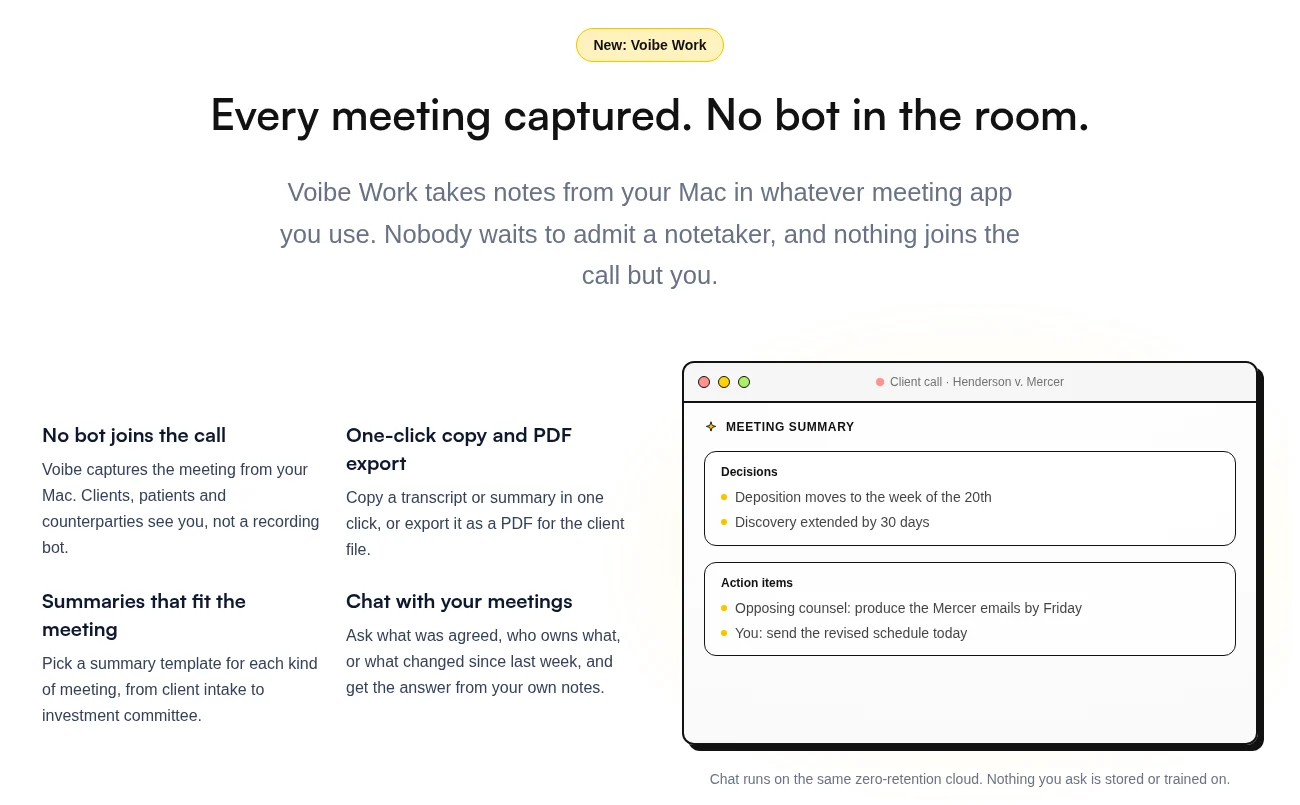
Voibe Work records your meetings with no bot in the call. Claude can read them afterwards through Voibe's Meeting MCP.
How Voibe Work handles a call
- Voibe Work captures Zoom, Teams, Google Meet, Webex, Slack huddles or any other meeting app from your Mac or Windows PC.
- In-person meetings record through your Mac or PC's mic.
- Open-source models on zero-retention cloud providers process the audio, which is deleted as soon as processing completes.
- The transcript and summary are saved on your computer, not on Voibe's servers, and never used to train AI.
- Speaker labels, templates for each meeting type (or your own), PDF export and chat with your meetings are included.
Meeting notes need an internet connection. When a recording starts, Voibe reminds you to tell everyone you're taking notes.
Following the consent rules where you are is up to you.
Giving Claude your meetings without a bot
- Connect: click MCP on the Meetings page and choose "Add to Claude" for Claude Desktop.
- What Claude reads: your meeting titles, summaries and transcripts, per the Meeting MCP panel.
- Where it goes: what Claude reads goes to Anthropic, and none of it goes through Voibe's servers.
- Off switch: one toggle stops every connected AI app at once.
Where Claude Meetings still wins
Voibe Work doesn't answer questions inside the call or draft slides while people talk. It costs $149 a year per seat, $91 less than a Claude Team Standard seat.
A BAA is available on request.
Trusted by 4,000+ professionals, including people at Netflix, NVIDIA, Amazon, Twilio, and Intercom





See Voibe Work in action
Meeting notes with no bot in the call
Start free on Mac or Windows. 7 days of every Voibe Work feature, no credit card required.
Granola: No Bot, Notes in Granola's Cloud
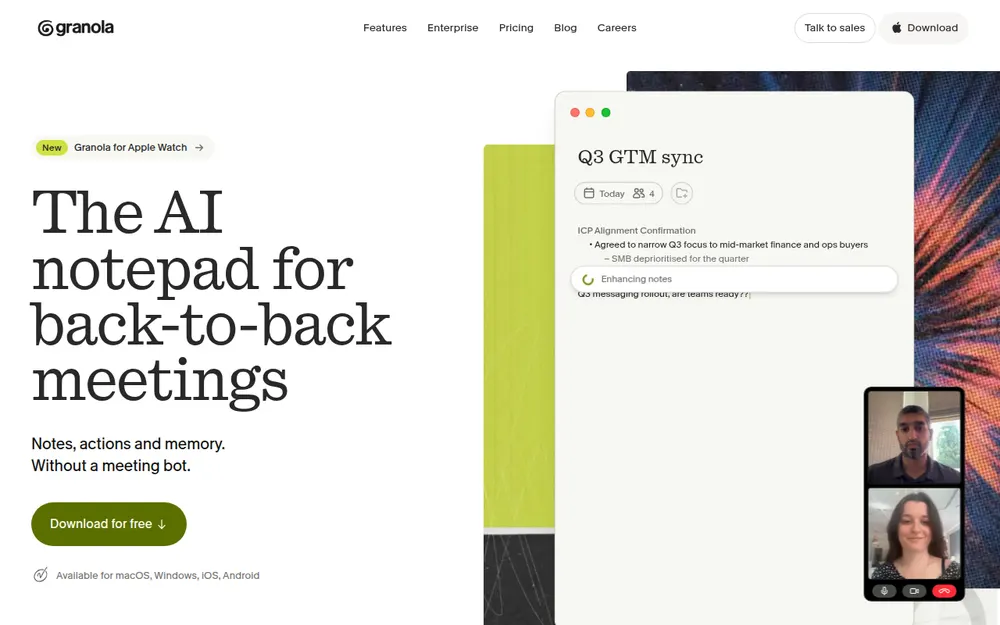
Granola is the best-known no-bot note taker, and it keeps your notes in its own cloud.
- How it works: press start in its desktop or iPhone app, type rough notes, and AI fills them in.
- Price: Business costs $14 a seat a month, or $168 a year, $19 more than Voibe Work.
- Training: anonymised data trains Granola's models by default on Basic and Business unless each user opts out.
- Legal: Granola faces a class action over consent and training.
Our Granola alternatives and Is Granola safe? pages cover the rest.
Grok Bot Meetings: The Same Idea on Zoom and Teams
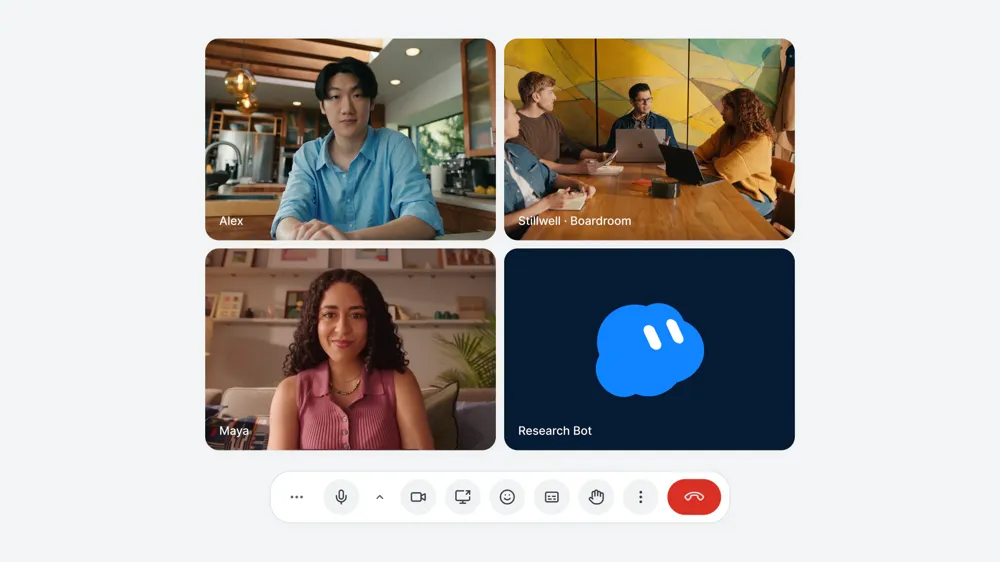
Grok Bot does what Claude Meetings does, on more platforms. It is still a bot the host has to admit.
- Platforms: it joins Google Meet, Zoom and Microsoft Teams from a link and answers in the chat.
- In the call: it joins under a name ending in "- transcribing" and sends a summary and action items afterwards.
- Price: meetings start on Super at $100 a month. That is over four times a Claude Team seat.
- Privacy: training follows Cursor's Privacy Mode, because Grok Bot runs on Cursor accounts.
In my own calls it was messier than Claude: it sometimes didn't join, and its transcripts sometimes missed parts. Our Grok Bot meetings review has the full picture.
Otter and Fireflies: The Classic Meeting Bots
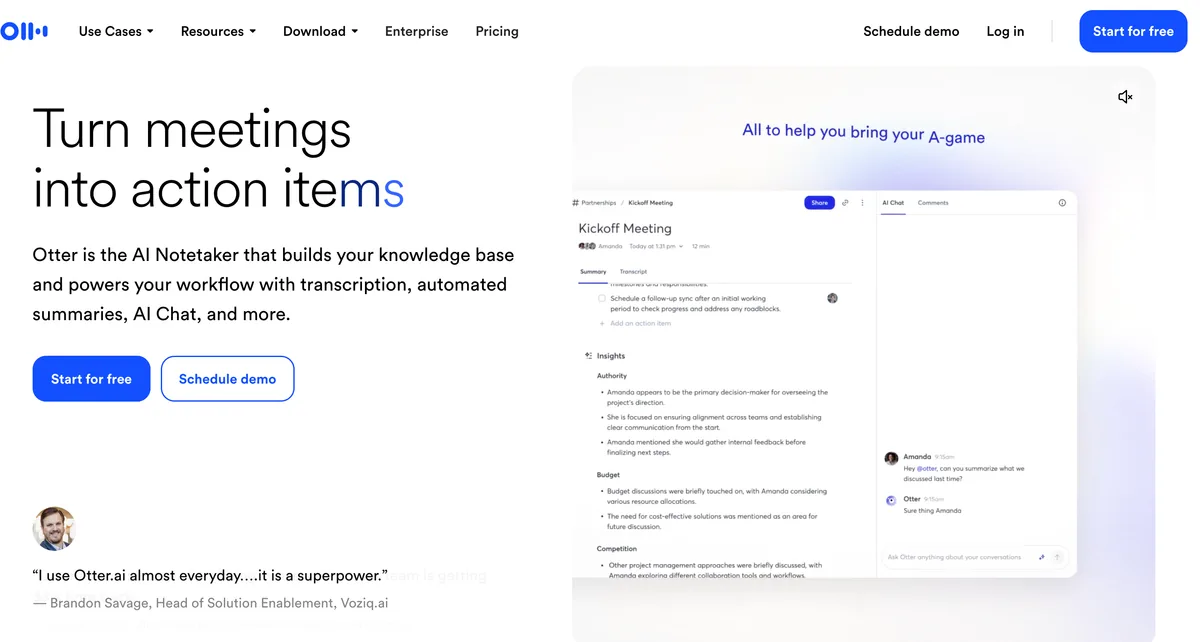
Otter and Fireflies are the cheapest dedicated note takers, and both are built around a bot.
- Price: Otter Pro costs $99.96 a year and Fireflies Pro $120. That is $49.04 and $29 less than Voibe Work.
- No-bot option: Otter also has a desktop app that records without a bot.
- Privacy: Otter trains on de-identified recordings and is defending the class action NPR reported.
Read Is Otter safe?, or compare our Otter alternatives and Fireflies alternatives.
Claude Meetings FAQ
These short answers are grouped by topic, and the sections above carry the full detail.
Basics
What is Claude Meetings?
Claude Meetings is Anthropic's beta feature that adds Claude to Google Meet calls as a visible participant.
It takes notes, answers questions in the chat and builds docs, whiteboards and slides. It launched on 12 November 2026 for Team and Enterprise plans.
What is Claude Meetings like to use?
In my own Google Meet calls it worked well.
It acts less like a note taker and more like a shared whiteboard in the call, planning and drafting while people talk.
How do I add Claude to a meeting?
Open Meetings in Claude, connect Google Calendar, pick the meeting and click Add Claude.
You can also switch on auto-join in Settings, Capabilities, Meetings. An owner must enable Google Calendar for your organization first.
Does Claude Meetings work with Zoom or Microsoft Teams?
Not yet, because the help article lists Google Meet only. Grok Bot and no-bot apps such as Voibe Work cover Zoom and Teams.
Can Claude speak in the meeting?
By default Claude answers in writing in the Meet chat.
You can also say "Claude" and ask out loud. For now it asks who is speaking each time.
Privacy and consent
Does Claude Meetings record audio?
No, according to Anthropic, whose launch post says Claude saves a transcript, summary and screen descriptions, not audio.
Does Anthropic train on Claude Meetings transcripts?
Not by default.
Anthropic's privacy center says commercial products such as Team and Enterprise aren't used for training. The exception is feedback you send with the thumbs buttons.
How long does Claude keep meeting transcripts?
Anthropic hasn't published a retention period for meeting pages.
Claude for Work keeps chats in the product until deleted. Deleted conversations leave back-end storage within 30 days, and Enterprise has custom retention controls.
Does Claude Meetings ask guests for consent?
No, Claude only appears as a participant and posts a notice in the Meet chat.
Anthropic asks you to make sure everyone is OK with being transcribed, so consent is your job. Our consent laws guide explains the rules.
Will Claude join calls with people outside my company?
On Team plans it joins them by default.
On Enterprise, only after an owner allows it, and Claude leaves if an outsider joins. Each user can also turn off meetings with external guests.
Pricing
Is Claude Meetings free?
During the beta, notes, transcripts and answers are free on Team and Enterprise.
Answers that use connected tools count toward usage, and artifacts are free until 10 February 2027. You still need a Team seat from $20 a month or an Enterprise contract.
Can I use Claude Meetings on Claude Pro or Max?
No.
Claude Meetings is rolling out on Team and Enterprise plans only, and a Team plan needs at least two seats.
Comparisons
What is the best alternative to Claude Meetings without a bot?
Voibe Work, the app we build, records from your Mac or Windows PC with no bot.
It deletes the audio after processing and saves notes on your computer. It costs $149 a year, and its Meeting MCP lets Claude read your meetings afterwards.
Is Claude Meetings better than Otter?
For live help, yes: Claude answers and builds artifacts during the call.
Otter supports more platforms, has a solo plan at $99.96 a year and a no-bot desktop app. Otter trains on de-identified recordings; Claude's commercial plans don't train by default.
How does Claude Meetings compare to Grok Bot meetings?
Both join as bots and answer in the meeting chat.
In my calls Claude was steadier; Grok Bot sometimes didn't join or missed transcript parts. Claude is free in beta on Team plans but Meet-only. Grok Bot covers Meet, Zoom and Teams from $100 a month.
Final Verdict: Is Claude Meetings Worth It in 2026?
Claude Meetings earns 6.5/10 from me. It suits internal teams on Claude Team or Enterprise who meet on Google Meet.
Those teams get an assistant that works during the call.
Why it isn't higher
- It is a visible bot, and a chat notice is the only signal guests get.
- Anthropic publishes no retention period for meeting notes.
- Team plans allow outside guests by default, and it only works on Google Meet.
My recommendation
- Turn it on for internal planning calls; in mine it worked well and felt like a shared whiteboard.
- Switch off external guests in your own settings before client calls.
- For confidential calls on any platform, use a note taker with no bot.
If that sounds like your calls, try Voibe Work free for 7 days. The trial covers every feature, with no card and no automatic charge, and our first-week guide shows the setup.
Info
Claude Meetings is in beta and Anthropic has said other platforms are coming. Re-check the help article for Zoom or Teams support and post-beta pricing before you plan around it.
Verdict
Claude Meetings earns 6.5/10. In hands-on use it worked well and behaves more like a shared whiteboard than a note taker. It is the best choice for internal teams on Claude Team or Enterprise who meet on Google Meet and want an assistant that answers and drafts during the call, free during the beta. It is a poor fit for client or patient calls: Claude joins as a visible bot, keeps transcripts in Anthropic's cloud with no published retention period, and allows outside guests by default on Team plans. Teams that want notes with no bot should look at Voibe Work, which records from your computer and saves notes there.