

Grok Bot Meetings Review: A Capable Agent With Thin Meeting Terms
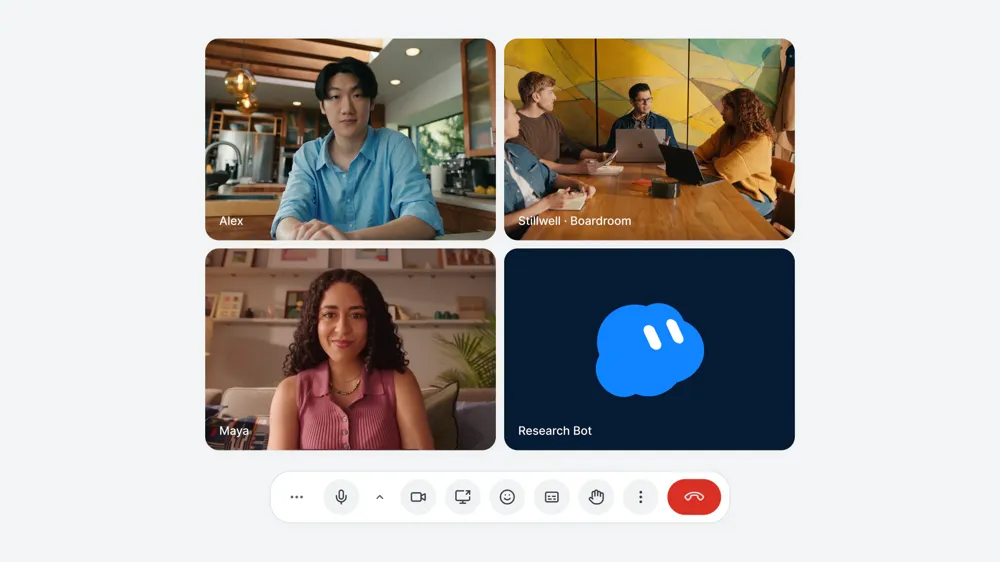
The meeting starts and a waiting-room request appears: "Research Bot (Ana's Bot) - transcribing." The host can admit an AI they never invited, or refuse and look awkward.
Grok Bot puts that choice in front of every host you meet. It also comes from a vendor regulators are watching closely.
In February 2026 Ireland's Data Protection Commission opened an inquiry into X over sexualised images made with Grok. That probe isn't about meetings, but it shapes how much trust a transcript deserves.
How I checked
- Hands-on: I've used Grok Bot in my own meetings.
- Docs: on 25 November 2026 I read xAI's Grok Bot docs on meetings, security, privacy and teams.
- Terms and price: I also read the Grok Bot terms, the pricing page and the launch coverage.
Pros
- +Joins Google Meet, Zoom and Microsoft Teams calls from a link
- +Answers questions in the meeting chat, and privately in Zoom
- +Its cloud computer can act on what the meeting decides
- +Holds back sensitive items and never shares credentials in a call
- +Can keep taking notes with interactivity switched off
Cons
- -Joins as a 'transcribing' bot the host must admit
- -Meetings start at $100 a month on the Super plan; Premium doesn't include them
- -No published meeting retention period; auto-delete is Enterprise-only and off by default
- -Training depends on your Cursor Privacy Mode setting
- -Deleting Grok Bot means deleting your Cursor account
- -In hands-on use it sometimes failed to join a meeting and missed parts of the transcript
- -Grok Bot's terms put every notice and consent duty on the customer
TL;DR: Grok Bot Meetings in 30 Seconds
- Verdict: 5.5/10. Worth it only if you already pay for Super or Ultra and want one agent on every platform.
- What it is: xAI's agent joins Google Meet, Zoom or Teams from a link and answers in the chat.
- My experience: it works but is messy. It sometimes didn't join, and some transcripts missed parts.
- Price: meetings start on Super at $100 a month. Premium at $30 includes Grok Bot but not meetings.
- Privacy: training follows your Cursor Privacy Mode setting, and no meeting retention period is published.
- Consent: the terms put every notice and consent duty on you, and the host must admit a "transcribing" bot.
- Skip it if: you only need notes, or you meet clients who may refuse an AI participant.
- No-bot pick: Voibe Work, the app we build. It records from your computer for $149 a year.
Key Takeaway
Grok Bot meetings make sense only for Super or Ultra subscribers who want one agent on Zoom, Meet and Teams. The cheapest plan with meetings is $100 a month, it sometimes failed to join or missed transcript parts in my calls, the host must admit a transcribing bot, retention limits exist only on Enterprise, and consent is entirely your job under the terms.
Key Takeaways: Grok Bot Meetings at a Glance
Scores are mine, based on my own meetings and xAI's documentation as of 25 November 2026.
| Aspect | Rating | Summary |
|---|---|---|
| Platform coverage | 9/10 | Google Meet, Zoom and Microsoft Teams from a link |
| In-call help | 7/10 | Answers in the meeting chat and can act on work with its own cloud computer |
| Plan access | 5/10 | Super, Ultra, Team and Enterprise; not Plus or Premium |
| Training defaults | 5/10 | Follows your Cursor Privacy Mode setting; no training when it is on |
| Reliability in my calls | 4/10 | Usually works, but it sometimes failed to join and its transcripts sometimes missed parts |
| Retention controls | 3/10 | Automatic deletion exists only on Enterprise, and it is off by default |
| Price for meetings | 3/10 | From $100 a month (Super), or $1,000 a year |
| Vendor track record | 2/10 | Indexed shared chats in 2025, regulator inquiries and state lawsuits over Grok |
| Overall | 5.5/10 | A capable agent with costly access and thin meeting terms |
Who Should Use Grok Bot Meetings, and Who Should Skip It
Grok Bot meetings suit people who already live in Grok Bot and want it on every call platform. If you pay for Super or Ultra anyway, meetings add no cost.
Best for
- Founders and operators on Super or Ultra who already run errands through Grok Bot
- Teams on Zoom or Microsoft Teams, where Claude Meetings doesn't work yet
- Internal calls where everyone knows and accepts that a Bot is listening
Skip it if
- You only need meeting notes, because $1,000 a year buys far cheaper note takers
- You meet clients, patients or candidates who may refuse an AI participant
- You need a published meeting retention period or deletion without closing your account
- Your company blocks outside bots in Zoom, Meet or Teams
For calls where no bot is welcome, see our no-bot note takers.
What Is Grok Bot, and What Do Meetings Add?
Grok Bot is xAI's always-on agent, and meetings are one of its skills. xAI now operates as SpaceX Super Intelligence (SpaceXSI).
The agent
- Its own computer: the docs describe "an agent with access to a real computer in the cloud" with a browser, files and a terminal.
- Always on: close your laptop and it keeps working, then tells you when it's done.
- Shared Bots: Team Bots work inside Slack and Microsoft Teams.
When meetings arrived
Grok Bot 1.0 shipped on 11 November 2026 with meetings for Team, Enterprise and Ultra. On 13 November the @bot account announced meetings widely, and the docs now list Super too.
The Cursor detail
Grok Bot signs you in with a Cursor account and follows Cursor's data settings. Cursor's policies therefore govern your meeting data.
How to Add Grok Bot to a Meeting: Setup and User Experience
You send Grok Bot to a call by pasting the link into a chat with it. There is no separate meetings app to install.
Three steps to add the Bot
- Paste the Google Meet, Zoom or Microsoft Teams link and ask the Bot to join and take notes.
- Approve the card the Bot shows you.
- When the meeting starts, the host admits the Bot.
Other ways it joins
A Bot that follows your calendar can join scheduled meetings on its own. A routine's Bot also joins, but it takes notes and stays quiet in the chat.
Microsoft Teams calls also need a Teams admin to approve the Bot.
Managing upcoming meetings
The Bot's details list upcoming meetings with a countdown. For a meeting you scheduled, you can disable interactivity, cancel it or make the Bot quit.
Grok Bot Meetings Key Features
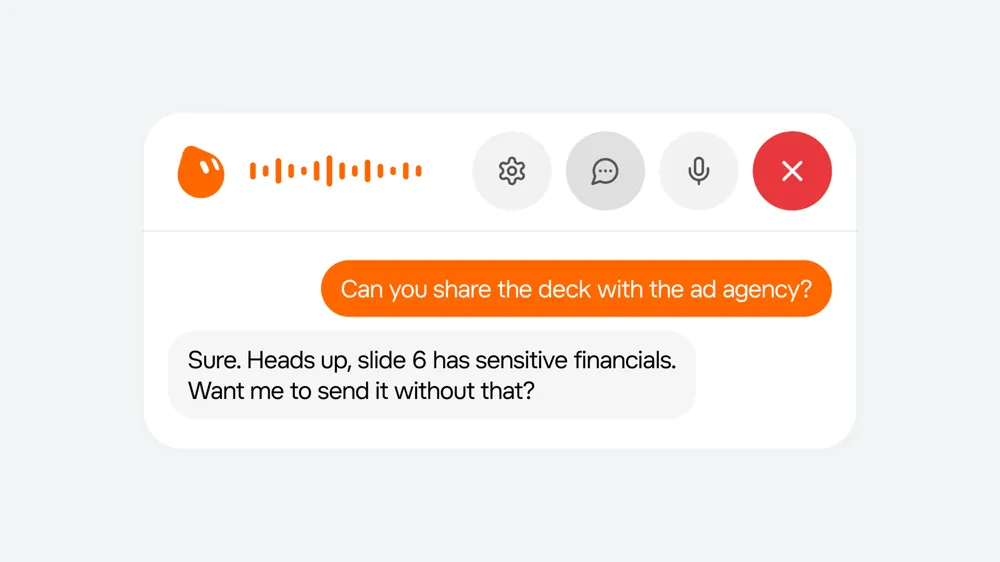
Grok Bot treats a meeting as another place to do work for you. The meetings doc lists these capabilities.
- Chat answers: address the Bot by name in the meeting chat and it replies there.
- Private answers in Zoom: a private chat message to the Bot gets a private reply.
- Room devices: a request from a conference room counts as coming from the room, not one person.
- Held-back items: if someone asks for something sensitive, the Bot tells you who asked and offers to send it.
- Summary and action items: they land in the Bot's chat when the call ends. Pages users also get a longer report.
- Past meetings: ask the Bot for any earlier summary or transcript.
- Team Bots: shared Bots can join when the team allows meetings.
It won't share your credentials in a meeting. xAI's launch image shows a Bot offering a deck without its sensitive slide. It is a thoughtful touch.
Grok Bot Meetings Privacy: Training, Retention and Deletion
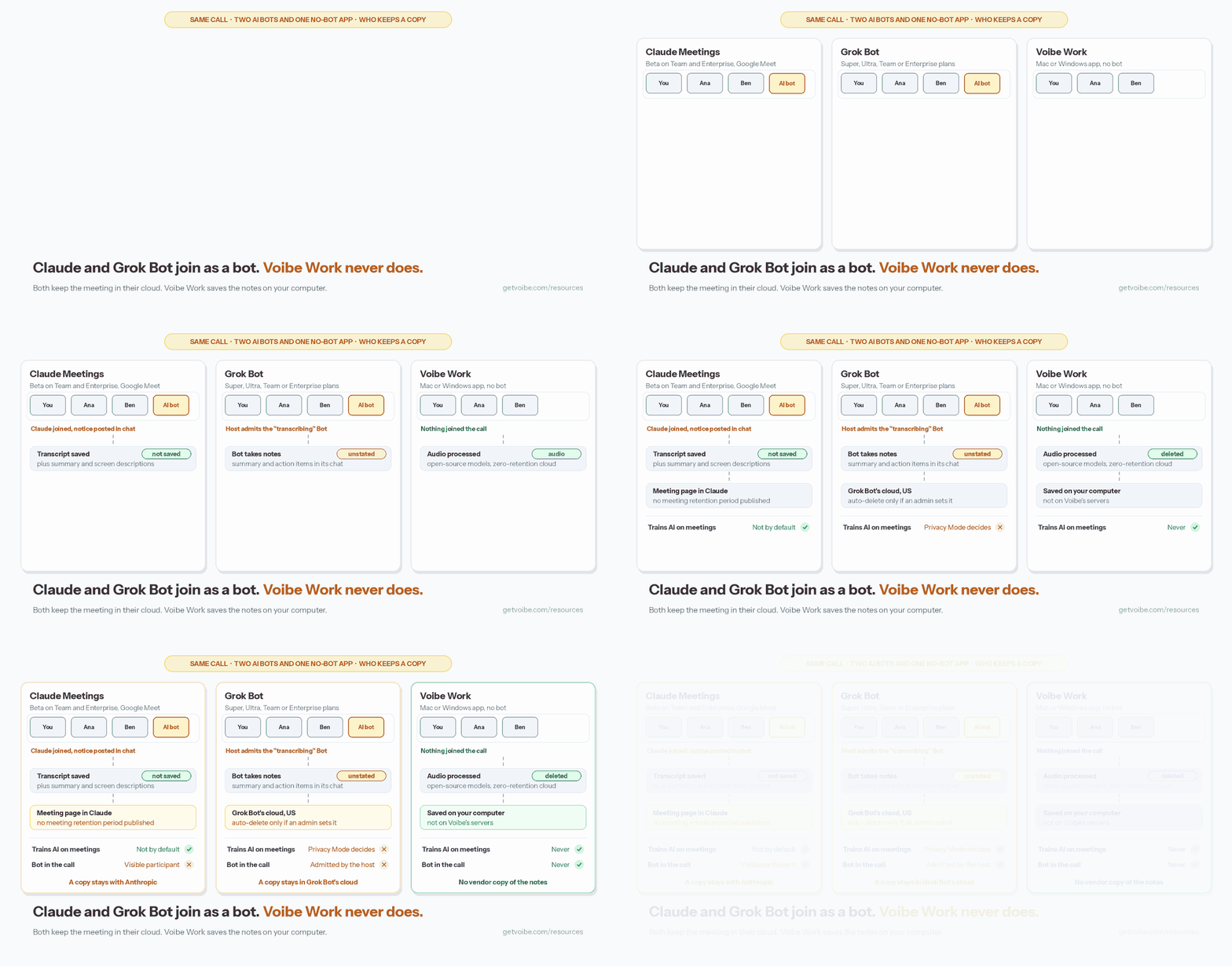
Grok Bot's meeting privacy rests on Cursor's settings, and the meeting doc says nothing about retention.
Training
- Per the FAQ, training opt-out "follows the applicable Cursor account and privacy settings" for your account.
- With Privacy Mode on, customer data is not used for training.
- Cursor's data use page says it may train on prompts when Privacy Mode is off.
I found no statement of the default for individual Super or Ultra accounts.
Retention and deletion
- No xAI page I read gives a retention period for meeting audio or transcripts.
- Automatic deletion exists only on Enterprise, and each setting is off by default.
- Your cloud computer keeps files on a durable disk, and hibernation is not deletion.
- Deleting Grok Bot means deleting your Cursor account, because there is no separate delete.
Where it runs
Grok Bot computers run in the United States. Requests go to a SpaceXSI model or a third-party provider, whose safety classifiers may store flagged data.
Our AI Privacy Tracker scores xAI's consumer Grok terms separately.
Who Is Responsible for Consent? Grok Bot's Terms Say You Are
Grok Bot's terms put every notice and consent duty on you. Section 2.6 of the Grok Bot terms, dated 31 October 2026, covers meetings.
What the terms say
The customer must "obtain all required consents from, all meeting participants" and give the required notices.
The customer also carries the job of "determining whether notice or consent is required" for each meeting.
What guests actually see
- A Bot whose name ends in "- transcribing," which is a notice of sorts.
- No consent prompt for guests anywhere in the docs.
- A host who admits the Bot, which isn't the same as everyone agreeing.
The gap is widest in all-party consent states such as California, Florida and Illinois. Our recording consent laws guide lists them.
Hosting the call yourself? Our guide to stopping meeting bots covers that side.
Warning
Admitting Grok Bot is the host's choice, not every guest's consent. In all-party consent states, ask everyone before the Bot starts transcribing.
xAI's Privacy Track Record and Why It Matters Here
xAI's record on privacy is the weakest of the major AI labs I track. None of these incidents involved Grok Bot meetings, but they involve the same company.
- August 2025: TechCrunch reported that thousands of shared Grok chats were searchable on Google. The share button had made public pages.
- February 2026: Ireland's Data Protection Commission opened an inquiry into X over Grok-generated intimate images.
- June 2026: Canada's Privacy Commissioner found a complaint about Grok deepfakes well-founded.
- November 2026: the Virginia and Oregon attorneys general sued SpaceX over Grok images, alleging false safety assurances.
The lawsuits are allegations with no ruling yet. Still, a meeting transcript is among the most sensitive files a company makes. The vendor history belongs in your decision.
Grok Bot Meetings Pricing & Plans (2026)
The cheapest way to get Grok Bot meetings is the Super plan at $100 a month, or $1,000 a year. Premium includes Grok Bot but not meetings.
X subscription plans and meetings
| Plan | Monthly | Annual | Grok Bot | Meetings |
|---|---|---|---|---|
| Plus | $8 | $80 | No | No |
| Premium | $30 | $300 | Yes | No |
| Super | $100 | $1,000 | Yes, 3.5x Premium usage | Yes |
| Ultra | $200 | $2,000 | Yes, 12x Premium usage | Yes |
| Team / Enterprise | $30 to $200 a seat | Contact sales for Enterprise | Yes | Yes; Enterprise admins switch it on |
Cost compared with a dedicated note taker
Super pays for the whole agent. This math matters only if meetings are the main job:
| Per seat | 1 year | 3 years | Voibe Work difference |
|---|---|---|---|
| Grok Super, annual | $1,000 | $3,000 | Voibe Work annual is $851 (85.1%) less a year |
| Grok Super, monthly | $1,200 | $3,600 | Voibe Work monthly ($228 a year) is $972 (81.0%) less |
| Claude Team Standard, annual | $240 | $720 | Grok Super costs $760 more a year |
| Voibe Work, lifetime | $399 once | $399 | $2,601 (86.7%) less than three years of Super |
Voibe Work's $149 a year also includes dictation on Mac and Windows. Our meeting note taker pricing guide compares every other plan.
Grok Bot Meetings Performance and Limits
xAI publishes no accuracy figures for Grok Bot meetings, and the docs leave several basics open.
What it was like in my own calls
- Overall: it works, but it can be messy.
- Joining: on some calls it never joined the meeting at all.
- Transcripts: on others it joined, yet the transcript missed parts of the conversation.
- When it worked: the summary and chat answers were useful.
For a meeting you can't afford to lose, I wouldn't rely on it as the only record.
Limits from the docs
- Chat only: the launch post says Bots "participate through the chat," and it doesn't speak in calls.
- Host approval: the host must admit the Bot every time, so a strict host can keep it out.
- Routine runs: a Bot sent by a routine takes notes but won't answer questions.
- Settings owner: meetings follow the settings of whoever started them.
What the docs don't say
There is nothing on which languages it transcribes or whether audio is kept. UC Today warned that "IT teams blocking external bots should take note" of the launch.
Grok Bot Meetings Pros & Cons
Grok Bot is a stronger agent than a note taker, and the meeting terms lag behind the agent.
Pros
- Three platforms: it joins Google Meet, Zoom and Microsoft Teams from a link.
- Chat answers: it replies in the meeting chat, and privately in Zoom.
- Real work: its cloud computer lets it act on what the meeting decides.
- Careful sharing: it holds back sensitive items and never shares credentials in a call.
- Quiet mode: you can disable interactivity and keep the notes.
Cons
- A bot to admit: every host sees a "transcribing" Bot in the waiting room.
- High price: meetings start at $100 a month on Super.
- Weak retention controls: automatic deletion is Enterprise-only and off by default.
- Training depends on a setting: Cursor Privacy Mode decides, and the individual default isn't stated.
- Hard to leave: deleting Grok Bot means deleting your Cursor account.
- Uneven reliability: in my calls it sometimes didn't join, and some transcripts missed parts.
What Reviewers Say About Grok Bot Meetings
No platform rates Grok Bot meetings on their own, so these scores cover the apps.
| Platform | Rating | Reviews |
|---|---|---|
| Apple App Store (Grok Bot) | 4.9 / 5 | 27,521 ratings |
| Apple App Store (Grok) | 4.9 / 5 | About 1.63 million ratings |
| Google Play (Grok) | 4.9 / 5 | 4.2 million reviews |
What reviewers wrote
- Matt Leppington (tl;dv, a rival note taker): "A visible bot is notice, not consent" for the other people in the call.
- Doc gaps he listed: recording notice, languages and transcript retention.
- Flavio Copes (developer): noted that the Bot doesn't speak in calls.
Neither review was a hands-on test. I found no Hacker News or Reddit thread about the meetings feature yet.
Grok Bot Meetings Alternatives: No-Bot and Bot Options
The best Grok Bot meetings alternative depends on whether you need the agent or only the notes. For notes alone, almost everything here costs a fraction of Super.
| Tool | Bot in the call | Where notes live | Price per seat | Best for |
|---|---|---|---|---|
| Grok Bot | Yes | Grok Bot's cloud | $1,000 a year (Super) | An agent on Zoom, Meet and Teams |
| Voibe Work | No | Your computer | $149 a year | Confidential calls on any app, plus dictation |
| Claude Meetings | Yes | Anthropic's cloud | Free in beta with Team ($240 a year and up) | Google Meet teams on Claude |
| Granola | No | Granola's cloud | $168 a year (Business) | Typed notes filled in by AI |
| Otter | Yes, or desktop app | Otter's cloud | $99.96 a year (Pro) | Cheapest dedicated note taker |
Granola trains on anonymised data by default on Basic and Business, and Otter trains on de-identified recordings. Our AI meeting note takers roundup covers the wider field.
Voibe Work: Meeting Notes With No Bot to Admit
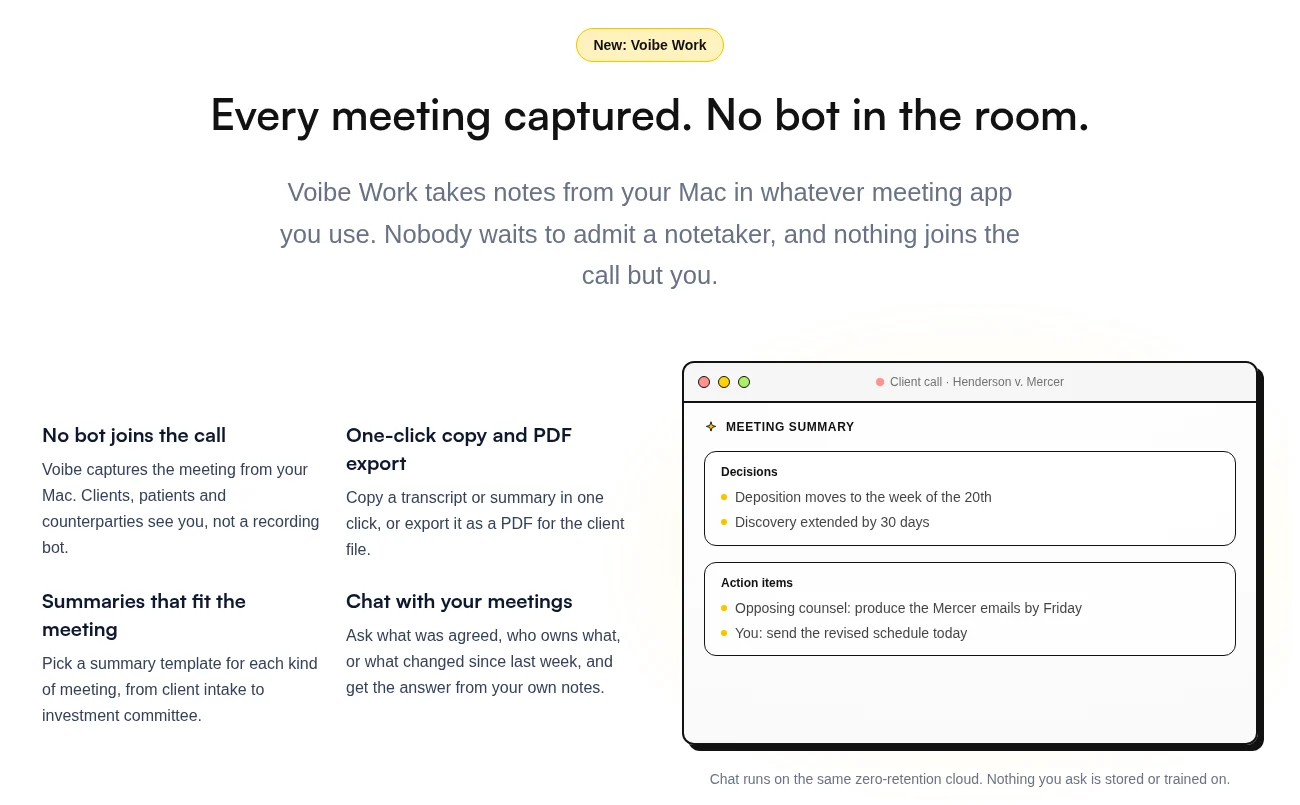
Voibe Work takes meeting notes with no bot to admit. It can hand your meetings to an AI app afterwards.
How Voibe Work handles a call
- Voibe Work captures Zoom, Teams, Google Meet, Webex, Slack huddles or any other meeting app from your Mac or Windows PC.
- In-person meetings record through your Mac or PC's mic.
- Open-source models on zero-retention cloud providers process the audio, which is deleted as soon as processing completes.
- The transcript and summary are saved on your computer, not on Voibe's servers, and never used to train AI.
Meeting notes need an internet connection. When a recording starts, Voibe reminds you to tell everyone you're taking notes.
Following the consent rules where you are is up to you.
The agentic part, after the call
- Connect: Voibe Work's Meeting MCP links Claude, ChatGPT, Cursor or Claude Code to your meetings.
- What they read: titles, summaries and transcripts, which go to the company behind that AI.
- Off switch: one toggle stops every connected AI app at once.
Where Grok Bot still wins
Voibe Work won't answer questions inside the call, and Grok Bot will. Voibe Work costs $149 a year per seat, $851 less than Super.
Dictation is included, and a BAA is available on request.
Trusted by 4,000+ professionals, including people at Netflix, NVIDIA, Amazon, Twilio, and Intercom




See Voibe Work in action
Meeting notes with no bot to admit
Start free on Mac or Windows. 7 days of every Voibe Work feature, no credit card required.
Claude Meetings: The Cheaper Bot, on Google Meet Only
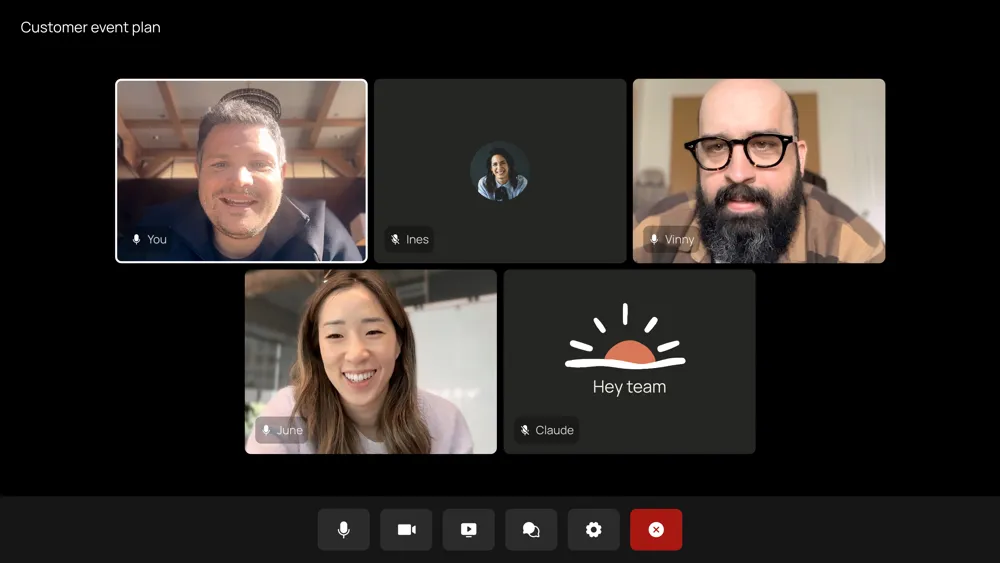
Claude Meetings is the closest rival to Grok Bot meetings, at a far lower price for teams.
- In the call: it joins Google Meet as a visible participant, answers in the chat and builds docs and slides.
- My experience: it was the steadier of the two, and it acts more like a whiteboard than a note taker.
- Price: notes are free during the beta on Claude Team, from $20 a seat a month billed annually.
- Privacy: Team and Enterprise data isn't used for training by default.
- Limits: Google Meet only for now, and Team plans allow outside guests by default.
Read our full Claude Meetings review for the guest defaults and setup.
Granola: No Bot, Notes in Granola's Cloud
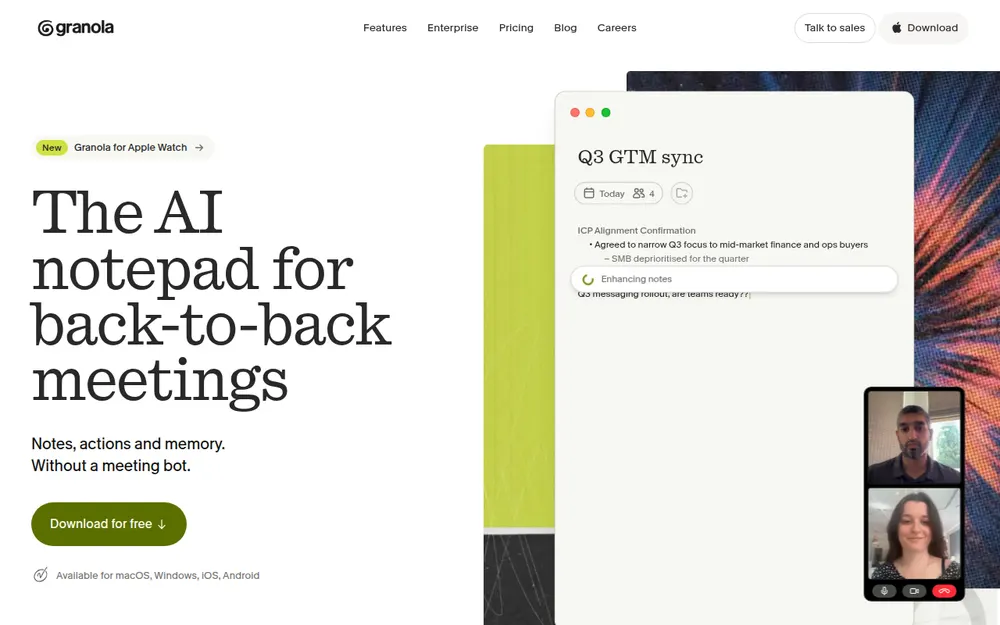
Granola records from your computer with no bot and keeps notes in its own cloud.
- How it works: you type rough notes during the call, and AI fills them in from the transcript.
- Price: Business costs $14 a seat a month, or $168 a year, $832 less than Grok Super.
- Training: anonymised data trains Granola's models by default on Basic and Business unless each user opts out.
- Legal: Granola is defending a class action over consent and training.
Compare more options in our Granola alternatives guide.
Otter and Fireflies: Cheaper Meeting Bots
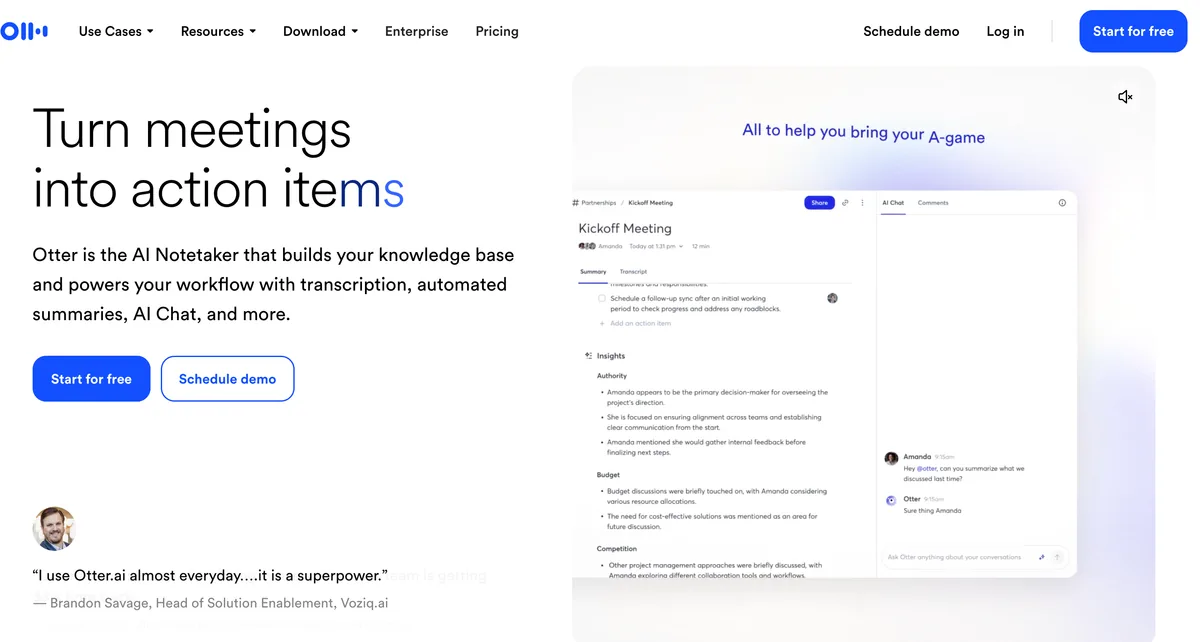
Otter and Fireflies cost about a tenth of Grok Super and do the note-taking job with a bot.
- Price: Otter Pro is $99.96 a year and Fireflies Pro $120.
- No-bot option: Otter also offers a desktop app that records without a bot.
- Privacy: Otter trains on de-identified recordings and faces a privacy class action.
See Is Otter safe?, our Otter alternatives and our Fireflies alternatives.
Grok Bot Meetings FAQ
These short answers are grouped by topic, and the sections above carry the full detail.
Basics
What are Grok Bot meetings?
Grok Bot meetings let xAI's Grok Bot join Google Meet, Zoom or Microsoft Teams calls.
It listens, takes notes, answers in the meeting chat and sends a summary with action items afterwards.
How do I add Grok Bot to a Zoom or Google Meet call?
Paste the meeting link into your chat with the Bot and ask it to join and take notes.
Approve the card it shows, and the host admits it when the meeting starts. A calendar-following Bot can also join scheduled meetings on its own.
Does Grok Bot talk in meetings?
No, it answers in the meeting chat when you address it by name. xAI's launch post says Bots participate through the chat.
Is Grok Bot reliable in meetings?
Not always, in my experience.
It usually works, but on some of my calls it never joined, and on others the transcript missed parts of the conversation. Don't make it the only record of an important meeting.
What name does Grok Bot use in a meeting?
It joins as "Bot name (your first name's Bot) - transcribing", or "Bot name (Team Bot) - transcribing" for a Team Bot.
Privacy and consent
Does Grok Bot train on my meetings?
It depends on your Cursor Privacy Mode setting.
With Privacy Mode on, customer data is not used for training. Cursor says it may train on prompts when Privacy Mode is off. The default for individual accounts isn't stated.
How long does Grok Bot keep meeting transcripts?
xAI's docs give no retention period for meetings.
Automatic deletion exists only on Enterprise, where admins can set 30 to 365 days for messages. Each setting is off by default.
Who is responsible for recording consent with Grok Bot?
You are, under the terms.
Section 2.6 of the Grok Bot terms says the customer must give all required notices and get all required consents from every participant. Our consent laws guide explains the state rules.
How do I delete Grok Bot and its data?
Grok Bot uses your Cursor account, so deleting Grok Bot means deleting that account.
Deleting a single Bot doesn't remove files on the shared cloud computer.
Pricing
Which Grok plans include meetings?
Super ($100 a month), Ultra ($200 a month), Team and Enterprise.
Plus and Premium don't include meetings, though Premium includes Grok Bot itself.
Is Grok Bot worth $100 a month for meeting notes?
Not for notes alone, in my view.
Voibe Work costs $149 a year, Otter Pro $99.96 and Granola Business $168. Super makes sense only if you also use Grok Bot's agent for other work.
Comparisons
Is Grok Bot better than Claude Meetings?
Grok Bot covers Zoom and Teams as well as Google Meet, while Claude Meetings is Meet-only.
In my own calls Claude was the steadier of the two. Claude is free during the beta on Team plans from $20 a seat. Its commercial data isn't used for training by default, as our Claude Meetings review explains.
What is the best Grok Bot alternative without a bot?
Voibe Work, the app we build, records from your Mac or Windows PC with no bot.
It deletes audio after processing, saves notes on your computer and costs $149 a year.
Final Verdict: Is Grok Bot Worth It for Meetings in 2026?
Grok Bot meetings earn 5.5/10 from me. They are a reasonable add-on for Super or Ultra subscribers who want one agent across Zoom, Meet and Teams.
Why it isn't higher
- In my own meetings it sometimes failed to join and sometimes missed parts of the transcript.
- Meetings start at $100 a month, which is steep for notes alone.
- There is no published meeting retention period, and training depends on a Cursor setting.
- Consent sits entirely with you under the terms.
My recommendation
Use it on internal calls if you already pay for Super. For client calls, or if notes are the main job, choose a note taker with no bot.
If that's you, try Voibe Work free for 7 days. The trial covers every feature, with no card and no automatic charge, and our first-week guide walks through setup.
Info
xAI updates Grok Bot often, and the plan list for meetings changed two days after launch. Re-check the meetings doc and the pricing page before you buy.
Verdict
Grok Bot meetings earn 5.5/10. In hands-on use it worked but was uneven: it sometimes failed to join and missed parts of transcripts. It is a reasonable add-on for Super or Ultra subscribers who want one agent that joins Zoom, Google Meet and Microsoft Teams and answers in the chat. As a note taker, Grok Bot is expensive at $100 a month or more, joins as a bot the host must admit, publishes no meeting retention period, ties training to a Cursor Privacy Mode setting and puts all consent duties on you. Teams that only need notes should pick a no-bot option such as Voibe Work at $149 a year.